Overview

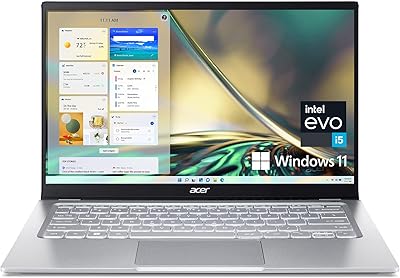
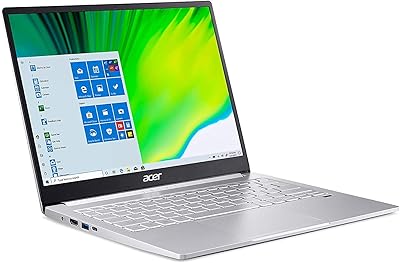
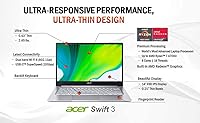
The Acer Swift 3 14-inch Ryzen 7 Laptop arrived at an interesting moment — AMD's Ryzen 4000 series represented a genuine leap forward in mobile performance, and this slim Acer laptop was well-positioned to take advantage of that. At just 2.65 pounds and 0.63 inches thick, it competes directly with ultrabooks that often cost significantly more. The trade-off is straightforward: you get strong everyday performance from an octa-core processor in a genuinely portable chassis, but integrated graphics mean it isn't built for demanding creative work or gaming. For productivity-focused buyers, that's a reasonable compromise.

Features & Benefits

The Ryzen 7 4700U is the real story here. Eight cores in a thin laptop at this price point was genuinely unusual when this machine launched, and it still handles browser-heavy workdays, Office apps, and light photo editing without breaking a sweat. Pair that with a 512GB NVMe SSD — which keeps boot times and file loading snappy — and day-to-day use rarely feels sluggish. The 14-inch IPS display delivers accurate, pleasant colors for everyday work, though brightness tops out at a moderate level. Wi-Fi 6 is a nice future-proof addition, and the fingerprint reader makes Windows Hello sign-in genuinely quick. On battery, expect six to eight realistic hours, not the advertised 11.5.

Best For

This Acer Swift 3 makes the most sense for students and remote workers who need a reliable daily machine they can carry without noticing the weight. Frequent travelers in particular will appreciate how easily the chassis slips into a backpack alongside everything else. Coming from an aging Intel Core i5 or i7 machine from a few years back, the performance jump is immediately noticeable in everyday tasks. It also suits light multitaskers well — streaming video while working across a dozen browser tabs isn't a problem. Where it falls short is anything graphics-intensive, so skip it if gaming or video rendering is part of your regular workflow.

User Feedback

Owners of the Swift 3 Ryzen 7 generally agree the build feels solid for its weight class and the keyboard is comfortable for long typing sessions. The complaints, though, are worth knowing before you buy. Non-upgradeable RAM is the loudest recurring concern — 8GB works fine today, but you can't add more if your needs grow. The webcam is passable for occasional calls but won't satisfy anyone on video meetings all day. A handful of users flag audible fan activity under sustained load, and outdoor display brightness draws mild criticism. Overall, buyer satisfaction skews positive among those who understood what they were getting into from the start.

Pros

  • The octa-core Ryzen 7 4700U delivers genuine multi-core performance that handles demanding multitasking with ease.
  • At under 2.65 pounds, this Acer Swift 3 is light enough to carry all day without fatigue.
  • The 512GB NVMe SSD keeps boot times and application launches impressively fast.
  • Wi-Fi 6 support ensures stable, future-ready wireless performance on compatible networks.
  • The fingerprint reader makes Windows Hello sign-in quick and convenient — a feature not always found at this price tier.
  • The IPS display offers solid color accuracy and wide viewing angles for comfortable daily use.
  • The backlit keyboard is comfortable for extended typing sessions, with good key travel for a slim chassis.
  • Compared to older Intel-based laptops in a similar class, the performance jump is immediately noticeable in real use.
  • The slim 0.63-inch profile fits easily into most laptop bags and backpacks designed for 14-inch machines.

Cons

  • The 8GB RAM is soldered and cannot be upgraded, which limits long-term flexibility as workloads grow.
  • Real-world battery life typically lands between six and eight hours — well below the advertised 11.5-hour figure.
  • The 720p webcam produces mediocre image quality that disappoints in daily video calls.
  • Integrated graphics rule out gaming, video rendering, and any GPU-accelerated creative work.
  • Display brightness is modest and can wash out in direct sunlight or bright outdoor environments.
  • Fan noise becomes noticeable under sustained processor load, which may bother users in quiet settings.
  • The single USB-A 2.0 port is slow by modern standards and can create bottlenecks with older peripherals.
  • This is a 2020 model, so buyers should verify current software support and compare against newer-generation competitors before purchasing.

Ratings

The scores below reflect an AI-driven analysis of verified global user reviews for the Acer Swift 3 14-inch Ryzen 7 Laptop, with spam, bot-generated, and incentivized feedback actively filtered out before scoring. Each category captures what real owners praised and what genuinely frustrated them — nothing is smoothed over to make the product look better than it is. The result is an honest picture of where this slim Acer laptop excels and where it asks you to compromise.

Processing Performance
88%
The octa-core Ryzen 7 4700U consistently impresses users coming from older quad-core Intel machines. Day-to-day tasks like running Office apps, managing browser-heavy research sessions, and handling video calls simultaneously feel genuinely quick and responsive, with minimal waiting.
Under sustained workloads — long compilation tasks or extended video exports — the processor throttles noticeably as thermals build up. Users who push the chip hard for extended periods report performance dipping from its peak, which is a real-world limitation of the thin chassis.
Portability
93%
At 2.65 pounds and just 0.63 inches thick, this is one of the genuinely easy laptops to carry daily. Students and commuters consistently praise how light the bag feels compared to their previous machines, and the slim profile slides into almost any sleeve or backpack without fuss.
The trade-off for the slim chassis is a slightly cramped port selection and thermal constraints under load. A small number of users who travel with lots of accessories find themselves reaching for a USB hub immediately, which adds to the carry weight they were trying to minimize.
Display Quality
74%
26%
The 14-inch IPS panel delivers accurate, pleasant colors for everyday document work, video streaming, and light photo viewing. Wide viewing angles mean colleagues can glance at your screen without everything washing out, which is useful in collaborative work settings.
Brightness is the consistent complaint. Outdoors or near a sunny window, the panel struggles to stay readable, and a number of users specifically call out that working in bright environments requires awkward repositioning. For a laptop marketed as portable, the brightness ceiling is a genuine limitation.
Battery Life
62%
38%
Under light use — mostly document editing, occasional streaming, and Wi-Fi browsing — many users comfortably get through six to seven hours on a charge, which is enough for a standard school or workday with modest demands.
The advertised 11.5-hour figure has frustrated buyers who feel misled. Real-world mixed use consistently lands in the six-to-eight-hour range, and heavier workloads can shorten that further. Users who expected all-day unplugged performance are among the most vocal critics in verified reviews.
RAM & Upgradability
51%
49%
For light multitasking — a dozen browser tabs, a video call, and a Word document open together — 8GB performs acceptably and does not cause immediate frustration for most everyday users.
The soldered RAM is the single most frequently cited dealbreaker in user feedback. Buyers who discover post-purchase that memory cannot be upgraded express real regret, particularly as 8GB starts to feel tight with Windows background processes consuming a meaningful share. This is a genuine long-term ownership concern.
Build Quality
83%
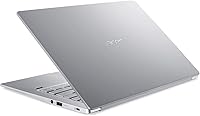
The aluminum-alloy lid gives the Swift 3 Ryzen 7 a build quality that feels noticeably more solid than plastic-bodied competitors at similar prices. Users consistently comment that the laptop feels premium in hand and holds up well to daily bag-in, bag-out use.
The bottom panel is plastic, which some owners find inconsistent with the premium lid. A few users also note minor flex in the keyboard deck under firm typing pressure, though this is a common compromise in slim chassis design rather than a specific quality defect.
Keyboard & Typing Experience
81%
19%
The backlit keyboard earns consistent praise for its key travel and feedback, particularly from users who type for hours daily. Writers and coders appreciate that it feels more substantial than the shallow keyboards common on ultra-thin rivals, and the backlighting is uniform and easy to adjust.
The keyboard layout includes a compressed right-side column that trips up touch typists occasionally, especially those migrating from larger laptops. A small number of users also mention that the trackpad, while functional, can feel slightly stiff compared to premium ultrabook standards.
Webcam Quality
48%
52%
The 720p webcam produces a recognizable, usable image in well-lit rooms, and for the occasional casual call it performs adequately without any additional setup required.
Users who rely on video calls for work are consistently disappointed. The image appears soft and grainy in anything less than ideal lighting, and compared to the webcams on competing laptops launched in the same period, it falls noticeably short. This is a meaningful weakness for remote workers.
Thermal Management
66%
34%
Under typical mixed productivity use, the chassis stays cool and the fan stays quiet. Most students and office workers will rarely hear the cooling system engage during their standard routines, which contributes to a comfortable lap-use experience.
Sustained processing tasks — think compiling code or running multiple intensive applications simultaneously — push the system into audible fan territory. A handful of reviewers describe the fan noise as distracting in quiet environments like libraries or open-plan offices, and temperatures on the keyboard deck can rise noticeably.
Wireless Connectivity
89%
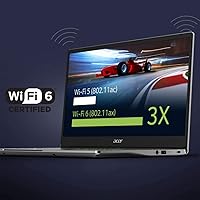
Wi-Fi 6 via the Intel AX200 is a legitimate highlight. Users with Wi-Fi 6 routers report noticeably faster and more stable connections compared to their older devices, and the reliability in crowded network environments like coffee shops and university campuses draws specific positive mentions.
The Wi-Fi 6 advantage only materializes with a compatible router, which not all buyers have. A small number of users on older network infrastructure report no practical difference from previous-generation wireless, making this feature feel redundant for buyers who have not yet upgraded their home networking.
Port Selection
63%
37%
Having both a USB-C port with DisplayPort output and a dedicated full-size HDMI port means connecting an external display requires no adapter whatsoever, which frequent desk-setup users appreciate as a practical convenience.
The inclusion of a USB-A 2.0 port alongside just one USB-A 3.2 port leaves the overall port count feeling thin for a productivity laptop. Users who connect multiple peripherals simultaneously — a mouse, an external drive, and a secondary monitor — frequently resort to a hub, which undermines the appeal of the slim design.
Value for Money
79%
21%
For buyers who prioritize processing performance and portability over expandability, this Acer Swift 3 delivers a compelling amount of capability for its price tier. The octa-core processor, NVMe SSD, Wi-Fi 6, and fingerprint reader together represent a feature set that would have cost considerably more in competing slim laptops.
The non-upgradeable RAM and modest webcam make the value proposition feel less generous over a multi-year ownership horizon. As 8GB becomes increasingly marginal for everyday computing demands, buyers who keep laptops for four or five years may find the overall value equation deteriorates faster than they expected.
Software & Out-of-Box Experience
71%
29%
Windows 10 Home comes pre-installed and the laptop is eligible for a free Windows 11 upgrade, which most users complete without issues. The fingerprint reader integrates smoothly with Windows Hello from day one, and most buyers report being productive within minutes of first boot.
Acer pre-loads a handful of bundled applications that some users find unnecessary, and the Alexa integration requires its own setup process that a portion of owners simply ignore. The out-of-box experience is clean enough, but not as polished as what premium ultrabook brands deliver at higher price points.

Suitable for:

The Acer Swift 3 14-inch Ryzen 7 Laptop is a strong match for anyone who needs a capable, lightweight machine for everyday productivity without paying ultrabook-premium prices. College students carrying it between classes will barely notice the 2.65-pound weight, and the octa-core Ryzen 7 processor handles the multitasking reality of student life — browser-heavy research sessions, video lectures, and documents open simultaneously — without much complaint. Remote workers who hop between home, coffee shops, and co-working spaces will appreciate the Wi-Fi 6 support and the fingerprint reader that keeps sign-ins quick and painless. It also makes a compelling upgrade for anyone still running an older Intel Core i5 or i7 machine, where the real-world performance jump in everyday tasks is immediately noticeable. If your workload stays within the bounds of office productivity, light content consumption, and occasional video calls, this slim Acer laptop covers all of it reliably.

Not suitable for:

The Acer Swift 3 14-inch Ryzen 7 Laptop has meaningful limitations that certain buyers should take seriously before committing. Anyone who relies on dedicated graphics — whether for gaming, 3D rendering, video editing, or running design-heavy software — will find integrated AMD Radeon graphics fall well short of what those tasks demand. The 8GB of soldered RAM is arguably the most important caveat: it cannot be upgraded after purchase, so if your workload grows or you tend to run memory-hungry applications, you may find yourself constrained within a year or two. The 720p webcam is workable for occasional calls but will frustrate professionals whose days revolve around video conferencing. Display brightness is adequate indoors but struggles in bright outdoor settings, making it a poor choice for anyone who regularly works outside. And anyone hoping for a quiet machine under sustained processing load should know that the fan can become audible during demanding tasks.

Specifications

  • Processor: The AMD Ryzen 7 4700U is an octa-core mobile processor with a base clock that boosts up to 4.1 GHz, offering strong multi-threaded performance for productivity workloads.
  • RAM: 8GB of LPDDR4 memory is soldered directly to the motherboard, meaning it cannot be upgraded after purchase.
  • Storage: A 512GB PCIe NVMe SSD handles system storage, delivering fast read and write speeds compared to traditional SATA-based drives.
  • Display: The 14-inch Full HD IPS panel runs at 1920x1080 resolution with a 16:9 aspect ratio and LED backlighting for consistent color across wide viewing angles.
  • Graphics: AMD Radeon integrated graphics are built into the Ryzen 7 4700U processor; there is no discrete GPU in this configuration.
  • Wireless: Wi-Fi 6 connectivity is provided via an Intel AX200 module supporting the 802.11ax standard for faster and more reliable wireless performance on compatible routers.
  • Ports: Connectivity includes one USB-C 3.2 Gen 2 port (with DisplayPort and charging support), one USB-A 3.2 Gen 1 port with power-off charging, one USB-A 2.0 port, and one full-size HDMI port.
  • Webcam: The built-in webcam captures video at 1280x720 (HD 720p) resolution, suitable for basic video calls but not optimized for high-definition streaming.
  • Battery: Acer rates battery life at up to 11.5 hours; real-world usage under normal mixed workloads typically falls in the six-to-eight-hour range.
  • Weight: The chassis weighs 2.65 pounds, placing it firmly in the lightweight category for a 14-inch productivity laptop.
  • Dimensions: The laptop measures 12.73 x 8.62 x 0.63 inches, with the slim 0.63-inch profile making it easy to slip into most standard laptop sleeves and bags.
  • Security: A fingerprint reader is built into the chassis and integrates with Windows Hello for fast, password-free sign-in.
  • Keyboard: The full-size keyboard includes backlighting, making it usable in low-light environments such as flights or dim work settings.
  • Operating System: The laptop ships with Windows 10 Home pre-installed; it is eligible for a free upgrade to Windows 11 given its compatible hardware.
  • Bluetooth: Bluetooth connectivity is included via the Intel AX200 combo module, supporting standard peripheral pairing for mice, headphones, and keyboards.
  • Voice Assistant: Amazon Alexa is built in and can be activated through the dedicated Acer software, enabling hands-free voice commands without a separate smart device.
  • Color & Material: The chassis is finished in Silver and constructed with an aluminum-alloy lid, giving it a more premium feel than typical plastic-bodied laptops at this price point.
  • Power Input: The laptop charges via its USB-C port, and the included adapter operates at up to 240 volts for international compatibility.

Related Reviews
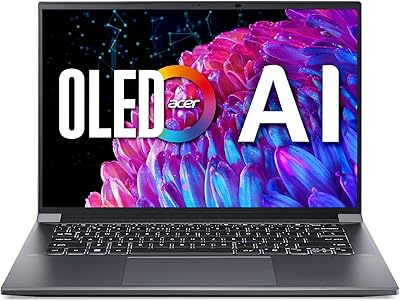
Acer Swift X 14 RTX 4060 Laptop
75%
93%
Display Quality
88%
GPU Performance
91%
Portability
61%
Thermal Management
58%
Battery Life
More
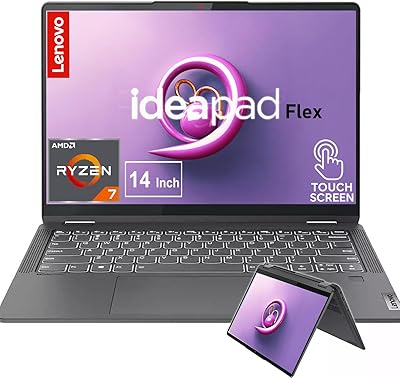
Lenovo IdeaPad Flex 5 14-inch 2-in-1 Laptop, Ryzen 7 5700U, 16GB RAM, 512GB SSD
85%
88%
Performance
93%
Display Quality
80%
Battery Life
75%
Portability/Weight
85%
Keyboard Comfort
More
ASUS TUF Gaming A17 17.3″ Gaming Laptop

72%
82%
Gaming Performance
88%
Build Quality
76%
Display Quality
91%
CPU Performance
63%
Thermal Management
More
Dell 14 Plus Laptop DB14250-14-inch 2.5K, Intel Core Ultra 7, 16GB RAM, 1TB SSD
85%
91%
Performance
94%
Display Quality
85%
Battery Life
88%
Build Quality
86%
Keyboard Usability
More
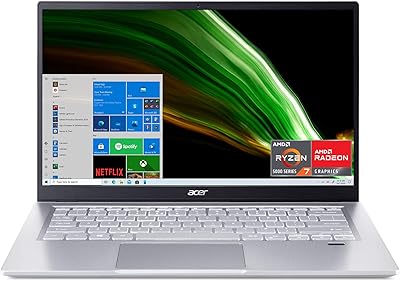
Acer Swift 3 Ryzen 7 5700U Laptop
73%
86%
Performance
91%
Display Quality
93%
Portability
52%
Battery Life
74%
Build Quality
More
Acer Swift 3 14″ i5 512GB Laptop
76%
86%
Display Quality
81%
Performance
74%
Battery Life
89%
Build & Portability
51%
RAM & Upgradeability
More
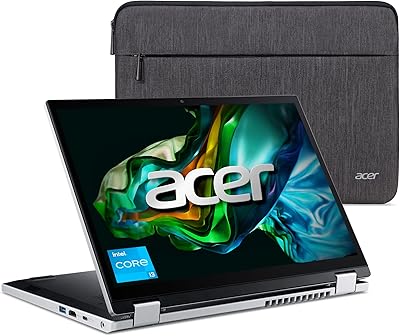
Acer Aspire 3 Spin 14 (A3SP14-31PT)
74%
88%
Display Quality
83%
Convertible Versatility
91%
Value for Money
47%
Storage Capacity
74%
Performance (Daily Tasks)
More
Acer Swift 3 SF316-51-740H Laptop
86%
91%
Performance
89%
Display Quality
94%
Portability
88%
Build Quality
72%
Battery Life
More
Acer Swift 3 13.5-inch Laptop
73%
88%
Display Quality
91%
Portability
83%
Everyday Performance
74%
Battery Life
47%
RAM & Upgradeability
More
Acer Swift Go 14 Intel Evo Laptop
73%
89%
Display Quality
86%
Performance
92%
Portability
74%
Battery Life
83%
Keyboard & Typing
More

FAQ

Unfortunately, no. The RAM in this slim Acer laptop is soldered directly to the motherboard, which means 8GB is what you get for the life of the machine. If you regularly work with memory-intensive applications — think large spreadsheets, many browser tabs, or virtual machines — that limitation is worth weighing carefully before you buy.

The jump is genuinely noticeable. The Ryzen 7 4700U has eight cores, which older quad-core Intel designs simply cannot match for multitasking. Switching between a video call, a document, and a dozen browser tabs happens without the sluggishness you might be used to on a machine that's a few years old.

The Acer Swift 3 14-inch Ryzen 7 Laptop is rated at up to 11.5 hours, but that figure reflects ideal conditions — low screen brightness, minimal background tasks. Most users doing real work report landing between six and eight hours. Plan for a full day of light use or half a day of heavier multitasking, and keep the charger handy for longer stints.

Yes, and you have two ways to do it. The USB-C port supports DisplayPort output, so you can connect a modern monitor directly with a compatible cable or adapter. There is also a full-size HDMI port for connecting to displays, projectors, or TVs that use a standard HDMI connection.

It gets the job done for occasional calls, but it is a 720p camera and it shows. In good lighting it is perfectly usable for a quick meeting, but if you are on video calls for several hours a day, the image quality will feel soft compared to external webcams. A clip-on 1080p webcam is an easy upgrade if this matters to you.

Yes, the Ryzen 7 4700U meets Microsoft's hardware requirements for Windows 11, including TPM 2.0 support. The laptop shipped with Windows 10 Home, but you can upgrade to Windows 11 through Windows Update at no cost.

It is one of the better options in its price range for that use case. The lightweight build means it is easy to carry across campus all day, the processor handles everything students typically throw at a machine, and the backlit keyboard is useful for late-night study sessions. The main thing to keep in mind is the fixed 8GB RAM, which should be sufficient for most student workflows but is not expandable.

The USB-C port on this machine supports charging, which is genuinely convenient. You can top up from a compatible USB-C power delivery charger or even certain portable power banks. The laptop comes with its own adapter, but having the USB-C charging option means you have more flexibility on the road.

During light tasks like browsing, document editing, or video streaming, the fan is barely noticeable or completely silent. Where it becomes audible is under sustained processor load — compiling code, running multiple heavy applications simultaneously, or extended video exports. For typical office and student use, most people find the fan noise infrequent and not disruptive.

The IPS panel has solid color accuracy for a laptop at this price point, and the 1080p resolution gives you enough screen real estate for most editing tasks. That said, it is not a color-calibrated professional display, and the brightness ceiling may feel limiting if you need precise color matching or work in a very bright room. For casual photo touch-ups and light creative projects, it is more than adequate; for serious color-critical work, a dedicated external monitor would be a better tool.