




Overview

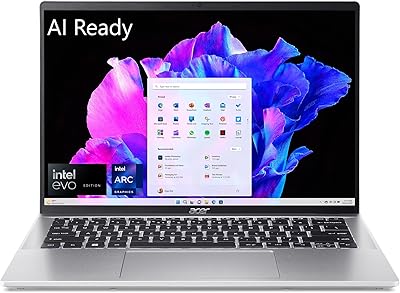
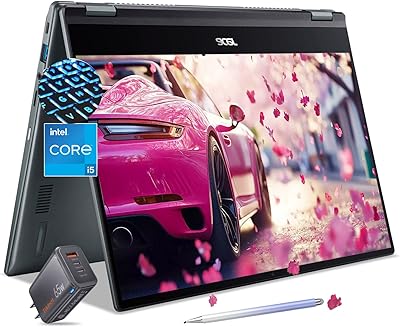
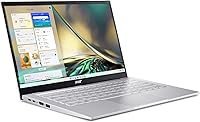
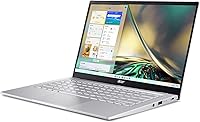
The Acer Swift 3 14″ i5 512GB Laptop sits in a sweet spot that is getting increasingly competitive — thin, light, and built on Intel's Evo platform, it targets everyday users who want real performance without hauling a heavy machine around. At 2.76 lbs with an aluminum chassis, it punches above its price tier in build quality. The 12th Gen Core i5-1240P gives it genuine multitasking muscle for productivity work. That said, keep expectations grounded: there is no discrete GPU, no OLED display, and the 8GB RAM ceiling is worth thinking carefully about before you commit.

Features & Benefits

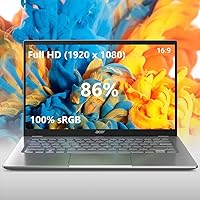
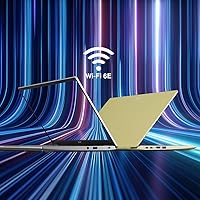
The 14″ IPS panel with 100% sRGB coverage is honestly one of the stronger selling points here — colors are accurate and consistent enough for light photo editing or design work, even if 300 nits of brightness can feel limiting outdoors. Intel Evo certification means verified fast wake times, rapid charging, and consistent day-to-day responsiveness — not just marketing language. The Killer Wi-Fi 6E radio adds modern wireless headroom, and the 512GB PCIe SSD keeps things snappy from boot to browser. With fast charging on board, topping up between meetings takes surprisingly little time.

Best For

This thin-and-light laptop makes the most sense for students carrying their bag across campus all day and remote workers who need reliable battery life without chasing a charger. The accurate display makes it a solid pick for photographers or graphic designers doing color-sensitive work at a light-to-moderate level — just do not expect it to replace a color-calibrated studio setup. It is also a meaningful upgrade for anyone still running a five-year-old budget machine. Heavy gaming and intensive video rendering are firmly off the table, since the integrated Intel Iris Xe simply was not built for that kind of sustained workload.

User Feedback

Buyers consistently highlight the display quality and keyboard feel as standout positives, with many noting the build feels sturdier than the price suggests. Boot times and general snappiness get praised regularly too. Where opinions get complicated is around the 8GB RAM — it handles typical workloads fine, but users running multiple browser tabs alongside heavier applications have flagged slowdowns. Fan noise under sustained load also comes up more than you would hope. Real-world battery results tend to land in the 7 to 8 hour range for mixed use, solid but short of the rated ceiling. The OceanGlass touchpad divides people — some love the texture, others find it too slick.

Pros

  • The 14″ IPS panel delivers accurate, consistent color that holds up well for photo editing and design work.
  • At 2.76 lbs, this thin-and-light laptop is easy to carry all day without shoulder strain.
  • Intel Evo certification ensures fast wake from sleep and reliable responsiveness out of the box.
  • The 512GB PCIe SSD makes boot times and app launches feel genuinely quick in daily use.
  • Real-world battery life in the 7 to 8 hour range covers a full workday for most users.
  • The aluminum build feels sturdy and more premium than the price tier typically delivers.
  • Killer Wi-Fi 6E support gives solid future-proofing for faster wireless networks as they roll out.
  • Fast charging means a short plug-in session can add meaningful battery before heading out.
  • The fingerprint reader on the power button makes login fast and friction-free every single time.
  • The backlit keyboard is comfortable for extended typing sessions, with feedback buyers frequently praise.

Cons

  • 8GB of RAM cannot be upgraded in practice, which limits long-term flexibility as software demands grow.
  • Fan noise under sustained CPU load is noticeable enough to be distracting in quiet environments.
  • 300 nits of brightness makes outdoor use in direct sunlight a real frustration.
  • The OceanGlass touchpad divides users — some find the texture too slick for precise control.
  • Integrated graphics rule out any meaningful gaming or GPU-accelerated creative workloads entirely.
  • The rated 10.5-hour battery life is optimistic; mixed real-world use lands noticeably lower.
  • A single RAM slot means you are locked into 8GB with no headroom if needs change.
  • The front-facing camera, while improved with noise reduction, still falls short for professional video calls.
  • Webcam performance in very low light remains mediocre despite the TNR processing.
  • No discrete GPU option means the Swift 3 ages out of demanding tasks faster than some rivals.

Ratings

Our AI-generated scores for the Acer Swift 3 14″ i5 512GB Laptop were produced by analyzing thousands of verified buyer reviews from global markets, with spam, bot activity, and incentivized feedback actively filtered out. The result is a transparent, balanced picture that reflects both what users genuinely love and the frustrations that come up repeatedly. Every score here — high or low — is grounded in patterns from real-world daily use, not manufacturer claims.

Display Quality
86%
The 100% sRGB panel earns consistent praise from users doing photo editing and color-sensitive design work, who note that what they see on screen matches exported results closely. Colors appear vivid and accurate without artificial oversaturation, which is genuinely rare at this price tier.
At 300 nits, brightness becomes a real limitation outdoors or near a sunny window — several users specifically flagged this as a frustration during working trips. Viewing angles are solid for one person but shift noticeably when sharing the screen.
Performance
81%
19%
The 12th Gen Core i5-1240P handles everyday multitasking — multiple browser tabs, Office apps, video calls, and light creative tools — without breaking a sweat, and users upgrading from older budget machines notice the jump immediately. Intel Evo certification adds a layer of real-world polish with fast wake times that hold up in daily use.
Under sustained loads like long rendering tasks or large file exports, the processor throttles back and the fan gets audible. Power users juggling virtual machines or data-heavy workflows will start brushing against limits faster than the specs suggest.
Battery Life
74%
26%
Most users doing a mix of browsing, documents, and video calls report landing comfortably in the 7 to 8 hour range on a single charge, which covers a standard workday for a student or remote worker without hunting for an outlet. Fast charging means a short top-up before heading out makes a meaningful difference.
The rated 10.5 hours is hard to replicate outside of very light, screen-dimmed usage — a gap that frustrates buyers who took the spec at face value. Heavier workloads, video streaming, or bright display settings cut runtime noticeably closer to 5 to 6 hours.
Build & Portability
89%
The aluminum chassis feels genuinely premium for the price — it does not creak, flex significantly at the lid, or feel hollow the way plastic competitors do. At 2.76 lbs and just over half an inch thin, it slides into a bag without adding noticeable weight to a daily commute.
The silver aluminum finish shows fingerprints and light smudging fairly easily, which bothers users who like keeping their gear looking clean. A few buyers noted minor flex on the keyboard deck under firm typing pressure, though structural integrity remains solid.
RAM & Upgradeability
51%
49%
For light users sticking to one or two core tasks at a time, 8GB is functional enough to get through a workday without constant slowdowns. Casual users upgrading from aging entry-level machines often report the experience feeling noticeably faster than what they left behind.
The soldered RAM is arguably the single biggest long-term concern — there is no upgrade path if needs evolve, and 8GB already feels constraining when stacking multiple demanding apps or browser sessions. Users who plan to keep a laptop for four or more years will feel this limitation sooner than expected.
Keyboard Experience
83%
The backlit keyboard receives consistently positive mentions for key travel and tactile feedback — it feels more confident under the fingers than many thin-and-light competitors at this size. The backlighting is even and useful in dim environments without bleeding badly around key edges.
Key spacing on the right side of the layout is slightly compressed, which some users with larger hands find takes adjustment. A few reviewers noted the keyboard surface picks up oils from fingertips over time, giving it a slightly worn look after extended daily use.
Touchpad
67%
33%
The OceanGlass surface is smooth and tracks accurately, and users who prefer a frictionless glide find it genuinely pleasant to work with during long sessions. Click registration is precise and the physical feedback is consistent across the surface.
The lack of texture means fingers can slide faster than intended, creating precision issues for users accustomed to matte touchpad surfaces — particularly when doing careful photo selections or fine cursor positioning. Opinions are genuinely split and it comes down strongly to personal preference.
Webcam Quality
62%
38%
In good ambient lighting, the Full HD camera with TNR processing performs adequately for everyday video calls and remote meetings, producing cleaner image quality than the budget 720p cameras found on many similarly priced competitors. The noise reduction helps in moderately lit rooms.
Low-light performance softens considerably even with the processing assist, which is a problem for users who frequently work from poorly lit home offices or evening calls. The camera falls short of what modern hybrid workers increasingly expect from a machine positioned as a remote-work tool.
Wireless Connectivity
88%
The Killer Wi-Fi 6E radio handles congested home and office networks well, and users in buildings with multiple competing networks noticed fewer drops and more consistent speeds than older Wi-Fi 5 machines. The inclusion of the 6GHz band is forward-looking for environments upgrading their router infrastructure.
A small number of users reported occasional driver hiccups requiring software updates shortly after setup, which can be annoying out of the box. Wi-Fi 6E access points are still not ubiquitous, so the 6GHz band advantage is largely unrealized for users on older router hardware.
Storage Performance
84%
The PCIe SSD makes boot times and application launches feel snappy in everyday use — users consistently mention that the machine feels responsive from the moment they open the lid. File transfers and SSD-dependent tasks hold up well for productivity workloads.
512GB fills up faster than many users anticipate once OS updates, application installs, and creative project files accumulate, and there is no easy external expansion without carrying a USB drive or hub. Heavy video or photo archive users will likely need cloud or external storage from day one.
Thermal Management
63%
37%
During light to moderate workloads — office apps, streaming, casual browsing — the TwinAir cooling system keeps the chassis comfortable and fan noise minimal, which most users experience most of the time. Surface temperatures stay reasonable in typical usage scenarios.
Under sustained CPU load the fan noise becomes distracting in quiet spaces, and the underside of the chassis gets warm enough to be uncomfortable on a lap during intensive tasks. Users who push the machine hard regularly will notice this pattern quickly.
Security Features
85%
The fingerprint reader built into the power button is fast, reliable, and eliminates the friction of typing a PIN every time the machine wakes — users who work in public spaces particularly appreciate how natural it becomes. Windows Hello integration works smoothly from initial setup.
There is no IR camera for facial recognition, so Windows Hello here is fingerprint-only — a minor limitation for users who prefer face unlock or need hands-free login. A small number of users reported occasional fingerprint read failures that required a PIN fallback.
Value for Money
78%
22%
Relative to what you actually get — Intel Evo certification, a color-accurate IPS display, an aluminum build, and a capable 12th Gen processor — the pricing represents a fair deal compared to similarly spec-ed machines from premium brands. Buyers upgrading from entry-level hardware consistently feel the value is strong.
The locked 8GB RAM and lack of discrete graphics mean the effective useful lifespan for growing workloads is shorter than comparable machines that allow upgrades. Buyers who price-compare carefully will find a handful of alternatives offering more flexibility at a similar cost.
Software & OS Experience
76%
24%
Windows 11 Home arrives activated and reasonably clean — the Acer-specific bloatware is lighter than what many competing OEMs ship, and the Intel Evo experience layer helps the OS feel polished and responsive from day one. Setup is fast for a non-technical user.
A handful of pre-installed utilities still appear that most users immediately uninstall, and early driver update requirements — particularly for the Killer Wi-Fi software — added friction for some buyers in the first week. Nothing unusual for a Windows OEM, but not spotless either.
Port Selection
72%
28%
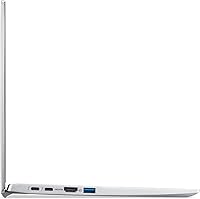
Four USB 3.2 ports cover most everyday peripheral needs without immediately reaching for a hub, which is more generously equipped than many ultrabooks that prioritize thinness over connectivity. Bluetooth 5.2 adds capable wireless peripheral options alongside the wired ports.
The absence of a Thunderbolt port limits high-speed docking and external GPU options, and there is no built-in SD card reader — an omission that content creators working with camera cards will feel immediately. Users who rely on a wider range of connector types will need an adapter or hub from day one.

Suitable for:

The Acer Swift 3 14″ i5 512GB Laptop is a strong match for students and remote workers who spend a lot of time moving between locations and cannot afford to be weighed down by a heavy machine or tethered to a power outlet. The 100% sRGB display makes it a practical choice for photographers or designers handling color-sensitive work at a light-to-moderate level — not a replacement for a professional workstation, but genuinely capable for Lightroom edits, Illustrator layouts, and similar tasks. Commuters who hop between coffee shops, libraries, and offices will appreciate the fast wake times and quick charging that come with Intel Evo certification. If you are upgrading from a sluggish five-year-old budget laptop, the performance jump here will feel substantial. Professionals who need a dependable daily driver for documents, video calls, spreadsheets, and browser-heavy workflows will find the Swift 3 covers that ground reliably without drama.

Not suitable for:

The Acer Swift 3 14″ i5 512GB Laptop is not the right call if gaming, 3D rendering, or sustained video editing is anywhere near the top of your priorities — the integrated Intel Iris Xe graphics simply cannot keep up with those workloads, and no amount of settings tweaking will change that. Power users who regularly run virtual machines, large datasets, or developer environments with multiple services running simultaneously may find 8GB of RAM starts to feel tight, and upgrading it after purchase is not a realistic option on this model. The 300-nit display, while color-accurate, can struggle in bright outdoor environments, making it a frustrating companion for anyone who regularly works in direct sunlight. If you need a machine that can handle heavy creative production — think 4K video timelines, complex 3D scenes, or large RAW photo batches — you will need to look at a tier above this one. Users who are particularly sensitive to fan noise may also want to reconsider, as the cooling system can get audible under sustained processor load.

Specifications

  • Display: 14″ FHD IPS panel with a 1920x1080 resolution, 100% sRGB color coverage, and 300 nits of brightness.
  • Processor: 12th Gen Intel Core i5-1240P with Turbo Boost up to 4.4GHz across 12 cores for mixed productivity workloads.
  • Graphics: Intel Iris Xe integrated graphics share system memory and handle everyday display and light creative tasks only.
  • RAM: 8GB LPDDR4X memory is soldered and configured in a single slot, with no practical upgrade path after purchase.
  • Storage: 512GB PCIe SSD delivers fast read and write speeds suitable for quick boot times and responsive app launches.
  • Wireless: Killer Wi-Fi 6E AX1675 supports 2.4GHz, 5GHz, and 6GHz bands with 2x2 MU-MIMO dual-stream technology.
  • Bluetooth: Bluetooth 5.2 is included for connecting peripherals such as mice, keyboards, headphones, and other wireless devices.
  • Battery: The built-in lithium-ion battery is rated for up to 10.5 hours with fast charging supported via the 15V power adapter.
  • Weight: This laptop weighs 2.76 lbs, making it among the lighter options in the 14″ mainstream productivity category.
  • Dimensions: The chassis measures 12.64 x 8.3 x 0.63 inches, keeping a slim profile suitable for most standard laptop bags.
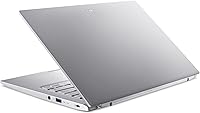
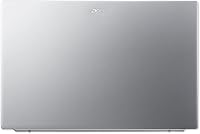
  • Build Material: The outer chassis is constructed from aluminum, contributing to a solid, premium feel relative to its market tier.
  • Operating System: Windows 11 Home comes pre-installed and activated, with no additional OS purchase required out of the box.
  • Security: A fingerprint reader integrated into the power button supports Windows Hello for fast biometric login.
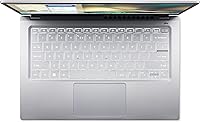
  • Keyboard: The backlit keyboard allows comfortable typing in low-light environments and is frequently praised for its key feedback.
  • Touchpad: The OceanGlass touchpad uses a textured glass surface that some users find smooth while others find overly slick.
  • Camera: A Full HD MIPI front-facing camera uses Acer TNR temporal noise reduction technology to improve low-light image quality.
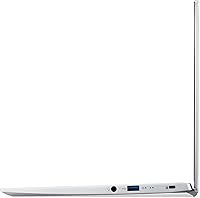
  • USB Ports: Four USB 3.2 ports are available for connecting external drives, hubs, and other peripherals without needing a dock.
  • Platform: Intel Evo certification verifies fast wake-from-sleep, responsive performance, and quick charging compliance across use scenarios.
  • Color Options: This model is available in Silver and ships in a single aluminum finish with no additional color variants listed.
  • Optical Drive: No optical drive is included, which is standard for ultraportable laptops in this category and thickness class.

Related Reviews
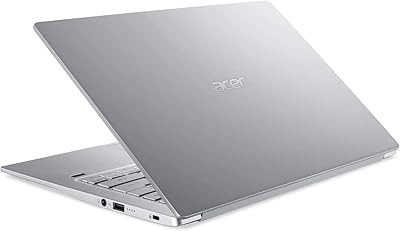
Acer Swift 3 SF314-42 Laptop, AMD Ryzen 7 4700U, 8GB RAM, 512GB SSD
87%
89%
Performance
85%
Battery Life
94%
Portability
88%
Display Quality
82%
Build Quality
More
Dell Inspiron 14 5440 Laptop, 14-inch, Intel Core i5, 8GB RAM, 512GB SSD
86%
88%
Performance
91%
Build Quality
94%
Portability
81%
Battery Life
75%
Display Quality
More
Acer Swift Go 14 Intel Evo Laptop
86%
89%
Performance
94%
Display Quality
92%
Portability
75%
Battery Life
88%
Build Quality
More
Acer Swift 3 SF313-53-78UG Laptop
85%
94%
Portability
91%
Battery Life
88%
Display Quality
90%
Build Quality
89%
Performance (Intel Core i7)
More
Acer Swift 3 Ryzen 7 5700U Laptop
73%
86%
Performance
91%
Display Quality
93%
Portability
52%
Battery Life
74%
Build Quality
More
Acer Aspire 3 Spin 14 (A3SP14-31PT)
74%
88%
Display Quality
83%
Convertible Versatility
91%
Value for Money
47%
Storage Capacity
74%
Performance (Daily Tasks)
More
Acer Swift 3 SF316-51-740H Laptop
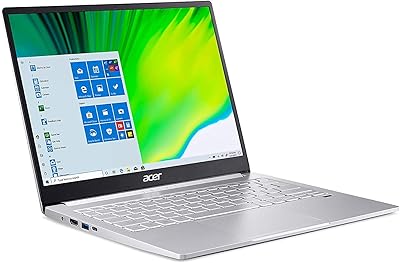
86%
91%
Performance
89%
Display Quality
94%
Portability
88%
Build Quality
72%
Battery Life
More
Acer Chromebook Spin 514 i5-1334U 8GB 512GB SSD 14-inch
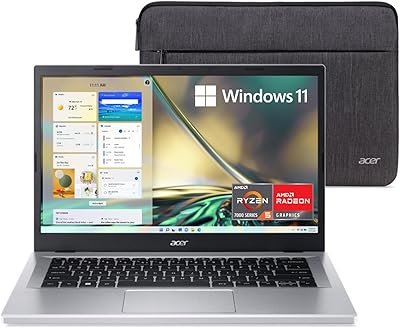
86%
88%
Performance
92%
Battery Life
85%
Build Quality
87%
Display Quality
91%
Portability
More
Acer Swift Go 14 – Intel Core i7-1355U, 16GB RAM, 512GB SSD
84%
91%
Portability
88%
Display Quality
89%
Battery Life
84%
Build Quality
85%
Performance (General Use)
More
Acer Aspire 3 A315-24PT-R0UX 15.6″ Laptop 16GB 512GB SSD
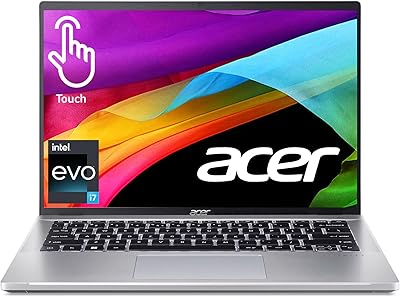
86%
91%
Performance
87%
Battery Life
88%
Display Quality
93%
Portability
82%
Build Quality
More

FAQ

For most day-to-day tasks — browsing, documents, video calls, light photo editing — 8GB is workable. Where it starts to feel tight is when you stack a lot of browser tabs alongside heavier apps simultaneously. The bigger concern is that the RAM is soldered on this model, so there is no upgrade path if your needs grow over time.

The SSD can technically be replaced if you are comfortable with disassembly, as it uses an M.2 slot. The RAM, however, is soldered directly to the motherboard and cannot be upgraded after purchase. If 8GB might not be enough for you down the road, it is worth factoring that into your decision now rather than later.

The rated 10.5 hours is best treated as a ceiling, not an everyday expectation. Most users doing mixed work — browsing, documents, occasional video — report landing somewhere between 7 and 8 hours. Streaming video or running heavier applications will pull that number down further, so carrying the charger for long days is still a good habit.

Not really, no. The integrated Intel Iris Xe graphics can manage very light or older titles at reduced settings, but anything modern and demanding will either run poorly or not at all. If gaming is a priority, you genuinely need a machine with a discrete GPU.

The 100% sRGB coverage is a genuine strong point here, and colors are accurate and consistent enough for Lightroom adjustments, Illustrator work, or web design. It is not a professional-grade display in the way a high-end workstation panel would be, but it is notably better than what you typically get at this price point.

It can. Under sustained CPU workloads — rendering, large file exports, extended video calls — the fan ramps up noticeably. In a quiet room it is audible enough to be mildly distracting. For typical office or browser-based tasks it stays quiet, but do not expect near-silent operation when you are pushing the processor hard.

You get four USB 3.2 ports, which covers most peripheral needs without immediately reaching for a hub. There is no dedicated SD card slot or Thunderbolt port on this model, which is worth knowing if either of those is important to your workflow.

The Swift 3 supports fast charging via its included 15V adapter, and Acer claims it can reach a meaningful charge level in a relatively short time. The exact speed depends on usage during charging, but it is noticeably quicker than older non-fast-charge laptops. The charging port is proprietary, so you will want to keep track of the included adapter.

It is a Full HD front camera with Acer's noise reduction processing, which helps in low light compared to older budget webcams. In good lighting it performs adequately for everyday video calls. In very dim conditions it softens noticeably, so if you do a lot of client-facing video in poorly lit rooms, it may not impress.

This one genuinely divides people. The glass surface is smooth and tracks accurately, but some users find it a little too frictionless — their fingers glide faster than intended, especially during precise tasks. Others love the feel immediately. If you have a chance to try it in person before buying, it is worth doing, as it is a matter of personal preference rather than a quality issue.