Overview

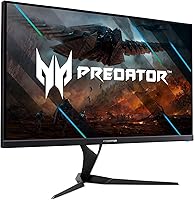
The Acer Predator XB323U 32-inch Gaming Monitor sits in an interesting spot — large enough to feel genuinely immersive, yet priced well below the premium G-SYNC Ultimate tier that dominates enthusiast wish lists. Acer's Predator line has built a solid reputation for capable gaming panels without boutique markups, and this display fits that pattern. The 32-inch IPS panel is the real draw here: expansive without being absurd on a standard desk. It's a strong all-rounder, but buyers expecting flagship-level perfection should temper expectations. Think of it as a serious mid-range contender rather than the definitive word in gaming displays.
Features & Benefits

Push it to 170Hz via DisplayPort and the difference from a 144Hz panel is subtle but real — panning shots and fast combat feel that bit crisper. The G-SYNC Compatible certification handles screen tearing without the hardware cost of full G-SYNC, which matters when you're already spending on a GPU. HDR600 certification sounds impressive, and the 600-nit peak brightness is genuinely above average for this category, though it won't rival OLED or mini-LED panels in local contrast. The 99% Adobe RGB coverage is a genuine differentiator — photo editors will notice. Four USB 3.0 ports on the monitor itself mean fewer cables snaking back to your PC tower.

Best For

This 32-inch Predator monitor makes the most sense for PC gamers running an NVIDIA card who want high-refresh 1440p gaming at a sensible price. It's also a surprisingly good fit for anyone who splits screen time between gaming and creative work — that wide color gamut earns its keep in Lightroom as much as in-game. Worth noting: at 32 inches, pixel density is lower than on a 27-inch 1440p display, so if you sit close and prioritize crispness over size, a smaller panel may serve you better. Upgraders coming from 1080p or a slow 60Hz screen will find the jump immediately rewarding.

User Feedback

The XB323U sits at 3.9 stars across a few hundred ratings — broadly positive, but with enough friction to be honest about. Buyers frequently praise the color accuracy and the sheer sense of presence a panel this size provides. Where the split shows up is HDR: several users expected more from the HDR600 badge and found real-world local contrast underwhelming compared to the spec. Backlight uniformity is another variable — some units arrive with noticeable clouding in corners. A handful of buyers also noted needing calibration adjustments before colors felt truly accurate, suggesting out-of-box consistency isn't guaranteed across every unit.

Pros

  • 170Hz via DisplayPort delivers noticeably smoother motion in both fast action games and everyday desktop use.
  • G-SYNC Compatible certification means NVIDIA GPU owners get adaptive sync without paying the full G-SYNC premium.
  • 99% Adobe RGB coverage makes the XB323U a genuine dual-purpose panel for creative work and gaming.
  • The 32-inch IPS screen produces wide, accurate viewing angles with no significant color shift from off-center seats.
  • DisplayHDR 600 peak brightness is a meaningful step above the entry-level HDR400 screens common at this price.
  • Four built-in USB 3.0 ports reduce cable clutter by letting peripherals connect at the monitor rather than the PC.
  • Two HDMI inputs make it easy to connect a console alongside a PC without swapping cables.
  • Included cables in the box — DisplayPort, HDMI, and USB — mean no immediate extra purchases on arrival.
  • IPS panel technology keeps colors consistent across a wide seating angle, useful for shared or wide desk setups.

Cons

  • Backlight uniformity varies unit-to-unit; some buyers receive panels with noticeable corner clouding.
  • HDR performance in practice falls short of what the certification badge implies for buyers familiar with premium HDR displays.
  • Out-of-box color calibration is inconsistent — some units need manual adjustment before colors feel accurate.
  • Lower pixel density compared to a 27-inch 1440p display is noticeable if you sit close to the screen.
  • DisplayPort 1.2 is the connection required for full 170Hz — HDMI inputs are capped at lower refresh rates.
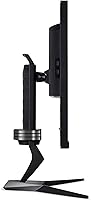
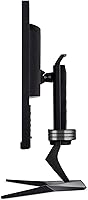
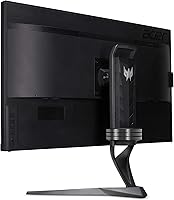
  • At 22.5 pounds, the monitor is on the heavier side and the stand footprint demands meaningful desk depth.
  • No full G-SYNC module means compatibility with AMD GPUs for adaptive sync is not officially guaranteed.
  • The 3.9-star average rating across real buyers reflects a product that satisfies most but leaves a meaningful minority disappointed.

Ratings

The scores below for the Acer Predator XB323U 32-inch Gaming Monitor were produced by our AI review engine after analyzing hundreds of verified global purchases, actively filtering out incentivized, duplicate, and bot-generated submissions to surface only genuine buyer experiences. Both the strengths that make this panel compelling and the friction points that caused real frustration are reflected transparently in each category score.
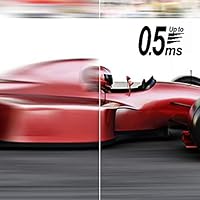
Image Quality
83%
Most buyers are genuinely impressed by the color richness straight out of the box — the wide Adobe RGB coverage translates into vivid, saturated visuals whether you're deep in an open-world RPG or reviewing raw photos from a shoot. IPS consistency across the panel surface also earns consistent praise for everyday desktop work.
A recurring complaint is that the default factory calibration skews warm or cool depending on the unit, requiring manual adjustment before colors feel accurate. Some users also note that fine shadow detail in darker game scenes can look slightly crushed before proper settings are dialed in.
HDR Performance
61%
39%
The DisplayHDR 600 certification does deliver noticeably higher peak brightness than the HDR400 panels flooding the mid-range market, and in brightly lit HDR scenes — sunlit open-world environments, for example — the extra luminance headroom is genuinely visible and appreciated.
Without local dimming zones, dark HDR scenes expose the limits of IPS backlighting, and buyers accustomed to TV-grade HDR often feel let down. The gap between what the certification badge implies and what you actually see in a dark room is significant enough that several reviewers felt the HDR label oversells the real-world experience.
Refresh Rate & Smoothness
89%
Running at 170Hz via DisplayPort, motion in fast-paced games feels fluid and responsive in a way that 144Hz buyers upgrading will notice immediately. Even desktop scrolling and cursor movement feel unusually smooth, which buyers who spend long hours at their PC consistently appreciate beyond just gaming sessions.
Reaching the full 170Hz requires a DisplayPort 1.2 connection specifically — HDMI inputs cap at a lower ceiling, and some buyers discovered this limitation only after setup. Those using consoles or older GPUs without DisplayPort won't access the top refresh rate the panel is capable of.
Response Time
78%
22%
In typical gaming conditions, motion blur is well controlled and ghosting behind fast-moving objects is minimal — action games and fast-paced shooters feel clean and responsive for the vast majority of users who tested at standard overdrive settings.
The advertised 0.5ms figure requires the most aggressive overdrive mode, which introduces visible pixel overshoot artifacts for some users. Most buyers settle on the middle overdrive setting for a cleaner image, accepting that the headline response time comes with trade-offs.
Color Accuracy
81%
19%
The 99% Adobe RGB coverage makes this monitor meaningfully useful for photo editing and design work — a rare quality in a gaming-branded display at this price tier. Photographers and graphic designers who also game report that the XB323U handles both roles without forcing major compromises.
Unit-to-unit calibration variance means not every buyer receives the same experience out of the box, and delta-E accuracy without manual calibration can be inconsistent. Those doing truly color-critical professional work will likely still want a hardware colorimeter to verify and profile their specific unit.
Backlight Uniformity
58%
42%
When units perform well in this area, buyers report a clean, consistent panel with no distracting hot spots during gaming or productivity use — and a good percentage of buyers do receive panels that meet this expectation without complaint.
Enough user reports of corner clouding and uneven backlight distribution exist to flag this as a genuine lottery risk. Dark game scenes and dark-background desktop use are where clouding is most visible, and the variance appears significant enough that it contributes meaningfully to the below-average overall rating.
Adaptive Sync
84%
NVIDIA GPU owners report that G-SYNC Compatible mode activates without fuss and works reliably across a wide frame rate range, effectively eliminating screen tearing in most gaming scenarios without requiring the cost premium of a full G-SYNC module.
The certification applies specifically to NVIDIA cards, and AMD GPU users have reported variable results — FreeSync operation is not officially supported or validated. Buyers pairing this monitor with a Radeon card should verify compatibility expectations before committing.
Build Quality
74%
26%
The chassis feels solid for a gaming monitor in this price bracket, and the Predator aesthetic — understated relative to some RGB-heavy competitors — fits well on professional desk setups without looking out of place outside of a dedicated gaming room.
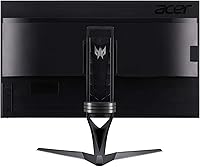
A portion of buyers describe some flex in the panel surround and report that the stand, while functional, feels less premium than the monitor's specification list implies. At this size and weight, a few users also noted the stand's stability is adequate but not confidence-inspiring on a vibration-prone desk.
Stand & Ergonomics
72%
28%
Height adjustment, tilt, and swivel are all included, covering the essential adjustments that allow most users to achieve a comfortable viewing position without immediately reaching for a monitor arm. VESA compatibility gives buyers a clean upgrade path if they prefer that route.
The stand footprint is substantial given the monitor's weight, and some buyers find it eats into usable desk space more than expected. Pivot (portrait rotation) is not supported, which matters less for gamers but is worth noting for productivity-focused buyers who rotate monitors for document reading.
Connectivity
88%
Having four USB 3.0 ports built into the monitor is one of the most practically appreciated features among long-term users — it means a keyboard, mouse, headset, and external drive can all live at the monitor rather than at the back of a PC tower, which meaningfully tidies up a desk.
The inclusion of DisplayPort 1.2 rather than 1.4 means bandwidth headroom for future features is limited, and buyers hoping to daisy-chain monitors or use DSC compression for higher resolutions will hit a ceiling. HDMI 2.0 rather than 2.1 also caps console refresh rate potential below what newer consoles can output.
Brightness
79%
21%
At 400 nits in SDR mode, the panel handles bright, well-lit office environments without the washed-out appearance that plagues lower-brightness IPS monitors. The jump to 600 nits in HDR mode is appreciated for daytime gaming near windows.
In extremely bright room conditions or direct sunlight environments, even 400 nits can feel limiting — buyers in naturally bright spaces mention having to angle the monitor or adjust their setup. The glossy screen surface also amplifies reflections, which compounds the challenge in high-ambient-light rooms.
Value for Money
77%
23%
Relative to full G-SYNC panels and comparable OLED gaming monitors, the XB323U delivers a strong feature-per-dollar ratio — 170Hz, wide color gamut, and a large IPS panel at a price that sits well below premium alternatives. Upgraders from older 1080p or 60Hz displays consistently describe the purchase as a meaningful improvement.
Buyers who receive units with backlight uniformity issues or require recalibration often feel the value equation shifts unfavorably, since the effort and potential return cost time. At this price, some competitors have closed the gap enough that the XB323U is no longer the automatic recommendation it might have been at launch.
Setup & Out-of-Box Experience
71%
29%
Physical assembly is straightforward and the included cable kit means most buyers are up and running without needing to source additional accessories. The OSD menu is reasonably organized and navigable, which buyers new to gaming monitors appreciate during initial configuration.
Out-of-box picture settings require adjustment for most users before the display looks its best — default brightness and color temperature are frequently flagged as off. The OSD controls, while functional, feel dated in navigation speed and layout compared to joystick-controlled menus found on competing brands.
Gaming Experience
86%
The combination of a large IPS panel, high refresh rate, and reliable adaptive sync creates a genuinely immersive session for both competitive and single-player gaming. Users coming from 27-inch displays frequently describe the size upgrade as one of the most impactful changes they have made to their setup.
Hardcore competitive players — particularly those in fast-paced FPS titles at very high frame rates — sometimes feel that purpose-built 240Hz TN or fast IPS panels edge out the XB323U in raw competitive responsiveness. For that subset of buyers, the size and color advantages trade off against the absolute motion performance ceiling.

Suitable for:

The Acer Predator XB323U 32-inch Gaming Monitor is a strong match for PC gamers who run an NVIDIA GPU and want a large, fast display without paying a premium for full G-SYNC hardware certification. If you primarily play immersive single-player games or slower-paced competitive titles where screen real estate and color richness matter more than razor-thin competitive margins, this panel rewards you well. It also appeals to hybrid users — people who spend part of their day editing photos, doing graphic work, or color-sensitive creative tasks, since the wide Adobe RGB coverage is genuinely uncommon at this price tier. Upgraders coming from a 1080p or 60Hz display will feel an immediate, across-the-board improvement. And if your desk has the depth to comfortably accommodate 32 inches without feeling cramped, this is a size that genuinely changes how games feel to play.

Not suitable for:

Buyers who prioritize pixel sharpness above all else may find the XB323U less satisfying than expected — at 32 inches, the 1440p resolution spreads pixels further than a 27-inch equivalent, and if you sit close to your screen, that difference is visible. Anyone chasing truly excellent HDR should also look elsewhere: while the DisplayHDR 600 certification is a step above the bare minimum, it does not deliver the deep contrast or local dimming performance of mini-LED or OLED panels, and real-world HDR can feel underwhelming to those who know what premium HDR actually looks like. Hardcore competitive FPS players who live and die by the absolute fastest response times might also want to consider purpose-built 240Hz panels instead. Finally, this Acer gaming display is not the right pick if backlight uniformity is a dealbreaker for you — enough buyers have reported unit-to-unit variance in this area that it is a genuine risk to weigh.

Specifications

  • Panel Type: The display uses an IPS (In-Plane Switching) panel, which delivers consistent colors and wide viewing angles compared to TN alternatives.
  • Screen Size: The viewable screen area measures 32 inches diagonally, making it one of the larger options in the WQHD gaming monitor category.
  • Resolution: Native resolution is 2560 x 1440 (WQHD), offering significantly more screen real estate than 1080p without the GPU demands of 4K.
  • Refresh Rate: The panel reaches up to 170Hz when connected via DisplayPort 1.2, with a standard maximum of 144Hz over HDMI.
  • Response Time: Rated at 1ms gray-to-gray under typical conditions, with an advertised 0.5ms gray-to-gray achievable in the fastest overdrive mode.
  • HDR Support: Carries VESA DisplayHDR 600 certification, with a peak brightness of 600 nits in HDR mode and 400 nits in standard SDR operation.
  • Color Coverage: The panel covers 99% of the Adobe RGB color space, making it well-suited for color-sensitive creative workflows alongside gaming use.
  • Adaptive Sync: NVIDIA G-SYNC Compatible certified, enabling variable refresh rate support for NVIDIA GPU users without requiring a dedicated G-SYNC hardware module.
  • Viewing Angles: Rated at 178 degrees both horizontally and vertically, meaning color and contrast remain largely stable even when viewed from wide off-axis positions.
  • Connectivity: Port selection includes one DisplayPort 1.2, two HDMI 2.0 inputs, four USB 3.0 downstream ports, and a 3.5mm audio output jack.
  • Aspect Ratio: The screen uses a standard 16:9 widescreen aspect ratio, compatible with all modern gaming resolutions and media content without letterboxing.
  • Dimensions: With the stand attached, the monitor measures approximately 28.64 inches wide, 23.5 inches tall, and 11.38 inches deep.
  • Weight: The full unit including stand weighs approximately 22.5 pounds, which is on the heavier end for a desktop gaming display of this size.
  • Included Cables: The package includes a DisplayPort cable, an HDMI cable, and a USB cable, so the monitor is ready to connect without additional purchases.
  • Brand Series: This monitor belongs to Acer's Predator line, which is the brand's dedicated high-performance gaming hardware sub-brand.

Related Reviews

Acer Predator Z57 57-inch Curved Gaming Monitor
81%
94%
Display Quality
90%
Gaming Performance
92%
Color Accuracy
76%
Build Quality
88%
Ease of Setup
More
Acer Predator XB273K V5 27″ Gaming Monitor
80%
91%
Image Clarity
88%
Refresh Rate Flexibility
93%
Console Compatibility
86%
Motion Performance
52%
HDR Quality
More
Acer Predator X32 31.5-inch 4K UHD OLED Gaming Monitor
85%
94%
Display Quality
91%
Gaming Performance (Response Time & Refresh Rate)
93%
Color Accuracy & Vibrancy
88%
Ergonomics & Adjustability
89%
Build Quality
More
KOORUI G3221SC 32″ Curved QHD Gaming Monitor
69%
83%
Picture Quality
81%
Gaming Performance
86%
Value for Money
41%
HDR Performance
67%
Color Accuracy
More
Gawfolk GF320D 32-inch Curved Gaming Monitor
72%
83%
Value for Money
76%
Image Quality
81%
Refresh Rate Performance
54%
Brightness & Visibility
79%
Contrast & Black Levels
More
KTC H32S17C 32-inch Curved Gaming Monitor
72%
91%
Value for Money
84%
Gaming Performance
76%
Picture Quality
52%
HDR Experience
67%
Color Accuracy
More
AOC C32G2 32″ Curved Gaming Monitor
76%
91%
Value for Money
84%
Gaming Performance
73%
Image Quality
88%
Refresh Rate & Smoothness
83%
Curvature & Immersion
More
Acer Nitro KG273 27-inch Gaming Monitor
85%
88%
Display Quality
91%
Performance in Fast-Paced Games
85%
Ergonomics and Adjustability
83%
Build Quality
92%
Value for Money
More
MSI MAG321CUP 32-inch 4K Gaming Monitor
76%
88%
Image Quality
83%
Refresh Rate Performance
86%
Value for Money
91%
Console Compatibility
74%
Motion Clarity
More
Acer Predator X27U 27″ OLED Gaming Monitor
84%
94%
Image Quality
91%
Refresh Rate & Motion
89%
Color Accuracy
86%
Connectivity
82%
Ergonomics & Stand
More

FAQ

You need a DisplayPort 1.2 (or higher) cable to hit 170Hz — a standard DisplayPort cable that came in the box will do the job. HDMI connections on this monitor top out at 144Hz, so if max refresh rate matters to you, DisplayPort is the connection to use.

The Acer Predator XB323U 32-inch Gaming Monitor carries NVIDIA G-SYNC Compatible certification, which means adaptive sync is officially validated for NVIDIA GPUs. AMD cards can still drive the display at full resolution and refresh rate, but FreeSync or AMD adaptive sync compatibility is not officially certified, so results may vary depending on your specific GPU.
DisplayHDR 600 is a step above the bare-minimum HDR400 you see on many budget monitors, and the extra brightness headroom is noticeable in well-mastered HDR content. That said, this panel does not have local dimming zones, so black levels in dark scenes still rely on the IPS backlight — which means HDR contrast won't rival OLED or mini-LED displays. If you're used to HDR on a high-end TV, temper expectations a little.

At a typical arm's-length desk distance, 32 inches at 1440p works well for most people — games feel genuinely immersive and you rarely need to move windows around. If you sit very close, say within 50–60cm, the pixel density is slightly lower than a 27-inch 1440p screen and you might notice it. For most standard desk setups, it's a comfortable size rather than an overwhelming one.

Yes — the four USB 3.0 ports on the monitor function as a hub, which is genuinely useful for keeping a keyboard, mouse, headset, or external drive plugged into the monitor rather than reaching around to your PC. You'll need to connect a USB upstream cable (included) from your PC to the monitor to activate the hub functionality.

Out-of-box calibration is decent but not guaranteed to be accurate on every unit — a fair number of buyers report needing to dial in brightness, contrast, and color temperature before it looks its best. Running through the OSD settings and adjusting to your room lighting is worth the ten minutes. If you do color-critical work, a hardware calibrator will get you the most reliable results.

It comes up often enough in user reviews to be worth mentioning. IPS glow in corners under dark conditions is expected and normal for IPS panels generally, but some buyers have received units with more noticeable clouding than others. Panel quality can vary unit-to-unit, which is partly why the overall rating sits just under 4 stars. If uniformity is critical for your work, check your return window carefully when it arrives.

Yes — either console connects via HDMI 2.0, and both will output at 1440p on supported games at up to 120Hz. Keep in mind the HDMI ports top out at 144Hz, so console gaming won't access the full 170Hz the monitor offers, but 120Hz over HDMI is still a very smooth experience for console play.

The included stand supports height adjustment, tilt, and swivel, which covers the basics for most desk setups. The monitor is also VESA mount compatible if you prefer a monitor arm, which is a good option given the weight — a quality arm will make repositioning much easier than the stock stand.

The 99% Adobe RGB color coverage makes the XB323U a legitimately capable display for photo editing — that level of color space coverage is not common in gaming monitors at this price. It won't replace a dedicated professional color grading display, but for enthusiast photographers or designers who also game, it handles both roles more honestly than most gaming-branded monitors do.

Where to Buy