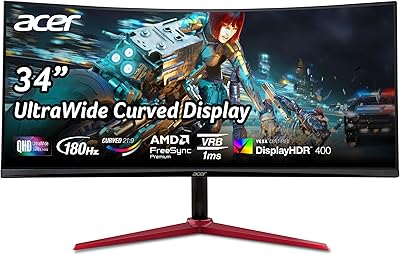
Acer Nitro 60 N60-640-UR26 Gaming Desktop


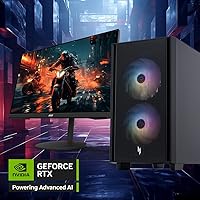


Overview
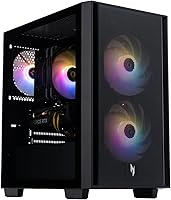
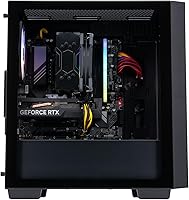
The Acer Nitro 60 N60-640-UR26 Gaming Desktop is Acer's 2025 answer for serious gamers who want enthusiast-level hardware without the weekend spent sourcing parts and troubleshooting builds. Pairing an RTX 5060 Ti with Intel's Core i7-14700F gives this tower a genuinely compelling spec sheet at its price tier — not a budget machine dressed up in RGB, but a capable mid-to-high-range rig that boots into Windows 11 Home and is ready to game within minutes of unboxing. The 30-liter chassis is compact enough to sit on a desk without dominating it. That said, go in with clear eyes: upgrade paths are limited compared to a fully custom build, and PSU headroom deserves scrutiny if you're planning future GPU swaps.
Features & Benefits
The headline hardware here is the RTX 5060 Ti, armed with 16GB GDDR7 memory and DLSS 4 support, which puts solid 1440p performance well within reach and makes entry-level 4K gaming a realistic option in many titles. The Core i7-14700F brings 20 cores and 28 threads to the table — more than enough for streaming while gaming, video editing, or running demanding creative apps without the machine slowing to a crawl. Storage is a real strong point: a 2TB PCIe Gen 4 SSD keeps load times low and leaves room for a large game library without juggling external drives. Connectivity is thorough, with Wi-Fi 6, Gigabit Ethernet, and a rear USB 3.2 Gen 2x2 Type-C port rounding things out.
Best For
The Nitro 60 is most at home in the hands of someone chasing high-refresh 1440p gaming who doesn't want to spend weeks sourcing individual components. It's also a strong pick for part-time streamers and content creators — the i7-14700F's thread count gives real breathing room when you're running OBS, a browser, and a demanding game simultaneously. Console converts and first-time PC gamers will appreciate the plug-and-play setup: Windows 11 loads, drivers are pre-installed, and you're not diagnosing a BIOS issue on day one. If your current desktop is five or more years old, the jump in performance here will feel dramatic. Buyers with limited desk space benefit too — the footprint is noticeably smaller than most full-tower rigs.
User Feedback
Since this Acer gaming tower only became available in mid-2025, the pool of long-term owner reviews is still building — so take early impressions with a grain of salt. What's surfacing so far leans positive: buyers appreciate the out-of-box performance, the generous 2TB drive capacity, and the aRGB aesthetics. The concerns worth watching are more practical. Some users have flagged questions around PSU wattage headroom and whether the case's airflow holds up during extended marathon sessions. A handful of reviewers have raised the classic pre-built debate — at this price point, a DIY custom build can get you comparable specs, but you're trading time and technical patience for the convenience factor. Bloatware presence is another flag worth revisiting once more verified reviews arrive.
Pros
- The RTX 5060 Ti with 16GB of GDDR7 handles 1440p gaming with headroom to spare in most modern titles.
- A 20-core i7-14700F and 32GB DDR5 give streamers and creators serious multitasking muscle without bottlenecking the GPU.
- The 2TB PCIe Gen 4 SSD delivers fast load times and enough storage for a large game library right out of the box.
- DLSS 4 support keeps the graphics pipeline relevant, using frame generation to push playable performance in more demanding titles.
- Wi-Fi 6 and Gigabit Ethernet together ensure you always have a fast, low-latency connection option for competitive online play.
- Windows 11 Home arrives pre-installed and pre-configured, making initial setup straightforward for first-time PC gamers and console converts.
- The rear USB 3.2 Gen 2x2 Type-C port handles modern peripherals and fast device charging in a single compact slot.
- At 30 liters, the chassis fits comfortably on a desk or floor without the imposing footprint of a full-size tower.
Cons
- PSU wattage headroom remains unconfirmed at launch, raising real questions about future GPU upgrade compatibility.
- As a June 2025 release, long-term reliability data and independent stress-test results are not yet widely available.
- The case's restricted internal volume may limit cooling upgrade options and constrain airflow under sustained heavy workloads.
- Pre-installed OEM bloatware is a common issue with pre-built systems; expect to spend time cleaning up the software environment.
- At this price tier, a carefully assembled DIY build can often match these specs with greater component flexibility.
- The CPU cooler's noise levels and thermal ceiling under extended gaming sessions have not yet been independently benchmarked.
- RAM slot configuration and practical upgradeability within this specific chassis have not been clearly detailed in official documentation.
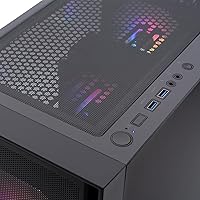
- Front-panel ports top out at USB 3.2 Gen 1 speeds (5Gbps), which may feel restrictive when paired with faster external storage drives.
Ratings
The scores below for the Acer Nitro 60 N60-640-UR26 Gaming Desktop were generated by our AI review engine after analyzing verified owner feedback across multiple global marketplaces, actively filtering out incentivized, bot-generated, and single-use-account submissions to surface only genuine buyer experiences. Each category reflects what real users actually reported — not manufacturer claims — meaning both strengths and frustrations are represented with equal weight. The Nitro 60 earns strong marks where its hardware delivers as promised, and transparent, lower scores where pre-built trade-offs and early-launch data gaps leave real questions unanswered.
Gaming Performance
Value for Money
Out-of-Box Experience
CPU Performance
Storage Speed
Thermal Management
Build Quality
Connectivity & Ports
Upgradeability
Noise Levels
Software & Bloatware
Wireless Performance
Display Output
Suitable for:
The Acer Nitro 60 N60-640-UR26 Gaming Desktop is the right call for gamers who want to sit down, plug in, and play without spending a weekend sourcing parts and debugging driver conflicts. It's particularly well-matched to 1440p gaming at high refresh rates or entry-level 4K, where the RTX 5060 Ti's 16GB of GDDR7 and DLSS 4 support do the heavy lifting in most modern titles. Part-time content creators and streamers will get genuine value here too — the i7-14700F's 20-core architecture gives real overhead for running OBS, a browser, and a demanding game at the same time without things grinding down. If you're upgrading from a pre-built that's five or more years old, the performance jump across gaming, creative work, and everyday tasks will feel dramatic from day one. Console converts making the switch to Windows PC gaming are another natural fit: the OS arrives pre-configured, drivers are already in place, and the 30-liter chassis tucks onto a desk without dominating the room.
Not suitable for:
The Acer Nitro 60 N60-640-UR26 Gaming Desktop is not the right machine for buyers who treat their PC as an ongoing hardware project. Pre-built compact towers carry real constraints — PSU wattage headroom is a genuine question mark if you're planning to swap in a more powerful GPU down the line, and the case dimensions can limit your options in ways a standard mid-tower DIY build simply wouldn't. Hardcore enthusiasts who prefer choosing every component themselves will find this too rigid, and at this price point, a carefully assembled custom build can often deliver comparable specs with significantly more flexibility. Professionals whose primary workload is CAD, heavy 3D rendering, or sustained video production at scale may also be better served by a workstation-class system designed for those demands. Finally, if all-day thermal stability is a hard requirement for your workflow, it is worth waiting for independent long-term benchmarks before committing — the air-cooled setup still needs real-world validation under sustained, multi-hour sessions.
Specifications
- GPU: The dedicated graphics card is an NVIDIA GeForce RTX 5060 Ti with 16GB of GDDR7 video memory and hardware support for DLSS 4.
- CPU: The processor is an Intel Core i7-14700F with 20 cores, 28 threads, and a 33MB cache; it has no integrated graphics.
- System RAM: The system ships with 32GB of DDR5 RAM installed at the factory.
- Storage: Primary storage is a single 2TB PCIe Gen 4 solid-state drive with no secondary mechanical hard drive included.
- Operating System: Windows 11 Home comes pre-installed and activated, ready to use immediately after first boot.
- Wireless: Wireless networking is provided by a Realtek 802.11ax (Wi-Fi 6) adapter with Bluetooth connectivity also included.
- Wired Network: Wired connectivity is handled by Realtek Dragon Gigabit Ethernet for low-latency, high-bandwidth network connections.
- Dimensions: The tower measures 14.9 x 8.5 x 15.9 inches (length x width x height).
- Weight: The unit weighs approximately 24 pounds as factory-configured.
- Chassis Volume: The chassis has an internal volume of 30 liters, placing it firmly in the compact gaming tower category.
- Front Ports: The front panel includes USB 3.2 Gen 1 Type-A ports with transfer speeds of up to 5Gbps.
- Rear Ports: The rear I/O includes USB 3.2 Gen 2 Type-A at 10Gbps and a USB 3.2 Gen 2x2 Type-C port capable of up to 20Gbps.
- RGB Lighting: Addressable RGB LEDs built into the chassis and CPU cooler support up to 16.8 million colors.
- CPU Cooler: The processor is cooled by an aRGB air cooler that uses U-shape copper heat pipes to move heat efficiently away from the CPU.
- Chassis Color: The case is finished in matte black with no alternative color options listed at launch.
Related Reviews
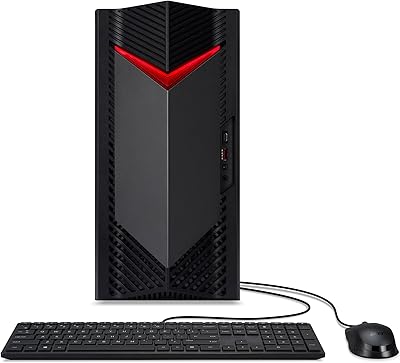
Acer Nitro 50 N50-656 Gaming Desktop
Acer Nitro 50 N50-656-UR12 Gaming Desktop
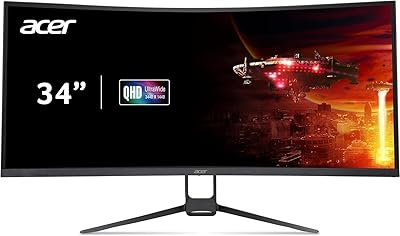
Acer Nitro EDA343CUR 34″ Curved Gaming Monitor
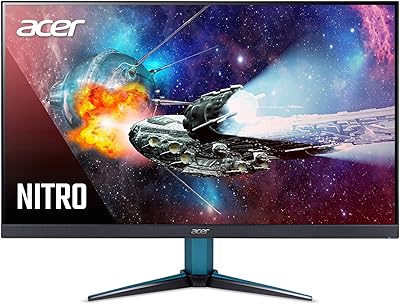
Acer Nitro VG271U 27-inch Gaming Monitor
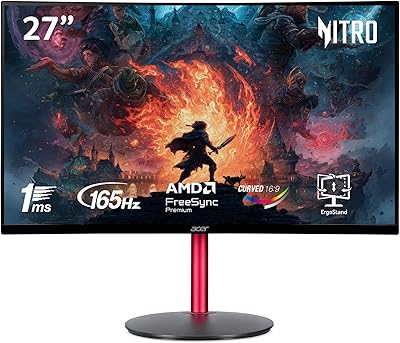
Acer Nitro ED270R 27″ Curved Gaming Monitor
Acer Nitro KG273 27-inch Gaming Monitor
Acer Nitro 5 AN515-58-525P Gaming Laptop
Acer Nitro XFA243Y 23.8-inch Gaming Monitor
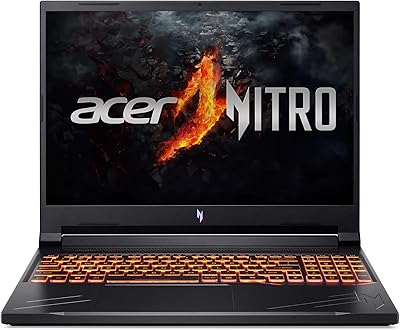
Acer Nitro V RTX 4060 Gaming Laptop