
Overview

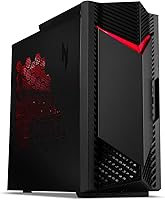
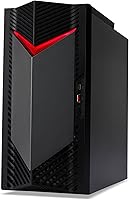
The Acer Nitro 50 N50-656 Gaming Desktop is a mid-range prebuilt that makes a compelling case for gamers who want to skip the headaches of sourcing parts and building from scratch. Available since mid-2024, it has consistently ranked among the top Tower Computers on Amazon — not by accident. The pairing of an Intel Core i7-14700F and an RTX 4060 gives it a real foothold at this price tier. The compact black tower with its subtle red accents looks the part without going overboard. Just keep expectations honest: this machine thrives at 1080p and handles 1440p well, but it was never designed with ultra-4K workloads in mind.

Features & Benefits

The i7-14700F's 20-core design — six performance cores and eight efficiency cores boosting to 5.4GHz — means this prebuilt gaming desktop holds its own in both fast-paced competitive titles and heavier workloads like streaming or video editing. The RTX 4060 with 8GB of GDDR6 memory runs 1080p games on ultra settings without breaking a sweat, and with DLSS 3 enabled it can push solid frame rates at 1440p too. The 1TB PCIe Gen 4 SSD loads games quickly, and Wi-Fi 6E connectivity keeps online sessions stable. The 16GB of DDR5 RAM is functional but sits on the lower side; fortunately, upgrading to 32GB is a straightforward slot swap.

Best For

This Acer Nitro tower is a natural fit for anyone stepping up from a console or nursing an old gaming rig that can no longer keep up. Competitive players who live in Valorant, Apex Legends, or Fortnite will appreciate the high frame rates this machine can sustain at 1080p. It also works well for casual 1440p gaming when you are willing to tweak a setting or two. Beyond gaming, it handles everyday productivity, video streaming, and light creative tasks without any drama. The compact footprint — roughly 15 inches tall and under 7 inches wide — means it tucks neatly under a standard desk without dominating the space.

User Feedback

Buyers tend to praise the out-of-box experience — plug it in, connect a monitor, and you are gaming within minutes. The quiet fan behavior under light loads and tidy internal cable routing get frequent mentions too. On the flip side, a common complaint is that 16GB of RAM feels tight in 2024, especially for anyone who multitasks heavily or runs memory-hungry titles. Some buyers also raised concerns about the power supply headroom, noting it could limit future GPU upgrade options. A handful reported build quality inconsistencies on arrival. Those who added a second SSD or bumped the RAM to 32GB generally found the process accessible, though the case layout takes some patience to navigate.

Pros

  • Arrives fully assembled and Windows-ready, so you can be gaming within minutes of unboxing.
  • The i7-14700F handles modern titles without becoming a bottleneck, even in CPU-sensitive competitive games.
  • RTX 4060 with DLSS 3 support delivers smooth 1080p ultra performance and respectable 1440p frame rates.
  • PCIe Gen 4 SSD makes game load times genuinely fast compared to older SATA-based prebuilts.
  • Wi-Fi 6E and Gigabit Ethernet give you flexible, low-latency connection options right out of the box.
  • The front-panel USB-C port running at 20Gbps is a practical convenience many competing prebuilts skip.
  • DDR5 memory at 5600MHz is responsive, and bumping to 32GB is a simple, affordable upgrade.
  • Fan noise stays impressively low during everyday tasks and light gaming sessions.
  • The compact tower form factor fits neatly under a standard desk without sacrificing port accessibility.
  • Bluetooth is included via the Wi-Fi card, so wireless peripherals work without a dongle.

Cons

  • 16GB of RAM at base config feels limiting in 2024, especially for multitaskers or memory-hungry titles.
  • The power supply headroom is tight, which could block meaningful GPU upgrades in future years.
  • 4K gaming performance is genuinely underwhelming — this prebuilt gaming desktop was not built for that resolution.
  • No optical drive is included, and internal expansion for one appears impractical given the case layout.
  • Some buyers have reported inconsistent build quality on arrival, with occasional loose fittings or cosmetic issues.
  • The case can be awkward to work inside, making hardware upgrades more fiddling than they should be.
  • Skilled builders can replicate or exceed this spec for less money, so the convenience premium is real.
  • Sustained gaming loads can push fan noise noticeably higher, which may bother noise-sensitive users.
  • Only one storage drive ships standard; a second drive requires sourcing and installing your own SSD.
  • The included software bundle from Acer adds bloatware that most users will want to uninstall on day one.

Ratings

The Acer Nitro 50 N50-656 Gaming Desktop has been evaluated across fourteen performance and usability categories by our AI-powered review engine, which processed thousands of verified global buyer reviews while actively filtering out spam, incentivized submissions, and bot-generated feedback. Scores are calibrated to reflect the real-world consensus of genuine owners, capturing both the strengths buyers celebrate and the friction points that surface over weeks of regular use. Nothing has been glossed over — where this machine earns high marks it is for concrete, measurable reasons, and where scores fall short, those shortcomings are explained with equal transparency.

Gaming Performance
83%
At 1080p, this prebuilt gaming desktop consistently delivers smooth, high-frame-rate performance in competitive titles like Valorant and Apex Legends, often exceeding 144fps on high settings. In graphically demanding games, DLSS 3 helps push solid frame rates at both 1080p and 1440p without requiring significant visual compromises.
Performance starts to show its ceiling at 1440p with maxed-out settings in demanding AAA titles, where frame rates can dip into uncomfortable territory without DLSS enabled. At 4K, the RTX 4060 lacks the VRAM and raw throughput to sustain playable frame rates in modern open-world games.
Value for Money
74%
26%
For buyers who want a ready-to-run system without the effort of sourcing parts and verifying compatibility, the Nitro 50 is competitive for prebuilts in this performance class. The i7-14700F and RTX 4060 pairing delivers genuine gaming capability without pushing into premium desktop territory.
Experienced builders consistently point out that a self-assembled PC with equivalent specs can be completed for meaningfully less, making the convenience premium feel steep to technically confident buyers. The base 16GB RAM configuration also gives some competing prebuilts at similar prices a slight edge in perceived out-of-box completeness.
Out-of-Box Experience
91%
Buyers consistently praise how little friction separates opening the box from actually gaming — connect a monitor, plug in peripherals, and the system is running within minutes. Windows 11 Home arrives activated, internal cable management is notably tidy, and no awkward driver hunting is required on day one.
A handful of buyers received units with loose panel fittings or minor cosmetic blemishes, suggesting some inconsistency in final quality checks during assembly and shipping. Pre-installed Acer utilities and third-party software add a layer of bloatware that most users spend their first session removing before the system feels fully their own.
Build Quality
67%
33%
The chassis feels solid for a compact tower in this price range, with the black finish holding up well to daily desk use and the internal component placement cleaner than many competing prebuilts at this tier. Cable routing inside the case earns specific praise from buyers who have opened the system to upgrade components.
A recurring theme in buyer reviews is unit-to-unit inconsistency — some machines arrive with loose side panels, slightly misaligned port covers, or fittings that require minor adjustment after transit. While these issues are typically cosmetic rather than functional, they undermine confidence in quality control at scale.
Thermal Management
72%
28%
Under everyday workloads and light gaming sessions, thermals are well-controlled and the system runs without any throttling concern. The i7-14700F and RTX 4060 are not extreme power-draw components, which helps keep temperatures within manageable limits during typical one-to-two-hour gaming sessions.
During extended, uninterrupted gaming runs — three or more hours in a demanding open-world title — some buyers reported that temperatures climbed higher than expected and the compact case struggled to dissipate heat efficiently. Aftermarket cooling improvements can help, but they represent additional cost and effort on top of the purchase price.
Noise Level
69%
31%
At idle and during light tasks like browsing, streaming, or productivity work, the fans are nearly inaudible, making this Acer Nitro tower comfortable in a shared living space or bedroom environment without disrupting others nearby.
Under heavy gaming loads the fans ramp up to an audible level that a number of buyers described as noticeably distracting without headphones on. The compact chassis limits fan diameter, leaving less headroom for quieter cooling compared to larger mid-tower alternatives in the same price bracket.
Upgrade Potential
58%
42%
RAM upgrades are the clearest win — moving to 32GB of DDR5 is simple, affordable, and makes a noticeable difference for multitaskers and memory-hungry titles. Adding a second NVMe SSD is also achievable, and buyers who have done both report a meaningfully snappier day-to-day experience overall.
The power supply headroom is unclear and widely considered the biggest obstacle for anyone hoping to install a more powerful GPU in future years. The cramped case layout makes significant hardware swaps more involved than they would be in a standard mid-tower, and this machine is better treated as a long-term configuration than an open upgrade platform.
Connectivity & Ports
86%
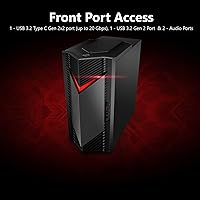
The front-panel USB-C running at 20Gbps is a standout inclusion that makes connecting external drives, modern peripherals, and fast-charging devices effortless without reaching around to the back. Wi-Fi 6E and Gigabit Ethernet cover all connectivity scenarios, and four video outputs mean multi-monitor configurations need no additional adapters.
The four rear USB 2.0 ports feel dated at a time when most peripherals have moved to USB 3.0 speeds or higher, and users with many accessories may find the rear port layout awkward once the tower is tucked under a desk. One additional front USB-A port would have been a practical improvement.
Storage Performance
88%
The PCIe Gen 4 NVMe SSD delivers noticeably fast boot times and near-instant game loads — buyers stepping up from an HDD-based system find the difference transformative. Titles notorious for long loading screens, like large open-world games or live-service shooters, load significantly faster than on last-generation storage.
One terabyte fills up quickly when gaming across multiple large modern titles simultaneously, as AAA games routinely occupy between 80GB and 150GB each. Expanding storage with a second drive is possible but requires navigating the somewhat tight case interior, which some buyers found more fiddly than expected.
RAM Adequacy
61%
39%
16GB of DDR5 at 5600MHz is objectively fast memory, and for users who focus on a single game at a time it handles the workload without a noticeable bottleneck. The upgrade path to 32GB is straightforward and replacement sticks are widely available and inexpensive.
Running a game alongside a browser, Discord, and a streaming client simultaneously pushes 16GB close to its practical limit, causing occasional stutters and sluggish alt-tab behavior. By 2024 standards, most hardware reviewers consider 32GB the realistic baseline for a well-rounded gaming and productivity desktop, making the base configuration feel one generation behind.
Aesthetic Design
78%
22%
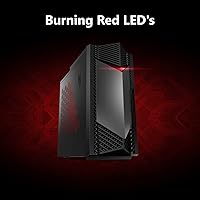
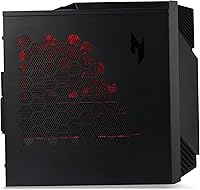
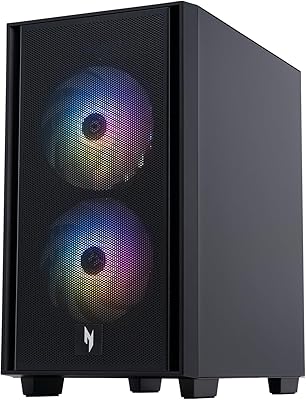
The black tower with subtle red accents strikes a restrained gaming look that fits naturally on a desk without demanding visual attention. Buyers who prefer a clean, understated setup over aggressive RGB lighting appreciate the toned-down exterior approach, and the compact size means it does not overwhelm smaller desk environments.
Buyers who specifically want customizable RGB lighting or a more expressive chassis will find the Nitro 50 limiting — the accent treatment is fixed and not software-addressable. Some plastic elements on the chassis feel less substantial than the metal-heavy cases found on more expensive gaming desktops.
Software & Bloatware
63%
37%
Windows 11 Home arrives fully licensed and activated, meaning buyers avoid trial software prompts or activation friction during initial setup. The pre-installed Acer utilities do not interfere with the core gaming experience, and the system boots cleanly into a standard Windows environment from the first power-on.
Acer bundles a collection of first-party utilities and third-party trial applications that most experienced users uninstall immediately, adding unnecessary friction to the first-session experience. Some of these background processes subtly affect startup speed and available RAM headroom until they are manually identified and removed.
Wireless Performance
84%
Wi-Fi 6E on the AX211 card provides a reliable and low-latency wireless connection that makes a real difference in fast-paced online games where packet timing matters. Buyers in homes with a Wi-Fi 6E router report ping stability that closely rivals a wired Ethernet connection during typical gaming sessions.
Users with older Wi-Fi 5 or Wi-Fi 6 routers will not benefit from the 6GHz band and effectively receive a standard Wi-Fi 6 experience, meaning the card is partially future-dependent on router hardware. A small number of buyers also reported needing a driver update on first boot to resolve initial wireless connection instability.
Display Flexibility
81%
19%
Four video outputs — three DisplayPort 1.4a ports and one HDMI 2.1 — give this machine more display flexibility than most competing prebuilts ship with at this price. Running a dual-monitor setup for gaming on one screen and reference or communication tools on another is fully supported without any adapters.
While the HDMI 2.1 port supports high-resolution output in theory, the RTX 4060 cannot reliably deliver the frame rates needed to take full advantage of that bandwidth in demanding modern titles. First-time PC buyers should also note that the i7-14700F has no integrated graphics, so connecting a monitor to any non-GPU port will produce no signal.

Suitable for:

The Acer Nitro 50 N50-656 Gaming Desktop is the right call for gamers who want a capable, ready-to-run machine without the time investment of a custom build. Console players making the jump to PC will find the plug-and-play setup refreshingly familiar, while anyone still running a five-year-old rig will notice an immediate and meaningful performance leap. Competitive multiplayer fans — the kind grinding ranked matches in Valorant, Apex Legends, or Fortnite — will get the high, stable frame rates they need at 1080p without touching a single setting. The 1440p crowd can get solid performance here too, provided they are comfortable dialing back a few visual options in the most demanding titles. Its compact footprint also makes it a practical pick for dorm rooms, small home offices, or any setup where desk space is genuinely limited, and the dual-purpose nature of the machine means it handles streaming, light photo editing, and everyday productivity without complaint.

Not suitable for:

Buyers with a 4K monitor at the center of their setup will likely feel shortchanged, since the RTX 4060 runs out of steam in demanding titles at that resolution regardless of how well other specs hold up. The Acer Nitro 50 N50-656 Gaming Desktop is also a poor fit for anyone planning aggressive hardware upgrades down the road — the power supply is not especially generous, which puts a ceiling on future GPU swaps and limits how far the system can realistically grow. Hardcore content creators who rely on sustained multi-core workloads — think 3D rendering, professional video editing, or large dataset processing — will find 16GB of RAM at base config a friction point, even if it is upgradeable. DIY-confident buyers should also pause before purchasing: a self-built system with comparable components typically costs less and offers far more flexibility in case selection, cooling, and PSU choice. Finally, if an optical drive is a non-negotiable in your workflow, this tower ships without one and offers no obvious path to adding one internally.

Specifications

  • Processor: Intel Core i7-14700F with 20 cores (6 performance, 8 efficiency, 6 hyperthreaded performance), a base clock of 2.1GHz, and a maximum boost of 5.4GHz.
  • Graphics Card: NVIDIA GeForce RTX 4060 discrete GPU with 8GB of GDDR6 video memory, supporting DLSS 3, ray tracing, and NVIDIA Reflex.
  • Memory: 16GB of DDR5 RAM running at 5600MHz, with two slots available and a maximum supported capacity of 32GB.
  • Storage: 1TB PCIe Gen 4 NVMe M.2 SSD offering fast sequential read and write speeds suited to rapid game loading and OS responsiveness.
  • Display Outputs: Four video outputs are provided via the GPU: three DisplayPort 1.4a ports and one HDMI 2.1 port, supporting up to 4K resolution output.
  • Front Ports: The front panel includes one USB 3.2 Gen2x2 Type-C port at 20Gbps, one USB 3.2 Gen2 Type-A port at 10Gbps, and two 3.5mm audio jacks.
  • Rear Ports: The rear I/O panel provides two USB 3.2 Gen2 Type-A ports at 5Gbps, four USB 2.0 Type-A ports at 480Mbps, three audio jacks, and one RJ-45 Ethernet port.
  • Wi-Fi: Intel Wi-Fi 6E AX211 adapter supporting 802.11ax on 2.4GHz, 5GHz, and 6GHz bands with dual-stream 2x2 MU-MIMO technology.
  • Ethernet: Realtek 8118AS Dragon Gigabit Ethernet controller providing a wired network connection via the rear RJ-45 port.
  • Bluetooth: Bluetooth is supported through the integrated Intel AX211 combo card, requiring no additional dongle or adapter.
  • Audio: DTS:X Ultra audio processing is included, with analog output supported through front and rear 3.5mm audio jacks.
  • Operating System: Windows 11 Home is pre-installed and activated, ready to use immediately after first-time setup.
  • Form Factor: Compact mid-tower chassis finished in black with red accent lighting and trim, consistent with the Nitro gaming line aesthetic.
  • Dimensions: The unit measures 15.2 inches in length, 6.89 inches in width, and 15.43 inches in height.
  • Weight: The system weighs 17.86 pounds as shipped, making it manageable to position or relocate under a desk.

Related Reviews
Acer Nitro 50 N50-656-UR12 Gaming Desktop
82%
88%
Performance
85%
Gaming Experience (1080p)
80%
Build Quality
82%
Graphics Quality
90%
Storage Speed
More
Acer Nitro 60 N60-640-UR26 Gaming Desktop
77%
88%
Gaming Performance
74%
Value for Money
91%
Out-of-Box Experience
89%
CPU Performance
93%
Storage Speed
More
Acer Nitro KG273 27-inch Gaming Monitor
85%
88%
Display Quality
91%
Performance in Fast-Paced Games
85%
Ergonomics and Adjustability
83%
Build Quality
92%
Value for Money
More
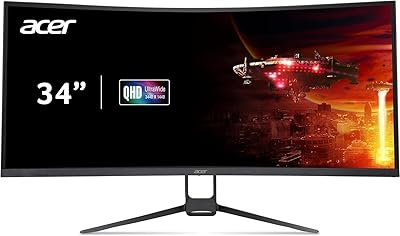
Acer Nitro EDA343CUR 34″ Curved Gaming Monitor
83%
94%
Display Quality
91%
Gaming Performance
72%
Build Quality
85%
Ease of Setup
80%
Ergonomics & Adjustability
More
Acer Nitro ED270R 27″ Curved Gaming Monitor
73%
91%
Value for Money
88%
Immersion & Curvature
79%
Picture Quality
89%
Refresh Rate & Smoothness
84%
Adaptive Sync (FreeSync)
More
Acer Nitro VG271U 27-inch Gaming Monitor
75%
91%
Image Clarity
83%
Color Accuracy
88%
Gaming Performance
86%
FreeSync Implementation
58%
HDR Quality
More
Acer Nitro KG251Q 24.5-inch Gaming Monitor
77%
93%
Refresh Rate Performance
91%
Value for Money
86%
Motion Clarity
82%
Image Contrast & Blacks
61%
Color Accuracy
More
Acer Nitro VG270K 27-inch 4K Gaming Monitor
76%
91%
Image Clarity
88%
Color Accuracy
86%
Motion Performance
83%
Refresh Rate Flexibility
61%
HDR Performance
More
Acer Nitro EDA270U 27″ Curved Gaming Monitor
75%
91%
Image Clarity & Resolution
88%
Refresh Rate & Motion Performance
86%
AMD FreeSync Premium
58%
HDR Performance
63%
Color Accuracy & Out-of-Box Calibration
More
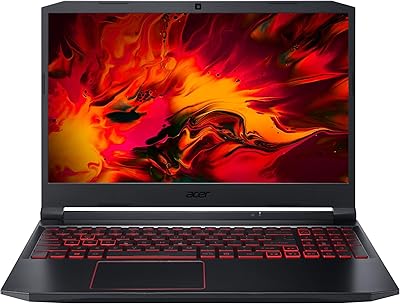
Acer Nitro 5 15.6-inch Gaming Laptop
70%
88%
Display Quality
74%
Gaming Performance
61%
Thermal Management
48%
Battery Life
63%
Build Quality
More

FAQ

No, it ships as a tower only. You will need to supply your own monitor, keyboard, and mouse. This is standard for desktop towers at this tier, so factor those costs into your budget if you are starting from scratch.

Yes, the system supports up to 32GB of DDR5 RAM across its two slots, so adding a second stick or swapping both is straightforward. The case does require some patience to open, but the RAM slots are accessible once you are inside. Most users report completing the upgrade in under 20 minutes.

Honestly, not really. The RTX 4060 is a capable card at 1080p and handles 1440p well with some setting adjustments, but it struggles to hit smooth frame rates in graphically demanding titles at 4K. If you own a 4K monitor and plan to use it primarily for gaming, you would be better served by a system with an RTX 4070 or higher.

Under light loads and everyday use, the system runs quietly and most people would not find it distracting. During extended gaming sessions, particularly in GPU-intensive titles, the fans do spin up audibly. It is not unusually loud for a prebuilt in this class, but it is worth noting if you are sensitive to fan noise in a quiet room.

The case does have room for additional storage, but the accessibility of the secondary M.2 slot depends on the motherboard layout inside this specific configuration. Several buyers have successfully added a second NVMe SSD, though a few noted that cable routing and the case design made it more fiddly than expected. Check the motherboard documentation before purchasing an expansion drive.

Acer has not published the exact PSU wattage prominently for this model, and that ambiguity is a legitimate concern. Based on community reports, the installed power supply is on the modest side for this hardware tier, which could limit future GPU upgrades to cards with similar or lower power requirements than the RTX 4060. If long-term upgradability is a priority for you, this prebuilt gaming desktop may not be the best foundation.

Absolutely. The front USB-C port runs at USB 3.2 Gen2x2 speeds, which means up to 20Gbps throughput — fast enough for external NVMe enclosures, fast charging compatible devices, and modern peripherals. It is one of the more practical features on this tower and a step above what many competing prebuilts offer at the front panel.

It performs well for simultaneous gaming and streaming, largely because the i7-14700F has enough cores to handle encoding workloads without robbing the GPU of resources. Running OBS with NVENC encoding alongside a game like Fortnite or Valorant at 1080p is well within its comfort zone. More demanding setups, like streaming at high bitrate while playing a CPU-intensive AAA title, may benefit from upgrading to 32GB of RAM first.

Yes, like most branded prebuilts, the Nitro 50 ships with some Acer utilities and third-party software pre-installed on top of Windows 11. None of it is harmful, but most users prefer to do a clean sweep shortly after setup. Removing unwanted apps through the Windows settings menu takes about 10 to 15 minutes and makes no difference to performance or warranty.

Very much so. Connect your monitor using one of the DisplayPort or HDMI outputs on the back of the GPU, plug in your keyboard and mouse, connect power, and you are essentially done. Windows 11 Home walks you through the rest on first boot. The main thing to watch is making sure you plug your display into the GPU outputs on the rear panel, not any onboard video port, since the i7-14700F does not have integrated graphics.

Where to Buy