

Overview

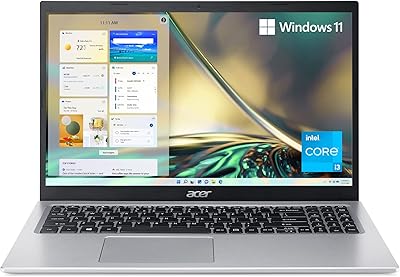
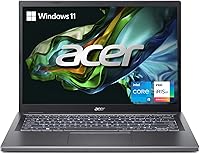
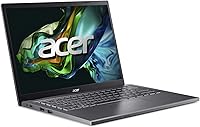
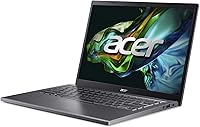
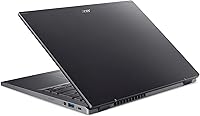
The Acer Aspire 5 14 Core i5 Laptop sits in a sweet spot that budget laptops rarely hit: it looks and feels more expensive than it is, while still delivering the kind of everyday performance most people actually need. The aluminum top cover and slim 0.70-inch profile give it a polished, professional appearance without a steep price tag. What sets it apart from similarly priced rivals is the 16:10 display aspect ratio — a detail that sounds minor but genuinely improves working with documents, spreadsheets, and web pages. Just set expectations accordingly: this slim Acer laptop is a reliable daily driver, not a machine built for video rendering or serious gaming.

Features & Benefits

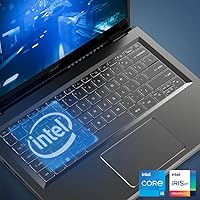
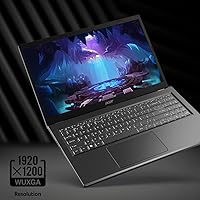
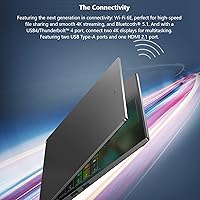
The 13th Gen Intel Core i5-1335U uses a 10-core hybrid design that handles typical multitasking well — switching between a video call, a browser with a dozen tabs, and a document editor without noticeable lag. The WUXGA IPS display at 1920x1200 adds useful vertical space compared to standard widescreen panels, making long documents feel less cramped. Connectivity is a genuine strong suit: Wi-Fi 6E and a USB4/Thunderbolt 4 port are features you normally pay more to get. The 512GB Gen 4 SSD makes everything feel snappy — apps open fast and boot time is short. The 8GB of RAM handles most daily workloads but starts to strain under heavier multitasking.

Best For

This Acer Aspire 5 is a natural fit for college students who carry their laptop to class and need something light enough not to resent the commute. Remote workers who live in browsers, spreadsheets, and video calls will find it more than capable. It is also a solid option for anyone moving on from an aging Chromebook or entry-level Windows machine who wants noticeably better performance without a big jump in cost. Light photo editing is realistic; sustained video exports are not. Travelers and commuters will appreciate the sub-4-pound weight and slim footprint in a bag. If you need a discrete GPU or plan to run memory-intensive applications, this machine will disappoint.

User Feedback

Owners of the Aspire 5 14-inch consistently highlight two things: how good the screen looks for the price, and how comfortable the keyboard is during long typing sessions. Boot and load speeds also draw consistent praise, thanks to the Gen 4 SSD. On the downside, users frequently flag the 8GB RAM ceiling as a real limitation once Chrome, Teams, and a few background apps are all running simultaneously. Battery life gets mixed reviews — the machine holds up for around six to seven hours of mixed use, decent but short of all-day territory. Fan noise under sustained CPU load is noticeable, though rarely disruptive in typical office or classroom settings.

Pros

  • The 16:10 IPS display gives noticeably more vertical screen space, making documents and web pages far more comfortable to read.
  • Boot times and app launches feel genuinely quick thanks to the 512GB PCIe Gen 4 SSD.
  • Wi-Fi 6E and a Thunderbolt 4 port are connectivity upgrades you rarely see at this price point.
  • The 1080p webcam with AI noise reduction produces sharp, clear video on calls without needing an external camera.
  • At under 3.75 pounds and 0.70 inches thin, this slim Acer laptop is easy to carry in a bag all day.
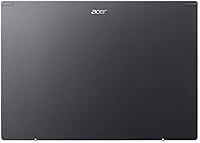
  • The aluminum lid gives the chassis a premium, sturdy feel that plastic-bodied rivals at similar prices cannot match.
  • The ergonomic lift hinge slightly tilts the keyboard when open, improving typing comfort during long sessions.
  • The 13th Gen Core i5 handles everyday multitasking — multiple apps, streaming, and video calls simultaneously — without breaking a sweat.
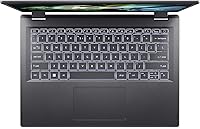
  • The backlit keyboard is practical for low-light environments like evening study sessions or dimly lit meeting rooms.
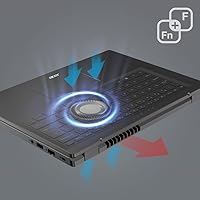
  • TwinAir cooling keeps the chassis from getting uncomfortably hot during typical daily use.

Cons

  • 8GB of RAM is a real ceiling — heavy multitaskers and power users will notice slowdowns sooner than expected.
  • Upgrading the RAM is not a straightforward option for most buyers, locking you into the base configuration long-term.
  • Battery life in real mixed use lands around six to seven hours — enough for half a day, but plan to bring a charger.
  • Integrated Intel Iris Xe graphics rule out any meaningful gaming or GPU-accelerated creative work.
  • Fan noise under sustained processor load is noticeable, which can be distracting in quiet environments.
  • The Aspire 5 14-inch lacks a dedicated numeric keypad, which may frustrate users who work heavily with numbers.
  • Display brightness may struggle in bright outdoor or sunlit environments, limiting usability outside.
  • The port selection, while modern, omits an SD card reader — an inconvenience for photographers or content creators.
  • No option for a higher-resolution or higher-refresh-rate panel, which some buyers in this segment now expect.
  • Speakers deliver serviceable audio at best — anyone who cares about sound quality will want external headphones or a speaker.

Ratings

The scores below were generated by our AI system after analyzing thousands of verified global user reviews of the Acer Aspire 5 14 Core i5 Laptop, with spam, bot activity, and incentivized feedback actively filtered before any scoring was applied. Every category reflects what real buyers consistently report across markets — both the aspects they praise and the recurring frustrations they flag — so you get a transparent, balanced picture of what owning this machine actually feels like.

Performance
78%
22%
For web browsing, document editing, video calls, and light multitasking, the 13th Gen Core i5 chip holds up well without noticeable lag. Users running productivity apps alongside a handful of browser tabs report a consistently smooth experience, and application launch times are quick thanks to the fast SSD pairing well with the processor.
Once you push into heavier territory — Teams, Chrome with 15-plus tabs, and a large spreadsheet open at once — the 8GB RAM becomes the bottleneck before the processor does. Users attempting sustained GPU-dependent tasks like video export or batch photo processing report slowdowns and occasional stuttering that disrupts workflow.
Display Quality
84%
The 16:10 IPS panel earns consistent praise for sharpness and color accuracy — reading long documents or working in spreadsheets feels noticeably more comfortable than on standard 16:9 budget screens. The extra vertical height is something buyers frequently mention as a welcome and practically useful surprise for day-to-day productivity work.
Outdoor and bright-sunlight use is a recurring complaint — the panel brightness washes out noticeably in direct light, making it frustrating for anyone working near a sunny window or outside a coffee shop. Buyers expecting wide color gamut coverage for serious photo editing will also find the display falls short of professional-grade output.
Value for Money
83%
At its price point, this Acer Aspire 5 packs in features — Wi-Fi 6E, Thunderbolt 4, a 1080p webcam, and a Gen 4 SSD — that typically cost meaningfully more on competing brands. Most buyers report feeling they received a significant step up in specs and build quality compared to what they expected from a laptop in this tier.
The value calculation weakens once you factor in the locked 8GB RAM, which may force some users to replace the machine sooner than expected as software demands grow. Buyers who initially see the price as a strong deal sometimes feel differently six to twelve months in when they begin hitting the memory ceiling regularly.
Battery Life
67%
33%
For lighter tasks like note-taking, reviewing documents, or checking email, most users get through a solid four to six hours without needing a charger. Remote workers doing shorter stints away from an outlet — a campus library session or a mid-morning meeting run — generally find the battery adequate for the task at hand.
Anyone expecting a true all-day machine will be disappointed; real-world battery life under mixed use consistently lands between six and seven hours at best and drops faster with high screen brightness or streaming running. The charger is not the most compact accessory either, adding noticeable weight to a bag when portability matters most.
RAM Adequacy
58%
42%
For genuinely light single-app workflows — a student writing essays or a remote worker in a single focused video call — 8GB of LPDDR5 is fast enough that users rarely notice any memory-related slowdown. The RAM speed itself is modern, and for minimal, disciplined use cases it performs without complaint.
The 8GB ceiling is the most frequently cited frustration across global user feedback, and the fact that it is soldered to the motherboard means there is no practical upgrade path for non-technical owners. Users running Chrome with multiple tabs, Teams, and background sync tools simultaneously report consistent slowdowns and occasional full system hangs.
Build Quality
76%
24%
The aluminum lid gives the Aspire 5 14-inch a noticeably premium feel in hand — it resists everyday flex and minor bumps better than all-plastic competitors at this price tier. Students and commuters who carry their laptop in a crowded bag daily report the lid holds up well without visible warping or hinge loosening over time.
The base of the chassis is plastic, and while this keeps weight down, it flexes under moderate palm pressure and feels less confidence-inspiring than the lid during transport. A number of long-term users note the hinge, though functional, develops a slight wobble after many months of daily open-and-close cycles.
Keyboard & Trackpad
81%
19%
The backlit keyboard draws consistent praise for key spacing, travel depth, and the lift-hinge angle that makes extended typing sessions noticeably more comfortable. Students and remote workers who spend hours writing reports or emails frequently call out the keyboard as one of the strongest everyday features of this machine.
The trackpad receives occasional criticism for its surface texture feeling slightly sticky under warm conditions and for lacking the smooth glide of the glass trackpads found on premium laptops. Multi-finger gestures work reliably in general, but some users report inconsistencies in responsiveness after extended daily use.
Connectivity
88%
Wi-Fi 6E and a Thunderbolt 4 port are real standouts at this price — the wireless connection holds strong even in congested apartment buildings or busy offices, and Thunderbolt 4 opens the door to external monitors and fast storage docks. Users in modern work setups consistently report the connectivity options exceed what they expected.
The absence of an SD card slot is a recurring frustration for photographers and creators who transfer camera files regularly. With only one Thunderbolt port, users who want to connect an external display and charge simultaneously will need a hub, adding extra cost and desk clutter to what seemed like a clean setup.
Webcam Quality
79%
21%
The 1080p front camera is a genuine step above the 720p units still appearing on many competing laptops in this range, and the AI noise reduction handles typical background sounds well during video calls. Image quality holds up in standard office or classroom lighting without needing any external lighting support.
In dim or uneven lighting, the camera image softens noticeably and introduces more digital noise than the marketing material implies. Users on late-evening calls or in poorly lit rooms report that low-light performance, while better than older webcams, still falls short of what a basic external USB camera can deliver.
Thermal Management
72%
28%
During typical workloads — browsing, productivity apps, video streaming — the TwinAir cooling keeps the chassis comfortably cool and the fans quiet enough that most users in an office or classroom do not register them. The ergonomic lift hinge improves airflow underneath the machine, contributing to better sustained operating temperatures.
Under heavier sustained workloads the fans ramp up to a noticeable pitch that can be distracting in quiet spaces like a library or late-night home study session. The area above the keyboard near the vents also warms up during prolonged CPU-intensive tasks, which some users find uncomfortable when the machine rests on their lap.
Portability
86%
At 3.75 pounds and under an inch thick, this slim Acer laptop slips easily into a standard backpack without adding meaningful fatigue to a daily load. Students who commute by transit and remote workers who move between home, coffee shops, and shared offices consistently highlight the slim footprint as a practical daily convenience.
While the laptop itself is light, the power brick is not the most compact travel charger and adds noticeable bulk to a minimalist bag setup. Users who frequently forget their charger and rely on battery alone will also find the sub-seven-hour real-world stamina limits the machine's untethered freedom more than the weight does.
Storage Speed
87%
The PCIe Gen 4 SSD delivers boot times and app launch speeds that feel fast by any standard in this price range, with Windows loading in under ten seconds on a cold start. File transfers and application installs complete noticeably faster than the SATA or Gen 3 SSDs still common across competing budget laptops.
512GB fills up faster than many buyers anticipate once Windows, applications, and a few months of personal files accumulate — users frequently report needing an external drive within the first year of ownership. There is no secondary M.2 slot for straightforward internal storage expansion on this model.
Software & OS
74%
26%
Windows 11 Home comes pre-installed and runs responsively for everyday tasks, with a setup process that most buyers — including those transitioning from Chromebooks — find manageable and familiar. The operating system integrates cleanly with the hardware, and buyers report the out-of-box experience is generally positive without significant technical hurdles.
Several users report a noticeable amount of pre-installed bloatware that needs to be manually removed before the system feels clean and optimized for personal use. Windows 11 Home default privacy settings and background processes also nudge RAM usage higher right out of the box, which compounds the existing memory ceiling issue.
Audio Quality
61%
39%
For occasional video call audio monitoring or background music at low to moderate volume, the built-in speakers are serviceable without noticeable distortion. Users consistently note that the microphone side — enhanced by AI noise reduction — outperforms the speakers themselves, which is arguably the right priority for a productivity-focused machine.
The speakers lack bass and sound noticeably thin at higher volumes, which becomes apparent when watching a movie or joining a lively group call without headphones. Multiple buyers describe the audio output as adequate at best and strongly recommend pairing the Aspire 5 14-inch with external speakers or a decent pair of headphones for regular media use.

Suitable for:

The Acer Aspire 5 14 Core i5 Laptop is built for the kind of buyer who needs a dependable, capable machine for everyday computing without overpaying for features they will never use. College students are an obvious fit — the slim build travels well, the 16:10 display gives more room for reading and writing, and the 1080p webcam handles lectures and group calls without embarrassment. Remote workers whose days revolve around email, spreadsheets, video meetings, and browser-based tools will find the performance more than adequate for their needs. Anyone stepping up from an aging Chromebook or a slow entry-level Windows laptop will notice a real improvement in responsiveness, thanks to the fast Gen 4 SSD and a modern processor that manages multiple open apps without grinding to a halt. Light creative work — resizing photos, casual Lightroom edits, putting together a presentation — is also well within reach.

Not suitable for:

If your workflow regularly involves video editing, 3D rendering, running virtual machines, or any GPU-dependent software, this slim Acer laptop will let you down — integrated Iris Xe graphics simply are not built for that kind of sustained workload. Power users who keep 20-plus browser tabs open alongside productivity apps, a communication platform, and cloud sync tools running in the background will hit the 8GB RAM ceiling faster than they expect, and there is no straightforward upgrade path for non-technical users. Gamers should look elsewhere entirely; even older or less demanding titles will struggle on integrated graphics. The battery life, while acceptable for short work sessions, is not reliable enough for a full day away from an outlet if your usage is anything heavier than light browsing and document editing. Anyone expecting a workstation-grade experience at this price tier will be disappointed — the Acer Aspire 5 14 Core i5 Laptop is designed for breadth of everyday use, not depth of performance.

Specifications

  • Processor: Intel Core i5-1335U (13th Gen) with 10 cores (2 Performance + 8 Efficient) and a maximum boost frequency of 4.6 GHz.
  • Display: 14-inch WUXGA IPS panel with a 1920x1200 resolution and a 16:10 aspect ratio for added vertical screen real estate.
  • RAM: 8GB LPDDR5 memory soldered directly to the motherboard, with no user-accessible upgrade slot.
  • Storage: 512GB PCIe Gen 4 SSD delivering fast read and write speeds for quick boot times and responsive application launches.
  • Graphics: Intel Iris Xe integrated graphics, drawing from system memory and suited for everyday tasks and light image editing.
  • Operating System: Windows 11 Home comes pre-installed, with no additional license purchase required out of the box.
  • Wireless: Wi-Fi 6E (802.11ax) with 2x2 MU-MIMO support across 2.4 GHz, 5 GHz, and 6 GHz bands for faster, lower-latency connections.
  • Ports: One USB4/Thunderbolt 4 port, three USB 3.0 Type-A ports, one HDMI output, and a 3.5mm audio combo jack.
  • Webcam: 1080p FHD front-facing camera with Acer TNR technology and AI-based noise reduction for cleaner video call quality in low light.
  • Bluetooth: Bluetooth 5.1 or above enables reliable wireless connectivity with headphones, mice, keyboards, and other peripherals.
  • Weight: The laptop weighs 3.75 pounds, keeping it portable enough for daily commutes and campus use without excessive strain.
  • Dimensions: Measures 12.53 x 8.88 x 0.70 inches when closed, fitting easily into standard laptop sleeves and backpack compartments.
  • Keyboard: Full-size backlit keyboard with an ergonomic lift hinge that slightly tilts the deck upward when the lid is opened, improving typing angle.
  • Cooling: TwinAir dual-fan system combined with an air-inlet keyboard design helps manage thermals during sustained processor workloads.
  • Build & Finish: Gray aluminum top cover with a plastic base chassis, giving the lid a premium feel while keeping overall weight low.

Related Reviews

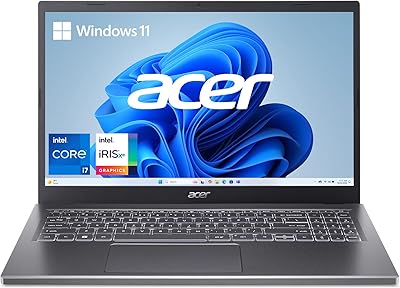
Dell Inspiron 14 5440 Laptop
76%
88%
Display Quality
74%
Performance
61%
RAM & Multitasking
82%
Build Quality
67%
Battery Life
More
Acer Aspire 5 A515-45-R74Z Laptop
69%
82%
Display Quality
79%
Daily Performance
71%
Battery Life
76%
Value for Money
48%
Storage
More
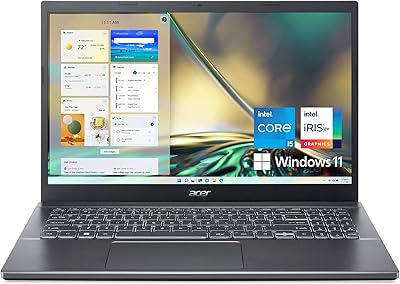
Acer Aspire 5 A515-56-347N Laptop
71%
84%
Display Quality
67%
Performance
43%
Storage
76%
Build Quality
54%
Battery Life
More
Acer Aspire 5 A515-57-53T2 Laptop
83%
88%
Overall Performance
91%
Display Quality
74%
Battery Life
76%
Keyboard Comfort
84%
Portability
More
Acer Aspire 5 A515-58MT
77%
83%
Overall Performance
81%
Build Quality
86%
Display Quality
84%
Keyboard & Typing Experience
88%
RAM & Multitasking
More
Acer Aspire 3 Spin 14 (A3SP14-31PT)
74%
88%
Display Quality
83%
Convertible Versatility
91%
Value for Money
47%
Storage Capacity
74%
Performance (Daily Tasks)
More
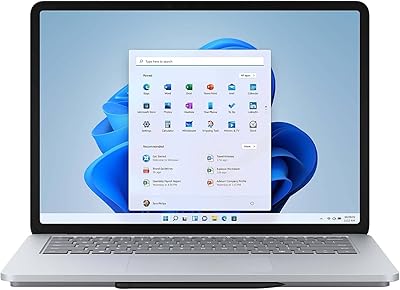
Microsoft Surface Laptop Studio 14.4″ Laptop
73%
93%
Display Quality
88%
Pen Experience
89%
Build Quality
58%
Battery Life
76%
Performance
More
Dell Inspiron 14 5420 Laptop
78%
88%
Display Quality
84%
Screen Ergonomics
81%
CPU Performance
57%
RAM Performance
86%
Storage Speed
More
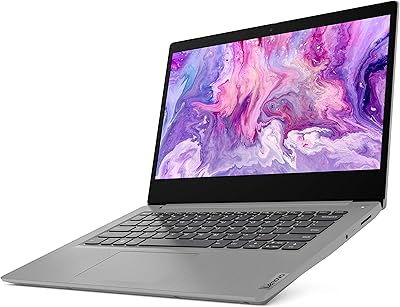
Lenovo IdeaPad 3i 14″ i5-10210U 8GB 512GB
68%
83%
Value for Money
61%
Performance
74%
Build Quality
78%
Display Quality
54%
Battery Life
More
Microsoft Surface Laptop 3 13.5″ Laptop
78%
93%
Display Quality
89%
Build Quality
88%
Keyboard & Trackpad
81%
Everyday Performance
74%
Battery Life
More

FAQ

For most everyday tasks — web browsing, email, video calls, word processing, and streaming — 8GB is workable. Where it starts to pinch is when you are running a lot of applications simultaneously, like Chrome with many tabs open alongside Teams, Spotify, and a cloud sync tool all at once. If that sounds like your typical workday, you may notice occasional slowdowns.

The RAM is soldered to the motherboard, so upgrading it is not a realistic option for most users — what you buy is what you get. The SSD, however, is a standard M.2 slot and can be swapped out by someone comfortable opening a laptop. If storage is a concern from the start, an external drive is the simpler solution.

In mixed real-world use — browsing, writing, the occasional video call — expect somewhere in the six to seven hour range. That is enough for a half-day away from an outlet but not quite all-day territory. If you are streaming video or keeping the screen brightness high, that number will come down noticeably.

Casual, older, or less demanding games may run acceptably at lower settings, but this is not a gaming laptop by any stretch. The integrated Intel Iris Xe graphics simply do not have the dedicated memory or raw power for modern titles. If gaming is a priority, a laptop with a discrete GPU is the right category to shop.

Indoors, the IPS panel looks sharp and color-accurate, and the 16:10 format genuinely makes a difference when reading documents or working in a spreadsheet. Outdoors in direct sunlight, brightness can be a limiting factor — it is not the most luminous panel in this price range. For most indoor and low-light environments, it performs well.

No, the Aspire 5 14-inch does not include an SD card slot. If you regularly transfer photos from a camera, you will need a USB card reader, which is a small but real inconvenience worth factoring in.

The 1080p webcam is a genuine step up from the 720p cameras that were standard on budget laptops for years. The AI noise reduction helps reduce background sounds during calls, and the image quality holds up reasonably well even in dimmer lighting. For daily video meetings or remote classes, it is more than adequate.

During light use — browsing, typing, video calls — the fans are quiet enough that most people will not notice them. Under sustained heavier workloads, like a long export or a CPU-intensive task, the fans do ramp up and become audible. In a typical office or classroom setting it is not disruptive, but it is worth knowing about if you work in very quiet spaces.

It ships with Windows 11 Home, but Microsoft Office is not included — you will need a separate Microsoft 365 subscription or a one-time purchase license. A trial or limited version of certain software may be preloaded, but check the listing details, as bundled software can vary by retailer.

The aluminum lid gives it a sturdy, premium feel that holds up well to daily handling and bag travel. The base is plastic, which is standard at this price tier and keeps weight down, though it does flex slightly under pressure. Overall the build quality is above average for a mid-range Windows laptop, and most users report it feels durable enough for regular student or commuter use.

Where to Buy