Overview

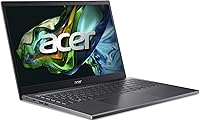
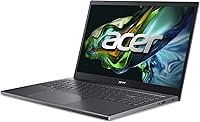
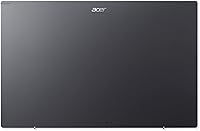
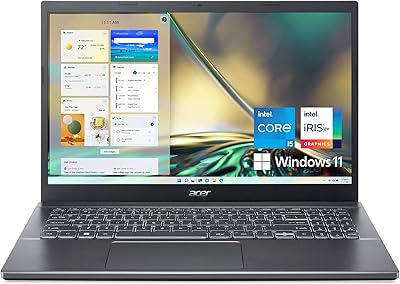
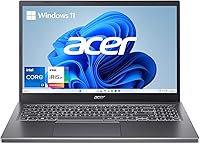
The Acer Aspire 5 A515-58MT arrived in late 2024 as a genuinely compelling option in the crowded mid-range laptop space. It's slim, weighs just under four pounds, and sports an aluminum lid — details you don't usually see at this price point without cutting corners elsewhere. This isn't a machine built for video editing or serious gaming; the integrated graphics make that clear from the start. But as a capable all-rounder for students and working professionals, it holds its own. The aluminum top cover and slim 0.70-inch profile give it a premium feel that most plastic rivals in this segment simply can't match.
Features & Benefits

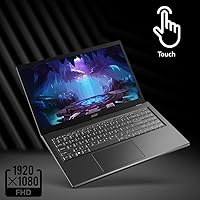
The i7-1355U processor has 10 cores, but what that actually means day-to-day is that you can have 20 browser tabs open, a video call running, and a spreadsheet in the background without things grinding to a halt. Pair that with 16GB of LPDDR5 RAM — genuinely above average for this segment — and multitasking feels fluid rather than strained. The Gen 4 SSD makes boot times and app launches noticeably quick. The 15.6-inch IPS touchscreen is sharp and easy on the eyes for long sessions, and Wi-Fi 6E support means this Acer laptop won't become a connectivity bottleneck as home networks improve. The 1080p webcam, with solid low-light handling, is a legitimate perk for anyone on video calls regularly.

Best For

The Aspire 5 fits a pretty specific sweet spot. Students handling coursework, research, and occasional video calls will find it more than capable. Remote workers and hybrid professionals — especially those tired of grainy webcams — get a real step up in call quality. If you're upgrading from a five-year-old budget machine, the speed difference alone will feel dramatic. The touchscreen display also appeals to people who like tapping through slides or casual note-taking without needing a dedicated stylus device. At under four pounds, it travels without complaint. Just don't expect it to handle demanding creative work or modern 3D games — that's not what this slim Acer is built for.

User Feedback

Buyers consistently highlight the display and keyboard as genuine standouts, with the tilting hinge design making extended typing more comfortable than you'd expect. Build quality comes up repeatedly as a pleasant surprise for people expecting something flimsier at this price. On the downside, battery life is a recurring complaint — many users report needing to plug in well before the end of a workday. Some also mention fan noise increasing under sustained loads. The touchscreen response is generally described as solid, not spectacular. Most buyers find the out-of-box setup with Windows 11 painless, though a few note pre-installed bloatware as a minor nuisance worth addressing early.

Pros

  • The Acer Aspire 5 A515-58MT packs an i7 processor and 16GB RAM into a mid-range price bracket that rivals rarely match.
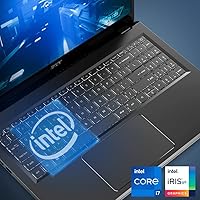
  • The aluminum lid gives it a build quality that genuinely surprises buyers expecting something cheaper-feeling.
  • Boot times and app launches are noticeably quick thanks to the PCIe Gen 4 SSD.
  • The 1080p webcam handles low-light video calls far better than most built-in cameras at this price.
  • A 15.6-inch IPS touchscreen with narrow bezels makes long work sessions comfortable on the eyes.
  • Wi-Fi 6E support means this Acer laptop is ready for faster home and office networks without an upgrade.
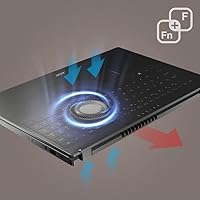
  • The ergonomic hinge tilts the keyboard for more natural typing posture during extended sessions.
  • At under four pounds, it travels without feeling like a burden in a daily bag.
  • The out-of-box Windows 11 setup is straightforward and accessible even for less technical users.

Cons

  • Battery life regularly falls short of a full workday, making the charger a near-constant companion.
  • RAM is soldered onboard with no upgrade path, limiting long-term flexibility as needs grow.
  • Fan noise ramps up significantly under sustained load, which can be distracting in quiet environments.
  • The bottom chassis gets noticeably warm on the lap during extended or intensive tasks.
  • Pre-installed bloatware requires time to clean up before the machine performs at its cleanest.
  • Outdoor screen visibility is poor, making it difficult to use in direct sunlight or near bright windows.
  • The port lineup lacks Thunderbolt 4, leaving power users reliant on a hub for modern peripherals.
  • Speaker quality is thin and lacks depth, requiring external audio for anything beyond basic video calls.
  • The plastic base and keyboard deck contrast with the aluminum lid and feel less premium to the touch.

Ratings

The Acer Aspire 5 A515-58MT scores here reflect an AI-driven analysis of verified global buyer reviews, with spam, bot activity, and incentivized feedback actively filtered out before scoring. This slim Acer sits in a competitive mid-range segment, and the ratings below capture both what it genuinely gets right and where real users have run into frustration. Nothing is glossed over — the highs and the pain points are represented equally.
Overall Performance
83%
For everyday workloads — juggling tabs, running video calls, editing documents — the Aspire 5 handles the load without visible hesitation. Users upgrading from older dual-core machines consistently describe the speed jump as dramatic and immediately noticeable in daily use.
Push it toward video rendering or sustained multitasking for over an hour and the performance ceiling becomes apparent. The integrated graphics mean anything beyond light photo editing starts to feel sluggish, and a few users note the processor throttling under prolonged stress.
Build Quality
81%
19%
The aluminum top cover gives this Acer laptop a rigidity and feel that genuinely surprises buyers expecting plasticky construction at this price point. The slim 0.70-inch chassis feels purposefully engineered rather than flimsy, and most users find the overall fit and finish above average for the segment.
While the lid is aluminum, the bottom panel and keyboard deck are plastic, which some buyers notice when pressing down during typing. A few users reported minor flex around the display hinges after several months of daily bag-to-desk use.
Display Quality
86%
The 15.6-inch IPS panel earns consistent praise for accurate colors and comfortable contrast during long work sessions. Students and remote workers specifically mention that the narrow bezels make the screen feel larger than the footprint suggests, which matters on a desk or in a coffee shop.
Outdoor visibility is a known weak point — direct sunlight washes out the screen enough to make it genuinely difficult to work. Maximum brightness falls short of what power users or anyone working near a window regularly would want from a display at this level.
Keyboard & Typing Experience
84%
The ergonomic hinge design that tilts the keyboard slightly when opened is one of those small details that makes extended typing noticeably more comfortable. Users working long writing sessions appreciate the key travel and tactile feedback, calling it better than most competitors at this price.
The trackpad, while functional, draws occasional complaints about inconsistent palm rejection. A handful of users also note that the keyboard flex under firm typing pressure is subtle but present, which bothers touch typists more than casual users.
RAM & Multitasking
88%
16GB of LPDDR5 memory is genuinely above the norm at this price tier, and users notice it. Running a video call, a browser with a dozen tabs, and a spreadsheet simultaneously stays smooth — a scenario that trips up many competing machines in this range.
The RAM is soldered onboard, meaning there is no upgrade path if your needs grow over time. For buyers planning to keep this laptop for five or more years, that limitation is worth factoring in upfront rather than discovering later.
Storage Speed
87%
The PCIe Gen 4 SSD makes boot times and application launches feel snappy in a way that older SATA drives simply cannot match. Users who have migrated from spinning hard drives or budget SSDs consistently highlight this as one of the most immediately perceptible improvements.
512GB fills up faster than most users anticipate once Windows, apps, and media accumulate. Several buyers recommend budgeting for an external drive from day one, and there are mixed reports on whether a second M.2 slot is available for expansion on this model.
Battery Life
58%
42%
Under light use — reading, light document work, occasional video streaming — the battery holds up reasonably well for a few hours. Some users doing genuinely minimal tasks report getting through a half-day without reaching for the charger.
Battery life is the most recurring complaint across user reviews. Many buyers report needing to plug in well before the end of a standard workday, especially with brightness up and background apps running. For students moving between classes without power access, this is a real daily inconvenience.
Webcam Quality
79%
21%
The 1080p camera with AI noise reduction is a notable upgrade over the grainy 720p webcams still common on competitors in this segment. Remote workers and students on frequent video calls describe a visible improvement in clarity, particularly in lower-light rooms.
The AI noise reduction, while useful, occasionally over-processes facial detail in very dim lighting, leaving a slightly softened look. It performs well in average indoor lighting but does not compete with external webcams for anyone with serious streaming or content creation needs.
Thermal Management
63%
37%
During routine tasks — browsing, writing, standard office work — the Aspire 5 stays quiet and the chassis remains cool to the touch. The ergonomic hinge design does help with airflow more than a flat-resting laptop would allow.
Under sustained load, fan noise ramps up noticeably and the bottom of the chassis gets warm enough to be uncomfortable on a lap. Users running longer exports, compilation tasks, or intensive browser workloads consistently flag thermal throttling as a limitation that affects output speed.
Wi-Fi & Connectivity
82%
18%
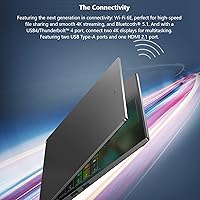
Wi-Fi 6E support means this slim Acer is ready for newer routers and less congested networks, which is a forward-looking inclusion at this price. Bluetooth 5.1 connects peripherals reliably, and users report stable connections with mice, headsets, and speakers alike.
The port selection is adequate but not generous — three USB-A ports cover basic needs, but users wanting to connect multiple modern peripherals or an external display simultaneously will likely need a hub. The absence of Thunderbolt 4 is a noticeable gap for power users.
Touchscreen Responsiveness
72%
28%
For tapping through slides, casual note navigation, or light sketching, the touchscreen works reliably enough that users who wanted the feature are generally satisfied. It adds genuine convenience in tablet-style use cases without requiring an additional device.
The touchscreen is not a standout experience — it is responsive, but not buttery smooth in the way premium 2-in-1 displays feel. Several buyers describe it as a useful bonus rather than a primary reason to choose this laptop, and the screen is not a foldable design.
Value for Money
85%
The combination of an i7 processor, 16GB RAM, Gen 4 SSD, and a touchscreen display at this price point is objectively difficult to match across competing brands. Buyers consistently express that the spec-to-price ratio feels fair, especially coming from older or more budget-constrained machines.
A few buyers feel the battery life limitation and soldered RAM undercut the long-term value proposition. If you plan to own this for four or five years, those two constraints may matter more than the impressive spec sheet looks today.
Portability
80%
20%
At under four pounds and 0.70 inches thin, this Acer laptop slips into a bag without complaint. Students carrying it across campus and commuters dropping it into a work bag consistently describe the weight as genuinely manageable for a 15.6-inch machine.
It is not a ultrabook-thin experience, and the 15.6-inch footprint means smaller bags can be a tight fit. Users who prioritize maximum portability sometimes wish Acer had trimmed the chassis dimensions slightly without sacrificing the larger display.
Software & Out-of-Box Setup
67%
33%
Windows 11 Home installs cleanly and the initial setup process is described as painless by most buyers. For non-technical users, getting up and running within the first 30 minutes is realistic without needing third-party support.
Pre-installed bloatware is a recurring minor frustration in user feedback. Several buyers flag Acer-specific software and trial apps as the first thing they uninstall, and a small number of users report that some bundled software auto-starts and adds to boot time if not removed.
Audio Quality
61%
39%
For casual media consumption — YouTube, Netflix, video calls — the built-in speakers are adequate and get reasonably loud. The ergonomic hinge position does marginally improve sound projection compared to downward-firing speaker designs.
Bass is thin and the audio lacks depth for music listening or immersive media. Users who care about speaker quality consistently recommend external speakers or headphones, and the audio experience is generally considered the weakest sensory element of the overall package.

Suitable for:

The Acer Aspire 5 A515-58MT is a strong match for college students who need a capable, portable machine that handles coursework, research, and video calls without demanding a premium-tier budget. If you spend most of your day in a browser, a word processor, or a video conferencing app, the combination of a fast processor and generous RAM means you are unlikely to hit a wall during normal daily use. Remote workers and hybrid professionals will particularly appreciate the 1080p webcam with noise reduction — it is a genuine step up from the grainy cameras found on most competing laptops in this range. The touchscreen adds practical value for anyone who likes tapping through slides, light note-taking, or navigating without reaching for a mouse. Travelers and commuters who want a 15.6-inch display without lugging around a heavy machine will find the sub-four-pound weight a reasonable trade-off. And if you are coming from a five-year-old budget laptop with a spinning hard drive, the speed difference alone will feel transformative from the first morning you use it.
Not suitable for:

The Acer Aspire 5 A515-58MT is not the right tool for anyone whose work regularly pushes hardware beyond basic productivity tasks. If you edit video, work in 3D modeling software, or want to play modern games at respectable settings, the integrated Intel Iris Xe graphics will frustrate you — this is not a machine built for that kind of sustained graphical load. The RAM is soldered onboard, meaning there is no upgrade path if your workload grows in two or three years, which is a real consideration if you plan to hold onto a laptop for the long term. Battery life is a known limitation here, and anyone who frequently works away from power outlets — in lectures, on flights, or in cafes without available sockets — should factor that constraint into their decision carefully. Audio quality is functional at best, so if you are a music producer, podcast editor, or someone who relies heavily on built-in speakers for media, you will want an external solution. Power users who need Thunderbolt 4, extensive port selection, or a convertible 2-in-1 form factor will also find this slim Acer comes up short in those areas.

Specifications

  • Processor: Intel Core i7-1355U with 10 cores (2 Performance + 8 Efficiency) clocking up to 4.7GHz, manufactured on Intel's 13th Gen architecture.
  • RAM: 16GB LPDDR5 memory soldered onboard with no available upgrade slots.
  • Storage: 512GB PCIe Gen 4 SSD providing fast read and write speeds for quick boot times and responsive application launches.
  • Display: 15.6″ FHD IPS touchscreen with a native resolution of 1920x1080 pixels and narrow bezel design.
  • Graphics: Intel Iris Xe Graphics integrated into the processor, sharing system memory with no dedicated VRAM.
  • Operating System: Windows 11 Home, pre-installed and activated out of the box.
  • Webcam: 1080p FHD front-facing camera with Acer TNR low-light enhancement and AI-based noise reduction for video calls.
  • Wireless: Wi-Fi 6E (802.11ax) with 2x2 MU-MIMO supporting 2.4GHz, 5GHz, and 6GHz bands, plus Bluetooth 5.1.
  • Keyboard: Full-size backlit keyboard with an ergonomic hinge that tilts the deck slightly when the lid is opened.
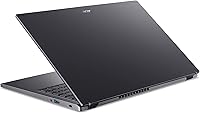
  • Ports: Three USB 3.0 Type-A ports; specific additional port configuration (HDMI, USB-C) should be verified against official Acer product documentation.
  • Weight: 3.88 pounds (approximately 1.76 kg), making it manageable for daily commuting and campus carry.
  • Dimensions: 14.29 x 9.35 x 0.70 inches (363 x 237 x 17.8 mm) for the full chassis footprint and thickness.
  • Build Material: Aluminum top cover in Steel Gray finish, with plastic construction on the base panel and keyboard deck.
  • Battery: Lithium-Ion battery included; capacity not officially disclosed, with real-world endurance typically ranging from 5 to 7 hours under mixed use.
  • Audio: Built-in stereo speakers positioned to benefit from the ergonomic hinge lift, with no dedicated subwoofer or DTS audio certification listed.
  • Optical Drive: No optical drive included; external USB optical drives are required for any CD or DVD media needs.
  • Chipset: Intel platform chipset integrated with the Core i7-1355U processor on a single-chip architecture.
  • Availability: First listed for sale on Amazon on October 11, 2024, making it a late-2024 model release within the Aspire 5 lineup.

Related Reviews
Acer Aspire 5 A515-55-35SE
79%
76%
Performance
88%
Value for Money
82%
Battery Life
89%
Portability
80%
Build Quality
More
Acer Aspire 5 A515-56-347N Laptop
81%
91%
Value for Money
88%
Display Quality
85%
Performance for Basic Tasks
87%
Portability
81%
Battery Life
More
Acer Aspire 5 A515-45-R74Z Laptop
83%
87%
Overall Performance
91%
Battery Life
72%
Display Quality
89%
Portability
90%
Build Quality
More
Acer Aspire 5 A515-57-53T2 Laptop
83%
88%
Overall Performance
91%
Display Quality
74%
Battery Life
76%
Keyboard Comfort
84%
Portability
More
Acer Aspire 5 A514-56M-576D Laptop
83%
88%
Performance for Productivity
91%
Display Clarity and Quality
85%
Portability and Design
80%
Battery Life
83%
Thermal Performance
More
Acer Aspire 3 Laptop | AMD Ryzen 5 7430U | 64GB RAM | 1TB SSD | 15.6″ FHD
84%
89%
Performance
91%
Display Quality
87%
Multitasking Capability
78%
Build Quality
82%
Keyboard Comfort
More
Acer Aspire TC-1660-UA19 Desktop
84%
91%
Value for Money
88%
Performance for Everyday Use
83%
Build Quality
85%
Multitasking Performance
90%
Compactness and Design
More
Acer Aspire XC-1780-UA93 Desktop
85%
89%
Performance
87%
Value for Money
91%
Connectivity (Wi-Fi 6E)
85%
Audio Quality (5.1 Surround)
90%
Size and Design
More
Acer Aspire XC-1780-UA91 Desktop
84%
89%
Value for Money
85%
Performance for Everyday Use
87%
Multitasking Capability
92%
Wi-Fi Connectivity
90%
Compact Design and Space Efficiency
More
Acer Aspire 3 A314-23P-R3QA Laptop
82%
91%
Value for Money
88%
Performance for Daily Tasks
82%
Battery Life
85%
Display Quality
90%
Portability & Weight
More

FAQ

Unfortunately, no. The 16GB LPDDR5 memory is soldered directly onto the motherboard, which means there is no slot to swap or add RAM later. The good news is that 16GB is a comfortable starting point for most everyday use cases, but it is worth factoring in if you plan to keep the laptop for many years.

It can manage older or less demanding games — think titles from several years ago or indie games with modest system requirements. The Intel Iris Xe integrated graphics are genuinely better than older integrated solutions, but modern AAA games at decent settings will struggle. Do not buy this expecting a gaming laptop.

Honestly, it is one of the weaker points of this machine. Under mixed use — browsing, documents, some video streaming — most users report getting roughly five to seven hours before needing to plug in. If you are in back-to-back classes or meetings all day without access to an outlet, keep the charger close.

It works reliably for tapping, navigating, and casual note-taking with a compatible stylus or your finger. It is not a precision drawing surface on the level of a dedicated 2-in-1 pen tablet, but for annotating PDFs or sketching rough ideas, it gets the job done without feeling laggy.

This depends on the specific unit, and reports from users are mixed. Some have found a secondary M.2 slot available, while others have not. Before purchasing with storage expansion in mind, it is worth checking a teardown video for this exact model or contacting Acer support to confirm.

During light tasks like browsing or writing documents, the fan is mostly inaudible. When you push the processor harder — large downloads, video calls with background apps, or extended multitasking — the fan becomes noticeably audible. It is not disruptive in most environments, but in a quiet library or meeting room it can draw attention.

There are three USB 3.0 Type-A ports confirmed. The full port layout including HDMI output and any USB-C ports should be verified against Acer's official specifications page, as configuration details can vary by region or retailer listing. A small USB hub is a practical accessory to consider regardless.

Better than most built-in laptop cameras, honestly. The 1080p sensor combined with Acer's low-light processing does a reasonable job of keeping your image clear in dim conditions. It will not replace a dedicated external webcam for streaming or professional production, but for Zoom and Teams calls it holds up well.

Yes, there is a notable amount of pre-installed software — Acer-branded utilities and trial applications are common. Most experienced users remove or disable these within the first hour of setup, which visibly improves boot time and background resource usage. It is a minor but real annoyance worth addressing early.

It is a solid choice for years one through three. The processor and RAM handle coursework, research, and video calls without issue. The main concern for a four-year stretch is the soldered non-upgradeable RAM and average battery life — both of which may feel more limiting as software demands increase over time. For most degree programs it will serve well, though engineering or design students with heavy software needs may outgrow it faster.