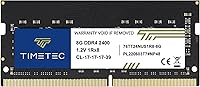
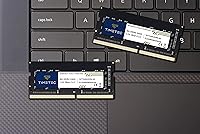
Overview

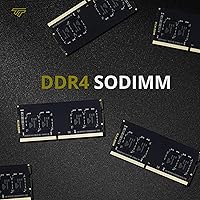
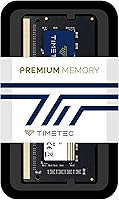
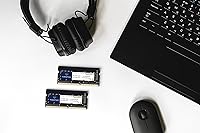
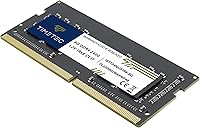
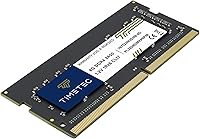
The Timetec 8GB DDR4 2400MHz SODIMM Laptop RAM is exactly what it presents itself as: a no-frills memory upgrade for DDR4-compatible laptops that have been gasping under the weight of modern software. Timetec has built a solid reputation in the value memory space, and this SODIMM upgrade reflects that — dependable, affordable, and widely available. It fits a single SODIMM slot in a laptop or mini PC, not a desktop, so make sure you know what you're working with before ordering. The lifetime warranty is a genuine plus at this price tier, offering real peace of mind. Just don't expect overclocking headroom or raw performance gains — that's not what this is for.

Features & Benefits

Running at 2400MHz with a CL17 latency, this SODIMM upgrade handles the kind of workloads most laptop users actually run — browser tabs, spreadsheets, video calls — without breaking a sweat. The 1.2V operating voltage is worth noting for laptop users specifically, since lower power draw translates directly to better battery endurance over a full workday. It uses a single-rank 1Rx8 configuration, which is stable and broadly compatible, though if you're pairing two sticks for dual-channel performance, this design has a slightly lower bandwidth ceiling than dual-rank alternatives. The 260-pin SODIMM form factor and non-ECC unbuffered spec make it plug-and-play for virtually any consumer DDR4 laptop out of the box.

Best For

This 8GB DDR4 module is a strong fit for anyone pulling an older laptop out of its 4GB slump — the kind of machine that stutters when you open more than five browser tabs or launch a second application. Students and home users who need reliable daily performance without overspending will find it hits a comfortable sweet spot. It also works well in mini PCs and all-in-ones that use SODIMM slots. That said, if you're editing video, running virtual machines, or gaming seriously, skip this and look at faster kits or a dual-channel configuration instead. For lighter workloads, though, it's genuinely hard to argue against it at this price.

User Feedback

Across a large pool of verified purchases, this Timetec memory stick earns its high marks largely through consistency. Most buyers report that installation is genuinely painless — pop it in, boot up, and the system recognizes it without any BIOS fiddling. Many note an immediate performance improvement on machines that were previously dragging. On the downside, a handful of users have received DOA units, which is not unusual in the memory market at this price tier. The good news is that Timetec's warranty resolution process seems to work as advertised, with most affected buyers reporting smooth replacements. One practical note: a few users discovered their laptop did not support 2400MHz after purchase, so checking compatibility first is genuinely important.

Pros

  • Installation is genuinely plug-and-play on most systems — no BIOS changes or tinkering required.
  • Thousands of verified buyers report an immediate, noticeable speed improvement after swapping in this SODIMM upgrade.
  • The 1.2V operating voltage keeps power draw low, which helps preserve battery life during long laptop sessions.
  • A lifetime warranty from the purchase date offers real long-term protection — a meaningful perk at this price tier.
  • U.S.-based technical support is available if something goes wrong, not just an impersonal automated returns portal.
  • The 260-pin SODIMM form factor fits the vast majority of DDR4 laptops, mini PCs, and all-in-one devices.
  • Timetec is a known, established value-tier brand — not a random import with no reputation to stand behind.
  • Priced well below big-name alternatives like Crucial and Kingston without a meaningful real-world reliability gap.

Cons

  • Single-rank 1Rx8 configuration carries a lower peak bandwidth ceiling than dual-rank sticks — relevant if you care about dual-channel throughput.
  • Not all DDR4 laptops officially support 2400MHz; some cap out at 2133MHz, so checking your specs before ordering is essential.
  • A small percentage of buyers receive dead-on-arrival units and must go through a warranty replacement process.
  • Running at 2400MHz places this module on the slower end of the DDR4 range; faster kits exist for systems that can use them.
  • Sold as a single stick — building a dual-channel configuration requires a separate second purchase.
  • No installation guide, screwdriver, or anti-static materials are included; first-timers should research their specific laptop model beforehand.
  • Only 8GB capacity — heavy multitaskers or users running virtual machines will likely outgrow this fairly quickly.

Ratings

Our AI-generated scores for the Timetec 8GB DDR4 2400MHz SODIMM Laptop RAM are based on deep analysis of verified global buyer reviews, with spam, bot activity, and incentivized feedback actively filtered out before any scoring was applied. This scorecard reflects where this SODIMM upgrade consistently earns genuine praise and where it falls measurably short, with both strengths and friction points weighted transparently. The goal is an honest, practical snapshot that helps you make a confident buying decision — not a summary that glosses over the real trade-offs.

Value for Money
91%
Buyers routinely call this one of the best-value DDR4 upgrades available, especially compared to what brand-name competitors charge for the same spec. For anyone refreshing an aging machine on a tight budget, the price-to-reliability ratio here is hard to match without stepping down to completely unknown brands that carry real long-term risk.
A small number of buyers feel the savings are partly offset by the occasional DOA unit, which requires the time and hassle of a return and replacement cycle. If your time is genuinely valuable, the marginally higher cost of a Crucial or Kingston stick might feel worth it purely for added peace of mind.
Installation Ease
88%
The experience most buyers describe is about as smooth as hardware installation gets — slide the stick in, press it flat, power on, and the system picks it up without any prompting. No BIOS navigation, no driver downloads, no extra configuration steps. For first-timers, the process is still manageable with a basic screwdriver and a teardown video for their specific model.
A handful of users ran into difficulty because their laptop required removing extra components to access the RAM slot, adding unexpected time and stress to the process. The module also ships without any installation guide or tools, which leaves less experienced buyers entirely on their own when figuring out the physical procedure.
Compatibility
74%
26%
For the majority of DDR4 laptops released over the past several years, this 8GB DDR4 module slots in without a second thought — no special BIOS profiles, no voltage adjustments, no compatibility hoops to jump through. Users report it working cleanly across a wide range of laptop brands, mini PCs, and all-in-one systems that use the 260-pin SODIMM standard.
The score takes a real hit because not every DDR4 laptop supports 2400MHz — some are officially capped at 2133MHz, and a few buyers only discovered this after purchase. Ultrabooks with soldered memory and older DDR3 machines are completely incompatible, and the product listing does not always make these distinctions obvious enough to prevent ordering mistakes.
Performance Improvement
86%
Among buyers upgrading from 4GB, the before-and-after contrast is dramatic — laptops that used to freeze when switching between apps or loading a new tab now handle moderate multitasking without hesitation. For students and remote workers running Office, a browser, and a video call simultaneously, the improvement in day-to-day responsiveness is the single most praised outcome in reviews.
Buyers who already had 8GB and were hoping for a boost by adding a second stick report more modest gains, partly due to the single-rank configuration's bandwidth ceiling. Users running creative applications like video editing or 3D rendering will not find this SODIMM upgrade meaningfully impactful — the bottleneck there is throughput, not just raw capacity.
Reliability
83%
Across a very large sample of real-world purchases, the failure rate appears low and broadly consistent with competing value-tier brands. The overwhelming majority of buyers report their stick running without issue for months or years, which is exactly what you need from a component that sits inside a machine you depend on every single day.
A recurring theme in negative reviews is DOA units — modules that simply do not work out of the box. While the lifetime warranty covers replacements, the process takes time, and being without a functional laptop for several days while waiting for a swap is a real inconvenience that the score here has to account for honestly.
Warranty & Support
87%
A lifetime warranty from a value-tier memory brand is genuinely uncommon, and buyers who needed to use it generally describe the process as responsive and low-hassle compared to what they expected. Having U.S.-based support rather than a generic overseas email queue meaningfully improves the experience when something does go wrong after installation.
A small number of buyers report slower response times from the support team during high-demand periods. The warranty also covers the module itself but does not compensate for any secondary damage or lost productivity caused by a defective unit — something worth factoring in if your laptop is your primary work machine.
Power Efficiency
84%
Running at 1.2V, this Timetec memory stick draws notably less power than older DDR3 modules, which is a tangible advantage for anyone who regularly uses their laptop away from a charger for extended stretches. Users running light workloads on battery generally report no meaningful change in battery duration after the upgrade, which is the ideal outcome.
Power efficiency is an inherent DDR4 standard spec rather than a Timetec-specific engineering achievement, so the score here reflects the platform rather than any standout design. Users pushing the laptop hard will still see increased memory power draw under heavy load, though this is a minor concern for the typical light-workload buyer this module actually targets.
Speed Tier
71%
29%
At 2400MHz, this SODIMM upgrade sits within the mainstream DDR4 performance window — fast enough that everyday tasks like loading applications, switching browser tabs, and handling spreadsheets feel immediate and unobstructed. For the intended use case, the speed ceiling is rarely a factor that most users will ever actually bump into during normal daily computing.
2400MHz is toward the lower end of the DDR4 speed range, and buyers whose systems support 3200MHz or higher are settling for slower memory than their platform could actually utilize. The CL17 latency at this speed is also not particularly tight, and technically-minded buyers who follow memory benchmarks will find faster options available for only slightly higher prices.
Brand Credibility
79%
21%
Timetec has built a genuine track record in the value memory market, with high sales volume and consistently strong buyer ratings that extend well beyond this specific module. For buyers who have been burned by completely unknown memory brands before, choosing Timetec represents a meaningful step up in terms of accountability and brand stability.
Timetec does not carry the same industry recognition as memory heavyweights like Crucial, Kingston, or Samsung, and some buyers feel less confident in its long-term support infrastructure. The brand also has a narrower physical retail presence, which means warranty claims rely on back-and-forth shipping rather than a simple walk-in exchange at a local electronics store.
Packaging
62%
38%
The module arrives in adequate protective packaging that keeps it safe during transit, and buyers generally report it arriving undamaged and ready to install. For a component sold at this price point, functional protection of the module during shipping is the primary expectation — and that expectation is consistently met.
Buyers expecting premium unboxing, clearly labeled anti-static protection, or any printed documentation will be disappointed — the packaging is purely functional and nothing more. There is no quick-start guide, no compatibility reference, and no installation tips in the box, leaving less experienced buyers without any first-party resource to fall back on.
Dual-Channel Suitability
58%
42%
Users who install two of these sticks in a dual-slot laptop will still see a meaningful bandwidth and capacity improvement over a single-stick configuration. The modules are stable and consistent enough that mixed-pair installs rarely cause compatibility issues in practice, making them a workable option for budget-minded buyers building a dual-channel setup on a tight budget.
The single-rank (1Rx8) design means this 8GB DDR4 module does not maximize dual-channel bandwidth the way a purpose-built matched dual-rank kit would. Buyers specifically upgrading for memory-intensive workloads who plan to run two sticks should look at dual-rank alternatives or matched-pair kits that are engineered and tested to perform together from the start.
Latency Performance
68%
32%
At CL17, the latency is entirely adequate for the workloads this module targets — loading apps, switching windows, and handling everyday computing tasks where the timing difference between CL15 and CL17 is genuinely imperceptible to any real-world user. For the intended audience, this is simply not a spec that registers as a problem in day-to-day use.
CL17 is not a tight latency profile by modern DDR4 standards, and buyers who compare benchmark results will see this stick ranking behind faster, lower-latency alternatives. For tasks that are sensitive to memory latency — such as gaming, simulation software, or rapid in-memory data operations — the CL17 timing is a measurable limitation rather than just a theoretical one.
System Recognition
89%
The vast majority of buyers report that their system detected the new memory on first boot without any manual prompting, BIOS updates, or driver installations required. This makes the upgrade experience genuinely accessible for casual users who are not comfortable navigating low-level system settings — you install it, boot up, and it works exactly as expected.
On a small number of systems — particularly older platforms or those with custom firmware — the module may require a manual memory frequency confirmation on first boot, or in rare cases a BIOS reset to initialize correctly. These cases are uncommon, but they appear consistently enough in reviews to be worth knowing about before assuming the process will always be completely invisible.
Capacity Adequacy
77%
23%
Eight gigabytes is still a perfectly functional memory capacity for students, home office workers, and everyday laptop users whose tasks revolve around browsing, documents, and communication tools. Jumping from 4GB to 8GB in particular produces a noticeable and immediate quality-of-life improvement for machines that were struggling to keep up with modern operating system overhead.
Eight gigabytes is increasingly tight as a standalone capacity, with modern browsers alone capable of consuming several gigabytes during heavy tab usage. Buyers who anticipate growing into more demanding software, running virtual machines, or multitasking with memory-hungry creative tools will likely find themselves needing to upgrade again within a year or two.

Suitable for:

The Timetec 8GB DDR4 2400MHz SODIMM Laptop RAM is purpose-built for one of the most common upgrade scenarios out there: taking an aging DDR4 laptop that shipped with 4GB and giving it enough memory to actually keep up with modern demands. If your machine slows to a crawl when you have a dozen browser tabs open alongside a word processor or video call, this is the kind of targeted fix that delivers an immediate, tangible improvement. Students, remote workers, and home users who stick to office applications, email, light streaming, and everyday web browsing will get everything they need here without overpaying. It also fits neatly into mini PCs and all-in-one desktops that use the 260-pin SODIMM form factor, making it a versatile choice beyond traditional laptops. Budget-conscious buyers who want a recognizable brand backed by a lifetime warranty — rather than gambling on an unknown module — will find this hits a sensible balance.

Not suitable for:

If you are pushing your laptop hard — running video editing software, compiling large codebases, managing databases, or gaming — this SODIMM upgrade will quickly hit its ceiling rather than solve your problem. The Timetec 8GB DDR4 2400MHz SODIMM Laptop RAM operates at a single-rank 2400MHz configuration, placing it on the slower end of the DDR4 spectrum, and users whose systems support faster speeds like 3200MHz are leaving real performance on the table by choosing it. Those planning a dual-channel setup should also know that pairing two single-rank sticks does not always yield the same bandwidth gains as a purpose-built dual-channel kit. It is strictly a laptop and compact PC component — desktop buyers who accidentally order this will find it physically incompatible and need to return it. Finally, if your laptop's memory is soldered to the board or your machine does not officially list DDR4 SODIMM support, no amount of spec matching will make this work.

Specifications

  • Capacity: Each module provides 8GB of memory, packaged as a single SODIMM stick.
  • Memory Type: Uses DDR4 SDRAM technology, the consumer standard for laptops released from 2016 onward.
  • Speed: Rated at 2400MHz (PC4-19200), adequate for everyday productivity, web browsing, and light multitasking.
  • Form Factor: 260-pin SODIMM design fits laptops, mini PCs, and all-in-one systems — not compatible with full-size desktop DIMM slots.
  • CAS Latency: Operates at CL17 timing at 2400MHz, which is the standard latency profile for DDR4 modules in this speed tier.
  • Rank: Single-rank (1Rx8) configuration offers broad system compatibility but carries a lower peak bandwidth ceiling than dual-rank alternatives.
  • Voltage: Runs at a nominal 1.2V (acceptable range 1.14V to 1.26V), keeping power consumption low for battery-conscious laptop use.
  • ECC Support: Non-ECC design is standard across consumer laptop platforms and requires no special motherboard support to function.
  • Buffering: Unbuffered configuration is the correct type for all standard consumer laptops and compact desktops.
  • Compatible Devices: Designed for DDR4-compatible laptops, mini PCs, and all-in-one systems using 260-pin SODIMM memory slots.
  • Warranty: Covered by a lifetime warranty from the original purchase date.
  • Support: Technical assistance is handled by a U.S.-based support team.
  • Dimensions: The module measures 67.6mm x 30mm, consistent with the standard SODIMM physical specification.
  • Package Contents: Includes one 8GB SODIMM module; no installation tools or printed documentation are included in the box.

Related Reviews
A-Tech 8GB DDR4 2400MHz SODIMM Laptop RAM
82%
91%
Value for Money
68%
Compatibility
88%
Ease of Installation
78%
Performance Improvement
83%
Reliability & Longevity
More
Timetec Pinnacle 8GB DDR4 3200MHz Laptop RAM
83%
93%
Value for Money
78%
Compatibility
91%
Ease of Installation
86%
Performance Gain
88%
Build & Reliability
More
A-Tech 8GB DDR4 2666MHz SODIMM Laptop RAM
81%
93%
Value for Money
91%
Installation Ease
78%
Compatibility Range
82%
Performance Impact
84%
Build & Module Quality
More
Adamanta 16GB DDR4 2400MHz SODIMM Laptop RAM
75%
83%
Value for Money
89%
Installation Ease
62%
Compatibility
76%
Real-World Performance
74%
Stability & Reliability
More
KLEVV DDR4 8GB 3200MHz SODIMM Laptop RAM
87%
88%
Performance
90%
Compatibility
94%
Ease of Installation
92%
Value for Money
85%
Stability during Regular Use
More
A-Tech 8GB DDR4 3200 MHz SODIMM Laptop RAM
89%
91%
Performance Boost
95%
Ease of Installation
89%
Value for Money
88%
System Compatibility
90%
Speed and Responsiveness
More
Adamanta 32GB DDR4 2400MHz SODIMM Laptop RAM
77%
86%
Value for Money
91%
Installation Ease
63%
Compatibility
74%
Performance
82%
Build Quality
More
A-Tech 8GB DDR4 2133MHz SODIMM Laptop RAM
81%
91%
Value for Money
67%
Compatibility Range
93%
Installation Experience
88%
System Stability
74%
Performance Uplift
More
Crucial 8GB DDR4-2400 SODIMM Laptop RAM
84%
91%
Value for Money
93%
Installation Ease
77%
Performance Impact
73%
Compatibility Range
94%
Long-term Reliability
More
Timetec 32GB Kit (2x16GB) DDR4 2666MHz SODIMM
83%
91%
Value for Money
78%
Compatibility
93%
Installation Experience
82%
Performance Impact
87%
Long-Term Reliability
More

FAQ

The main things to verify are that your laptop has a user-accessible DDR4 SODIMM slot (not soldered LPDDR4, which is not upgradeable) and that it accepts a 2400MHz module. Most DDR4 laptops released after 2016 will take this stick without issue. Your safest move is to look up your exact laptop model in its service manual or use an online compatibility tool with your model number before ordering.

In most cases, yes. DDR4 memory is backward compatible, so a 2400MHz module will typically downclock to run at 2133MHz if that is what your system supports. You will not see the full rated speed, but the module will be stable and fully functional. Just do not expect any performance difference compared to a native 2133MHz stick.

You can, provided your laptop has two SODIMM slots. Keep in mind that this is a single-rank (1Rx8) module, and two single-rank sticks may not deliver the same bandwidth gains as a matched dual-channel kit sold as a pair. For light daily workloads it makes little practical difference, but if maximizing memory throughput is your goal, a purpose-built matched kit is the better choice.

No. SODIMM modules are physically shorter than standard desktop DIMMs and are not designed to fit a full-size desktop motherboard slot. This stick is strictly for laptops, mini PCs, and all-in-one systems that use the 260-pin SODIMM form factor.

For most laptops, yes — it is one of the simpler hardware upgrades you can make. You typically remove the bottom panel screws, locate the RAM slot, insert the stick at roughly a 45-degree angle, and press it flat until it clicks in. A small Phillips-head screwdriver is usually all you need. Nothing is included in the box in terms of tools, so look up a teardown video specific to your laptop model before you start.

Almost certainly not. The vast majority of buyers report that the system recognizes the new memory on first boot without any configuration needed. On rare occasions you may see a prompt to confirm memory settings, but that is the most you should expect — it is not a module that requires manual tuning to run.

Timetec backs this SODIMM upgrade with a lifetime warranty from purchase, supported by a U.S.-based team. A small number of buyers have reported DOA units, and the general consensus in reviews is that the replacement process is handled without much friction. Holding on to your order confirmation or receipt makes the process faster if you ever need it.

For light to moderate tasks — web browsing, office applications, video calls, and streaming — 8GB is genuinely sufficient for most users in 2024. Where it starts to feel cramped is when you are juggling many browser tabs alongside heavier apps simultaneously. If you already know your workload is demanding, it is worth spending a bit more for a 16GB stick from the start rather than upgrading twice.

Timetec occupies a similar value tier and holds up well in day-to-day use. The real-world reliability data, reflected in a consistently high rating across a very large number of purchases, suggests the gap is minimal for standard consumer workloads. The Timetec 8GB DDR4 2400MHz SODIMM Laptop RAM is a practical alternative when the bigger brands are priced higher at the time you are shopping.

RAM is generally classified as a user-serviceable component, and many manufacturers explicitly allow memory upgrades without voiding the warranty. That said, policies differ by brand and region, so it is worth a quick check of your laptop's warranty documentation before you remove the bottom panel. Some budget laptop brands are stricter about this than others.