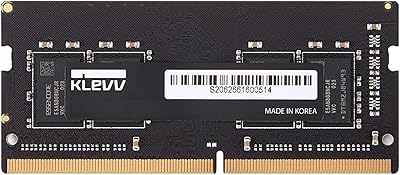
Overview

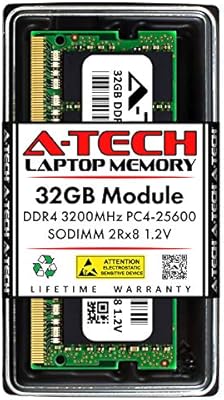
A-Tech 8GB DDR4 2666MHz SODIMM Laptop RAM is a straightforward, wallet-friendly way to breathe new life into a sluggish laptop or all-in-one desktop. The SODIMM form factor — that compact, 260-pin design built for portable machines — is what makes this memory module drop-in compatible with the majority of modern laptops rather than full-size desktops. A-Tech is not a household name like Kingston or Crucial, but they have built a respectable reputation as a third-party memory maker backed by a Limited Lifetime Warranty. Just keep in mind: you are getting a single 8GB stick here, not a dual-channel kit, so plan your upgrade path accordingly before ordering.
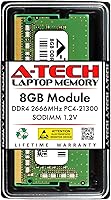
Features & Benefits

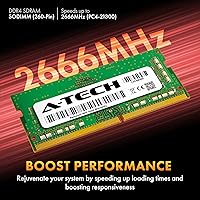
Running at 2666MHz with a PC4-21300 rating, this RAM upgrade hits a comfortable sweet spot for everyday computing — web browsing, office work, and light photo editing all benefit noticeably. The 260-pin SODIMM format fits most laptops, mini PCs, and all-in-one systems without adapters or fuss. At 1.2V, it adheres to the JEDEC DDR4 standard, so there is no risk of running out-of-spec on a compatible machine. Non-ECC Unbuffered is simply the normal configuration for consumer laptops — not a limitation. The module supports both single and dual rank setups, giving it broader device compatibility across different hardware configurations. A lifetime warranty rounds out a well-specified package for the price.

Best For

This SODIMM stick makes the most sense for laptop owners still running on 4GB who are experiencing the classic symptoms — tab crashes, sluggish startups, and apps that take forever to load. It works equally well for someone looking to reach 16GB by pairing it with an existing stick. Students and remote workers juggling a dozen browser tabs alongside video calls and documents will feel a real, practical difference. If your machine is a few years old but still DDR4-compatible, this is one of the more sensible low-cost fixes around. It is also a solid pick for anyone replacing a failed memory module and wanting dependable performance without a high price tag.

User Feedback

With a 4.6-star average across nearly 1,800 reviews, this RAM upgrade has earned genuine trust from a wide range of buyers. Most praise focuses on how painless installation is and how much snappier their systems felt immediately after — particularly on older machines that were sluggish before. A-Tech's warranty and support responsiveness come up repeatedly as welcome reassurances. On the critical side, a small number of buyers report receiving a DOA module, which is rare but worth noting. A few others encountered compatibility problems, typically traced back to skipping the step of verifying their laptop's supported memory specs. Check your system documentation before ordering and the odds of running into issues are low.

Pros

  • Installation is straightforward enough that most users can complete it in under ten minutes with just a screwdriver.
  • The lifetime warranty provides long-term peace of mind that is rare at this price tier.
  • Compatible with a wide range of laptops, mini PCs, and AIO systems using the standard 260-pin DDR4 SODIMM slot.
  • Running at the JEDEC-standard 1.2V means no overvolting risk on compatible machines.
  • Nearly 1,800 ratings averaging 4.6 stars reflects a consistently positive real-world track record.
  • A-Tech's customer support team is frequently praised for being responsive before and after purchase.
  • Supports both single and dual rank configurations, which broadens its compatibility across different hardware.
  • Upgrading from 4GB to 8GB delivers a tangible, everyday difference — fewer freezes, faster app switching.
  • Pairing this memory module with an existing stick to hit 16GB total is a cost-effective path for multitaskers.
  • No software setup required — the system recognizes the new capacity on the next boot.

Cons

  • A-Tech lacks the brand recognition of Crucial or Kingston, which may give some buyers pause.
  • A small number of users report receiving a module that was dead on arrival, requiring a return process.
  • Sold as a single stick only, so buyers wanting a matched dual-channel kit need to purchase separately or source a pair.
  • Compatibility is not universal — some users have encountered issues with specific laptop models despite the broad spec match.
  • The 2666MHz speed, while solid for everyday use, will not satisfy users chasing higher-performance DDR4 configurations like 3200MHz.
  • There is no XMP or overclocking profile, so what you see in the spec sheet is what you get.
  • Buyers who skip verifying their system specs beforehand account for a disproportionate share of negative reviews.
  • No heat spreader is included, which is standard for SODIMM modules but worth noting for those expecting one.
  • Return logistics, while covered by warranty, can be inconvenient if a DOA module arrives close to a deadline.

Ratings

The scores below reflect an AI-driven analysis of verified global buyer reviews for the A-Tech 8GB DDR4 2666MHz SODIMM Laptop RAM, with spam, bot activity, and incentivized feedback actively filtered out before scoring. Each category is assessed on the full spectrum of real user experience — not just the highlights — so both consistent strengths and recurring frustrations are factored in transparently. The result is an honest, data-grounded picture of where this RAM upgrade genuinely delivers and where it falls short.

Value for Money
93%
Buyers consistently describe this RAM upgrade as one of the more sensible purchases they have made for an aging laptop — spending a modest amount to get noticeably smoother daily performance is a trade-off most consider obvious in hindsight. The lifetime warranty makes the low price feel even more justified, removing the financial risk that usually comes with budget components.
A small number of buyers feel that the value equation weakens if they receive a DOA unit and have to deal with the return process, since the time cost can outweigh the savings versus buying a first-party brand to begin with.
Installation Ease
91%
The hands-on feedback here is overwhelmingly positive — most users report having the module installed and their system back up in under fifteen minutes with no prior hardware experience. The plug-and-play nature means no software configuration, no driver hunting, and no BIOS adjustments in the majority of cases.
A minority of users ran into confusion around seating the module correctly at the right angle, which is a hardware learning curve rather than a product defect, but it did result in a few initial boot failures before the stick was properly secured.
Compatibility Range
78%
22%
The 260-pin DDR4 SODIMM format covers a wide swath of laptops, mini PCs, and all-in-one systems manufactured over roughly the past decade, and many buyers confirm it worked without issue in machines from major brands including Dell, HP, Lenovo, and Asus.
Compatibility problems, while not the norm, are the most common theme in critical reviews — often traced back to buyers not verifying their system specs beforehand. A handful of specific laptop models appear to have finicky memory controllers that do not always play well with third-party modules, regardless of correct specifications.
Performance Impact
82%
18%
Users upgrading from 4GB report a meaningful difference in everyday responsiveness — browsers stop reloading tabs, video calls run without dropped frames, and switching between open applications feels less like waiting and more like working. For the typical student or remote worker, this kind of improvement is exactly what they were hoping for.
Buyers expecting dramatic speed gains should temper their expectations; RAM is one piece of the puzzle, and users with slow mechanical hard drives or thermally throttled processors often find the improvement less pronounced than they anticipated, leading to occasional disappointment in reviews.
Build & Module Quality
84%
The physical module feels solid and well-manufactured, with no reports of bent pins or flimsy construction in the majority of feedback. A-Tech applies quality control testing before shipping, and most buyers note the module seated cleanly and remained stable through extended use.
There is a small but consistent thread of DOA reports — modules that simply did not register on first install. While covered under warranty, receiving a non-functional unit is disruptive, and a few users noted the QC inconsistency feels at odds with the brand's stated testing standards.
Reliability Over Time
81%
19%
Most buyers who have used this SODIMM stick for six months or more report zero issues — no crashes, no memory errors, and no degradation in performance. Long-term stability is one of the more quietly praised aspects, with several users noting it has simply worked without any attention since installation.
Because this is a third-party module without the same brand history as Crucial or Kingston, some buyers express lingering uncertainty about multi-year reliability, even if their current experience is positive. A small number of reviews describe failure after several months of use.
Warranty & Support
88%
The Limited Lifetime Warranty is mentioned positively in a disproportionate number of reviews, particularly by buyers who would not otherwise have taken a chance on a lesser-known brand. A-Tech's support team is described as knowledgeable and responsive, with pre-purchase compatibility questions handled promptly.
A few users found the warranty claim process slower than expected, particularly around getting a replacement shipped after a DOA report. The support experience seems to vary slightly depending on volume and timing, which has led to a handful of frustrated reviews despite the policy itself being solid.
Speed & Timing
76%
24%
Running at 2666MHz with CL19 latency, this RAM upgrade sits comfortably in the mainstream performance tier — more than adequate for office productivity, web browsing, light content creation, and multitasking without taxing the system.
Users coming from a performance-focused background note that 2666MHz CL19 is not particularly fast by today's standards, and enthusiasts looking for tighter timings or higher clock speeds will find this module underwhelming. It is built for broad compatibility and dependability, not peak throughput.
Brand Trustworthiness
74%
26%
A-Tech has built enough of a track record — evidenced by nearly 1,800 reviews averaging 4.6 stars — that most first-time buyers feel reasonably comfortable taking the chance. The lifetime warranty and accessible support team go a long way toward bridging the credibility gap with more established names.
The brand still lacks the instant recognition and decades-long reputation of Kingston, Crucial, or Samsung, and this makes some buyers hesitate. A handful of reviews express buyer's remorse, wishing they had paid a modest premium for a more established label for the peace of mind alone.
Packaging & Delivery
79%
21%
The majority of buyers report the module arriving well-packaged in static-protective material, with no physical damage on receipt. Delivery is handled through standard retail channels and generally meets expected timelines without issue.
A small number of users noted the packaging was more minimal than expected for a component purchase, with no documentation included to help first-time upgraders through the installation process. A quick-start card or compatibility checklist would have been a helpful addition.
System Stability Post-Install
83%
Once properly seated, this memory module runs stable across a wide variety of workloads — sustained multitasking sessions, overnight background processes, and memory-intensive browser environments are handled without crashes or error flags in the vast majority of reported experiences.
Intermittent stability issues appear in a subset of reviews, mostly in cases involving mixed memory configurations where this module is paired with an existing stick from a different brand or speed. Running two mismatched modules is a known risk in any RAM setup, not exclusive to this brand.
Ease of Compatibility Verification
61%
39%
The product listing provides enough specification detail — form factor, speed, voltage, pin count — that technically confident buyers can cross-reference their system requirements and confirm compatibility without much friction.
Less experienced buyers frequently struggle to determine whether their specific laptop model is compatible before purchasing, and the product offers no dedicated compatibility lookup tool. This gap accounts for a meaningful share of negative reviews, where the module technically meets spec but the buyer was not equipped to verify that independently.

Suitable for:

The A-Tech 8GB DDR4 2666MHz SODIMM Laptop RAM is purpose-built for anyone whose laptop is starting to feel like it is working against them rather than for them. If you are sitting on a machine with 4GB of RAM and find yourself waiting on tabs to reload, apps to respond, or your system to stop grinding during video calls, a single module like this can make day-to-day use feel noticeably more responsive. Students juggling cloud apps, document editing, and streaming in the background will appreciate having enough headroom to stop managing what is open and just work. Remote professionals who spend long hours in browsers, communication tools, and lightweight creative software will also see genuine gains. This upgrade is equally practical for anyone who already has one 8GB stick and wants to reach 16GB total by adding a matched module. Older DDR4-based laptops that are otherwise still running fine are arguably the ideal candidates — the hardware is capable, and RAM is often the one bottleneck holding them back.
Not suitable for:

There are a few scenarios where this RAM upgrade is simply not the right fit, and it is worth being clear about them. If your laptop uses an older DDR3 standard or a newer LPDDR5 configuration found in some ultrabooks and ARM-based machines, this SODIMM stick is incompatible at a fundamental level — no workaround exists. Buyers dealing with performance issues rooted in a failing hard drive, a throttling CPU, or inadequate cooling will not see meaningful improvement from a RAM upgrade alone; the bottleneck lies elsewhere. Power users running heavy virtual machines, video rendering pipelines, or professional-grade software will likely find 8GB still insufficient, and should consider a 16GB or 32GB module instead. Those who want the assurance of a first-party brand — Kingston, Crucial, or Samsung — may be less comfortable with a third-party label, even one backed by a lifetime warranty. Finally, if your laptop's memory is soldered to the motherboard, which is common in many thin-and-light models, no RAM upgrade of any kind is possible, so verify your system specs before purchasing.

Specifications

  • Brand: Manufactured by A-Tech Components, a third-party memory specialist offering aftermarket RAM modules with lifetime warranty support.
  • Model Number: The specific model identifier for this module is AT8G1D4S2666NA0N12V.
  • Capacity: This module provides 8GB of DDR4 SDRAM, suitable for single-slot upgrades or pairing with an existing stick to reach 16GB total.
  • Memory Type: DDR4 SDRAM is the memory standard used, which is the most common type found in laptops manufactured between 2016 and 2023.
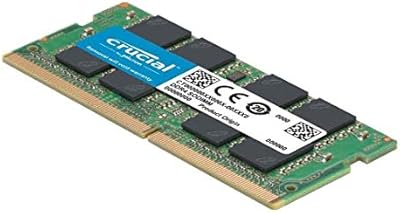
  • Form Factor: Uses the 260-pin SODIMM form factor, the compact design specifically built for laptops, mini PCs, and all-in-one desktop systems.
  • Speed: Operates at 2666MHz with a PC4-21300 (PC4-2666V) rating, meeting the JEDEC DDR4 standard for consumer-grade memory.
  • Voltage: Runs at 1.2V, which is the standard operating voltage for DDR4 memory and is safe for all compatible JEDEC DDR4 systems.
  • ECC Type: Non-ECC Unbuffered configuration, which is the correct and expected standard for consumer laptops and is not a performance limitation.
  • Rank Configuration: Supports both 1Rx8 (single rank) and 2Rx8 (dual rank) configurations, expanding compatibility across a broader range of host systems.
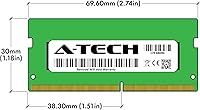
  • Dimensions: The physical module measures 2.74 x 1.18 x 0.15 inches, consistent with the standard SODIMM form factor size.
  • Weight: The module weighs 0.528 ounces, making it negligible in terms of impact on the overall weight of any laptop or system.
  • Compatible Devices: Designed for use in laptops, notebook computers, mini PCs, and all-in-one (AIO) desktop systems that accept 260-pin DDR4 SODIMM modules.
  • Warranty: Covered by A-Tech's Limited Lifetime Warranty, with access to a dedicated technical support team available before and after purchase.
  • Compliance: Fully compliant with the JEDEC DDR4 industry standard, ensuring predictable, stable behavior in supported systems.
  • CAS Latency: Operates at CL19 latency timing, which is standard for DDR4 2666MHz modules in the consumer memory segment.

Related Reviews
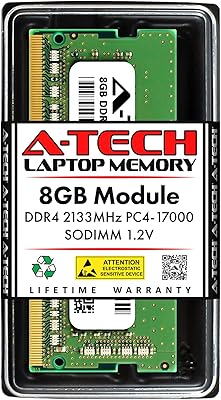
A-Tech 8GB DDR4 2400MHz SODIMM Laptop RAM
82%
91%
Value for Money
68%
Compatibility
88%
Ease of Installation
78%
Performance Improvement
83%
Reliability & Longevity
More
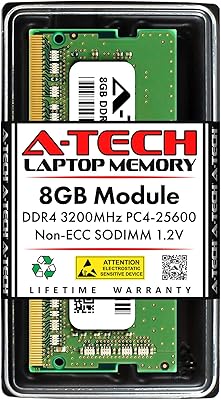
A-Tech 8GB DDR4 2133MHz SODIMM Laptop RAM
81%
91%
Value for Money
67%
Compatibility Range
93%
Installation Experience
88%
System Stability
74%
Performance Uplift
More
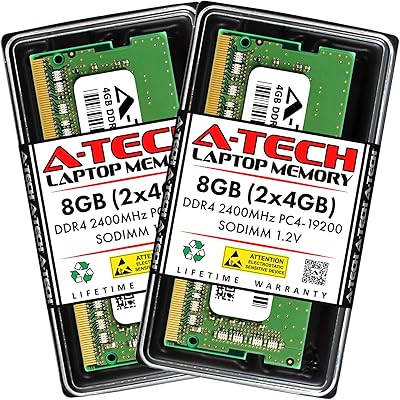
A-Tech 8GB DDR4 3200 MHz SODIMM Laptop RAM
89%
91%
Performance Boost
95%
Ease of Installation
89%
Value for Money
88%
System Compatibility
90%
Speed and Responsiveness
More
A-Tech 16GB DDR4 3200MHz SODIMM Laptop RAM
78%
83%
Compatibility
91%
Installation Ease
78%
Performance Uplift
86%
Value for Money
74%
Build Quality
More
Crucial Basics 8GB DDR4 2666MHz SODIMM RAM

85%
88%
Performance Boost
93%
Ease of Installation
91%
Compatibility with Laptops
85%
Power Efficiency (Battery Life)
92%
Overall Value for Money
More
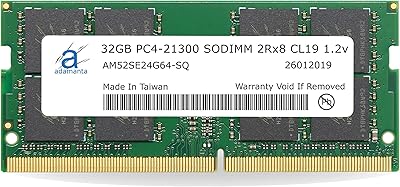
Adamanta 32GB DDR4 2666MHz Laptop RAM
77%
71%
Compatibility
88%
Installation Ease
83%
Performance Gain
84%
Value for Money
91%
Single-Slot Capacity
More
KLEVV DDR4 8GB 3200MHz SODIMM Laptop RAM
87%
88%
Performance
90%
Compatibility
94%
Ease of Installation
92%
Value for Money
85%
Stability during Regular Use
More
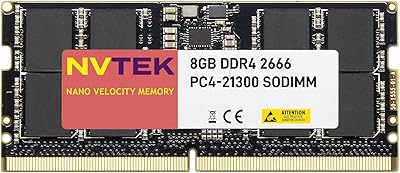
NVTEK 8GB DDR4 2666MHz SODIMM Laptop Memory
77%
88%
Value for Money
76%
Compatibility
93%
Installation Ease
84%
Daily Task Performance
62%
Speed & Latency
More
A-Tech 32GB DDR4 3200MHz SODIMM Laptop RAM
80%
91%
Value for Money
74%
Compatibility Range
93%
Installation Ease
83%
Performance Improvement
86%
Build & Module Quality
More
Samsung M471A1K43CB1-CTD 8GB DDR4 Laptop RAM
84%
93%
Installation Ease
88%
Compatibility
91%
Reliability & Stability
84%
Multitasking Performance
89%
Value for Money
More

FAQ

It depends on whether your laptop has an open or upgradeable 260-pin DDR4 SODIMM slot and supports 2666MHz memory. The safest way to confirm is to check your laptop's manual or the manufacturer's support page. Some ultrabooks and newer thin-and-light models have memory soldered directly to the motherboard, meaning no upgrade is possible regardless of which module you buy.

This is a single 8GB module only. If you are planning to run dual-channel memory for better performance, you will need to either purchase two of these separately or check whether your laptop already has a stick installed that you can pair with this one.

Most people can handle this themselves. The process typically involves removing the back panel of your laptop, locating the RAM slot, and pressing the module in at an angle until it clicks flat. A small Phillips-head screwdriver is usually all you need. That said, if you are not comfortable opening your device, a local repair shop can do it quickly and cheaply.

In most cases, yes. When you install a faster module in a system rated for a lower speed, the memory will simply run at the lower supported speed — in your case, 2400MHz. You will not get the full 2666MHz, but the module will still function normally and stably.

A-Tech backs this RAM upgrade with a Limited Lifetime Warranty, so a defective or dead-on-arrival module is covered. You would contact their support team to arrange a replacement. A small number of buyers have reported DOA units, but the warranty process is generally described as straightforward.

Technically yes, but mixing brands or speeds can occasionally cause instability in some systems. Ideally, both sticks would be the same speed and capacity. If you are adding this SODIMM stick alongside an existing module, check that the speeds are compatible and be prepared to test for stability after installation.

If your laptop is currently running on 4GB, the difference will likely be noticeable — less tab reloading in your browser, snappier app switching, and fewer moments where everything just stops to think. That said, RAM is not a cure-all. If your slowdowns come from a failing hard drive or an aging CPU under thermal stress, adding memory alone will not resolve those issues.

None at all. Once the module is seated properly, your system will recognize the new memory on the next boot. No drivers, no BIOS changes in most cases, and no configuration required. You can verify it is recognized by checking your system information after starting up.

For everyday tasks like web browsing, document editing, video calls, and streaming, 8GB remains perfectly functional. Where it starts to feel tight is if you are running many applications simultaneously, working with large files, or doing anything in video editing or software development. In those cases, you might want to look at a 16GB module instead.

The easiest way is to look up your exact laptop model on the manufacturer's website or search for a teardown or upgrade guide specific to your model. Thin ultrabooks and many budget laptops from the last few years increasingly use soldered memory with no upgrade path. If your model has a removable back panel and a listed maximum RAM capacity above what it shipped with, there is a good chance it is upgradeable.