Overview

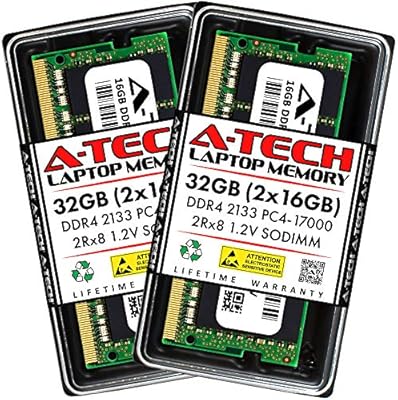
The A-Tech 64GB DDR4 3200MHz SODIMM Laptop RAM is a straightforward, high-capacity memory kit aimed squarely at users who've exhausted what their laptop's stock configuration can offer. A-Tech isn't a household name like Corsair or Kingston, but they've carved out a solid niche as an aftermarket memory specialist with a wide compatibility catalog. This kit sits at a mid-to-premium price point — you're paying for the 64GB capacity, the lifetime warranty, and a track record built since its December 2020 launch. Over a thousand ratings later, it has earned real credibility. Don't expect RGB lighting or aggressive overclocking profiles. This is a workhorse memory kit, plain and simple.
Features & Benefits

The 260-Pin SODIMM form factor is the first thing to understand — this is laptop and compact-system memory, not compatible with standard desktop motherboards. If you're upgrading a tower PC, stop here. For everyone else, the DDR4-3200 speed runs at a JEDEC-standard 1.2V, meaning it should initialize at rated speed without any BIOS adjustments on most supported systems. The 2Rx8 dual-rank layout gives the memory controller slightly more addresses to work with compared to single-rank modules, which can translate to modest throughput gains under multithreaded workloads. CL22 latency is on the looser end for 3200MHz kits, but at this capacity it's a reasonable tradeoff. The lifetime warranty is genuinely reassuring for any aftermarket purchase.

Best For

This 64GB SODIMM kit makes the most sense for people pushing their laptops hard — video editors juggling large project files, developers spinning up multiple virtual machines, or researchers keeping dozens of browser tabs and data tools open simultaneously. Mini PC and NAS builders who need maximum SODIMM capacity in a compact chassis will also find it relevant. That said, compatibility verification is non-negotiable before buying. Not every laptop that accepts DDR4 SODIMM supports 32GB per slot or 64GB total — check your system manual or manufacturer's spec page first. If you've confirmed compatibility, the A-Tech memory upgrade is a practical way to future-proof a machine without replacing it entirely.

User Feedback

With over 1,000 ratings and a 4.7-star average, the reception for this laptop RAM kit has been notably consistent. Installation experience draws the most praise — buyers across a range of laptop models report the modules being recognized immediately on first boot, with no manual configuration needed. A-Tech's support team also earns positive mentions from users who reached out with pre-purchase questions. On the downside, compatibility mismatches appear regularly in the lower-rated reviews. A handful of buyers discovered too late that their specific model couldn't support 32GB per slot, leading to returns. That's not a flaw in the kit itself, but it's a real friction point worth flagging. The #8 Best Seller rank in Computer Memory reflects genuine traction, not just marketing.

Pros

  • Plug-and-play installation — most supported systems recognize the modules immediately on first boot with no BIOS changes needed.
  • 64GB of dual-channel capacity removes memory as a bottleneck for demanding professional workloads.
  • DDR4-3200 speed runs at the stable, widely supported JEDEC standard 1.2V voltage.
  • Dual-rank 2Rx8 configuration offers a modest throughput edge over single-rank alternatives under multithreaded loads.
  • Lifetime warranty provides real peace of mind for an aftermarket purchase of this size.
  • A-Tech customer support is consistently noted as responsive and helpful by buyers with pre- or post-purchase questions.
  • The 64GB SODIMM kit holds the #8 Best Seller rank in Computer Memory, reflecting sustained real-world demand.
  • Over 1,000 ratings with a 4.7-star average represents a statistically meaningful and trustworthy sample of buyer experience.
  • Compact SODIMM form factor covers laptops, Mini PCs, NAS units, and AIO systems in a single product.

Cons

  • CL22 latency is on the looser end for DDR4-3200, trailing tighter competing kits at the same speed.
  • Compatibility is not guaranteed across all DDR4 laptops — verifying per-slot capacity limits is mandatory before buying.
  • No XMP or overclocking profile is included, so buyers chasing maximum performance tuning will need to look at enthusiast-tier alternatives.
  • The price premium over smaller capacity kits is significant, making it hard to justify for users who do not genuinely need 64GB.
  • Some buyers have reported compatibility mismatches with specific laptop models, leading to returns that could have been avoided with upfront research.
  • A-Tech lacks the brand recognition of Corsair or Kingston, which may create hesitation for first-time aftermarket memory buyers.
  • Not suitable for desktop tower builds, which can catch less experienced buyers off guard if they skip the spec details.
  • No RGB or visual customization of any kind — purely functional, which may disappoint builders prioritizing aesthetics.

Ratings

The scores below are generated by AI after analyzing verified global buyer reviews for the A-Tech 64GB DDR4 3200MHz SODIMM Laptop RAM, with spam, incentivized, and bot-flagged submissions actively filtered out before scoring. Drawing from over a thousand real-world ratings, this breakdown reflects both where the kit genuinely excels and where buyers have run into friction — nothing is glossed over.

Compatibility
78%
22%
When paired with a system that has been properly verified, the A-Tech memory upgrade installs and operates without issue across a wide range of laptops and Mini PCs. Buyers who did their homework report zero compatibility hiccups, with the modules recognized on the very first boot.
Compatibility mismatches are the single most cited reason for negative reviews and returns. A meaningful portion of buyers discovered only after purchase that their specific laptop model caps out below 64GB total or does not support 32GB per slot, which is a frustrating and avoidable outcome.
Installation Ease
91%
For systems with a user-accessible memory bay, buyers consistently describe installation as fast and intuitive — typically under ten minutes with just a screwdriver. The modules seat firmly and the system boots cleanly without any manual configuration steps in most cases.
A small number of users found that their laptop required removing additional components or shields to reach the memory slots, which added unexpected complexity. This is a system design issue rather than a flaw in the kit itself, but it caught some buyers off guard.
BIOS Recognition
93%
The overwhelming majority of buyers report that the system immediately identifies both modules at the correct 3200MHz speed without any manual BIOS intervention. This plug-and-play behavior is one of the most praised aspects across the review pool, particularly for less experienced upgraders.
A handful of users on older laptop firmware reported the system defaulting to a lower memory speed on first boot, requiring a manual frequency adjustment in BIOS. This is uncommon but worth knowing if you are working with an older machine that has not had a firmware update in some time.
Stability Under Load
88%
Users running this 64GB SODIMM kit through sustained workloads — video rendering, large virtual machine environments, multi-application development setups — report consistently stable operation with no crashes or memory errors appearing in stress tests over extended periods.
A small subset of users reported occasional system instability that disappeared after reseating the modules or updating their BIOS, suggesting the issue was environmental rather than a defect in the memory itself. Still, it adds a step to the troubleshooting process that some buyers did not expect.
Performance Gains
74%
26%
For users who were genuinely hitting memory ceilings — video editors watching preview playback stutter, developers waiting on swap disk activity — the upgrade delivers a clear and measurable improvement in responsiveness. Applications that previously struggled to load large files open noticeably faster when memory is no longer the bottleneck.
Buyers coming from 16GB or 32GB systems and expecting a dramatic all-around speed boost sometimes come away underwhelmed. Memory upgrades remove a specific bottleneck rather than accelerating every task, and users with lighter workloads may see little day-to-day difference.
Value for Money
69%
31%
Given the 64GB capacity, the lifetime warranty coverage, and the sustained reliability reported by the majority of buyers, most reviewers in this price tier consider the kit a fair transaction. The aftermarket pricing still undercuts what OEM memory replacements would cost from a laptop manufacturer directly.
At the mid-to-premium price point, buyers comparing this kit against other DDR4-3200 SODIMM options at the same capacity find that some competitors offer tighter CL18 or CL20 latencies for a similar outlay. The value proposition hinges heavily on the warranty and brand reliability rather than raw specification competitiveness.
Latency & Timings
66%
34%
CL22 timings are entirely adequate for the real-world workloads this kit targets — productivity, virtualization, content creation, and multitasking. The vast majority of buyers will never encounter a scenario where the latency difference between CL22 and CL18 is perceptible.
For performance-conscious buyers who have researched DDR4-3200 kits carefully, CL22 sits on the looser end of the spectrum at this speed. Competing kits at similar prices offer tighter timings, and this is a legitimate consideration for anyone optimizing a workstation or running memory-sensitive applications.
Dual-Channel Performance
83%
Installing both modules together enables dual-channel memory access, which meaningfully improves memory bandwidth compared to running a single module. Users doing parallel workloads — rendering while compiling, or running multiple VMs simultaneously — benefit from the additional throughput this architecture provides.
The dual-channel benefit only fully materializes when both slots are populated and the system actively supports dual-channel mode, which most modern laptops do. Buyers who inadvertently mix this kit with an existing module from a different manufacturer risk falling back to single-channel operation.
Warranty & Support
89%
A lifetime warranty on aftermarket memory is a genuine differentiator, and A-Tech's support team earns specific praise in the review pool for being knowledgeable and responsive. Several buyers mention that pre-purchase compatibility questions were answered thoroughly and without pressure.
Some buyers note that warranty claims require going through A-Tech directly rather than through the retailer, which adds a step to the resolution process. Documentation of the original purchase is necessary, so keeping order confirmation records is advisable.
Packaging & Delivery
84%
The modules arrive in protective antistatic packaging suited for fragile electronics, and buyers report receiving the kit in good condition without any physical damage in the large majority of cases. The compact size of SODIMM modules also makes the packaging straightforward and waste-light.
A small number of buyers noted minimal included documentation, meaning those who needed step-by-step installation guidance had to seek it out independently. There is no included installation guide or compatibility lookup tool in the box.
Thermal Behavior
81%
19%
Operating at the JEDEC-standard 1.2V keeps heat generation low, which is particularly relevant in the confined thermal environment of a laptop chassis. Buyers running sustained workloads do not report throttling or heat-related instability attributable to the memory modules themselves.
SODIMM modules in this capacity class do generate slightly more heat than lower-capacity counterparts under sustained load, and in poorly ventilated laptops this could marginally affect overall system thermals. This is a minor point for most users but worth noting for compact NAS or AIO deployments.
Brand Credibility
76%
24%
A-Tech has built a consistent track record in the aftermarket memory space, and the volume of positive reviews accumulated since 2020 demonstrates that the brand delivers on its core promise of functional, reliable memory. The #8 Best Seller ranking in Computer Memory reflects genuine sustained demand.
A-Tech does not carry the same instant recognition as Corsair, Kingston, or Crucial among buyers who are less familiar with the aftermarket memory segment. Some first-time upgraders express hesitation at checkout, and the brand lacks the decades-long reputation that its larger competitors have built.
Documentation & Compatibility Guidance
58%
42%
The product listing does note that buyers should consult their system manual to confirm compatibility, which is a responsible caveat. A-Tech's support team can assist with pre-purchase compatibility checks for buyers who reach out directly before ordering.
The in-box and listing documentation does not provide a searchable compatibility database or a clear model-by-model verified list, which would significantly reduce returns and buyer frustration. Several negative reviews stem directly from buyers who did not receive adequate pre-purchase guidance and ordered for unsupported systems.

Suitable for:

The A-Tech 64GB DDR4 3200MHz SODIMM Laptop RAM is a strong fit for users who are genuinely maxing out what their current memory configuration can handle. Video editors working with 4K timelines, developers running multiple virtual machines side by side, and data analysts juggling large datasets in memory-hungry applications will feel the most immediate relief from this upgrade. It also makes practical sense for professionals who rely on heavy browser workloads — think dozens of open tabs across research, project management, and communication tools simultaneously. Mini PC enthusiasts and NAS builders who require SODIMM form factor at maximum capacity will find it equally relevant. If your system manual confirms support for 32GB per slot and DDR4-3200 SODIMM modules, this kit is one of the more reliable aftermarket options at this capacity tier.
Not suitable for:

The A-Tech 64GB DDR4 3200MHz SODIMM Laptop RAM is not the right purchase for desktop tower users — SODIMM modules are physically and electrically incompatible with standard full-size DIMM slots found in ATX and Micro-ATX motherboards. Buyers whose laptops cap out at 32GB total, or those with systems that only support DDR4-2666 or lower, will also need to look elsewhere regardless of how appealing the specs appear. This kit is equally irrelevant for anyone seeking ECC memory for workstation-grade error correction, since it is Non-ECC Unbuffered by design. Users who rarely push beyond basic productivity tasks — web browsing, document editing, streaming — will see little practical benefit from 64GB and would be better served by a smaller, more affordable upgrade. Finally, buyers unwilling to spend time verifying their specific model's memory ceiling before purchasing should be cautious, as compatibility mismatches are the leading cause of returns with high-capacity SODIMM kits like this one.
Specifications

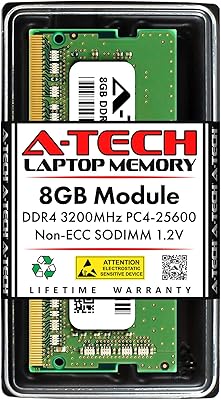
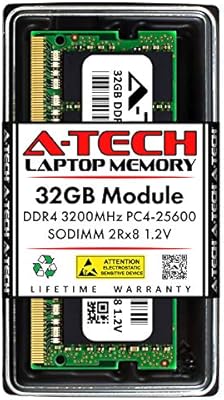
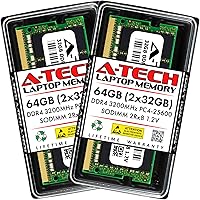
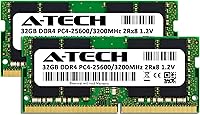
  • Capacity: The kit provides 64GB of total memory across two 32GB SODIMM modules installed as a matched pair.
  • Memory Type: Uses DDR4 SDRAM technology, the current mainstream standard for consumer laptop and compact system memory.
  • Form Factor: 260-Pin SODIMM format, designed for laptops, notebooks, Mini PCs, and All-in-One systems — not compatible with desktop DIMM slots.
  • Speed: Rated at 3200MHz (PC4-25600, also labeled PC4-3200AA), operating at the JEDEC DDR4 standard speed.
  • Latency: CL22 (22-22-22) timing, which is typical for high-capacity DDR4-3200 modules in the consumer market.
  • Voltage: Operates at 1.2V, the JEDEC-standard voltage for DDR4, keeping power draw and heat output in check.
  • Rank Configuration: 2Rx8 dual-rank layout per module, which allows the memory controller to access more memory rows simultaneously compared to single-rank designs.
  • ECC Type: Non-ECC Unbuffered, making it appropriate for consumer laptops and compact desktops rather than server or workstation platforms requiring error correction.
  • Module Count: Sold as a kit of two individual 32GB modules intended to be installed together for dual-channel operation.
  • Model Number: Manufacturer model number is AT32G2D4S3200ND8N12V, which can be used to cross-reference compatibility with specific system documentation.
  • Dimensions: Each module measures 2.74 x 1.18 x 0.15 inches, consistent with standard SODIMM physical dimensions.
  • Weight: The complete kit weighs approximately 1.13 ounces, reflective of the compact SODIMM form factor.
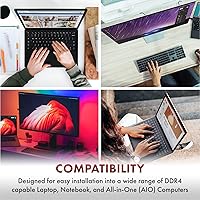
  • Compatible Platforms: Officially listed as compatible with laptops, notebooks, Mini PCs, and AIO systems that accept 260-Pin DDR4 SODIMM modules.
  • Warranty: Covered by A-Tech's lifetime warranty, which includes access to their customer support team for both pre- and post-purchase assistance.
  • Brand: Manufactured by A-Tech, a third-party aftermarket memory specialist with a broad catalog spanning multiple memory standards and form factors.
  • Release Date: First made available in December 2020 and remains an active, non-discontinued product in A-Tech's lineup.

Related Reviews

A-Tech 16GB DDR4 3200MHz SODIMM Laptop RAM
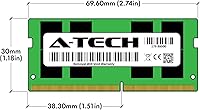

78%
83%
Compatibility
91%
Installation Ease
78%
Performance Uplift
86%
Value for Money
74%
Build Quality
More
KLEVV DDR4 8GB 3200MHz SODIMM Laptop RAM
87%
88%
Performance
90%
Compatibility
94%
Ease of Installation
92%
Value for Money
85%
Stability during Regular Use
More
A-Tech 8GB DDR4 2666MHz SODIMM Laptop RAM
81%
93%
Value for Money
91%
Installation Ease
78%
Compatibility Range
82%
Performance Impact
84%
Build & Module Quality
More
A-Tech 32GB DDR4 3200MHz SODIMM Laptop RAM
80%
91%
Value for Money
74%
Compatibility Range
93%
Installation Ease
83%
Performance Improvement
86%
Build & Module Quality
More
A-Tech 8GB DDR4 2400MHz SODIMM Laptop RAM
82%
91%
Value for Money
68%
Compatibility
88%
Ease of Installation
78%
Performance Improvement
83%
Reliability & Longevity
More
A-Tech 8GB DDR4 2133MHz SODIMM Laptop RAM
81%
91%
Value for Money
67%
Compatibility Range
93%
Installation Experience
88%
System Stability
74%
Performance Uplift
More
A-Tech 8GB DDR4 3200 MHz SODIMM Laptop RAM
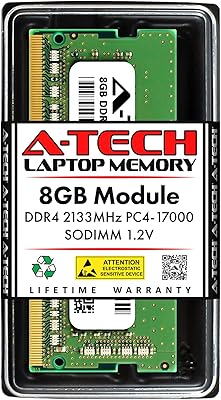
89%
91%
Performance Boost
95%
Ease of Installation
89%
Value for Money
88%
System Compatibility
90%
Speed and Responsiveness
More
A-Tech 32GB DDR4 2133MHz SODIMM Laptop RAM
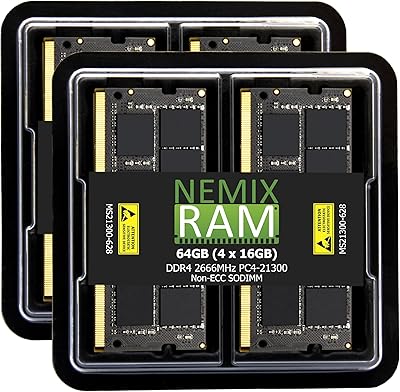
82%
91%
Value for Money
74%
Compatibility
93%
Installation Ease
83%
Performance Uplift
86%
Reliability & Stability
More
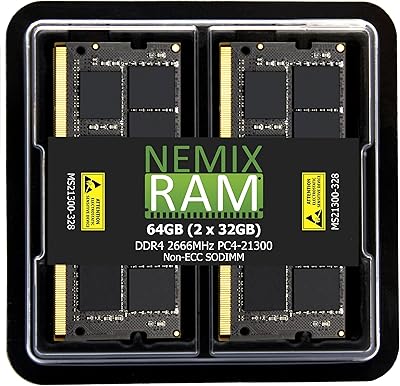
NEMIX RAM 64GB (4x16GB) DDR4 2666MHz SODIMM Laptop Memory Kit
89%
94%
Performance for Multitasking
88%
Ease of Installation
91%
Gaming Performance
92%
Compatibility with Laptops
89%
Power Efficiency
More
NEMIX RAM 64GB DDR4 2666MHz SODIMM Kit
79%
91%
Installation Ease
74%
Compatibility Range
86%
Performance Uplift
83%
Build & Module Quality
88%
Stability & Reliability
More

FAQ

The safest approach is to check your laptop manufacturer's official product page or download the service manual for your specific model. Look for the maximum supported memory and confirm it accepts DDR4 SODIMM modules at 32GB per slot. CPU-Z is a free tool that can also read your current slot configuration. Do not assume that because your laptop has DDR4 slots it will accept 32GB modules — many systems cap out at 16GB or 32GB total.

No. This kit uses the SODIMM form factor, which has a 260-pin connector and a smaller physical size than the standard DIMM modules used in desktop motherboards. The two are not interchangeable. If you are upgrading a desktop tower, you will need to look for DDR4 DIMM memory instead.

In most cases, no. The modules run at DDR4-3200 as their JEDEC-rated default speed, so the majority of supported systems will pick up that frequency automatically. Some older BIOS versions may initialize at a lower speed by default, in which case you can manually set the memory frequency in BIOS — though this is uncommon with modern laptops.

No. MacBooks with Apple Silicon (M1, M2, M3 series) use integrated memory that is soldered directly to the chip and cannot be upgraded at all. Older Intel-based MacBooks that do have upgradeable SODIMM slots typically cap at 32GB total and may require specific memory configurations. This kit is not designed for Mac compatibility and should not be purchased for that use case.

Dual-rank (2Rx8) means each module has two sets of memory chips that the memory controller can switch between, giving it more bandwidth to work with compared to a single-rank module. In real-world usage the difference is modest — you might see slight improvements in heavily multithreaded workloads, but it is not something you will notice in everyday tasks. It is a subtle architectural advantage, not a dramatic performance leap.

Technically possible in some cases, but generally not recommended. Mixing modules from different kits can result in the system running in single-channel mode rather than dual-channel, and speed or timing mismatches may cause instability. For best results, install both modules from this kit together and remove any existing memory. Matched pairs are designed to work together reliably.

A-Tech handles warranty claims directly through their customer support team, which buyers consistently describe as responsive. You would typically need your order information and a description of the issue. The lifetime coverage means there is no expiration date to worry about, which is a meaningful advantage over brands offering only limited-term warranties on aftermarket memory.

Possibly, but it depends on your system. DDR4 memory is generally backward compatible in terms of voltage and pin layout, meaning the modules may clock down to match your system's supported speed. However, not all laptops handle this gracefully, and some may not POST or may behave unstably with modules rated above their supported specification. Check your system documentation carefully before purchasing.

Yes, this is one of the strongest use cases for a high-capacity kit like this one. Virtual machines consume memory directly, and running two or three simultaneously on 16GB or 32GB of RAM often leads to heavy swapping and slowdowns. Jumping to 64GB gives each VM a comfortable allocation without starving the host operating system. It is not a speed upgrade per se, but it removes memory as the primary bottleneck for virtualization workloads.

For most laptops with a user-accessible memory bay, installation is straightforward — remove the access panel, release the existing modules at an angle and pull them out, then insert the new ones at a roughly 45-degree angle until they click flat into the retention clips. A Phillips screwdriver and an anti-static wrist strap are all you really need. That said, some ultrabooks have the memory soldered or placed under a motherboard shield, so confirm your model allows user installation before buying any aftermarket RAM.