Overview

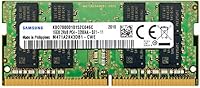
The Samsung 16GB DDR4 3200MHz SODIMM Laptop RAM is a genuine OEM Samsung module — the same type the brand installs in its own devices — which puts it in a different category from the flood of third-party sticks crowding the market. SODIMM is the compact form factor designed for laptops and All-in-One PCs, as opposed to the full-size DIMMs you find in desktops. At 3200MHz, this laptop RAM upgrade sits at the mainstream performance tier: compatibility is broad and real-world gains are meaningful. A top-200 sales rank in Computer Memory on Amazon tells you buyers keep coming back to it. This is not an exotic enthusiast part — just a dependable, no-fuss upgrade.
Features & Benefits

One practical upside of buying a single 16GB stick is that it leaves your second slot open — if you ever need 32GB down the road, adding another module is straightforward. Running at PC4-25600 with CL22 latency, this Samsung SODIMM module handles everyday multitasking without strain: browser-heavy workflows, video calls, and background app activity stop competing for resources. The Dual Rank (2Rx8) configuration can offer a modest bandwidth advantage over single-rank modules under sustained load. At 1.2V, thermals stay well within the tolerances of thin-and-light chassis. Because it is non-ECC unbuffered, it slots into virtually any consumer laptop without compatibility headaches. Samsung's factory validation process means each unit is tested before it ships.

Best For

This memory stick makes the most sense for anyone whose laptop shipped with 8GB and has started to feel the squeeze — sluggish tab switching, stuttering during calls, or long load times in productivity apps. Students juggling a dozen browser tabs, remote workers on back-to-back video calls, and light creative users doing photo sorting or basic video edits will all feel a real difference. It is also a solid choice for buyers who specifically want genuine Samsung OEM memory rather than an off-brand kit and are willing to pay a modest premium for that assurance. AIO desktop owners with a SODIMM slot will find it works just as well outside a laptop.

User Feedback

Most buyers report that this laptop RAM upgrade installs without drama — systems recognize it immediately, no BIOS adjustments needed. Longevity feedback is consistently positive, with owners noting stable, reliable performance after a year or more of daily use. There are, however, two recurring cautions worth taking seriously: confirm your specific laptop model supports 3200MHz and has a free slot before ordering, and be careful about pairing this stick with an existing module from a different kit — mixed configurations can work, but results are inconsistent. Compatibility appears strongest with Lenovo, Dell, and HP machines, though ASUS and Acer owners report success as well.

Pros

  • Genuine Samsung OEM manufacturing means consistent quality control and a very low DOA rate.
  • A single 16GB stick keeps one slot free, making a future upgrade to 32GB straightforward.
  • Systems recognize this laptop RAM upgrade instantly — no BIOS adjustments or XMP profiles needed.
  • The 2Rx8 dual-rank design offers a modest but real bandwidth advantage over single-rank alternatives.
  • Running at 1.2V keeps heat output low, which matters in thin-and-light chassis with limited airflow.
  • Broad compatibility across major brands including Lenovo, Dell, HP, and ASUS laptops.
  • Buyers report stable, reliable performance after one to two or more years of daily use.
  • Non-ECC unbuffered design matches what virtually every consumer laptop expects, minimizing risk of incompatibility.
  • Strong sustained sales rank signals that this is a proven, widely trusted choice rather than a niche product.

Cons

  • No included warranty card or documentation — buyers must rely on the retailer or Samsung directly for support claims.
  • CL22 latency is functional but not tight; enthusiast-grade DDR4 kits offer better latency for the same speed.
  • Mixing this memory stick with an existing stick from a different manufacturer can lead to instability or reduced performance.
  • Laptops capped at 2666MHz will downclock this module automatically, leaving some of its rated speed unused.
  • A single-module configuration means no native dual-channel benefit until a second matching stick is added.
  • No heatspreader or thermal label, which is standard for SODIMM but worth noting for buyers expecting branded aesthetics.
  • Confirming slot availability and max RAM support for your specific laptop model requires research before ordering.
  • Not a viable option for laptops or ultrabooks with soldered, non-upgradeable memory.

Ratings

The scores below reflect AI-driven analysis of verified global buyer reviews for the Samsung 16GB DDR4 3200MHz SODIMM Laptop RAM, with spam, bot activity, and incentivized feedback actively filtered out to ensure accuracy. We evaluated the module across categories that real buyers care about — from day-one installation to long-term reliability — and both the strengths and the genuine frustrations are represented here without sugarcoating.

Reliability & Longevity
93%
Buyers who installed this Samsung SODIMM module a year or two ago consistently report zero degradation — no random crashes, no memory errors, no instability creeping in over time. For daily-use laptops running full workdays, that sustained stability is one of the most frequently praised qualities across reviews.
A small number of users received modules that failed within the first few weeks, suggesting occasional QA escapes despite factory testing. These cases appear genuinely rare, but the lack of a prominently documented warranty process left some of those buyers frustrated when seeking resolution.
Installation Ease
91%
The vast majority of buyers — including those with no prior hardware experience — report that swapping in this laptop RAM upgrade took under ten minutes from opening the package to booting back up. Systems recognized the module immediately without any BIOS changes, which removed a common source of anxiety for first-time upgraders.
A handful of users ran into confusion around locating the memory slot on their specific laptop model, which is a chassis design issue rather than a module problem. A small subset also encountered a one-time BIOS prompt asking them to confirm the new memory configuration — minor, but unexpected for buyers who anticipated a completely silent install.
System Compatibility
83%
This memory stick works reliably across a wide range of laptops from Lenovo, Dell, HP, and ASUS — brands that collectively cover the majority of the consumer laptop market. Buyers upgrading business-class machines like the ThinkPad and Latitude lines report particularly smooth experiences with immediate recognition at rated speeds.
Compatibility is not universal, and a meaningful portion of negative reviews trace back to buyers who did not verify their laptop's maximum RAM ceiling or slot count before ordering. Certain budget laptops with soldered memory or unusual platform restrictions have caused frustrating dead-end purchases that could have been avoided with a quick spec check.
Real-World Performance
78%
22%
For the core upgrade scenario — moving from 8GB to 16GB on a work or student laptop — the difference is immediately felt. Multitasking with two dozen browser tabs, a video call, and background cloud sync running simultaneously becomes noticeably smoother, and application load times improve across the board.
Buyers expecting a transformational boost for gaming or GPU-accelerated workloads will be underwhelmed — the CPU and GPU remain the primary bottlenecks in those scenarios. Users running on platforms capped at 2666MHz also see the module downclocked automatically, limiting the speed advantage they were expecting.
Value for Money
84%
Compared to third-party kits using Samsung dies under a different brand label, paying for a genuine OEM module at a competitive price point makes financial sense for buyers who want certainty about what is inside the stick. The pricing relative to the reliability track record puts this firmly in the sweet spot for practical upgraders.
Budget shoppers can find non-Samsung DDR4 SODIMM modules at lower price points that perform identically in most everyday scenarios. The OEM Samsung premium is real, and buyers who are purely cost-driven and comfortable with aftermarket brands may feel the gap in price is not fully justified by measurable performance differences.
Thermal Performance
88%
Operating at a standard 1.2V, this laptop RAM upgrade generates minimal heat even during sustained multitasking sessions, which matters in thin-and-light designs where internal airflow is limited. Buyers using it in compact ultrabooks report no thermal throttling or system warmth attributable to the memory module.
There is no heatspreader or thermal interface material included, which is entirely normal for SODIMM modules but occasionally surprises buyers accustomed to seeing desktop RAM with elaborate cooling fins. In practice this is a non-issue, but it contributes to a perception gap for buyers who associate cooling hardware with premium quality.
Dual-Channel Compatibility
61%
39%
When paired with an identical second module, this memory stick delivers a clean dual-channel configuration that noticeably improves memory bandwidth for workloads that benefit from it, such as integrated GPU tasks and heavily threaded productivity applications.
Mixed-kit dual-channel setups — pairing this 16GB stick with an existing 8GB module from another manufacturer — are a recurring source of complaints, with some systems falling back to single-channel mode or exhibiting intermittent instability. This is an inherent limitation of mixing memory configurations, not a defect, but it catches enough buyers off guard to drag the category score down.
OEM Authenticity Confidence
89%
Buyers who specifically sought out a genuine Samsung-manufactured module — rather than a retail kit from a brand that sources Samsung dies — report strong confidence in what they received. The Samsung model number is verifiable and cross-referenceable with official documentation, which matters to IT-literate buyers.
A small number of reviews raise concerns about third-party marketplace sellers passing off non-OEM modules under the same listing, which is a platform trust issue rather than a product defect. Buying from a verified seller significantly reduces this risk, but it adds a step of due diligence that not all buyers are aware they need to take.
Packaging & Presentation
58%
42%
The module arrives in a simple anti-static protective sleeve that keeps it safe during shipping without unnecessary bulk. For buyers who treat this as a functional component purchase rather than a retail experience, the no-frills packaging is perfectly adequate.
There is no retail box, instruction sheet, or included documentation of any kind, which leaves some buyers uncertain about warranty registration or support channels. Buyers who have purchased branded memory kits with printed guides and warranty cards sometimes find the bare-bones presentation underwhelming, even if it has no bearing on the module's actual performance.
Slot Expansion Potential
86%
Purchasing a single 16GB module is a strategically sound move for laptops with two SO-DIMM slots, since it leaves room to double capacity to 32GB later without discarding anything. Buyers who are upgrading incrementally appreciate the foresight built into this single-stick approach.
On laptops with only one memory slot, this upgrade path closes off any future expansion entirely since the single slot is now fully occupied. Buyers in that situation should be certain that 16GB is sufficient for their long-term needs before committing, as the only upgrade path from there involves selling or discarding this module.
Boot & Recognition Speed
90%
Post-installation boot times are reported as clean and fast, with systems posting into the OS without extended memory training cycles that sometimes accompany non-native modules. This is consistent across multiple laptop platforms and adds to the plug-and-play reputation this memory stick has earned.
A small subset of users on older UEFI firmware versions experienced extended initial boot sequences as the system trained the new module, though a firmware update typically resolved the issue. This is edge-case behavior, but worth noting for buyers running outdated system firmware on aging laptops.
Workload Headroom
77%
23%
Moving to 16GB gives students and remote workers enough overhead to run a full suite of productivity tools simultaneously — browser, office apps, communication platforms, and cloud backup — without the system visibly struggling or resorting to paging. The jump from 8GB is immediately perceptible in these scenarios.
For power users running virtual machines, large developer environments, or professional-grade creative software with heavy asset libraries, 16GB can still feel limiting after a relatively short time. Buyers in those categories may find themselves wishing they had planned for a 32GB configuration from the outset.

Suitable for:

The Samsung 16GB DDR4 3200MHz SODIMM Laptop RAM is a near-perfect fit for anyone whose laptop shipped with 8GB and has started to buckle under everyday demands. Students managing research tabs, streaming lectures, and running office apps simultaneously will notice an immediate improvement in responsiveness. Remote workers who live in video calls while keeping Slack, email, and a browser open in the background will find that the constant slowdowns and application freezes largely disappear. Light creative users — think photo culling in Lightroom, basic video trimming, or running a virtual machine occasionally — will appreciate the extra headroom without needing to invest in a more powerful machine. It is also a well-suited choice for buyers who specifically want a genuine OEM Samsung module rather than taking a gamble on an unfamiliar brand, and for AIO desktop owners with a SODIMM slot looking for a simple, low-risk memory boost.

Not suitable for:

The Samsung 16GB DDR4 3200MHz SODIMM Laptop RAM is not the right buy for everyone, and a few scenarios call for a pass. If your laptop's RAM is soldered to the motherboard — common in ultra-thin models from certain manufacturers — no external module will help, and this purchase would be a wasted one. Buyers chasing maximum dual-channel bandwidth should also think carefully: pairing this stick with an existing module from a different kit can produce inconsistent results, and if your current slot is occupied by an 8GB stick, you may be better served buying a matched 2x16GB kit from the start. Hardcore gamers or professional video editors working with 4K timelines and heavy color grading will likely find 16GB in a single channel limiting for their workloads, and should consider higher-capacity or specially tuned kits instead. Finally, anyone whose laptop is capped at 2666MHz by the motherboard should weigh whether the speed difference justifies the cost, since the module will simply downclock to match the system's ceiling.

Specifications

  • Capacity: Each package contains one 16GB module, providing a single-stick upgrade path that leaves a second slot available for future expansion.
  • Memory Type: DDR4 SODIMM, the compact 260-pin form factor standard used in laptops, notebooks, and compatible All-in-One desktop computers.
  • Clock Speed: Rated at 3200MHz (PC4-25600), representing the current mainstream DDR4 performance tier with broad platform support.
  • Latency: CL22 primary latency, which is standard for high-density DDR4 modules operating at 3200MHz in consumer systems.
  • Module Rank: Dual Rank (2Rx8) configuration, which can provide a modest memory bandwidth advantage compared to single-rank modules under sustained workloads.
  • Voltage: Operates at the DDR4 standard of 1.2V, keeping power draw and heat output low — an important consideration in thermally constrained laptops.
  • Pin Count: 260-pin SO-DIMM interface, the universal connector standard for DDR4 laptop memory modules.
  • Error Correction: Non-ECC (no error-correcting code), which is the correct and expected specification for virtually all consumer-grade laptops and notebooks.
  • Buffering: Unbuffered (UDIMM), meaning the memory controller on the CPU communicates directly with the module — standard for all consumer laptop platforms.
  • Model Number: Official Samsung part number M471A2K43DB1-CWE, which can be used to verify compatibility with specific laptop models before purchasing.
  • Manufacturer: Produced by Samsung, one of the world's largest DRAM manufacturers, with each module subject to factory-level quality validation before shipment.
  • Release Date: First made available in December 2020, and has remained in active production with no discontinuation announced as of the time of writing.
  • Market Rank: Holds a ranking of approximately #175 in the Computer Memory category on Amazon, reflecting consistent and sustained buyer demand over multiple years.
  • Compatible Devices: Designed for DDR4-compatible laptops, notebooks, and All-in-One computers; not compatible with DDR3, DDR5, or desktop DIMM slots.

Related Reviews

A-Tech 16GB DDR4 3200MHz SODIMM Laptop RAM
78%
83%
Compatibility
91%
Installation Ease
78%
Performance Uplift
86%
Value for Money
74%
Build Quality
More
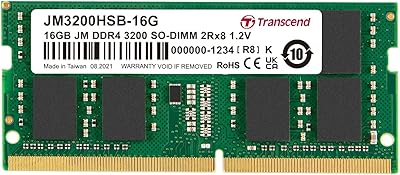
Transcend JM3200HSB-16G 16GB DDR4 Laptop RAM
83%
88%
Value for Money
84%
Compatibility
92%
Installation Ease
86%
Performance Improvement
91%
Stability & Reliability
More
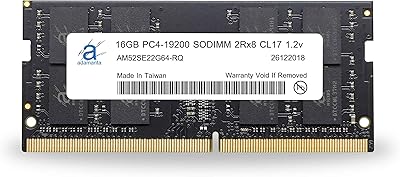
Adamanta 16GB DDR4 2400MHz SODIMM Laptop RAM
75%
83%
Value for Money
89%
Installation Ease
62%
Compatibility
76%
Real-World Performance
74%
Stability & Reliability
More
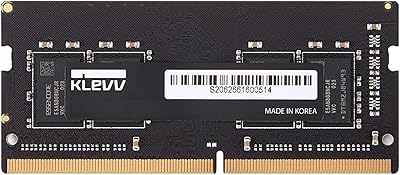
KLEVV DDR4 8GB 3200MHz SODIMM Laptop RAM
87%
88%
Performance
90%
Compatibility
94%
Ease of Installation
92%
Value for Money
85%
Stability during Regular Use
More
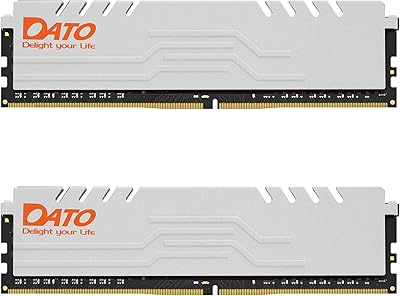
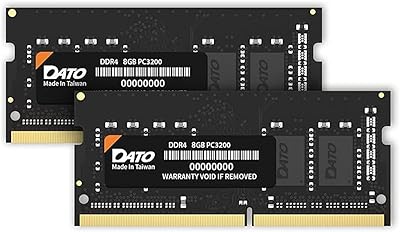
DATO 16GB DDR4 3200MHz SODIMM Laptop Memory
88%
94%
Performance
89%
Energy Efficiency
92%
Ease of Installation
85%
Compatibility
90%
Reliability
More
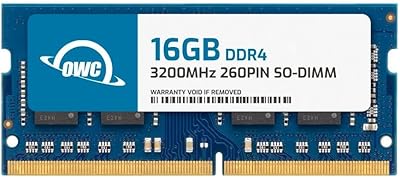
OWC 16GB DDR4 3200MHz SODIMM Laptop RAM
84%
93%
Installation Experience
84%
Multitasking Performance
71%
Compatibility Range
96%
Warranty & Support
74%
Value for Money
More
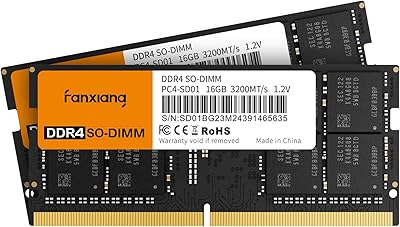
Fanxiang SODIMM DDR4 RAM 32GB (2 x 16GB) 3200MHz
88%
91%
Performance for Gaming
88%
Multitasking Efficiency
93%
Ease of Installation
89%
Compatibility with Intel Laptops
87%
Compatibility with AMD Laptops
More
DATO DDR4 Extreme 16GB Desktop RAM Kit
80%
91%
Value for Money
93%
Installation Ease
78%
Performance at Rated Speed
74%
Thermal Management
81%
Build Quality
More
Samsung M471A4G43MB1 32GB DDR4 Laptop RAM
80%
94%
Reliability & Longevity
96%
Installation Ease
81%
Compatibility Range
72%
Value for Money
83%
Performance at Rated Speed
More
Crucial 16GB DDR4-2666 SODIMM Laptop RAM Kit
86%
92%
Performance Gain
88%
Compatibility
91%
Value for Money
86%
Installation Ease
93%
Reliability & Longevity
More

FAQ

Yes, it will work — but the module will automatically downclock to 2666MHz to match your system's maximum supported speed. You will not run it at its rated 3200MHz in that case, so factor that in when deciding if the upgrade makes sense for your specific machine.

In most cases, no. The vast majority of buyers report that their systems recognize the module immediately at boot without any manual configuration. Some platforms may prompt you to enable an XMP or JEDEC profile, but this is a one-time toggle and takes under a minute.

Technically yes, but the results can be inconsistent. Mixing a 16GB module with an 8GB module from a different manufacturer often leads to the system falling back to single-channel mode, or in some cases causing instability. If dual-channel is important to you, a matched 2x8GB or 2x16GB kit is a more reliable approach.

The safest method is to check your laptop's service manual or the manufacturer's product page, which typically lists the number of SO-DIMM slots and the maximum supported RAM. Tools like CPU-Z (free software) can also show you how many slots are populated and how much is installed. Do not assume a free slot exists just because you have less RAM than the model's maximum.

No. Apple's Mac lineup has used soldered, non-upgradeable memory for many years and does not use standard SO-DIMM slots. This module is designed exclusively for Windows-based laptops and compatible AIO desktops with accessible DDR4 memory slots.

OEM modules like this one use Samsung's own DRAM dies and go through Samsung's internal testing process. Many retail-branded kits from other manufacturers actually use Samsung dies too, but you are paying for the brand's packaging and warranty service rather than a fundamentally different chip. Buying directly from Samsung cuts out that middleman, which is why this laptop RAM upgrade is often priced competitively against branded alternatives.

Samsung provides a limited warranty on its memory modules, but the terms and process depend on your region and the seller you purchase from. It is worth confirming the seller's return policy at the time of purchase. Given the low DOA rate reported by buyers, warranty claims are uncommon, but it is good practice to test the module within the return window regardless.

It can help if your system was previously constrained by insufficient RAM — for example, if games were using page file due to running on 8GB. However, this is a mainstream consumer upgrade, not a performance tuning part. Do not expect dramatic frame rate improvements from the memory alone; CPU and GPU remain the primary gaming bottlenecks in most laptop setups.

DDR4 SODIMM modules are generally very long-lived components when used within their rated conditions. Many buyers report using this specific Samsung module daily for two years or more without any degradation in stability or speed. Solid-state memory like this has no moving parts, so physical wear is essentially a non-factor under normal use.

Yes, provided your AIO uses a standard DDR4 SO-DIMM slot, which many models from Dell, HP, and Lenovo do. Check your AIO's specifications or service manual to confirm the slot type, maximum supported capacity, and whether the memory bay is accessible without voiding your warranty. The upgrade process on AIO desktops is usually straightforward once you locate the memory panel.

Where to Buy