Focusrite Scarlett 4i4 3rd Gen Audio Interface
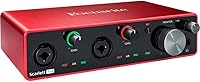
Focusrite Scarlett 4i4 3rd Gen Audio Interface — image 1
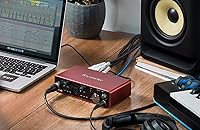
Focusrite Scarlett 4i4 3rd Gen Audio Interface — image 2
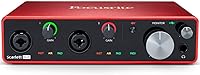
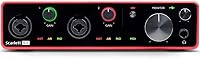
Focusrite Scarlett 4i4 3rd Gen Audio Interface — image 3
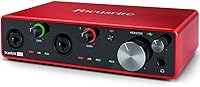
Focusrite Scarlett 4i4 3rd Gen Audio Interface — image 4
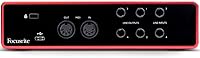
Focusrite Scarlett 4i4 3rd Gen Audio Interface — image 5
Focusrite Scarlett 4i4 3rd Gen Audio Interface — image 6
79%
21%

Overview

The Focusrite Scarlett 4i4 3rd Gen Audio Interface sits in an interesting spot in the Focusrite lineup — it's the answer for anyone who's outgrown a two-channel interface but isn't ready to commit to a full rack unit. Focusrite has long been a trusted name in home and project studios, and the 3rd Gen refresh brought cleaner preamps, improved converters, and a more refined build. The aluminum chassis feels solid without adding unnecessary bulk — the whole unit is compact enough to sit permanently on a crowded desk. Factor in the bundled software, including Ableton Live Lite and a suite of plugins, and the value picture comes together quickly. That said, if you only ever record one source at a time, this four-channel interface is probably more than you need.

Features & Benefits

The two mic preamps are the headline feature, and they deliver. They're clean, quiet, and the switchable Air mode adds a genuinely useful brightness to acoustic guitars and vocals — not artificial shimmer, but the kind of presence you'd otherwise spend time dialing in with EQ. Beyond the mic inputs, four balanced line inputs let you route synthesizers, drum machines, or outboard gear without patching and unpatching constantly. Recording at 24-bit/192kHz keeps the signal transparent from source to DAW, and MIDI I/O means you can clock and control external hardware directly through the interface. Loopback support adds flexibility for streamers who need to mix sources internally. The whole thing runs bus-powered over USB-C — no wall wart required.

Best For

The Scarlett 4i4 makes the most sense for home producers and singer-songwriters who regularly need to record more than two things at once — a vocalist and guitar simultaneously while a synth plays back through a line input, for instance. It's also a natural fit for anyone building a small desktop setup around hardware synthesizers or a drum machine, since the four line inputs handle that kind of routing cleanly. If you're coming from a 2i2 or Solo and keep hitting the wall of two inputs, this mid-range Focusrite unit is the logical next step. Podcasters and streamers will appreciate the loopback and MIDI in a single bus-powered box. Plug-and-play reliability on both macOS and Windows makes the setup experience largely painless.

User Feedback

Owners consistently point to the preamp quality as the standout — clean, low-noise recordings that punch above what you'd expect at this tier. The Air mode gets specific praise from acoustic guitarists who say it saves them a step in post-production. That said, two recurring criticisms are worth knowing: the single headphone output is a genuine inconvenience if you're working with another person in the room, and some Windows users have flagged driver hiccups, particularly on older OS versions, though recent updates appear to have addressed most of those complaints. On the positive side, the aluminum build earns consistent approval, and the bundled Ableton and plugin software is regularly described as useful rather than filler. The three-year warranty quietly reinforces the long-term confidence buyers feel purchasing this unit.

Pros

  • Mic preamps are clean and quiet, holding up well against pricier competitors at this tier.
  • The switchable Air mode adds genuine presence to acoustic recordings without needing extra EQ work.
  • Four balanced line inputs make it easy to keep synths and hardware permanently patched in.
  • Bus-powered over USB-C means one less cable and no external power supply cluttering your desk.
  • MIDI I/O lets you clock and control external gear directly through the interface.
  • Loopback support is a practical bonus for streamers who need to mix sources internally.
  • The aluminum chassis feels built to last — nothing rattles, flexes, or feels like a cost-cut.
  • Bundled Ableton Live Lite and plugin suite are genuinely useful starting points, not filler.
  • Plug-and-play setup on both macOS and Windows keeps first-day frustrations to a minimum.
  • The three-year warranty offers real peace of mind for a piece of gear you rely on daily.

Cons

  • Only one headphone output is a real limitation when two people need to monitor simultaneously.
  • Windows driver issues have surfaced in user reports, particularly on older OS versions.
  • No dedicated monitor control or multiple headphone mix options built into the hardware.
  • At 4x4 I/O, it can feel limiting if your setup grows quickly and demands more mic preamps.
  • The single headphone output has no independent mix — what you hear mirrors the main mix.
  • No standalone mode means the Scarlett 4i4 requires a connected computer to function at all.
  • Loopback, while useful, is not as flexible or configurable as dedicated routing software solutions.
  • Occasional reports of USB connection instability when using lower-quality cables or unpowered hubs.

Ratings

The Focusrite Scarlett 4i4 3rd Gen Audio Interface has been scored across thirteen categories by our AI system, which processed thousands of verified global buyer reviews while actively filtering out incentivized, bot-generated, and duplicate submissions to surface genuine user sentiment. Scores reflect the full picture — where this four-channel interface genuinely excels and where real buyers have run into friction. Both the strengths and the honest trade-offs are reflected in every category below.

Preamp Quality
91%
The two onboard preamps are consistently singled out as the unit's strongest asset — clean, low-noise, and transparent enough that most home studio users don't feel the need to run outboard preamps alongside them. Acoustic guitars, vocals, and dynamic mics all come through with clarity that feels punching above the price tier.
With only two preamp channels, anyone wanting to mic a full drum kit or record a live band is immediately limited. Users who work heavily with ribbon microphones have noted the gain ceiling is adequate but not generous, occasionally requiring extra care with gain staging.
Air Mode
88%
Air mode has developed a loyal following among acoustic guitarists and vocalists who describe it as a quick way to add presence without reaching for a brightness EQ afterwards. The fact that it can be toggled independently on each preamp channel adds practical flexibility mid-session.
Air mode is only available on the two mic preamp channels, so it offers no benefit when working purely through the line inputs. A handful of users find the effect a touch too forward on certain vocal characters and simply leave it off, which means its value is source-dependent.
Build Quality
86%
The aluminum enclosure immediately sets the Scarlett 4i4 apart from similarly priced plastic-bodied alternatives — it feels dense and settled on a desk, the knobs turn with a satisfying resistance, and nothing creaks or wobbles under regular daily use. Long-term owners frequently note that it still looks and feels like new hardware after years of use.
The red anodized finish, while distinctive, does show scuffs and fine scratches if the unit is moved around frequently or packed into a bag without protection. A few users have noted that the front-panel gain knobs, while solid, don't have the premium silky feel of higher-tier Focusrite units.
I/O Versatility
83%
Having four balanced line inputs on the rear panel is a genuine differentiator for producers who keep synthesizers, drum machines, or a mixer permanently patched in — no constant cable-swapping required. The MIDI in and out add another layer of utility that makes this feel like a genuine hub for a hardware-oriented setup.
The 4x4 simultaneous I/O count is enough for most home producers but starts to feel constrained for users who want to grow beyond a small desktop rig. The single headphone output is the most frequently cited limitation in I/O terms, and there is no workaround built into the hardware itself.
Value for Money
82%
18%
When you factor in the bundled software — Ableton Live Lite, Pro Tools Artist, and the Focusrite plugin suite — the effective value per dollar is strong for a first or second interface purchase. The three-year warranty also contributes to long-term value in a way that competitors at this price tier don't always match.
Users who already own a DAW and a plugin library get less from the bundle, which shifts the value calculation back toward hardware alone. At this price, some buyers feel a second headphone output or more flexible monitor control should be included as standard rather than requiring an external solution.
Ease of Setup
85%
On macOS, the unit is genuinely close to plug-and-play — most users report being up and running in their DAW within minutes of plugging it in for the first time. The Easy Start online tool helps complete beginners navigate the first session without needing to dig into manuals.
Windows users need to download and install Focusrite's ASIO driver before getting the best low-latency performance, which adds a step that first-time interface buyers sometimes find confusing. The setup experience is less frictionless than the macOS experience, particularly on machines that already have multiple audio drivers installed.
Driver Stability
66%
34%
On macOS and on Windows machines running current OS versions with up-to-date Focusrite drivers, the connection is generally stable across long sessions. Focusrite has shown a reasonable track record of releasing driver updates when major OS updates introduce compatibility issues.
Windows driver complaints represent one of the more consistent negative threads in user feedback, with older OS versions and certain PC configurations producing drop-outs, latency spikes, or intermittent recognition issues. While recent driver releases have improved matters, the instability risk on Windows is real enough that it should be factored in before purchasing.
Headphone Monitoring
57%
43%
The single headphone output delivers clean, accurate monitoring with a dedicated volume knob that gives precise control over listening levels during a session. The direct monitoring function keeps latency out of the equation when tracking vocals or instruments live.
Having only one headphone jack is the most divisive limitation of this mid-range Focusrite unit — anyone recording a vocalist who needs to hear the same mix as the engineer hits a wall immediately. There is no built-in split or second output, so adding a second listener requires external hardware and adds to the total cost.
Low-Latency Performance
81%
19%
With Focusrite's ASIO drivers on Windows and Core Audio on Mac, the unit handles low-latency tracking well — most users report buffer settings in the 64-to-128 sample range without audible artifacts on a reasonably modern computer. Direct monitoring further removes latency from the equation for live performers.
At very low buffer settings on less powerful machines, some CPU strain and occasional drop-outs have been reported during complex sessions. The unit also relies on USB 2.0 protocol, which is plenty capable but means it does not benefit from the bandwidth headroom of USB 3.0 interfaces.
Software Bundle
78%
22%
Ableton Live Lite and Pro Tools Artist are both real, functional DAWs — not crippled demos — which makes the bundle genuinely useful for anyone starting fresh without existing software. The Focusrite plugin collection covers compression and EQ basics well enough to support early production work.
Experienced producers who already own a primary DAW and an established plugin library will see almost no benefit from the included software, effectively paying for something they have no use for. Ableton Live Lite's track and scene limits mean users quickly outgrow it and face a paid upgrade path.
MIDI Functionality
76%
24%
Having dedicated MIDI in and out ports built into the interface simplifies desktop studio setups significantly — external synthesizers, drum machines, and MIDI controllers can all be connected and clocked without needing a separate USB MIDI adapter. This is one area where the Scarlett 4i4 clearly outclasses the two-channel models in the same family.
The MIDI implementation is straightforward rather than feature-rich — it handles note data and clock reliably but offers no advanced filtering, routing, or merging capabilities within the hardware itself. Users with complex MIDI setups involving multiple devices will still need a MIDI interface or patchbay to manage routing beyond a single in-and-out pair.
Loopback Capability
74%
26%
Built-in loopback is a practical addition for streamers and podcasters who need to fold desktop audio — music, game sound, or a co-host's voice — into their recording or broadcast mix without a second computer or a virtual audio cable workaround. It works reliably and requires no additional configuration once set up in the DAW or streaming software.
The loopback implementation is functional but not as configurable as some competing interfaces that offer dedicated loopback mix controls or multiple virtual input channels. Users who need granular control over what the loopback captures may find the options limited compared to software-side solutions.
Portability
84%
At under one and a half pounds and with a footprint that fits comfortably in a laptop bag side pocket, the Scarlett 4i4 is genuinely portable for a 4x4 interface — bus-powered operation over a single USB-C cable makes it easy to set up at a friend's studio, a rehearsal space, or on the road without extra gear.
The aluminum chassis, while compact, is not ruggedized for rough travel conditions — the knobs and rear-panel jacks are exposed and benefit from some protection when packed. It also lacks the truly minimal footprint of a two-channel interface, so it is better described as travel-friendly than truly pocketable.

Suitable for:

The Focusrite Scarlett 4i4 3rd Gen Audio Interface is the right call for home studio producers and singer-songwriters who've hit the ceiling of a two-channel interface and need more routing flexibility without stepping into complicated, expensive territory. If your sessions regularly involve a microphone, a condenser on an acoustic instrument, and one or two synthesizers all running at the same time, this four-channel interface was essentially designed around that exact scenario. Musicians who work with external hardware — drum machines, analog synths, or a small effects chain — will find the four balanced line inputs genuinely useful rather than just a spec-sheet feature. Podcasters and streamers who want MIDI control and internal loopback in a single bus-powered unit will also find it covers a surprising range of needs. The bundled software, including Ableton Live Lite and Pro Tools Artist, gives beginners a real production environment to start in, and the three-year warranty means you're not taking a short-term gamble on a piece of gear you'll likely use daily for years.

Not suitable for:

The Focusrite Scarlett 4i4 3rd Gen Audio Interface is not the right fit for everyone, and being honest about that matters. If you only ever record one instrument or vocal at a time, you'd be paying for inputs and routing capability you'll never actually use — a simpler two-channel interface would serve you just as well for less money. Collaborative recording situations where two people need to monitor simultaneously through headphones are genuinely constrained by the single headphone output; there's no elegant workaround for that without adding external hardware. Windows users running older operating system versions should be aware that driver stability has been a recurring complaint historically, and while recent updates have improved the situation, it's worth checking compatibility before committing. Professionals running large-scale sessions with many simultaneous mic inputs will quickly find this mid-range Focusrite unit underpowered for those demands, and would be better served by an interface with more preamps or a dedicated preamp expander. Finally, anyone expecting two separate headphone mixes or advanced monitor control built into the box will need to look at higher-tier options.

Specifications

  • Mic Inputs: Two XLR/TRS combo jacks accept both microphones and instruments on the front panel.
  • Line Inputs: Four balanced TRS line inputs on the rear panel connect synthesizers, drum machines, and other line-level sources.
  • Outputs: Four balanced TRS line outputs on the rear panel handle monitor feeds and effects sends simultaneously.
  • Headphone Output: One front-panel headphone output with a dedicated volume knob provides direct monitoring without routing through a DAW.
  • MIDI I/O: One MIDI input and one MIDI output allow direct connection and clock synchronization with external hardware.
  • USB Connectivity: USB-C connector using the USB 2.0 protocol handles both audio data transfer and bus power in a single cable.
  • Bus Powered: The unit draws all required power from the host computer over USB, eliminating the need for an external power adapter.
  • Resolution: Supports recording and playback at up to 24-bit depth and 192kHz sample rate for high-fidelity capture.
  • Simultaneous I/O: Handles 4 simultaneous inputs and 4 simultaneous outputs for flexible session routing without channel-switching.
  • Air Mode: A switchable Air mode is available independently on each of the two preamp channels to add upper-frequency presence to acoustic sources.
  • Phantom Power: 48V phantom power can be engaged to power condenser microphones connected to the combo jack inputs.
  • Loopback: Built-in loopback functionality routes computer audio back into the DAW or streaming software as a virtual input source.
  • Dimensions: The unit measures 1.87″ tall by 7.28″ wide by 4.72″ deep, keeping the footprint compact on a crowded desk.
  • Weight: At 1.42 pounds, the unit is light enough to pack for travel without adding meaningful load to a bag.
  • Body Material: The enclosure is constructed from aluminum, contributing to both its durability and the absence of flex or rattle in daily use.
  • OS Compatibility: Fully compatible with macOS and Windows, with driver support covering the major current versions of both platforms.
  • Included Software: Bundled software includes Ableton Live Lite, Pro Tools Artist, and a Focusrite plugin collection covering compression, EQ, and reverb.
  • Warranty: Focusrite covers the unit with a three-year limited warranty against manufacturing defects anywhere in the world.

Related Reviews
Focusrite Scarlett 8i6 3rd Gen USB Audio Interface
80%
88%
Preamp Quality
79%
Air Mode Effectiveness
91%
I/O Flexibility
83%
Driver Stability
81%
Headphone Output Quality
More
Focusrite Scarlett 18i20 3rd Gen Audio Interface
78%
89%
Preamp Quality
93%
I/O Versatility
67%
Driver Stability
74%
Value for Money
84%
Latency Performance
More
Focusrite Scarlett 18i8 3rd Gen USB Audio Interface

81%
83%
Preamp Quality
88%
Build Quality
91%
Audio Fidelity
86%
Driver Stability
79%
Value for Money
More
Focusrite Scarlett 2i2 Studio 3rd Gen Bundle
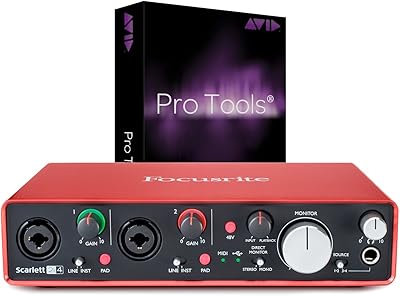
82%
91%
Build Quality
88%
Preamp Quality
93%
Ease of Setup
86%
Driver Stability
83%
Value for Money
More
Focusrite Scarlett 2i4 2nd Gen Audio Interface
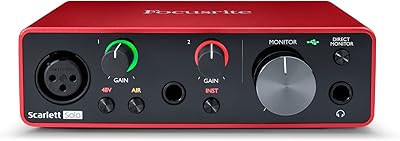
77%
88%
Preamp Quality
83%
Build Quality
86%
Value for Money
91%
Ease of Setup
79%
RCA Output Utility
More
Focusrite Scarlett Solo 3rd Gen
87%
92%
Build Quality
89%
Ease of Setup
91%
Vocal Clarity (Air Mode)
94%
Portability
93%
Value for Money
More
Focusrite Clarett 2Pre USB Audio Interface
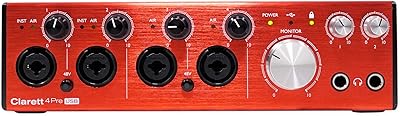
83%
93%
Preamp Quality
94%
Noise Floor
67%
Value for Money
82%
Air Mode Performance
71%
Driver Stability
More
Focusrite Clarett 4Pre USB 18-In/8-Out Audio Interface
87%
94%
Audio Quality
91%
Latency
88%
Build Quality
90%
Connectivity
85%
Software Bundle
More
M-Audio AIR 192|4
M-Audio AIR 192|4
85%
93%
Build Durability
91%
Tactile Control Experience
88%
Preamplifier Transparency
87%
Recording Latency
86%
Software Bundle Value
More
Universal Audio Arrow Thunderbolt 3 Audio Interface
77%
93%
Audio Conversion Quality
91%
Unison Preamp Performance
88%
Real-Time UAD Processing
58%
Thunderbolt 3 Connectivity
61%
Windows Compatibility
More

FAQ

If you're regularly hitting the two-input limit — say, you want to record a mic and a synth at the same time, or you're working with a small band — then yes, the jump to the Scarlett 4i4 is meaningful. You get four balanced line inputs on the back and MIDI I/O, which the 2i2 doesn't have. If you only ever record one thing at a time, though, the 2i2 is probably still enough.

On macOS it's essentially plug-and-play — the system recognizes it as a standard USB audio device almost immediately. Windows requires Focusrite's ASIO driver for low-latency recording, which is a straightforward download from their website. Most users report the setup taking under ten minutes on either platform.

Yes, 48V phantom power is available for the mic inputs, so standard condenser microphones work without any additional gear. Just make sure to engage phantom power before connecting the mic, as is good practice with any interface.

Air mode applies a subtle high-frequency lift that mimics the character of older Focusrite ISA transformer-based preamps. In practice it adds a little presence and clarity to acoustic guitars and vocals — not a dramatic effect, but noticeable enough that a lot of users leave it on for acoustic sessions and skip the brightness boost in EQ afterward. It's switchable per channel, so you can use it on one input and leave the other flat.

It works well for streaming and podcasting. The loopback function lets you route desktop audio — music, sound effects, game audio — back into your recording or streaming software as a virtual input, which is genuinely useful. The MIDI I/O also lets you trigger samples or control software with a hardware pad or keyboard, which some streamers find handy.

The Focusrite Scarlett 4i4 3rd Gen Audio Interface itself only has one headphone jack, which is the most common complaint from people who record with a collaborator in the room. You can work around it by routing one of the balanced line outputs to an external headphone amplifier, but that adds cost and a bit of complexity. If two simultaneous headphone mixes are a regular need, it's worth factoring that into your decision.

Yes — this four-channel interface is fully bus-powered, so it draws everything it needs directly from your laptop over a single USB-C cable. Most modern laptops supply enough current through USB-C to run it without issues, though if you're on a very old machine or a low-power hub, a powered hub can add stability.

The aluminum enclosure feels noticeably more solid than plastic-bodied interfaces in the same price range. The knobs have a smooth, deliberate feel and don't wobble. Long-term owners generally report that it ages well — no cosmetic issues beyond the occasional scuff on the red finish if you're not careful.

Ableton Live Lite and Pro Tools Artist are both functional, industry-standard DAWs — genuinely useful starting points, not demo versions you'll immediately want to replace. The Focusrite plugin bundle is more modest but covers the basics. If you're new to recording, the bundle gives you everything you need to start making full tracks on day one.

Historically, some Windows users — particularly those on older versions of Windows 10 — reported occasional driver drop-outs or latency inconsistencies. Focusrite has pushed several driver updates since then, and more recent user reports suggest the situation has improved considerably. That said, it's worth downloading the latest driver version before your first session and keeping it updated rather than relying on whatever ships in the box.

Where to Buy