Overview

The Focusrite Scarlett 8i6 3rd Gen USB Audio Interface sits in a genuinely practical spot within the Scarlett range — more capable than the popular Solo or 2i2, but far less bulky than the 18i20. The aluminum chassis feels reassuringly solid on a desk, and the compact footprint won't crowd your workspace the way some competing interfaces tend to. The 3rd Gen revision brought tighter driver performance and introduced Air mode over earlier versions. Air mode adds a subtle high-frequency lift and openness to mic recordings — a bit more presence and breathiness, not a complete character overhaul. This is a capable, honest performer at its price tier, not a stand-in for professional rack preamps.
Features & Benefits

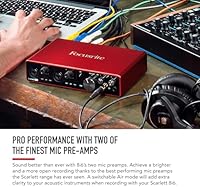
The two front-panel preamps are where Focusrite's mid-tier interface earns its keep. Engaging Air mode introduces a transformer-like character — a touch more harmonic presence and top-end openness that works especially well on vocals and acoustic guitars. Beyond the preamps, the six line inputs give you real routing flexibility; connecting a hardware synth, drum machine, or outboard gear is straightforward without adapters. The two hi-Z instrument inputs on the front panel let you plug a guitar directly in without tonal compromise. Dual headphone outputs with independent level controls are a quiet but practical addition, and S/PDIF digital I/O plus MIDI connectivity push this interface well past basic two-channel territory.

Best For

This audio interface suits anyone who has outgrown a basic two-channel setup but isn't ready — or doesn't need — to manage a large-format unit. Singer-songwriters tracking live instruments alongside vocals will immediately appreciate the extra inputs. Small bands recording rehearsals, guitarists going direct, and home studio producers running outboard hardware into a DAW all land squarely in its wheelhouse. Podcasters and streamers using two-mic setups will value the independent headphone mixes for separate monitor feeds. If you're currently frustrated by a Solo or 2i2 running out of inputs mid-session, the Scarlett 8i6 is the logical next step without overcomplicating your rig.

User Feedback

With a 4.6-star average across close to 3,000 ratings, this audio interface has a strong and consistent track record. Buyers most often praise preamp clarity and the reliability of drivers across long sessions. Long-term owners report the aluminum build holds up well after a year or two of regular use. On the critical side, the most recurring complaint is the lack of bus power — you'll always need the included PSU nearby, which limits portability. A handful of Windows users have flagged occasional driver hiccups, particularly when connecting through USB hubs rather than directly. These complaints are real but represent a minority; overall satisfaction stays consistently high across ownership periods.

Pros

  • Two preamps with Air mode add genuine warmth and presence to vocal and acoustic recordings.
  • Six line inputs give you enough routing flexibility for outboard gear, synths, and multiple sources simultaneously.
  • Front-panel hi-Z instrument inputs let guitarists plug in directly without any extra DI box.
  • Dual headphone outputs with independent volume controls are a practical feature rarely found at this price range.
  • The all-aluminum body feels durable and holds up well after years of regular studio use.
  • S/PDIF digital I/O and MIDI connectivity expand your setup options well beyond basic analog recording.
  • 24-bit/192kHz resolution delivers clean, high-fidelity audio capture that holds up in professional mixes.
  • Driver stability is consistently praised, with low-latency performance on both Mac and Windows.
  • Loopback functionality is a genuine convenience for streamers and content creators.
  • The compact footprint keeps desktop real estate free without sacrificing I/O count.

Cons

  • No bus power — you must use the included PSU every session, which limits portability considerably.
  • Only two microphone preamps, which becomes a bottleneck fast when tracking a full live band.
  • Some Windows users report driver issues when connecting through USB hubs instead of directly to a port.
  • Air mode only applies to the two preamp channels, leaving the line inputs unaffected by the feature.
  • The included PSU adds cable clutter, which can be frustrating in tidy or minimalist desktop setups.
  • Occasional Windows driver updates have caused temporary instability for some users after OS changes.
  • No onboard DSP or built-in effects processing, so latency-free monitoring relies entirely on direct signal passthrough.
  • The USB-C connector uses a USB 2.0 protocol, which may feel limiting as newer high-bandwidth interfaces enter the market.

Ratings

The scores below were generated by AI after analyzing thousands of verified global user reviews for the Focusrite Scarlett 8i6 3rd Gen USB Audio Interface, with spam, bot activity, and incentivized feedback actively filtered out to ensure accuracy. Each category reflects both the genuine strengths buyers consistently celebrate and the real frustrations that surfaced across long-term ownership reports. Nothing has been softened — where this audio interface falls short, the scores say so plainly.

Preamp Quality
88%
Buyers repeatedly single out the preamps as punchy, clean, and surprisingly transparent for the price tier. Vocalists tracking at home note that recordings sit well in a mix without needing heavy corrective EQ, and the low noise floor holds up even when driving dynamic mics that need extra gain.
At higher gain settings, some users find the preamps introduce a subtle hardness that more expensive transformer-based units avoid. Those recording quiet classical instruments or ribbon mics that demand maximum gain occasionally report that the headroom feels tighter than expected.
Air Mode Effectiveness
79%
21%
For home producers who track vocals or acoustic guitars, Air mode delivers a noticeable lift in presence and a sense of openness that would otherwise require a dedicated EQ plug-in. Many users describe it as making recordings sound less enclosed, which translates to less time spent brightening tracks in post.
Opinions are split on whether Air mode is consistently useful — some find it pushes already bright condenser microphones into harshness, and a number of users ultimately leave it off for most sessions. The effect is fixed and cannot be dialed in, which limits its versatility across different mic and source combinations.
I/O Flexibility
91%
The combination of six line inputs, two hi-Z instrument inputs, S/PDIF digital I/O, and MIDI connectivity gives this interface a routing depth that buyers upgrading from two-channel units find transformative. Producers running a hardware synth, drum machine, and guitar simultaneously no longer have to constantly re-patch between sessions.
With only two mic preamps, anyone hoping to record a drum kit or a band with multiple microphones simultaneously will hit a ceiling fast. Expanding preamp count requires adding an external preamp with ADAT connectivity, which is an added cost and complexity that buyers sometimes overlook at the point of purchase.
Driver Stability
83%
Mac users in particular report that the interface works reliably across long recording sessions without dropout or disconnection issues, and the low-latency performance at small buffer sizes is consistently praised for making real-time monitoring feel tight and responsive. Long-term owners across two or more years note that driver updates have generally improved rather than disrupted performance.
Windows users have a more mixed experience — a recurring complaint involves instability after major Windows OS updates, requiring driver reinstallation or troubleshooting before sessions can resume. Several users also report that connecting via a USB hub rather than directly to a motherboard port causes intermittent recognition failures on Windows machines.
Headphone Output Quality
81%
19%
Having two independent headphone outputs with separate level controls is a feature buyers consistently describe as genuinely useful rather than a marketing checkbox. Tracking sessions where a vocalist and an engineer need different monitor mixes become significantly more manageable without routing workarounds in the DAW.
The headphone amplifier output, while clean, lacks the driving power needed to push high-impedance headphones to comfortable listening levels without maxing out the volume knob. Users with headphones rated above 150 ohms often note the output feels underpowered compared to a dedicated headphone amp.
Build Quality
86%
The aluminum chassis earns consistent praise from buyers who have owned plasticky interfaces before — it feels dense and solid on a desk, and the knobs and switches have a satisfying, well-damped feel that suggests longevity. Multiple reviewers note the unit still looks and performs like new after two or more years of daily studio use.
A small number of users report that the gain knobs on their units developed a slight wobble or looseness after extended use, suggesting the potentiometers may not be rated for heavy studio workloads over many years. The red finish also shows scratches and fingerprints more visibly than darker-colored alternatives.
Ease of Setup
87%
Most buyers describe the initial setup as genuinely quick — plug in, install the Focusrite Control software, and you are recording within minutes. Mac users especially appreciate the plug-and-play experience, with the interface recognized immediately without any additional configuration required.
First-time audio interface buyers occasionally struggle with understanding input routing and the Focusrite Control mixer software, which has a learning curve that is not always intuitive without reading the documentation. Windows users setting up for the first time sometimes encounter confusion around ASIO driver selection inside their DAW.
Latency Performance
84%
Direct monitoring through the interface hardware is effectively instantaneous, and most users find they can record comfortably at buffer sizes of 64 or 128 samples without perceivable delay through their DAW. Singer-songwriters layering tracks at home in particular appreciate how tight the monitoring feels during vocal takes.
At very low buffer sizes on less powerful computers, some users experience audio glitches or CPU overload warnings, which forces a compromise between latency and stability. Compared to Thunderbolt-based interfaces, USB 2.0 does impose a ceiling on how low latency can realistically go in demanding multi-track sessions.
Software Bundle Value
72%
28%
The included software bundle provides a meaningful starting point for new studio owners — having a working version of a DAW and a selection of virtual instruments available on day one removes a real barrier for beginners. Buyers who are genuinely new to recording appreciate not having to purchase additional software immediately.
More experienced buyers tend to already own the DAW and plug-ins included in the bundle, making the added value negligible for them. The Ableton Live Lite version included is significantly restricted in track count and features, which can frustrate users who quickly outgrow it and realize an upgrade purchase is necessary.
Portability
53%
47%
The compact physical footprint and relatively low weight mean the Scarlett 8i6 is not difficult to move between a home studio and a rehearsal space when needed. It fits comfortably in a laptop bag alongside a power strip, which some mobile producers appreciate for occasional location sessions.
The mandatory external power supply is the core portability problem — without a mains outlet, the interface simply does not function, which rules it out for recording on location without a power source. Buyers who specifically need a bus-powered interface for café or travel recording sessions will find this a dealbreaker.
Value for Money
82%
18%
Against competing interfaces at a similar price point from PreSonus or Audient, buyers generally feel the Scarlett 8i6 holds its own in terms of I/O count, build quality, and preamp performance, making the investment feel justified for a home studio centerpiece. Long-term owners rarely report regretting the purchase even years into ownership.
A handful of buyers feel the price is slightly high given that the interface is not bus-powered and offers only two mic preamps — competitors occasionally offer three or four preamps at a comparable price. For users who only ever use two inputs, the value proposition is harder to justify versus the less expensive siblings in the Scarlett range.
Loopback Functionality
76%
24%
Streamers and content creators who need to mix DAW output with a live microphone signal into a single recording find the loopback feature genuinely practical, removing the need for virtual audio routing software. Podcasters recording remote interviews via browser also benefit from being able to capture both sides of a conversation cleanly.
The loopback implementation is functional but basic — users wanting granular control over how loopback channels are routed or mixed find themselves relying on the Focusrite Control software, which some describe as less intuitive than they would like. There is no dedicated loopback level control on the hardware itself.
MIDI Integration
77%
23%
Having dedicated MIDI in and out ports on the interface removes the need for a separate USB MIDI interface when connecting hardware synthesizers or controllers, which buyers running compact desktop studios genuinely appreciate. The MIDI implementation works reliably and is recognized without issues on both Mac and Windows.
The MIDI ports handle the basics competently but offer no additional functionality beyond standard DIN MIDI transmission — there is no USB MIDI hub capability or multi-port MIDI routing, which more advanced studio setups may require. Users with larger MIDI hardware rigs will likely still need a dedicated MIDI interface.
Long-Term Reliability
85%
Owners who have run the Scarlett 8i6 as their primary interface for two or more years consistently report that it holds up without degradation in audio quality or connectivity stability. The aluminum build resists the physical wear that tends to affect plastic-chassis interfaces after heavy use.
A minority of long-term owners have reported hardware faults developing after the warranty period — occasional channel noise or intermittent input dropouts — suggesting that while most units are durable, quality control is not entirely uniform across the production run. Focusrite support reviews are mixed in terms of resolution speed for out-of-warranty issues.

Suitable for:

The Focusrite Scarlett 8i6 3rd Gen USB Audio Interface is built for the serious home studio user who has hit a wall with a basic two-channel interface and needs room to grow without going full professional rack. Singer-songwriters who track vocals, guitar, and keys in the same session will immediately feel the difference that six line inputs and two solid preamps make in practice. Small bands recording live rehearsals, guitarists plugging directly into the front hi-Z inputs, and producers integrating outboard hardware or a hardware synth into their DAW signal chain all get real, tangible value here. The dual headphone outputs with independent level controls are genuinely useful if you ever track with another performer who needs their own mix. Podcasters and streamers running two-mic setups will also find this audio interface punches well above the typical streaming-gear category.
Not suitable for:

If you record exclusively on a laptop and rely on bus-powered gear to keep your setup portable, this audio interface will disappoint — it requires its included external power supply every time, which is a real constraint worth knowing before you buy. Total beginners who only need to plug in a single microphone or one instrument would be overpaying significantly, and something like the Solo or 2i2 would serve them better. On the other end of the spectrum, working professionals who need more than two quality preamps, or who require multichannel recording beyond eight simultaneous inputs, should look at larger-format units from Focusrite or competitors like Audient or PreSonus. Windows users who run older operating systems or connect via USB hubs rather than directly to a motherboard port may encounter driver friction that can sour the experience. The Scarlett 8i6 is also not the right choice for anyone expecting studio-grade transformer preamps — Air mode adds character, but it is not a substitute for high-end analog hardware.

Specifications

  • Simultaneous I/O: The interface supports 8 simultaneous inputs and 6 simultaneous outputs, making it capable of handling multi-source recording sessions without compromise.
  • Microphone Preamps: Two combo XLR/TRS preamps are included, each equipped with Focusrite's Air mode to add transformer-like character and high-frequency openness to mic recordings.
  • Resolution: Audio conversion runs at up to 24-bit/192kHz, delivering high-fidelity capture and playback suitable for professional-quality home studio work.
  • Instrument Inputs: Two hi-Z instrument inputs on the front panel accept guitars and basses directly, preserving the natural impedance and tone of passive pickups without a separate DI box.
  • Line Inputs: Six line-level inputs in total allow connection of outboard gear, hardware synthesizers, drum machines, or additional audio sources beyond the two preamp channels.
  • Analogue Outputs: Four analogue outputs are available, enabling routing to a pair of studio monitors while retaining additional outputs for secondary speaker setups or outboard processing.
  • Headphone Outputs: Two dedicated headphone outputs each have independent level controls, allowing two performers to monitor at different volumes during the same tracking session.
  • Digital I/O: S/PDIF digital input and output are included, enabling connection to digital gear such as external converters, DAT machines, or other studio equipment with coaxial digital connections.
  • MIDI I/O: Dedicated MIDI in and out ports allow direct connection to hardware synthesizers, controllers, or MIDI-enabled outboard gear without a separate MIDI interface.
  • Connectivity: The unit connects to a computer via USB-C using the USB 2.0 protocol, and is compatible with both Mac OS and Windows operating systems.
  • Loopback: Loopback functionality is built in, allowing internal audio to be routed back as an input — useful for recording streaming audio or combining DAW output with a live microphone feed.
  • Power Source: The interface is not bus-powered and requires the included external power supply unit to operate, meaning a mains outlet is always necessary during use.
  • Body Material: The chassis is constructed from aluminum, giving the unit a robust, professional feel and better long-term durability compared to all-plastic alternatives in the same category.
  • Dimensions: The unit measures 1.87 x 8.27 x 5.89 inches, making it compact enough to sit on a typical studio desk without dominating the available workspace.
  • Weight: At 2.36 pounds, the interface is lightweight enough to move between setups but substantial enough that it stays firmly in place during regular use.
  • Software Compatibility: The Scarlett 8i6 works with all major DAWs and audio recording software, and includes access to Focusrite's bundled software package covering recording, mixing, and production tools.
  • Color: The unit is finished in Focusrite's signature red, consistent with the broader Scarlett product family aesthetic.

Related Reviews

Focusrite Scarlett 18i8 3rd Gen USB Audio Interface
81%
83%
Preamp Quality
88%
Build Quality
91%
Audio Fidelity
86%
Driver Stability
79%
Value for Money
More
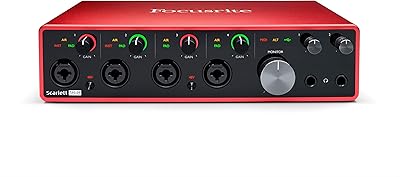
Focusrite Scarlett 18i20 3rd Gen Audio Interface
78%
89%
Preamp Quality
93%
I/O Versatility
67%
Driver Stability
74%
Value for Money
84%
Latency Performance
More
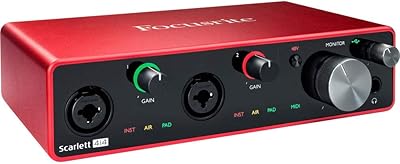
Focusrite Scarlett 4i4 3rd Gen Audio Interface
79%
91%
Preamp Quality
88%
Air Mode
86%
Build Quality
83%
I/O Versatility
82%
Value for Money
More
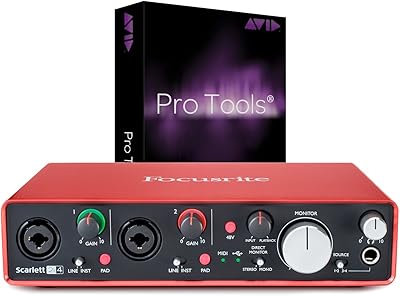
Focusrite Scarlett 2i2 Studio 3rd Gen Bundle
82%
91%
Build Quality
88%
Preamp Quality
93%
Ease of Setup
86%
Driver Stability
83%
Value for Money
More
Focusrite Scarlett 2i4 2nd Gen Audio Interface
77%
88%
Preamp Quality
83%
Build Quality
86%
Value for Money
91%
Ease of Setup
79%
RCA Output Utility
More
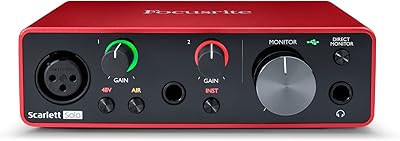
Focusrite Scarlett Solo 3rd Gen
87%
92%
Build Quality
89%
Ease of Setup
91%
Vocal Clarity (Air Mode)
94%
Portability
93%
Value for Money
More
Focusrite Clarett 2Pre USB Audio Interface
83%
93%
Preamp Quality
94%
Noise Floor
67%
Value for Money
82%
Air Mode Performance
71%
Driver Stability
More
Focusrite Clarett 4Pre USB 18-In/8-Out Audio Interface
87%
94%
Audio Quality
91%
Latency
88%
Build Quality
90%
Connectivity
85%
Software Bundle
More
M-Audio M-Track 2X2 USB Audio Interface

76%
84%
Build Quality
76%
Preamp Performance
82%
Ease of Setup
58%
Driver Stability
79%
Value for Money
More
Black Lion Audio Revolution 2x2 Audio Interface
75%
88%
Preamp Quality
91%
Audio Transparency
86%
Clocking Performance
87%
Build Quality
73%
Value for Money
More

FAQ

On Mac, it is class-compliant and will work as soon as you plug it in — no driver installation required. On Windows, Focusrite recommends installing their dedicated drivers for the best low-latency performance, and those are available free from the Focusrite website. The setup process is straightforward and most users are up and running within a few minutes.

No, this audio interface requires the included external power supply to operate — it does not draw power from your computer over USB. If you were hoping to use it on the go with just a laptop, that is a real limitation worth factoring into your decision before buying.

Air mode applies a subtle high-frequency lift and adds a sense of openness and presence to recordings made through the two mic preamps — it is loosely modeled on the character of Focusrite's vintage ISA transformer-based hardware. Whether to leave it on depends entirely on the source: it tends to work well on vocals and acoustic instruments where a bit of brightness and air is flattering, but on already bright sources like certain condenser mics on close-miked guitars, it can tip into harshness. Most users treat it as a toggle they engage when the recording feels a bit flat, rather than a permanent setting.

Only two — the Scarlett 8i6 has two combo XLR/TRS inputs that accept microphones. If you need to record more than two mics simultaneously, you would need to add an external preamp with ADAT output, or consider a larger interface with more built-in preamps.

It is designed primarily for Mac and Windows computers and is not officially supported for use with iPad or Android devices out of the box. While some users have had success using it with certain USB-C iPad Pro models and a powered USB hub, this is not a guaranteed or officially supported configuration, and your mileage may vary depending on the iOS version and hub used.

The interface uses a USB-C connector, so you would need a USB-C to USB-A adapter cable to connect it to an older laptop. Focusrite sells an optional cable for this, and many third-party USB-C to USB-A cables work fine, though it is worth using a good-quality one to avoid any data transfer issues.

You can plug your guitar straight in using either of the two front-panel instrument inputs, which are hi-Z (high impedance) designed specifically for passive guitar and bass pickups. No DI box is needed — the inputs are built to handle the impedance correctly so your tone is preserved.

Direct monitoring — where your signal is fed back to your headphones straight from the interface hardware rather than through your computer — is effectively zero latency. When monitoring through your DAW software, latency depends on your buffer size settings and computer performance, but Focusrite's drivers are well-regarded for keeping latency low on both Mac and Windows. Most users find a buffer size of 64 or 128 samples is workable for real-time recording.

If you are regularly hitting the two-input limit of the 2i2 — finding yourself unable to record multiple sources at once, or wishing you could connect outboard gear and a guitar simultaneously — then this audio interface is a natural and sensible step up. You keep the same Focusrite preamp quality and driver reliability while gaining significantly more routing flexibility. If you only ever use one or two inputs, the upgrade is harder to justify.

Focusrite includes access to their software bundle, which has historically included a version of Ableton Live Lite, Pro Tools | First, and a selection of plug-ins and instruments through their Focusrite Creative Pack. The exact bundle contents can change, so it is worth checking the current offer on the Focusrite website after purchase to register and claim your software.

Where to Buy