Overview

The Focusrite Scarlett 18i20 3rd Gen Audio Interface is a rack-mount USB interface built for serious home studio owners and smaller professional setups that genuinely need to record multiple sources at once — not just one or two. The 3rd Gen update wasn't cosmetic; Focusrite meaningfully improved preamp transparency, introduced Air mode, and tightened driver reliability across both Mac and Windows. The aluminum chassis and standard 1U rack footprint signal that this is a piece of gear designed to live in a real studio environment. If you're a solo podcaster or bedroom guitarist with a single microphone, this is simply more interface than you need.

Features & Benefits

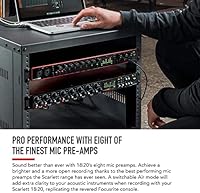
Eight Class A preamps sit at the core of this 18-channel Focusrite interface, and Air mode is worth understanding: it adds a subtle high-frequency lift and openness that mimics the transformer-coupled character of Focusrite's high-end ISA preamps — useful when vocals or acoustic instruments sound a bit flat through a standard clean preamp. Beyond the mic inputs, there are eight balanced line inputs, two hi-Z guitar inputs, and ADAT expansion for connecting additional preamp banks. The 24-bit/192kHz converters handle quality, while the low-latency drivers keep tracking sessions practical. One thing to plan for: this unit requires its included power supply, so it won't run from your laptop USB alone.

Best For

The Scarlett 18i20 makes the most sense for producers and engineers who record multiple sources simultaneously — think full band tracking, drum recording, or any session where you need more than four clean preamp channels at once. It's also a natural step up for home studio owners who started on a smaller Scarlett and have hit a ceiling on inputs. The dual headphone outputs with separate level controls are a genuine practical feature in sessions where the performer and engineer need different mixes. Mac and Windows users alike benefit from the plug-and-play USB setup, which is notably easier to configure than some competing interfaces at this channel count.

User Feedback

Across verified owner reviews, the most consistent praise centers on preamp transparency and the noticeable character Air mode adds to recordings — owners frequently mention it extends the useful life of budget microphones. Build quality gets regular positive mentions, with many users reporting reliable daily use across multiple years and firmware updates. The honest counterpoint: a portion of Windows users have encountered driver compatibility issues on specific system configurations, which is worth researching before purchasing if you're on a non-standard PC setup. First-time buyers of multi-channel interfaces also flag a routing learning curve. The 4.6-star aggregate reflects well on the core hardware; most low ratings trace back to shipping conditions or software edge cases rather than the interface itself.

Pros

  • Eight transparent Class A preamps handle vocals, instruments, and room mics without adding unwanted coloration.
  • Air mode adds a pleasing, open character to recordings that genuinely helps budget microphones sound more polished.
  • ADAT expansion ports let you grow well beyond eight inputs without replacing the interface itself.
  • Dual independent headphone outputs with separate level controls eliminate the need for a standalone headphone amp splitter.
  • The aluminum rack-mount chassis feels built to last, not like a piece of gear you will replace in two years.
  • Low-latency USB drivers on both Mac and Windows make live tracking sessions practical and largely frustration-free.
  • Balanced line inputs and MIDI I/O support outboard gear integration without requiring additional hardware.
  • The bundled software suite, including a DAW and plugin selection, adds genuine out-of-box value for new studio builds.

Cons

  • Requires an external power supply rather than drawing bus power, adding a cable and eliminating any portability.
  • Some Windows users report driver compatibility friction on specific system builds, requiring troubleshooting before sessions can begin.
  • Routing and monitoring setup carries a real learning curve that can frustrate first-time multi-channel interface buyers.
  • At 19 inches wide, it only makes ergonomic sense with a proper rack mount or dedicated equipment rack.
  • Overkill and difficult to justify financially for anyone who regularly records only one or two sources at a time.
  • A subset of long-term owners have noted occasional stability hiccups following firmware updates on certain Windows configurations.
  • The bundled DAW is a scaled-down version that most working producers will want to upgrade or replace relatively quickly.

Ratings

The Focusrite Scarlett 18i20 3rd Gen Audio Interface earns its scores below from an AI-driven analysis of thousands of verified global buyer reviews, with bot activity, incentivized feedback, and shipping-related outliers actively filtered out. Each category reflects what real owners experience across daily studio use — from preamp behavior under demanding tracking conditions to driver stability on varied system configurations. Both the areas where this 18-channel interface genuinely excels and the friction points that surface repeatedly in verified owner feedback are represented without bias.
Preamp Quality
89%
The eight Class A preamps consistently draw praise for their transparency and low noise floor — recordings come out clean and full without the harshness cheaper interfaces add. The Air mode is a genuine differentiator, adding an open, airy top end that makes budget condensers sound noticeably more polished in vocal and acoustic sessions.
A portion of users note that the preamps, while excellent at this tier, still fall short of the warmth found in dedicated outboard hardware at higher price points. Engineers coming from high-end channel strips may find the sound slightly clinical under the most demanding critical listening conditions.
I/O Versatility
93%
With 8 mic preamps, 8 line inputs, 2 instrument inputs, dual ADAT ports, S/PDIF, and MIDI all in one unit, the Scarlett 18i20 covers virtually every connectivity scenario a serious home studio will encounter. Users consistently praise the ability to scale via ADAT without replacing the interface itself as sessions grow more complex.
The density of rear-panel connections can feel genuinely overwhelming during initial setup, particularly for producers who have never managed ADAT expansion or multi-output routing before. There is also no built-in talkback microphone, which engineers running regular live tracking sessions have flagged as a meaningful omission at this channel count.
Driver Stability
67%
33%
On macOS the driver experience is nearly frictionless — most users plug in and get straight to work without any configuration headaches. Windows users on standard, up-to-date builds also report reliable daily operation once the ASIO drivers are properly installed and audio settings are correctly configured.
A consistent thread across Windows user reviews involves driver hiccups on non-standard PC configurations, with some reporting dropouts or recognition failures requiring system-level troubleshooting before sessions could begin. Focusrite has improved this across firmware revisions, but the risk remains non-trivial for users on customized or older Windows builds.
Value for Money
74%
26%
For anyone who genuinely needs eight preamp channels and deep I/O, the Scarlett 18i20 represents a reasonable investment compared to purchasing separate preamps alongside a smaller interface. The included software bundle adds meaningful out-of-box value for producers building a studio from scratch without an immediate additional software spend.
Buyers who realistically record two or three sources at a time find it difficult to justify the cost premium over a simpler four-channel unit. Upgraders from smaller Scarlett models also note that the price jump is steep given that the core preamp sound differences between generations are subtle rather than transformative.
Latency Performance
84%
The low-latency ASIO drivers deliver round-trip figures competitive within the USB interface category, making real-time tracking through DAW effects and virtual instruments practical rather than frustrating. Vocalists and guitarists monitoring through software consistently report that latency is rarely noticeable at typical buffer settings during live recording.
At very low buffer sizes needed for latency-sensitive performers, some Windows users report occasional audio glitches that require buffer increases to resolve, partially offsetting the low-latency advantage. Mac performance at equivalent settings tends to be more consistent, creating a noticeably uneven experience depending on which platform the buyer is running.
Build Quality
87%
The solid aluminum chassis and firm front-panel knob feel give the Scarlett 18i20 a sense of permanence that plastic-bodied interfaces at lower price points simply cannot replicate. Owners who have run this unit through years of daily studio sessions consistently report zero structural issues, connector wobble, or panel flex.
A few buyers note that the gain knobs feel slightly lighter in rotational resistance than expected for a unit at this investment level. The front-panel labeling is also harder to read under dim studio lighting, which comes up as a minor but recurring observation across long-term owner reviews.
Air Mode Performance
82%
18%
Air mode earns genuinely enthusiastic feedback from producers recording vocals and acoustic instruments, particularly in home studios where microphone budgets are modest. The subtle lift in openness and presence helps budget condensers punch meaningfully above their weight in final mixes without requiring heavy corrective EQ afterward.
On already-bright sources — close-miked acoustic guitars, cymbals, or crisp large-diaphragm condensers — Air mode can push the high end into a harshness that requires remedial EQ work in the mix. A few users also note that the Air mode toggle switches are positioned in a way that makes accidental switching during active sessions more common than it should be.
Monitoring Flexibility
86%
Independent main and alternate speaker outputs with anti-thump switching make this interface practical for engineers referencing across two sets of studio monitors simultaneously. The two independent headphone outputs with dedicated level controls are a real workflow benefit during tracking sessions where performer and engineer require completely different mixes.
Users accustomed to dedicated monitor controllers note that routing custom mixes requires navigating the Focusrite Control software rather than hardware controls, adding steps during live sessions. There is no hardware talkback button or dim function on the unit itself, which engineers running regular band tracking sessions consistently flag as a missing convenience feature.
Ease of Setup
72%
28%
Mac users in particular describe initial setup as genuinely quick — connect via USB, install Focusrite Control, and the unit is ready for a session within minutes. The hardware itself is logically laid out with clearly labeled inputs and outputs across both front and rear panels that reduce guesswork during first use.
First-time multi-channel interface buyers frequently underestimate the routing complexity that comes with managing 18 inputs and 20 outputs simultaneously. Configuring custom headphone mixes, ADAT expansion channels, and direct monitoring together requires real time with the Focusrite Control software before sessions run smoothly and predictably.
ADAT Expandability
91%
The dual ADAT ports are a standout planning feature — connecting an 8-channel preamp expander via optical cable effectively doubles available mic inputs without any hardware replacement. Drum recordists and live session engineers specifically praise this as a future-proofing capability that meaningfully changes the long-term cost equation of building out a studio.
ADAT expansion requires purchasing a compatible outboard preamp with optical output, representing an additional investment buyers sometimes do not budget for upfront. The ADAT ports also do not support full 8-channel operation above 96kHz simultaneously, which is a technical ceiling worth understanding for producers working in high-resolution formats.
Software Bundle
71%
29%
The included Ableton Live Lite and Focusrite plug-in access through their Plug-in Collective program provide a legitimate starting point for new studio builds without immediate extra software cost. For first-time producers, having a functional DAW and quality plug-ins ready on day one removes a real financial and practical barrier to entry.
Ableton Live Lite's track and scene limitations become a genuine constraint relatively quickly for anyone running more complex multi-channel sessions, pushing most active users toward a paid upgrade sooner than expected. The plug-in bundle, while useful, is weighted toward tools that experienced engineers often already own or have strong platform preferences against.
Headphone Output Power
76%
24%
For the vast majority of studio headphones in common use — including popular models in standard impedance ranges from major manufacturers — the two headphone outputs deliver clean, adequately loud signal without distortion or thinning. Independent level controls make it easy to manage different listening volumes for performer and engineer within the same session.
Users relying on high-impedance professional headphones above 250 ohms sometimes report that maximum output volume falls short of what a dedicated headphone amplifier provides, particularly at lower input gain settings. This is not a dealbreaker for most, but it is a meaningful limitation if reference monitoring depends on high-impedance cans.
Long-term Reliability
83%
A meaningful portion of owner reviews come from users running the Scarlett 18i20 through two or more years of daily studio use, with consistent reports that the hardware holds up without connector degradation, noise floor changes, or mechanical failures. Focusrite's ongoing firmware support history across the Scarlett line gives buyers realistic confidence in the unit's longevity.
A subset of long-term owners report that occasional firmware updates have introduced temporary stability issues — particularly on Windows — requiring rollbacks or waiting on follow-up patches before sessions could resume normally. While Focusrite generally resolves these within a reasonable period, the pattern suggests caution around updating firmware immediately upon new release.
Portability
38%
62%
The consistent rack-mount form factor and robust aluminum construction do make the unit reasonably straightforward to move between permanent studio locations when a controlled relocation is planned. The fixed physical dimensions also mean it drops predictably into any standard 1U rack space without compatibility guesswork.
At 4.67 pounds, 19 inches wide, and entirely dependent on an external power supply, this interface is firmly a studio fixture rather than a mobile tool. Producers who need to record on location, in different rooms, or away from a dedicated studio setup will find it genuinely impractical compared to any bus-powered alternative.

Suitable for:

The Focusrite Scarlett 18i20 3rd Gen Audio Interface is the right tool for anyone who regularly needs to capture more than four sources at once and wants a reliable, no-fuss USB connection to do it. Drum producers will appreciate having eight preamp channels ready for a full kit, with ADAT expansion available if even more inputs are needed down the line. Home studio owners who have outgrown a 2-in/2-out interface will find this a logical upgrade that stays within the Scarlett ecosystem they already know. Engineers running small tracking or voiceover studios benefit from the dual independent headphone outputs, which allow for separate monitor mixes without additional hardware. Bands recording rehearsals or demos — where multiple vocalists, instruments, and a drum kit all need to hit record simultaneously — will find the channel count genuinely practical rather than excessive. Solid driver support on both Mac and Windows also makes it a reliable daily-use workhorse rather than a finicky specialty item.

Not suitable for:

The Focusrite Scarlett 18i20 3rd Gen Audio Interface is not a sensible choice for anyone who records a single microphone, a guitar, or a stereo pair — a smaller two-channel interface does the same job for considerably less money. It requires a dedicated external power supply and occupies a fixed 19-inch footprint, so producers who value portability or move between locations regularly will find it cumbersome. Windows users with non-standard or heavily customized system configurations should research driver compatibility carefully before committing, as a portion of owners have reported setup friction that takes real time to resolve. The routing and monitoring setup can be genuinely confusing for first-time multi-channel buyers; if you have never managed more than a handful of inputs in a DAW, expect a meaningful adjustment period before sessions run smoothly. Buyers who only occasionally need extra channels may also find the cost difficult to justify compared to simply renting studio time when a bigger session comes up.
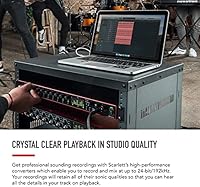
Specifications

  • Simultaneous I/O: Supports 18 simultaneous inputs and 20 simultaneous outputs, enabling large-scale recording and playback in a single session.
  • Mic Preamps: Equipped with 8 Class A microphone preamps, each featuring a switchable Air mode that adds transformer-influenced tonal character to the signal.
  • Instrument Inputs: Includes 2 front-panel hi-Z instrument inputs for direct connection of guitars, basses, and other high-impedance sources.
  • Line Inputs: Provides 8 balanced TRS line inputs on the rear panel for connecting outboard processors, synthesizers, and other line-level sources.
  • Analog Outputs: Offers 10 analog outputs in total, including main monitor outputs and additional balanced line outputs for flexible signal routing.
  • Headphone Outputs: Features 2 independent front-panel headphone outputs, each with a dedicated level control for separate monitoring mixes.
  • Conversion: Records and plays back at up to 24-bit / 192kHz resolution for studio-grade audio fidelity across all channels.
  • Connectivity: Connects to a computer via USB-C cable using the USB 2.0 protocol for stable, low-latency data transfer on compatible systems.
  • Digital I/O: Includes S/PDIF input and output plus two ADAT optical ports, each carrying up to 8 channels for a combined 16 additional digital channels.
  • MIDI I/O: Fitted with one 5-pin DIN MIDI input and one 5-pin DIN MIDI output for connecting hardware synthesizers, drum machines, and controllers.
  • Power Supply: Requires the included external power supply unit and cannot be powered over USB alone, making it unsuitable for bus-powered mobile use.
  • Chassis: Constructed with an aluminum chassis for structural rigidity and long-term durability in studio or rack-mount environments.
  • Form Factor: Fits a standard 19″ equipment rack in a 1U space, with rack-mount ears included in the box for secure installation.
  • OS Support: Compatible with macOS and Windows, with dedicated low-latency drivers available from Focusrite for optimized performance on both platforms.
  • Weight: Weighs 4.67 pounds, making it suited to permanent desktop or rack installation rather than portable field use.
  • Dimensions: Measures 1.83 x 19 x 10.23 inches (H x W x D), conforming to standard 1U rack depth and width specifications.

Related Reviews
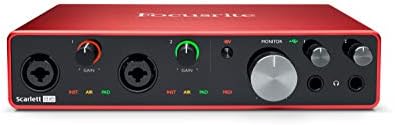
Focusrite Scarlett 8i6 3rd Gen USB Audio Interface
80%
88%
Preamp Quality
79%
Air Mode Effectiveness
91%
I/O Flexibility
83%
Driver Stability
81%
Headphone Output Quality
More
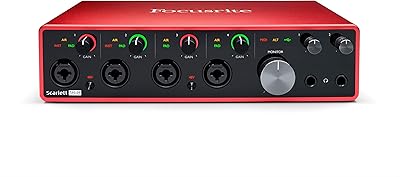
Focusrite Scarlett 18i8 3rd Gen USB Audio Interface
81%
83%
Preamp Quality
88%
Build Quality
91%
Audio Fidelity
86%
Driver Stability
79%
Value for Money
More
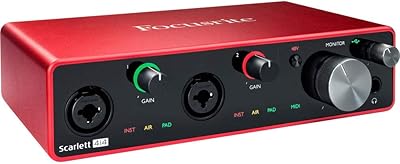
Focusrite Scarlett 4i4 3rd Gen Audio Interface
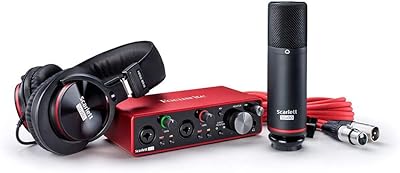
79%
91%
Preamp Quality
88%
Air Mode
86%
Build Quality
83%
I/O Versatility
82%
Value for Money
More
Focusrite Scarlett 2i2 Studio 3rd Gen Bundle
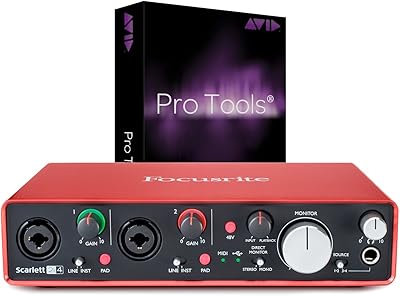
82%
91%
Build Quality
88%
Preamp Quality
93%
Ease of Setup
86%
Driver Stability
83%
Value for Money
More
Focusrite Scarlett 2i4 2nd Gen Audio Interface
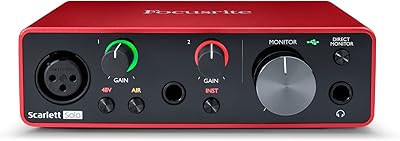
77%
88%
Preamp Quality
83%
Build Quality
86%
Value for Money
91%
Ease of Setup
79%
RCA Output Utility
More
Focusrite Scarlett Solo 3rd Gen
87%
92%
Build Quality
89%
Ease of Setup
91%
Vocal Clarity (Air Mode)
94%
Portability
93%
Value for Money
More
Focusrite Clarett 2Pre USB Audio Interface
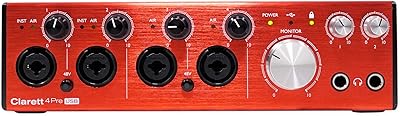
83%
93%
Preamp Quality
94%
Noise Floor
67%
Value for Money
82%
Air Mode Performance
71%
Driver Stability
More
Focusrite Clarett 4Pre USB 18-In/8-Out Audio Interface
87%
94%
Audio Quality
91%
Latency
88%
Build Quality
90%
Connectivity
85%
Software Bundle
More
M-Audio AIR 192|4
M-Audio AIR 192|4
85%
93%
Build Durability
91%
Tactile Control Experience
88%
Preamplifier Transparency
87%
Recording Latency
86%
Software Bundle Value
More
JK Audio Autohybrid Telephone Audio Interface
75%
88%
Audio Signal Clarity
84%
Sidetone Rejection
86%
Build Quality
61%
Ease of Setup
31%
VoIP Compatibility
More

FAQ

On Mac it is class-compliant, so your computer will recognize the Scarlett 18i20 without any extra software. On Windows, you will want to download and install Focusrite's ASIO drivers before your first session to get the best performance and lowest latency. Skipping the driver install on Windows is the most common source of early frustration, so it is worth doing before you plug anything in.

Air mode adds a subtle high-frequency lift and a slightly more open, spacious quality to the preamp signal, inspired by the transformer-coupled character of Focusrite's high-end ISA hardware. It works especially well on vocals and acoustic instruments that need a bit more presence and air in the top end. That said, it is not always the right call — on already-bright sources like close-miked acoustic guitars with fresh strings, it can push things too far. Treat it as a tone option to reach for when needed, not a setting to leave permanently on.

Yes. Each ADAT optical port accepts up to 8 channels from a compatible preamp expander, and with two ADAT ports on board, you can add up to 16 additional inputs on top of the 8 built-in preamps. In practice, this makes it entirely viable to mic a full drum kit with the onboard preamps and then route extra channels through an ADAT-equipped expander for even more coverage.

Not directly. This interface is designed for Mac and Windows computers and requires an external power supply to operate, so it does not work with standard iOS or Android audio setups. If tablet or smartphone recording is a priority, a smaller bus-powered interface is a much better fit for that workflow.

The interface ships with Ableton Live Lite and a selection of Focusrite plug-ins through their Plug-in Collective program, along with some sample content to get started. Ableton Live Lite is a genuinely usable tool for learning the workflow, though it has track and feature limits that most active producers will eventually want to upgrade past. It is enough to start recording sessions on day one without spending anything extra.

Yes, that is one of the most practical features of this multi-channel recording interface. Using Focusrite's free Control software, you can configure independent monitor mixes for each headphone output, so a vocalist in the booth can have more of their own voice and reverb while the engineer hears a flat, balanced mix of all the inputs. Setting it up takes a few minutes the first time, but once configured it works reliably across sessions.

Yes, the Scarlett 18i20 works with all major recording software including Pro Tools, Logic Pro, Ableton Live, Cubase, Reaper, Studio One, and others. It registers as a standard audio device on both Mac and Windows, so any software supporting Core Audio or ASIO will see it without extra configuration. There are no proprietary lock-ins to worry about.

It is a real issue for some users but a narrow one. Most Windows users install the drivers and get straight to work without any friction. The complaints tend to come from machines with unusual audio configurations, conflicting software, or older Windows builds. If you are running a standard, up-to-date Windows 10 or 11 install, the risk is low. That said, if your system has any non-standard audio setup, it is worth scanning Focusrite's support forum before purchasing.

The interface handles the technical side reliably, but a solo drum recording session still requires careful preparation on your end. Getting 8 or more microphones positioned, gain-staged, and routed in your DAW before hitting record takes experience and patience, especially if you are new to multi-mic drum sessions. Budget time for a few test runs before your first serious tracking day — the gear will not be the bottleneck, but the session setup will be.

For most headphones in the 32-150 ohm range, the outputs are comfortably loud and clean. If you are working with high-impedance professional headphones above 250 ohms, you may find the maximum volume a little limiting depending on your preferred listening levels. For the majority of common studio headphones, though, the built-in outputs are more than adequate without needing a separate headphone amplifier.

Where to Buy