Overview

The ZOTAC GTX 1660 6GB Graphics Card sits squarely in the mid-range 1080p gaming space — not a flagship by any stretch, but a card that gets the job done without drama. ZOTAC built a reputation around compact, practical GPU designs, and this one leans hard into that identity: at just 8.5 inches long, it's noticeably shorter than most GTX 1660 variants on the market. The underlying Turing architecture does bring real efficiency improvements over older Pascal cards, though don't expect ray tracing — that's reserved for RTX territory. Launched in 2019, this compact GTX 1660 has aged reasonably well for anyone building or upgrading on a tight budget.

Features & Benefits

Six gigabytes of GDDR5 memory on a 192-bit bus might not sound headline-grabbing, but it's genuinely sufficient for 1080p gaming and light video editing without constant VRAM bottlenecks. The boost clock hits 1785 MHz, keeping frame rates responsive in competitive titles without needing to touch overclocking tools. What really stands out is the super compact form factor — at 8.5 x 1.39 x 4.38 inches, this small-form-factor GPU slides into ITX and mATX cases that would reject a full-length card outright. Output options are generous: three DisplayPort 1.4 ports and one HDMI 2.0b cover multi-monitor setups and HDR displays comfortably. Power draw stays low enough to work with modest PSUs, and the card carries VR-ready and HDR certifications, though demanding 4K gaming remains a stretch for this hardware tier.

Best For

This compact GTX 1660 hits its stride in 1080p gaming rigs. It handles titles like CS2, Valorant, and Fortnite at high settings with consistent, playable frame rates — the kind of performance that makes competitive gaming feel responsive rather than frustrating. For anyone building a small form factor PC, the short card length is practically a selling point in itself; it fits where plenty of alternatives simply don't. It's also a smart upgrade path for anyone still running a GTX 900 or early 1000-series card who wants a noticeable generational bump without spending aggressively. Light streamers and casual video editors working at 1080p will find the dedicated VRAM earns its keep, and multi-monitor desktop users with HDR displays round out the ideal audience here.

User Feedback

Across nearly 2,400 ratings, the ZOTAC 1660 6GB holds a 4.6 out of 5 average — which, at that volume, reflects something well beyond a honeymoon period. Buyers consistently highlight easy installation and the pleasant surprise of the card fitting in compact cases they assumed were too tight. That said, the single-fan cooler is a real consideration worth flagging: under sustained gaming loads it gets audible, and users in warm rooms or poorly ventilated enclosures should factor that in. Temperatures plateau within acceptable ranges for the thermal design, but this isn't a silent card by any measure. Long-term reliability feedback is encouraging overall, with many buyers reporting stable daily use well past initial setup. The one recurring friction point is Linux driver setup, where a subset of users hit configuration hurdles despite the listed official support.

Pros

  • Handles 1080p gaming at high settings in competitive and mainstream titles with consistent, playable frame rates.
  • At just 8.5 inches long, this compact GTX 1660 fits small ITX and mATX cases where most mid-range cards cannot.
  • 6GB of GDDR5 VRAM is genuinely sufficient for 1080p gaming, light editing, and casual streaming without hitting a wall.
  • Low power draw means compatibility with modest PSUs and slim prebuilt chassis — no hunting for a bigger power supply.
  • Three DisplayPort 1.4 outputs make multi-monitor desktop setups straightforward and HDR-ready without adapters.
  • Buyers consistently report easy, plug-and-play installation with minimal setup friction on Windows.
  • The ZOTAC 1660 6GB carries a strong 4.6 out of 5 rating across nearly 2,400 buyers, reflecting durable satisfaction.
  • Meaningful generational upgrade for anyone still on GTX 900-series or early 1000-series hardware.
  • Long-term reliability feedback is encouraging — buyers report stable daily performance well beyond the initial setup period.
  • Dual-slot form factor keeps the build tidy without requiring three slots of clearance in an already tight chassis.

Cons

  • The single fan gets audibly loud under sustained gaming loads — not ideal for noise-sensitive setups or open-desk builds.
  • No ray tracing or DLSS support; this architecture predates those features entirely, and that gap will only widen over time.
  • Linux driver setup has been a genuine headache for a subset of users, despite the card's official Linux 64-bit listing.
  • 1440p and 4K gaming at meaningful quality settings is realistically out of reach — the hardware simply wasn't designed for it.
  • Being a 2019 release, this small-form-factor GPU is aging, and its longevity window for demanding future titles is shortening.
  • Thermals plateau at acceptable but not cool levels — users in warm climates or poor airflow cases should monitor temperatures.
  • No PCIe 4.0 support, which won't matter today but limits forward compatibility on newer platform builds.
  • 6GB of VRAM can become a bottleneck in heavier creative workloads or newer titles with high-resolution texture packs.

Ratings

The ZOTAC GTX 1660 6GB Graphics Card has been evaluated through AI analysis of verified global buyer reviews, with spam, bot-generated, and incentivized feedback actively filtered out to ensure the scores reflect genuine ownership experiences. Ratings span a wide range of real-world scenarios — from competitive 1080p gaming in compact builds to casual streaming and multi-monitor desktop setups — capturing both where this mid-range GPU earns buyer loyalty and where it falls noticeably short. Every score below is grounded in actual user patterns, not manufacturer specifications.

1080p Gaming Performance
83%
Buyers running competitive multiplayer titles like CS2, Valorant, and Fortnite at high settings consistently report smooth, high-frame-rate experiences without needing to touch advanced tuning tools. The 1785 MHz boost clock holds up reliably during extended gaming sessions, and the 6GB VRAM avoids the bottlenecks that plagued older 4GB cards in current game builds.
Newer, more demanding AAA releases from 2022 onward push this card toward its performance ceiling at high settings, requiring quality reductions to maintain frame rate stability. Buyers expecting the card to handle the latest graphically intensive titles without compromise will find the architecture's age increasingly visible over time.
Value for Money
79%
21%
For budget-focused builders entering or refreshing a 1080p gaming setup without spending aggressively, the ZOTAC 1660 6GB delivers a tangible generational jump over GTX 900 and early 1000-series hardware at a price tier that doesn't require compromising on other components. Buyers in that upgrade bracket report feeling the performance improvement clearly in day-to-day gaming.
The value equation weakens for buyers who already own a GTX 1060 6GB or 1660 Super, where the real-world performance delta doesn't justify the cost. As newer-generation mid-range options become increasingly price-competitive, the window where this card represents a strong value-per-dollar pick is narrowing.
Form Factor & Fit
91%
The 8.5-inch card length stands out as the single most praised physical attribute across buyer feedback, with users repeatedly describing successful installations in ITX and compact mATX cases where they assumed no capable GPU would fit. For small form factor PC builders, this is less a nice-to-have and more a defining reason to choose this specific variant.
The compact dimensions inherently constrain the cooling solution to a single fan, a trade-off that buyers need to consciously accept alongside the size benefit. Users who selected an especially cramped enclosure with limited internal airflow reported that the thermal situation was tighter than expected, underscoring that small case selection still matters alongside card dimensions.
Thermal Performance
66%
34%
In well-ventilated cases under typical gaming workloads, temperatures plateau within the card's designed operating range, and most buyers report no thermal throttling or heat-related instability during everyday use. The Turing architecture runs more efficiently than Pascal-era equivalents, which helps keep junction temperatures in check relative to the performance output being delivered.
The single-fan cooler has a clear ceiling: buyers in warm climates, poorly ventilated cases, or tight ITX enclosures with restricted internal airflow consistently report temperatures that run higher than they would prefer during sustained gaming. For summer gaming sessions or hot rooms, this card warrants active temperature monitoring and careful case planning.
Noise Level
61%
39%
During idle, light desktop work, and video playback, the single fan is quiet enough to be ignored — a genuinely pleasant experience for buyers using the machine primarily for browsing, productivity, or occasional light gaming where fan spin-up stays modest. The card stays inaudible for a meaningful portion of typical daily computer use.
Under sustained gaming loads, the fan becomes clearly and consistently audible — a pattern reported by buyers across different case types, desk configurations, and room sizes. Users who game for multiple hours in quiet rooms, or who keep the PC on their desk at eye level, routinely identify fan noise as the card's most noticeable real-world compromise.
Installation & Setup
88%
On Windows-based systems, buyers across all experience levels — including first-time GPU upgraders — describe the installation process as quick, clean, and free of surprises. NVIDIA's driver installer handles the heavy lifting, and most users report being up and running within minutes of physically seating the card and connecting the display cable.
The smooth installation experience is specific to Windows and does not transfer reliably to Linux. A notable portion of Linux users report needing manual driver configuration, dependency resolution, or distribution-specific workarounds — an experience that stands in stark contrast to what Windows buyers describe.
Build Quality
77%
23%
The card feels physically solid for its size and price class, with a sturdy PCIe retention bracket and consistent manufacturing tolerances across buyer purchase batches. It seats cleanly into motherboards without the flex or alignment issues occasionally reported on budget cards from less established brands.
ZOTAC's utilitarian design approach means no backplate, no RGB, and no premium finishing — which performance-focused buyers typically don't care about but may disappoint those expecting a more polished aesthetic. A small segment of buyers noted minor cosmetic inconsistencies on arrival, though functional hardware defects were cited only rarely.
Display Connectivity
86%
Three DisplayPort 1.4 outputs and one HDMI 2.0b port give this compact GTX 1660 an output configuration that rivals much pricier cards, making it genuinely practical for multi-monitor productivity desks, HDR-capable displays, and home theater setups without needing dongles or adapters. Buyers running dual or triple-monitor desktop environments report consistently clean signal output.
The HDMI 2.0b rather than 2.1 limits bandwidth headroom for buyers hoping to drive a high-refresh-rate TV at elevated resolutions from a living room setup. This is a minor limitation for the majority of users but a real one for buyers specifically targeting a home theater PC configuration with a modern display.
Power Efficiency
84%
The GTX 1660's power profile pairs well with modest 450W power supplies, and buyers upgrading from older, higher-draw GPUs frequently mention a noticeable reduction in system power draw during gaming. This efficiency makes the card a practical fit for slim prebuilts and aging tower PCs with factory power supplies that couldn't safely accommodate a more power-hungry alternative.
Despite the low overall power draw, the card still requires a PCIe power connector, which catches some buyers off guard — particularly those upgrading from very old entry-level cards or operating inside prebuilt systems with non-standard internal cabling. Connector availability should be confirmed before purchasing in those scenarios.
Linux Compatibility
51%
49%
Official Linux 64-bit support is listed and the card is capable of functioning under Linux using NVIDIA's proprietary driver stack. For experienced Linux users comfortable with manual driver installation and command-line configuration, getting the system operational is achievable and not fundamentally impossible.
For buyers expecting the same plug-and-play simplicity they get on Windows, Linux compatibility is a genuine pain point. Configuration hurdles, kernel-version-specific inconsistencies, and dependency conflicts on certain distributions are recurring themes in buyer feedback, earning Linux support one of the lowest satisfaction scores across all evaluated categories.
Longevity & Reliability
82%
18%
Long-term ownership feedback is encouraging: a meaningful share of buyers describe stable, consistent daily performance well past the one-year mark without frame rate degradation or recurring driver instability. The Turing architecture's thermal efficiency appears to contribute to sustained electrical stability, supporting the card's reputation as a dependable daily driver over time.
As the card continues aging, NVIDIA's driver support will eventually transition to legacy status, which may create compatibility friction with future operating system versions or game client updates. Buyers planning to retain a system for four or more years should factor that eventual deprecation timeline into their purchase decision now.
Content Creation
69%
31%
For casual creators editing 1080p video or running a live stream, the 6GB of VRAM provides a meaningful buffer over integrated graphics, and NVENC hardware encoding visibly reduces CPU load during streaming sessions. Buyers editing shorter 1080p timelines in DaVinci Resolve or Premiere Pro report generally smooth playback without persistent VRAM warnings.
Heavier workloads — 4K timelines, GPU-accelerated compositing, or multi-layer effects in demanding creative applications — push the card's VRAM ceiling and compute limits in ways that produce slowdowns and preview stuttering. This card supports content creation in a supplementary capacity, not as a reliable dedicated workstation solution.
VR Readiness
64%
36%
The card clears the baseline hardware requirements for entry-level VR headsets and handles less graphically intensive VR experiences at acceptable performance levels. Buyers using first-generation or mid-range headsets for casual VR applications report a functional experience that justifies the VR-ready certification for lighter use cases.
More demanding VR titles and higher-fidelity headsets quickly expose the card's performance headroom limitations, leading to resolution compromises and frame rate instability. By current VR standards, this card represents a marginal rather than a comfortable VR option, and buyers who prioritize VR gaming specifically should plan around that ceiling.
Driver Stability (Windows)
87%
On Windows 10 and Windows 11, buyers consistently describe the driver experience as stable and low-maintenance, with NVIDIA's regular update cadence keeping the card well-supported for mainstream gaming across a broad library of titles. Long-term users report clean update processes without recurring rollback requirements or persistent system instability.
A small segment of buyers encountered minor driver conflicts following major Windows feature updates, typically resolved through a clean reinstall using Display Driver Uninstaller. These incidents are infrequent but suggest buyers who prefer a fully hands-off driver experience may occasionally need to intervene after large OS updates.
Multi-Monitor Support
78%
22%
The four-output configuration handles dual and triple-monitor productivity setups cleanly, and DisplayPort 1.4 ensures compatibility with modern high-resolution monitors without bandwidth compromises. Home office users working across two or three screens report a stable, flicker-free experience with no signal irregularities under typical workloads.
Attempting high-frame-rate gaming across three simultaneous displays taxes the GPU significantly beyond what this card's compute budget can comfortably sustain, leading to frame rate drops and quality compromises. This card is well-suited to multi-monitor desktop productivity use but should not be selected primarily for multi-panel gaming configurations.

Suitable for:

The ZOTAC GTX 1660 6GB Graphics Card is a strong match for everyday PC gamers who primarily play at 1080p and don't need the latest cutting-edge hardware to enjoy their library. If you're running competitive titles like CS2, Valorant, or Fortnite, or working through a backlog of older AAA games, this card delivers the consistent frame rates those experiences demand without overbuilding your setup. It's especially well-suited to small form factor builders — the 8.5-inch card length is genuinely rare at this performance tier and opens up ITX and compact mATX builds that most mid-range GPUs simply can't fit into. Users upgrading from GTX 900-series or early Pascal cards will feel a real, tangible performance improvement in day-to-day use. Casual content creators who edit or stream at 1080p will also appreciate having 6GB of dedicated VRAM on hand, which keeps those workflows from stalling in ways integrated graphics never could.

Not suitable for:

Buyers chasing 1440p or 4K gaming performance at high settings should look elsewhere — while this small-form-factor GPU technically supports display outputs up to that resolution, its memory bandwidth and raw compute power aren't built for that workload, and the experience will disappoint. Hardcore enthusiasts who want ray tracing, DLSS, or any of the modern rendering features tied to RTX-class hardware won't find them here; the GTX 1660 predates those capabilities entirely. If you're in a hot room, run a poorly ventilated case, or are particularly sensitive to fan noise, the single-fan cooling design is a real drawback — it works, but it gets audible under sustained load and won't keep up as gracefully as a dual-fan card in thermally challenged environments. Linux users should also proceed with some caution: official support is listed, but driver setup has been a friction point for a meaningful share of buyers, and troubleshooting that experience requires patience. Anyone who needs the absolute newest architecture or plans to run demanding workstation software would be underserved by a card that launched in 2019.

Specifications

  • GPU Model: Built on the NVIDIA GeForce GTX 1660, a Turing-generation chip positioned for reliable 1080p gaming performance.
  • Architecture: Uses NVIDIA's Turing architecture, which delivers meaningful efficiency and shader improvements over the previous Pascal generation.
  • VRAM: Equipped with 6GB of GDDR5 memory, sufficient for 1080p gaming, casual video editing, and light creative workloads.
  • Memory Bus: Runs on a 192-bit memory bus, balancing memory bandwidth with the card's compact power and thermal constraints.
  • Boost Clock: Reaches a factory boost clock of 1785 MHz, enabling responsive frame rates in mainstream titles without requiring manual overclocking.
  • Form Factor: Classified as a Super Compact single-fan design, engineered specifically for small form factor systems with limited internal clearance.
  • Card Length: Measures 8.5 inches in length, making it shorter than most mid-range GPU alternatives and compatible with compact ITX and mATX enclosures.
  • Dimensions: Full physical dimensions are 8.5 x 1.39 x 4.38 inches, occupying a standard dual-slot footprint on the motherboard.
  • Slot Width: Occupies two expansion slots, leaving adjacent slots accessible for other components in most standard motherboard configurations.
  • Weight: Weighs 2.2 pounds, light enough to avoid placing undue stress on PCIe slot retention brackets in typical builds.
  • Display Outputs: Provides three DisplayPort 1.4 connectors and one HDMI 2.0b port, supporting up to four simultaneous display connections.
  • Max Resolution: Officially supports display output up to 7680x4320, though gaming at that resolution is far beyond this card's practical performance capability.
  • HDR Support: Supports HDR output through its HDMI 2.0b and DisplayPort 1.4 connections when paired with an HDR-capable monitor or display.
  • VR Support: Carries a VR-ready certification, making it compatible with entry-level VR headsets under standard usage and system configurations.
  • OS Compatibility: Officially supports Windows 10 and Windows 7 (64-bit) as well as Linux 64-bit, with Linux requiring additional driver configuration in some cases.
  • Model Number: Identified by model number ZT-T16600K-10M, which can be used to verify warranty registration and compatibility documentation directly with ZOTAC.

Related Reviews
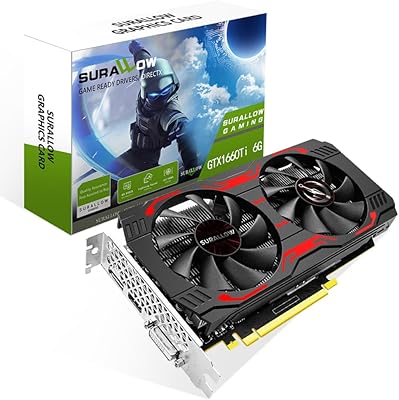
SURALLOW GTX 1660 Ti 6GB Graphics Card
69%
78%
1080p Gaming Performance
61%
Value for Money
74%
Thermal Management
83%
Noise Level
57%
Build Quality
More
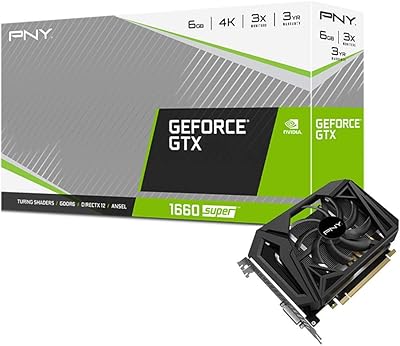
PNY GTX 1660 Super 6GB Graphics Card
74%
88%
1080p Gaming Performance
83%
Value for Money
61%
Thermal Management
79%
Build Quality & Durability
92%
Installation & Compatibility
More
ASUS TUF GTX 1660 Super 6GB GPU
79%
88%
1080p Gaming Performance
86%
Thermal Management
83%
Fan Noise & Acoustics
91%
Build Quality
79%
Value for Money
More
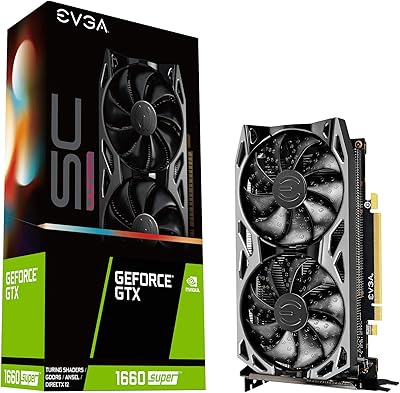
EVGA GTX 1660 Super SC Ultra GPU
81%
88%
1080p Gaming Performance
57%
1440p Gaming Performance
83%
Thermal Management
86%
Noise Levels
62%
VRAM Adequacy
More
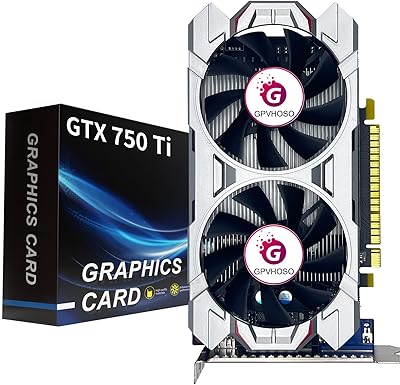
GPVHOSO GTX 750Ti 4GB Graphics Card
75%
71%
Value for Money
52%
Gaming Performance
89%
Power Efficiency
81%
Multi-Monitor Support
86%
Installation Ease
More
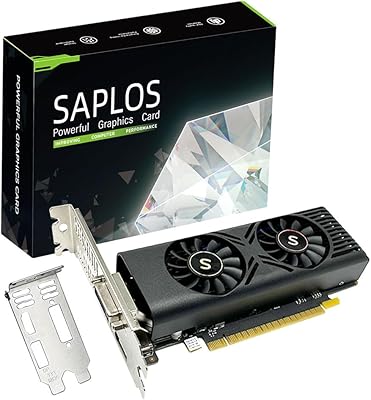
SAPLOS GTX 1050 4GB Graphics Card
77%
83%
Value for Money
61%
Gaming Performance
93%
Installation Ease
78%
Cooling & Noise
86%
Multi-Monitor Support
More
ZOTAC GeForce GTX 1060 Mini 6GB GDDR5
85%
87%
Performance in Gaming
94%
Compactness for Small Builds
92%
Value for Money
85%
VR Readiness
70%
4K Gaming Performance
More
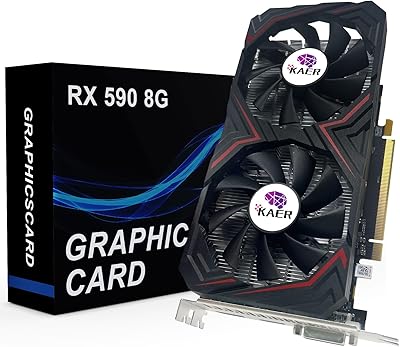
KAER RX590 8GB Graphics Card
70%
71%
1080p Gaming Performance
63%
Value for Money
74%
Thermal Performance
69%
Fan Noise
83%
Driver & Software Support
More
SRhonyra GTX 1050 Ti 4GB Graphics Card
74%
91%
Multi-Monitor Output
87%
Setup & Installation
83%
Driver Stability
71%
Resolution Performance
78%
Thermal Performance
More
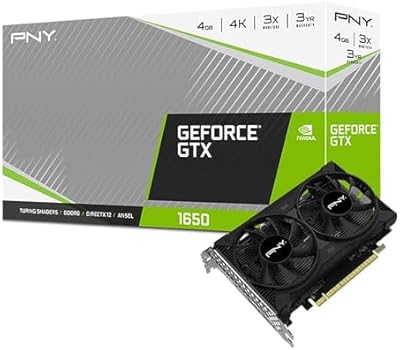
PNY GeForce GTX 1650 4GB GDDR6 Graphics Card
85%
87%
Gaming Performance (1080p)
92%
Value for Money
84%
Cooling & Thermals
90%
Setup & Installation
82%
Noise Levels
More

FAQ

Most likely yes — at 8.5 inches long, this compact GTX 1660 is built with tight builds in mind. That said, always check the maximum GPU length your specific case supports before ordering, since a handful of ultra-compact ITX enclosures restrict cards to less than 8.5 inches. The card occupies two slots, so confirm you have two free expansion bays as well.

In terms of raw gaming performance, there's no real difference — the chip, VRAM, and clock speeds are the same. Where this small-form-factor GPU stands apart is physical size: it's designed for cases where a full-length or dual-fan variant simply won't fit. The trade-off is that a single-fan cooler runs warmer and louder under sustained load than a dual-fan alternative would.

A reliable 400W to 450W PSU is sufficient for most builds pairing this card with a mainstream processor. The GTX 1660 has a modest TDP for its performance class and typically requires a single 8-pin PCIe power connector, so make sure your PSU has one available. Stick to reputable PSU brands — wattage ratings from low-quality units can be misleading and cause instability.

Yes, comfortably for most of today's library. Competitive multiplayer titles like CS2, Valorant, and Fortnite run well above 60fps at high settings. Newer, more demanding AAA titles from the last couple of years may need some quality settings dialed back to maintain smooth performance, but for the vast majority of 1080p gaming, this card holds up well.

Under light desktop use it's quiet, but during sustained gaming sessions the single fan becomes noticeable — especially in warmer rooms or cases with limited airflow. It won't overpower your game audio, but it's audible from a normal desk distance. If fan noise bothers you, positioning the PC inside a desk enclosure helps, or consider a dual-fan GTX 1660 variant if case space allows.

Yes. Three DisplayPort 1.4 outputs and one HDMI 2.0b port technically support up to four displays at once. For a multi-monitor productivity or media desktop setup, this works without issue. Running a triple-display gaming setup is a different matter — the GPU isn't tuned for that kind of rendering workload — but for general desktop use across multiple screens, it handles the job.

It launched in 2019, so honesty matters here: it's a mature product, not a cutting-edge one. For someone building or upgrading on a tighter budget who games primarily at 1080p — especially in a compact case where newer mid-range cards may not physically fit — it still makes practical sense. If your budget stretches to a newer-generation option, that's always worth considering, but this card isn't obsolete for its intended use case.

No to both. The GTX 1660 sits below the RTX tier within NVIDIA's Turing lineup, which means it lacks the dedicated RT cores for hardware ray tracing and does not support DLSS. If either of those features matters to you, you'd need to step up to an RTX-series card.

Yes, reasonably so at 1080p. Turing-architecture cards include NVIDIA's NVENC hardware encoder, which offloads encoding from your CPU during a stream — a real practical advantage over older GPU generations. Most streamers running at 1080p60 will find the ZOTAC 1660 6GB handles simultaneous gaming and streaming without the kind of CPU thrashing older software-encode setups required.

The card works under Linux — NVIDIA provides proprietary drivers that cover it — but the setup experience isn't as smooth as on Windows. A meaningful share of buyers have reported needing extra configuration steps depending on their distribution and kernel version. If you're comfortable with Linux driver installation, you'll get there; if you're newer to Linux gaming, budget some extra troubleshooting time before expecting a plug-and-play experience.

Where to Buy