Overview

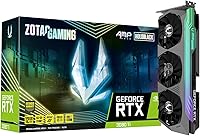
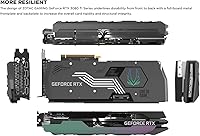
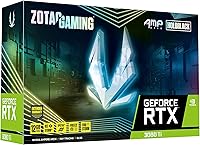
The ZOTAC RTX 3080 Ti AMP Holo GPU sits firmly at the top of the consumer GPU market, built for enthusiasts who refuse to settle for less than peak performance. ZOTAC has earned a steady reputation as a dependable NVIDIA board partner, and the AMP Holo represents one of their more ambitious custom designs. Before ordering, measure your case carefully — at 12.12 inches long and nearly six pounds, physical fitment is a real concern that catches builders off guard more often than you'd expect. Power demands are serious too, so a high-wattage PSU is non-negotiable. This card launched alongside competing AIB designs from ASUS, MSI, and Gigabyte, holding its own through aggressive cooling and a distinctly bold aesthetic.

Features & Benefits

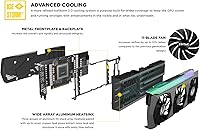
What makes this high-end NVIDIA board technically compelling starts with its memory setup — 12GB of GDDR6X running at 19 Gbps across a 384-bit bus means textures load quickly and high-resolution scenes rarely bottleneck on bandwidth. The IceStorm 2.0 cooling system uses three fans that spin down completely at idle, which keeps things surprisingly quiet during light desktop use, and under load they handle thermals effectively without becoming intrusive. NVIDIA's Ampere architecture brings second-generation ray tracing cores and third-generation tensor cores, translating to noticeably better in-game lighting and faster AI-assisted upscaling via DLSS. Four display outputs — including HDMI 2.1 — cover everything from 8K single-monitor setups to demanding multi-display configurations.

Best For

The AMP Holo is squarely aimed at 4K gaming enthusiasts who want high, stable frame rates in demanding titles without constantly hitting a performance wall. It's also a capable workhorse for content creators — video editors, 3D artists, and anyone running GPU-accelerated workflows will appreciate the memory bandwidth headroom and tensor core acceleration that speeds up AI-assisted tools. High-resolution VR users will find this card handles immersive environments without hesitation. Builders who care about presentation will love the HoloBlack finish and SPECTRA 2.0 RGB in a windowed case. That said, casual 1080p gamers or anyone with lighter workloads will find this level of hardware significantly exceeds what they actually need day to day.

User Feedback

Owners of this ZOTAC Ampere card are broadly satisfied, with the card sitting at a 4.1-star average across more than 160 ratings. Thermal performance earns consistent praise — buyers report well-controlled temperatures during extended sessions, and the fan-stop feature is a quiet bonus during everyday desktop work. The SPECTRA RGB software divides opinion; some find it intuitive, while others report that syncing it with third-party RGB ecosystems takes more patience than it should. The most repeated complaint is card length — at over 12 inches, smaller mid-tower cases may simply not accommodate it without modification. A few users also mention occasional driver quirks, though the general consensus describes them as minor inconveniences rather than serious reliability concerns.

Pros

  • Handles 4K gaming at high frame rates across demanding modern titles without hitting consistent performance walls.
  • IceStorm 2.0 cooling keeps thermals well in check during long sessions without excessive fan noise.
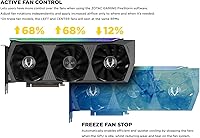
  • FREEZE Fan Stop makes the card completely silent during light desktop use or low-load tasks.
  • 12GB of fast GDDR6X memory provides real headroom for high-resolution textures and GPU-accelerated creative applications.
  • Four display outputs including HDMI 2.1 make multi-monitor and 8K setups straightforward to configure.
  • Second-generation ray tracing cores produce noticeably more convincing in-game lighting in supported titles.
  • DLSS support via third-generation tensor cores delivers meaningful frame rate boosts with minimal visual quality loss.
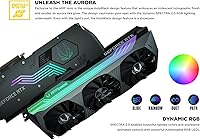
  • HoloBlack design with lighted metal backplate looks genuinely premium inside a windowed case.
  • PCIe 4.0 interface and 19 Gbps memory speed keep bandwidth from becoming a bottleneck in intensive workflows.
  • ZOTAC's board partner track record adds reasonable confidence in production quality and warranty support.

Cons

  • At over 12 inches long, the card simply will not fit in many mid-tower and compact cases without modifications.
  • SPECTRA 2.0 RGB software frustrates users trying to sync lighting with third-party ecosystems like Corsair or ASUS Aura.
  • The card draws substantial power, requiring a high-wattage PSU that adds meaningful cost to the overall build.
  • Some users report occasional driver-related quirks that require troubleshooting, though serious failures appear rare.
  • At nearly six pounds, poor case support rails or a flimsy PCIe slot can cause long-term sag concerns.
  • Overclocking ceiling is modest relative to what some competing AIB designs with more aggressive VRM layouts offer.
  • The premium positioning means buyers in markets where GPU prices have normalized may find the value case harder to make.
  • RGB software lacks the polish of first-party solutions, with a steeper learning curve than the hardware quality implies.

Ratings

The scores below for the ZOTAC RTX 3080 Ti AMP Holo GPU were generated by our AI system after analyzing verified purchase reviews from buyers worldwide, with spam, bot-submitted, and incentivized feedback actively filtered out before scoring. Each category reflects the honest distribution of real owner experiences — strengths and frustrations weighted equally — so you get a transparent picture of where this card genuinely delivers and where it falls short.

Gaming Performance
93%
Owners running demanding titles at 4K resolution consistently report smooth, high-frame-rate experiences even with ray tracing enabled — something mid-range cards simply cannot sustain. The performance headroom means settings rarely need to be dialed back, which is exactly what enthusiast gamers are paying for.
A small number of users note that the performance advantage over slightly less expensive AIB alternatives narrows more than expected in CPU-bound scenarios, making the gap feel less pronounced in those specific use cases.
Cooling Efficiency
88%
The IceStorm 2.0 triple-fan setup keeps GPU temperatures well-controlled during extended gaming and rendering sessions, with owners frequently noting that the card runs cooler than they anticipated given how hard the GPU is being pushed. The thermal headroom also gives the boost clock room to sustain itself consistently.
Under sustained workloads in poorly ventilated cases, some users report temperatures climbing higher than expected, suggesting the cooler benefits significantly from good overall case airflow rather than performing well in isolation.
Noise Level
84%
The FREEZE Fan Stop feature earns genuine appreciation from owners who value a quiet desktop environment — at idle the card is completely silent, which makes a real difference during browsing, video playback, or light productivity work. Under gaming load, fan noise remains acceptable and non-intrusive for most users.
At peak sustained load — particularly during long rendering jobs — a portion of reviewers describe the fan noise as noticeable enough to be mildly distracting in a quiet room, especially compared to some competing AIB designs with thicker heatsink stacks.
Build Quality
86%
The metal frontplate, lighted metal backplate, and overall chassis rigidity receive consistent praise from builders who have handled multiple GPU generations. The card feels substantial and premium in hand, and the backplate in particular stands out as a meaningful upgrade over plastic alternatives.
The card's weight, approaching six pounds, creates genuine concern around long-term PCIe slot stress for owners who do not use a support bracket, and a few reviewers note that the fit and finish of the shroud, while good, does not quite reach the level of premium AIB competitors at a similar price point.
Physical Size & Fitment
61%
39%
Buyers who planned ahead and verified case clearance before purchasing report no fitment issues and appreciate the triple-slot cooler footprint as a reasonable trade-off for the thermal performance it enables in large full-tower builds.
At over 12 inches in length and occupying three slots, this is one of the most commonly cited pain points in owner reviews — a meaningful share of buyers discovered fitment problems only after receiving the card, requiring case swaps or returns. Compact and mid-tower owners in particular need to verify clearance numbers carefully before committing.
RGB Lighting
74%
26%
The SPECTRA 2.0 implementation looks genuinely impressive in windowed cases, with the lighted backplate adding a layer of visual depth that pure shroud lighting cannot match. Owners who keep lighting within ZOTAC's own ecosystem report reasonably smooth control over effects and color customization.
Cross-ecosystem RGB synchronization is a recurring frustration — users trying to integrate the card into Corsair, ASUS, or MSI lighting setups describe the process as inconsistent and sometimes unreliable even after following official guidance. The software itself is also described as less polished than competing solutions.
Driver Stability
76%
24%
The majority of long-term owners report stable day-to-day operation without driver-related interruptions, and NVIDIA's driver update cadence means known issues tend to get patched within a reasonable timeframe for most users.
A noticeable minority of reviewers mention isolated driver conflicts, particularly after major Windows updates or when running niche applications outside mainstream gaming, and ZOTAC's own software layer occasionally adds a layer of troubleshooting complexity on top of standard NVIDIA driver issues.
Content Creator Performance
89%
GPU-accelerated rendering, video encoding, and AI-assisted workflows benefit substantially from the combination of fast GDDR6X memory bandwidth and third-generation tensor cores — owners using tools like Blender, DaVinci Resolve, and Premiere Pro report tangible time savings compared to previous-generation hardware they upgraded from.
Professional workstation users note that this remains a consumer-grade card without the error-correcting memory or certified driver stack found in dedicated workstation GPUs, which limits its suitability for certain high-stakes production environments where stability guarantees matter more than raw throughput.
VR Readiness
91%
Owners running high-resolution VR headsets report a noticeably smoother and more immersive experience compared to mid-range hardware, with the card handling reprojection and frame timing well even in graphically intensive VR titles. The HDMI 2.1 output also simplifies connectivity for newer headset models.
Very few complaints specifically target VR performance; the main friction points raised by VR-focused owners relate to physical cable management around the large card rather than any GPU-side limitation.
Display Versatility
87%
Four independent display outputs covering both DisplayPort 1.4a and HDMI 2.1 give users genuine flexibility to run mixed monitor configurations — high-refresh gaming displays alongside color-accurate reference monitors, or multi-panel productivity setups — without any need for active adapters in most real-world scenarios.
A small number of users report occasional handshake issues with certain monitors at high refresh rates over specific cable types, though these appear to be isolated edge cases rather than a systematic flaw.
Value for Money
67%
33%
For buyers who specifically need the performance ceiling this card provides at 4K or in GPU-intensive professional workflows, the AMP Holo delivers enough capability to justify its position in the premium segment when weighed against what it actually enables.
As the GPU market has normalized and newer architectures have arrived, some owners feel the price-to-performance ratio has aged less gracefully than expected, particularly when comparing it to what competing AIB alternatives or newer-generation mid-range cards now offer at lower price points.
Multi-Monitor Support
85%
Running three or four displays simultaneously works reliably across a range of configurations, and owners using the card for trading workstations, creative suites, or immersive gaming panoramas report consistent output stability across all connected displays.
A handful of users note that enabling four simultaneous displays occasionally requires driver-level adjustments, and the configuration process is not always as straightforward as the hardware specification implies for non-technical buyers.
Overclocking Headroom
63%
37%
The factory boost clock configuration leaves the card in a well-tuned state out of the box, and buyers who simply want reliable performance without manual tweaking will find the default settings genuinely adequate for sustained gaming and workloads.
Dedicated overclockers report limited additional headroom beyond the factory tune, with thermal and power limit headroom described as tighter than competing AIB designs that ship with more aggressive VRM configurations — this card is clearly optimized for stability over peak clock ceiling.
Software Ecosystem
58%
42%
ZOTAC's SPECTRA and monitoring utilities cover the basic use cases for owners who want simple lighting adjustments and GPU telemetry without installing third-party tools, and the interface is functional enough for non-technical users making light customizations.
Compared to the software ecosystems of MSI, ASUS, or Gigabyte at a similar tier, ZOTAC's software stack is widely described as less refined, slower to update, and more prone to quirks that require workarounds — a consistent complaint across multiple owner reviews spanning different build configurations.

Suitable for:

The ZOTAC RTX 3080 Ti AMP Holo GPU is the right call for enthusiasts who are building or upgrading a high-performance rig specifically around 4K gaming or GPU-intensive creative work. If you spend serious time in titles that push ray tracing hard, or you want fluid high-refresh gameplay at 4K resolution without compromising visual settings, this card delivers the headroom to do exactly that. Content creators — particularly those doing 3D rendering, video encoding, or working with AI-accelerated tools — will find the combination of raw compute power and fast memory bandwidth genuinely useful in day-to-day production workflows. Multi-monitor users and those running high-resolution VR headsets also fit squarely in the target audience, since the output flexibility and performance ceiling handle demanding display configurations without breaking a sweat. Builders who care about aesthetics and want a visually impressive card with functional RGB in a windowed case will appreciate the HoloBlack design and the lighted metal backplate, which adds a premium finish that cheaper cards simply do not match.

Not suitable for:

The ZOTAC RTX 3080 Ti AMP Holo GPU makes very little practical sense for anyone gaming at 1080p or even mainstream 1440p, where far less expensive cards handle those resolutions comfortably and the performance gap narrows to the point where the investment is hard to justify. Buyers working with compact or mid-tower cases need to measure carefully before purchasing — at over 12 inches long and close to six pounds, this card will not fit in a large share of smaller enclosures without significant hassle or case swapping. Anyone on a tight power budget should also think twice, since running this GPU properly requires a high-capacity PSU, which adds to the total build cost. If RGB lighting and premium aesthetics are irrelevant to you and you simply want raw performance per dollar, competing AIB designs may deliver a more pragmatic value equation depending on current market pricing. Finally, users who prefer extensive manual overclocking and tweaking may find the AMP Holo oriented more toward factory-tuned reliability than enthusiast-level clock ceiling exploration.

Specifications

  • GPU Model: The card is built on the NVIDIA GeForce RTX 3080 Ti, part of the Ampere architecture generation.
  • Video Memory: 12GB of GDDR6X memory provides fast, high-capacity frame buffer storage suited to 4K and memory-intensive creative workloads.
  • Memory Bus: The 384-bit memory bus width allows substantial data throughput between the GPU cores and video memory.
  • Memory Speed: Memory operates at 19 Gbps, delivering strong bandwidth for texture-heavy and high-resolution rendering scenarios.
  • Boost Clock: The GPU boost clock reaches up to 1710 MHz under load, governing real-time rendering performance in games and applications.
  • Interface: The card uses a PCIe 4.0 interface, ensuring compatibility with modern motherboards while maximizing available bandwidth.
  • Display Outputs: Four video outputs are included: three DisplayPort 1.4a ports and one HDMI 2.1 port for broad display compatibility.
  • Max Resolution: The card supports a maximum digital output resolution of 7680x4320, commonly referred to as 8K.
  • Dimensions: The card measures 12.12 x 5.2 x 2.5 inches, making it a large triple-slot design that requires careful case planning.
  • Weight: At 5.65 pounds, this is a heavy card that may benefit from a GPU support bracket to prevent PCIe slot stress over time.
  • Cooling System: IceStorm 2.0 triple-fan active cooling is used, with FREEZE Fan Stop technology that halts all fans at idle for silent operation.
  • RGB Lighting: SPECTRA 2.0 addressable RGB lighting is integrated across the card body, accompanied by a lighted metal backplate.
  • Ray Tracing: Second-generation RT cores are built into the GPU die, accelerating real-time ray tracing effects in supported titles.
  • Tensor Cores: Third-generation tensor cores handle AI inference tasks including DLSS upscaling and other machine-learning-accelerated features.
  • DirectX Support: The card supports DirectX 12 Ultimate, enabling access to the full suite of modern rendering features on Windows.
  • OpenGL Version: OpenGL 4.6 support is included, relevant for professional applications and legacy workloads that depend on the OpenGL API.
  • VR Compatibility: The card is certified VR Ready, meeting the hardware requirements for high-resolution, low-latency virtual reality headsets.
  • OS Requirement: Windows 10 64-bit at build 2004 or later is required for full driver and feature support.
  • Model Number: The official ZOTAC model identifier is ZT-A30810F-10P, useful for cross-referencing warranty and driver documentation.
  • Manufacturer: ZOTAC is the AIB (add-in board) partner responsible for the custom design, cooling solution, and product warranty on this card.

Related Reviews
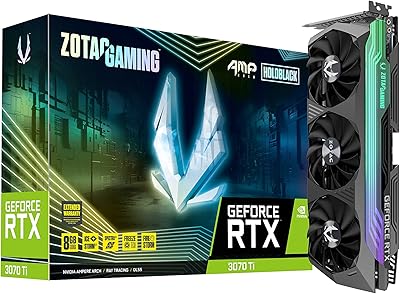
ZOTAC GeForce RTX 3070 Ti AMP Holo Graphics Card
81%
88%
Gaming Performance
91%
Cooling Efficiency
86%
Noise Levels
93%
Build Quality
84%
Thermal Management
More
ZOTAC RTX 5060 Ti 8GB Graphics Card
82%
88%
Gaming Performance at 1440p
58%
VRAM Capacity & Future-Proofing
83%
DLSS 4 & AI Feature Effectiveness
86%
Thermal Performance & Cooling
91%
Noise Levels & Idle Behavior
More
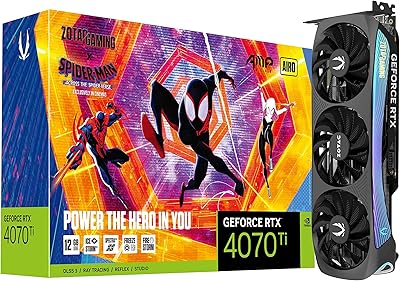
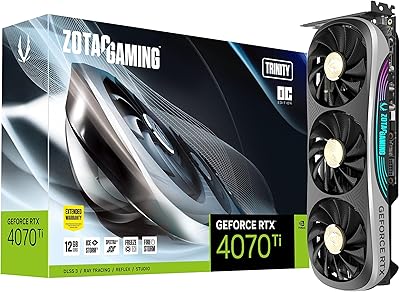
ZOTAC Gaming GeForce RTX 4070 Ti AMP AIRO
88%
94%
Gaming Performance
91%
Cooling Efficiency
89%
Ease of Installation
88%
Noise Levels
92%
Build Quality
More
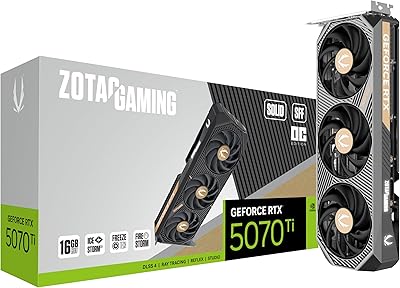
ZOTAC Gaming GeForce RTX 5070 Ti Solid SFF OC 16GB
86%
92%
Compact Form Factor & Fit
88%
1440p & 4K Gaming Performance
84%
Thermal Management
89%
Acoustic Performance & Silent Operation
91%
Content Creation & VRAM Capacity
More
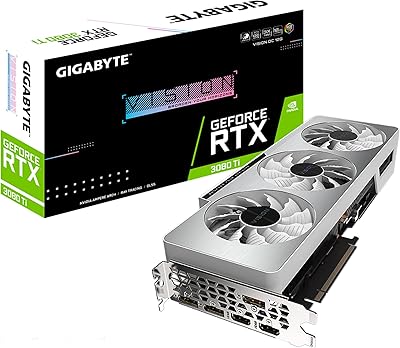
GIGABYTE GeForce RTX 3080 Ti Vision OC 12G
87%
94%
4K Gaming Performance
89%
Cooling Efficiency
90%
Build Quality
84%
Noise Levels
91%
Value for Money
More
ASUS TUF Gaming RTX 3080 Ti Graphics Card
80%
91%
Gaming Performance
88%
Thermal Management
84%
Noise Level
93%
Build Quality
62%
Value for Money
More
ZOTAC GeForce RTX 3080 Trinity OC LHR 10GB
85%
94%
Gaming Performance
88%
Cooling Efficiency
72%
Noise Level Under Load
90%
RGB Customization
89%
Value for Money
More
ZOTAC Gaming GeForce RTX 4080 16GB AMP Extreme AIRO
87%
96%
Gaming Performance
90%
Cooling & Noise Levels
89%
Build Quality & Durability
87%
Ease of Installation
92%
RGB Lighting & Aesthetics
More
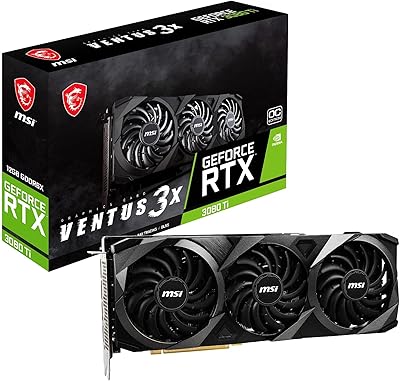
MSI GeForce RTX 3080 Ti Gaming X Trio 12G
86%
94%
Cooling Performance
92%
4K Gaming Performance
88%
Build Quality
91%
Noise Levels Under Load
85%
Installation and Setup
More
Gigabyte RTX 3080 Ti Gaming OC Graphics Card
78%
93%
4K Gaming Performance
88%
Thermal Management
84%
Ray Tracing Capability
91%
DLSS & AI Upscaling
79%
Cooling Noise Level
More

FAQ

That depends entirely on your specific case, and it is worth checking carefully before buying. The card is 12.12 inches long, which exceeds the maximum GPU clearance in many mid-tower enclosures. Look up your case model's official GPU length specification and compare it against that number — do not assume it will fit just because the case looks large.

NVIDIA's reference recommendation for the RTX 3080 Ti is an 850W PSU at minimum, and given ZOTAC's custom cooling and board design, sticking to that or going slightly higher is wise. A quality 850W to 1000W unit from a reputable brand will give you enough headroom for the GPU, CPU, and the rest of your system without running the PSU at its limit constantly.

Not at all. The fans only stop spinning when the GPU temperature is low enough that active cooling is genuinely unnecessary, which is typically during light desktop tasks or video playback. The moment thermals rise under gaming or rendering load, the fans spin back up automatically. It is a thoughtful feature rather than a thermal compromise.

Yes. The card has four active outputs — three DisplayPort 1.4a and one HDMI 2.1 — and NVIDIA's drivers support up to four displays simultaneously. Whether you are running a multi-screen productivity setup or a mixed gaming and reference monitor configuration, the connectivity is there without needing adapters in most cases.

It handles creative workloads genuinely well. The combination of fast GDDR6X memory, high bandwidth, and third-generation tensor cores makes GPU-accelerated tasks like timeline rendering in Premiere Pro, GPU rendering in Blender, or AI-assisted upscaling noticeably faster compared to mid-range cards. It is not a workstation GPU, but for prosumer creative work it is a strong performer.

Owners consistently describe the cooling as effective and relatively quiet for a card in this performance tier. It is not whisper-silent under sustained heavy load — no triple-fan cooler on a high-TDP GPU truly is — but it avoids the loud, intrusive fan noise that plagues some competing designs. During idle, the fans stop entirely, making it completely silent.

ZOTAC provides their own SPECTRA 2.0 software for controlling the card's lighting, but syncing it with third-party ecosystems like Corsair iCUE, ASUS Aura Sync, or MSI Mystic Light requires additional steps and does not always work cleanly out of the box. If whole-system RGB synchronization matters to you, check ZOTAC's current software documentation before assuming compatibility with your existing setup.

It is a sensible precaution. At nearly six pounds and over 12 inches long, the AMP Holo puts real stress on the PCIe slot and the motherboard over time, especially if the build gets moved around. An aftermarket GPU sag bracket or brace is inexpensive and will keep the card level and relieve mechanical strain on the slot.

The card will work in a PCIe 3.0 slot — PCIe is backward compatible — but you will not get the full bandwidth ceiling that PCIe 4.0 provides. For gaming, the practical performance difference between running it on 3.0 versus 4.0 is generally small, though bandwidth-sensitive professional workloads may see more of a gap.

Based on owner reports, serious reliability failures are uncommon, and the card generally performs consistently over time. The main long-term mechanical concern is GPU sag given the weight, which a support bracket addresses easily. Driver-related quirks surface occasionally for some users, but they are typically resolved through standard driver updates rather than indicating any hardware fault.

Where to Buy