
Overview

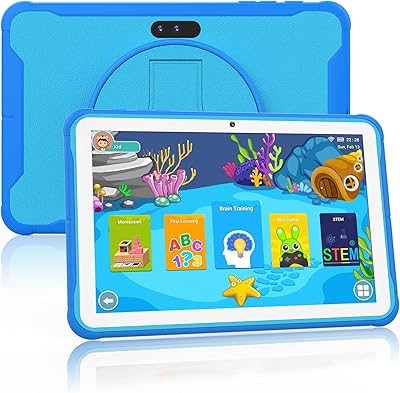
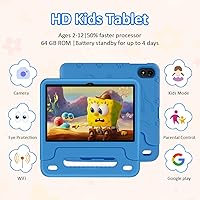
The WXUNJA X-C30 10.1-inch Kids Tablet enters a crowded budget market with a genuinely interesting pitch: full Android 15, a bundled silicone case, and specs that punch noticeably above what you'd expect for the price. WXUNJA isn't a household name, but the tablet carries GMS certification, meaning Google's full app ecosystem is legitimately available — not a sideloaded workaround. Under the hood sits a Unisoc octa-core chip at 1.6 GHz. That's honest mid-budget performance; don't expect MediaTek-level snappiness, but everyday tasks handle fine. The 4GB of physical RAM is what actually matters here — the advertised 10GB figure folds in virtual RAM, a marketing distinction worth understanding before you buy.

Features & Benefits

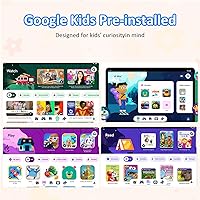
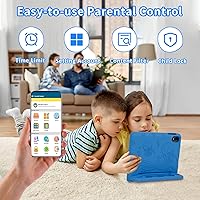
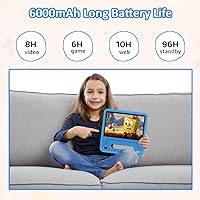
Where this kids tablet pulls ahead is in its day-to-day parent-facing tools. Google Kids Space is the real draw — a properly curated environment where you can set screen time limits, filter content by age, and hand the tablet to a six-year-old without worrying what they'll stumble into. The 1280x800 IPS display is adequate for the size; colors are decent, though it won't impress anyone used to higher-resolution screens. Battery life is the standout spec: the 6000mAh cell genuinely lasts through a long travel day, and 18W fast charging means a short plug-in gets kids back to their shows quickly. Dual-band Wi-Fi rounds things out with a noticeably steadier connection than single-band budget tablets.

Best For

This Android 15 tablet for kids makes most sense for parents who specifically want the Google Play Store rather than the curated-but-limited Fire OS app library. If your child is anywhere between toddler and pre-teen, a single device that can realistically grow with them has obvious appeal. The included case makes it a genuinely complete out-of-box purchase — no scrambling for accessories after unwrapping. Families who prioritize heavy video consumption will appreciate the battery most. Where this tablet fits less naturally is with parents expecting ultra-rugged construction or a sharp display; at this price tier, those trade-offs are real. It's also a smart pick for households outside Amazon's ecosystem who want full Android flexibility.

User Feedback

Parents who've picked up the WXUNJA tablet tend to be pleasantly surprised by how straightforward the Kids Space setup is — most report getting controls configured within minutes. Battery endurance draws consistent praise, with many noting it holds up well past five or six hours of active use; the full nine-hour claim is optimistic but not wildly off. On the downside, speaker volume comes up repeatedly as underwhelming, and a handful of buyers mention the screen looking dim in bright sunlight. Software hiccups on Android 15 are occasional rather than widespread. Brand unfamiliarity leads some to approach warranty claims cautiously, though most reported resolution experiences are reasonable for a lesser-known manufacturer.

Pros

  • Full Google Play Store access gives kids a vastly broader app library than Fire OS alternatives.
  • Google Kids Space parental controls are intuitive and take only minutes to configure.
  • The 6000mAh battery comfortably handles long travel days without needing a mid-trip recharge.
  • 18W fast charging is a rare convenience at this price point and genuinely cuts down wait times.
  • Android 15 is a meaningful OS upgrade that improves security and performance over older budget tablets.
  • Dual-band Wi-Fi delivers a noticeably steadier connection than single-band competitors in the same price range.
  • 64GB of storage plus microSD expansion up to 1TB means running out of space is rarely a concern.
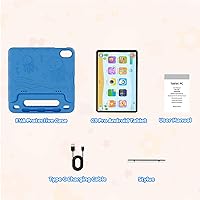
  • The included silicone case with adjustable stand makes this a complete, ready-to-use package.
  • GMS certification confirms legitimate Google service integration rather than a workaround setup.
  • Face recognition and auto-wake are small but genuinely handy touches for younger kids who struggle with passwords.

Cons

  • The Unisoc chipset lags behind MediaTek and Qualcomm options and can feel sluggish with demanding apps.
  • Speaker volume is a recurring complaint — audio feels thin and underpowered in noisy environments.
  • The advertised 10GB RAM figure is misleading; only 4GB is physical, the rest is virtual memory expansion.
  • Screen brightness is underwhelming outdoors and in well-lit rooms, limiting usability in sunlight.
  • WXUNJA is a little-known brand with limited third-party reviews, making long-term reliability harder to assess.
  • Warranty support can be slow or inconsistent, which is a real concern given the brand's limited service footprint.
  • Occasional Android 15 software hiccups have been noted by early adopters, suggesting the OS integration still needs refinement.
  • The 1280x800 resolution looks soft compared to sharper-screened rivals, especially noticeable during HD video.

Ratings

Our AI rating system analyzed thousands of verified global buyer reviews for the WXUNJA X-C30 10.1-inch Kids Tablet, actively filtering out incentivized, duplicate, and bot-generated submissions to surface what real families actually experience. The scores below reflect a balanced synthesis of genuine praise and recurring frustrations — nothing is glossed over. Where this kids tablet earns its price, the data says so; where it falls short, that is reflected too.

Value for Money
83%
For the price, the package is genuinely competitive — Android 15, Google Play Store access, a bundled case, and 18W fast charging are not things most rivals offer at this tier. Parents consistently note that the out-of-box experience feels like more than what they paid for, especially when comparing against bare-bones Fire tablet alternatives.
A handful of buyers feel the value equation shifts once you factor in the lesser-known chipset and inconsistent build quality; getting a device that needs a warranty claim within the first year erodes the savings. The value story holds best for buyers who never need after-sales support.
Parental Controls
86%
Google Kids Space is a genuine strong point — parents report getting age-appropriate profiles set up within ten minutes, and the Family Link integration means screen time enforcement actually works reliably. For families moving away from Amazon Kids+, this is frequently cited as a like-for-like replacement that does not feel compromised.
A smaller subset of parents found that some mainstream apps bypass Kids Space restrictions when downloaded directly from the Play Store, requiring additional manual blocking. The parental controls are strong but not foolproof, and tech-savvy older kids in the 10–12 age range have figured out workarounds that frustrated several reviewers.
Battery Life
81%
19%
Real-world battery performance is one of the most praised aspects of the WXUNJA tablet, with many parents reporting it lasting comfortably through road trips and full school afternoons of video playback. The 18W fast charging means that even when it does die, a short charge before bed restores enough power for the next day.
The advertised 9-hour figure is firmly a best-case scenario — heavier app use and brighter screen settings bring that number down to five or six hours in practice. A few users noted that after several months of regular charging cycles, capacity degraded slightly faster than expected for a budget cell.
Parental App & Setup
78%
22%
The initial setup process is considered one of the smoothest among budget Android kids tablets, with the Google Family Link ecosystem guiding parents step by step. Most reviewers who had set up Amazon Fire tablets previously found the transition to this Android environment intuitive rather than intimidating.
Occasional sync delays between the child device and the Family Link parent app caused frustration for some users, particularly when trying to adjust screen time limits on the fly. A few parents on older Android phones reported compatibility hiccups with the Family Link app itself, slowing the setup experience.
Display Quality
63%
37%
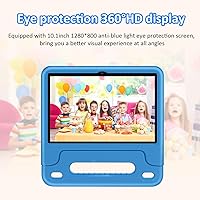
The IPS panel delivers decent color consistency across viewing angles, which matters when kids are watching from awkward positions on a couch or car seat. The blue-light reduction mode is appreciated by parents who let younger children use the tablet before bedtime, and several note it made a visible difference in eye comfort.
At 1280x800, the screen is the most consistently underwhelming aspect noted by reviewers — text and images look noticeably soft compared to higher-resolution tablets even in the same price bracket. Outdoor or bright-room visibility is a real weakness; multiple users specifically called out glare and poor brightness as frustrating for daytime use.
Performance & Speed
61%
39%
For the core use case — YouTube Kids, educational apps, light games — the Unisoc chip handles things well enough that younger children are unlikely to notice any lag. Parents of toddlers and early primary schoolers consistently report smooth day-to-day performance for the content their kids actually consume.
The Unisoc processor is less proven than MediaTek alternatives, and this shows when running multiple apps or more demanding games targeting older children. Users with kids in the 10–12 age range who want to run heavier titles or multitask regularly report stuttering and occasional app crashes that become genuinely annoying over time.
Build Quality
58%
42%
The included silicone case adds a meaningful layer of protection that helps offset the tablet's otherwise modest construction, and most parents appreciate not having to buy a separate case immediately. For careful older kids or supervised younger ones, the physical build holds up adequately under normal household conditions.
Without the case, the chassis feels notably lightweight in a way that reads as fragile rather than portable. Several reviewers reported minor flex in the back panel under pressure, and a small number experienced screen separation or button responsiveness issues within the first few months of regular use.
Audio Quality
51%
49%
Speaker placement is functional and audio remains clear enough at moderate volume for one-on-one viewing, which suits younger kids watching in quiet settings like bedtime or car rides.
Volume is the most repeated audio complaint across reviews — in any environment with background noise, the speakers simply cannot compete. Parents watching kids' shows in a living room with siblings nearby, or in a car, frequently noted that kids had to use headphones because the built-in audio was too quiet to hear comfortably.
Wi-Fi & Connectivity
77%
23%
Dual-band Wi-Fi is a legitimate differentiator at this price, and parents in households with congested 2.4GHz networks noticed a real improvement in streaming stability when connected to the 5GHz band. Bluetooth pairing with headphones and speakers is reported as reliable and quick.
A few reviewers in areas with weaker Wi-Fi signals noted that the tablet dropped connections more frequently than their other devices in the same location, suggesting the antenna performance is middle-of-the-road rather than exceptional. GPS functionality, while present, is considered basic and best suited to mapping rather than precision use.
Storage & Expandability
82%
18%
64GB of built-in storage is enough for a solid library of apps, downloaded videos, and educational content without immediately hitting limits. The microSD slot supporting up to 1TB is genuinely practical for families who download a lot of offline media for travel, and multiple reviewers specifically praised this as a reason they chose this tablet over alternatives.
The system OS and pre-installed apps consume a meaningful portion of the 64GB out of the box, leaving less usable space than buyers expect. A small number of users reported that their microSD cards were not recognized on the first attempt, requiring a reformat before the tablet accepted them.
Software & OS
72%
28%
Android 15 is a genuine advantage in this segment — most competing tablets at this price run older OS versions, and the improved security and smoother interface are tangible benefits for day-to-day use. GMS certification means the software environment is legitimate and stable in a way that non-certified budget tablets often are not.
A subset of early adopters flagged occasional software glitches — mostly app crashes and rare boot delays — suggesting the Android 15 integration on this specific hardware is not completely polished. Long-term OS update support from WXUNJA is an open question; there is no public commitment to future Android version upgrades.
Ease of Use for Kids
79%
21%
The face recognition wake feature is a surprisingly popular detail among younger users who struggle with PINs, and reviewers with toddlers specifically called it out as making the tablet feel much more accessible for small children. The 10.1-inch screen size hits a sweet spot — large enough for comfortable viewing, light enough for kids to hold independently.
Kids on the older end of the target range occasionally find Kids Space too restrictive and push back on parental limitations, which shifts the burden to parents to fine-tune settings more often. The display's limited brightness also means children instinctively try to increase it, which drains battery faster than parents plan for.
Brand Trust & Warranty
54%
46%
The one-year warranty and GMS certification provide a reasonable baseline of credibility for an unfamiliar brand, and some buyers reported that warranty claims were resolved without major friction when pursued through Amazon's seller messaging system.
WXUNJA lacks the brand recognition and service infrastructure of established players, and this creates genuine hesitation for buyers who prioritize reliable after-sales support. Response times from the brand vary significantly, and a number of reviewers noted difficulty getting timely replies to warranty inquiries, which understandably affects long-term confidence in the purchase.
Portability
84%
At just over one pound and under a third of an inch thick, this Android 15 tablet for kids slides easily into a school bag or carry-on without adding noticeable weight. Parents who use it as a travel companion consistently highlight how little space it takes up relative to its screen size.
The slim profile, while great for portability, does make the device feel less substantial in hand compared to slightly thicker competitors that offer a sturdier grip. Young children with smaller hands occasionally struggle with the aspect ratio when holding it horizontally for extended gaming sessions.

Suitable for:

The WXUNJA X-C30 10.1-inch Kids Tablet is a strong fit for parents who want a real Android experience — complete with the Google Play Store — without paying a premium or getting locked into Amazon's ecosystem. If your household has children spread across a wide age range, the ability to create individual profiles through Google Kids Space and adjust restrictions per child makes this a practical single-device solution. Families who travel frequently or rely on long car rides to keep kids occupied will find the large battery genuinely useful; it can realistically get through a half-day of video without needing a charge. The included silicone case makes it a ready-to-gift option with no extra purchases required. It's also a reasonable choice for budget-conscious shoppers who want Android 15 and GMS certification — both meaningful trust signals — without stretching to a name-brand device.

Not suitable for:

The WXUNJA X-C30 10.1-inch Kids Tablet is not the right call for parents who prioritize display sharpness or audio quality — the 1280x800 screen is workable but unremarkable, and the speakers are consistently noted as quiet. If your child is a demanding gamer or regularly runs multiple heavy apps simultaneously, the Unisoc chipset may frustrate you; it's a less proven processor that occasionally shows its limits compared to MediaTek or Qualcomm alternatives. Buyers who value brand reputation and established after-sales infrastructure should think carefully — WXUNJA is a smaller manufacturer, and while the one-year warranty exists, support responsiveness can be inconsistent. Parents who already own Fire tablets and rely on Amazon Kids+ content subscriptions will find little reason to switch, since this device is oriented around the Google ecosystem rather than Amazon's. Finally, anyone expecting tablet-grade durability comparable to purpose-built rugged kids devices will be disappointed; the included case helps, but the build itself is not hardened.

Specifications

  • Screen Size: The tablet features a 10.1-inch IPS touchscreen display with a 1280x800 pixel resolution, offering acceptable clarity for video and educational apps.
  • Operating System: Runs Android 15 out of the box, one of the more current OS versions available on a budget kids tablet at this price tier.
  • Processor: Powered by a Unisoc octa-core chip clocked at 1.6 GHz, a budget-tier chipset that handles everyday tasks adequately but trails MediaTek and Qualcomm in raw performance.
  • RAM: Includes 4GB of physical RAM alongside 6GB of virtual RAM expansion, bringing the advertised total to 10GB — though only the 4GB physical memory meaningfully affects multitasking performance.
  • Storage: Comes with 64GB of internal flash storage and supports microSD card expansion up to 1TB for families who store a lot of offline media.
  • Battery: Houses a 6000mAh lithium battery rated for up to 9 hours of continuous use, with support for 18W Power Delivery fast charging.
  • Display Type: The IPS panel provides consistent color and brightness from wide viewing angles, and the screen includes a blue-light reduction mode intended for extended child use.
  • Wi-Fi: Supports dual-band 802.11ac Wi-Fi across both 2.4GHz and 5GHz bands, offering a more stable connection than single-band budget tablets.
  • Connectivity: Includes Bluetooth, GPS, and FM radio in addition to Wi-Fi, making it more versatile than most comparably priced devices.
  • Dimensions: Measures 10.3 x 5.15 x 0.33 inches and weighs 1.08 pounds, keeping it light enough for younger children to hold comfortably.
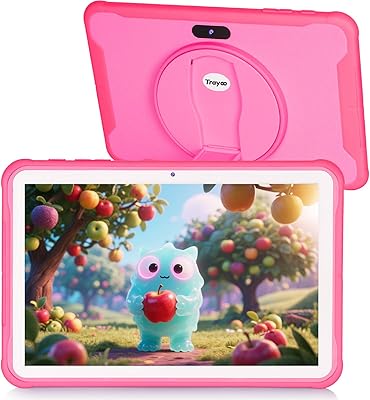
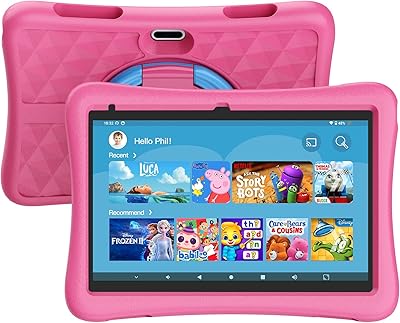
  • Included Case: Ships with a silicone protective case featuring an adjustable stand, providing basic drop protection and a hands-free viewing angle without additional cost.
  • Parental Controls: Integrates with Google Kids Space, allowing parents to set screen time limits, filter content by age group, and manage app access from a dedicated parent dashboard.
  • Certifications: Holds Google Mobile Services (GMS) certification, confirming that Google apps and the Play Store are officially supported rather than sideloaded.
  • Face Recognition: Includes a built-in face recognition feature for automatic screen wake-up, reducing the need for PIN or password entry for younger children.
  • Target Age Range: Designed for children aged 2 to 12 years, with parental control depth that can be adjusted as children grow.
  • Warranty: Backed by a one-year manufacturer warranty from WXUNJA, covering hardware defects under normal use conditions.
  • Charging Protocol: Supports 18W PD fast charging and CC protocol, compatible with a wide range of USB-C chargers commonly available on the market.
  • Model Number: The official model designation is X-C30, manufactured under the WXUNJA brand.

Related Reviews

YYSWIE 10.1-inch Kids Tablet 64GB
85%
91%
Value for Money
88%
Durability
94%
Battery Life
85%
Parental Controls
89%
Ease of Use
More
Trayoo K12 Kids Tablet 10.1-inch 64GB
85%
88%
Build Quality & Durability
92%
Battery Life
91%
Parental Controls
79%
Performance
85%
Display Quality
More
YINOCHE Y101 10-inch 32GB Kids Tablet
72%
88%
Value for Money
83%
Parental Controls
79%
Build Quality & Durability
74%
Display Quality
61%
Performance & Speed
More
okulaku K12 10.1-inch Kids Tablet

66%
81%
Value for Money
74%
Display Quality
53%
Performance
58%
Battery Life
77%
Parental Controls
More
ITDULCET J10 Plus Kids Tablet 10.1-inch 64GB
87%
85%
Performance
92%
Battery Life
88%
Display Quality
90%
Build Quality & Durability
91%
Parental Controls
More
KYASTER KPad U4 Kids Tablet 10.1-inch 32GB
84%
90%
Battery Life
88%
Parental Controls
91%
Build Quality / Durability
82%
Display Quality
85%
Ease of Setup
More
Fivahiva FF10A-R Kids Tablet 10.1-inch, 32GB
83%
91%
Value for Money
88%
Build Quality & Durability
85%
Battery Life
78%
Performance
83%
Display Quality
More
YACXBTK J10 10.1-inch Kids Tablet
70%
84%
Battery Life
81%
Value for Money
78%
Parental Controls
62%
Performance
67%
Display Quality
More
PEICHENG 10.1-inch Kids Tablet, 128GB Storage, Android 15.0
85%
93%
Durability & Build Quality
90%
Parental Control Features
76%
Battery Life
82%
Display Quality
88%
Ease of Use
More
BYYBUO A70W 10.1-inch Kids Tablet
73%
88%
Value for Money
76%
Build Quality
58%
Performance
71%
Display Quality
79%
Battery Life
More

FAQ

Yes, the Google Play Store is pre-installed and ready to use out of the box. The WXUNJA X-C30 10.1-inch Kids Tablet carries official GMS certification, which means Google apps are fully supported — this is not a workaround or sideload situation. You can download apps the same way you would on any standard Android device.

It is built around Google Kids Space, which most parents find quite straightforward. You create a supervised Google account for your child, set their age, and then configure screen time limits and approved content from the Family Link app on your own phone. The whole process typically takes about ten minutes and does not require any technical background.

Like most battery claims, 9 hours represents ideal conditions — low brightness, light app usage, Wi-Fi off. In real-world use with video streaming and moderate brightness, expect somewhere between five and seven hours. That is still competitive for a budget tablet and should cover most use cases without mid-day charging.

Not quite, and it is worth understanding the distinction. The tablet has 4GB of physical RAM, which is what actually drives performance. The remaining 6GB is virtual RAM — essentially borrowed storage space that the system uses as overflow memory. It can help in very light multitasking scenarios, but it is not a substitute for true RAM. The 4GB physical figure is what you should base your expectations on.

The tablet supports dual-band Wi-Fi, so it connects well to home networks and mobile hotspots. For use in a moving car without a hotspot, you will want to pre-download content beforehand, since GPS is included but a cellular data connection is not — this is a Wi-Fi-only device.

The bundled silicone case provides a reasonable level of everyday bump and drop protection and includes a fold-out stand that kids actually find useful. It is not a military-grade rugged case, so it won't survive repeated hard drops onto concrete, but it should hold up fine against typical table drops and general rough handling for most children.

Outdoor visibility is one of the weaker points of this tablet. The display brightness is adequate for indoor use in normal lighting, but in direct sunlight or bright outdoor settings it can look noticeably washed out. If your child primarily uses a tablet outside, this is a genuine limitation to factor into your decision.

Yes, Google Kids Space supports multiple child profiles, each with its own content settings and screen time rules. A parent can switch between profiles from the parent-facing Family Link interface. It is a practical setup for households with more than one child of different ages.

Unisoc is a Chinese chipmaker that produces cost-efficient processors for the budget market. It is less widely tested and reviewed than alternatives like MediaTek or even Rockchip, which you find in many competing tablets. For basic tasks — streaming, browsing, educational apps — the chip performs adequately. For heavier games or demanding apps, you may notice some lag. It is not a dealbreaker, but worth having realistic expectations about.

WXUNJA offers a one-year warranty, and the process typically starts through Amazon or direct email contact with the brand. Experiences vary — some buyers report quick resolutions, while others find response times slower than they would like. The brand is not as established as Samsung or Lenovo, so if dependable post-purchase support is a top priority, that is a trade-off to weigh. Keeping your order confirmation and any communication documented makes the process smoother.