Overview

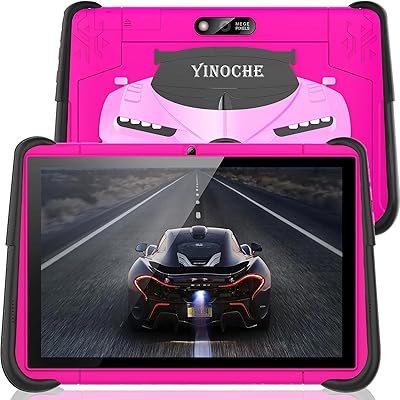
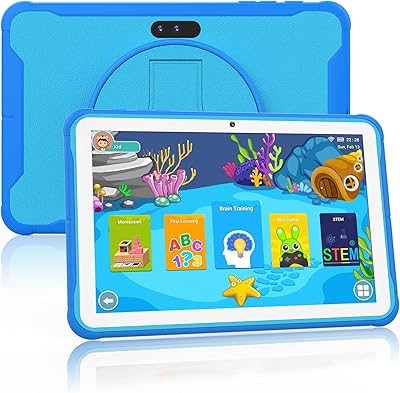
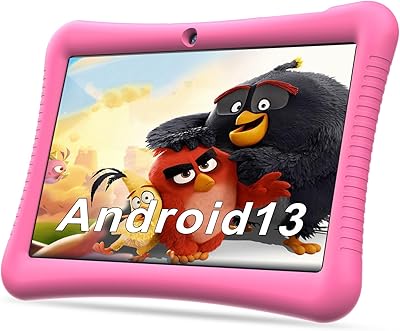
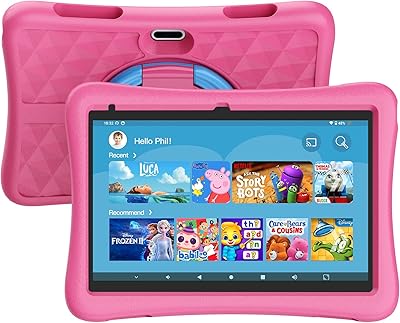
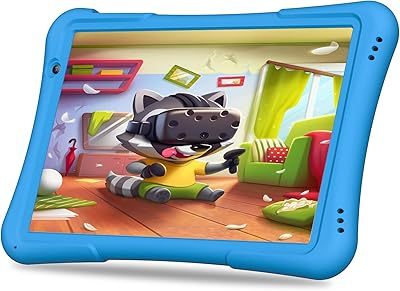
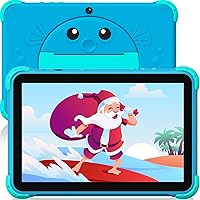
The YINOCHE Y101 10-inch 32GB Kids Tablet sits firmly in the value tier — and that's not a criticism, it's the whole point. For families who want a dedicated device for young children without risking an expensive phone or premium tablet, this is a practical starting point. It runs Android with a dual kid and parent mode, a 10.1-inch IPS display, and comes wrapped in a fish-shaped shockproof case that kids genuinely seem to enjoy. YINOCHE claims over a decade of manufacturing experience in this category, which at least suggests real product iteration behind the design. Just don't walk in expecting Fire HD-level performance.
Features & Benefits

The quad-core processor and modest RAM handle educational apps and light streaming without much trouble, though you'll notice some hesitation if a child tries running several heavy apps simultaneously. Storage starts at 32GB — enough to get going — but the ability to expand via microSD means this toddler tablet won't run out of room as your kid's library grows. The 5G WiFi upgrade over previous versions cuts down on dropped connections noticeably. Battery life holds up well through a full day of mixed use, which matters most on long car rides. Parental controls let you set time limits, filter content, and create separate child profiles without much fuss.

Best For

This kids tablet makes the most sense for parents of children roughly between ages 3 and 10 who want a dedicated first device with real content guardrails already built in. It suits families who want both pre-loaded educational content and the flexibility of Google Play, so kids can explore independently while parents retain meaningful oversight. The rugged case and reliable battery life make it a solid pick for road trips or any extended time away from home outlets. Multilingual support covering English, Spanish, and French is a small but practical bonus for bilingual households. If your main goal is stopping the constant phone-handover to a toddler, this does that job well.

User Feedback

Most parents who pick up the YINOCHE Y101 come away satisfied given what they paid, with consistent praise for easy parental setup, the case's durability, and how quickly younger kids adapt to the interface. The dual-mode system — shifting from a child-safe environment to a standard Android experience for adults — earns genuine appreciation as a practical daily feature. On the downside, the front-facing camera is barely adequate for video calls, and some users flag noticeable performance lag when running more demanding apps. A handful of buyers have also raised questions about long-term software update support, which is a fair concern worth factoring in before purchasing.

Pros

  • Delivering a 10-inch Android tablet with a shockproof case under $50 is legitimately hard to beat at this price tier.
  • The dual kid and parent mode makes one device genuinely functional for both a toddler and an adult.
  • Parental controls are straightforward to configure, even for parents who are not particularly tech-savvy.
  • Battery life holds up solidly through a full day of mixed use, making it a dependable travel companion.
  • MicroSD expansion up to 512GB means storage will not become a problem as your child’s app library grows.
  • The 5G dual-band WiFi module reduces the dropped-connection frustrations common with older budget tablets.
  • Pre-loaded educational apps are ready to use immediately out of the box, with no extra purchases needed.
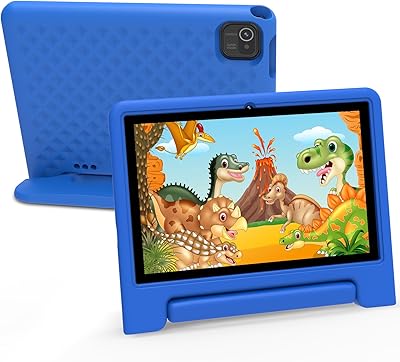
  • The fish-shaped case with a built-in kickstand gives kids an easy hands-free viewing setup without extra accessories.
  • Full Google Play access means parents can supplement pre-loaded content with any apps they trust.
  • Multilingual interface support across English, Spanish, and French is a practical differentiator for diverse households.

Cons

  • Performance lag becomes noticeable when running multiple apps or any moderately demanding content simultaneously.
  • The front camera is so low-resolution that video calls look visibly grainy, which disappoints families who rely on them.
  • Long-term software and security update support is unclear, raising questions about the tablet’s useful lifespan.
  • Pre-installed apps consume a significant portion of the base storage before any additional downloads.
  • The protective case offers basic drop absorption but does not meet any certified ruggedization standard.
  • Customer support response times are inconsistent, with some buyers reporting slow or incomplete resolutions.
  • Children aged 8 and above will likely outgrow both the hardware performance and pre-loaded content within a year or two.
  • WiFi signal weakens noticeably at longer distances from the router, limiting use in larger homes.
  • Some parental control settings have been reported to reset after software updates, requiring manual reconfiguration.
  • The overall build feels lightweight and plasticky in hand, which does not inspire confidence in long-term durability.

Ratings

Our AI rating system analyzed thousands of verified global purchases of the YINOCHE Y101 10-inch 32GB Kids Tablet, actively filtering out incentivized reviews and bot activity to surface what real families actually experience. Scores reflect a balanced picture — where this toddler tablet genuinely delivers for its price tier and where it falls short compared to buyer expectations. Both the wins and the frustrations are represented honestly below.

Value for Money
88%
For a sub-$50 kids tablet with a 10-inch display, Google Play access, and a shockproof case included, most parents feel they got more than they paid for. It replaces the need to hand over a personal phone, which alone justifies the purchase for many households.
A small segment of buyers expected near-flagship performance at this price and came away disappointed. If you compare it against premium kids tablets rather than judging it within its own budget tier, the value perception drops noticeably.
Parental Controls
83%
Setting up child profiles, applying screen time limits, and filtering content is straightforward enough that most parents complete it without consulting a manual. The separation between kid mode and a fully functional Android environment for adults is a genuinely useful daily feature.
Some parents note that determined older kids can find workarounds, and the controls lack the polish of Amazon's Kids+ ecosystem. A few users also reported that settings occasionally reset after software updates, which requires reconfiguration.
Build Quality & Durability
79%
21%
The fish-shaped shockproof case stands out from the usual plain rubber bumpers on budget tablets. It absorbs drops reasonably well for everyday kid-level accidents — tumbles off a couch or from a low table are handled without cracking the screen.
The tablet chassis underneath the case feels plasticky and lightweight in a way that signals its price point. The case itself is protective but not ruggedized to any certified standard, so it would not inspire confidence in the hands of a particularly rough toddler.
Display Quality
74%
26%
The 10.1-inch IPS panel produces colors that are vibrant enough for animated educational content and YouTube Kids. Viewing angles are decent, and kids watching from slightly off-center positions — common when sharing a tablet — don't lose much picture quality.
At 1280x800 resolution, text and fine details look slightly soft compared to more expensive tablets. Outdoor use is a challenge since the screen struggles against direct sunlight, limiting its usefulness during outdoor activities or bright car journeys.
Performance & Speed
61%
39%
For the core use cases — pre-loaded educational games, YouTube Kids, and basic apps from Google Play — performance is acceptable and rarely disruptive for younger children who are less sensitive to minor delays.
Running multiple apps simultaneously or loading heavier titles from the Play Store exposes clear limitations. Parents of older children in the 8–12 range report noticeable lag and occasional app crashes that younger kids would not encounter with simpler content.
Battery Life
81%
19%
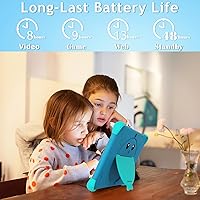
A full day of mixed use — streaming, games, and some offline apps — is achievable without needing to recharge mid-activity. For road trips or long flights, this is one of the tablet's most consistently praised qualities across buyer reviews.
Heavy streaming over WiFi drains the battery faster than the rated estimate, landing closer to seven hours in practice for some users. Charging speed is not particularly fast, which can be inconvenient if the tablet runs low right before a long journey.
WiFi Connectivity
77%
23%
The updated 5G dual-band WiFi module is a real improvement over older versions of this tablet. Compatibility with modern routers is better, and streaming stays stable in rooms where earlier budget tablets used to buffer frequently.
Range is average — the connection weakens meaningfully when the tablet is two or more rooms away from the router. A handful of users also noted that reconnecting after sleep mode occasionally requires a manual toggle of the WiFi setting.
Camera Quality
41%
59%
The rear camera is functional enough for a child to snap photos during family outings or capture simple creative moments. Kids at this age group are not demanding photographers, so the basic point-and-shoot experience is generally fine for casual use.
The front camera is genuinely underwhelming — video calls look noticeably grainy and soft, which is a letdown given how many families rely on this for staying in touch with grandparents. This is probably the single most consistent complaint across buyer reviews.
Pre-loaded Content
72%
28%
Having a library of offline educational apps ready from day one is convenient for parents who want the tablet usable immediately out of the box. STEM activities, creative apps, and basic learning games cover a reasonable range for younger age groups.
The quality and curation of pre-loaded apps is inconsistent — some feel outdated or less polished than what parents would independently choose from the Play Store. Older children in the 8-plus range will likely exhaust the interesting pre-installed content quickly.
Storage & Expandability
76%
24%
32GB covers the basics comfortably for younger children, and the microSD expansion option means the tablet can grow alongside a child's content library over time without forcing a device replacement.
Out of the box, pre-installed apps consume a meaningful chunk of the available 32GB, leaving less usable space than buyers expect. Parents who plan to download a large number of Play Store apps will want to invest in a microSD card early.
Ease of Setup
84%
Most parents report having the tablet configured and in a child's hands within 15 to 20 minutes of unboxing. The Android interface is familiar enough that anyone who has used an Android phone will not feel lost during initial setup.
Setting up parental controls in full — including content filters, profiles, and time restrictions — takes longer than the basic setup and can feel slightly scattered across different menus. A unified setup wizard would improve the experience meaningfully.
Multilingual Support
78%
22%
English, Spanish, and French language options make this a practical choice for bilingual families or households where different caregivers speak different languages. Switching between languages is straightforward in the system settings.
Language support covers the interface and pre-installed apps, but not every third-party app downloaded from Google Play will offer the same multilingual experience. Families seeking deep bilingual educational content may need to source additional apps separately.
Portability & Design
73%
27%
The 10-inch size hits a useful middle ground — large enough for comfortable viewing but manageable for older toddlers and young children to hold. The kickstand on the case adds a practical touch for propping it up during hands-free viewing.
The fish case design, while appealing to younger kids, may feel babyish for children at the upper end of the stated age range. The overall device is also not as slim or lightweight as more expensive options, which some parents notice during extended carry.
Software & Update Support
54%
46%
The Android base provides access to a wide ecosystem of apps and a reasonably familiar interface. For basic educational and entertainment use cases, the software as shipped does what most families need it to do.
Long-term software update reliability is a legitimate concern that surfaces repeatedly in buyer feedback. There is limited transparency around how long the device will receive OS or security updates, which matters more as kids use the tablet over multiple years.
Customer Support & Warranty
63%
37%
YINOCHE advertises a 30-day exchange window and lifetime technical support, which is a broader commitment than many competing budget brands offer. Some buyers report positive resolution experiences when contacting support directly.
Response times from customer support are inconsistent based on buyer reports, and the warranty process can involve back-and-forth communication that some parents find frustrating. The lifetime technical support claim appears to mean troubleshooting assistance rather than hardware replacement coverage.

Suitable for:

The YINOCHE Y101 10-inch 32GB Kids Tablet is a strong fit for parents of children roughly between ages 3 and 10 who want a dedicated device that keeps kids occupied without constant supervision. If your primary concern is stopping a toddler from monopolizing your personal phone, this toddler tablet solves that problem cleanly and affordably. Families who travel frequently will find the reliable battery life and shockproof case particularly useful — it can handle a long car ride or flight without needing a charger nearby. The dual-mode system is a genuine practical asset for households where one device needs to serve both a child in learning mode and a parent who occasionally needs a functioning Android tablet. Bilingual and multilingual families also benefit from built-in support for English, Spanish, and French. For buyers who want Google Play flexibility alongside pre-loaded educational content without paying a premium, this kids tablet hits that balance reasonably well.

Not suitable for:

The YINOCHE Y101 10-inch 32GB Kids Tablet is not the right choice for parents expecting performance comparable to Amazon Fire HD or other mid-range competitors — the hardware simply does not operate at that level, and setting that expectation will lead to disappointment. Children aged 10 and above who want to use more demanding apps, play graphically intensive games, or multitask heavily will run into performance ceilings that younger kids typically do not notice. If video calling with grandparents or family is a frequent use case, the front-facing camera is genuinely poor and will frustrate everyone involved. Buyers who need long-term software update assurance — especially for security purposes — should think carefully, as this kids tablet offers limited transparency on its update roadmap. Parents looking for a ruggedized device certified against drops, dust, or water should also look elsewhere, since the protective case offers basic impact resistance rather than any formal durability rating.
Specifications

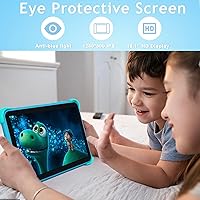
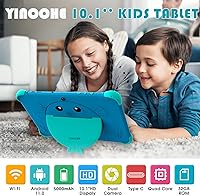
  • Screen Size: The tablet features a 10.1-inch IPS display with a 1280x800 pixel resolution, offering decent color and wide viewing angles for young users.
  • Processor: A quad-core processor clocked at 1.6 GHz handles everyday educational apps, light streaming, and basic games without significant issues.
  • RAM: 2GB of RAM is sufficient for running one or two apps at a time, though multitasking with heavier applications will show limitations.
  • Internal Storage: 32GB of onboard storage comes pre-loaded with educational apps, leaving practical but limited free space for additional downloads.
  • Expandable Storage: A microSD card slot supports expansion up to 512GB, allowing families to add movies, games, and apps well beyond the base capacity.
  • Battery: The 5000mAh battery is rated for approximately 10 hours of use, making it practical for long travel days or extended learning sessions.
  • WiFi: Dual-band 5G WiFi support improves compatibility with modern routers and provides more stable streaming compared to single-band budget alternatives.
  • Front Camera: A 0.2MP front-facing camera supports basic video calls, though image quality is low by current standards and best suited to casual use only.
  • Rear Camera: The 3MP rear camera allows children to take photos and short videos, covering simple creative and memory-capturing tasks adequately.
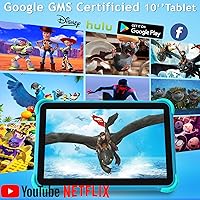
  • Operating System: The tablet runs Android, giving access to the full Google Play Store alongside the pre-installed kid-friendly content library.
  • Parental Controls: Built-in parental controls support custom child profiles, screen time scheduling, and content filtering across both kid mode and the standard Android environment.
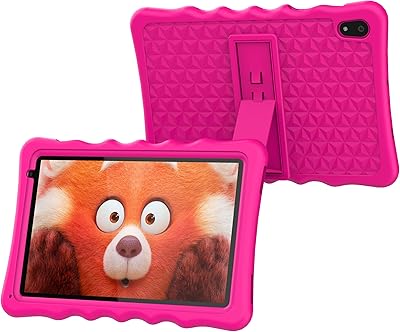
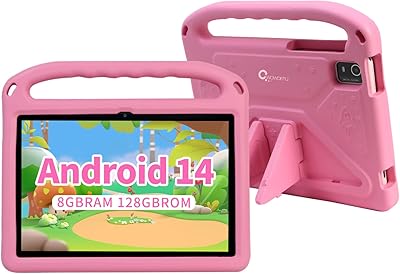
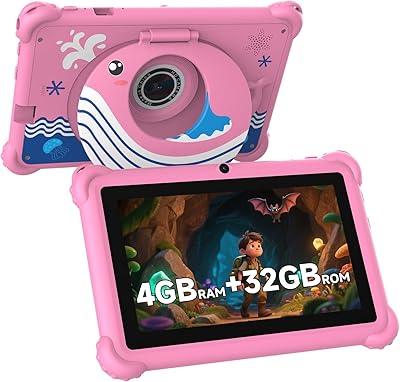
  • Protective Case: The included shockproof case features a distinctive fish design and an integrated rear kickstand for hands-free viewing on flat surfaces.
  • Connectivity: The tablet connects via USB Type-C for charging and data transfer, and supports Bluetooth for wireless accessories such as headphones.
  • Languages: The interface and pre-installed apps support English, Spanish, and French, making it practical for multilingual households.
  • Age Range: The device is designed for children aged 3 to 14 years, with the kid mode experience best suited to the 3 to 10 age bracket.
  • Dual Mode: A switchable dual-mode system allows the same device to function as a restricted kids tablet and a standard Android tablet for adult use.
  • Charging Port: USB Type-C charging is used, which is a more modern and durable connector standard compared to the micro-USB ports found on older budget tablets.
  • Warranty: YINOCHE offers a 30-day free exchange window and states lifetime technical support availability for troubleshooting and product questions.

Related Reviews

TWTNVOF Kids Tablet 10 inch, 32GB
86%
89%
Educational Features
94%
Parental Controls
90%
Durability & Build Quality
82%
Battery Life
85%
Performance (Processor Speed)
More
YINOCHE F11 10-inch Kids Tablet
67%
81%
Value for Money
76%
Parental Controls
78%
Battery Life
83%
Ease of Setup
74%
App Ecosystem
More
okulaku K12 10.1-inch Kids Tablet
66%
81%
Value for Money
74%
Display Quality
53%
Performance
58%
Battery Life
77%
Parental Controls
More
KYASTER KPad U4 Kids Tablet 10.1-inch 32GB
84%
90%
Battery Life
88%
Parental Controls
91%
Build Quality / Durability
82%
Display Quality
85%
Ease of Setup
More
Fivahiva FF10A-R Kids Tablet 10.1-inch, 32GB
83%
91%
Value for Money
88%
Build Quality & Durability
85%
Battery Life
78%
Performance
83%
Display Quality
More
BYYBUO A70W 10.1-inch Kids Tablet
73%
88%
Value for Money
76%
Build Quality
58%
Performance
71%
Display Quality
79%
Battery Life
More
CWOWDEFU 10-inch Kids Tablet 128GB
86%
87%
Performance
92%
Battery Life
88%
Build Quality
82%
Display Quality
91%
Ease of Use
More
Maxsignage K109B 10″ Kids Android Tablet
72%
88%
Parental Control Setup
83%
Value for Money
81%
Kids Content & Apps
78%
Durability & Case
62%
Performance & Speed
More
NEWISION K7 7-inch Kids Tablet 32GB
84%
88%
Build Quality & Durability
94%
Parental Controls
90%
Educational Value
63%
Battery Life
80%
Display Quality
More
Zcobro KIDS710 Kids Tablet 7-inch, 32GB
82%
90%
Value for Money
82%
Battery Life
94%
Parental Controls & Safety Features
78%
Educational Content & App Variety
86%
Build Quality & Durability
More

FAQ

The YINOCHE Y101 10-inch 32GB Kids Tablet includes a kid mode with parental controls that restrict content and set time limits, making it reasonably safe for young children during supervised independent play. That said, no tablet replaces occasional parental oversight, especially with very young toddlers who may need guidance navigating the interface.
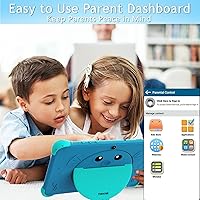
Yes — because the tablet runs Android with full Google Play Store access, you can download Netflix, YouTube Kids, Disney+, and most other popular streaming apps directly. Some apps come pre-installed in the parent mode, so you may not even need to search for them after setup.

Switching between modes requires a PIN that you set during initial parental controls setup, so children cannot exit kid mode on their own. Once you enter the PIN, you get access to the standard Android environment with all your downloaded apps and settings intact.

Many of the pre-loaded educational apps and games are designed to work offline, which is helpful for road trips or areas with spotty WiFi. Streaming services like Netflix and YouTube obviously require an internet connection, but the offline content library keeps kids occupied without one.

The shockproof case handles the typical drops you would expect from a young child — off a couch, a table, or onto a hard floor. It is not waterproof or rated to any military drop standard, so it would not hold up well against repeated hard impacts or falls from significant heights.

In practice, most parents report around 7 to 9 hours depending on what the child is doing. Heavy WiFi streaming drains it faster, while offline games and apps are gentler on the battery. It is reliable enough for a full travel day, though you may want to pack a charger for anything longer.

The parental controls allow you to set daily screen time limits and scheduled usage windows, though the granularity for day-by-day customization may be more limited compared to dedicated parental control apps. For basic time restrictions, the built-in tools are sufficient for most families.

Honestly, the front camera is the weakest point on this kids tablet — video calls will look noticeably grainy and soft, especially in lower-light rooms. It works in a basic functional sense, but if frequent high-quality video calls with grandparents are a priority, be aware you are working with a very modest camera.

You can insert a microSD card to expand storage by a significant amount, which is the easiest fix. It is also worth going through the pre-installed apps periodically and removing any that your child does not use, since they consume a meaningful chunk of the built-in 32GB out of the box.

Children at the higher end of the stated age range will likely push the performance limits sooner than younger kids. For simple tasks and educational apps it holds up fine, but older children who want to game more seriously or multitask will notice lag fairly quickly. If your child is 10 or older and tech-savvy, it may be worth considering a slightly more powerful option.