


Overview

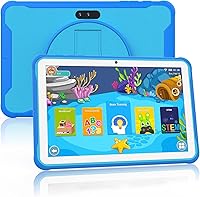
The okulaku K12 10.1-inch Kids Tablet is a budget-friendly Android device built for children roughly between ages 3 and 10. It ships with iWawa kids software pre-installed and gives access to the Google Play Store, so there is real flexibility in what your child can explore. The bundled protective case comes in a few colors, making it a reasonably complete gift right out of the box. With nearly 750 reviews and a 3.8-star average, it sits in an honest middle ground — most parents are satisfied, but there are legitimate concerns worth knowing before you buy.

Features & Benefits

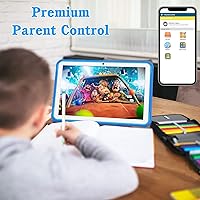
The 10.1-inch IPS display is one of the first things you notice — at 1280x800 resolution, it is sharper and roomier than most tablets competing at this price. Under the hood, an Allwinner quad-core processor handles YouTube and basic educational apps without much trouble, though 2GB of RAM means things can feel sluggish if too many apps run at once. Storage starts at 32GB and expands via microSD, which is handy as kids accumulate videos and games. The parental control system lets you set screen time limits, filter content by age, and create separate profiles — genuinely useful for households with children of different ages.

Best For

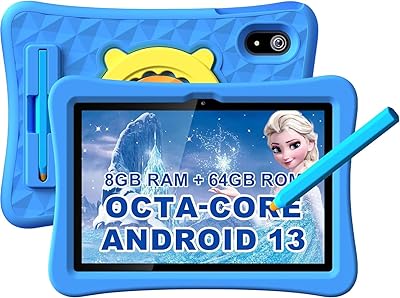
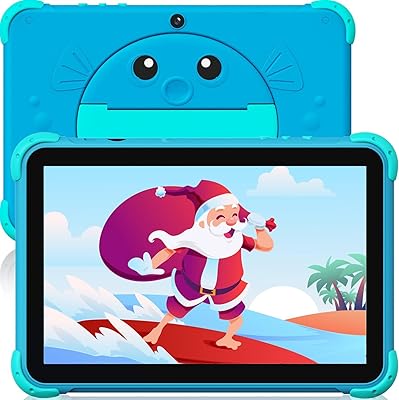
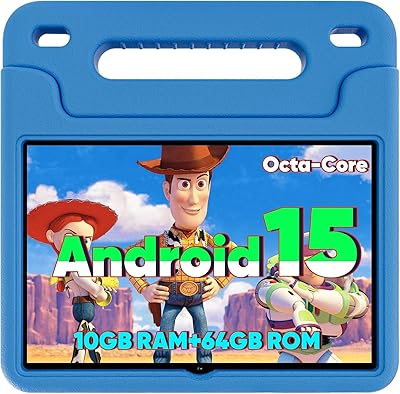
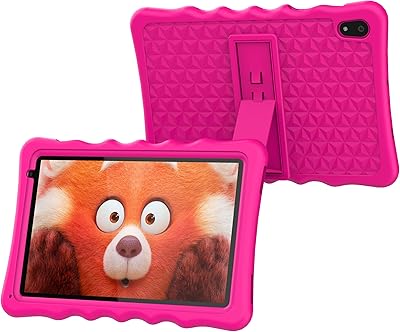
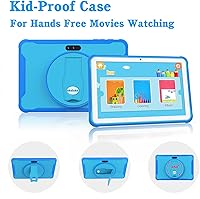
This budget Android tablet for children makes the most sense as a first tablet for younger kids just getting started with screen time. It suits children who mainly watch videos, play light games, or use basic learning apps rather than anything graphically demanding. Support for over 38 languages, including Spanish, is a real plus for multilingual households. Parents who want functional controls without subscribing to a premium kids ecosystem will find the built-in tools adequate. The included kickstand case also means gift buyers get a complete package without needing to source accessories separately, which adds practical value at this price tier.

User Feedback

Among verified buyers, the screen size and value combination draws the most consistent praise — parents frequently mention being impressed by how much display you get for the price, and setup gets called out as refreshingly straightforward. On the flip side, a notable portion of reviewers report the Okulaku K12 struggles when multiple apps are open, and real-world battery life tends to fall short of the advertised six hours. WiFi reliability draws occasional criticism, likely linked to the older 802.11b radio. The iWawa interface, while functional, strikes some parents as feeling dated compared to more polished kids platforms — a fair point worth weighing.

Pros

  • The 10.1-inch IPS screen is noticeably larger than competing tablets in this price range.
  • Comes with a protective kickstand case included — no separate purchase needed.
  • Built-in parental controls let you set time limits and filter content by age.
  • Google Play access gives kids a wide library of apps beyond the pre-installed software.
  • Supports over 38 languages, making it practical for multilingual families.
  • 32GB of storage expands via microSD, so running out of space is easy to manage.
  • Android 11 keeps the software experience relatively current for a budget device.
  • Type-C charging port is a modern convenience that most families already have cables for.
  • Setup is straightforward — most parents report getting it running without any hassle.
  • Available in multiple colors, which kids genuinely appreciate when it feels like theirs.

Cons

  • 2GB of RAM causes noticeable slowdowns when more than one or two apps are open.
  • Real-world battery life regularly falls short of the advertised six hours.
  • The 802.11b WiFi radio is an older standard that can make video streaming inconsistent.
  • The iWawa interface feels dated compared to more polished kids platforms on the market.
  • The Allwinner chipset struggles with anything beyond light games and basic video playback.
  • Camera quality at 2MP is quite limited — not suitable for kids who enjoy taking photos.
  • WiFi connectivity has been flagged as unreliable by a meaningful portion of buyers.
  • Long-term software support from a smaller brand like Okulaku is uncertain.
  • The case, while praised for durability, adds bulk that some younger children find awkward to hold.

Ratings

The scores below reflect an AI-driven analysis of verified global reviews for the okulaku K12 10.1-inch Kids Tablet, with spam, bot-generated, and incentivized feedback actively filtered out to preserve accuracy. Our system surfaces both what real parents genuinely appreciate and where the device falls short, so you can make an informed decision without wading through hundreds of reviews yourself. Strengths and pain points are weighted equally — nothing is glossed over.

Value for Money
81%
19%
For a large-screen kids tablet that arrives with a protective case already included, most parents feel they are getting a fair deal. The combination of Google Play access, parental controls, and a 10.1-inch display at this price tier is genuinely competitive, and gift buyers in particular appreciate not needing to spend extra on accessories.
A handful of parents who expected performance closer to a mid-range tablet felt let down once they got past the unboxing. The value proposition works best when expectations are calibrated to light, single-app use — stretch beyond that and the hardware limitations make the deal feel less generous.
Display Quality
74%
26%
The 10.1-inch IPS panel is one of this device's clearest strengths — it is visibly larger and more comfortable to watch than most competitors in the same price bracket. Kids watching cartoons or following along with learning videos get a reasonably bright, color-accurate screen that holds up well in a normally lit room.
At 1280x800, sharpness is adequate rather than impressive, and bright sunlight or outdoor use exposes the display's limited brightness ceiling. Parents accustomed to sharper screens on premium tablets may notice the difference, even if young children generally do not.
Performance
53%
47%
For a single focused task — playing one educational app, watching a YouTube video, or browsing a kids website — the Okulaku K12 performs well enough that most young children will not notice any issues. Light usage is genuinely smooth, and for a toddler's first device, that is often all that matters.
The Allwinner chipset and 2GB of RAM hit a wall quickly when multitasking enters the picture. Parents report stuttering, delayed app launches, and occasional freezes when switching between apps or running anything moderately demanding, which can frustrate older children who want to do more than one thing at a time.
Battery Life
58%
42%
Under light use — short learning sessions or casual video watching in small increments — the battery holds a charge reasonably well through a morning or afternoon of activity. For parents who simply need the tablet to last a school day of moderate use, it generally clears that bar.
The official 6-hour rating proves optimistic in practice for many families. Continuous video streaming or active app use tends to drain it in 4 to 5 hours, and a few reviewers noted the battery degrading noticeably after several months of daily use, which shortens that window further.
Parental Controls
77%
23%
The ability to create separate profiles for different children, set daily time limits, and filter content by age is a meaningful feature set for a device at this price. Parents with multiple kids of different ages especially appreciate being able to tailor access without needing a paid subscription service.
The controls are functional but not particularly intuitive to configure for less tech-savvy parents. A few reviewers noted that the content filtering is not as granular or reliable as dedicated ecosystems like Amazon Kids, and determined older children occasionally find ways around time restrictions.
Build Quality
69%
31%
The tablet itself feels reasonably solid for a budget device, and the included case adds meaningful protection that gives parents genuine peace of mind. Consistent feedback highlights that the case handles the routine drops and knocks that young children inevitably deliver without cracking or peeling.
Without the case, the tablet's chassis feels noticeably lightweight in a way that suggests fragility rather than portability. A few longer-term owners noted that the case's hinge and stand mechanism loosens over time, reducing the stability that makes hands-free viewing practical.
WiFi Connectivity
49%
51%
In a small apartment or a room directly adjacent to the router, the WiFi connection is stable enough for streaming and app downloads. For families with a straightforward home network setup, day-to-day connectivity rarely causes major disruptions during light use.
The 802.11b radio is genuinely the weakest technical link in this device. It is the oldest widely supported WiFi standard, and parents in larger homes or with busy networks report frequent dropouts, buffering during video playback, and slow download speeds that can make the experience noticeably frustrating.
Software & Interface
61%
39%
Android 11 as the base OS means the platform is relatively current, and Google Play access gives parents real flexibility to install the specific educational apps their children need. For families who largely bypass iWawa and build their own app library, the software experience is functional and familiar.
The pre-installed iWawa kids interface is the recurring soft spot in user reviews — it feels outdated compared to more polished alternatives and the content library within it is limited. Parents who expected something closer to a curated, always-fresh kids platform tend to be disappointed by what they find out of the box.
Camera Quality
38%
62%
Having a camera at all is appreciated by kids who enjoy taking photos or making simple videos, and for basic video calls with family members the rear camera gets the job done in decent lighting. Young children are generally not critical photographers, so the novelty factor carries some weight here.
A 2MP rear camera produces images that look soft and noisy even in good light, and indoor shots are rarely usable beyond social messaging. If your child has any interest in photography or wants to document things visually, this camera will disappoint quickly — it is very much a checkbox feature rather than a real capability.
Ease of Setup
83%
Setup is one of the most consistently praised aspects across user reviews. Parents — including those who describe themselves as not tech-savvy — report getting the tablet fully configured and into their child's hands within 15 to 20 minutes, which makes it a genuinely stress-free gift to give.
A small subset of reviewers encountered hiccups during Google account setup or had trouble navigating between the iWawa mode and the standard Android interface. These appear to be edge cases rather than a systemic issue, but they do surface occasionally enough to note.
Storage & Expandability
72%
28%
Starting with 32GB internally is adequate for most young children's needs — a solid collection of apps, some downloaded videos, and a camera roll fit comfortably without immediately hitting a wall. The microSD slot accepting cards up to 128GB gives parents a practical and affordable upgrade path when the child's library grows.
The base storage fills up faster than expected once Android system files, Google Play updates, and a modest app library are factored in. The effective usable space out of the box is meaningfully less than the advertised 32GB, which can catch parents off guard without a microSD card on hand.
Multilingual Support
79%
21%
Supporting over 38 languages, including Spanish, is a standout practical feature that few budget kids tablets match. For bilingual households or families wanting their children to engage with content in their native language, this flexibility is a genuine and underappreciated advantage.
While the language switching itself works reliably, the depth of localized content within the iWawa platform varies significantly by language. Families whose primary language is not English may find that app and content availability on the Google Play side requires some manual curation to fill the gap.
Portability
66%
34%
The 10.1-inch form factor strikes a reasonable balance between a screen size that children enjoy and a device that fits in a standard bag or backpack without much hassle. The kickstand case makes it self-sufficient on a tray table or flat surface, which parents appreciate during travel.
At 1.65 pounds with the case on, this kids tablet is noticeably heavier than smaller 7-inch or 8-inch alternatives, and younger toddlers can struggle to hold it comfortably for extended periods without resting it on a surface. It is more of a sit-down device than a truly hand-held one for small children.

Suitable for:

The okulaku K12 10.1-inch Kids Tablet is a solid pick for parents who want to hand a young child their first tablet without spending a lot of money or worrying too much about damage. The larger-than-average screen makes it genuinely comfortable for kids watching videos or following along with educational apps, and the bundled protective case with kickstand means it is ready to use from day one. Multilingual households will appreciate that the interface supports over 38 languages, including Spanish, which is a rare feature at this price point. The built-in parental controls — covering screen time, content filtering, and individual child profiles — are functional enough for families who want reasonable oversight without paying for a premium kids ecosystem. It also works well as a gift, since it arrives as a complete package with no extra accessories required.

Not suitable for:

The okulaku K12 10.1-inch Kids Tablet is not the right choice for older kids or anyone expecting smooth performance from graphically demanding games or heavy multitasking. The Allwinner chipset paired with just 2GB of RAM is a real bottleneck — if your child wants to run several apps simultaneously or play titles beyond light casual games, frustration will set in quickly. Parents who have been spoiled by Amazon Kids or Google Kids Space may find the iWawa interface feels noticeably dated and less polished in terms of content curation. The 802.11b WiFi radio is also worth flagging: while most home routers support it, connection speeds will be slower than on newer wireless standards, which can make video streaming choppy on congested networks. If reliability and longevity matter more than price, it is worth budgeting up to a more established brand.

Specifications

  • Screen Size: The tablet features a 10.1-inch IPS display with a resolution of 1280x800 pixels, offering reasonably clear visuals for video and app use.
  • Processor: It runs on an Allwinner quad-core chipset clocked at 1.5 GHz, suitable for light tasks like educational apps and video streaming.
  • RAM: The device comes with 2GB of RAM, which is adequate for single-app use but can become a bottleneck when multitasking.
  • Storage: Internal storage is 32GB, and it can be expanded up to 128GB via a microSD card for additional photos, videos, and apps.
  • Operating System: The tablet ships with Android 11, providing access to the Google Play Store alongside the pre-installed iWawa kids software.
  • Battery Life: Battery is rated at approximately 6 hours of use, though real-world performance may vary depending on screen brightness and app activity.
  • WiFi: Wireless connectivity uses the 802.11b standard, which is broadly compatible with most home routers but slower than modern 802.11ac or WiFi 6 devices.
  • Bluetooth: Bluetooth is supported, allowing connection to wireless headphones, speakers, and other compatible accessories.
  • Rear Camera: A 2-megapixel rear camera is included for basic photo and video capture, though image quality is limited at this resolution.
  • Charging Port: The device charges via a Type-C port, which is a modern and widely available connector standard.
  • Dimensions: The tablet measures 10.5 x 7.2 x 0.94 inches, making it a full-sized device well suited to a child's lap or a flat surface.
  • Weight: At 1.65 pounds, the tablet is manageable for older children but may feel heavy for very young toddlers to hold for extended periods.
  • Languages: The interface supports more than 38 languages, including Spanish, making it accessible for multilingual households.
  • Parental Controls: Built-in parental controls allow caregivers to set screen time limits, filter content by age, and create customized profiles for individual children.
  • Included Case: A protective case with a built-in kickstand is included in the box, offering drop and bump resistance without requiring a separate purchase.
  • Graphics: The device uses an integrated Adreno GPU, capable of handling light 2D games and standard-definition video playback.
  • Chipset Brand: The chipset is manufactured by Allwinner, a budget-tier processor brand commonly found in entry-level Android tablets.
  • Item Weight: The full unit weighs 1.65 pounds and fits within dimensions of 10.5 x 7.2 x 0.94 inches, keeping it compact enough for home use.

Related Reviews
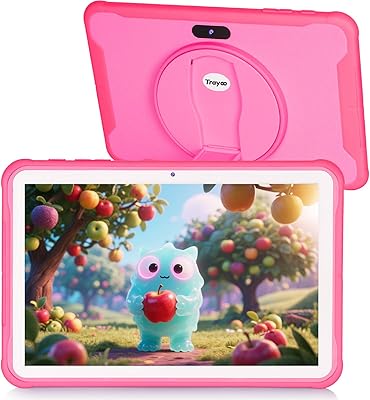
Trayoo K12 Kids Tablet 10.1-inch 64GB
85%
88%
Build Quality & Durability
92%
Battery Life
91%
Parental Controls
79%
Performance
85%
Display Quality
More
YYSWIE 10.1-inch Kids Tablet 64GB
85%
91%
Value for Money
88%
Durability
94%
Battery Life
85%
Parental Controls
89%
Ease of Use
More
YINOCHE Y101 10-inch 32GB Kids Tablet
72%
88%
Value for Money
83%
Parental Controls
79%
Build Quality & Durability
74%
Display Quality
61%
Performance & Speed
More
KYASTER KPad U4 Kids Tablet 10.1-inch 32GB
84%
90%
Battery Life
88%
Parental Controls
91%
Build Quality / Durability
82%
Display Quality
85%
Ease of Setup
More
ITDULCET J10 Plus Kids Tablet 10.1-inch 64GB
87%
85%
Performance
92%
Battery Life
88%
Display Quality
90%
Build Quality & Durability
91%
Parental Controls
More
Fivahiva FF10A-R Kids Tablet 10.1-inch, 32GB
83%
91%
Value for Money
88%
Build Quality & Durability
85%
Battery Life
78%
Performance
83%
Display Quality
More
WXUNJA X-C30 10.1-inch Kids Tablet

72%
83%
Value for Money
86%
Parental Controls
81%
Battery Life
78%
Parental App & Setup
63%
Display Quality
More
YACXBTK J10 10.1-inch Kids Tablet
70%
84%
Battery Life
81%
Value for Money
78%
Parental Controls
62%
Performance
67%
Display Quality
More
BYYBUO A70W 10.1-inch Kids Tablet
73%
88%
Value for Money
76%
Build Quality
58%
Performance
71%
Display Quality
79%
Battery Life
More
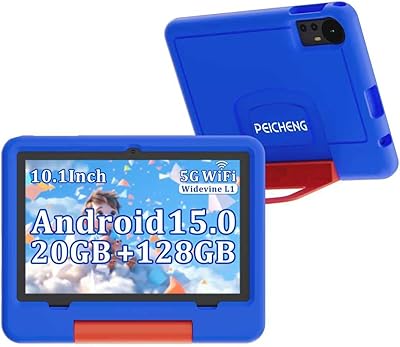
PEICHENG 10.1-inch Kids Tablet, 128GB Storage, Android 15.0
85%
93%
Durability & Build Quality
90%
Parental Control Features
76%
Battery Life
82%
Display Quality
88%
Ease of Use
More

FAQ

Yes, since it runs Android 11 with Google Play access, you can install both Netflix and YouTube without any workarounds. Just note that streaming over the 802.11b WiFi radio can occasionally be slower than on newer tablets, so a strong router signal in the room helps.

Yes, the built-in parental controls let you keep children inside a filtered environment with age-appropriate content. You can set a PIN to prevent them from exiting kids mode, and the content filtering applies to browsing and app access alike.

The case holds up well for everyday drops and bumps based on consistent feedback from parents of young children. It covers the corners and back, which are the most vulnerable spots in a typical drop. It is not indestructible, but it offers a reasonable level of protection for a child's daily use.

It comes pre-loaded with the iWawa kids platform, which includes a selection of learning games, videos, and creative apps. Beyond that, Google Play is fully accessible, so you can download additional apps yourself. The iWawa interface is functional but feels a bit dated compared to platforms like Amazon Kids.

It is broadly aimed at children between about 3 and 10 years old. Younger toddlers will enjoy videos and simple touch games, while children in early primary school can make good use of educational apps. Older kids above 10 may start to outgrow it, especially if they want to play more demanding games.

Yes, the tablet has a microSD card slot that supports cards up to 128GB. That is plenty of extra room for downloaded videos, photos, and additional apps, which is especially handy for long trips or offline use.

Okulaku rates it at around 6 hours, but a fair number of parents report getting closer to 4 to 5 hours under normal use with brightness at a comfortable level. If your child is streaming video continuously, expect it to be closer to the lower end of that range.

Yes, the parental control system allows you to create individual profiles for different children, each with its own content permissions and time limits. This is a genuinely useful feature for families with kids of different ages who need different access levels.

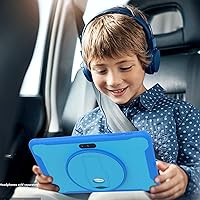
Yes, Bluetooth is built in, so standard wireless headphones and earbuds pair without any issue. This is handy for keeping the peace in shared spaces or during car rides.

Honestly, it is not ideal for those titles. Games like Roblox and Minecraft can run, but with only 2GB of RAM and the Allwinner chipset, performance will be choppy and the experience can be frustrating. This kids tablet is better suited to lighter games, learning apps, and video watching rather than hardware-demanding titles.