
Overview
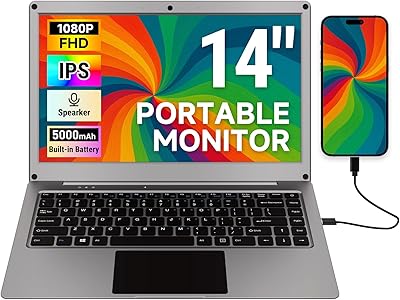
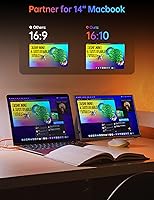
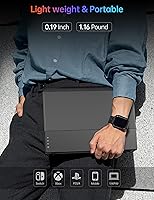
The WGK W140F1 14-inch Portable Monitor enters a crowded budget category with a few genuinely useful tricks up its sleeve. Most portable displays at this price ship at 16:9, so the 16:10 aspect ratio here is a quiet but real advantage — you get more vertical space, which matters when scrolling through documents or staring at code all day. Connectivity is handled by dual USB-C ports plus HDMI, which is better than many rivals offer at this price point. The included PU leather smart cover is a nice bonus too, since similar accessories often cost extra elsewhere. Just be clear-eyed: this is an entry-level screen built for convenience and portability, not for color-critical creative work.
Features & Benefits
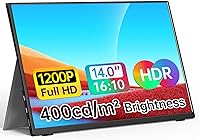
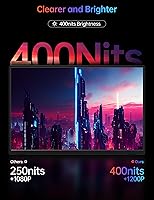
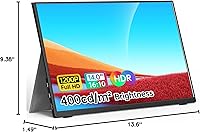
The 1920×1200 IPS matte panel is the standout spec here. At 400 nits, it handles indoor settings and moderately lit cafés reasonably well, though direct sunlight will push its limits. The matte finish cuts glare effectively, which glossy rivals often sacrifice. That 16:10 resolution means noticeably more vertical room for spreadsheets, long documents, and stacked terminal windows. Single-cable USB-C operation works cleanly on supported devices — but check that your laptop or phone actually supports DisplayPort Alt Mode over USB-C, because not all do, and this catches buyers off guard. The HDMI port saves the day for older machines and consoles. Built-in speakers exist and are convenient, but treat them as backup audio only rather than a genuine listening experience.
Best For
This travel-friendly display makes the most sense for people who need a practical second screen without carrying much weight. Remote workers ducking into coffee shops, students cramming extra content onto a dorm desk, and hybrid professionals rotating between office and home will all find real value here. The HDMI input also makes it surprisingly capable as a compact gaming display for PS4/5 or Switch sessions in a hotel room. It pairs naturally with modern MacBooks, Windows ultrabooks, and Surface devices over a single USB-C cable when compatibility checks out. At just over a pound, it genuinely fits in a laptop sleeve. If you want a capable, no-fuss portable screen for everyday productivity or light gaming on the road, it delivers.
User Feedback
Buyers consistently praise the portability and screen clarity, with many noting that picture quality punches above its price for everyday tasks. The smart cover draws specific appreciation — having a built-in stand that holds the display at a usable angle makes a real difference when working away from a desk. On the flip side, speaker quality is the most common complaint; the audio is thin and best reserved for notification sounds. A handful of users have run into USB-C compatibility issues because their devices lacked DP Alt Mode support, so verifying this before purchase is worth the extra few minutes. Build quality feedback is generally positive, though some buyers note the cover hinge feels less robust over time. Overall, value-for-money sentiment is strong.
Pros
- Slim, lightweight build at just over a pound makes it genuinely easy to carry every day.
- The 16:10 aspect ratio delivers noticeably more vertical space than standard portable displays.
- Single USB-C cable handles both power and video on compatible devices, reducing desk clutter significantly.
- HDMI input expands compatibility to consoles and older laptops without USB-C ports.
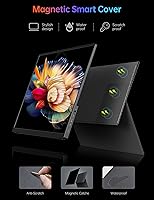
- The included PU leather smart cover functions as a usable stand, saving you extra money and bag space.
- IPS matte panel keeps glare manageable in most indoor settings without sacrificing viewing angles.
- Supports landscape and portrait orientation, adding flexibility for reading or coding layouts.
- 100% sRGB coverage delivers respectable color for everyday productivity and casual media use.
- HDR mode is available for users who want punchier visuals during gaming or video playback.
- At this price tier, the overall package — screen, cover, and connectivity options — represents solid value.
Cons
- USB-C DisplayPort Alt Mode is required but not universal; checking device compatibility before buying is essential.
- Built-in speakers produce thin, low-volume audio that is barely adequate for basic notification sounds.
- Color accuracy falls short of professional standards, limiting usefulness for any creative color work.
- The smart cover hinge can feel less solid after extended daily use, raising long-term durability questions.
- At 400 nits, the panel struggles with visibility in brightly lit or outdoor environments.
- No dedicated power brick is included; users without a USB-C charger may need an additional purchase.
- The 14-inch size can feel cramped when used as a standalone workspace rather than a companion screen.
- Brightness and contrast controls via on-screen menus can be fiddly and unintuitive to navigate.
Ratings
Our AI scoring engine analyzed verified global buyer reviews for the WGK W140F1 14-inch Portable Monitor, actively filtering out incentivized, duplicate, and bot-generated feedback to surface what real users actually experience day to day. Scores reflect a honest synthesis of both the genuine strengths that keep buyers satisfied and the recurring frustrations that show up across independent reviewers worldwide. Nothing has been smoothed over — where users struggled, the scores reflect it.
Portability
Display Clarity
Value for Money
Connectivity
Screen Brightness
Color Accuracy
Build Quality
Smart Cover & Stand
Audio Quality
Ease of Setup
Viewing Angles
Eye Comfort
Multi-Device Compatibility
Suitable for:
The WGK W140F1 14-inch Portable Monitor is a strong fit for anyone who needs a practical, lightweight second screen without spending much. Remote workers who rotate between home, coffee shops, and co-working spaces will appreciate how easily it slips into a laptop bag alongside everything else. Students gain meaningful extra screen real estate in dorms or libraries, especially for multitasking between notes, research, and writing. The 16:10 aspect ratio is a genuine productivity win for people who work with documents, spreadsheets, or code, since that extra vertical space reduces scrolling noticeably. Travelers who frequently set up temporary workstations in hotel rooms will find the included stand cover eliminates the need to pack any additional accessories. It also works well as a compact gaming display for PS4/5 or Switch owners who want a dedicated portable screen away from the main TV.
Not suitable for:
The WGK W140F1 14-inch Portable Monitor is not the right tool for buyers who need accurate, calibrated color output for photo editing, graphic design, or video color grading — the panel simply is not built for that level of precision. Professionals who depend on consistent color reproduction across multiple displays should look further up the market. The built-in speakers are thin and underpowered, so anyone expecting usable audio for media consumption will likely need external sound. Buyers with older laptops that lack USB-C DisplayPort Alt Mode support may face frustrating compatibility issues, and HDMI remains the fallback rather than a premium experience at this size. If you work frequently in bright outdoor environments or under strong direct lighting, the 400-nit brightness may fall short of comfortable visibility. Those wanting a larger screen for immersive gaming or cinematic viewing will also find 14 inches limiting.
Specifications
- Screen Size: The display measures 14 inches diagonally, making it compact enough for daily travel without feeling too small for productivity tasks.
- Resolution: The panel runs at 1920×1200 pixels, delivering a sharper and taller image than standard 1080p due to the extra vertical resolution.
- Aspect Ratio: A 16:10 aspect ratio provides more vertical screen space compared to the more common 16:9 format found on most portable monitors.
- Panel Type: The IPS matte panel ensures consistent color and contrast across wide viewing angles while reducing reflections from ambient light sources.
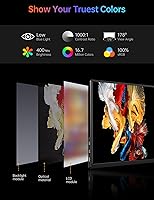
- Brightness: Peak brightness is rated at 400 cd/m², which is adequate for indoor and moderately lit environments but may struggle under direct sunlight.
- Viewing Angle: The display supports a 178° viewing angle both horizontally and vertically, so colors and contrast remain stable when viewed from off-center positions.
- Color Gamut: The screen covers 100% of the sRGB color space, which is suitable for everyday content, casual photo viewing, and general productivity work.
- HDR Support: HDR mode is available and can produce brighter highlights and more dynamic contrast when connected to a compatible source device.
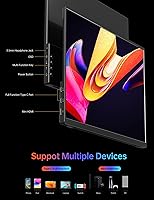
- Connectivity: Two full-featured USB-C ports and one HDMI input are provided, supporting single-cable video and power delivery on compatible USB-C devices.
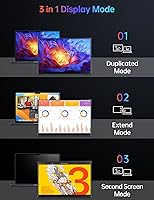
- Display Modes: The monitor supports Copy, Extended, Second Screen, and Portrait display modes, giving users flexibility depending on their workflow or device.
- Weight: At 1.15 pounds, this portable monitor is light enough to carry comfortably in a backpack alongside a laptop without adding noticeable bulk.
- Dimensions: The unit measures 15.51 × 10.24 × 1.85 inches, fitting neatly inside most standard laptop sleeves and slim backpack compartments.
- Built-in Audio: Two integrated speakers are included for basic audio output, though they are intended as a convenience feature rather than a primary listening solution.
- Included Accessory: A PU leather smart cover is included in the box and doubles as a foldable stand for both landscape and portrait orientations.
- Eye Care: The display incorporates low blue-light output and a flicker-free backlight to reduce eye strain during extended viewing sessions.
- Model Number: The official model designation for this unit is W140F1, manufactured by WGK.
- Compatible Devices: The monitor is compatible with laptops, MacBooks, PCs, smartphones, PS4, PS5, and Nintendo Switch via USB-C or HDMI connections.
- USB-C Requirement: Single-cable USB-C operation requires the connected device to support Thunderbolt 3, USB 3.1, or DisplayPort Alt Mode over USB-C.
Related Reviews

Dell P1424H 14-inch Portable Monitor
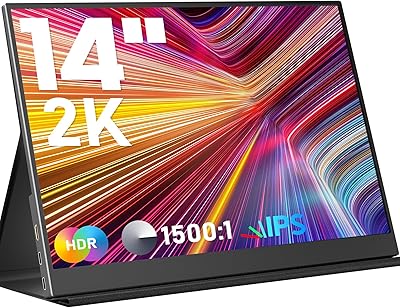
KEEPTIME P142 14-inch Portable Monitor
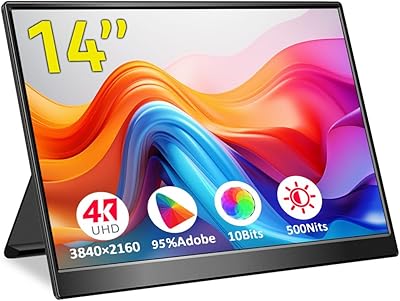
Magedok 14-Inch 4K Portable Monitor

Lrtzcbi 14-inch Portable Touchscreen Monitor
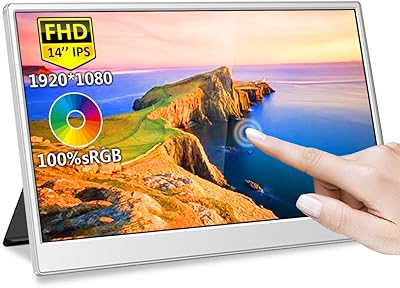
Magedok MG140-FT02 14-Inch Portable Touchscreen Monitor
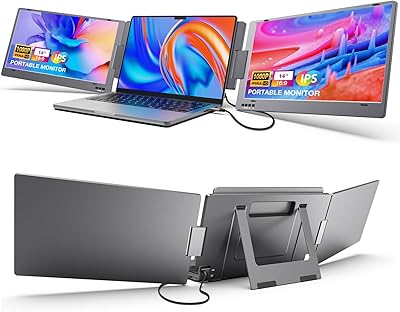
KYY X90A 14-inch Laptop Screen Extender
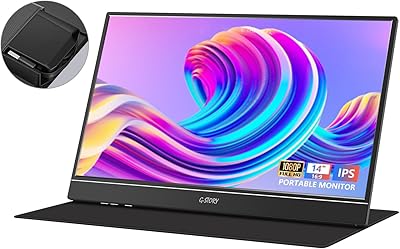
G-STORY GS140H0 14-inch Portable Monitor
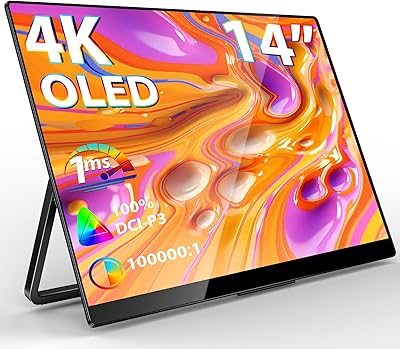
InnoView 14-inch OLED Portable Monitor 4K UHD
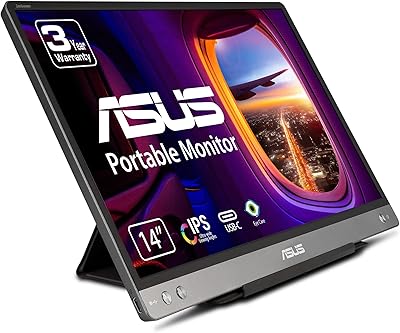
ASUS ZenScreen MB14AC 14-inch Portable Monitor