Overview

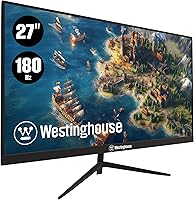
The Westinghouse 27-Inch 180Hz 1080p IPS Gaming Monitor entered a brutally competitive segment when it launched in late 2024, squaring off against budget staples like AOC and Sceptre. Westinghouse isn't a name most gamers reach for first, and that hesitation is reasonable. The real appeal here is the IPS panel — a deliberate choice that prioritizes color consistency and wider viewing angles over the deeper blacks a VA panel might offer. The spec sheet looks genuinely strong for the price. But build quality and long-term brand support are worth examining closely before you commit.
Features & Benefits

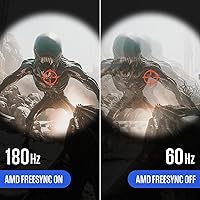
At 180Hz, the jump from a standard 60Hz display is immediately apparent — motion is crisper, fast-paced shooters feel more controlled, and tracking moving targets gets noticeably easier. Pair that with a 1ms response time and ghosting becomes a non-issue even during hectic gameplay. AMD FreeSync works quietly in the background, smoothing out frame delivery when your GPU output fluctuates. The IPS panel holds its own for color accuracy at this price point, though expectations should stay realistic. Two HDMI ports plus one DisplayPort cover both PC and console setups well. The built-in speakers handle background audio adequately — useful, but not a substitute for dedicated sound.

Best For

This 27-inch IPS panel makes the most sense for budget-conscious PC gamers who want a high-refresh-rate experience without stretching too far financially. It's also a practical option for console players — dual HDMI ports let you keep a PS5 and a secondary device connected at once. Students splitting time between coursework and gaming will find the screen size and IPS consistency useful for both. If you're upgrading from a 60Hz display for the first time, the difference will be noticeable. And if you're running an AMD GPU, FreeSync compatibility is a straight bonus with no added cost.

User Feedback

Buyers tend to respond positively to this Westinghouse monitor, with 180Hz smoothness drawing the most consistent praise — especially from those coming off older 60Hz screens. Out-of-box color accuracy also earns solid marks. On the downside, the stand gets called out frequently as wobbly and limited to basic tilt, with no height or swivel options. Some buyers report backlight bleed and uneven panel uniformity, which isn't surprising at this price but is worth knowing going in. The 250-nit brightness is a genuine limitation in naturally bright rooms. Built-in speakers get acknowledged mainly as clutter-savers, rarely as anything more.

Pros

  • 180Hz refresh rate delivers a noticeable, immediate improvement over any 60Hz or 75Hz display.
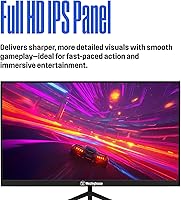
  • The IPS panel offers solid color accuracy and wide viewing angles for a monitor in this price bracket.
  • AMD FreeSync eliminates screen tearing without requiring a premium GPU or a pricier display.
  • Dual HDMI ports make it easy to keep a PC and a console connected at the same time.
  • A DisplayPort cable is included in the box, which saves an annoying extra purchase.
  • Built-in speakers handle casual audio needs without adding cables or desk clutter.
  • 1ms response time keeps ghosting under control during fast-paced multiplayer games.
  • At 27 inches, the screen size hits a practical sweet spot for both gaming and everyday computing.
  • The price undercuts many name-brand rivals offering similar specs, making it genuinely competitive on value.

Cons

  • At 250 nits, brightness is below average and the image can wash out badly in bright or sunlit rooms.
  • The stand feels flimsy and offers only basic tilt — no height, swivel, or pivot adjustments.
  • Westinghouse has a limited support footprint, which could be frustrating if you need warranty help.
  • Some units show backlight bleed or uneven panel uniformity, a recurring complaint among buyers.
  • 1080p on a 27-inch screen produces a lower pixel density than on a 24-inch panel, which can look soft to detail-sensitive eyes.
  • The OSD (on-screen display) controls have been described as unintuitive and slow to navigate.
  • Built-in speakers are thin and lack bass — usable in a pinch, but not for regular listening.
  • The dynamic contrast ratio figure is marketing-driven and does not reflect real-world static contrast performance.

Ratings

Our AI-generated scores for the Westinghouse 27-Inch 180Hz 1080p IPS Gaming Monitor are based on a deep analysis of verified global buyer reviews, with spam, bot submissions, and incentivized feedback actively filtered out before scoring. Each category reflects the honest distribution of real user experiences — strengths are credited where earned, and recurring pain points are weighted accordingly. The result is a transparent, balanced picture of where this budget gaming display genuinely delivers and where it falls short.
Refresh Rate Performance
91%
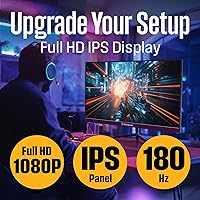
Buyers consistently describe the 180Hz experience as a genuine upgrade, particularly those coming from 60Hz displays. In fast-paced FPS titles and action games, the smoother motion tracking is immediately apparent and frequently cited as the single best reason to choose this monitor.
A small number of users report that achieving the full 180Hz requires manually enabling it in display settings, which catches first-time monitor buyers off guard. There are also occasional reports of the monitor defaulting back to a lower refresh rate after a power cycle.
Image & Color Quality
78%
22%
The IPS panel earns consistent praise for delivering pleasing out-of-box colors without requiring calibration, which is a genuine achievement at this price point. Viewing angles hold up well when multiple people are watching or when the screen is positioned slightly off-center.
Color accuracy has real limits compared to higher-end IPS panels, and some buyers notice a slight blue-cool tint in default mode. Gamma consistency across the full panel surface is uneven on some units, with corners occasionally appearing slightly warmer or cooler than the center.
Brightness & Visibility
53%
47%
In dim or controlled lighting — a typical bedroom or basement gaming setup — 250 nits is adequate, and most buyers in those conditions report no complaints about the image appearing dull or washed out during everyday use.
In brighter rooms, particularly near windows or under strong overhead lighting, 250 nits is a meaningful limitation. Multiple buyers flagged this as a dealbreaker for daytime use, with glare compounding the issue since the panel has a semi-glossy finish that picks up reflections.
Response Time & Motion Clarity
84%
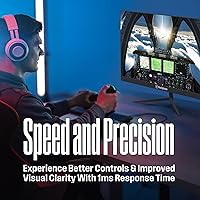
Ghosting is well-controlled during fast gameplay, and most buyers playing competitive shooters or racing games report clean trailing even in the most demanding motion sequences. The 1ms figure translates to a perceptibly crisp experience for the target audience.
A few buyers using more demanding testing patterns report faint inverse ghosting artifacts, which suggests the overdrive circuit may be slightly aggressive at certain settings. This is unlikely to bother casual gamers but could frustrate those who scrutinize motion quality closely.
AMD FreeSync
82%
18%
FreeSync works reliably with compatible AMD GPUs and virtually eliminates screen tearing in the frame rate ranges where most budget gaming rigs operate. Buyers who upgraded from a non-FreeSync monitor frequently note how much more comfortable extended gaming sessions feel.
FreeSync performance depends heavily on staying within the monitor's supported variable refresh range, and the usable range on this display is narrower than some competitors. Nvidia users also need to verify their card's G-Sync Compatible status, as results are inconsistent across GPU generations.
Build Quality & Materials
58%
42%
The chassis and bezel feel reasonably solid for a budget monitor, and the panel itself sits firmly in the stand under normal desk conditions. The slim bezel design gives the monitor a more modern appearance than its price might suggest.
The stand is the most criticized physical element — it wobbles noticeably when the desk vibrates and offers only basic tilt with no height, swivel, or pivot options. Several buyers also noted that the plastics feel lightweight and that the overall construction lacks the reassurance of even mid-range competitors.
Connectivity
86%
Two HDMI ports and one DisplayPort cover the realistic connectivity needs of most buyers, and having dual HDMI inputs is genuinely useful for anyone switching between a PC and a console without unplugging cables. The included DisplayPort cable is a small but appreciated addition.
There is no USB hub, no 3.5mm audio passthrough on some configurations, and no USB-C input, which limits flexibility for users with newer laptops or mobile devices. Buyers looking to daisy-chain peripherals through the monitor will need to plan around its limited port selection.
Built-in Speakers
47%
53%
The built-in speakers are functional enough for video calls, background YouTube, or casual desktop audio, and they keep the desk tidier by eliminating the need for a separate speaker bar in low-demand situations.
Sound quality is thin, lacks any meaningful bass, and the maximum volume is modest — barely adequate for a moderately noisy environment. Buyers who use their monitors for gaming, music, or movies consistently recommend adding even an entry-level external speaker or headset.
OSD & Settings Usability
61%
39%
The on-screen display covers the expected adjustment options — brightness, contrast, color presets, and refresh rate confirmation — without being overly stripped down. Most buyers can navigate to the settings they need without reading the manual.
Navigation through the OSD is slow and the button placement on the rear of the panel is not intuitive, which frustrates buyers during initial setup. Several users noted that confirming refresh rate or enabling FreeSync requires more menu steps than expected for a monitor in this category.
Panel Uniformity
62%
38%
Many units perform adequately in uniformity for gaming purposes, where localized brightness inconsistencies are far less noticeable than they would be on a static white background used for design work or document editing.
Backlight bleed appears as a recurring complaint, particularly in the corners of the panel during dark scenes or night gameplay. The inconsistency across units suggests panel-level quality control variation, meaning some buyers receive a clean sample while others do not.
Setup & Assembly
76%
24%
The physical assembly process is straightforward — the stand attaches with a simple click mechanism and no tools are required. Most buyers report being up and running within ten minutes of opening the box, including connecting cables and navigating initial settings.
Getting the refresh rate confirmed at 180Hz in Windows display settings trips up some first-time buyers, and the included documentation does not walk through this step clearly. Cable management options on the stand are also minimal, which can leave the rear of the desk looking untidy.
Value for Money
88%
Measured purely by specs-per-dollar, this budget gaming display is difficult to fault — 180Hz, IPS, and FreeSync at this price point undercuts many established brand alternatives. For first-time high-refresh-rate buyers on a strict budget, the core value proposition is real and tangible.
The value equation shifts if you factor in long-term reliability uncertainty and limited brand support infrastructure, both of which add hidden risk to the purchase. Buyers who end up with a defective panel or a warranty issue may find that the initial savings are offset by the hassle of resolving problems.
Gaming Performance (Overall)
83%
For the target use case — casual to mid-level competitive gaming on a budget — this 27-inch IPS panel delivers a convincing experience. The combination of high refresh rate, low latency, and FreeSync makes a meaningful practical difference in daily gaming sessions.
Buyers expecting professional-level gaming monitor performance — precise factory calibration, wide FreeSync range, robust overdrive modes, or HDR support — will find this display falls short of those benchmarks. It is optimized for value, not technical ceiling.

Suitable for:

The Westinghouse 27-Inch 180Hz 1080p IPS Gaming Monitor is a strong fit for buyers who want a meaningful performance upgrade without a painful outlay. If you're currently gaming on a 60Hz display — whether that's an older monitor or a TV — the jump to 180Hz will feel substantial from the first session. Students sharing a desk between coursework and gaming will appreciate the IPS panel's color consistency across both tasks, and the 27-inch size gives enough screen real estate without dominating a small room. Console players with a PS5 or Xbox will find the dual HDMI inputs genuinely practical, keeping two devices plugged in simultaneously. AMD GPU owners get FreeSync at no extra cost, which is a real bonus in this price range.
Not suitable for:

Buyers with specific expectations around build quality, brightness, or brand reliability should approach this budget gaming display carefully. At 250 nits, the panel brightness is below what most competing monitors offer, making it a poor choice for anyone working near a window or in a well-lit room — colors will wash out and eye strain can become an issue. The stand is a known weak point, offering only basic tilt with no height adjustment or swivel, which matters if ergonomics are a priority for long sessions. Content creators or anyone doing color-sensitive work should look elsewhere; while the IPS panel is decent for the price, it isn't calibrated to professional standards. Finally, buyers who value responsive after-sales support may find Westinghouse's limited brand presence frustrating if something goes wrong down the line.

Specifications

  • Screen Size: The display measures 27 inches diagonally, offering a comfortable gaming and productivity footprint without requiring an oversized desk.
  • Panel Type: An IPS (In-Plane Switching) panel is used, providing wider viewing angles and more consistent color reproduction compared to TN alternatives at this price tier.
  • Resolution: The native resolution is 1920x1080 pixels (Full HD), which is standard for 27-inch monitors in the budget segment.
  • Refresh Rate: The panel runs at a native 180Hz refresh rate, enabling smoother motion rendering than 60Hz or 144Hz displays during fast-paced gameplay.
  • Response Time: A 1ms response time (GtG) is specified, reducing motion blur and ghosting during high-speed gaming sequences.
  • Brightness: Peak brightness is rated at 250 cd/m² (nits), which is below the industry average and may limit visibility in brightly lit environments.
  • Contrast Ratio: The dynamic contrast ratio is listed at 10,000,000:1, though real-world static contrast will be considerably lower, as is typical for IPS panels.
  • Aspect Ratio: The display uses a standard 16:9 widescreen aspect ratio, compatible with virtually all modern games, applications, and video content.
  • Connectivity: The monitor includes one DisplayPort input and two HDMI inputs, supporting both PC and current-generation console connections simultaneously.
  • Included Cable: A DisplayPort cable is included in the box, so PC users with a compatible GPU can connect and get running without an additional purchase.
  • Speakers: Two built-in speakers are integrated into the chassis, providing basic audio output for casual use without requiring external equipment.
  • AMD FreeSync: AMD FreeSync is supported, synchronizing the monitor's refresh rate with a compatible AMD GPU to reduce screen tearing and stuttering during gameplay.
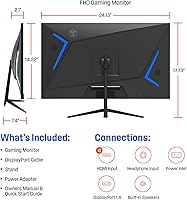
  • Dimensions: The assembled monitor (with stand) measures approximately 24.13 inches wide, 17.73 inches tall, and 7.4 inches deep.
  • Weight: The unit weighs 12.32 pounds with the stand attached, making it manageable for solo setup or repositioning on a desk.
  • Stand Adjustment: The included stand supports tilt adjustment only; height, swivel, and pivot adjustments are not available on the stock stand.
  • VESA Compatibility: The monitor is expected to support standard VESA mounting, allowing third-party monitor arms to be used as an ergonomic alternative to the included stand.
  • Power Supply: The monitor uses an external power adapter, consistent with most displays in its size and price category.
  • Release Date: This monitor was first made available in August 2024, placing it among the more recent entries in the budget 180Hz display segment.

Related Reviews

ViewSonic VX2428A 24-inch 1080p 180Hz IPS Gaming Monitor
86%
91%
Display Quality
94%
Refresh Rate & Performance
88%
Color Accuracy
87%
Eye Care Features
92%
Gaming Experience
More
GIGABYTE GS27QA 27-inch QHD Gaming Monitor
78%
88%
Gaming Performance
91%
Image Clarity
79%
Color Accuracy
54%
HDR Experience
89%
Refresh Rate & Smoothness
More
ASUS VZ279QG1R 27-inch 1080P Gaming Monitor
83%
88%
Gaming Performance
91%
Smooth Visuals (Motion Blur Reduction)
93%
Value for Money
80%
Build Quality
85%
Display Quality (Color Accuracy, Brightness)
More
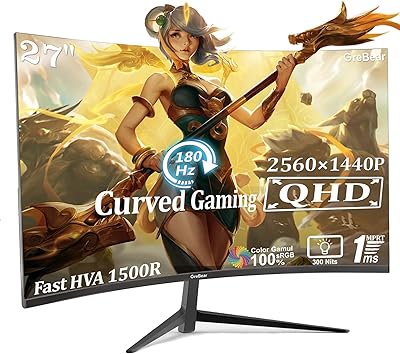
GreBear 27-Inch 180Hz Curved Gaming Monitor
86%
91%
Performance in Fast-Paced Games
95%
Refresh Rate and Smoothness
86%
Build Quality and Durability
67%
Color Accuracy
89%
Ease of Setup
More
Amazon Basics 27E2UA 27-inch IPS Monitor
78%
92%
Value for Money
84%
Image & Color Quality
88%
Viewing Angles
51%
Ergonomics & Stand
87%
Connectivity & Port Selection
More
ASUS TUF Gaming VG279Q3R 27-inch 1080p Monitor
84%
91%
Gaming Performance
88%
Visual Quality
83%
Ergonomics & Comfort
87%
Color Accuracy
82%
Build Quality
More
ViewSonic VS2747-H 27-inch IPS Monitor
75%
91%
Value for Money
86%
Image Quality
88%
Eye Comfort
79%
Refresh Rate & Smoothness
71%
Build Quality
More
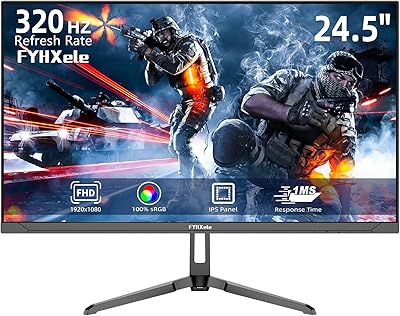
FYHXele 24-inch Gaming Monitor FHD 1080p 180Hz
86%
88%
Performance (Smooth Gaming)
85%
Display Quality
82%
Build Quality & Durability
90%
Ease of Setup
91%
Value for Money
More
ASUS TUF Gaming VG277Q1A 27″ Gaming Monitor
78%
93%
Refresh Rate Performance
88%
Motion Clarity & Response Time
91%
Adaptive Sync & Tear-Free Gaming
74%
Out-of-Box Color Quality
82%
Shadow Boost & Dark Scene Visibility
More
ViewSonic VX2776-SMHD 27-inch 1080p IPS Monitor
84%
92%
Display Quality
88%
Gaming Performance
90%
Ease of Setup
91%
Design & Aesthetics
89%
Eye Comfort
More

FAQ

Yes, both consoles connect via HDMI, and this budget gaming display has two HDMI ports, so you can keep a console and another device plugged in at the same time. Keep in mind the monitor tops out at 1080p, so you won't get 4K output, but 1080p at high frame rates is well-supported.

If you're coming from a 60Hz screen, the difference is immediately obvious — motion looks smoother, cursor tracking feels tighter, and fast-paced games are simply easier to follow. Even stepping up from 144Hz, 180Hz adds a subtle but real improvement in fluidity.

Honestly, 250 nits is on the lower end for a modern monitor. If your setup is near a window or has strong overhead lighting, you may notice the image washing out during the day. This 27-inch IPS panel is best suited to controlled or dim lighting environments where the brightness limitation won't be a factor.

FreeSync is natively designed for AMD GPUs, but many Nvidia GTX 10-series and newer cards support FreeSync displays through Nvidia's G-Sync Compatible mode. It's worth checking your specific GPU model, as compatibility isn't universal across the entire Nvidia lineup.

The stand has been flagged by buyers as feeling somewhat wobbly, and it only tilts — no height or swivel adjustment. If ergonomics matter to you, swapping in a third-party VESA monitor arm is a practical upgrade that resolves most of these complaints.

They're fine for background audio, video calls, or the occasional YouTube session, but don't expect much bass or volume. Most buyers treat them as a fallback rather than a primary audio solution — if sound quality matters at all to you, a basic headset or external speaker will be a significant improvement.

It depends on your viewing distance. Sitting 2 to 3 feet away, some people notice that text and fine details look slightly softer than on a 24-inch 1080p display, because the same resolution is spread across more screen. For gaming it's generally fine, but productivity tasks involving small text can occasionally look less sharp.

The Westinghouse 27-Inch 180Hz 1080p IPS Gaming Monitor ships with the display panel, the stand base and neck, a DisplayPort cable, a power adapter, and basic documentation. You'll need to supply your own HDMI cable if that's your preferred connection.
For a budget IPS panel, most buyers report the colors look reasonably good straight out of the box without any manual calibration. It won't match a factory-calibrated professional display, but for gaming and everyday use it holds up well within its price class.

Some backlight bleed is common across budget IPS monitors, and a small amount around the corners is generally considered normal for this price tier. If the bleed is severe or centrally located and affecting your viewing experience, contact Westinghouse support — it may qualify as a defective unit under warranty.