Overview

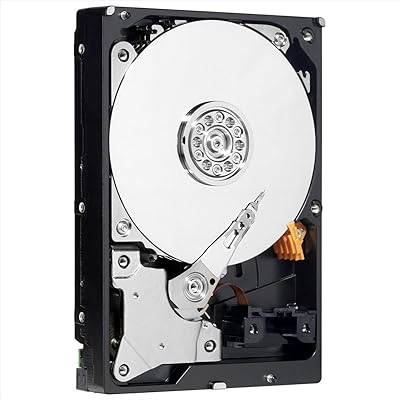
The WD Caviar Green 2TB Internal Hard Drive arrived at a time when two terabytes felt like serious storage real estate for most desktop users. Western Digital built the Caviar Green line around a clear philosophy: keep it cool, keep it quiet, and draw less power than a conventional spinning drive. Speed was never the priority. This is a bulk storage drive — the kind you fill with media archives, backup folders, and files you rarely need to access in a hurry. It connects via SATA II, which makes it a natural fit for older desktop builds and many NAS enclosures. Set your expectations correctly, and it can still serve a real purpose today.
Features & Benefits

The defining characteristic of this Caviar Green drive is IntelliPower technology — WD's variable-speed approach that keeps the platters spinning at roughly 5400 RPM rather than a fixed higher rate. You get noticeably lower heat and quieter idle noise as a result, though sequential transfer speeds reflect that trade-off honestly. The 32 MB cache buffer helps with larger, sustained reads and writes, making it reasonably comfortable handling big media files. Installation is straightforward: standard 3.5-inch form factor, a SATA II data connector, and out-of-the-box support for Windows, macOS, and Linux means most users won't need to install a single driver or download any utility before the drive appears in their OS.

Best For

This 2TB desktop HDD earns its place as a secondary storage drive — not a boot drive, not a scratch disk, but somewhere to park years of home videos, raw photo archives, and backup images that don't need instant access. It's a practical choice for a home media server or a low-power NAS setup where the drive runs continuously and power efficiency matters more than peak throughput. Older desktops with SATA II motherboards are another obvious home; dropping in a compatible drive is easier than wrestling with modern alternatives that may need firmware workarounds. Budget-conscious builders who simply need mass capacity cheaply will find it fits that narrow brief well enough.

User Feedback

The WD Green 2TB carries a 3.7-star rating that reflects a genuinely split experience. Users running it in quiet media center builds or NAS enclosures often report years of reliable service, praising the low noise and minimal heat it generates in always-on environments. The critical reviews tell a different story: early failures are a recurring theme, and there are well-documented complaints about the variable RPM being misread as a stall by certain older chipsets. Buyers on pre-Windows 7 systems should also look into the Advanced Format alignment issue specific to the WD20EADS — a jumper adjustment or alignment utility is sometimes needed to avoid degraded performance. Newer alternatives often offer better value at this stage, but it can still work for the right use case if you keep a backup.

Pros

  • Runs noticeably cooler and quieter than 7200 RPM drives, making it comfortable in living room or bedroom builds.
  • Lower power draw makes this Caviar Green drive a practical option for always-on NAS or media server setups.
  • Two terabytes of capacity gives plenty of room for photo libraries, home video archives, and full system backups.
  • Standard 3.5-inch form factor means it drops into virtually any desktop case or enclosure without adapter hardware.
  • Works out of the box with Windows, macOS, and Linux — no driver hunting required.
  • SATA II connectivity is a genuine advantage for legacy desktop owners who need a straightforward capacity upgrade.
  • The 32 MB cache buffer helps smooth out sequential transfers when copying large media files in bulk.
  • OEM pricing makes it one of the more affordable ways to add 2TB of secondary storage to an existing build.

Cons

  • Variable IntelliPower RPM causes sluggish random access performance — a real problem if used as anything other than secondary storage.
  • The WD20EADS model has a known Advanced Format alignment issue on pre-Windows 7 systems that requires a jumper fix or alignment tool.
  • Early failure reports are frequent enough in user feedback to be a genuine concern, not just statistical noise.
  • Certain older chipsets misread the variable RPM as a drive stall, triggering errors or disconnects during normal operation.
  • SATA II is an aging interface; anyone building a modern system is better served by a faster, more current drive.
  • Comes in bulk or OEM packaging only — no mounting screws, no installation cable, no documentation included.
  • At this stage of its product life, newer mechanical drives from the same brand offer better reliability per dollar.
  • Long sequential write sessions can expose the speed ceiling, making it a poor fit for active video production workflows.
  • The 3.7-star average reflects a polarized ownership experience — there is no reliable way to predict which unit you will get.

Ratings

Our scores for the WD Caviar Green 2TB Internal Hard Drive were generated by AI after systematically analyzing verified global user reviews, with spam, incentivized, and bot-submitted feedback actively filtered out before a single number was assigned. The ratings below reflect both the real strengths this drive delivers in its intended role and the pain points that have genuinely frustrated buyers who pushed it beyond those limits. Nothing has been rounded up to make the picture look cleaner than it is.
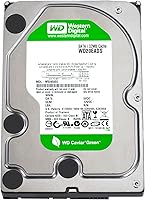
Value for Money
61%
39%
When this Caviar Green drive launched, 2TB at a budget price point was hard to beat. For users sourcing a low-cost replacement for a legacy system or a cheap secondary archive drive, the per-gigabyte math can still work out reasonably in the right context.
Compared to what the current market offers, the value proposition has eroded significantly. Newer mechanical drives at similar prices carry better reliability records, more modern interfaces, and longer warranty coverage, making this a harder sell for anyone starting a build from scratch today.
Sequential Read Speed
67%
33%
For its intended workload — pulling large video files, photo libraries, or backup archives — sequential reads are adequate. Users streaming media from a home server report smooth playback without buffering, which is precisely the scenario this 2TB desktop HDD was designed to handle.
Sequential read throughput tops out well below what a 7200 RPM drive delivers, and IntelliPower variability can introduce inconsistency in sustained transfers. Anyone moving large volumes of data regularly will feel the gap, especially if they have used faster drives in the same workflow.
Sequential Write Speed
62%
38%
Writing large, contiguous files — full system backups or bulk media dumps — is manageable, and the 32 MB cache absorbs short bursts without immediate slowdown. For infrequent bulk writes to a cold archive, most users find the throughput acceptable for the price paid.
Sustained write performance under load drops noticeably once the cache fills and the drive falls back to its base write rate. Users who run nightly backup jobs over large volumes consistently describe the process as slower than on a comparable fixed-RPM alternative they had used before.
Random Access Performance
43%
57%
Users who deploy this drive purely as a cold archive — writing data once and reading it back infrequently — rarely complain about seek times in that narrow scenario. When the workload stays sequential and predictable, random access limitations barely surface in day-to-day experience.
For anything requiring brisk random I/O — running applications, loading game assets, or handling simultaneous file requests — this drive struggles visibly. The variable RPM compounds the issue, and users who pushed it beyond its intended archival role consistently reported frustrating delays and sluggish system responsiveness.
Noise Level
83%
In a home theater PC or always-on media server, quiet operation genuinely matters, and this is where the WD Green 2TB earns consistent praise. Users in living room builds report the drive is nearly inaudible at idle, a real quality-of-life benefit in noise-sensitive environments.
Normal mechanical seek clicks are still audible when the drive is actively reading or writing, which users in very quiet rooms find distracting during random access tasks. It is low by HDD standards, but it remains a mechanical drive and will never approach the silence of a solid-state alternative.
Heat Output
81%
19%
Running cooler than most 7200 RPM drives is a measurable advantage in compact enclosures and multi-bay NAS setups where airflow is limited. Several users report that even after hours of continuous operation, this drive stays noticeably cooler to the touch than faster alternatives they had previously used.
While heat output is genuinely low under light workloads, sustained write-heavy use warms the drive more than casual users expect. In a poorly ventilated enclosure with multiple drives packed closely together, low TDP alone without adequate airflow planning can still lead to elevated temperatures over long sessions.
Power Consumption
84%
The reduced power draw compared to 7200 RPM drives is a tangible benefit for anyone running a home NAS around the clock. Over months of continuous operation the difference in electricity consumption adds up, and users who track their NAS power budgets frequently cite this as a meaningful reason they chose this Caviar Green drive.
The efficiency advantage diminishes in workloads that keep the drive spinning hard for extended periods, since the variable-speed motor does not throttle as aggressively under sustained load. For heavy-write continuous environments, the power consumption gap between this drive and a modern equivalent narrows considerably.
Reliability
49%
51%
A meaningful share of long-term users — particularly those running the drive in low-stress archival or light NAS roles with good ventilation — report trouble-free operation spanning several years. In those conditions, it has done exactly what it promised: sit quietly, store data, and draw minimal attention.
The reliability record is genuinely divided and difficult to overlook. A notable proportion of buyers report early failures within the first year or two, and the polarized rating average reflects real frustration rather than isolated defects. For data you cannot afford to lose, redundancy is not optional here.
Installation Ease
78%
22%
Dropping this drive into a desktop case or external enclosure is straightforward — standard 3.5-inch mounting, a SATA data cable, and a power connector is all it takes. Users replacing a failed drive in an older desktop report the physical swap takes under ten minutes even without prior experience.
The Advanced Format alignment issue specific to the WD20EADS adds an unexpected complication on older operating systems. On pre-Windows 7 machines, full performance requires a jumper adjustment or WD's alignment utility — a step that catches unprepared buyers off guard and adds friction to what should be a simple install.
Compatibility
66%
34%
Out of the box, this 2TB desktop HDD works across Windows, macOS, and Linux without any driver installation, making it accessible to a wide range of users. On modern systems, it simply appears as a new drive ready to format — no setup utility required under normal circumstances.
Certain older chipsets misread the variable IntelliPower RPM as a drive stall, causing error messages or unexpected disconnects that are difficult to diagnose without knowing the root cause. The Advanced Format alignment quirk on pre-Windows 7 systems adds another layer of compatibility friction that still catches buyers by surprise.
Storage Capacity
74%
26%
Two terabytes holds its own as a secondary storage tier for home users accumulating years of family photos, home videos, and backup archives. Users who fill it gradually for a single dedicated purpose — media storage or system backups — rarely find themselves running short within a reasonable timeframe.
In the context of current storage options, 2TB sits at the lower end of what most builders target for a secondary drive today. Users who came to this drive with future growth in mind found that a larger-capacity alternative at a comparable price would have served them better over time.
Cache Performance
71%
29%
The 32 MB cache provides a noticeable buffer when copying batches of large files sequentially — think dropping a full season of video files onto the drive in one go. In those scenarios, the cache absorbs the initial burst cleanly and transfer rates stay steady long enough that most users do not notice a stutter.
Thirty-two megabytes fills quickly under mixed or random workloads, and once exhausted, underlying drive performance becomes the bottleneck immediately. Users who expected the cache to meaningfully offset the slower base speed during complex multi-stream backup tasks found it made little practical difference beyond very short initial bursts.
Long-Term Durability
47%
53%
Users who have operated this drive in gentle, low-stress environments — infrequent writes, steady sequential reads, solid ventilation — occasionally report impressively long lifespans measured in years without a single issue. In those ideal conditions, it can outlast expectations set by its modest price point.
The rate of early failures reported across user communities is high enough to represent a genuine pattern rather than random batch defects. Drives failing within 12 to 18 months of purchase appear frequently in negative reviews, and the inconsistency between units makes it genuinely difficult to predict how long any individual drive will last.
NAS Suitability
72%
28%
For a home NAS running a light workload — streaming video to a TV or sharing files across a household network — the WD Green 2TB performs its role quietly and without generating excessive heat, which are the two qualities most home NAS users prioritize in everyday use.
This drive was not engineered for the vibration compensation or extended duty cycles that purpose-built NAS drives handle by design. In a multi-bay enclosure under sustained load, performance can degrade over time, and WD themselves direct NAS users toward the Red series rather than the Green line.
OS & Driver Support
82%
18%
Broad OS compatibility is a genuine strength — plug it into a Windows machine, a Mac, or a Linux system and it appears without requiring any drivers or utilities under normal circumstances. Users managing mixed-OS environments appreciate not having to deal with platform-specific setup steps for a storage drive.
Official compatibility documentation tops out at Windows 7, which creates unnecessary uncertainty for buyers wanting reassurance about Windows 10 or 11 support. In practice the drive works fine on modern systems, but the outdated documentation leaves some buyers less confident than the real-world situation warrants.

Suitable for:

The WD Caviar Green 2TB Internal Hard Drive is a sensible pick for a fairly specific type of buyer: someone who needs bulk storage capacity and is willing to trade raw speed for quieter, cooler, lower-power operation. It fits well in a home media server or NAS enclosure where the drive runs around the clock and keeping power consumption down actually matters over months of electricity bills. Hobbyist builders working with older SATA II desktops — machines that predate modern interfaces — will find this drive slots right in without adapter headaches or compatibility guesswork. It also works for anyone building a dedicated backup or archival rig where large files land once and sit largely undisturbed, since the slower variable RPM rarely becomes a bottleneck in that kind of workload. If you are maintaining a legacy desktop and simply need a like-for-like replacement at a manageable cost, this Caviar Green drive covers that scenario cleanly.
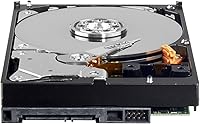
Not suitable for:

Anyone planning to run an operating system or active applications from this drive should look elsewhere — the variable IntelliPower RPM that keeps this 2TB desktop HDD quiet and cool is exactly what makes it frustrating as a boot or performance drive, with noticeable lag during random access tasks. Modern builders with current-generation motherboards will find SATA II a dated interface, and while it remains backward compatible in many cases, pairing a slow mechanical drive with a fast modern system makes little practical sense when faster, similarly priced alternatives exist. The WD Caviar Green 2TB Internal Hard Drive is also a poor fit for anyone who needs consistent, high-IOPS performance — video editors working with large raw files in real time, gamers using it as a game library drive, or anyone running a database will hit its limits quickly. Buyers sensitive to reliability risk should also weigh the mixed long-term track record carefully; the polarized user feedback suggests this drive has not aged uniformly across all units.
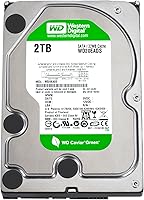
Specifications

  • Storage Capacity: This drive provides 2 TB of raw storage space, suited for housing large media libraries, photo archives, and system backup files.
  • Interface: Uses a SATA II (3 Gb/s) connection, which is natively compatible with the vast majority of desktop motherboards produced between the mid-2000s and early 2010s.
  • Cache Buffer: A 32 MB onboard cache assists with sustained sequential read and write operations, helping smooth out large file transfers without bottlenecking the SATA II link.
  • Spindle Speed: Uses WD IntelliPower, a variable-RPM design that operates at approximately 5,400 RPM, prioritizing lower heat output and quieter acoustics over peak throughput.
  • Form Factor: Standard 3.5-inch internal desktop form factor that fits directly into any mid-tower or full-tower PC case, as well as most NAS and external enclosures designed for desktop drives.
  • Drive Type: Traditional mechanical hard disk drive (HDD) with spinning magnetic platters and physical read/write heads — not a solid-state device.
  • Dimensions: Physical footprint measures 5.8 x 4 x 1 inches, consistent with standard 3.5-inch desktop HDD mounting specifications.
  • Weight: Weighs 9.6 oz, which is typical for a populated 3.5-inch mechanical drive and well within normal desktop case mounting tolerances.
  • OS Compatibility: Officially compatible with Windows XP, Vista, 7, and 2000, as well as macOS and Linux distributions, without requiring additional drivers or software.
  • Model Number: Carries the model designation WD20EADS, identifying it as part of the Caviar Green family within Western Digital's product lineup.
  • Installation Type: Designed for internal desktop installation, requiring a SATA data cable and either a SATA power connector or a Molex-to-SATA adapter from the system power supply.
  • Sector Format: Uses Advanced Format 512e sector technology, which may require a jumper adjustment or partition alignment utility on systems running pre-Windows 7 operating systems.
  • Power Consumption: Draws less power than comparable 7,200 RPM mechanical drives, making it a practical choice for always-on storage environments such as NAS enclosures or media servers.
  • Packaging: Sold in bulk or OEM format only — no SATA cable, mounting screws, or printed documentation are included in the package.
  • Manufacturer: Produced by Western Digital, a globally recognized storage manufacturer with decades of experience across consumer and enterprise HDD product lines.

Related Reviews
WD Green 2TB Desktop Hard Drive (WD20EARX)
84%
91%
Value for Money
94%
Noise Levels
89%
Power Efficiency
82%
Performance for Everyday Use
86%
Reliability
More
WD Black 2TB 3.5″ Internal Hard Drive
79%
78%
Read & Write Performance
82%
Reliability & Longevity
74%
Noise & Vibration
76%
Value for Money
89%
Installation & Compatibility
More
Western Digital WD Blue 2TB Hard Drive
81%
88%
Long-Term Reliability
91%
Value for Money
74%
Read/Write Performance
83%
Noise & Vibration
92%
Installation Ease
More
Western Digital Gold 2TB Internal Hard Drive
80%
84%
Long-Term Reliability
91%
Workload Endurance
86%
RAID Performance
78%
Noise & Acoustics
61%
Value for Money
More
Western Digital Caviar Black 1TB Hard Drive
82%
88%
Long-Term Reliability
82%
Read/Write Performance
86%
Value for Money
61%
Noise & Vibration
93%
Compatibility
More
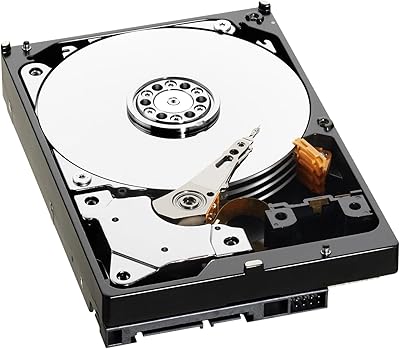
WD AV-GP WD20EURX 2TB Internal Hard Drive
74%
91%
Multi-Stream Video Handling
87%
Reliability & Longevity
84%
Thermal Management
83%
Noise & Vibration
77%
Sequential Read/Write Performance
More
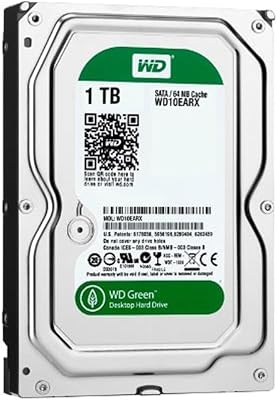
WD Green 1TB 3.5-Inch Internal Hard Drive
75%
88%
Noise & Vibration
86%
Power Efficiency
54%
Read & Write Speed
67%
Long-Term Reliability
71%
Value for Money
More
WD Green WD40EZRX 4TB Internal Hard Drive
74%
83%
Value for Money
91%
Noise Level
57%
Read & Write Speed
78%
Reliability & Longevity
88%
Power Efficiency
More
Seagate BarraCuda 2TB Internal Hard Drive
79%
91%
Value for Money
74%
Transfer Speed
77%
Reliability & Longevity
93%
Installation Ease
79%
Noise Level
More
WD Elements Portable 2TB
75%
96%
Ease of Setup
88%
Reliability & Longevity
93%
Portability & Form Factor
61%
Transfer Speed
84%
Value for Money
More
WD My Passport 2TB Portable Hard Drive
76%
93%
Portability
88%
Setup & Ease of Use
71%
Transfer Speed
67%
Build Quality & Durability
84%
Data Security
More

FAQ

Technically it will work, but it is not a good idea. The variable IntelliPower spindle speed that keeps this drive cool and quiet is also what makes it sluggish for the constant random-access demands of an operating system drive. Boot times will be noticeably longer than with a 7,200 RPM alternative, and general system responsiveness will feel slow. Use it as a secondary storage drive and put your OS on something faster.

Yes, and this is actually one of the better use cases for this drive. SATA II is the native interface here, so it connects directly to any SATA II port without adapters, converter cards, or special settings. Just plug in the data cable and power connector and you should be ready to go.

It can work for a light NAS workload like media streaming or basic file sharing, and the lower power draw is a genuine advantage in an always-on setup. That said, WD's own Red series drives are purpose-built for NAS use with better vibration tolerance and longer rated duty cycles. If budget allows, a NAS-specific drive is the more dependable long-term choice.

IntelliPower is WD's term for a variable-speed spindle motor that adjusts RPM rather than locking into a fixed rate. In practice it hovers around 5,400 RPM. For large sequential file copies you will probably not notice much difference compared to a standard 5,400 RPM drive, but for random-access tasks — opening many small files, running applications — the variable speed can introduce slight delays that add up over time.

Start with the physical connections: make sure both the SATA data cable and the power connector are firmly seated at both ends. Then go into your BIOS and confirm the SATA controller is enabled and set to auto-detect drives. On some older systems with specific chipsets, the variable RPM can be misread as a drive stall — if that applies to your setup, checking Western Digital's support documentation for chipset compatibility notes is a useful next step.

Yes. The compatibility list on the packaging reflects when the product was launched, not a hard limit. This is a standard SATA mechanical drive and Windows 10 and 11 will recognize it without any drivers. Modern operating systems also handle Advanced Format partition alignment automatically, so you will not need to run any manual alignment tools on a current version of Windows.

It depends on what operating system you are running. On Windows 7 and later, or modern Linux distributions, partition alignment is handled automatically and this is a non-issue. If you are installing the drive in a system running Windows XP or Vista, the misalignment can cause a measurable drop in write performance. In that case, you either need to apply a specific jumper setting on the drive's rear pins or run WD's alignment utility before partitioning the drive.

It is one of the quieter mechanical drives in its class. During idle or light sequential reads most users describe it as nearly silent. There is some audible clicking during random seek operations, which is normal for any mechanical HDD, but it is not aggressive or intrusive. In a media center or home theater build where ambient noise matters, most users find it entirely acceptable.

That depends on your situation. If you have a compatible legacy system and need a straightforward secondary storage drive for archiving, it can still fill that role. However, the storage market has moved on considerably — newer mechanical drives at similar capacities offer better reliability records and comparable pricing. Unless you have a specific compatibility reason to choose this exact model, comparing it against current alternatives before purchasing is time well spent.

This Caviar Green drive ships in bulk or OEM packaging, which typically means a shorter manufacturer warranty than the retail boxed version — often one to two years depending on the seller. Always confirm the warranty terms directly with your retailer before buying. Given the mixed reliability reports from long-term users, maintaining a backup of anything critical stored on this drive is strongly advisable regardless of what the warranty covers.