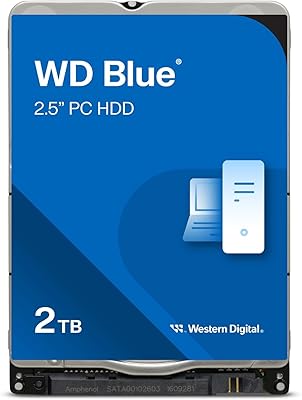
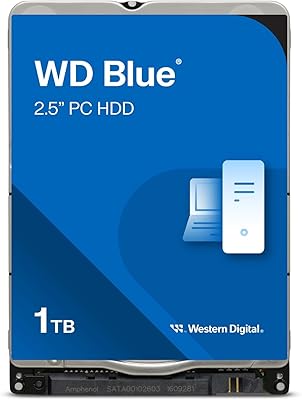
Overview

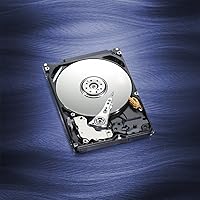
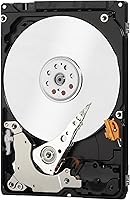
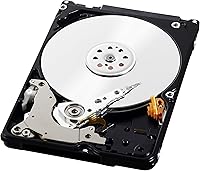
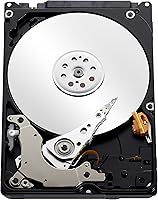
The Western Digital Blue 320GB Internal Hard Drive is a straightforward, no-frills storage upgrade aimed at anyone nursing an aging laptop back to life — or building a compact secondary storage box on a budget. The 2.5-inch form factor fits directly into most notebooks and standard external enclosures without adapters. It uses a SATA III interface, so it works with older SATA II systems while remaining fully supported by modern boards. WD Blue has long been the brand's workhorse line — not flashy, but consistent. One thing to know upfront: this ships in bulk/OEM packaging, meaning no cables, screws, or manuals are included. Plan to buy those separately if needed.
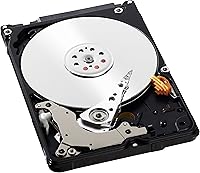
Features & Benefits

The IntelliSeek technology adjusts seek speeds on the fly to reduce unnecessary motor strain, keeping noise and heat low — something you actually notice when the drive sits inches from your hands on a laptop keyboard. The NoTouch Ramp Load system parks the read/write head off the disk surface during idle or power-down, which is especially useful in a mobile environment where bumps happen. Data LifeGuard runs quietly in the background, flagging potential issues before they become failures. At 5400 RPM with an 8 MB cache, this is built for steady, energy-efficient operation rather than raw throughput. The 2-year warranty rounds things out at a reasonable level of assurance.

Best For

This laptop HDD is a practical pick for a specific type of buyer. If your notebook's original drive has given up and you need an affordable replacement, this fits the bill — drop-in compatible with most 2.5-inch SATA bays and recognized immediately by virtually every system BIOS. It also works well inside a USB enclosure for offloading media libraries, document archives, or backups. People who prioritize capacity over speed will feel right at home; 320 GB is modest by current standards, but plenty for secondary storage tasks. Industrial and embedded applications are officially supported too. If fast load times are the goal, look elsewhere — but for quiet, reliable storage on a budget, this holds up.

User Feedback

With over 3,600 ratings averaging 4.4 stars, this 320GB hard drive has earned a dependable reputation among buyers who went in with realistic expectations. The most common praise centers on easy installation — reviewers consistently report their systems recognized the drive immediately with no driver issues. Long-term users frequently note it is still running years later, which says something about build consistency at this price tier. On the downside, the bare OEM packaging catches some buyers off guard; no mounting screws or cables means a separate order may be necessary. A handful of speed complaints appear too, though nearly all come from buyers who expected SSD-level performance from a mechanical drive — an unfair comparison by any measure.

Pros

  • Installs easily into most 2.5-inch SATA laptop bays with zero driver setup required.
  • Quiet operation under typical workloads — barely noticeable during normal use.
  • NoTouch Ramp Load technology helps protect data during transport or accidental bumps.
  • SATA III interface ensures broad compatibility across both older and newer systems.
  • Backed by a 2-year manufacturer warranty, offering decent peace of mind at this price tier.
  • Draws low power, which helps preserve laptop battery life compared to higher-RPM drives.
  • WD Blue line has a long track record of consistent performance in everyday storage tasks.
  • Compact and lightweight at just 3.2 ounces — fits external enclosures cleanly.
  • Over 3,600 verified ratings averaging 4.4 stars reflects a broad base of satisfied buyers.
  • Data LifeGuard monitoring quietly watches drive health in the background without user intervention.

Cons

  • OEM bulk packaging means no cables, screws, or mounting hardware — budget for these separately.
  • 320 GB feels limiting for users with growing media libraries or large software installations.
  • Noticeably slower than even entry-level SSDs for boot times and application loading.
  • The 8 MB cache offers little buffer headroom during heavier or more random read/write workloads.
  • Not ideal as a primary system drive for any machine running a modern OS with regular updates.
  • Long-term reliability can vary by unit — some reviewers report early failures, as with any mechanical drive.
  • Spinning platters make this more vulnerable to data loss from physical shock compared to solid-state options.
  • No accessories or documentation included may frustrate less experienced buyers doing their first upgrade.

Ratings

The Western Digital Blue 320GB Internal Hard Drive has been evaluated by our AI engine after analyzing thousands of verified global buyer reviews, with spam, bot-generated, and incentivized feedback actively filtered out to ensure accuracy. Scores reflect both the genuine strengths users appreciate and the real frustrations that surfaced repeatedly across multiple markets. The result is a transparent, balanced picture of where this laptop HDD delivers and where it falls short.
Value for Money
88%
Buyers consistently cite this as one of the most cost-effective ways to breathe life back into an aging laptop without the expense of a full system replacement. For secondary storage or backup enclosures, the price-per-gigabyte ratio holds up well against competing mechanical drives.
A small but vocal group of reviewers feels the value proposition weakens when entry-level SSDs are factored in, since the price gap between the two has narrowed noticeably. Those who needed to buy SATA cables and mounting screws separately noted their total cost crept higher than initially expected.
Installation Ease
91%
The overwhelming majority of buyers — including first-timers — reported a completely painless install experience. The drive slides into standard 2.5-inch SATA bays without adapters, and virtually every reviewer noted their BIOS or operating system detected it immediately without any driver setup.
The OEM packaging means no mounting screws or cables are included, which adds a minor hurdle for buyers who do not have spare hardware lying around. A handful of users found the drive slightly thinner than their chassis bracket expected, requiring a shim or adapter plate.
Read/Write Performance
58%
42%
For sequential tasks like transferring large media files, copying documents, or streaming stored video, this 320GB hard drive performs predictably and without hiccups. Users repurposing it as a media archive or backup drive rarely encountered any speed-related frustration in those specific workflows.
As a primary system or boot drive, the 5400 RPM speed is a tangible limitation — reviewers replacing failed SSDs with this drive frequently noticed significantly slower boot and app-load times. Random read performance in particular suffers, making multitasking on an OS-loaded installation feel sluggish on modern workloads.
Noise & Vibration
83%
IntelliSeek's optimized seek patterns keep the drive noticeably quiet during typical operation, and many users mentioned they could barely hear it running inside a laptop at normal desk use. Compared to older or higher-RPM mechanical drives, the acoustic footprint is genuinely subdued.
Some users reported a faint clicking or ticking sound during heavy sequential reads, which is normal for mechanical drives but still mildly distracting in a quiet workspace. A minority noted occasional vibration feedback when the drive was housed in thinner enclosures without sufficient dampening.
Build & Durability
74%
26%
The NoTouch Ramp Load technology parks the read/write head safely off the platter during power-down, offering meaningful protection against the kind of light jostling a laptop endures during daily commutes. Long-term reviewers — some reporting two or more years of active use — frequently praised consistent reliability.
As a mechanical drive with spinning platters, it is inherently more fragile than solid-state alternatives when subjected to physical shock or drops. A recurring thread in negative reviews involves failure after the host laptop was dropped or knocked off a surface, which is an expected but real limitation of HDD technology.
Heat Management
79%
21%
The 5400 RPM spin speed and IntelliSeek optimization result in a drive that runs notably cooler than 7200 RPM alternatives, which is a genuine benefit in compact laptop enclosures where airflow is limited. Most users noted no thermal issues even during extended backup or transfer sessions.
In enclosed external enclosures without ventilation, some buyers reported the drive becoming warm to the touch during sustained large transfers. While it never reached alarming temperatures in most reported cases, users with fanless enclosures may want to monitor thermals.
Compatibility
92%
The SATA III interface with backward compatibility to SATA II means this laptop HDD works across an exceptionally wide range of machines — from mid-2000s notebooks to current systems. Users on Windows, macOS (older models), and Linux all confirmed clean recognition without manual configuration.
Compatibility is essentially a non-issue for standard SATA systems, but buyers with newer ultrabooks, MacBook Pro models from 2013 onward, or systems using proprietary M.2 or PCIe slots will find this drive simply does not apply to their hardware. The 0.28-inch height, while slim, still may not fit in a small number of ultra-thin chassis.
Power Efficiency
81%
19%
Running at 5400 RPM keeps active power draw low, and several laptop users noticed a modest but real improvement in battery runtime compared to the higher-RPM drives they replaced. This makes it a sensible choice for users on older battery-constrained machines where every watt counts.
Compared to solid-state drives, which draw a fraction of the power, this WD Blue notebook drive is still meaningfully less efficient during active use. Power-sensitive users running heavily battery-dependent workflows will see a clearer gap when pitting this against a modern SSD alternative.
Packaging & Unboxing
54%
46%
The WD-certified shipping box does its job — protecting the drive during transit — and the vast majority of buyers received the drive undamaged. For experienced upgraders who already own cables and screws, the bare-bones packaging is entirely unproblematic.
First-time upgraders were repeatedly caught off guard by the total absence of accessories, with several reviewers leaving one-star notes specifically about the missing cables and mounting hardware. The OEM format is standard practice in the industry, but the product listing does not always make this obvious enough at the point of purchase.
Long-Term Reliability
76%
24%
A meaningful portion of reviews come from users who have run this drive for two or more years in active daily use — as laptop system drives, NAS secondaries, or backup enclosures — with no signs of degradation. WD Blue's track record in this segment is one of the more consistent among value-tier mechanical drives.
Failure reports do exist, concentrated in the first few months of use in some batches, which is not unusual for mechanical drives but is a real consideration. Data LifeGuard monitoring helps catch early warning signs, but it does not eliminate the inherent failure risk that comes with moving parts over time.
Data Protection Features
72%
28%
The combination of NoTouch Ramp Load and passive Data LifeGuard health monitoring provides a reasonable safety net for everyday use, particularly in mobile environments. Users who ran WD Drive Utilities appreciated being able to run quick health checks without third-party tools.
Data LifeGuard is a monitoring tool, not a recovery solution — it flags issues but cannot prevent sudden mechanical failure. Buyers who stored irreplaceable data without a separate backup regimen and experienced a failure had no recourse, which is a reminder that no single-drive setup constitutes a real backup strategy.
Form Factor & Portability
86%
At 3.2 ounces and a slim 0.28-inch profile, this drive adds virtually nothing to the weight or bulk of a laptop or portable enclosure. Buyers building travel-friendly external drives specifically appreciated how cleanly it fit into compact 2.5-inch USB housings.
The 2.5-inch SATA form factor, while broadly compatible, is increasingly a legacy standard — some modern laptops and enclosures have shifted fully to M.2, leaving this drive without a slot to fill. This is a market-trend issue rather than a product flaw, but it is worth verifying before purchasing.
Warranty & Support
69%
31%
The 2-year manufacturer warranty provides a reasonable coverage window for a value-tier mechanical drive, and WD's RMA process is generally regarded as straightforward by buyers who needed to use it. Having a direct manufacturer warranty rather than relying solely on seller protection offers an added layer of assurance.
Two years is noticeably shorter than the 3-to-5-year warranties that come with WD's higher-tier Blue and Red lines, which leaves some buyers feeling underprotected given the drive's intended use in long-term storage scenarios. A few reviewers noted that navigating WD's online warranty portal was more cumbersome than expected.

Suitable for:

The Western Digital Blue 320GB Internal Hard Drive is a smart, practical choice for anyone who needs a dependable mechanical drive without spending much. It fits squarely into the needs of laptop owners whose original drive has failed and who want to restore functionality on a tight budget — particularly for older machines where buying an expensive SSD would outpace the computer's actual value. Students, light home users, and small business owners who store documents, spreadsheets, photos, or media archives will find this laptop HDD more than adequate for day-to-day tasks. DIY hobbyists slotting a drive into a USB enclosure for a basic backup or media storage box will also get solid mileage out of it. The 2.5-inch SATA III interface means it drops into a wide range of existing laptops and enclosures without compatibility headaches, and the 2-year warranty provides a reasonable safety net for the investment.
Not suitable for:

Anyone expecting modern system-drive performance should look elsewhere before purchasing this 320GB hard drive. At 5400 RPM with an 8 MB cache, this laptop HDD is not designed for fast boot times, rapid application launches, or heavy multitasking — tasks where even a budget SSD will feel dramatically faster. Power users, gamers, video editors, or anyone running a current operating system as their primary drive will likely find the slower read/write speeds frustrating within days. It is also worth noting that 320 GB is a relatively modest capacity in today's context, so users with large software libraries, 4K media collections, or growing data needs may outgrow this drive sooner than expected. Finally, buyers who need a complete, ready-to-install kit should be aware this ships in bare OEM packaging — no mounting screws, cables, or documentation are included.

Specifications

  • Storage Capacity: This drive provides 320 GB of formatted storage capacity for files, media, documents, and operating system installations.
  • Form Factor: The 2.5-inch form factor is standard for laptop and notebook internal bays, as well as most portable external enclosures.
  • Interface: It uses a SATA III (SATA-600) interface, which is backward-compatible with SATA II ports at reduced throughput.
  • Rotational Speed: The platters spin at 5400 RPM, prioritizing lower power draw and quieter operation over maximum read/write speed.
  • Cache Size: An 8 MB buffer cache helps manage sequential data transfers and smooths out typical read/write operations.
  • Drive Type: This is a traditional mechanical hard disk drive (HDD) using spinning platters and a read/write head — not a solid-state drive.
  • Dimensions: The drive measures 3.94 × 2.75 × 0.28 inches, making it one of the thinner 2.5-inch HDD options available for slim laptop chassis.
  • Weight: At 3.2 ounces, this laptop HDD is lightweight enough for portable enclosures and mobile installations without adding meaningful bulk.
  • Installation Type: Designed for internal installation, it fits directly into compatible notebook drive bays or can be used in external USB enclosures.
  • Compatible Devices: Officially supported for use in notebooks, external storage enclosures, and select industrial or embedded applications requiring a compact SATA drive.
  • Head Technology: NoTouch Ramp Load parks the read/write head off the disk surface during power-down to reduce wear and protect stored data.
  • Seek Optimization: IntelliSeek calculates efficient seek speeds to minimize unnecessary motor movement, reducing both noise levels and power consumption during operation.
  • Health Monitoring: Data LifeGuard algorithms run passively in the background, continuously checking drive health and flagging potential issues before they cause data loss.
  • Warranty: Western Digital provides a 2-year limited manufacturer warranty covering defects in materials and workmanship from the original purchase date.
  • Packaging: Ships in bulk OEM format inside a WD-certified protective box; no mounting screws, data cables, or printed manuals are included.
  • Brand Line: This drive belongs to the WD Blue family, Western Digital's mainstream line targeting everyday reliability and value-focused storage applications.
  • Model Number: The official Western Digital model designation for this drive is WD3200LPVX, useful for verifying firmware updates or warranty claims.
  • Power Efficiency: The combination of 5400 RPM spin speed and IntelliSeek technology results in lower active power draw compared to 7200 RPM alternatives.

Related Reviews

WD Blue 3TB Internal Hard Drive
80%
91%
Value for Money
86%
Reliability & Longevity
93%
Installation Ease
62%
Read & Write Speed
84%
Noise & Vibration
More
Western Digital WD Blue 2TB Hard Drive
81%
88%
Long-Term Reliability
91%
Value for Money
74%
Read/Write Performance
83%
Noise & Vibration
92%
Installation Ease
More
Western Digital WD Blue 4TB Hard Drive
79%
91%
Storage Capacity Value
83%
Noise & Acoustics
67%
Read & Write Performance
92%
Installation Ease
93%
Compatibility
More
Western Digital RE4 1TB Internal Hard Drive
76%
91%
Reliability & Longevity
89%
RAID Compatibility
88%
TLER Firmware
71%
Value for Money
53%
Capacity Relevance
More
Western Digital WD Blue 1TB Hard Drive
78%
88%
Long-Term Reliability
91%
Value for Money
67%
Read & Write Speed
93%
Compatibility
58%
Noise Level
More
WD Black 6TB Internal Hard Drive
79%
83%
Read & Write Performance
88%
Storage Capacity Value
81%
Build & Reliability
63%
Thermal Performance
71%
Noise Level
More
Western Digital 6TB WD Blue PC Hard Drive
86%
88%
Reliability
84%
Performance for Everyday Use
90%
Noise Levels
89%
Power Consumption
91%
Value for Money
More
Western Digital WD Blue 1TB Hard Drive
78%
88%
Value for Money
57%
Read/Write Speed
91%
Installation Ease
74%
Reliability & Longevity
83%
Noise & Vibration
More
Western Digital WD Blue 2TB Hard Drive
81%
93%
Storage Value
88%
Reliability
86%
Noise & Heat
91%
Installation Ease
61%
Read/Write Speed
More
WD Black 2TB 3.5″ Internal Hard Drive
79%
78%
Read & Write Performance
82%
Reliability & Longevity
74%
Noise & Vibration
76%
Value for Money
89%
Installation & Compatibility
More
Western Digital 4TB WD Black Gaming Internal Hard Drive HDD
82%
92%
Performance (Speed)
89%
Reliability (Durability)
87%
Value for Money
74%
Ease of Setup
81%
Noise Level
More

FAQ

In most cases, yes. The 2.5-inch form factor is the standard size for virtually all laptop and notebook internal bays. That said, it is worth checking your specific model's manual or a teardown guide to confirm the bay depth, since this drive is quite thin at 0.28 inches and should fit even slimmer chassis designs.

No — this ships in bare OEM packaging, which means just the drive itself arrives in the box. You will need to source a SATA data cable and any mounting hardware separately. If you are replacing an existing drive, you can often reuse the screws already in your laptop.

It depends on what you mean by everyday use. For storing and accessing documents, photos, music, and video files, a 5400 RPM drive handles things just fine. Where you will notice the slower speed is in boot times and application loading — tasks that a modern SSD handles significantly faster. If this is going to be a secondary or backup drive, the speed is rarely a factor at all.

Absolutely. This laptop HDD works well in any standard 2.5-inch USB enclosure that accepts SATA drives, which covers the vast majority of enclosures sold today. It is a popular option for building a simple, affordable external backup or media drive.

An SSD will be noticeably faster for booting and launching apps, and it has no moving parts so it handles drops better. This 320GB hard drive trades that speed for a lower price point and the familiarity of a proven WD platform. If your laptop is older and you are mainly storing files rather than running demanding software, the HDD is a reasonable, cost-conscious choice.

No drivers are needed. The Western Digital Blue 320GB Internal Hard Drive uses a standard SATA interface that every modern operating system — Windows, macOS, and Linux — recognizes out of the box. After installing it, you may need to initialize and format the drive if it is being used as a secondary drive rather than a replacement.
Data LifeGuard is built into the drive's firmware and runs passively — there is nothing to install or configure. It monitors the drive's internal health metrics in the background. If you want a visual readout of its status, WD offers a free desktop utility called WD Drive Utilities that can display the results.

Many users report this laptop HDD still running reliably after several years of regular use, which aligns with WD Blue's general reputation for consistency. That said, all mechanical drives have moving parts that eventually wear out, and no hard drive is immune to failure over time. Keeping regular backups is always a smart habit regardless of which drive you use.

It can work in older MacBook or MacBook Pro models that use a 2.5-inch SATA drive — typically models from around 2012 and earlier. Newer Mac laptops use proprietary SSD connections and would not be compatible. Check iFixit or your model's specifications before purchasing to confirm your machine has a standard SATA bay.

Western Digital ships OEM drives in a certified protective box specifically designed to absorb transit shock. Most buyers receive their drive in good condition. If you are concerned, inspect the drive immediately upon arrival and test it with a tool like CrystalDiskInfo or WD's own utility before committing any data to it.