
Overview

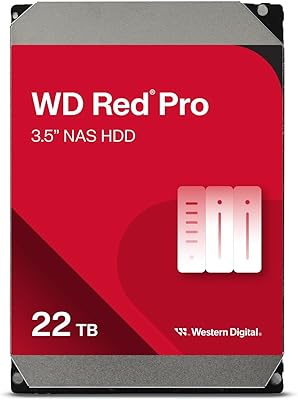
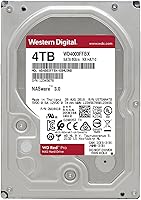
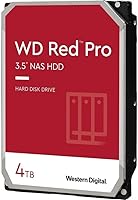
The WD Red Pro 4TB NAS Hard Drive sits at the top of Western Digital's NAS-focused lineup, positioned clearly above the standard Red and Red Plus tiers with a stronger enterprise lean. Where those drives serve lighter home or small-office workloads, this NAS hard drive is engineered for continuous 24/7 operation inside medium to large multi-bay enclosures. The 7200 RPM spin speed alone separates it from the slower 5400 RPM alternatives common elsewhere in the Red family. It targets small-to-medium businesses and serious prosumers running demanding, always-on workloads. The drive has been available for several years now, and its standing among NAS enthusiasts has stayed consistently solid throughout that time.

Features & Benefits

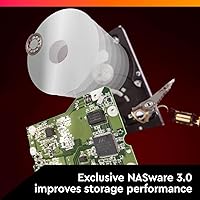
What makes this enterprise-grade drive worth serious consideration starts with its use of CMR (Conventional Magnetic Recording) technology. Unlike SMR drives, which can stall badly during RAID rebuilds due to overlapping write tracks, CMR delivers consistent, predictable write behavior — a critical distinction for anyone burned by SMR under RAID stress. NASware 3.0 firmware reduces error recovery conflicts with popular NAS operating systems, working quietly in the background. 3D Active Balance Plus controls vibration across densely packed drive bays, protecting both data and hardware longevity. The 256 MB cache and SATA 6 Gb/s interface support solid throughput, though real-world speeds always depend on your enclosure and network. A 5-year limited warranty rounds things out.

Best For

This NAS hard drive earns its place in specific, high-demand scenarios rather than casual home setups. It fits best in 8- to 24-bay NAS builds where vibration control and RAID stability are non-negotiable. Businesses archiving large data volumes or running collaborative file-sharing workflows will appreciate the reliability it brings to sustained workloads. Creative professionals storing extensive media libraries on Synology or QNAP platforms will find it a capable match. Anyone moving away from SMR-based drives will notice the improvement in write consistency almost immediately. IT administrators who prioritize warranty coverage and documented NAS compatibility over the lowest upfront cost will find the WD Red Pro a straightforward choice.

User Feedback

Owners running this enterprise-grade drive in multi-bay enclosures consistently praise its long-term reliability, with many reporting clean operation well past the two- and three-year marks. The most common complaint is not performance but heat — at 7200 RPM it runs warmer than slower NAS drives, though most users find that proper enclosure airflow keeps temperatures in check. Noise is a real trade-off too; it is noticeably louder than 5400 RPM alternatives, which can matter in quiet office spaces. Head-to-head comparisons with the Seagate IronWolf Pro tend to split opinions fairly evenly. The consistent thread through critical reviews is simple: buyers running light home workloads often question the premium, while those with genuine business demands almost never do.

Pros

  • CMR recording technology makes RAID rebuilds reliable and consistent, unlike SMR alternatives that can stall under pressure.
  • NASware 3.0 firmware reduces NAS operating system conflicts, keeping the drive stable in always-on environments.
  • The 7200 RPM spin speed delivers noticeably better throughput than the slower drives in WD's own NAS lineup.
  • 3D Active Balance Plus keeps vibration in check even inside dense, multi-drive enclosures.
  • Long-term owners consistently report clean operation well past the two- and three-year marks.
  • A five-year limited warranty provides real peace of mind for business and infrastructure deployments.
  • Compatible with NAS builds of up to 24 bays, covering a wide range of small-to-enterprise configurations.
  • The 256 MB cache helps sustain performance during read- and write-intensive tasks like large file transfers.
  • Buyers upgrading from SMR drives notice an immediate improvement in write predictability under RAID workloads.
  • Solid standing in head-to-head comparisons with competing drives in the same class.

Cons

  • At 7200 RPM, this enterprise-grade drive is noticeably louder than 5400 RPM NAS alternatives, which can matter in quiet spaces.
  • It runs warmer than slower NAS drives, requiring enclosures with reliable active airflow to stay within safe temperature ranges.
  • The price premium over the standard Red or Red Plus is hard to justify for light home or single-user NAS workloads.
  • Buyers running small two- or four-bay home NAS setups are unlikely to notice any real-world performance advantage.
  • Real-world transfer speeds depend heavily on network infrastructure and enclosure quality, not just the drive itself.
  • Limited appeal outside dedicated NAS environments — it is not optimized for desktop, surveillance, or direct-attached storage use.
  • Stock availability and pricing can fluctuate, making it harder to buy matching drives for array expansion months later.
  • The capacity-per-dollar ratio is less competitive compared to higher-capacity drives in the same product family.

Ratings

Our AI-generated scores for the WD Red Pro 4TB NAS Hard Drive are based on a deep analysis of thousands of verified global buyer reviews, with spam, bot activity, and incentivized feedback actively filtered out before scoring. The ratings reflect the full picture — where this enterprise-grade drive genuinely delivers and where real users have run into friction. Both the strengths that keep IT administrators coming back and the trade-offs that frustrate lighter-use buyers are transparently represented below.

Reliability & Longevity
93%
Long-term owners — particularly those running the drive past the two- and three-year mark — consistently report clean, failure-free operation. In multi-bay business NAS environments running 24/7, this drive builds a reputation for staying healthy well into its warranty period without the kind of early attrition seen in cheaper alternatives.
A small but notable portion of users report early failures within the first few months, which is not unusual for mechanical drives at scale but can feel jarring given the premium positioning. DOA units, while infrequent, do appear in reviews at a slightly higher rate than some buyers expect from a top-tier NAS drive.
RAID Compatibility
91%
CMR recording technology makes this drive a dependable participant in RAID arrays — rebuilds complete predictably, without the write stalls that plague SMR drives under the same conditions. IT administrators managing large RAID-5 or RAID-6 configurations in Synology and QNAP enclosures specifically call this out as the key reason they choose this drive over lower-tier alternatives.
No meaningful RAID-specific complaints emerge for the drive itself, though some users note that mixing this drive with older or different-spec drives in an array can introduce instability that gets incorrectly attributed to the WD Red Pro. The firmware tuning is also optimized for NAS RAID environments specifically, limiting its appeal outside those configurations.
NAS Firmware Optimization
88%
NASware 3.0 firmware handles the low-level compatibility work that makes a real difference in always-on NAS deployments — error recovery timing is tuned specifically to avoid tripping RAID controller timeouts, a problem that generic or desktop drives cause regularly. Users on Synology DSM and QNAP QTS report that the drive integrates cleanly without requiring manual configuration.
The same firmware tuning that makes this drive excellent in a NAS works against it in a standard desktop or direct-attached storage scenario, frustrating the occasional buyer who installs it outside its intended environment. A handful of users also note that firmware version differences across drive batches can occasionally cause minor compatibility quirks in older NAS platforms.
Vibration Management
86%
In densely populated enclosures with 8 or more drives spinning simultaneously, the 3D Active Balance Plus technology makes a tangible difference — drives tend to stay stable and chatter is kept in check compared to drives without active balancing. Creative professionals running large Synology arrays for video editing workflows specifically mention this as a factor in choosing this drive over competing options.
Vibration management is only as effective as the enclosure allows; buyers using budget NAS cases without proper drive mounting rails or dampening report that the drive performs no better than alternatives in that context. The benefit is most noticeable in larger bays and becomes harder to quantify in 4-bay or smaller setups.
Sustained Throughput
82%
18%
For sequential workloads like large media file transfers, multi-user archive access, or continuous backup streams, the combination of 7200 RPM spin speed and 256 MB cache delivers a noticeably smoother experience than the slower NAS drives it competes against. Users streaming 4K video libraries across a local network describe consistently clean playback without the buffering interruptions they experienced with previous drives.
Real-world transfer speeds fall short of the rated 750 MB/s maximum in almost every practical scenario — network bottlenecks, enclosure controller limitations, and simultaneous multi-user access all reduce effective throughput significantly. Buyers expecting desktop SSD-like speeds are routinely disappointed, though that expectation reflects a misunderstanding of mechanical NAS drive performance rather than a flaw in the drive itself.
Noise Level
61%
39%
In server rooms, utility closets, or office environments with reasonable ambient noise levels, the drive's operational hum is easy to tune out after a short adjustment period. Users who have previously run louder enterprise drives in similar environments often find the WD Red Pro acceptable or even quieter than expected for a 7200 RPM drive.
In quiet home offices, living rooms, or bedroom setups, the constant mechanical hum at 7200 RPM is a recurring complaint and one of the most mentioned pain points across negative reviews. Buyers who specifically searched for a quiet NAS drive and landed on this model without checking the RPM are frequently frustrated — the noise difference versus a 5400 RPM drive is real and noticeable in still environments.
Thermal Performance
67%
33%
In NAS enclosures with active cooling and well-managed airflow between drive bays, operating temperatures stay within comfortable ranges even under sustained heavy workloads. Users running proper rack-mount or tower NAS units with functioning fans report no heat-related problems across extended periods of operation.
The drive runs measurably warmer than 5400 RPM alternatives, and buyers using compact or passively cooled NAS enclosures frequently see elevated temperatures that require active monitoring. A handful of users report thermal throttling in cramped enclosures during prolonged high-load tasks, which is a real operational concern for anyone not running purpose-built active-cooling hardware.
Value for Money
69%
31%
For buyers running high-intensity, multi-bay, around-the-clock NAS environments, the premium over the standard Red tier is widely considered justified — the 7200 RPM speed, CMR reliability, and five-year warranty create a cost-per-year-of-operation argument that holds up well in business contexts. IT administrators focused on total cost of ownership rather than upfront price consistently rate this as fair given its capabilities.
Casual home users and those running light two-to-four-bay personal NAS setups frequently feel they are overpaying for capabilities they never actually exercise. The price gap versus the WD Red Plus is significant enough that many buyers in this category would be better served by the lower tier, and reviews from this segment pull the value score down noticeably.
Installation & Setup
84%
Physical installation is straightforward — standard 3.5-inch form factor, no driver installation required, and NAS platforms like Synology and QNAP recognize the drive automatically during initial setup. Most buyers, including those building their first multi-bay NAS, report no friction getting the drive operational.
A small number of users encounter NAS platforms that do not immediately recognize the drive without a firmware update on the enclosure side, creating a brief but frustrating setup delay. The drive is also not formatted out of the box, which surprises first-time NAS builders who expect plug-and-play simplicity comparable to external drives.
RAID Rebuild Speed
83%
When a drive in a RAID array needs replacing, CMR technology keeps rebuild times predictably fast and stable — a critical factor in minimizing the window during which a RAID array is operating in a degraded state. Users who have experienced lengthy SMR-based RAID rebuilds specifically note the improvement after switching to this enterprise-grade drive.
Rebuild times are still governed by total array size and RAID level, so very large arrays take considerable time regardless of the individual drive's performance. Some users running RAID-6 configurations across 12 or more bays report rebuild durations longer than expected, though this is largely a function of array complexity rather than any shortcoming of the drive itself.
Warranty & Support
79%
21%
A five-year limited warranty is one of the stronger coverage periods offered on any consumer-facing NAS drive, and Western Digital's RMA process is generally described as functional and reasonably fast by buyers who have needed to use it. The warranty coverage gives IT administrators concrete justification when budgeting for multi-drive NAS deployments.
Some users report friction with the RMA process — particularly around proving a drive is defective when failure modes are intermittent rather than catastrophic. It is also worth noting that the warranty covers hardware replacement only; data recovery support is entirely absent, which leaves buyers without an adequate backup strategy in a vulnerable position during a drive failure event.
Multi-Bay Scalability
89%
Support for NAS systems with up to 24 bays makes this NAS hard drive one of the more scalable options in its class, and buyers expanding their infrastructure over time appreciate the ability to add matching drives from the same product line without compatibility concerns. Businesses running large Synology SA or QNAP ES series enclosures specifically target this drive for that reason.
Buyers looking to expand their array months or years after initial purchase sometimes find specific batch variants unavailable, creating minor anxiety around matching drive characteristics precisely. Purchasing drives from meaningfully different production batches for use in the same RAID array is generally discouraged by NAS administrators, which adds a logistical consideration for long-term scaling.
Compatibility Range
87%
The standard SATA III interface and 3.5-inch form factor ensure this drive fits into the vast majority of NAS enclosures from major manufacturers without any adapter or modification. Western Digital's published NAS compatibility database covers an extensive range of Synology, QNAP, Netgear, and similar platforms, giving buyers a concrete reference before purchasing.
Compatibility with older NAS enclosures running outdated firmware can occasionally require an enclosure-side update before the drive is recognized, adding a step that less experienced users find confusing. The drive is also physically incompatible with 2.5-inch bays and SSD-only enclosures, which catches out a small number of buyers who do not check their enclosure specifications before ordering.

Suitable for:

The WD Red Pro 4TB NAS Hard Drive is built for buyers who need a drive that can keep pace with genuinely demanding, around-the-clock workloads. Small and medium-sized businesses running multi-user file sharing, continuous backups, or data archiving across 8 to 24 bays will get the most out of what this drive offers. Creative professionals managing large video or photo libraries on a Synology, QNAP, or similar NAS platform will appreciate the higher spin speed and the consistent write behavior that CMR recording provides. IT administrators building or maintaining RAID arrays will specifically value the NASware 3.0 firmware, which reduces the kind of error recovery conflicts that can destabilize a NAS under heavy load. If you have been running SMR drives in a RAID setup and experienced slow rebuilds or unpredictable write stalls, this enterprise-grade drive addresses that pain point directly. The five-year warranty is a practical reassurance for anyone making a long-term infrastructure investment.

Not suitable for:

The WD Red Pro 4TB NAS Hard Drive is not the right choice for every buyer, and being honest about that matters. If your NAS sits in a home living room or a quiet bedroom office, the audible spin noise at 7200 RPM can be a genuine daily irritation — slower drives are meaningfully quieter. Casual home users running a two-bay NAS for personal backups or light media streaming are paying a meaningful premium for capabilities they simply will not use, and the standard WD Red or Red Plus would serve them just as well at a lower cost. This NAS hard drive also runs warmer than its slower counterparts, so enclosures with poor airflow or passive cooling may struggle to keep temperatures stable over time. It is not designed for use as a standalone desktop or external drive, and buyers expecting desktop-style plug-and-play simplicity outside a NAS environment may find the firmware tuning works against them in that context.

Specifications

  • Storage Capacity: This drive offers 4 TB of usable storage, suitable for large-scale archiving and high-intensity NAS workloads.
  • Rotational Speed: The drive spins at 7200 RPM, delivering faster read and write performance compared to the 5400 RPM drives common in lighter NAS tiers.
  • Interface: It connects via a SATA 6 Gb/s interface, compatible with standard NAS enclosures and motherboards supporting the SATA III standard.
  • Cache Size: A 256 MB cache buffer helps maintain sustained throughput during demanding sequential read and write operations.
  • Recording Tech: CMR (Conventional Magnetic Recording) technology is used, ensuring stable and predictable write behavior essential for RAID configurations.
  • Max Transfer Rate: The rated maximum data transfer rate is 750 MB/s, though real-world speeds vary depending on enclosure and network conditions.
  • Form Factor: The drive uses the standard 3.5-inch form factor, fitting the vast majority of desktop NAS enclosures on the market.
  • Firmware: NASware 3.0 firmware is built in to optimize compatibility with NAS operating systems and reduce error recovery conflicts in always-on environments.
  • Vibration Control: 3D Active Balance Plus technology actively counteracts vibration caused by adjacent spinning drives in multi-bay enclosures.
  • Bay Compatibility: The drive is rated for use in NAS systems with up to 24 bays, covering configurations from small business to larger departmental deployments.
  • Drive Type: This is a mechanical hard disk drive (HDD), not a solid-state drive, relying on spinning platters for data storage.
  • Installation Type: Designed exclusively for internal installation inside a compatible NAS enclosure or desktop system.
  • Dimensions: Physical dimensions measure 5.79 x 4 x 1.03 inches, consistent with the standard 3.5-inch drive footprint.
  • Weight: The drive weighs 1.58 pounds, typical for a 3.5-inch mechanical hard drive of this capacity.
  • Warranty: Western Digital covers this drive with a 5-year limited manufacturer warranty, one of the longer coverage periods in the consumer NAS drive category.
  • Workload Rating: The WD Red Pro is rated for high-intensity, 24/7 continuous operation, making it suitable for always-on NAS and RAID environments.
  • Use Cases: Primary intended uses include NAS storage, RAID array deployment, business data archiving, and collaborative file sharing.
  • Manufacturer: Designed and manufactured by Western Digital, a storage hardware company with decades of experience in mechanical and solid-state drives.

Related Reviews
WD Red Pro 3TB NAS Hard Drive
86%
91%
Performance
88%
Reliability
92%
Compatibility with NAS Systems
65%
Noise Levels
89%
Ease of Setup
More
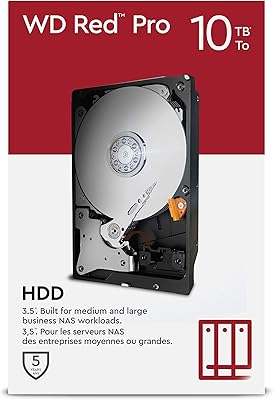
WD Red Pro 10TB NAS Internal Hard Drive
87%
93%
RAID Performance
91%
Reliability
89%
Capacity/Storage
88%
Data Handling (Cache & Speed)
72%
Noise Level
More
Western Digital 8TB WD Red Pro NAS Hard Drive
88%
91%
Performance
94%
Reliability
86%
Ease of Setup
90%
Compatibility with NAS Systems
89%
Vibration and Shock Protection
More
Western Digital 26TB WD Red Pro NAS HDD (WD260KFGX)
86%
98%
Storage Density
94%
Write Consistency (CMR)
62%
Acoustic Profile
88%
Thermal Management
91%
Vibration Resistance
More
Western Digital WD Red Pro 10TB NAS Hard Drive
86%
92%
Performance
90%
Reliability in RAID Environments
88%
Data Transfer Speed
85%
Long-Term Durability
87%
Shock Resistance
More
WD Red Pro 20TB NAS Hard Drive
83%
88%
Long-Term Reliability
91%
RAID Performance
86%
Sustained Throughput
93%
NAS Compatibility
63%
Thermal Management
More
Western Digital WD Red Pro 16TB NAS Hard Drive
81%
88%
Long-Term Reliability
91%
RAID Performance
86%
Multi-User Throughput
67%
Value for Money
61%
Heat Management
More
Western Digital 14TB WD Red Pro NAS Hard Drive
88%
92%
Performance
89%
Reliability
88%
Workload Handling (300TB/yr)
85%
Ease of Installation
90%
Build Quality
More
Western Digital 12TB WD Red Pro NAS Hard Drive
86%
92%
Performance in RAID Environments
89%
Data Transfer Speed
94%
Reliability for 24/7 Operation
88%
Workload Capacity (550TB/year)
70%
Temperature Management
More
Western Digital 18TB WD Red Pro NAS Internal Hard Drive
87%
92%
Performance
90%
Reliability
88%
RAID Compatibility
89%
Build Quality
70%
Noise Level Under Load
More

FAQ

Yes, the WD Red Pro 4TB NAS Hard Drive appears on Western Digital's official compatibility lists for most current Synology and QNAP enclosures. That said, it is always worth cross-checking your specific NAS model against WD's compatibility database before purchasing, especially for older enclosures.

The standard Red targets light, 1-to-8-bay home NAS use and runs at lower RPM. The Red Plus steps up slightly with CMR recording and faster speeds. The Red Pro is the top tier — 7200 RPM, higher cache, and tuned for 8-to-24-bay systems under sustained workloads. If your NAS runs around the clock and handles multiple simultaneous users or large file transfers, the Pro tier makes a real difference. For casual home use, you are probably fine with something lower in the lineup.

CMR stands for Conventional Magnetic Recording, where each data track is written independently without overlapping adjacent tracks. The alternative, SMR (Shingled Magnetic Recording), stacks tracks to pack in more data but can cause serious slowdowns during RAID rebuilds because the drive has to rewrite overlapping data. In a RAID array, a slow or stalled drive during a rebuild is a real risk — CMR eliminates that specific problem entirely.

At 7200 RPM, it is noticeably louder than 5400 RPM NAS drives. Most people describe it as a constant, low mechanical hum that is easy to ignore in a server room, utility closet, or office with ambient noise. In a quiet home environment or bedroom, it can be more noticeable. If noise is a primary concern for you, a slower drive may be a better fit.

It does run warmer than slower NAS drives, which is expected given the 7200 RPM spin speed. In an enclosure with proper active cooling and decent airflow between drive bays, temperatures stay well within safe operating ranges. Where people run into problems is in cramped enclosures with passive cooling or blocked vents. Monitor your drive temps with your NAS software after installation and make sure your enclosure fan is functioning properly.

Technically you can, but most NAS administrators strongly advise against mixing drive models in a RAID array, and it is even less advisable to mix brands. Drives with different firmware behaviors, error recovery timings, and spin-up characteristics can introduce instability into an array. For best results, populate your array with identical drives from the same purchase batch where possible.

Both drives are strong competitors at this tier and target the same audience. The IronWolf Pro includes Seagate's AgileArray firmware and adds a data recovery service as part of its warranty package. The WD Red Pro counters with NASware 3.0 and 3D Active Balance Plus. In real-world multi-bay NAS use, performance differences are marginal; reliability track records are similarly close. Brand preference, enclosure compatibility lists, and warranty support quality often end up being the deciding factors.

It will physically install in a standard desktop and Windows will recognize it just fine. However, the NASware 3.0 firmware is specifically tuned for NAS environments — it adjusts error recovery timing to avoid triggering RAID controller timeouts, which is actually the opposite of what you want in a standard desktop setup. It will function, but it is not optimized for that role and you would be paying a premium for features that do not apply.

Western Digital offers a 5-year limited warranty, and their RMA process is generally straightforward for drives that fail under normal operating conditions. You submit a claim through WD's support portal, and they typically send a replacement drive after verifying the failure. Keep in mind that warranty replacement covers the hardware itself — data recovery is a separate matter and not included, so maintaining proper backups remains essential regardless of warranty coverage.

That depends entirely on your data growth rate. For a small team doing document collaboration or light media work, 4 TB per drive across several bays can last years. For video production, surveillance footage, or large database backups, 4 TB fills up faster than most people expect. If you are building out a new array, it is often worth considering a higher capacity per drive upfront rather than having to expand or replace drives sooner than planned.