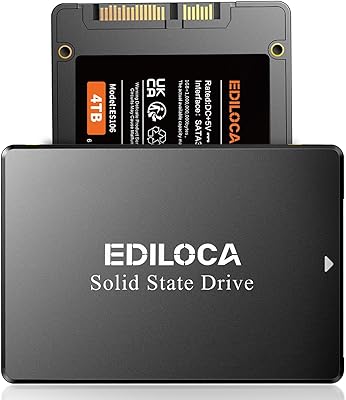
Overview

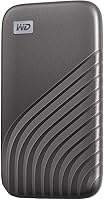
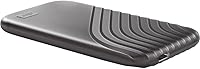
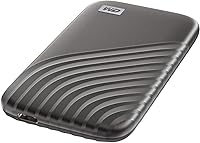
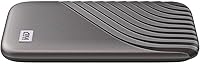
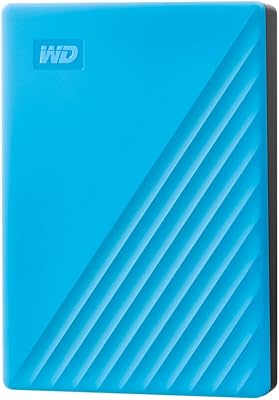
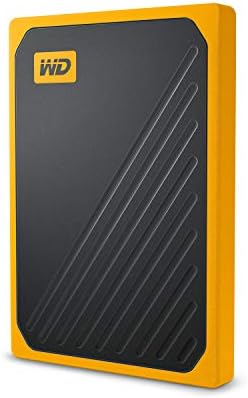
The WD My Passport SSD 4TB sits firmly in the premium tier of portable storage — built for creators, power users, and travelers who can't afford to babysit a fragile spinning drive. What sets it apart from cheaper alternatives isn't just raw speed; it's the combination of an NVMe-based architecture, a genuinely pocketable form factor, and enough capacity to carry a serious workload. At roughly the size of a thick credit card, this portable SSD competes directly with Samsung's T7 Shield and the SanDisk Extreme Pro. Both Windows and macOS users can plug in and get going without any reformatting, which is a small but genuinely useful detail.
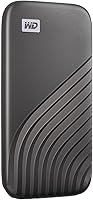
Features & Benefits

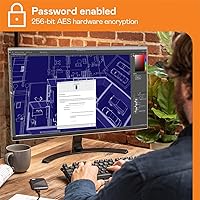
The headline figure — 1,050 MB/s read speed — isn't just marketing. Over a proper USB 3.2 Gen-2 port, that translates to transferring roughly 100GB of footage in about 90 seconds, which feels noticeably faster than anything you've used with a spinning drive. Write speeds sit just under that at 1,000 MB/s. Hardware-level 256-bit AES encryption protects sensitive files without relying on third-party software, and the My Passport SSD is rated to survive a 6.5-foot drop — useful if your bag ever hits the floor. A USB-C connector handles modern setups while the included USB-A adapter covers older machines. The 5-year warranty adds real peace of mind.

Best For

This portable SSD makes the most sense for people who move large files regularly. Video editors shuttling 4K or 6K project files between machines will feel the speed advantage right away, and travel photographers who need client deliverables encrypted and accessible will appreciate how easily it disappears into a jacket pocket. Console gamers can use it to extend storage on a PS5 or Xbox Series X without adding bulk. Mac and PC switchers won't have to reformat anything — just plug in and go. Casual users who only need to back up documents might find this WD drive more drive than they actually need.

User Feedback

With over 8,700 ratings sitting at 4.5 stars, the My Passport SSD has a well-earned reputation. Buyers consistently call out the steady transfer speeds and the surprisingly small physical size — many say they weren't expecting something this compact. On the downside, a recurring complaint involves thermal throttling during long bulk transfers, where speeds can dip if the drive gets warm. Some users also flag WD's bundled backup software as unnecessary bloat and skip it entirely. Reliability issues appear occasionally, though they represent a clear minority of reviews, and the 5-year warranty offers a reasonable backstop. One practical note: peak speeds only materialize when you're using a Gen-2 port with a quality cable.

Pros

  • Transfer speeds are fast enough to move 100GB of footage in roughly 90 seconds on a proper Gen-2 port.
  • Hardware-level AES encryption protects sensitive data without slowing down transfers or requiring extra software.
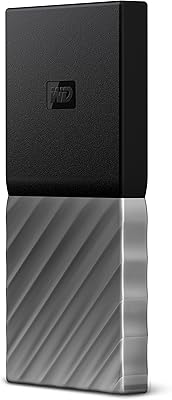
  • At under a third of an ounce, the My Passport SSD fits in a shirt pocket without any noticeable weight.
  • Drop resistance up to 6.5 feet gives genuine peace of mind for travel and field work.
  • Works plug-and-play on both Windows and macOS without any reformatting or driver installs.
  • 4TB of NVMe storage in a form factor this small is still uncommon in the portable SSD market.
  • USB-C native connection with a USB-A adapter included covers modern and older machines equally.
  • The 5-year warranty is longer than most competitors offer and signals real confidence in durability.
  • Build quality feels solid and premium without adding bulk or fragility to the package.

Cons

  • Thermal throttling during sustained, heavy transfers can cause speeds to drop significantly mid-session.
  • Peak speeds only materialize with a Gen-2 certified cable and a compatible port — the included cable may not guarantee this.
  • No IP rating means rain, dust, or spills pose a genuine risk that competing drives handle better.
  • Bundled backup software is widely regarded as bloated and frequently runs background processes users did not ask for.
  • Encryption setup requires WD's companion app, adding friction for users who just want a simple secure drive.
  • A minority of owners report early hardware failures, which is more concerning at this price point than at budget tiers.
  • No keyring loop or cable management feature, so carrying it requires a separate pouch or loose pocket.
  • The cost-per-terabyte is steep compared to slower portable HDDs for users whose workloads do not demand NVMe speeds.
  • Console compatibility is reliable but not officially certified for PS5 extended storage in the same way as internal M.2 drives.

Ratings

Our AI rating system analyzed thousands of verified global reviews for the WD My Passport SSD 4TB, actively filtering out incentivized, duplicate, and bot-generated submissions to surface what real buyers actually experience. The scores below reflect both where this portable SSD genuinely excels and where it falls short — nothing is glossed over. Strengths in speed and portability are balanced against documented concerns like thermal throttling and software bloat.

Transfer Speed
91%
In day-to-day use, the NVMe-based architecture delivers a noticeable difference over older USB drives — editors moving 50GB RAW photo libraries report transfer times that would have taken several minutes on a spinning drive completing in well under a minute. Consistency over multiple back-to-back transfers is a common point of praise.
Speeds are heavily dependent on the host port and cable quality; users plugging into older USB-A ports or using generic cables often report speeds far below the advertised ceiling. A small but vocal group notes that sustained transfers of very large archives — think multi-hour video exports — can trigger throttling as the drive warms up.
Thermal Performance
62%
38%
Under typical workloads — copying project folders, syncing documents, moving a few large video files — the drive stays cool enough to maintain solid performance throughout. Most everyday users never encounter any heat-related issues.
Thermal throttling under prolonged, heavy workloads is the most consistently recurring criticism across reviews. When transferring hundreds of gigabytes in a single session, some users see speeds drop significantly midway through, which is frustrating for anyone doing large-scale media backups or disk cloning.
Build Quality & Durability
88%
The aluminum-and-plastic shell feels solid without being heavy, and the 6.5-foot drop rating holds up in real-world testing according to multiple buyers who accidentally dropped it on hard floors without any data loss or damage. The compact, rigid form factor inspires confidence when tossing it into a bag.
A few users feel the plastic end caps look less premium than the metal body, and some note minor scuffing after extended daily carry. It is not IP-rated for dust or water resistance, which is a real disadvantage compared to rivals like the SanDisk Extreme Pro for outdoor or field use.
Portability & Form Factor
94%
At roughly the size of a thick credit card and weighing almost nothing, this WD drive disappears into a shirt pocket or small pouch without adding any noticeable bulk. Travelers and remote workers consistently single out the size as one of the primary reasons they chose it over competing drives.
There is almost nothing to criticize here, though users who prefer drives with an attached keyring loop or integrated cable management will need to carry a separate cable. The minimalist design means there is no clip or loop for attaching to a bag strap.
Encryption & Security
86%
Hardware-level 256-bit AES encryption works without slowing down transfer speeds, which is not always the case with software-based solutions. Journalists, healthcare workers, and consultants traveling with sensitive client files specifically call out the password protection as a deciding purchase factor.
The encryption setup requires WD's companion software on first configuration, which some users find unnecessarily complicated. There is no biometric unlock option, and if the password is forgotten, the drive wipes — a hard consequence that a handful of reviewers learned the difficult way.
Software & Bundled Utilities
53%
47%
WD's backup utility is functional and works reasonably well for users who want an automated local backup solution. The initial setup is straightforward for non-technical users who just want a guided experience.
The bundled software is widely regarded as bloated and unnecessary by experienced users, many of whom uninstall it immediately. Multiple reviewers report the backup app running in the background and consuming system resources, and a few note that it prompted unwanted auto-launch notifications on startup.
Capacity vs. Physical Size
93%
Fitting 4TB of NVMe storage into something this small is genuinely impressive, and buyers upgrading from portable HDDs consistently express surprise at the size-to-capacity ratio. For photographers and video editors who previously needed a bulkier 2.5-inch drive, this is a meaningful upgrade in everyday practicality.
The 4TB tier is the largest available in this family, so users who need more than 4TB in a single portable unit will have to look elsewhere. At the premium price point, some buyers feel the cost-per-terabyte is harder to justify compared to slower but cheaper portable HDDs.
Cross-Platform Compatibility
89%
Out of the box, the My Passport SSD works with both macOS 11 and Windows 10 without reformatting, which is a genuine convenience for users who regularly switch between ecosystems. Plug-and-play recognition across MacBooks, Windows laptops, and even gaming consoles is reported as smooth and consistent.
Linux users report inconsistent compatibility, particularly with encryption features, which limits its appeal in developer or server environments. A small number of macOS users on older Big Sur versions also noted occasional driver hiccups before a firmware update resolved the issue.
Value for Money
71%
29%
For users who genuinely need the speed, capacity, and security combination in one pocketable package, the premium pricing reflects a real set of capabilities rather than just brand markup. Long-term users point to the 5-year warranty as adding tangible value to the investment.
Budget-conscious buyers can find competing drives at lower price points that offer comparable speeds for smaller capacities. The price gap between this and a 2TB alternative in the same family is steep, and occasional sales aside, it rarely drops low enough to feel like an obvious deal.
Reliability & Longevity
78%
22%
The vast majority of long-term owners — including those who have used the drive for two or more years with daily workloads — report zero failures or data integrity issues. The 5-year warranty provides a meaningful safety net and suggests Western Digital has confidence in the hardware.
A minority of reviewers report early failures, typically within the first six months, which is jarring given the price. While statistically rare relative to the total review volume, the failure reports are consistent enough that some buyers recommend maintaining a secondary backup regardless.
Cable & Connector Experience
74%
26%
The USB-C native connection is fast and secure, and the inclusion of a USB-A adapter means users with older laptops or desktop towers are not left out. The included cable is a decent length for desk use.
The bundled cable is not rated for the full Gen-2 bandwidth according to some technically savvy users who tested it, meaning buyers who want guaranteed peak speeds should plan to source a quality USB 3.2 Gen-2 certified cable separately. The adapter also adds a small point of friction when switching between connection types frequently.
Setup & First-Use Experience
82%
18%
Plug-in recognition is fast on both Mac and PC, and users who skip the bundled software entirely report that the drive just works as a standard external volume immediately. No partitioning or configuration is required for basic use.
First-time encryption setup requires navigating WD's software, which some non-technical users find confusing. A few buyers also note that the included documentation is minimal, so features like hardware encryption are easy to miss entirely if you do not go looking for them.
Gaming Console Compatibility
77%
23%
Users expanding PS5 or Xbox Series X storage report smooth setup and reliable performance for storing and launching compatible titles. The compact size is a clear advantage over bulkier enclosures in an entertainment center setup.
The drive is not officially certified for PS5 extended storage in the same way as M.2 internal SSDs, and some console users note slightly longer load times on demanding titles compared to internal storage. Xbox compatibility is generally smoother than PS5 for extended storage use cases.
Noise & Heat During Use
84%
Being a solid-state drive with no moving parts, it operates in complete silence — a welcome quality for users working in quiet studio or office environments who previously dealt with the hum of portable HDDs. Under normal workloads, the drive stays barely warm to the touch.
Under sustained heavy transfers the drive can become noticeably warm, which some users find slightly uncomfortable to hold. While this does not typically affect short-session performance, it reinforces that this WD drive is better suited to burst transfers than extended continuous write sessions.

Suitable for:

The WD My Passport SSD 4TB is built for people whose work or creative output regularly outpaces what a conventional portable drive can handle. Video editors and photographers are the clearest fit — anyone moving 4K or 6K footage between a home workstation and an edit suite will feel the speed difference immediately, cutting transfer times that used to eat into a working day. Remote workers and frequent travelers carrying sensitive client files will find the hardware encryption genuinely useful, not just a checkbox feature. It also makes solid sense for Mac and PC users who share files across both ecosystems, since it works with both out of the box without reformatting. Console gamers who want to offload their library without adding a bulky enclosure to their setup will appreciate how discreetly it fits into an entertainment center.

Not suitable for:

Anyone planning to run marathon backup sessions or clone entire drives in a single sitting should go in with realistic expectations, because the WD My Passport SSD 4TB is not at its best under sustained, heat-generating workloads — thermal throttling is a documented issue that can drag speeds down during prolonged continuous transfers. Budget-focused buyers who mostly store documents, photos, or music will likely find this WD drive more than they need, and the cost-per-terabyte is harder to justify when cheaper alternatives handle lighter workloads just fine. Users who work outdoors or in dusty, wet environments should also look elsewhere, since this portable SSD carries no IP rating for dust or water resistance. Linux users who want to use the hardware encryption features may find compatibility frustratingly limited. Finally, anyone expecting peak advertised speeds without investing in a proper USB 3.2 Gen-2 certified cable and a compatible host port will often be disappointed by real-world results.
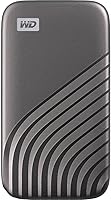
Specifications

  • Brand: Manufactured by Western Digital (WD), a company with decades of experience in consumer and enterprise storage hardware.
  • Model Series: Part of the My Passport SSD lineup, positioned as WD's premium portable solid-state drive family.
  • Capacity: Available in this variant at 4TB of usable NVMe solid-state storage.
  • Drive Type: NVMe-based internal architecture delivered over an external USB connection, distinguishing it from slower NAND flash drives.
  • Read Speed: Sequential read speeds reach up to 1,050 MB/s under optimal conditions using a USB 3.2 Gen-2 port and certified cable.
  • Write Speed: Sequential write speeds reach up to 1,000 MB/s under the same optimal host and cable conditions.
  • Interface: USB 3.2 Gen-2, providing up to 10 Gbps of bandwidth for high-throughput file transfers.
  • Connector: USB-C native port on the drive, with a USB-A adapter included in the box for backward compatibility with older systems.
  • Encryption: 256-bit AES hardware encryption with password protection, configured via WD's companion software on first use.
  • Drop Resistance: Rated to survive accidental drops from up to 6.5 feet (1.98 meters) onto hard surfaces.
  • Shock & Vibration: Built to withstand shock and vibration consistent with everyday portable carry and travel conditions.
  • Dimensions: The drive measures 3.5 x 1.18 x 0.39 inches, making it roughly the footprint of a thick credit card.
  • Weight: Weighs approximately 0.3 ounces, light enough to carry in a shirt pocket without any noticeable bulk.
  • OS Compatibility: Compatible with Windows 10 and newer, and macOS 11 (Big Sur) and newer, with no reformatting required for cross-platform use.
  • Color: Available in Gray as reviewed here; other colorways may be available in different regional SKUs.
  • Warranty: Covered by a 5-year manufacturer's limited warranty from Western Digital.
  • Water Resistance: Not IP-rated; the drive has no official certification for dust or water resistance and should be kept away from moisture.
  • Date Available: First made available for purchase in January 2021 according to the original product listing.

Related Reviews
WD My Passport 512GB SSD
87%
91%
Transfer Speed
95%
Portability & Size
89%
Security Features
86%
Build Quality
74%
Compatibility
More
WD 1TB My Passport Go SSD
87%
93%
Portability
90%
Durability
88%
Read Speed
91%
Compatibility (PC/Mac)
85%
Ease of Use (Built-in Cable)
More
WD 4TB My Passport Portable External Hard Drive
85%
94%
Storage Capacity
70%
Performance during Heavy Use
92%
Data Protection & Security
88%
Portability
85%
Software Experience
More
Western Digital 4TB WD Red SA500 NAS SSD
89%
94%
Performance for NAS Systems
90%
Read Speed
93%
Durability Under Continuous Use
92%
Reliability for 24/7 Operation
88%
Latency in Multi-User Environments
More
Western Digital 4TB WD Blue SA510 SATA SSD
87%
89%
Performance
91%
Speed & Transfer Rates
92%
Value for Money
85%
Compatibility
88%
Ease of Installation
More
Western Digital 4TB WD Red SN700 NVMe SSD
85%
92%
Performance in NAS Systems
88%
Installation Process
90%
Reliability for 24/7 Operation
91%
Endurance and Lifespan
85%
Compatibility with NAS Devices
More
Western Digital 4TB WD Blue SN5000 NVMe SSD
88%
94%
Performance
91%
Value for Money
90%
Reliability & Durability
96%
Speed (Read/Write)
89%
Ease of Installation
More
Gigastone 4TB NAS SSD
88%
94%
Performance for Heavy Workloads
92%
Reliability for 24/7 Operation
88%
Data Transfer Speed
85%
Compatibility with NAS Systems
90%
Ease of Setup
More
ORICO 4TB Portable SSD
88%
88%
Transfer Speed
94%
Portability
82%
Durability
91%
Compatibility
95%
Ease of Use
More
Ediloca ES106 4TB SSD
88%
87%
Performance
89%
Build Quality
92%
Ease of Setup
85%
Data Integrity & Reliability
88%
Compatibility
More

FAQ

No — for basic storage use, you just plug it in and it shows up as an external drive on both Mac and PC without installing anything. WD's companion software is only required if you want to set up the hardware encryption or use the backup utility. Many users skip the software entirely and the drive works just fine.

Possibly, but only under the right conditions. You need a USB 3.2 Gen-2 port on your computer and a quality Gen-2 certified cable — the included cable may not guarantee full bandwidth. Plug into a USB 2.0 or older USB 3.0 port and you will see a fraction of those speeds. If your laptop has a Thunderbolt or USB4 port, make sure it also supports USB 3.2 Gen-2 fallback.

Yes, it works as extended storage on both consoles for storing and launching compatible titles. That said, it is not an officially certified PS5 extended storage solution the way an internal M.2 NVMe drive would be, so some users report slightly slower load times on demanding PS5 games compared to internal storage. For Xbox, the experience tends to be smoother for extended storage use.

Unfortunately, there is no recovery option — the drive will wipe itself if the password cannot be verified. This is by design, since hardware encryption is meant to be unbreakable without the password. Write it down and store it somewhere safe before relying on encryption for anything critical.

Yes, the drive uses a USB-C connector natively, so it plugs directly into any USB-C or Thunderbolt 3 and 4 port without needing an adapter. The USB-A adapter in the box is only needed if you are connecting to an older machine with USB-A ports.

Under normal use — copying files, syncing a project folder, moving a few large videos — the drive stays barely warm. The throttling complaints come from users running very long, continuous transfers of hundreds of gigabytes in a single session, where heat builds up and the drive slows down to protect itself. If your typical use involves burst transfers rather than marathon sessions, you are unlikely to run into this.

Most experienced users skip it. It works, but it runs background processes and tends to auto-launch on startup, which annoys people quickly. If you just want to use the drive as a fast external volume, drag-and-drop or your operating system's built-in backup tools work perfectly well without installing anything extra.

Yes, out of the box it is formatted in a way that both systems can read and write to without any changes. This is one of the practical advantages over some competitors that default to a Mac-only or Windows-only format.

The 6.5-foot drop rating is genuine — multiple owners have accidentally knocked it off desks or dropped it in airports without any data loss. The rigid shell handles daily bag carry well, though the plastic end caps do show scuffs over time. The one real gap is water resistance: there is no IP rating here, so a spilled drink or caught in rain is a legitimate risk. A basic zip pouch solves most travel hazards.

All three are strong portable SSDs in a similar price range. The My Passport SSD trades the SanDisk Extreme Pro's IP55 water and dust rating for a slightly slimmer profile and comparable speeds. Against the Samsung T7, this WD drive generally matches or edges it on raw speed at the 4TB tier. If outdoor or wet environments are a concern, the SanDisk Extreme Pro's ruggedization gives it an edge; if you prioritize size and speed indoors, this portable SSD holds its own well.