Overview

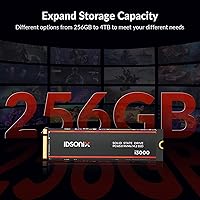
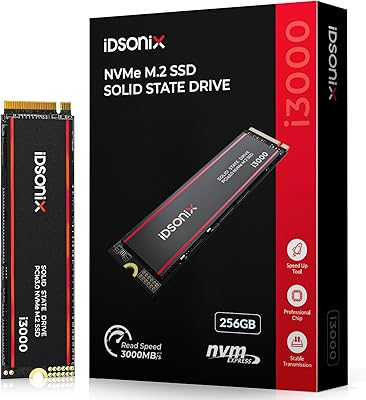
The iDsonix i3000 256GB M.2 NVMe SSD is a late-2024 entry from Dongguan Hao Ren Electronic Technology, a Chinese manufacturer gaining traction in the value NVMe space under the iDsonix label — not yet a household name, but increasingly hard to ignore. This review focuses on the 256GB variant, which sits firmly in the entry-level NVMe tier alongside dozens of similarly priced competitors. What earns this budget NVMe drive a second look is the inclusion of a physical heatsink — something you rarely encounter at this price. The drive also comes in capacities up to 4TB, but the 256GB option targets users wanting a fast, affordable upgrade for an OS drive or secondary slot.

Features & Benefits

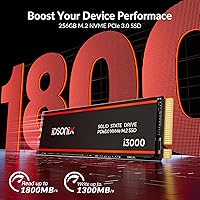
Running on a PCIe 3.0 x4 connection, the i3000 256GB hits sequential read speeds up to 1,800 MB/s and writes up to 1,300 MB/s — solid numbers for this class, though it is worth keeping expectations realistic. PCIe 3.0 drives trail behind Gen4 counterparts in peak throughput, but for everyday tasks like launching apps, booting Windows, or moving files, the difference rarely matters. The M.2 2280 form factor means it drops into virtually any modern motherboard or laptop. 3D NAND flash improves density and write endurance over older planar designs, while the built-in thermal controller works alongside the heatsink to reduce throttling under sustained workloads. The five-year service warranty is a genuine standout for a drive at this price tier.

Best For

This entry-level SSD makes the most sense as an upgrade from a spinning hard drive or a SATA SSD — users in that situation will notice the speed jump immediately, especially in boot times and application load speeds. It also works well as a secondary storage drive in a desktop or a spare M.2 slot in a gaming PC, handling game installs or overflow files without straining the budget. For light photography workflows — importing, culling, running Lightroom on a moderate catalog — it handles the job without complaint. Heavy 4K video editing with large sustained writes is a stretch, but for office productivity, web browsing, and general multitasking, the i3000 256GB punches well above what its price suggests.

User Feedback

With a 4.4-star average across over 230 ratings, this budget NVMe drive has earned a strong early reception for a brand with limited market history. Buyers frequently cite easy installation and noticeably faster boot times as highlights. A few reviewers flag that sustained write performance can dip below the advertised peak during large file transfers — normal behavior for a drive without a significant DRAM cache, and worth knowing upfront. Opinions on the heatsink are mixed: some appreciate it in warm cases, while others find it adds bulk without measurable benefit in well-ventilated builds. Drive recognition issues have been noted by a small number of laptop users, so checking chipset compatibility beforehand is wise. Long-term reliability data remains thin, which is an honest caveat worth weighing.

Pros

  • PCIe Gen3 x4 speeds deliver a dramatic improvement over SATA SSDs and traditional hard drives.
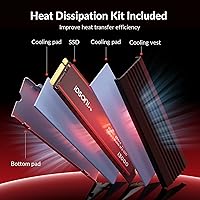
  • The included heatsink helps reduce thermal throttling — a rare addition at this price level.
  • Standard M.2 2280 form factor fits nearly every modern desktop motherboard and most laptops.
  • 3D NAND flash improves write endurance and storage density compared to older NAND designs.
  • TRIM support keeps the drive performing consistently over months of regular use.
  • Five-year service warranty offers peace of mind that most budget competitors do not match.
  • Easy plug-and-play installation with no proprietary tools or software required.
  • Available in capacities up to 4TB, so users can scale up within the same product family.
  • A 4.4-star average from over 230 buyers suggests consistent real-world satisfaction.
  • Built-in thermal controller actively manages heat, reducing the risk of sudden performance drops.

Cons

  • No dedicated DRAM cache means sustained write speeds can dip noticeably during large file transfers.
  • 256GB fills up fast — not practical as a sole drive for gaming rigs or media-heavy workflows.
  • iDsonix is a relatively new brand with limited long-term reliability data to draw from.
  • PCIe Gen3 performance ceiling will feel restrictive to users on Gen4-capable platforms.
  • A small number of buyers report drive recognition issues on certain laptop chipsets.
  • Real-world sequential write speeds do not always match the advertised 1,300 MB/s figure.
  • Brand support and parts availability may be harder to access compared to established names.
  • The heatsink adds slight bulk, which can cause clearance issues in tight M.2 slots with covers.

Ratings

Our AI rating system analyzed verified global buyer reviews for the iDsonix i3000 256GB M.2 NVMe SSD, actively filtering out incentivized, duplicate, and bot-generated feedback to surface what real users genuinely experience. The scores below reflect an honest synthesis of both the strengths that earned this budget NVMe drive its loyal following and the friction points that caused frustration — nothing is glossed over.

Read Performance
83%
Most users coming from SATA SSDs or spinning hard drives report a clear, immediate improvement in boot times and application launch speeds — Windows loads in under 15 seconds on typical setups. The PCIe Gen3 x4 connection delivers enough throughput for browsing, multitasking, and opening large Lightroom catalogs without any perceptible lag.
Users upgrading from a Gen4 NVMe drive will notice the performance ceiling is noticeably lower, and benchmark-focused buyers find the real-world read figures occasionally fall short of the 1,800 MB/s headline spec during back-to-back tests on certain platforms.
Write Performance
67%
33%
For short bursts — saving files, installing software, extracting archives — the write speed feels snappy and responsive in everyday use. Users doing light creative work such as photo culling or exporting small video clips rarely run into any bottleneck that slows their workflow.
The absence of a dedicated DRAM cache becomes noticeable during large sequential writes, where speeds can drop well below the advertised 1,300 MB/s once the SLC buffer is exhausted. Users who regularly move large video files or clone drives report inconsistent write throughput that falls short of what the spec sheet suggests.
Thermal Management
78%
22%
The bundled heatsink is a genuine differentiator at this price point — users in compact mid-tower builds and budget gaming rigs note that sustained workloads feel more stable compared to bare drives they have used before. The built-in thermal controller adds another layer of protection that most competing drives at this tier simply omit.
The heatsink creates clearance conflicts in some laptops and on motherboards with proprietary M.2 thermal covers, requiring users to remove it before installation. In well-ventilated cases with active airflow, several buyers question whether it makes a measurable practical difference at all.
Value for Money
88%
Buyers consistently highlight how much capability this entry-level SSD delivers relative to its accessible price — especially the inclusion of a heatsink and a five-year service warranty, which are features typically associated with more expensive drives. For a first-time builder or someone rescuing an aging office PC, the upgrade-to-cost ratio is hard to argue with.
A handful of users feel that for a small additional investment, more established brands offer similar performance with a longer reliability track record, making the value proposition feel less clear-cut for buyers who prioritize brand confidence over price alone.
Installation Ease
91%
The standard M.2 2280 form factor means the drive slots into virtually any compatible motherboard without adapters or special tools — most buyers report a five-minute installation process that requires nothing beyond a single small screwdriver. Windows 10 and 11 both detect it automatically without driver hunting.
A small subset of laptop users report the drive not being recognized on first boot, requiring a BIOS update or a manual NVMe mode selection in firmware settings — an extra hurdle that catches less experienced users off guard.
Build Quality
72%
28%
The physical drive feels solid in hand, and the heatsink is firmly attached rather than loosely clipped — buyers handling it for the first time are generally surprised by the construction quality given its budget positioning. The PCB shows clean soldering with no obvious cosmetic defects reported by the majority of buyers.
iDsonix is still a relatively unproven name, and some buyers express uncertainty about the long-term durability of the components used — concerns that are difficult to dismiss given the limited multi-year field data currently available for this specific model.
Compatibility
74%
26%
The drive works without issue across a wide range of desktop platforms, and users pairing it with Intel and AMD systems on both older and current-generation chipsets mostly report a trouble-free experience right out of the box.
Laptop compatibility is less consistent — a recurring theme in negative reviews involves the drive not being detected on specific notebook models, particularly older systems with stricter NVMe compatibility requirements. Checking your laptop's supported drive list before purchasing is strongly advisable.
Long-term Reliability
59%
41%
Within the first several months of use, the vast majority of buyers report zero issues — drives arrive functioning correctly, performance remains consistent in light-use scenarios, and no widespread early failure patterns have emerged from the existing review pool.
Because iDsonix only entered Western markets in late 2024, there is simply not enough long-term data to assess how the i3000 256GB holds up over two to five years of sustained use. This uncertainty is a legitimate concern for buyers who expect a storage drive to last the life of their system without worry.
Sustained Workload Handling
63%
37%
For typical desktop and office use — where write operations are short and intermittent rather than continuous — the drive handles its workload without complaint, and most users in these scenarios never experience any performance inconsistency during normal daily tasks.
Under prolonged sequential write workloads, such as large file backups or video ingestion from a camera, the lack of DRAM cache causes performance to step down significantly once the write buffer is saturated — a limitation that becomes frustrating for anyone expecting consistent throughput across extended operations.
Warranty & Support
81%
19%
The five-year service warranty is the kind of commitment you typically see from mid-range or premium brands, not entry-level drives — it signals confidence from the manufacturer and gives buyers a concrete safety net that many similarly priced competitors do not offer.
Since iDsonix is a newer brand without an established Western support infrastructure, some buyers are uncertain about how smooth the warranty claim process would actually be in practice — especially for users outside of China who may face longer resolution timelines.
Heatsink Practicality
69%
31%
Desktop users building budget systems in cases without dedicated M.2 cooling genuinely appreciate having a heatsink included in the box — it removes one more accessory to source separately and provides tangible peace of mind during gaming sessions or sustained office workloads.
Laptop users frequently need to remove the heatsink entirely before the drive fits their chassis, which slightly undermines the value of including it. For systems that already have motherboard-integrated M.2 thermal pads, the included heatsink is essentially redundant.
Capacity Satisfaction
61%
39%
For a lean Windows installation paired with a handful of productivity applications, 256GB is functional — buyers using it strictly as an OS drive alongside a larger secondary storage solution rarely report running into space constraints in the short term.
Buyers who attempt to use the 256GB variant as their only drive quickly find it limiting, particularly when game file sizes can consume 50–100GB in a single title. Many reviewers who gave lower ratings specifically cite running out of storage far sooner than they anticipated.
Boot & App Speed
86%
This is where the drive earns its most enthusiastic praise — users migrating from HDDs describe the difference as dramatic, with Windows booting in a fraction of the previous time and applications like Chrome, Office, and Photoshop opening almost instantly in comparison.
For buyers already on a Gen4 NVMe drive, the perceived speed difference switching to this budget NVMe drive is minimal to nonexistent in daily-use scenarios, which can make the upgrade feel underwhelming if expectations are not set appropriately.
Brand Confidence
56%
44%
The 4.4-star average across a growing review base is a genuinely encouraging signal for a brand this new — it suggests that the majority of buyers are receiving functional, well-performing drives that deliver on the core promise of fast, affordable NVMe storage.
iDsonix simply does not carry the brand recognition or the decades of reliability data that established names like Samsung, WD, or Crucial have built. For buyers who factor brand trust heavily into storage decisions, that gap in confidence is difficult to overlook regardless of early review scores.

Suitable for:

The iDsonix i3000 256GB M.2 NVMe SSD is a strong fit for anyone making their first jump from a hard drive or SATA SSD and wanting a meaningful speed boost without a premium price tag. First-time PC builders who need a reliable OS drive to get their system running quickly will find it does exactly what it promises for everyday workloads. Office users running productivity suites, browsers, and video calls will appreciate the snappy response times compared to older storage technologies. It also works well as a secondary drive in a desktop or gaming PC — handling game installs, downloads, or file overflow without touching the main budget. Photographers doing casual shooting and light Lightroom work will find the read speeds more than adequate for culling and basic edits. The included heatsink is a practical bonus for users with warm cases or compact builds where thermals can become an issue.
Not suitable for:

The iDsonix i3000 256GB M.2 NVMe SSD is not the right tool for users who push storage hard on a regular basis. Professional video editors working with large 4K or RAW files will likely run into sustained write speed limitations, since this drive lacks a dedicated DRAM cache and real-world throughput under heavy sequential loads can fall below the advertised peak. The 256GB capacity is also genuinely tight for anyone who wants to store a full game library, a large media archive, or a dual-boot setup — it is really an OS-and-essentials drive, not a catch-all solution. Power users who have already invested in a PCIe Gen4 platform will see no benefit from stepping down to a Gen3 drive, even at a lower cost. And anyone who places long-term brand reliability above all else should be aware that iDsonix has a limited track record; there simply is not enough multi-year field data yet to make confident claims about its durability over time.

Specifications

  • Capacity: The drive offers 256GB of usable NVMe storage, suitable for an operating system, core applications, and everyday files.
  • Interface: Uses a PCIe Gen3 x4 interface, delivering a significant bandwidth advantage over SATA-based M.2 drives.
  • Protocol: Operates on the NVMe protocol, which reduces latency and command overhead compared to the older AHCI standard used by SATA SSDs.
  • Form Factor: Follows the M.2 2280 standard, meaning the drive is 22mm wide and 80mm long — the most common size for desktop and laptop M.2 slots.
  • Sequential Read: Rated for sequential read speeds of up to 1,800 MB/s under optimal, manufacturer-tested conditions.
  • Sequential Write: Rated for sequential write speeds of up to 1,300 MB/s, though real-world sustained write speeds may be lower without a DRAM cache.
  • Flash Type: Built with 3D NAND flash memory, which stacks memory cells vertically to improve density, endurance, and read performance over older planar NAND.
  • Thermal Control: Includes both a built-in thermal controller and a physical heatsink to reduce heat-related throttling during extended workloads.
  • TRIM Support: TRIM is supported, allowing the operating system to inform the drive which data blocks are no longer in use, helping maintain write performance over time.
  • Command Queuing: Native Command Queuing is supported, enabling the drive to reorder and optimize multiple simultaneous read and write requests for better efficiency.
  • Warranty: iDsonix provides five years of service support for this drive, which is notably generous for an entry-level NVMe product.
  • Weight: The drive weighs approximately 2.46 oz, including the heatsink attachment.
  • Package Size: The retail package measures approximately 5.04″ x 3.5″ x 0.75″, compact enough for standard shipping.
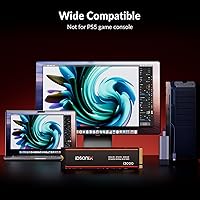
  • Compatibility: Compatible with desktops, laptops, and PCs that feature a standard M.2 slot supporting the PCIe NVMe protocol.
  • Manufacturer: Designed and produced by Dongguan Hao Ren Electronic Technology Co., Ltd, based in China, marketed under the iDsonix brand.

Related Reviews

iDsonix i3000 256GB NVMe SSD
73%
91%
Value for Money
86%
Read/Write Speed
88%
Compatibility
89%
Installation Experience
78%
Heatsink Quality
More
iDsonix D7450 1TB M.2 NVMe SSD
85%
94%
Performance
89%
Thermal Management
92%
Read/Write Speed
85%
Compatibility with PS5
88%
Build Quality
More
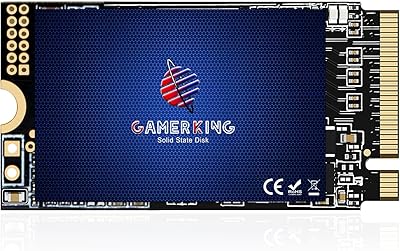
GAMERKING 256GB M.2 2242 NVMe SSD
79%
93%
Form Factor Compatibility
88%
Value for Money
74%
Read/Write Performance
86%
Installation Experience
76%
Warranty & Support
More
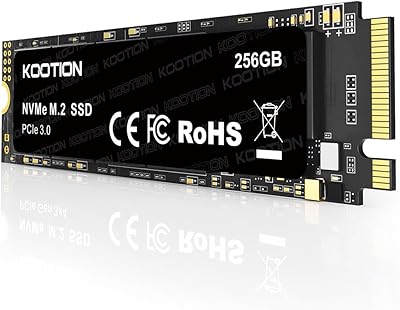
KOOTION 256GB NVMe M.2 Internal SSD
77%
88%
Value for Money
82%
Sequential Performance
71%
Real-World Speed
93%
Installation Ease
86%
Compatibility
More
ORICO J10-2242 256GB M.2 NVMe SSD
78%
88%
Value for Money
83%
Read Performance
67%
Write Performance
93%
Form Factor Compatibility
76%
Thermal Management
More
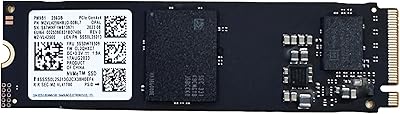
Samsung PM991 256GB M.2 2242 NVMe SSD
78%
94%
Form Factor Fit
78%
Read/Write Performance
88%
Build Reliability
83%
Value for Money
91%
Installation Ease
More
WD SN740 256GB 2230 NVMe SSD
80%
94%
Form Factor Compatibility
88%
NVMe Read/Write Speed
86%
Value for Money
83%
OEM Hardware Authenticity
89%
Thermal Performance
More
Samsung PM9B1 256GB M.2 NVMe SSD
77%
91%
Value for Money
84%
Read Speed Performance
67%
Write Speed & Sustained Performance
88%
Authenticity & Build Quality
82%
Compatibility
More
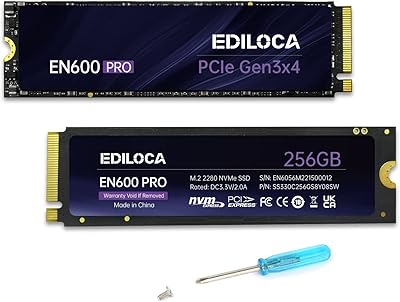
Ediloca EN600 Pro 256GB NVMe M.2 SSD
77%
93%
Value for Money
94%
Installation Experience
83%
Read Performance
57%
Sustained Write Speed
87%
Compatibility
More
Verbatim Vi3000 256GB NVMe M.2 SSD
74%
88%
Value for Money
83%
Read Performance
74%
Write Performance
91%
Ease of Installation
58%
Storage Capacity
More

FAQ

It will work in any laptop that has an M.2 slot supporting PCIe NVMe — which covers most machines made in the last several years. The key thing to check is that your M.2 slot is keyed for NVMe (M-key or M+B key) and not SATA-only. A quick look at your laptop's manual or manufacturer spec page will confirm this. A small number of users have reported recognition issues on certain older chipsets, so it is worth verifying compatibility before purchasing.

It can in some cases. Many laptops and some desktop motherboards include their own M.2 heatsink covers, and adding a second heatsink on top may prevent the cover from fitting flush. If your system already has a built-in M.2 thermal pad or shield, you may want to remove the drive's heatsink before installation. In open-air desktop builds or cases with good airflow, the heatsink is generally a welcome addition.

The difference is noticeable in everyday use. SATA SSDs max out around 550 MB/s sequential read, while the i3000 256GB is rated up to 1,800 MB/s on PCIe Gen3 x4. In practice, you will notice faster boot times, quicker application launches, and snappier file transfers — especially when moving many small files. For heavier workloads like large video transfers, the gap between NVMe and SATA becomes even more apparent.

It is workable, but tight if you plan to install many applications or games alongside the OS. Windows 11 itself typically occupies 25–35GB after setup and updates. You will have room for productivity software and a moderate number of applications, but anyone with a large game library or extensive media files will likely outgrow 256GB quickly. For a lean office machine or a dedicated OS drive paired with a larger secondary storage drive, it is a reasonable fit.

You can, but 256GB does not leave much room for both. A typical modern game can range from 30GB to over 100GB, so you would be managing storage carefully from day one. A better approach is to use this entry-level SSD as your OS and applications drive and pair it with a larger secondary drive for game storage, if your system has the slots available.

This is worth being honest about. The 1,300 MB/s write figure is the burst speed, measured under short, ideal conditions. Without a dedicated DRAM cache, sustained write performance on drives like this can drop significantly once the SLC write buffer fills up — sometimes to figures closer to 400–600 MB/s during large sequential writes. For everyday tasks like saving documents, loading games, or transferring moderate-sized files, this is unlikely to be an issue. It only becomes relevant during prolonged, heavy writes like cloning a large drive.

That is a fair question to ask. iDsonix is manufactured by Dongguan Hao Ren Electronic Technology, a Chinese OEM that has been building storage products for some time. The brand itself is relatively new to Western markets, and while the iDsonix i3000 256GB M.2 NVMe SSD has earned a solid early rating from buyers, there is simply not enough multi-year data yet to make strong claims about long-term durability. The five-year service warranty is a positive sign, but as with any newer brand, some caution is warranted if long-term reliability is your top priority.

Yes, PCIe is backward and forward compatible, so this drive will work in a Gen4 slot without any issues. It will simply run at Gen3 speeds rather than Gen4 speeds. If you are building a high-end Gen4 platform, you might want to consider a Gen4 drive to take full advantage of your motherboard's capabilities — but for everyday tasks, the practical difference is minimal.

No additional software or drivers are needed for most users. Windows 10 and 11 both include native NVMe drivers that will recognize the drive automatically. On a fresh build, you simply install the drive, boot from your Windows installation media, and the system will detect it during setup. Mac and Linux users should also find it works without extra configuration, provided the hardware supports NVMe.

The product listing does not mention any bundled cloning software, so you should plan to source that separately. Free tools like Macrium Reflect Free or the trial version of AOMEI Backupper are popular choices for cloning an existing Windows installation to a new drive. The process is straightforward — you connect both drives simultaneously, clone the old one to the new one, swap the drives, and boot. It typically takes under an hour for a standard OS migration.