Overview

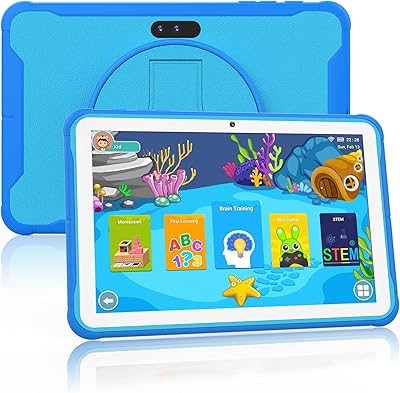
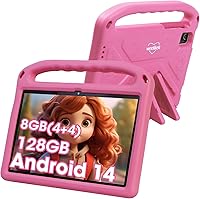
The weelikeit 10-inch 128GB Kids Tablet enters a crowded market with a clear, no-frills pitch: a capable Android device for young children without the premium price. The 10-inch screen is a genuinely practical size — big enough that a toddler isn't squinting at a tiny display, but not so bulky it becomes awkward for small hands. An EVA protective case ships in the box, which is a real convenience for parents who don't want to hunt for accessories separately. One thing worth flagging upfront: the listing title references Android 14, but the spec sheet reads Android 13. That inconsistency is worth verifying before buying, and buyers deserve to know about it.
Features & Benefits

Storage is where this toddler-focused device punches above its class. The 128GB built-in gives kids — and the apps, videos, and downloaded shows they inevitably accumulate — plenty of breathing room, with a microSD slot for expansion up to 1TB if needed. The RAM situation deserves a quick clarification: the advertised 8GB includes 4GB of physical memory plus 4GB of virtual extended RAM, a software assist that helps with light multitasking but isn't equivalent to true 8GB hardware RAM. The 6000mAh battery realistically delivers a solid afternoon of use, somewhere in the 5-to-7-hour range depending on screen brightness and activity. Dual cameras round out the package for video calls and creative play.

Best For

This kids tablet fits most naturally in the hands of children between roughly ages 3 and 8. Parents eyeing Amazon Fire tablets but wanting an open Android experience — with full Google Play Store access — will find this a reasonable alternative. It also works well as a gift purchase, since the case is already included and everything arrives ready to use. Families who'd rather avoid a recurring subscription for parental controls will appreciate that the built-in tools for screen time limits and content filtering come at no added cost. Having a dedicated kids device also keeps younger children off adult phones and tablets, which many parents consider a win on its own.

User Feedback

Buyers consistently highlight screen clarity and battery endurance as the strongest positives — for a tablet at this price point, the display holds up surprisingly well in daily use. The EVA case earns decent marks for absorbing drops, though some parents note it shows visible wear after months of rough toddler handling. On the critical side, the Android version discrepancy genuinely frustrates some buyers who expected one OS and received another. A handful of reviewers also flag pre-installed apps they'd prefer to remove, and a few report that certain Play Store titles don't install cleanly. Long-term support from a lesser-known brand remains an open question for buyers thinking beyond the first year.

Pros

  • 128GB of storage is genuinely generous at this price tier, leaving ample room for apps, videos, and offline content.
  • The 10-inch IPS screen is sharp and bright enough for everyday kid use, with low blue light mode adding a thoughtful touch.
  • A 6000mAh battery realistically gets most children through a full afternoon of use without needing a recharge.
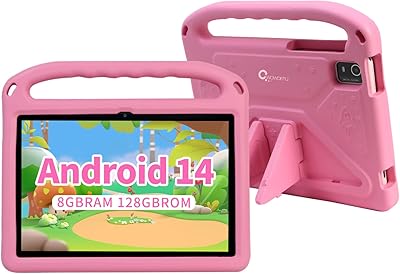
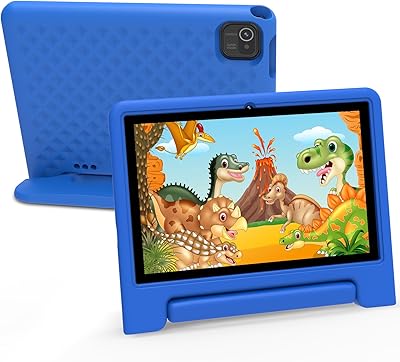
  • The EVA protective case ships in the box — no extra purchase needed to protect it from inevitable drops.
  • Full Google Play Store access gives this kids tablet a clear edge over locked-down Amazon Fire alternatives.
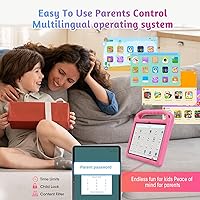
  • Built-in parental controls cover screen time limits and content filtering without requiring a paid subscription.
  • 128GB internal storage is expandable up to 1TB via microSD, so the device can grow with the child's needs.
  • Dual cameras support video calls with family and basic creative play without needing a separate device.
  • The 10-inch screen size is a practical step up from smaller tablets for kids ready for a bigger display.
  • Setup is straightforward enough that non-technical parents can configure parental controls without a steep learning curve.

Cons

  • The Android version listed in the product title does not match the spec sheet, which raises questions about listing accuracy.
  • The advertised 8GB RAM includes 4GB of virtual extended memory — not the same as true 8GB hardware RAM.
  • Weelikeit has a limited track record, making long-term software support and security updates uncertain.
  • Some users report pre-installed apps that cannot easily be removed, adding unwanted clutter to the interface.
  • Certain Play Store apps and games have reported compatibility issues that require workarounds to install correctly.
  • The EVA case shows visible wear after months of heavy toddler use, suggesting durability may not hold up over years.
  • Wi-Fi is limited to 802.11n, meaning the tablet won't take full advantage of faster modern home networks.
  • The Allwinner processor handles basic tasks well but struggles with more demanding games or multitasking scenarios.
  • Customer support options for a niche brand like this are harder to navigate than with major tablet manufacturers.
  • At 2.72 pounds with the case, some younger toddlers may find the combined weight uncomfortable to hold for long periods.

Ratings

The scores below were generated by AI after analyzing verified global user reviews for the weelikeit 10-inch 128GB Kids Tablet, with spam, bot activity, and incentivized feedback actively filtered out to reflect genuine buyer experiences. Both the standout strengths and the recurring frustrations are transparently represented, so you can make a well-informed decision rather than one based on cherry-picked praise. This kids tablet earns solid marks in several key areas while showing clear room for improvement in others — and the breakdown below covers all of it honestly.

Battery Life
83%
Parents consistently report that this toddler-focused device comfortably survives long car trips, school holiday afternoons, and bedtime wind-down sessions without needing a mid-day charge. The 6000mAh cell is a genuine practical strength, and most users find that plugging in once at night covers a full day of use.
Heavy users — kids who game at full brightness for hours — push the battery harder and report closer to 4 to 5 hours of real-world screen time rather than the 7-hour figure cited in the specs. The gap between claimed and actual endurance is noticeable enough that it comes up repeatedly in critical reviews.
Display Quality
78%
22%
For a budget kids tablet, the 10-inch IPS screen impresses casual observers. Colors are vibrant enough for YouTube Kids and educational apps, and the low blue light mode gives parents confidence during evening use without the need for third-party accessories or screen protectors.
Outdoor visibility in bright sunlight is limited — the panel lacks the nit output to stay legible in direct light, which frustrates parents using it during outdoor trips. A handful of reviewers also note uneven backlight uniformity at the edges under close inspection.
Storage & Expandability
89%
128GB of built-in storage is a genuine differentiator at this price point — most children and families will never come close to filling it with apps, downloaded shows, and offline games. The microSD expansion slot adds long-term headroom that budget competitors often skip entirely.
The only real complaint here is that the available storage after the OS and pre-installed apps is slightly less than the advertised 128GB, which surprises some buyers expecting the full amount free from the start. This is standard for Android devices but not clearly communicated in the listing.
Value for Money
81%
19%
Stacking the specs — 128GB storage, a 10-inch screen, dual cameras, included case, and parental controls at no subscription cost — against the price makes a compelling case for budget-conscious parents. Most buyers acknowledge they are getting more hardware than they expected for what they paid.
The Android version discrepancy and the virtual RAM marketing chip away at the perceived honesty of the value proposition. When buyers feel misled on specs, even good hardware leaves a sour impression, and that pattern shows up clearly in the more critical reviews.
Parental Controls
72%
28%
Built-in controls covering screen time limits, content filtering, and app restrictions work without a paid subscription, which earns genuine appreciation from parents who resent ongoing fees just to keep their child safe online. Most non-technical parents report completing setup in under 30 minutes.
The parental control interface feels less polished and intuitive than what dedicated platforms like Amazon Kids offer — a few parents describe needing multiple attempts to lock down specific apps or set usage schedules correctly. Edge cases and customization options are noticeably limited compared to third-party solutions.
Build Quality
67%
33%
The included EVA case adds a meaningful layer of drop protection for day-to-day toddler handling, and the tablet itself feels reasonably solid for its price class. Short drops onto carpet or soft surfaces are typically well-absorbed without visible damage.
Extended rough use reveals the EVA case's limits — compression marks, scuffing, and deformation appear on units that have seen several months of hard toddler handling. The tablet chassis itself feels slightly plasticky under the hands, which is understandable at the price but noticeable to buyers used to more premium devices.
Processing Performance
63%
37%
For the target audience — young children running educational apps, streaming video, or playing casual 2D games — the Allwinner processor handles daily tasks without obvious lag or freezing. App switching for standard kid-friendly titles is smooth enough to avoid frustration during normal use.
The moment users push beyond the intended use case — heavier games, multiple browser tabs, or larger app downloads — performance stutters become noticeable. Some parents who hoped to share the tablet with slightly older children or use it for more demanding tasks find the processor a limiting factor sooner than expected.
RAM & Multitasking
58%
42%
For single-app use — which describes most toddler sessions — the combination of physical and virtual RAM keeps things moving acceptably. Switching between a streaming app and a simple educational game rarely causes outright crashes during typical light use.
The advertised 8GB figure is misleading in practice, since only 4GB is physical hardware memory. Tech-savvy buyers who understand the virtual RAM distinction feel the listing misrepresents performance expectations, and those running more than two or three apps simultaneously may notice apps reloading from scratch more often than they should.
Camera Quality
61%
39%
The dual cameras serve their primary purpose well enough for video calls with grandparents and spontaneous creative photo sessions. The front-facing camera is adequate for FaceTime or Google Meet in decent indoor lighting, which is all most kids actually need it for.
Image quality drops off quickly in low light or outdoor high-contrast situations, producing noticeably soft and washed-out photos. Parents hoping to use the weelikeit tablet as a creative camera tool for older children will find the output quality a step behind even mid-range smartphones.
Software & Bloatware
55%
45%
The Android base gives access to the full Google Play ecosystem, which is a meaningful advantage over locked-down alternatives. Most essential apps install and run without issues, and the OS itself is functional for everyday tasks right out of the box.
Pre-installed apps that cannot be fully uninstalled are a recurring frustration, cluttering the home screen and consuming storage that buyers assumed was fully theirs to use. A subset of users also report that certain popular apps encounter installation errors or crash on first launch, requiring restarts or manual workarounds to resolve.
Screen Size & Ergonomics
76%
24%
The 10-inch form factor is well-suited to children transitioning from smaller devices or shared family screens — big enough for comfortable viewing, small enough that a second-grader can hold it independently for a reasonable session. The size also makes it practical for two young children watching together.
At 2.72 pounds with the case, the combined weight becomes noticeable for very young toddlers holding it unsupported for extended periods. Some parents end up propping it against a pillow or using a stand rather than expecting younger children to hold it comfortably in their hands.
Setup & Ease of Use
74%
26%
Out-of-the-box setup is quick — the tablet arrives with kid-friendly apps pre-loaded, and first-time Android users report getting a child up and running within minutes. The inclusion of the case means there is no extra prep step before handing it to a young child.
The initial setup experience reveals some rough edges, particularly around Google account configuration and parental control activation, which feel less guided than the setup flows on competing devices. Parents who are not comfortable with Android settings may need to consult online tutorials to complete a fully locked-down child profile.
Listing Accuracy
41%
59%
The core hardware — screen size, storage, and battery capacity — arrives as described, and buyers who focus on those headline specs generally confirm they match real-world experience. For most everyday buyers those are the numbers that matter most.
The Android version discrepancy between the product title and the spec sheet is a meaningful accuracy failure that undermines trust in the listing as a whole. Combined with the virtual RAM framing, a pattern emerges where the marketing language consistently overstates what the product technically delivers, which is a genuine credibility problem for a brand trying to establish itself.
Long-Term Reliability
53%
47%
Short-term performance — across the first three to six months of use — is generally reported as stable, with few accounts of sudden hardware failures or catastrophic software issues. The battery in particular holds its capacity well in the early months of ownership.
Weelikeit is a new brand with a limited support track record, and buyers looking beyond the first year have legitimate concerns about firmware updates, security patches, and available customer service. There is simply not enough long-term ownership data yet to rate reliability with confidence, and that uncertainty itself is a meaningful drawback.

Suitable for:

The weelikeit 10-inch 128GB Kids Tablet is a practical fit for parents of toddlers and early elementary-age children — roughly ages 3 through 8 — who want a dedicated device that keeps young kids off adult phones and laptops. If you've been eyeing Amazon Fire tablets but prefer open access to the Google Play Store without a locked-down ecosystem, this kids tablet offers a reasonable Android alternative at a budget-friendly price. The included EVA case means gift buyers can hand it over without a separate shopping trip for protection. Families who want built-in parental controls — screen time limits, content filtering, learning goals — without paying a monthly fee will find the out-of-the-box setup genuinely useful. For households that simply need a durable, capable screen to keep a young child entertained during travel or downtime, this toddler-focused device covers the basics without overcomplicating things.

Not suitable for:

Buyers who prioritize long-term software support and timely OS updates should approach the weelikeit 10-inch 128GB Kids Tablet with realistic expectations — weelikeit is a relatively new and lesser-known brand, and there is no clear track record of sustained firmware or security updates. The RAM situation also warrants honesty: the advertised 8GB is split between 4GB of physical memory and 4GB of virtual extended RAM, so parents expecting true 8GB performance for more demanding apps may be disappointed. The listing's Android version discrepancy — Android 14 in the title versus Android 13 in the spec sheet — is a red flag for detail-conscious buyers who want accurate product information before committing. Older children who have outgrown simple educational apps and want to run heavier games or creative software will likely find the Allwinner processor limiting. And anyone who values premium build quality or brand-name reassurance would be better served looking at established players in the kids tablet space.
Specifications

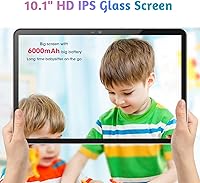
  • Screen Size: The tablet features a 10.1-inch IPS HD display designed for comfortable viewing by young children.
  • Resolution: The screen renders at 1920 x 1080 pixels, delivering a clear and detailed image for videos, apps, and learning content.
  • Processor: An Allwinner 8-core processor clocked at 2.0GHz handles everyday kid-friendly apps and media playback.
  • RAM: The device has 4GB of physical RAM supplemented by 4GB of virtual extended RAM, totaling 8GB as advertised.
  • Storage: 128GB of internal storage is included, with microSD card support allowing expansion up to 1TB.
  • Battery: A 6000mAh lithium polymer battery supports roughly 5 to 7 hours of active use depending on screen brightness and task type.
  • Rear Camera: The rear-facing camera captures photos and video at 8MP resolution, suitable for casual creative use.
  • Front Camera: A 5MP front-facing camera supports video calls and selfies for younger users.
  • Operating System: The tablet ships with Android 13, though the product listing title references Android 14 — buyers should verify before purchasing.
  • Wireless: Wi-Fi connectivity is provided via 802.11n, compatible with standard 2.4GHz home networks.
  • Weight: The tablet weighs 2.72 pounds, which includes the bundled EVA protective case.
  • Dimensions: The device measures 9.65 x 6.45 x 0.04 inches, making it a standard 10-inch tablet form factor.
  • Protective Case: An EVA material case is included in the box, designed to be odorless, lightweight, and impact-resistant for daily toddler use.
  • Blue Light Filter: The IPS panel incorporates low blue light technology alongside automatic brightness adjustment to reduce eye fatigue during extended sessions.
  • Parental Controls: Built-in parental control tools allow caregivers to set screen time limits, filter content, and establish learning goals at no additional subscription cost.
  • Color Options: The tablet is available in Pink, among other color variants listed on the product page.
  • Graphics: Graphics processing is handled by an integrated ARM Mali GPU, adequate for 2D games and standard video playback.
  • ASIN: The Amazon product identifier for this item is B0D6Y4WBGX.

Related Reviews

CWOWDEFU 10-inch Kids Tablet 128GB
86%
87%
Performance
92%
Battery Life
88%
Build Quality
82%
Display Quality
91%
Ease of Use
More
PEICHENG 10.1-inch Kids Tablet, 128GB Storage, Android 15.0
85%
93%
Durability & Build Quality
90%
Parental Control Features
76%
Battery Life
82%
Display Quality
88%
Ease of Use
More
TWTNVOF Kids Tablet 10 inch, 32GB
86%
89%
Educational Features
94%
Parental Controls
90%
Durability & Build Quality
82%
Battery Life
85%
Performance (Processor Speed)
More
niuniutab K102 Kids Tablet 10-inch, 64GB
86%
92%
Value for Money
89%
Build Quality & Durability
84%
Battery Life
90%
Parental Controls
78%
Display Quality
More
YINOCHE F11 10-inch Kids Tablet
67%
81%
Value for Money
76%
Parental Controls
78%
Battery Life
83%
Ease of Setup
74%
App Ecosystem
More
Jeazans KT1016 10-inch Kids Tablet
70%
83%
Value for Money
77%
Build Quality
62%
Performance
66%
Battery Life
74%
Display Quality
More
YYSWIE 10.1-inch Kids Tablet 64GB
85%
91%
Value for Money
88%
Durability
94%
Battery Life
85%
Parental Controls
89%
Ease of Use
More
EDDBNi EVAP-C20 Kids Tablet 10-inch 64GB
86%
89%
Value for Money
91%
Battery Life
93%
Parental Controls
88%
Build Quality / Durability
85%
Display Quality
More
okulaku K12 10.1-inch Kids Tablet
66%
81%
Value for Money
74%
Display Quality
53%
Performance
58%
Battery Life
77%
Parental Controls
More
YINOCHE Y101 10-inch 32GB Kids Tablet
72%
88%
Value for Money
83%
Parental Controls
79%
Build Quality & Durability
74%
Display Quality
61%
Performance & Speed
More

FAQ

This is worth double-checking before you buy. The product title references Android 14, but the spec sheet and technical details list Android 13. It is unclear whether this reflects a software update that rolled out after listing or simply an inaccurate title. If the exact OS version matters to you, contact the seller directly to confirm before ordering.

There is a bit of nuance here. The weelikeit 10-inch 128GB Kids Tablet advertises 8GB of RAM, but only 4GB of that is physical hardware memory. The other 4GB is virtual extended RAM — a software feature that borrows from storage to assist with multitasking. For running typical kids apps and streaming video, the combination works adequately, but it is not the same as a true 8GB RAM device.
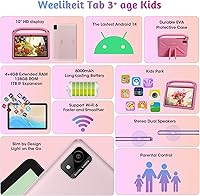
Realistically, expect somewhere between 5 and 7 hours of active screen time, depending on what the child is doing. Video playback tends to be lighter on the battery, while games and high-brightness use drain it faster. The 6000mAh capacity is solid for this price range — most kids can get through an afternoon or a long car ride without needing a charge.

The EVA protective case ships in the box, which is one of the more practical perks of this toddler-focused device. You do not need to buy a separate cover before handing it to a child. That said, some parents note the case shows wear over time with very rough use, so a replacement case may be worth considering after the first year.

Yes. Unlike Amazon Fire tablets, this kids tablet runs standard Android and includes full access to the Google Play Store. That means you can install apps directly — YouTube Kids, Khan Academy Kids, Netflix, and thousands of other titles — without being limited to a curated ecosystem. App compatibility is generally good, though a small number of users have noted occasional installation issues with certain titles.

The built-in parental controls are reasonably straightforward for most parents. You can set daily screen time limits, restrict content by age rating, and block specific apps without needing to install anything extra. That said, the interface is not quite as polished as what you would find on a dedicated kids platform like Amazon Kids. Give yourself 15 to 20 minutes during initial setup to explore the settings.

For most kids, 128GB is more than enough for several years of use. A typical library of apps, downloaded videos, and games rarely approaches that ceiling. And if it ever does, the microSD slot supports expansion up to 1TB, so storage is unlikely to become a problem.

The EVA case handles typical toddler drops reasonably well — it absorbs impact better than many thin silicone sleeves. Over months of heavy use, though, some parents report visible scuffs and compression in the material. It is protective enough for everyday accidents, but it is not a ruggedized military-grade case by any means.

No. This is a Wi-Fi-only device and does not include a SIM card slot or cellular connectivity. It connects via 802.11n Wi-Fi, which covers standard home and school networks. For use outside the home, you would need to connect through a mobile hotspot.

Weelikeit is a relatively new brand, and that is worth factoring into your decision. Coverage details vary, so check the current seller page for specifics. Beyond the standard return window, long-term firmware updates and customer support are less predictable compared to established brands — that is simply the trade-off with newer, budget-focused manufacturers.