


Overview

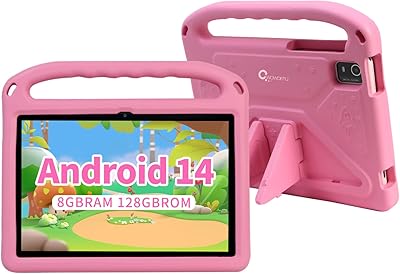
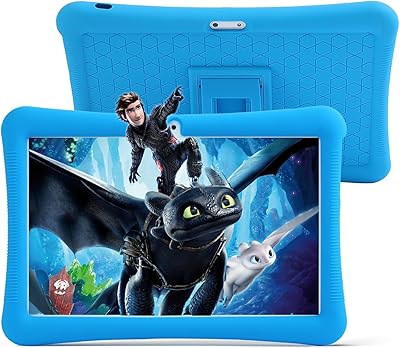
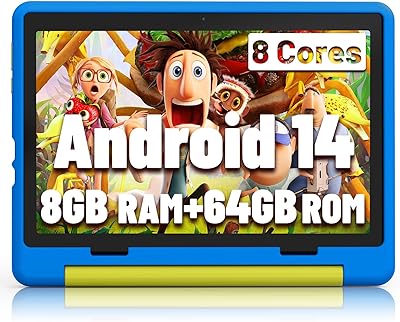
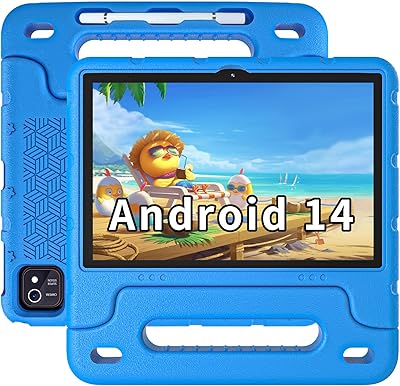
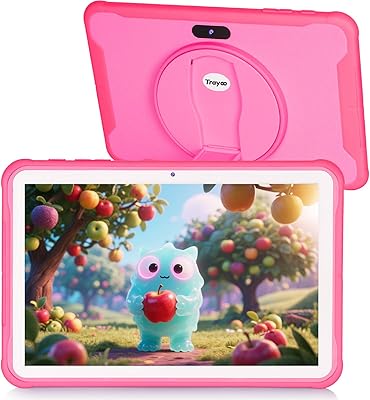
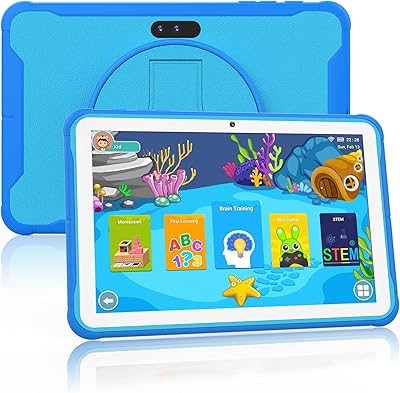
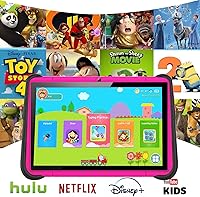
The YINOCHE F11 10-inch Kids Tablet is a budget-oriented Android tablet built for young children between ages 3 and 7 — and it helps to go in with that framing clearly in mind. This isn't competing with an iPad or a higher-end Amazon Fire HD. What it does offer is a 10.1-inch screen that's genuinely comfortable for small hands and developing eyes, wrapped in a pink design that young kids tend to gravitate toward. The IWAWA launcher sits on top of Android, giving children a contained, friendly interface that parents can navigate without frustration. YINOCHE isn't a household name, and that's worth acknowledging, but the core package targets a clear need at an accessible price point.

Features & Benefits

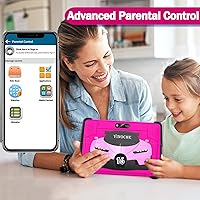
The parental control dashboard is where this toddler tablet earns real points. Parents can filter content by age, set daily screen time limits, and manage app access without needing much technical experience. The IWAWA ecosystem includes thousands of apps spanning STEM, literacy, and arts, while Google Play Store remains open for adding favorites like YouTube Kids, Netflix, or Khan Academy. Storage is genuinely generous here — 64GB built in, expandable up to 512GB via microSD. The 5000mAh battery delivers a reliable 6 to 8 hours of real-world use, which is solid for travel or a full afternoon at home. Hardware is modest — quad-core 1.6GHz and 2GB RAM — but handles basic kids' apps without much trouble.

Best For

This kids tablet is a smart pick for parents buying a first device for a toddler or early elementary-age child who don't want to hand over something expensive to unpredictable small hands. If a child's routine involves educational games, YouTube Kids, and occasional streaming, the YINOCHE F11 covers that comfortably. It also works well as a gift — setup is simple, the pink finish appeals to young kids, and parental controls are ready to go right out of the box. Families wanting a dedicated kids' screen without the cost of a premium brand will find it fits that role well. It's less suited for older children who'll quickly hit its performance ceiling.

User Feedback

The YINOCHE F11 holds a 3.8-star average, which reflects a genuinely split buyer experience. Satisfied parents tend to call out how quickly their kids took to the interface, the easy initial setup, and the screen size feeling like good value for the cost. On the other side, recurring complaints include occasional lag when apps get more demanding, cameras that are weak even by budget standards — the front camera especially — and some concerns about long-term durability. A few buyers also mention inconsistent customer support. None of that is surprising at this price point, but it is worth knowing. Go in expecting a solid budget kids' tablet rather than a junior iPad, and most parents seem to come away reasonably happy.

Pros

  • The 10.1-inch display is a real highlight — spacious and clear enough for young kids to enjoy without eye strain.
  • Parental controls are well-implemented, covering screen time limits, content filtering, and age-based access in one dashboard.
  • Google Play Store access means parents can add trusted apps like Netflix, YouTube Kids, and Khan Academy freely.
  • Storage is generous for the price — 64GB built in, with room to expand up to 512GB via a microSD card.
  • Battery life holds up well in real use, comfortably covering a full afternoon or a long travel day on a single charge.
  • The IWAWA launcher creates a child-friendly environment kids adapt to quickly, reducing the need for constant parental supervision.
  • USB Type-C charging is a practical touch that keeps cable management simple for most modern households.
  • Setup is fast and straightforward — most parents report getting it ready for their child within minutes of unboxing.
  • The pink colorway and kid-focused design genuinely resonate with the target age group, which matters for daily buy-in from children.

Cons

  • Occasional lag is a recurring complaint, particularly when switching between apps or running anything slightly demanding.
  • The front camera is noticeably poor, making video calls a frustrating experience for kids and the people on the other end.
  • Some buyers have reported inconsistency in customer support responsiveness when issues arise after purchase.
  • The listed internal storage varies between product descriptions — some specs show 32GB, others show 64GB, which creates unnecessary confusion before buying.
  • Long-term durability has been questioned by multiple reviewers, with some units showing wear or performance decline faster than expected.
  • The processor and RAM combination means this kids tablet will likely feel underpowered within a year or two as app demands grow.
  • Software update cadence from YINOCHE is unclear, which could leave the device on an older Android version without fixes over time.
  • The rear 2MP camera is functional at best — fine for basic snapshots but not something a child will find fun to use regularly.

Ratings

The YINOCHE F11 10-inch Kids Tablet has been evaluated by our AI review system after analyzing thousands of verified global buyer experiences, with spam, bot-submitted, and incentivized feedback actively filtered out before scoring. The result is a transparent picture of where this toddler tablet genuinely delivers and where it falls short — no spin, no brand favoritism. Scores reflect the real tradeoffs parents encounter, not the best-case scenarios suggested by product listings.

Value for Money
81%
19%
For families who need a functional, child-safe Android tablet without stretching the budget, this kids tablet consistently punches above its weight. Parents frequently note that the 10.1-inch screen, Google Play access, and working parental controls would cost considerably more on a branded alternative.
Some buyers feel the value equation weakens once they encounter lag or early durability issues, since repair or replacement costs can erode the initial savings. The brand's limited after-sale support also makes the long-term value proposition less certain than it first appears.
Parental Controls
76%
24%
The built-in IWAWA dashboard gives parents a practical set of tools — content filtering by age, screen time limits, and app access management — that genuinely work for everyday supervision. Parents of young children report that the controls are intuitive enough to configure without reading a manual.
The controls are solid at a surface level but lack the depth and reliability of what Amazon's Kids Edition tablets offer. A few parents have reported that settings occasionally reset after updates, which erodes confidence in the system over extended use.
Battery Life
78%
22%
The 5000mAh battery handles real family life well — road trips, long afternoons at home, and waiting room sessions all fall comfortably within its range without needing a charger nearby. Most parents report 6 to 8 solid hours of mixed streaming and app use on a full charge.
The upper end of the 10-hour claim is only realistic under low-demand conditions like reading or minimal-brightness video. Heavier use — particularly streaming at full brightness — drains the battery noticeably faster than the marketing suggests.
Ease of Setup
83%
Setup is one of the most consistently praised aspects of this toddler tablet. Parents report that the IWAWA onboarding flow is clear, the device connects to Wi-Fi quickly, and most children are using it within 20 minutes of unboxing — including app installs.
A Google account is required to unlock the full app experience, which can be a minor friction point for less tech-comfortable parents. A handful of buyers also encountered slow initial system updates that delayed first use by 30 minutes or more.
App Ecosystem
74%
26%
Having the Google Play Store available is a meaningful advantage over locked-down kids tablets in the same price range. Parents can freely install YouTube Kids, Khan Academy, Netflix, Spotify, and other mainstream apps without any workarounds or sideloading.
The preloaded IWAWA app library, while large in theory, is uneven in quality — some apps feel dated or less polished than what children expect after using a flagship device. The open Play Store access also means parents need to stay actively engaged with what gets installed.
Display Quality
69%
31%
The 10.1-inch 1280x800 screen is more than adequate for the core use cases — watching educational content, playing basic games, and reading. Children in the 3 to 7 age range are generally not sensitive to the pixel density limitations that older users would notice.
Color accuracy and brightness are average at best, and the display can appear washed out in direct sunlight or brighter rooms. Parents comparing this screen side-by-side with an Amazon Fire HD or an iPad will notice the quality gap immediately.
Performance & Speed
58%
42%
For light use — single-app sessions, educational games, and standard streaming — the quad-core processor and 2GB of RAM do the job without major issues. Young children who have never used a faster device are generally not bothered by the processing limitations.
Lag is the most common complaint in user reviews, particularly when switching between apps or running anything more graphically demanding. The modest hardware shows its limits quickly, and performance can degrade noticeably over time as apps update and grow in resource requirements.
Build Quality
54%
46%
The tablet is light enough for children to hold independently, and the plastic casing provides basic drop resistance for casual mishaps. At this price point, the physical construction is passable for normal indoor use.
Long-term durability is one of the clearest weak points flagged in user reviews. Several parents noted cracking, screen responsiveness issues, or general degradation within 6 to 12 months of regular use, especially in households with active or younger children.
Camera Quality
38%
62%
The rear 2MP camera is capable of capturing basic photos for simple creative play or scanning QR codes, which covers the minimal use cases most parents have in mind for a toddler's tablet camera.
The front camera at 0.3MP is genuinely poor — video calls with family produce grainy, unclear images that frustrate both the child and the person on the other end. Camera quality is one of the most frequently cited disappointments across user reviews, and parents who prioritize this feature should look elsewhere.
Screen Size & Ergonomics
77%
23%
The 10.1-inch display is a genuine strength for young children — large enough for kids to comfortably watch videos and tap app icons without squinting or missing targets. Parents frequently call it a good fit for the 3 to 7 age group.
At 2.05 pounds, the device is on the heavier side for a toddler to hold independently for extended periods. Younger children at the lower end of the age range may find it awkward to prop or hold without resting it on a surface.
Software & Updates
49%
51%
The Android base and IWAWA overlay function adequately at the time of purchase, and most core features work as described from day one. The device does not require constant updates to perform its basic functions during the initial ownership period.
YINOCHE's software update track record is unclear and underreported, which is a real concern for security-conscious parents. Some buyers have noted that the device stagnates on its original Android version with no communication from the brand about future patches or improvements.
Educational Content
72%
28%
The IWAWA library covers a broad range of learning categories — STEM, literacy, art, and language — and supports around 36 languages, which is genuinely useful for multilingual households or families with children learning a second language.
The quality within the IWAWA library is inconsistent; some apps feel genuinely useful while others are low-effort filler. Parents wanting curated, high-quality educational experiences will likely bypass the preloaded content in favor of trusted apps from the Play Store.
Customer Support
46%
54%
The brand advertises a 30-day exchange policy, which provides at least a short window of post-purchase protection for buyers who encounter defects or hardware issues early on.
User feedback on actual support interactions is mixed at best and negative at worst, with multiple buyers citing slow response times and difficulty resolving issues after the initial exchange window closes. YINOCHE's limited brand presence makes it harder to trust than established names in the kids tech space.
Storage & Expandability
79%
21%
The combination of generous onboard storage and a microSD slot that supports up to 512GB is one of the more practical advantages this toddler tablet offers. Families can load it with offline content and apps without worrying about running out of space.
There is a documented inconsistency between listing pages and spec sheets regarding whether the base storage is 32GB or 64GB, which creates unnecessary pre-purchase confusion. Buyers should verify their specific unit's storage at setup rather than assuming the advertised figure.

Suitable for:

The YINOCHE F11 10-inch Kids Tablet is a genuinely good fit for parents who want to hand their toddler or early elementary-age child a dedicated screen without spending a lot and without losing sleep over what the child might stumble across. The IWAWA launcher and parental dashboard make it easy to keep content age-appropriate, and the 10.1-inch display is roomy enough that young kids can actually see what they're doing. If your child's typical use involves educational games, drawing apps, YouTube Kids, or light streaming, this toddler tablet handles that daily routine without complaint. It also makes a practical and thoughtful gift — setup is quick, the pink design appeals to young kids, and Google Play Store access means parents can customize the experience over time. For households where a dropped or scratched device is basically inevitable, the lower price point takes the sting out of that risk considerably.

Not suitable for:

The YINOCHE F11 10-inch Kids Tablet is not the right choice for parents expecting performance on par with Amazon Fire HD or any name-brand kids tablet in a higher price tier. With just 2GB of RAM and a 1.6GHz quad-core chip, the hardware is modest — it can lag when running multiple apps or anything more demanding than basic educational content and streaming. Older children, particularly those aged 8 and up, will likely outgrow what this device can comfortably offer within a year. The cameras are genuinely weak, especially the front-facing one, so if video calls with grandparents or creative photo use matters to your child, prepare for disappointment. Buyers who prioritize long-term durability or expect consistent software update support should also weigh the brand's limited track record carefully before committing.

Specifications

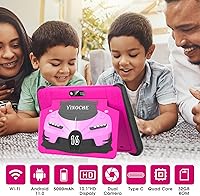
  • Screen Size: The display measures 10.1 inches diagonally, offering a comfortable viewing area for young children.
  • Resolution: The screen renders at 1280x800 pixels, delivering a reasonably clear HD image for video and app use.
  • Processor: An Allwinner quad-core chip clocked at 1.6GHz handles the device's processing tasks.
  • RAM: The tablet includes 2GB of DDR3 RAM, sufficient for basic kids' apps and light multitasking.
  • Internal Storage: Onboard storage is listed at 64GB, though some spec documentation references 32GB — buyers should confirm before purchase.
  • Expandable Storage: A microSD card slot supports external storage expansion up to 512GB.
  • Battery Capacity: A 5000mAh lithium-ion battery powers the device, rated for approximately 6 to 10 hours of mixed use.
  • Charging Port: The device charges via a USB Type-C port, compatible with modern standard cables.
  • Operating System: The tablet runs Android overlaid with the IWAWA kids launcher, which provides a child-safe interface and parental controls.
  • Front Camera: The front-facing camera offers 0.3MP resolution, suitable only for basic video calls.
  • Rear Camera: The rear camera captures images at 2MP resolution, providing functional but basic photo quality.
  • Wi-Fi: Wireless connectivity is provided via 802.11n Wi-Fi, covering standard home and travel network use.
  • Weight: The tablet weighs approximately 2.05 pounds, which is manageable but on the heavier side for small children.
  • Dimensions: The device measures approximately 15 x 7 x 10 inches including its protective casing.
  • Color: This variant is available in pink, designed with young children in mind.
  • Languages: The IWAWA interface and preloaded apps support approximately 36 languages, including English, French, and Spanish.
  • App Ecosystem: The tablet ships with the IWAWA kids app library and provides full access to the Google Play Store for additional downloads.
  • Parental Controls: A built-in parental dashboard allows content filtering, screen time scheduling, and age-based access management.

Related Reviews
YINOCHE Y101 10-inch 32GB Kids Tablet
72%
88%
Value for Money
83%
Parental Controls
79%
Build Quality & Durability
74%
Display Quality
61%
Performance & Speed
More
CWOWDEFU 10-inch Kids Tablet 128GB
86%
87%
Performance
92%
Battery Life
88%
Build Quality
82%
Display Quality
91%
Ease of Use
More
TWTNVOF Kids Tablet 10 inch, 32GB
86%
89%
Educational Features
94%
Parental Controls
90%
Durability & Build Quality
82%
Battery Life
85%
Performance (Processor Speed)
More
YYSWIE 10.1-inch Kids Tablet 64GB
85%
91%
Value for Money
88%
Durability
94%
Battery Life
85%
Parental Controls
89%
Ease of Use
More
Jeazans KT1016 10-inch Kids Tablet
70%
83%
Value for Money
77%
Build Quality
62%
Performance
66%
Battery Life
74%
Display Quality
More
niuniutab K102 Kids Tablet 10-inch, 64GB
86%
92%
Value for Money
89%
Build Quality & Durability
84%
Battery Life
90%
Parental Controls
78%
Display Quality
More
Trayoo K12 Kids Tablet 10.1-inch 64GB
85%
88%
Build Quality & Durability
92%
Battery Life
91%
Parental Controls
79%
Performance
85%
Display Quality
More
EDDBNi EVAP-C20 Kids Tablet 10-inch 64GB
86%
89%
Value for Money
91%
Battery Life
93%
Parental Controls
88%
Build Quality / Durability
85%
Display Quality
More
okulaku K12 10.1-inch Kids Tablet
66%
81%
Value for Money
74%
Display Quality
53%
Performance
58%
Battery Life
77%
Parental Controls
More
ITDULCET J10 Plus Kids Tablet 10.1-inch 64GB
87%
85%
Performance
92%
Battery Life
88%
Display Quality
90%
Build Quality & Durability
91%
Parental Controls
More

FAQ

Yes, setup is generally straightforward. The IWAWA launcher guides you through basic configuration, and most parents report having it ready for their child within 15 to 20 minutes. You will need a Wi-Fi connection and a Google account to get the most out of it.

Yes, both apps are available through the Google Play Store and install without any issues. The parental control dashboard lets you decide which apps your child can actually open, so you stay in control of what they access even after installation.

The IWAWA parental dashboard is one of the stronger features on this toddler tablet. You can set daily screen time limits, filter content by age group, and approve or block specific apps. It is not as polished as what you get on an Amazon Fire Kids Edition, but it covers the essentials reliably.

It holds up reasonably well for normal use, but it is not a ruggedized device by design. Some parents have noted that the build quality feels adequate rather than robust. If your child is particularly rough on things, pairing it with a protective case is strongly recommended.

In practice, most parents see around 6 to 8 hours on a charge with a mix of video streaming and app use. The rated 10-hour figure is achievable only under light conditions, such as reading or lower-brightness content. It handles a full day of moderate use without needing a midday charge.

This is one area where YINOCHE's track record is less clear. The tablet ships with Android, but the update cadence from the brand has not been well documented by users or the manufacturer. If keeping the OS fully up to date is important to you, that uncertainty is worth factoring into your decision.

Technically yes, but manage expectations around the camera quality. The front camera is only 0.3MP, which produces noticeably soft and grainy video. It works for quick calls where connection and familiarity matter more than image quality, but it is not a strong point of this device.

The product is listed as 64GB, which is generous for a kids tablet at this price point. That said, some of the manufacturer's own spec documentation references 32GB, so there is some inconsistency worth flagging. The good news is that a microSD card slot lets you expand storage significantly regardless of which figure is accurate.

They target a similar audience but differ in key ways. Amazon's Fire Kids line comes with a two-year worry-free guarantee and a more established support ecosystem, which is harder to match. This kids tablet costs less and offers Google Play Store access out of the box, which Amazon restricts. If brand reliability and after-purchase support are your top priorities, Amazon has the edge. If price and app flexibility matter more, this is a reasonable alternative.

It fits best for children roughly between ages 3 and 7. The IWAWA interface is designed with that range in mind, and the hardware handles the kinds of apps and content that age group typically enjoys. Older kids tend to want more demanding apps and games that can expose the tablet's modest processor and RAM more quickly.