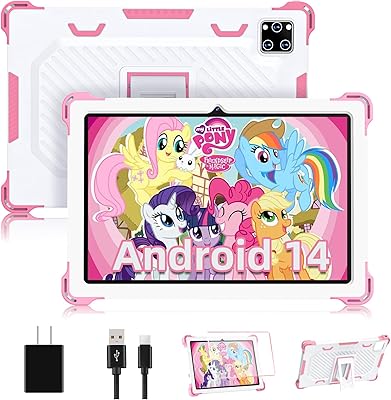
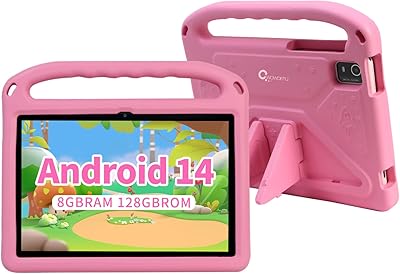
Overview

The EDDBNi K10 10-inch Kids Android Tablet enters a crowded budget market where dozens of look-alike devices compete for parents' attention — and it holds its own better than you might expect from an unfamiliar brand. EDDBNi isn't a household name, but this kids tablet punches above its weight in a few meaningful ways. The 10-inch screen hits a practical sweet spot: roomy enough for learning apps, but not so bulky that a six-year-old struggles to hold it. What genuinely stands out at this price tier is Android 14 — most rivals still ship older OS versions. The included bumper case and stand aren't afterthoughts; they're sturdy accessories parents will immediately put to use.

Features & Benefits

Running on Android 14 with 6GB of RAM, this children's Android tablet handles YouTube Kids, educational apps, and light multitasking without constant lag — though don't expect it to breeze through heavier tasks. The VIA quad-core processor is honest budget hardware; capable, but less proven than the MediaTek chips found in many competing devices. Storage is genuinely generous: 64GB built-in plus microSD expansion up to 1TB, which matters when kids are loading up content before a long trip. The 6000mAh battery comfortably covers a full day of mixed use. The IPS display with auto-brightness is easy on young eyes, and the dual cameras are perfectly adequate for video calls and creative play — just don't compare them to a smartphone.

Best For

This kids tablet is a strong pick for parents buying a first dedicated device for a young child — someone likely to drop it, and whose screen habits still need careful guidance. The parental controls cover app blocking, screen time scheduling, and content filtering without demanding a tech background to configure. The included case means you're not immediately hunting for accessories after unboxing. Families who travel frequently will appreciate the combination of strong battery life and generous storage capacity for offline content. If you want Android's full app flexibility rather than a locked-down kids ecosystem, the EDDBNi K10 delivers that option at a price that takes the pressure off.

User Feedback

Parents who pick up this children's Android tablet tend to be genuinely surprised by how solid it feels out of the box — build quality consistently exceeds expectations at this price point. The parental controls draw steady praise for being relatively straightforward to navigate, a top priority for most buyers in this category. The most common criticism circles back to processor limitations: when several apps run simultaneously, slowdowns are noticeable. Camera quality earns lukewarm marks — fine for video calls, but unremarkable otherwise. A number of buyers report the bumper case holds up well through daily rough handling by young kids, which is reassuring. The overall value is real, as long as expectations are calibrated to the price.

Pros

  • Ships with Android 14, a genuine rarity among budget kids tablets still running older OS versions.
  • 6GB of RAM keeps everyday kids apps and YouTube Kids running without constant stuttering or reloading.
  • 64GB of built-in storage plus microSD expansion up to 1TB means offline content is rarely a problem.
  • The included bumper case and adjustable stand remove the need for any immediate extra purchases.
  • Parental controls cover app blocking, screen time scheduling, and content filtering with a manageable setup.
  • Battery life comfortably handles a full day of mixed video watching and light app use on a single charge.
  • The 10-inch IPS display with auto-brightness reduces eye strain during longer reading or learning sessions.
  • Build quality at this price point consistently surprises buyers who expected a flimsier, cheaper-feeling device.

Cons

  • The VIA quad-core processor slows noticeably when multiple apps are running simultaneously.
  • Camera quality rarely matches the spec numbers in practice — real-world photos and video are underwhelming.
  • EDDBNi is a newer brand with a less established warranty and after-sales support track record than category leaders.
  • Wi-Fi is limited to 2.4GHz only, which can cause slower or less stable streaming in busier home networks.
  • The 1.3 GHz processor shows its limits quickly with newer or more graphically demanding educational apps.
  • Display resolution of 1280x800 is functional but noticeably softer than screens on competing mid-range tablets.
  • At 2.34 pounds, the device can feel heavy for smaller children holding it unsupported for extended periods.

Ratings

Our AI-generated scores for the EDDBNi K10 10-inch Kids Android Tablet are built from thousands of verified buyer reviews collected globally, with automated systems actively filtering out incentivized, bot-generated, and spam feedback to ensure only genuine family experiences are reflected. The result is an honest, data-driven snapshot that captures both where this kids tablet punches above its weight and where real-world performance falls short of expectations. Every score below transparently surfaces the trade-offs parents should weigh before buying.

Value for Money
83%
Parents who pick this up expecting a flimsy off-brand device are repeatedly surprised by how solid and complete the package feels out of the box. Getting Android 14, a protective case, an adjustable stand, generous storage, and a large IPS screen together at this price tier is genuinely competitive.
The weaker processor and mediocre camera quality do complicate the value conversation for buyers comparing against refurbished mainstream tablets available in a similar budget window. Those willing to search a little harder may find better-performing alternatives for roughly the same outlay.
Parental Controls
78%
22%
Parents consistently highlight the controls as one of the strongest arguments for buying this kids tablet. Setting up a dedicated child profile, capping daily screen time, and blocking age-inappropriate apps takes around 15 minutes and requires no technical background whatsoever.
A portion of parents report that some settings feel buried within sub-menus, and there is no companion smartphone app for making on-the-fly adjustments remotely. For households where parents need to tweak limits quickly from a separate device, this is a genuine inconvenience.
Battery Life
81%
19%
The 6000mAh battery is a reliable high point, with most families reporting 8 or more hours of real screen-on time across mixed daily use. It holds up well through school days, long car journeys, and evening video sessions without needing a mid-afternoon top-up.
Under continuous high-brightness video streaming or intensive gaming, drain is faster than the headline rating implies, sometimes landing closer to 6 to 7 hours. Charging speed is unremarkable, making overnight charging the most practical recharge strategy for most households.
Build Quality
76%
24%
The physical construction consistently impresses buyers who arrive with low expectations for a newer, lesser-known brand. The tablet feels sturdy in hand rather than hollow or creaky, and the included bumper case adds meaningful protection without making the device awkward to carry.
Some buyers note the bumper case corners begin to show wear and slight cracking after a few months of daily rough handling by young children. The tablet itself, while solid, lacks the premium finishing details that distinguish it from better-known mid-range devices at the next price step up.
Processing Performance
58%
42%
For its core audience of young children running YouTube Kids, eBook readers, and simple learning apps, the EDDBNi K10 handles everyday sessions without constant frustration. App launches feel reasonable, and light browsing is adequately responsive in those quieter, single-task moments.
The VIA quad-core chip at 1.3 GHz reveals its ceiling quickly when several apps run simultaneously or when heavier games are loaded. Parents of older children who expect smoother multitasking and faster load times on demanding apps will find this a recurring sticking point.
Display Quality
67%
33%
The 10-inch IPS panel with auto-brightness is comfortable enough for extended reading and video sessions, and the wide viewing angle makes it easy to use propped flat on a table or tilted with the stand at various positions without significant color shift.
At 1280x800 resolution, the screen looks noticeably soft compared to tablets even one tier up in price, which becomes more apparent on sharper animated content. Colors are adequate but lack the vibrancy that tends to keep younger children more engaged during longer viewing sessions.
Storage & Expandability
88%
64GB of built-in storage is a meaningful baseline for this category, comfortably covering a solid library of apps, downloaded shows, and eBooks without immediate pressure. The microSD slot accepting cards up to 1TB makes long-term storage effectively a non-issue for most families.
A small number of buyers report occasional compatibility quirks with certain third-party microSD card brands, though this does not appear to be a widespread problem. Expandable storage cannot be used to install additional apps beyond what Android 14 natively supports through its adoptable storage settings.
Camera Quality
47%
53%
The 5MP front camera is adequate for video calls with grandparents or family members, and children using the rear camera for spontaneous snapping or creativity apps are generally not expecting polished results from a device at this price point.
In practice, the rear 8MP camera consistently produces soft, washed-out images with noticeably poor performance in anything short of bright outdoor light. This is one of the clearest areas where the headline spec number significantly overstates the real-world photographic experience.
Software Experience
79%
21%
Running Android 14 gives this children's Android tablet a meaningful edge in its category — the OS feels current, the interface is clean, and full Google Play access means children can install virtually any mainstream educational or entertainment app without platform restrictions.
Android 14 on a 1.3 GHz processor occasionally feels slightly sluggish when navigating system menus or switching between settings screens. Long-term software update frequency from a newer brand like EDDBNi is also less predictable than from established manufacturers with documented support commitments.
Setup & Ease of Use
74%
26%
Most parents report getting the device ready for a child — account configuration, parental controls active, key apps installed — within 20 to 30 minutes without needing to consult any external guides. The familiar Android interface is a meaningful advantage for parents already using Android phones.
First-time Android users may find the initial sequence of Google account setup and parental control configuration slightly confusing without clearer in-box guidance. EDDBNi's included documentation is minimal, and dedicated online support resources for the K10 model specifically are thin compared to major brands.
Drop Resistance
77%
23%
The bundled bumper case handles the kinds of drops that are inevitable with young children — off a table, off the couch, out of a backpack — without visible tablet damage in the majority of reported incidents. Parents frequently mention this as one of the bigger practical reliefs of the package.
The case carries no official military-grade or IP drop certification, so there is no formal protection standard backing the durability claims. Corner wear and early cracking of the bumper material have appeared in longer-term user reports after several months of intensive daily use by active kids.
Portability
72%
28%
At 10 inches across, this kids tablet fits without difficulty into a standard school backpack or travel tote, and most children aged 7 and up can carry and handle it independently without complaint during outings or trips.
Children on the younger end of the target range — around 4 to 6 years old — may find the combined weight of the tablet and bumper case tiring to hold unsupported for more than a few minutes. It works best propped on the stand or rested on a surface during longer sessions.
Wi-Fi & Connectivity
61%
39%
For homes where the router and the tablet occupy the same room or nearby space, the 2.4GHz Wi-Fi connection handles streaming and app downloads with reasonable reliability and without frequent drops. Most families with standard home network setups report no significant connectivity disruptions during normal use.
The hard limit to 2.4GHz-only Wi-Fi is a genuine drawback in larger homes or busy households with many devices competing on the same band. The absence of 5GHz support can translate to slower download speeds and occasional buffering during peak evening usage hours in congested network environments.
Educational Access
82%
18%
Full Google Play Store access means this kids tablet can run virtually any mainstream educational platform — reading apps, language tools, mathematics programs, coding games — without the limitations of a walled-off proprietary ecosystem. This flexibility is a consistent point of praise among parents who value choice.
Without a dedicated curated children's storefront, parents need to manually research, vet, and install educational apps themselves rather than relying on a pre-filtered selection. Younger children navigating the standard Android home screen may also occasionally find their way to content outside their approved app list.
Brand Reliability
53%
47%
The EDDBNi K10 has gathered a respectable body of positive early buyer feedback for a brand this new to the market, and the physical product quality suggests genuine manufacturing investment rather than a rushed, low-effort entry into the category.
EDDBNi's limited history means there is real uncertainty around long-term software update cadence, post-warranty repair options, and spare part availability. Buyers who rely on established customer service infrastructure and the reassurance of a recognized brand will find the risk harder to dismiss at any price.

Suitable for:

The EDDBNi K10 10-inch Kids Android Tablet is best suited to parents seeking a capable, low-stress first device for a child between roughly four and ten years old. If your priority is meaningful parental oversight — app blocking, screen time limits, content filtering — without requiring an hour of technical setup, this kids tablet delivers that in a practical, accessible way. Families who travel frequently will appreciate the strong battery life and expandable storage, since loading up offline content before a long journey is straightforward and the capacity is genuinely generous. The included bumper case removes the anxiety of handing an expensive device to a young child, and the adjustable stand is a small but genuinely useful bonus for hands-free viewing. Budget-conscious households who want the full Android ecosystem and Google Play flexibility, rather than a locked-down proprietary kids platform, will find this a solid fit.

Not suitable for:

Parents expecting performance on par with more established mid-range brands should look elsewhere before committing to the EDDBNi K10 10-inch Kids Android Tablet. If your child is older — eleven or twelve — and beginning to multitask more seriously, edit videos, or run demanding apps, the VIA quad-core processor will start to frustrate them fairly quickly. Camera quality is another area where this children's Android tablet falls short of its spec sheet; the images and video are adequate for casual video calls, but any child with a genuine interest in photography or content creation will outgrow it almost immediately. Buyers who place a high value on brand reliability and established after-sales support should note that EDDBNi is a relatively new name in the market, with a less proven service infrastructure than brands like Amazon Kids or Samsung. Additionally, households that rely on 5GHz Wi-Fi for faster, more stable streaming will find the 2.4GHz-only wireless support a noticeable limitation.

Specifications

  • Operating System: Runs Android 14, one of the more current OS versions available on a budget kids tablet in this price category.
  • Processor: Powered by a VIA quad-core chip clocked at 1.3 GHz, which handles standard kids apps and video streaming adequately but is not a high-performance processor by modern standards.
  • RAM: Equipped with 6GB of RAM, allowing several apps to stay loaded in the background without constant reloading.
  • Storage: Includes 64GB of internal storage alongside a microSD card slot supporting cards up to 1TB for expanded offline content.
  • Display: Features a 10-inch IPS panel at 1280x800 resolution with automatic brightness adjustment designed to reduce eye strain during extended use.
  • Battery: Houses a 6000mAh battery rated for up to 8 to 10 hours of mixed use covering video playback, apps, and general browsing.
  • Rear Camera: Fitted with an 8MP rear-facing camera suitable for casual snapshots and short video clips, though real-world output is modest for a sensor of this spec.
  • Front Camera: Includes a 5MP front-facing camera intended for video calls and self-portraits, with adequate quality for its intended use case.
  • Wi-Fi: Supports Wi-Fi 802.11g on the 2.4GHz band only; households relying on 5GHz networks for better speed or range will not be able to connect on that band.
  • Weight: Weighs approximately 2.34 pounds, which is manageable for most school-age children but may feel heavy for younger toddlers holding it unsupported.
  • Dimensions: Measures 10 x 4.5 x 0.15 inches, providing a slim profile that fits without difficulty into a standard backpack.
  • Parental Controls: Built-in parental controls include app blocking, daily screen time scheduling, custom child profiles, and web content filtering, all configurable from a single settings area.
  • Included Case: Ships with a drop-resistant bumper case and an adjustable stand so that no additional accessories need to be purchased immediately after unboxing.
  • Wireless Standard: Uses the 802.11g Wi-Fi standard, which is sufficient for most home streaming but older and slower than the 802.11ac or Wi-Fi 6 found on newer devices.
  • Model: Sold under the model designation K10, produced by the EDDBNi brand and first listed for sale in August 2024.

Related Reviews

YACXBTK J10 10.1-inch Kids Tablet
70%
84%
Battery Life
81%
Value for Money
78%
Parental Controls
62%
Performance
67%
Display Quality
More
ZOFYWNAS 10-Inch Android 14 Kids Tablet
70%
83%
Value for Money
61%
Performance
67%
Display Quality
74%
Build Quality
77%
Parental Controls
More
PEICHENG CP31MK 10.1-inch Kids Tablet

74%
81%
Value for Money
87%
Ease of Setup
84%
Parental Controls
53%
Performance
69%
Battery Life
More
Aheadthink AHYQ10K Kids Tablet 10 Inch Android 12 4GB RAM 64GB ROM
82%
92%
Parental Controls
88%
Durability
85%
Battery Life
81%
Display Quality
79%
Storage Capacity
More
YATIOM SS-35 10-inch Kids Tablet

70%
84%
Value for Money
61%
Performance & Speed
73%
Build Quality & Durability
78%
Parental Controls
69%
Battery Life
More
Fivahiva FF-35 Kids Tablet 10-inch, 10GB RAM, 64GB Storage, Android 14

85%
91%
Performance
88%
Parental Controls
86%
Durability & Build Quality
83%
Battery Life
74%
Display Quality
More
ITMEIPC T-10 10.1-inch Android Tablet
69%
83%
Value for Money
67%
Display Quality
62%
Performance
71%
Battery Life
58%
Build Quality
More
TWTNVOF Kids Tablet 10 inch, 32GB
86%
89%
Educational Features
94%
Parental Controls
90%
Durability & Build Quality
82%
Battery Life
85%
Performance (Processor Speed)
More
CWOWDEFU 10-inch Kids Tablet 128GB
86%
87%
Performance
92%
Battery Life
88%
Build Quality
82%
Display Quality
91%
Ease of Use
More
FEONAL K118 10.1-inch Android Tablet
68%
83%
Display Quality
67%
Performance & Speed
78%
Battery Life
44%
Camera Quality
81%
Value for Money
More

FAQ

It sits comfortably in the 4 to 10 age range. The 10-inch screen is large enough for reading apps and video content, and the parental controls are well-matched to younger children who need more supervision. Older kids heading into their teens will likely find the processor underpowered for their expectations.

A bumper case and adjustable stand are included right out of the box, so there is no immediate need to buy extras. The case is built to absorb drops and rough handling, which is exactly the kind of protection parents tend to need from day one.

Most parents find the setup manageable without any technical background. You can build a dedicated child profile, block specific apps, set daily time limits, and filter web content all from one area in the settings. Budget around 10 to 15 minutes to get everything configured the first time through.

Yes, the microSD slot supports cards up to 1TB, which is genuinely generous for a device in this price tier. If your child downloads offline videos, audiobooks, or games regularly, picking up an affordable microSD card early on is a smart move.

It does — it runs full Android 14 with the Google Play Store pre-installed, so you have access to the same app library as any standard Android device. This makes it considerably more flexible than proprietary kids tablets that limit you to a curated selection of approved apps.

Under normal mixed use — some YouTube, some learning apps, some reading — you can reasonably expect 8 hours or more. Heavy, uninterrupted video streaming will push it toward the lower end of the rated range, but for school days and travel it holds up well.

For everyday kids apps, eBooks, and video streaming, performance is generally acceptable. The lag becomes noticeable when several apps are running at once or when loading heavier games. The VIA quad-core chip is capable enough for the basics, but it is worth being upfront with yourself that this is budget-tier hardware rather than a polished mid-range performer.

Yes, the 5MP front camera works fine for video calls on apps like Google Meet or WhatsApp. The image quality is nothing special, but it is more than adequate for family calls. A stable Wi-Fi connection will matter more to call quality than the camera resolution itself.

This children's Android tablet supports only the 2.4GHz band, so it cannot connect to the 5GHz network on your router. For most homes that is not a dealbreaker, but if your 2.4GHz band is congested with many devices, streaming may occasionally buffer or slow down.

It is a fair concern. EDDBNi is a newer name in the kids tablet space, and it does not have the long service track record of larger brands. That said, buyer feedback on build quality has been consistently better than expected at this price point. To protect yourself, check the warranty terms carefully before buying and purchase from a seller with a clear return policy.