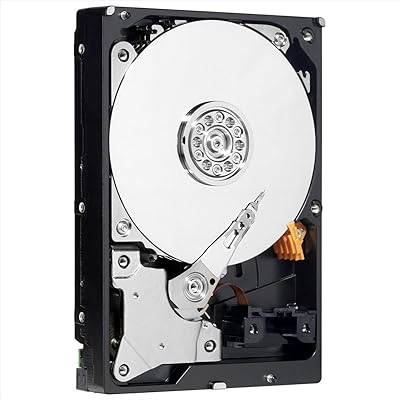
WD My Passport Ultra 500GB Hard Drive
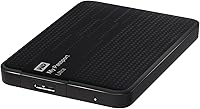
Overview
The WD My Passport Ultra 500GB Hard Drive launched back in 2013 as a straightforward, mid-range option for everyday users who needed reliable portable storage without the complexity of desktop drives. It fits easily in a shirt pocket, draws power directly from your laptop's USB port, and works across both Windows and Mac without any reformatting headaches. This portable hard drive isn't chasing speed records — it's built around dependability and ease of use. USB 3.0 connectivity offers a real-world improvement over older drives, and the included three-year limited warranty suggests WD stood behind it at the time of launch.
Features & Benefits
The WD My Passport Ultra packs a handful of genuinely useful features into a very small package. Hardware AES encryption means your files are protected at the drive level — not just behind a software lock that can be bypassed. The bundled WD SmartWare software handles automatic scheduled backups, so you don't have to remember to plug in and manually copy files. It also connects to cloud services, giving your data a second layer of protection. One cable handles both power and data transfer, which keeps your bag uncluttered. For everyday backup needs, this compact backup drive covers the basics without demanding anything from you technically.
Best For
This portable hard drive is a natural fit for students shuttling between dorm rooms and libraries, or remote workers hopping between a home office and coworking spaces. If your backup strategy has been more wishful thinking than action, the automatic backup software will genuinely help close that gap. Cross-platform compatibility out of the box makes it painless for households running a mix of Mac and Windows machines. Light creative professionals — photographers, writers, small-business owners — will find 500 GB workable for documents and photos, though anyone shooting 4K video regularly will outgrow it fast. It's a solid first external drive, not a power-user tool.
User Feedback
Across 279 ratings, this compact backup drive holds a 4.2-star average — solid enough to indicate genuine satisfaction, though not unanimous. Most buyers highlight the easy plug-and-play experience, the single-cable convenience, and the peace of mind that comes from knowing files are being backed up automatically. Criticism tends to cluster around the bundled software, which many reviewers describe as clunky and dated — seasoned users typically bypass it entirely in favor of their own tools. Capacity also comes up: 500 GB was comfortable in 2013 but feels tight by today's standards. And worth flagging — mechanical drives are vulnerable to drops, something a handful of reviewers discovered the hard way.
Pros
- Plug-and-play setup works immediately on both Mac and Windows with no reformatting required.
- Hardware AES encryption protects sensitive files at the drive level, not just behind a software password.
- Single USB cable handles both power and data transfer, so there is nothing extra to carry.
- Automatic backup scheduling via WD SmartWare means less-technical users never have to remember to back up manually.
- At under 5 ounces, this portable hard drive is light enough to live in a laptop bag permanently.
- USB 3.0 interface delivers noticeably faster transfers than older USB 2.0 drives for everyday file sizes.
- Three-year limited warranty provides meaningful coverage compared to many competing drives in this segment.
- Cloud backup integration adds a second layer of protection beyond what local storage alone can offer.
- The compact 2.5-inch form factor fits in a pocket and requires no external power adapter.
Cons
- 500 GB feels restrictive by current standards, where competing drives offer far more storage at comparable prices.
- Mechanical spinning drives are vulnerable to drops and bumps — one bad fall can mean permanent data loss.
- The WD SmartWare software feels outdated and clunky compared to modern backup solutions.
- Tech-savvy users will likely bypass the bundled software entirely, making it a non-benefit for a portion of buyers.
- Transfer speeds, while better than USB 2.0, lag noticeably behind modern portable SSDs for large file batches.
- This is an older 2013 model, and newer drives in the same family offer meaningfully better specs for similar money.
- No hardware indicator light makes it easy to unplug the drive before a write operation safely completes.
- Cloud backup feature depends on third-party services that may require separate subscriptions to use fully.
Ratings
The scores below reflect our AI-powered analysis of verified global buyer reviews for the WD My Passport Ultra 500GB Hard Drive, with spam, bot-generated, and incentivized feedback actively filtered out to ensure the results represent genuine user experiences. We evaluated the drive across 12 categories that real buyers consistently care about, from day-to-day portability to long-term reliability. Both the strengths that earned it a 4.2-star average and the pain points that kept it from scoring higher are transparently reflected here.
Portability
Ease of Setup
Transfer Speed
Storage Value
Build Quality
Data Security
Backup Software
Compatibility
Reliability & Longevity
Design & Aesthetics
Value for Money
Noise & Heat
Suitable for:
The WD My Passport Ultra 500GB Hard Drive is a strong fit for anyone who wants a simple, low-maintenance backup solution they can toss in a bag and forget about until they need it. Students moving between campus and home, remote workers juggling multiple machines, and anyone who has been putting off setting up a backup routine will appreciate how little effort this drive demands once it's plugged in. The automatic backup software handles scheduling without requiring you to think about it, which is genuinely valuable for non-technical users who just want their files protected. It works out of the box on both Mac and Windows, making it a practical choice for shared households or small offices running mixed systems. Light creative professionals — photographers backing up client shoots, writers archiving drafts — will find 500 GB workable as long as their libraries aren't growing rapidly.
Not suitable for:
The WD My Passport Ultra 500GB Hard Drive is a harder sell for buyers who have shopped the current external drive market, where similar or lower price points now buy significantly more storage capacity and, in many cases, faster solid-state options. Power users, video editors, or anyone working with large media files will hit the 500 GB ceiling quickly and find the mechanical drive's transfer speeds frustrating compared to modern SSDs. The bundled WD SmartWare software, while helpful for beginners, feels dated and limited to users who are accustomed to more capable backup tools — most experienced users will ignore it entirely. Because this is a spinning mechanical drive, it carries real vulnerability to drops and physical shocks, so it's not the right choice for people working in rough environments or who are prone to mishandling their gear. Anyone prioritizing long-term durability or maximum speed over simplicity and brand familiarity should look at newer alternatives before committing.
Specifications
- Storage Capacity: This drive provides 500 GB of usable storage, suitable for documents, photos, and moderate media libraries.
- Interface: It connects via USB 3.0, which is backward compatible with USB 2.0 ports at reduced transfer speeds.
- Form Factor: The 2.5-inch portable form factor requires no external power supply, drawing all power from the host USB port.
- Dimensions: The drive measures 0.5 x 3.21 x 4.33 inches, making it compact enough to fit in a shirt or jacket pocket.
- Weight: At 4.8 ounces, this portable hard drive is light enough for daily carry without adding meaningful bulk to a bag.
- Encryption: Hardware-level AES encryption is built into the drive, protecting data independently of any installed software.
- Password Protection: Users can set a password directly on the drive, adding a first line of defense against unauthorized access.
- Backup Software: WD SmartWare software is included and supports automatic scheduled backups as well as optional cloud backup integration.
- Compatible Platforms: The drive is compatible with both Windows PCs and Mac computers out of the box.
- Drive Type: This is a mechanical hard disk drive (HDD), not a solid-state drive, which affects both speed and shock resistance.
- Color: Available in Black in the model reviewed here (WDBPGC5000ABK-NESN).
- Warranty: Western Digital backs this drive with a 3-year limited warranty from the date of purchase.
- Model Number: The official model identifier is WDBPGC5000ABK-NESN, which corresponds to the 500 GB black variant.
- Installation Type: Setup is plug-and-play external installation — no tools, screws, or technical knowledge required.
- Brand: Manufactured by Western Digital, one of the longest-established names in consumer and enterprise storage.
- First Available: This model was first made available in August 2013, placing it in an earlier generation of portable drives.
- Connectivity: The drive uses a single wired USB cable for both power delivery and data transfer, with no adapter required.
Related Reviews
WD Blue WD5000AZLX 500GB Internal Hard Drive
WD My Passport 2TB Portable Hard Drive
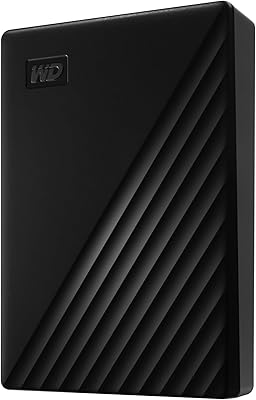
WD My Passport 6TB Portable External Hard Drive
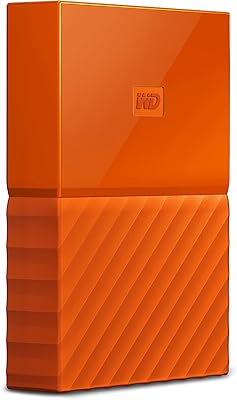
WD My Passport 3TB External Hard Drive
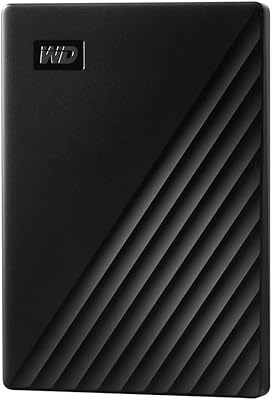
WD My Passport 1TB Portable External Hard Drive
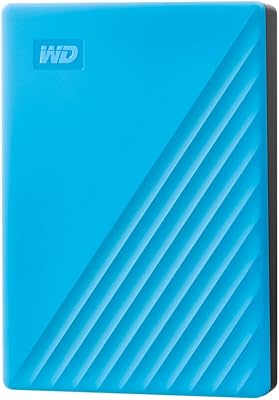
WD My Passport 4TB Portable External Hard Drive
Tianken 500GB Ultra Slim Portable External Hard Drive
Western Digital WD Black 500GB Performance Mobile Hard Drive
WD My Passport Essential 500 GB Portable External Hard Drive