
Overview

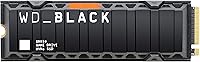
The WD_BLACK SN850 500GB NVMe Internal SSD is Western Digital's top-shelf Gen4 drive, built for gamers who refuse to compromise on storage performance. It sits squarely in the premium tier, competing with the fastest consumer NVMe options available. What makes this particular variant stand out is the integrated heatsink, which matters more than most people expect — sustained workloads like large game installs or file transfers push drive temperatures up fast, and thermal throttling quietly kills real-world throughput. At 500GB, though, be honest with yourself: this is an entry-level capacity for today's game sizes, best suited to focused, curated libraries rather than hoarding every title you own.

Features & Benefits

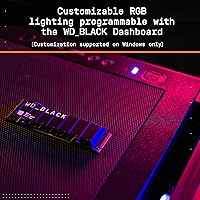
Running on PCIe Gen4, this Gen4 NVMe SSD delivers sequential reads that, on a compatible platform, translate to noticeably snappier game load times compared to Gen3 drives — the difference is real, especially with open-world titles that stream assets constantly. The heatsink isn't just cosmetic; it keeps temperatures in check during extended sessions without adding much physical bulk, and crucially it clears most M.2 slot clearances on both motherboards and the PS5's expansion bay. Windows users also get the WD_BLACK Dashboard, a genuinely useful utility for checking drive health, temperature readings, and firmware status — something power users will actually open more than once.

Best For

The SN850 with heatsink makes the most sense for PS5 owners who want an officially compatible upgrade without hunting for a separate heatsink accessory — it slots in, Sony recognizes it, and you're done. On the PC side, it shines in AMD X570, B550, or Intel Z690 and newer systems where Gen4 bandwidth is actually available. If your motherboard tops out at Gen3, you won't see the full benefit, so check that first. At 500GB, it suits someone who keeps a tight, rotating game library or needs a fast boot and application drive alongside a larger secondary. Light video editors needing a capable scratch disk will also find it pulls its weight.

User Feedback

With over 17,000 ratings sitting at 4.8 stars, this WD_BLACK SN850 drive has clearly earned broad approval — but reading deeper, the praise focuses on two things: effortless installation, particularly in the PS5, and consistent real-world speeds that hold up over months of use. Owners report the heatsink genuinely earns its place. On the flip side, the most repeated frustration is simple: 500GB disappears fast. A couple of modern AAA titles and some system files, and you're already managing space. A few users also mention that the Windows dashboard, while useful, occasionally requires manual firmware hunting. Long-term reliability reports are largely positive, with few failure stories surfacing across a substantial install base.

Pros

  • Fully PS5-compatible out of the box, with the heatsink already attached — no extra accessories needed.
  • Gen4 speeds translate to noticeably faster game load times on compatible platforms compared to Gen3 drives.
  • The low-profile heatsink reduces thermal throttling during extended gaming sessions without causing M.2 slot clearance issues.
  • Exceptionally straightforward installation process that works well for both first-time builders and experienced users.
  • WD_BLACK Dashboard gives Windows users real-time temperature monitoring, health tracking, and firmware update access.
  • Western Digital's brand reputation and warranty backing provide solid peace of mind for a long-term storage investment.
  • Consistent real-world performance that holds up over months of daily use, according to a large base of long-term owners.
  • M.2 2280 form factor ensures broad compatibility across most modern motherboards and the PS5 expansion bay.

Cons

  • 500GB fills up alarmingly fast with modern AAA titles — two or three large games and a Windows install can nearly max it out.
  • Stepping up to the 1TB variant typically offers much better value per gigabyte, making the 500GB tier a harder sell on cost.
  • PCIe Gen3 motherboard owners will pay a Gen4 premium while receiving none of the speed advantage.
  • The WD_BLACK Dashboard software is Windows-only, leaving Mac users without any native health or temperature monitoring tools.
  • The heatsink adds a small amount of thickness that may conflict with tight multi-slot configurations on some compact motherboards.
  • Sequential write speeds on the 500GB variant fall notably short of the headline figures advertised for the 1TB model.
  • No included migration software or cloning tool in the package, which can be an inconvenience for users upgrading from an existing drive.
  • Some users have reported needing to manually check for firmware updates rather than receiving reliable automatic prompts through the dashboard.

Ratings

The scores below represent an AI-driven analysis of thousands of verified buyer reviews for the WD_BLACK SN850 500GB NVMe Internal SSD, with spam, incentivized, and bot-flagged submissions actively filtered out before scoring. Both the standout strengths and the real friction points that surface across diverse user scenarios — from PS5 storage upgrades to high-end PC builds — are transparently reflected here. No score has been adjusted for brand reputation or marketing positioning; what you see is a direct distillation of what real owners actually report.

Sequential Read Speed
93%
On a Gen4-capable platform, the read throughput makes a tangible difference when loading large open-world games or streaming high-density assets off the drive. Users upgrading from a Gen3 drive consistently describe the improvement as immediate and worthwhile, particularly for titles with frequent texture streaming and large level transitions.
The headline speed figure is only achievable on a Gen4 platform — Gen3 users get roughly half the bandwidth regardless of what the box says. In sustained workloads, thermal conditions on the 500GB variant can also cause the effective ceiling to dip below the rated maximum.
Write Performance
82%
18%
Write speeds are strong enough for gaming installations, large file moves, and light creative work without the sluggishness common in budget drives. Day-to-day responsiveness during Windows use feels consistently snappy, and most users never encounter a noticeable write bottleneck in typical desktop workloads.
The 500GB variant's rated write speed trails the 1TB model's headline figure by a meaningful margin — a fact easy to overlook at purchase time. Heavy content creators working with large raw video files will feel this ceiling sooner than casual gamers, making the capacity choice particularly consequential for that audience.
Thermal Management
88%
The pre-attached aluminum heatsink keeps temperatures stable during extended gaming sessions without adding disruptive bulk to the M.2 slot. Users who previously experienced throttling on bare drives note that sustained transfer speeds hold more consistently with this variant, particularly during back-to-back large file operations.
The heatsink reduces throttling but does not eliminate heat generation — in poorly ventilated cases with restricted airflow, temperatures can still climb during prolonged heavy reads. A small number of users in compact Mini-ITX builds also report minor physical clearance concerns near tightly positioned components adjacent to the primary M.2 slot.
PS5 Compatibility
96%
Installing the SN850 with heatsink in a PS5 is as painless as this process gets — the heatsink profile clears the console's expansion bay, Sony's software recognizes the drive immediately, and the on-screen formatting prompt walks users through the rest. First-time console modders and experienced builders alike consistently praise how little friction the process involves.
PS5 compatibility requires a specific minimum system software version, and users who skip the firmware update step before installation can encounter brief confusion. It is a minor prerequisite, but it catches a small portion of buyers who proceed straight to physical installation without reading the preparation steps first.
Value for Money
67%
33%
For buyers who specifically need a PS5-ready, heatsink-included drive from a reputable brand backed by a 5-year warranty, the pricing reflects a real premium that is hard to replicate cheaply. The long-term reliability record also helps justify the cost across a multi-year ownership window when viewed against budget alternatives.
At the 500GB tier, the price-per-gigabyte ratio is noticeably less favorable than stepping up to the 1TB variant of the same drive. Budget-conscious buyers frequently note that the value math only clicks at higher capacities, making the 500GB version a harder sell for anyone focused purely on cost efficiency.
Installation Ease
94%
Across a wide range of buyer experience levels, physical installation is praised as one of the least stressful hardware upgrades users have performed. Both PS5 owners and PC builders describe the process as seat-and-go, with the system handling detection and formatting automatically once the drive is secured.
PC users on older platforms sometimes need to manually enable NVMe boot support in BIOS settings, which can catch less experienced builders off guard. The package also does not include a mounting screw for all motherboard types, which surprises a small but recurring segment of buyers at installation time.
Build Quality
89%
The low-profile heatsink feels well-constructed and sits flush against the drive without any play or rattle, and the overall footprint fits cleanly into virtually every compatible slot. The matte black finish holds up well through repeated handling and integrates neatly into most gaming PC aesthetics without visual distraction.
The heatsink adds slightly more vertical height than a bare drive, which is inconsequential in most builds but does require a quick compatibility check on boards with tightly stacked M.2 slots or manufacturer-applied thermal pads already occupying that space. Edge cases are rare but real.
Software & Ecosystem
71%
29%
The WD_BLACK Dashboard gives Windows users a functional interface for checking drive temperature, overall health status, and available firmware updates without hunting through third-party tools. Power users who actively monitor their storage find it noticeably more useful than the zero-software experience offered by many competing drives.
Being Windows-only is a meaningful omission that leaves Mac users entirely without first-party health monitoring. A recurring complaint across Windows users as well is that the dashboard does not reliably surface new firmware updates automatically, pushing the responsibility for staying current back onto the owner.
Long-term Reliability
91%
With a large install base spanning several years, serious failures are uncommon relative to the volume of units in active circulation. Long-term owners frequently revisit their reviews to report continued healthy drive operation, and the 5-year warranty provides meaningful coverage in the event something does go wrong.
Isolated failure reports do exist, and a small number of users mention firmware-related quirks in earlier production batches that required updates to fully resolve. Buyers who skip routine firmware checks may leave known issues unaddressed for longer than is advisable given how straightforward the update process actually is.
Capacity Practicality
58%
42%
For users who maintain a disciplined, rotating library of five to eight titles at most, 500GB remains workable — especially as a secondary drive alongside a larger primary. It also suits those using it purely as a fast Windows boot volume paired with a separate high-capacity storage drive.
Modern AAA titles routinely exceed 80GB to 100GB each, and a few large installations alongside a Windows partition can fill 500GB uncomfortably fast. The overwhelming majority of owner complaints circle back to this exact point, making capacity regret the single most predictable friction this drive generates after purchase.
Gaming Load Times
87%
Users upgrading from a SATA SSD or an older Gen3 NVMe drive report measurable reductions in level load and fast-travel times, particularly in asset-heavy open-world titles. On the PS5, the improvement over the console's built-in storage is apparent almost immediately to anyone who has lived with the stock drive for an extended period.
The gains are most pronounced in specific workloads that push sustained sequential reads — not every game genre reveals a dramatic difference, and titles that were already optimized for slower storage media may show only modest improvements over a well-rated Gen3 competitor at a meaningfully lower price point.
Platform Versatility
83%
The M.2 2280 standard is so widely adopted that this drive slots into nearly any modern PC build without adaptation, spanning both AMD and Intel Gen4 platforms effectively. Buyers who migrate it across multiple builds over its lifetime consistently find it adaptable and uncomplicated to move and reinstall.
The Gen4 requirement is a genuine limiter for anyone on an older platform — Gen3 systems will run the drive at a reduced speed tier, and older SATA-only M.2 slots will not support it at all. This restriction quietly eliminates a meaningful portion of potential buyers who do not check their motherboard specs first.
Firmware Experience
74%
26%
WD has issued firmware updates for this drive series that addressed real-world performance and stability concerns, and users who stay current report a smooth long-term ownership experience. The availability of tracked updates at all puts it ahead of the many no-brand options that ship firmware and never revisit it.
The update discovery process is less automated than buyers expect — a recurring complaint involves the dashboard failing to proactively alert users when new firmware is available, requiring manual checks on WD's support pages. A more reliable push-notification system would meaningfully reduce the effort required to stay current.

Suitable for:

The WD_BLACK SN850 500GB NVMe Internal SSD is an excellent fit for PS5 owners who want a verified, hassle-free storage upgrade — the heatsink comes pre-attached, PS5 recognizes it without fuss, and you avoid the guesswork of sourcing a compatible third-party cooler. On the PC side, anyone building or upgrading a system with a Gen4-capable platform, such as AMD X570, B550, or Intel Z690 and newer, will actually unlock what this drive is capable of. It also suits gamers who rotate a lean library rather than keeping dozens of massive titles installed simultaneously, since 500GB can comfortably hold a curated selection of games alongside a Windows installation. Those who value brand reliability and warranty support over squeezing out the absolute lowest price-per-gigabyte will feel at home here. Light creative professionals needing a fast, dependable scratch disk for video editing or asset work will find it more than capable for that role.

Not suitable for:

If your motherboard only supports PCIe Gen3, skip this drive entirely — you will pay a premium price for top-tier Gen4 speeds you physically cannot access, and a well-regarded Gen3 drive will serve you just as well at a lower cost. Gamers with large, sprawling libraries who keep many modern AAA titles installed at once will find 500GB genuinely frustrating; a single open-world title can consume 100GB or more, and storage anxiety sets in quickly at this capacity. Budget-focused buyers should also weigh the value equation carefully, since stepping up to the 1TB or 2TB variants of the SN850 with heatsink often offers significantly better value per gigabyte. The WD_BLACK SN850 500GB NVMe Internal SSD is also not the right choice for NAS enclosures, server workloads, or any environment requiring sustained enterprise-grade endurance, as Western Digital explicitly notes it is not designed for those conditions. Mac users looking for software-based drive monitoring will find the WD_BLACK Dashboard is Windows-only, limiting visibility into drive health on that platform.

Specifications

  • Capacity: This drive ships in a 500GB configuration, suitable for a focused game library or use as a dedicated boot and application drive.
  • Interface: It uses a PCIe Gen4 NVMe interface, requiring a compatible Gen4 M.2 slot to reach its rated maximum speeds.
  • Form Factor: The M.2 2280 form factor is the most common M.2 size and fits the vast majority of modern desktop motherboards and the PS5 expansion slot.
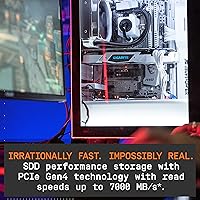
  • Sequential Read: Sequential read speeds reach up to 7,000 MB/s on a compatible Gen4 platform, which translates to faster game load times and large file access.
  • Sequential Write: Sequential write speed for the 500GB variant is rated up to 4,000 MB/s, which is lower than the headline figure published for the 1TB model.
  • Random IOPS: The 500GB model is rated for up to 800,000 random read IOPS and up to 900,000 random write IOPS under optimal conditions.
  • Heatsink: An integrated low-profile aluminum heatsink is pre-attached to help dissipate heat and reduce thermal throttling during sustained workloads.
  • PS5 Support: The drive is officially compatible with the PlayStation 5, provided the console is running system software version 21.02-04.00.00 or higher.
  • Dashboard Software: The WD_BLACK Dashboard application is available for Windows only and provides drive health monitoring, temperature tracking, and firmware update management.
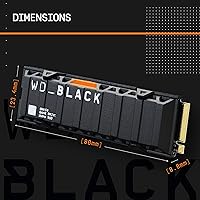
  • Dimensions: Physical dimensions measure 3.15 x 0.92 x 0.35 inches, with the heatsink adding slightly to the overall height compared to the bare drive.
  • Weight: The drive with heatsink weighs approximately 0.85 ounces, making it light enough to cause no stress on M.2 slot retention mechanisms.
  • Model Number: The official Western Digital model number for this variant is WDS500G1XHE, useful when verifying compatibility or registering for warranty support.
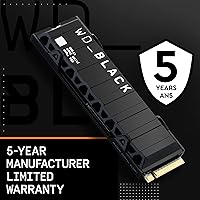
  • Warranty: Western Digital backs the SN850 series with a 5-year limited warranty, which is standard for premium consumer NVMe drives in this category.
  • Hardware Platform: The drive is listed as compatible with both PC and Mac platforms for basic storage use, though the WD_BLACK Dashboard software is Windows-exclusive.
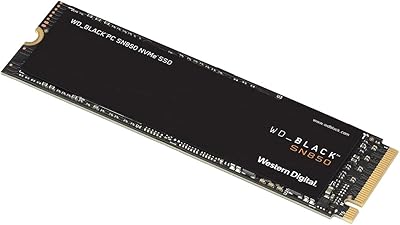
  • Color & Finish: The heatsink and drive label are finished in matte black, which blends cleanly into most gaming PC builds without visual distraction.

Related Reviews
WD_BLACK SN850 2TB NVMe Gaming SSD
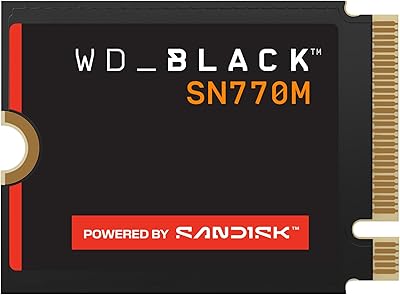
85%
96%
Read Performance
91%
Write Performance
67%
Thermal Management
88%
Installation Ease
93%
Long-Term Reliability
More
WD_BLACK SN7100 500GB NVMe SSD
83%
91%
Read Performance
83%
Write Performance
89%
Power Efficiency
58%
Storage Capacity
72%
Thermal Management
More
WD_BLACK SN770M 500GB NVMe SSD
89%
93%
Performance
95%
Compatibility with Gaming Consoles
91%
Speed (Read/Write)
88%
Installation Ease
87%
Durability
More
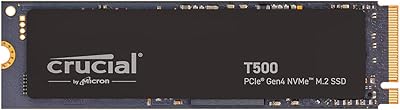
Crucial T500 500GB NVMe M.2 SSD
81%
93%
Read Performance
88%
Write Performance
91%
Daily Responsiveness
89%
Gaming Performance
61%
Storage Capacity
More
WD_BLACK SN8100 1TB NVMe SSD
78%
97%
Raw Read Performance
83%
Write Speed
76%
Real-World Gaming Impact
81%
Compatibility & Setup
62%
Thermal Management
More
WD_BLACK SN750 4TB NVMe Internal SSD
82%
91%
Read & Write Performance
93%
Storage Capacity
88%
Installation Ease
62%
Thermal Management
89%
Long-Term Reliability
More
WD_BLACK SN7100 2TB NVMe SSD
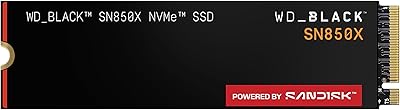
85%
93%
Read & Write Performance
88%
Gaming Load Times
86%
Power Efficiency
84%
Thermal Management
91%
Value for Money
More
WD_BLACK SN770 2TB NVMe SSD
85%
91%
Read & Write Performance
93%
Value for Money
94%
Installation & Compatibility
88%
Long-Term Reliability
92%
Gaming Load Times
More
fanxiang S880E 500GB NVMe SSD
78%
83%
Raw Speed Performance
86%
PS5 Compatibility
91%
Value for Money
77%
Thermal Management
93%
Installation Ease
More
Crucial P310 500GB NVMe SSD
87%
93%
Read & Write Speed
91%
Value for Money
88%
Thermal Management
94%
Compatibility
92%
Installation Ease
More

FAQ

No — the WD_BLACK SN850 500GB NVMe Internal SSD is specifically designed so that its low-profile heatsink fits inside the PS5 expansion bay without removal. Sony officially supports this drive with the heatsink attached, which is one of the main reasons buyers choose this variant over the bare model for console use.

Just make sure your PS5 system software is updated to version 21.02-04.00.00 or higher before you install the drive. After physically seating it, the console will prompt you to format the new storage automatically — the whole process takes only a few minutes and requires no technical knowledge.

It will physically fit and function, but you will not get anywhere near the rated speeds. Gen4 drives are backward-compatible with Gen3 slots, but the bandwidth ceiling of Gen3 limits you to roughly half the maximum read speed. If your board only supports Gen3, a purpose-built Gen3 drive will give you the same real-world performance at a lower price.

Honestly, it depends on how you manage your library. If you keep five to eight games installed at once and rotate titles as you finish them, 500GB is workable. But if you tend to hoard a large backlog of modern AAA games — many of which exceed 80GB to 100GB each — you will find yourself deleting and reinstalling constantly. For most gamers today, the 1TB variant is the more practical choice.

In most standard ATX and mid-tower builds it fits without issue, since the heatsink profile is deliberately kept slim. That said, in very compact Mini-ITX builds or boards where the primary M.2 slot sits directly beneath a large GPU, it is worth double-checking your specific motherboard clearance diagrams before purchasing.

Not through WD's own software — the WD_BLACK Dashboard is Windows-only. On a Mac, you can check basic S.M.A.R.T. data through third-party utilities, but you will not have access to the same real-time temperature graphs or firmware update tools that Windows users get natively.

For everyday tasks and even most gaming scenarios, the difference is noticeable but not dramatic. Where Gen4 genuinely pulls ahead is in large sequential workloads — think loading a massive open-world game from a cold start, or transferring a large folder of assets. For general Windows use or bouncing between smaller games, the gap between a fast Gen3 and this drive will feel modest.

Western Digital covers the SN850 series with a 5-year limited warranty, which is competitive for a premium consumer NVMe drive. The claims process is handled through WD's support site, and most users report it is straightforward as long as you hold onto your proof of purchase.

Sony officially supports M.2 SSD expansion on the PS5, so installing a compatible drive does not void the console warranty. Western Digital's SN850 with heatsink is among the drives that Sony has recognized as compatible, so you are on solid ground on both ends.

For most buyers, the pre-attached heatsink version is the more convenient path — you skip the compatibility research, avoid potential fitment headaches, and know exactly what you are getting. The bare drive is cheaper and can make sense if you already own a quality aftermarket heatsink or if your motherboard has its own M.2 thermal pad built in, but for PS5 use in particular, the factory-attached option is nearly always the smarter buy.