Overview

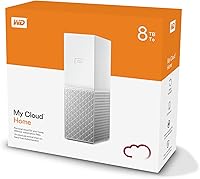
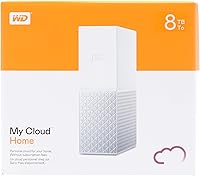
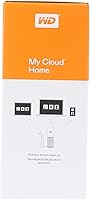
The WD My Cloud Home 8TB Personal Cloud Storage sits in an interesting middle ground — it's not a full-blown NAS like a Synology or QNAP, but it's considerably more capable than a simple external drive parked on your desk. With 8TB of local storage, it targets households that have outgrown USB drives and want files accessible from anywhere without a monthly subscription fee. Setup is genuinely straightforward: plug it into your router, open the app, and you're largely done. That simplicity is the whole point. Just know going in that this WD home storage device is heavily app-dependent, and there are real-world limitations worth understanding before committing.
Features & Benefits

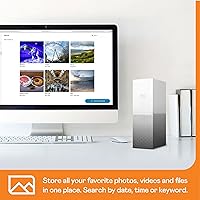
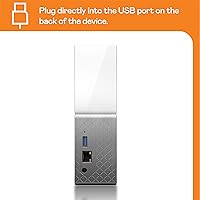
The core appeal of this personal cloud drive is remote access without the setup complexity. You can reach your files through the My Cloud Home app on iOS or Android, the desktop application on Windows 10 or macOS 11 and above, or through a browser at MyCloud.com. A USB port on the unit lets you pull files directly from flash drives or external hard drives without a PC — handy for large photo imports. Worth noting: the device carries just 1GB of RAM, which can feel tight with multiple simultaneous users, and it runs as a single-drive unit with no RAID or redundancy. It is not a backup solution on its own.

Best For

This WD home storage device makes the most sense for home users tired of paying monthly fees to services like Google Drive or iCloud but who still want files accessible from anywhere. Families benefit from having one central spot for shared photos, videos, and documents across multiple devices. It's also a solid pick for someone stepping up from a pile of USB drives who doesn't want the configuration overhead of a traditional NAS. Creative professionals with large video or photo libraries will appreciate the 8TB headroom, as long as they don't need advanced features like granular user permissions or RAID. If you're already inside the Western Digital ecosystem, the transition is particularly low-friction.

User Feedback

With a 3.6 out of 5 rating across more than 1,000 reviews, the My Cloud Home unit lands in genuinely divided territory. Buyers consistently praise how fast initial setup is and how handy the mobile app is for browsing personal photos remotely. Build quality and quiet operation also earn consistent mentions. But the criticisms are real: app crashes, unreliable sync, and sluggish remote speeds come up repeatedly. A number of users report losing data after drive failures — a sharp reminder that there is no redundancy here. Western Digital's inconsistent long-term software support commitments have added a layer of uncertainty about how dependable this device will remain over time.

Pros

  • Eight terabytes of local storage eliminates subscription fees and covers most households for years without upgrades.
  • Initial setup takes minutes — plug into a router, open the app, and you are done.
  • Works across iOS, Android, Windows, macOS, and any modern browser without platform lock-in.
  • The USB port lets you import files directly from flash drives without turning on a computer.
  • Build quality is solid and the drive runs quietly enough for bedroom or living room placement.
  • Centralizes scattered files from multiple household members into one consistently accessible location.
  • No ongoing cloud subscription cost makes the total cost of ownership favorable over a multi-year horizon.
  • The My Cloud Home app is clean and approachable enough for non-technical family members to use independently.

Cons

  • App crashes and sync failures are reported frequently enough to undermine confidence in day-to-day reliability.
  • A single mechanical drive with zero redundancy means one hardware failure results in complete data loss.
  • Remote streaming of large video files is sluggish and depends heavily on your home upload speed.
  • Western Digital has a troubled history with long-term software support for this product line, raising real longevity concerns.
  • Only 1GB of onboard RAM causes noticeable slowdowns when multiple users access the device simultaneously.
  • The desktop app requires a 64-bit operating system, excluding users on older machines.
  • No advanced administrative controls, user permissions, or quota management are available for power users.
  • Always-on operation draws continuous power with no meaningful low-power scheduling to offset energy consumption.

Ratings

The WD My Cloud Home 8TB Personal Cloud Storage earns a mixed but informative verdict after our AI system analyzed hundreds of verified global user reviews, actively filtering out incentivized, spam, and bot-generated feedback. Scores reflect the real-world highs and lows that everyday buyers encounter — from painless first-time setup to frustrating app instability. Both the genuine strengths and the recurring pain points are represented transparently in each category below.
Ease of Setup
83%
Most users report getting the device online within minutes — plug it into a router, download the app, and the guided process handles the rest. For people who dread technical configuration, this is one of the most approachable home storage devices available without needing to touch a single setting.
A subset of users on older network hardware or ISPs with strict port settings ran into connectivity hiccups during initial registration. The setup flow assumes a fairly modern home network, and edge cases do exist where users needed support intervention to get started.
App Reliability
51%
49%
When the My Cloud Home app works well, it genuinely delivers on its promise — browsing personal photo libraries from a phone while traveling feels intuitive, and the interface is clean enough for non-technical family members to navigate without frustration.
App crashes, failed syncs, and sessions that simply stop refreshing are among the most common complaints across reviews. Several users describe the app as the single biggest weakness of the entire system, noting that reliability is inconsistent enough to erode trust in day-to-day use.
Remote Access Performance
57%
43%
For users with fast home broadband and solid upload speeds, accessing documents and smaller files remotely is reasonably responsive. The cross-platform support — iOS, Android, Windows, macOS, and browser — means you can reach your files from virtually any device you own.
Remote streaming of large video files is where this personal cloud drive struggles most visibly. Upload speed on the home internet connection is the real bottleneck, and since there is no transcoding capability, large media files can stall or buffer badly on slower connections.
Storage Capacity
88%
Eight terabytes is a genuinely substantial amount of local storage for home use. Families accumulating years of 4K video, RAW photo libraries, or large document archives will find plenty of breathing room without needing to manage partitions or upgrade cycles for a long time.
The capacity only matters if the drive stays healthy, and with no RAID redundancy or mirroring on offer, all 8TB sits on a single mechanical disk. One drive failure means total data loss, which is a serious caveat that several buyers discovered the hard way.
Data Redundancy & Safety
31%
69%
The large single-drive capacity gives users a centralized location for files that would otherwise be scattered across multiple USB drives, which is a marginal improvement in organization over having no dedicated storage at all.
There is simply no redundancy here. This WD home storage device is a single HDD with no backup mirroring, no RAID option, and no built-in automated cloud backup to a secondary location. Using it as a primary or sole repository for irreplaceable data is genuinely risky, and multiple reviewers report learning this lesson after a drive failure.
Build Quality
79%
21%
The physical unit feels solid and well-constructed for its class. Users consistently note that it runs quietly — even in a bedroom or living room setup, fan noise and drive vibration are minimal enough to go unnoticed during normal daily routines.
The white and silver plastic shell, while clean-looking, attracts dust and minor scuffs over time. A few users noted that the device runs noticeably warm during extended operation, which is typical for always-on mechanical drives but worth monitoring in poorly ventilated spaces.
Software Ecosystem & Longevity
44%
56%
When Western Digital actively maintains the My Cloud Home platform, the ecosystem works cohesively — the app, desktop client, and web portal share a consistent experience. For users already familiar with WD products, the interface feels immediately recognizable.
Western Digital's track record on long-term software support for this line has unsettled a meaningful portion of the user base. Concerns about discontinued OS support versions have surfaced in reviews, and the reality is that this device's usefulness is entirely tied to continued app maintenance — a risk that buyers should weigh carefully.
Multi-User Performance
58%
42%
For a single user or a couple accessing files one at a time, the My Cloud Home unit performs adequately for everyday file browsing and photo access. Light simultaneous use — such as one person browsing photos while another uploads documents — is generally manageable.
The 1GB of onboard RAM becomes a real constraint when multiple family members access the device at the same time, particularly with media-heavy requests. Users in households with three or more active users report noticeable slowdowns and occasional timeouts during peak usage periods.
USB Import Feature
73%
27%
The USB port on the back of the unit is a practical touch that many users appreciate. Being able to plug in a flash drive or external hard drive and pull files across directly — without needing a PC as a middleman — saves time during large photo or video imports.
Transfer speeds via USB are not particularly fast, and the import process offers limited control over folder organization. Users who expected a more structured import workflow — with duplicate detection or category sorting — found the feature functional but fairly bare-bones.
Value for Money
54%
46%
For users who primarily want to escape recurring cloud subscription fees and have a large volume of files to store locally, the one-time purchase model has clear financial appeal over time. The 8TB capacity at this tier is competitive within the personal cloud segment.
Given the app reliability issues, the single-drive risk, and the software longevity concerns, many buyers feel the price point is hard to justify relative to alternatives. A refurbished entry-level Synology NAS with two drives offers meaningfully better data safety for a comparable investment.
Cross-Platform Compatibility
76%
24%
Support for Windows 10 and above, macOS 11 and above, iOS 11 and above, and Android 6.0 and above covers the overwhelming majority of devices in a modern home. Browser access via MyCloud.com adds another layer of flexibility without requiring any software installation.
The desktop app requires a 64-bit operating system, which locks out users on older machines. A few Android users also report that the mobile app behaves inconsistently across different device manufacturers, with some brand-specific quirks that are slow to get patched.
Energy Consumption
62%
38%
The always-on design is intentional — it keeps the device instantly accessible at any hour without a spin-up delay, which users who regularly access files in the early morning or late evening do appreciate in practice.
Running continuously at 12V draws a steady stream of power around the clock. Energy-conscious households will notice this on their electricity bills over months and years, and unlike some NAS devices, there is no meaningful sleep or low-power scheduling available to offset consumption.
Initial Configuration Flexibility
55%
45%
The streamlined, consumer-facing setup is genuinely its own kind of strength — there are no confusing RAID modes to configure, no static IP assignments to worry about, and no command-line interaction required at any stage of the process.
That same simplicity becomes a limitation for anyone who outgrows basic use. There are no advanced sharing permissions, no user quota management, and no meaningful administrative controls available. Power users who want granular control will quickly hit a ceiling that this device simply cannot clear.

Suitable for:

The WD My Cloud Home 8TB Personal Cloud Storage is a genuinely good fit for households that have accumulated years of photos, videos, and documents and want a single accessible home base for all of it — without signing up for yet another monthly subscription service. Families with multiple devices across iOS, Android, Windows, and macOS will appreciate being able to pull up shared files from any of them through a single app. It works especially well for someone stepping up from a drawer full of USB drives who wants something more organized and remotely accessible, but does not want to spend an evening configuring a Synology or QNAP from scratch. Creative professionals who shoot large volumes of photos or video and need local capacity that breathes — rather than constantly purging old files to free space — will find the 8TB headroom genuinely useful. If your home internet has a solid upload speed and you mostly work with documents, personal photos, and occasional video clips rather than 4K streaming libraries, this WD home storage device will likely meet your expectations.
Not suitable for:

Buyers who need reliable data protection should approach the WD My Cloud Home 8TB Personal Cloud Storage with clear eyes: this is a single mechanical hard drive with no redundancy, no RAID, and no mirroring — if the drive fails, everything on it is gone. It is frequently mistaken for a proper NAS device, but it lacks the core safety architecture that makes a NAS worth trusting with irreplaceable data. Anyone running a small business, managing client files, or storing data they simply cannot afford to lose should look elsewhere — a two-bay NAS with mirrored drives is a much safer foundation. Power users who want granular access controls, user quotas, or advanced media server functionality will hit the ceiling of what this personal cloud drive can do very quickly. And anyone concerned about long-term software support has legitimate reason to hesitate: Western Digital's inconsistent track record with the My Cloud Home platform means the device's usefulness depends entirely on continued app maintenance, which is not guaranteed indefinitely.
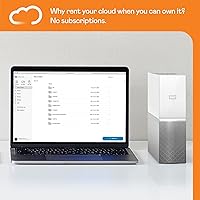
Specifications

  • Storage Capacity: The drive provides 8TB (8,000GB) of total usable storage on a single mechanical hard disk.
  • Drive Type: Internaly uses a mechanical HDD (hard disk drive), not a solid-state drive, which affects both speed and long-term vibration sensitivity.
  • Onboard RAM: The device includes 1GB of RAM, which manages file indexing, app connections, and simultaneous user sessions.
  • Hard Drive Interface: The internal drive uses an eSATA interface, though end-user connectivity is handled entirely through the network and USB port.
  • USB Connectivity: A single USB port on the unit supports direct file imports from flash drives and external hard drives without requiring a connected PC.
  • Network Connection: The device connects to your home network via a standard Ethernet cable plugged directly into your router — Wi-Fi is not supported natively on the unit itself.
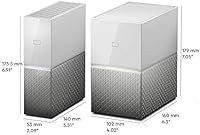
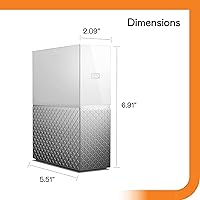
  • Dimensions: The unit measures 5.12″ long by 2.09″ wide by 6.91″ tall, making it compact enough for a desk or shelf placement.
  • Weight: The device weighs 2.27 pounds, light enough to reposition easily but substantial enough to sit stably on a flat surface.
  • Power Source: Powered by an external adapter supplying 12VDC at 1.5A; the unit runs continuously and does not have a meaningful low-power or sleep mode.
  • Compatible OS: Desktop app support covers Windows 10 and above and macOS 11 and above, both requiring a 64-bit operating system.
  • Mobile OS Support: The mobile app is compatible with iOS 11 or higher and Android 6.0 (Marshmallow) or higher.
  • Web Access: Files can be accessed from any supported browser — including Chrome 5.0+, Firefox 45+, Safari 8.0+, Edge, and Internet Explorer 11+ — via the MyCloud.com portal.
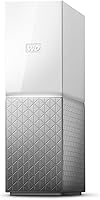
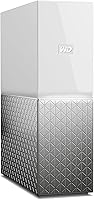
  • Color & Finish: The enclosure comes in a white and silver finish with a plastic shell that is fingerprint-resistant but does attract dust over time.
  • Form Factor: Classified as a 2-inch external home storage device designed for permanent desk or shelf placement rather than portable use.
  • Data Redundancy: There is no RAID, mirroring, or any form of drive redundancy — the device uses a single disk with no built-in failsafe against drive failure.
  • Model Number: The official Western Digital model number for this unit is WDBVXC0080HWT-EESN.
  • Manufacturer: Designed and manufactured by Western Digital, one of the most established names in consumer and enterprise hard drive production.
  • Amazon BSR: Ranked #151 in the Network Attached Storage (NAS) Devices category on Amazon at the time of this review, based on over 1,020 ratings.

Related Reviews
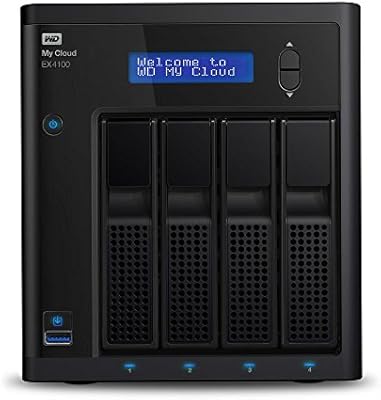
Western Digital My Cloud EX4100 8TB NAS
74%
83%
Transfer Speed Performance
89%
RAID Flexibility & Data Protection
86%
Plex Media Server Integration
78%
Remote Access & Connectivity
61%
My Cloud OS Software Experience
More
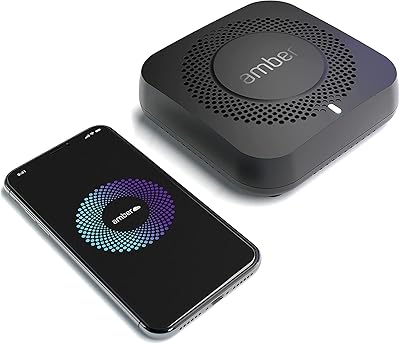
AMBER X 512GB Personal Cloud Storage Device
72%
74%
Setup & Onboarding
52%
Software & App Reliability
83%
Plex Media Server Integration
77%
Home Assistant Integration
81%
Storage Performance
More
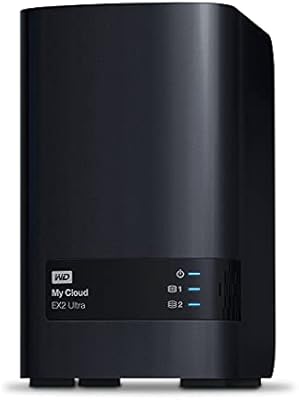
WD My Cloud EX2 Ultra 24TB NAS
72%
88%
Storage Capacity & Value
84%
Ease of Setup
61%
Remote Access & App Reliability
76%
Performance & Processing Speed
82%
Build Quality & Hardware Durability
More
Stock Your Home CD Storage Box
85%
88%
Design & Aesthetics
91%
Build Quality
84%
Ease of Use
78%
Storage Capacity
82%
Portability
More
WD Elements 24TB Desktop Storage
84%
95%
Storage Capacity
88%
Data Transfer Speed
84%
Build Quality
85%
Durability/Shock Resistance
90%
Ease of Setup
More
WD My Cloud Pro PR2100 20TB NAS
73%
83%
Setup & Initial Configuration
81%
Build Quality & Hardware Design
74%
Storage Performance & Throughput
88%
RAID Flexibility & Data Redundancy
79%
Media Streaming & Transcoding
More
Western Digital 8TB WD Purple Surveillance Hard Drive
87%
91%
Performance for Surveillance Tasks
94%
Durability for 24/7 Operation
89%
Value for Money
88%
Compatibility with Security Systems
85%
Installation and Setup
More
Western Digital WD Purple Pro 8TB
85%
93%
24/7 Reliability
91%
Frame Retention Under Load
88%
NVR Compatibility
94%
Workload Endurance
71%
Value for Money
More
OWC 8TB ThunderBay RAID 5 External Storage Solution
84%
89%
Performance
91%
Reliability
85%
Ease of Setup
93%
Speed/Transfer Rate
88%
Build Quality
More
Western Digital 8TB WD Red Pro NAS Hard Drive
88%
91%
Performance
94%
Reliability
86%
Ease of Setup
90%
Compatibility with NAS Systems
89%
Vibration and Shock Protection
More

FAQ

You can set it up entirely from your smartphone. Download the My Cloud Home app, plug the device into your router and a power outlet, and follow the in-app instructions. Most users are up and running within ten minutes without ever touching a computer.

Yes, remote access is one of the core features. As long as the device is powered on and connected to your home router, you can reach your files through the mobile app or MyCloud.com from anywhere with an internet connection. Keep in mind that access speed depends heavily on your home internet upload speed — slow upload means slow remote access.

Not quite, and this distinction matters. A traditional NAS like a Synology typically supports multiple drives, RAID configurations, and advanced user permissions. This personal cloud drive is a single-drive, consumer-focused device designed for simplicity — it lacks drive redundancy and advanced administrative controls. Think of it as a smarter external hard drive with remote access, not a full NAS replacement.

Unfortunately, because this is a single mechanical hard drive with no redundancy or mirroring, a drive failure means complete data loss. There is no built-in recovery option. It is strongly recommended that you maintain a separate backup of any files you cannot afford to lose — do not treat this unit as your sole data repository.

Yes, multiple users can connect, but performance degrades as simultaneous activity increases. With only 1GB of onboard RAM managing connections, households with three or more people actively accessing the device at once may notice slowdowns or timeouts, particularly with media-heavy files.

If you are on the same local network as the device, you can access it without an active internet connection. However, the remote access features — including the mobile app when you are away from home — require both the device and your remote device to have internet connectivity.

This is genuinely the most polarizing aspect of the device. Some users find it works smoothly for daily photo browsing and file access, while a significant number report sync issues, crashes, and sessions that drop unexpectedly. App reliability has been a consistent theme in negative reviews, so it is worth factoring that into your decision.

The desktop app requires macOS 11 or above and a 64-bit system, so it is compatible with recent Mac hardware. Browser-based access via MyCloud.com works on Safari 8.0 and above. If you are running an older version of macOS, you may be limited to web access only.

Most users describe it as very quiet. The mechanical drive produces a low, barely audible hum during operation, which is typical for always-on home storage devices. It is generally unobtrusive enough for use in a living room, home office, or bedroom setup.

This is a real and legitimate concern. The My Cloud Home unit depends entirely on Western Digital maintaining its app infrastructure and firmware updates — without ongoing support, remote access features could stop working or become insecure over time. Western Digital has faced criticism in the past for inconsistent long-term support commitments on this product line, so buyers with a long time horizon should weigh this software dependency carefully.