Overview

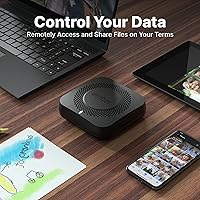
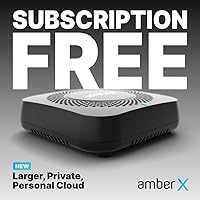
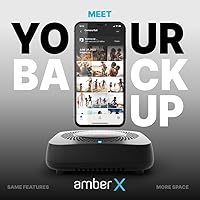
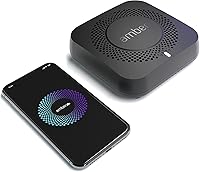
The AMBER X 512GB Personal Cloud Storage Device is Latticework’s answer to a growing frustration: why keep paying monthly subscription fees to store your own files on someone else’s server? The Amber X puts that storage back in your home, running on a compact, Linux-based, six-core system small enough to sit quietly on a desk. It occupies the mid-to-upper tier of the home NAS market, built for users who want genuine data ownership rather than a different logo on the same old cloud model. That said, this is not a device for anyone who flinches at a router settings page — some baseline tech comfort is assumed.
Features & Benefits

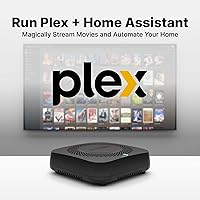
Start with the storage: 512GB of built-in SSD means your files load fast — no spinning-disk lag when pulling up a folder of RAW photos or a large video. The USB 3.0 port lets you plug in an external drive if you outgrow the base capacity, which is a practical touch. The six-core processor is what makes the media side work — it handles Plex transcoding so multiple household members can stream simultaneously without buffering complaints. One-click installation for both Plex and Home Assistant is genuinely appreciated; it removes a configuration step that would otherwise put off a lot of potential buyers. Wi-Fi and Ethernet are both supported, and the device runs cleanly across iOS, Android, Windows, and Mac.

Best For

The Amber X makes the most sense for households where privacy is a priority and technical tinkering is at least a weekend hobby. If you’re already running Plex on an old PC or a Raspberry Pi and want something purpose-built and low-power, this home NAS unit is a natural upgrade. It’s also worth considering for anyone running Home Assistant who wants to consolidate their smart home hub and media server onto one device — that combination is genuinely useful in practice. Privacy-focused users tired of uploading family photos to corporate cloud servers will appreciate having a local self-hosted alternative. Complete beginners with no interest in configuring network settings should look elsewhere.

User Feedback

Across 274 ratings, the Amber X sits at 3.7 stars — a score that signals a split rather than a consensus. On the positive side, buyers who got things up and running tend to appreciate how approachable the initial setup felt and how well the Plex integration performed once configured. The compact form factor also gets frequent mentions. Where opinions sour is around app reliability: several users reported inconsistent mobile behavior and connectivity drops that required rebooting the device. Some complaints appear to stem from home network configuration rather than hardware failure, but the software maturity concerns are legitimate and recurring enough to take seriously. Customer support experiences are mixed, which compounds the frustration for users who run into trouble.

Pros

  • No subscription fees ever — your data lives on hardware you own outright.
  • One-click Plex installation makes setting up a home media server genuinely accessible.
  • The six-core processor handles simultaneous multi-user streaming without constant buffering.
  • SSD storage means faster local file transfers compared to traditional spinning-drive NAS units.
  • Works across iOS, Android, Windows, and Mac — no household device gets left out.
  • Home Assistant installs in one click, making smart home consolidation straightforward.
  • Fanless design keeps the Amber X nearly silent during everyday workloads.
  • USB 3.0 expansion lets you grow storage capacity without replacing the entire unit.
  • Compact enough to sit on a bookshelf or desk without occupying meaningful space.
  • Remote file access works reliably for users with well-configured home networks.

Cons

  • Mobile apps, particularly on Android, have a documented history of crashes and lost connections.
  • Remote access fails for users behind CGNAT or stricter router configurations without manual port-forwarding.
  • Official customer support response times are slow, with several buyers reporting unhelpful resolutions.
  • Running Plex and Home Assistant simultaneously can push system resources closer to the ceiling than expected.
  • Some app features require outbound connections to Latticework servers, complicating fully local-only setups.
  • 512GB fills faster than most multi-device households anticipate, especially when used for video backups.
  • The chassis runs noticeably warm under sustained heavy workloads due to its passive cooling design.
  • Documentation is thin for anything beyond standard setup, leaving intermediate users dependent on community forums.
  • External drive compatibility via USB is inconsistent, with certain enclosures going unrecognized.
  • At this price tier, the software maturity lags behind more established NAS ecosystems from competitors.

Ratings

The AMBER X 512GB Personal Cloud Storage Device earned these scores after our AI engine analyzed hundreds of verified global user reviews, actively filtering out incentivized, bot-generated, and duplicate feedback to surface what real buyers actually experienced. The result is a transparent breakdown that reflects genuine strengths alongside the recurring frustrations that a 3.7-star average makes impossible to ignore. This home NAS unit has a passionate audience — but also a vocal group of disappointed buyers, and both perspectives are fully represented here.
Setup & Onboarding
74%
26%
Many users were pleasantly surprised by how quickly the Amber X got up and running — connecting to a home network via Ethernet and downloading the companion app took under 15 minutes for most. The guided setup flow is friendlier than competing NAS devices aimed at prosumers.
A meaningful portion of buyers hit walls during Wi-Fi configuration or app pairing, particularly on Android devices. Users without prior NAS experience found the troubleshooting documentation thin, and forum support became a necessary detour before they could actually use the device.
Software & App Reliability
52%
48%
When the mobile apps work as intended, day-to-day file access feels genuinely convenient — browsing and retrieving documents or photos remotely functions without major lag on a stable connection. The desktop experience on both Mac and Windows tends to be more stable than the mobile counterparts.
App reliability is the single most cited complaint across the review pool. Users report the iOS and Android apps losing connection unexpectedly, failing to sync correctly, or requiring device reboots to restore access. For a device that markets remote access as a core feature, this is a significant and recurring shortcoming.
Plex Media Server Integration
83%
The one-click Plex installation is one of the Amber X’s clearest wins. Buyers who set it up as a household media server report smooth playback across TVs, tablets, and phones simultaneously, with the six-core processor handling transcoding without the stuttering that plagues underpowered Plex hosts.
4K transcoding at high bitrates can push the processor close to its limits, and a small number of users noticed playback degradation when multiple streams ran concurrently. Plex Pass features that require persistent background processing also occasionally caused stability issues after longer uptime periods.
Home Assistant Integration
77%
23%
Smart home users who wanted to consolidate their Home Assistant hub onto dedicated hardware found the one-click installation refreshingly straightforward. Running automations, managing smart plugs, and logging sensor data worked reliably for buyers who had previously relied on a Raspberry Pi.
Advanced Home Assistant configurations involving custom add-ons or high-frequency automations exposed limitations in system resource allocation. Some users reported conflicts between simultaneous Plex and Home Assistant workloads, requiring manual process prioritization that most buyers did not anticipate needing.
Storage Performance
81%
19%
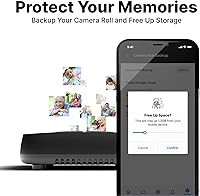
The built-in SSD delivers noticeably faster local file transfers compared to NAS units built around traditional spinning drives. Backing up a large photo library or accessing large video files over the local network feels snappy, and the SSD also contributes to quieter, cooler operation.
512GB fills faster than buyers expect, especially households using this as a centralized backup point for multiple devices. The USB 3.0 expansion option works, but external drive compatibility is not universally tested, and a handful of users reported issues with certain drive enclosures not being recognized reliably.
Remote Access & Connectivity
58%
42%
On a well-configured home network with a stable internet connection, accessing files remotely through the Amber X app works and removes the need to rely on Google Drive or Dropbox for on-the-go retrieval. Ethernet connectivity provides a rock-solid local connection for heavy workloads.
Remote access over Wi-Fi or mobile data is where things get inconsistent. Users behind stricter routers or ISPs with CGNAT report persistent connectivity failures that require port-forwarding knowledge to resolve. Connectivity drops mid-session, particularly on mobile, appear frequently enough in reviews to be a systemic rather than isolated issue.
Build Quality & Design
79%
21%
The Amber X has a compact, unobtrusive footprint at roughly 4.9 x 1.5 x 4.9 inches, and at just over 10 ounces it sits comfortably on a shelf without dominating a desk setup. The matte black finish looks neutral and inoffensive in most home environments.
The chassis feels more plastic than premium at this price tier, and a few buyers noted that the unit runs warmer than expected under sustained workloads. There is no active cooling fan, which keeps it quiet but raises some long-term thermal questions for users running it as a 24/7 media server.
Cross-Platform Compatibility
76%
24%
Supporting iOS, Android, Windows, and Mac out of the box is a practical advantage for mixed-device households. Windows and Mac desktop clients work well for file management tasks, and most users in multi-platform homes found that everyone could access shared folders without major hurdles.
Android app performance lags behind the iOS counterpart in user feedback, with more reported crashes and UI inconsistencies on Android. Compatibility across older OS versions is also inconsistent, and users on less common Android distributions occasionally found the app entirely non-functional.
Privacy & Data Ownership
88%
For privacy-focused buyers, keeping data entirely on-premises without routing through a third-party cloud is the core appeal, and this home NAS unit genuinely delivers on that promise. There are no mandatory accounts linked to external servers and no background data harvesting reported by users.
Some buyers noted that certain app features require outbound connections to Latticework servers, which slightly complicates the pure local-only narrative. Users who wanted a fully air-gapped setup found that some functionality degraded without an internet connection, which was not clearly communicated before purchase.
Value for Money
63%
37%
Buyers who fully leverage the Plex server, Home Assistant, and remote access features together find the long-term value proposition compelling compared to paying ongoing subscription fees for cloud storage. The subscription-free model does add up to real savings over a two-to-three year horizon.
At its price point, the software reliability issues feel harder to accept. Competing devices in the same tier offer more mature ecosystems, and buyers who encountered persistent app problems felt the hardware cost was not justified by the actual day-to-day experience. The value equation improves only if setup goes smoothly.
Multi-User Support
71%
29%
Families or small households with two to four active users generally reported adequate simultaneous performance for basic file access and media streaming. The six-core processor handles concurrent sessions better than single-core or dual-core alternatives at a similar storage tier.
Power users pushing the device with four or more simultaneous Plex streams, active Home Assistant routines, and background backups found the system resource ceiling lower than expected. Latticework’s user management interface also lacks the granularity that households with distinct access control needs require.
Documentation & Support
47%
53%
The Amber X has a dedicated user community and an online knowledge base that covers the most common setup scenarios. Users who enjoy self-sufficiency and community forums found enough collective knowledge to resolve most intermediate-level configuration issues.
Official customer support responsiveness is a genuine sore point in the review data. Multiple buyers reported slow or unhelpful responses from Latticework when hardware or persistent software issues arose. For a product requiring some technical configuration, weak manufacturer support amplifies buyer frustration significantly.
Power Efficiency & Noise
82%
18%
Running without a fan means the Amber X operates in near-total silence, which is a real quality-of-life advantage for users placing it in a bedroom, living room, or home office. Power consumption is modest compared to larger NAS units with multiple spinning drives.
The fanless design trades noise for passive heat dissipation, and sustained heavy workloads cause the chassis to become noticeably warm to the touch. In poorly ventilated spots or warm ambient conditions, a few users reported thermal throttling that impacted transcoding and file transfer performance.

Suitable for:

The AMBER X 512GB Personal Cloud Storage Device is a strong fit for households that have grown tired of paying monthly fees to keep their photos, documents, and videos on someone else’s servers. If you already use Plex to organize and stream a personal media library, having a compact dedicated host that can transcode for multiple family members simultaneously is a genuine upgrade over running Plex on an aging laptop or a Raspberry Pi. Home automation enthusiasts who want to consolidate a Home Assistant instance onto purpose-built hardware, rather than cobbling together a DIY setup, will also find real practical value here. Privacy-minded users who want remote access to their own files without routing that data through Google, Apple, or Dropbox will appreciate the on-premises architecture this personal cloud device offers. The ideal buyer is someone with moderate technical confidence — comfortable enough to configure a home network connection and troubleshoot via community forums when something does not work perfectly out of the box.
Not suitable for:

The AMBER X 512GB Personal Cloud Storage Device is not the right choice for buyers expecting a plug-and-play experience comparable to a consumer product like a smart speaker or a streaming stick. If your tolerance for app bugs, connectivity troubleshooting, or command-line adjacent configuration is low, the real-world ownership experience of this home NAS unit is likely to disappoint. Buyers who primarily need bulk cold storage will also find 512GB fills quickly, and relying on USB-attached external drives adds friction that a multi-bay NAS system handles more cleanly. Anyone who needs rock-solid remote access as a daily work dependency should be cautious — the mobile apps have enough reliability complaints in user reviews to make this a risky primary tool for professional file retrieval. Finally, buyers expecting responsive manufacturer support when things go wrong may find Latticework’s customer service falls short of the standard they are paying for.

Specifications

  • Built-in Storage: The device includes a 512GB solid-state drive soldered internally, providing fast read and write speeds without the noise or vibration of a spinning hard disk.
  • Expandable Storage: A USB 3.0 port allows connection of an external drive to expand total available storage beyond the built-in 512GB capacity.
  • Processor: A six-core CPU handles concurrent tasks such as media transcoding, file serving, and smart home automation routines simultaneously.
  • Operating System: The device runs a Linux-based operating system managed by Latticework, with a proprietary interface layer that abstracts most low-level configuration from the user.
  • Connectivity: Both Gigabit Ethernet and Wi-Fi are supported, giving users the choice between a wired connection for maximum stability or wireless for flexible placement.
  • Dimensions: The unit measures 4.9 x 1.5 x 4.9 inches, placing it in a compact square footprint suitable for a desk shelf or entertainment unit.
  • Weight: At 10.6 ounces, the Amber X is light enough to reposition easily without tools or mounting hardware.
  • Drive Form Factor: The internal SSD uses a 2.5-inch form factor chassis, consistent with standard laptop-class solid-state drives.
  • Power Source: The device is powered via a DC power adapter; it does not support USB-C or battery operation and requires a continuous mains connection.
  • Compatible Platforms: Companion apps and desktop clients are available for iOS, Android, Windows, and macOS, covering the majority of consumer devices in a typical household.
  • Plex Integration: Plex Media Server can be installed directly on the device through the admin interface in a single step, with no manual package installation required.
  • Home Assistant: Home Assistant can be installed via one-click deployment from the device dashboard, enabling local smart home automation without a separate dedicated hub.
  • Cooling System: The device uses passive fanless cooling, which eliminates operational noise but causes the chassis to become warm under sustained heavy workloads.
  • Color & Finish: The unit ships in a matte black finish with a neutral industrial design that blends into most home or office environments without drawing attention.
  • Manufacturer: The Amber X is designed and sold by Latticework, Inc., a company focused on consumer-oriented personal cloud and privacy-first storage products.
  • Market Ranking: The device holds a top-40 position in the Network Attached Storage category on Amazon, reflecting consistent sales volume despite its mixed user rating.
  • Release Date: The product was first made available in August 2021, placing it at several years of real-world deployment and user feedback at time of review.
  • Hard Drive Interface: Internal storage communicates via USB 3.0 interface, which is also the shared interface used for external drive expansion through the device’s expansion port.
  • Multi-User Support: The device supports multiple user accounts with individual access permissions, making it suitable for shared household or small-group use cases.
  • Remote Access: Encrypted remote access to stored files is provided through the companion app without requiring a third-party cloud relay or a mandatory paid subscription tier.

Related Reviews

WD My Cloud Home 8TB Personal Cloud Storage
62%
83%
Ease of Setup
51%
App Reliability
57%
Remote Access Performance
88%
Storage Capacity
31%
Data Redundancy & Safety
More
Lineco 840-Slide Archival Storage Box
80%
92%
Build Quality
94%
Archival Material Quality
88%
Organizational System
83%
Drop-Front Accessibility
79%
Capacity Practicality
More
Lineco Archival Folio Storage Box 9.5 x 12.5 x 1.75 inches
86%
92%
Durability
88%
Ease of Use
94%
Archival Quality
89%
Construction Quality
83%
Size and Capacity
More
IDekooror 5″x7″ 18-Compartment Photo Storage Box
81%
93%
Storage Capacity
84%
Build Quality
88%
Latch Mechanism
81%
Portability
79%
Inner Case Usability
More
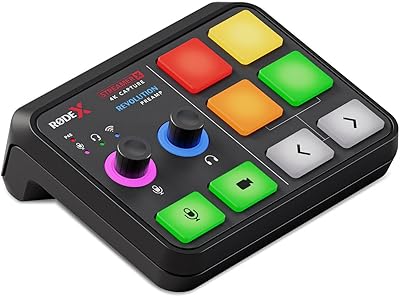
RØDE X Streamer X
RØDE X Streamer X
83%
94%
Audio Quality
90%
Video Capture Performance
88%
Build Quality
91%
Portability
86%
Connectivity Options
More
MeLE Overclock 4C Mini PC, 32GB RAM, 512GB Storage
89%
89%
Performance
91%
Build Quality
96%
Portability
90%
Display Support
88%
Connectivity
More
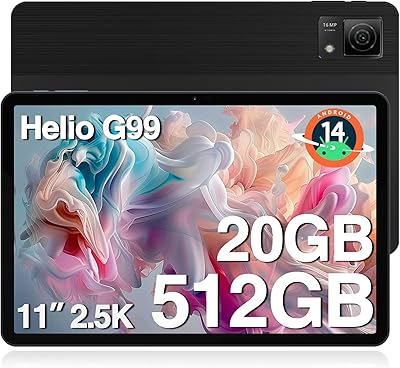
DOOGEE T40 Android 14 Tablet 20GB RAM 512GB Storage
86%
91%
Performance
94%
Display Quality
89%
Battery Life
85%
Build Quality
93%
Storage & Expandability
More
novelinks 16-Case 4×6 Photo Storage Box
78%
91%
Value for Money
88%
Organizational System
83%
Capacity
67%
Build Quality
89%
Ease of Use
More
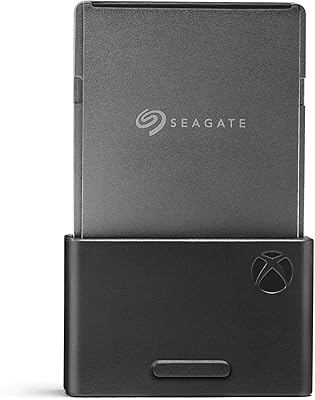
Seagate 2TB Xbox Series X|S Expansion Card
83%
96%
Read & Write Speed
94%
Installation Experience
92%
Quick Resume Performance
58%
Value for Money
83%
Build Quality & Durability
More
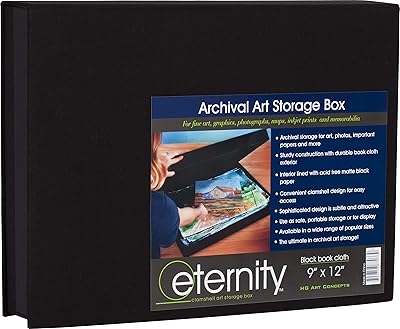
HG Concepts Art Photo Storage Box 9″ x 12″
85%
89%
Build Quality
91%
Durability
85%
Design & Functionality
87%
Storage Capacity
82%
Ease of Access
More

FAQ

No, there is no required subscription to access your files or use the core features of the Amber X. You own the hardware and the data on it outright. Some optional premium features may exist, but remote access, file sharing, and media serving all work without an ongoing payment.

It depends on your starting point. The initial setup using Ethernet and the companion app is straightforward enough that moderately comfortable users get through it without much trouble. Where things get complicated is network configuration, especially over Wi-Fi or when trying to enable remote access from outside the home. If the words port-forwarding or CGNAT mean nothing to you, expect a learning curve or some time on community forums.

Yes, and Plex is genuinely one of the strongest use cases for this home NAS unit. The six-core processor handles transcoding for multiple simultaneous streams without the stuttering you would get from a Raspberry Pi or an underpowered PC. For HD content across two or three streams, it performs well. Pushing four or more concurrent 4K streams at high bitrates is where you may notice performance constraints.

That really depends on how you plan to use it. For a household backing up documents, photos, and music, 512GB is a comfortable starting point. If you are storing large video libraries or raw camera files, it will fill faster than you expect. The USB 3.0 port lets you attach an external drive for additional capacity, though not all external enclosures have been confirmed compatible.

The core difference is where your data physically lives and who has access to it. With subscription cloud services, your files sit on third-party servers and you pay monthly to keep them there. The AMBER X 512GB Personal Cloud Storage Device keeps everything on hardware in your home, with no third party involved in storage or retrieval. The trade-off is that you take on the responsibility of managing the hardware and ensuring your setup stays functional.
For users running standard Home Assistant configurations with a moderate number of devices and automations, it works reliably and the one-click install genuinely saves time compared to a DIY Raspberry Pi setup. Where it gets stretched is when you run both Plex and Home Assistant simultaneously with heavy workloads on both sides — resource conflicts have been reported in that scenario. If Home Assistant is your primary use case without heavy concurrent media serving, it holds up well.

Yes, remote access is a built-in feature, not an add-on. On a well-configured home network with a standard ISP setup, it works through the companion app without much intervention. However, buyers behind CGNAT (common with some mobile or budget ISPs) or strict router firewalls have reported persistent connection failures. If remote access is a daily priority for you, verify your network setup before purchasing.

This personal cloud device runs completely fanless, so under normal conditions it produces no audible noise at all. It is a genuinely quiet device and works well in shared living spaces. The only caveat is that under heavy sustained loads, the chassis gets warm, though it does not produce noise as a result.

This is honestly one of the weaker points based on real user feedback. The iOS app is generally considered more stable than the Android version, but neither is immune to occasional connectivity drops or sync issues. Many users find the apps adequate for light daily use but frustrating when they unexpectedly lose connection or require a device reboot to restore access. If you rely heavily on mobile access, go in with realistic expectations rather than assuming it will behave like a polished consumer app.

This is one area where user reviews raise consistent concerns. Latticework’s official support has been described by a notable portion of buyers as slow to respond and sometimes unhelpful in resolving hardware or persistent software issues. The community forums and user groups tend to be more practically useful for troubleshooting. It is worth factoring this in if you are someone who values responsive manufacturer backup when things go sideways.

Where to Buy