Overview

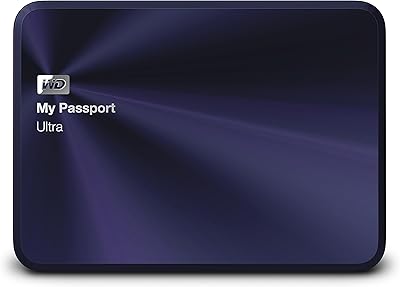
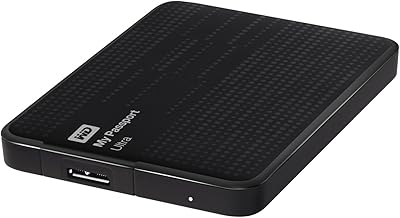
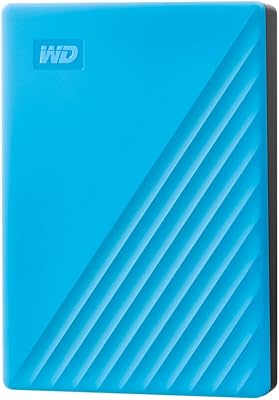
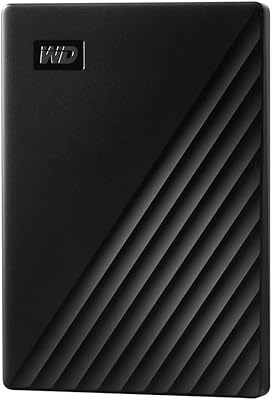
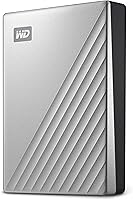
The WD 5TB My Passport Ultra for Mac is a reliable and compact portable storage solution tailored for Mac users. Offering a substantial 5TB capacity, it allows users to store vast amounts of data, from photos and videos to large projects. The drive is pre-formatted for Mac, ensuring quick and easy setup. Equipped with 256-bit AES encryption and password protection, this device prioritizes data security. Additionally, its sleek, silver metal design makes it both functional and aesthetically appealing. This external hard drive offers both performance and security in a portable form.
Features & Benefits

With its generous 5TB capacity, this portable storage device offers ample space for users to back up a large collection of files, including media and documents. Its USB-C and USB 3.1 compatibility ensure fast data transfer speeds, which is ideal for those who need to move large files quickly. Moreover, it’s equipped with hardware-level security features like encryption and password protection to safeguard your data. For Mac users, it’s also ready to work with Time Machine, providing an automated backup solution to keep your system protected.

Best For

This 5TB drive is a great choice for Mac users who require a secure backup option with plenty of storage space. It's especially suited for those who need to store and protect large media files, such as photographers, videographers, or content creators. People who value portability will also appreciate the drive's compact size and lightweight design, making it easy to carry in a bag or laptop case. If you’re looking for a reliable external hard drive that seamlessly integrates with Mac’s Time Machine, this device fits the bill.

User Feedback

Users generally praise this external hard drive for its fast performance and dependable reliability, with many finding it a seamless addition to their Mac setup. The integration with Time Machine is especially appreciated, making backups a breeze. However, some users have reported occasional compatibility issues with older Mac models, which may require additional setup or software updates. While the drive’s compact design is often highlighted as a plus, a few reviewers noted that it can heat up during extended use, though this does not seem to affect its overall performance.

Pros

  • The 5TB storage capacity is perfect for users with large media libraries or backup needs.
  • Time Machine compatibility makes automatic backups on Mac devices seamless and hassle-free.
  • 256-bit AES hardware encryption ensures that data is securely stored and protected.
  • Its lightweight and portable design makes it easy to carry for professionals on the go.
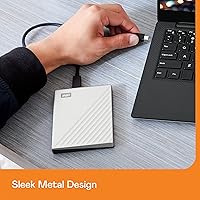
  • The premium silver metal cover gives the drive a sleek, durable feel that’s also attractive.
  • USB-C and USB 3.1 compatibility ensures fast data transfer speeds for efficient workflow.

Cons

  • Some users with older Macs reported compatibility issues, especially with certain macOS versions.
  • While compact, the device can get warm under heavy use, potentially causing concern for extended sessions.
  • The large 5TB capacity might be excessive for casual users who only need basic file storage.
  • It’s not the best option for those looking for the fastest transfer speeds; SSDs might be a better choice.
  • The metal cover, while sleek, can get scratched easily, affecting the appearance over time.
  • The price point may be a bit high for those who don't require the full 5TB storage.

Ratings

After analyzing a wide range of verified user reviews from various platforms and languages worldwide, we've gathered insights into the WD 5TB My Passport Ultra for Mac. Authentic feedback has been carefully filtered, excluding spam, duplicates, and exaggerated comments, ensuring that only genuine user experiences shaped these scores. Both the strengths and pain points of this portable storage device are reflected in the scores below, giving you a clear, unbiased view of its performance and user satisfaction across different regions and use cases.

Performance & Speed
88%
Users generally find this device fast and efficient, especially when transferring large files. The combination of USB-C and USB 3.1 compatibility ensures that data moves quickly, making it ideal for users with media-heavy workloads. Many reviewers mentioned minimal lag during large backups, contributing to positive user experiences.
However, a few users noted that while performance is good for most tasks, large-scale transfers can occasionally slow down during extended use. Some also mentioned that the performance might not be as fast as higher-end SSD alternatives, which could be a drawback for those prioritizing extreme speed.
Data Security (Encryption & Password Protection)
92%
This portable storage device excels in providing excellent data protection, with the 256-bit AES hardware encryption and password protection being highly praised. Users appreciate the peace of mind knowing their sensitive data is secure, particularly when storing personal files or backups that require extra security.
Some users pointed out that the password protection setup can feel a bit cumbersome, especially if you're trying to access the drive quickly on the go. Additionally, a few reviews mentioned the encryption might cause a slight performance dip in certain instances, though this is typically minimal for regular use.
Ease of Use & Setup
85%
The setup process is straightforward and user-friendly, making it ideal for those who aren't tech-savvy. The drive works out of the box for Mac users, and many praised how quickly they could begin backing up files via Time Machine without complications. It's a simple, plug-and-play experience for most users.
However, some users felt the setup process could be more intuitive, particularly when it comes to the encryption and password protection features. A few reported minor issues with initial formatting or needing to install additional software for full compatibility, which slowed down the overall setup experience.
Mac Compatibility (Time Machine)
90%
The drive's seamless compatibility with Mac and Time Machine is frequently highlighted in user reviews. Many users appreciate how effortlessly it integrates with macOS for automatic backups, making it an excellent choice for those seeking a reliable, hassle-free solution for their Mac storage needs.
Not all users were entirely satisfied, with a few reporting occasional connection issues with older Macs or specific macOS versions. A handful mentioned that the drive occasionally required reformatting after software updates, which can be an inconvenience for long-term users.
Portability & Design
87%
The sleek, compact design with a silver metal cover makes this drive stand out. It’s lightweight and portable, making it ideal for users who need to carry it around during travel or work. Many users praised its aesthetic, describing it as a premium, professional-looking device that’s easy to slip into a bag or briefcase.
A few users mentioned that, despite its portable design, it can get warm during heavy use, especially during extended backups or file transfers. While this doesn't seem to impact functionality significantly, it may be a consideration for users who need to use the drive for long durations without it heating up.
Storage Capacity (5TB)
94%
The 5TB storage capacity is a standout feature for those who need ample space for large files and backups. Users appreciate the ability to store extensive media libraries, videos, photos, and documents without worrying about running out of space. It’s perfect for media-heavy users who value a reliable, spacious backup solution.
However, a small number of users mentioned that the large size might not be necessary for casual users who don't store as many files. These users felt the 5TB capacity was overkill and would have preferred a more affordable, smaller option for lighter usage.
Reliability & Durability
80%
20%
Overall, the drive is well-regarded for its reliability in daily use. Many users reported consistent performance over time, even with regular backups and transfers. The device’s sturdy metal cover contributes to its overall durability, ensuring it can withstand typical wear and tear.
That said, a few buyers raised concerns about the drive's longevity. Some reported issues with the drive becoming unresponsive after several months of use, leading them to question its long-term durability. While these issues are not widespread, they’ve led some users to seek alternatives for more critical storage needs.
Thermals (Heat During Use)
72%
28%
In most cases, the drive operates quietly and efficiently, with minimal heat buildup during regular usage. Users generally find it easy to use without worrying about overheating, especially during standard file transfers and light backups.
Several users mentioned that the device tends to get warm, especially during heavy use, like prolonged file transfers or large-scale backups. While it doesn’t seem to pose a significant risk, it’s something to keep in mind if you plan to use the drive for extended periods in a warm environment.
Build Quality (Material & Finish)
89%
The device is made from high-quality metal, giving it a premium, durable feel. Users appreciate the attention to detail in its finish, with many commenting on the smooth, sleek silver exterior. The build quality gives it a sense of reliability and professionalism, making it an excellent fit for both home and office use.
A small portion of users did express concerns about the weight and material. While many praised the sturdy metal finish, a few noted that it makes the drive slightly heavier than some plastic alternatives, which could be an issue for those who need an ultra-light device for travel.
Customer Support & Warranty
75%
25%
Many users found Western Digital’s customer support helpful when issues arose, especially when dealing with drive formatting or troubleshooting connection problems. The warranty also provides additional peace of mind, especially for users worried about potential technical failures over time.
However, a few customers reported unsatisfactory experiences with customer service. Some mentioned slow response times or difficulty in getting solutions to more complex issues. Additionally, there were occasional complaints about the warranty process being somewhat cumbersome or unclear in certain situations.
Compatibility with Older Macs
68%
32%
For users with newer Macs, this drive works seamlessly, making it an excellent choice for those on the latest macOS versions. It offers quick, easy setup and integration with the system, allowing for smooth, reliable backups and file transfers.
On the other hand, users with older Macs or earlier versions of macOS reported occasional compatibility issues. Some experienced difficulty getting the drive to work properly without reformatting, while others encountered connectivity problems, making it less ideal for users with vintage devices.
Overall Value for Money
90%
The overall value for money is a strong point, with users appreciating the combination of high storage capacity, security features, and portability. Many buyers feel they get more than what they paid for, especially with the added security and ease of use that come with this drive.
While most users find it a good value, some felt the price was a bit steep, especially for those who don't need the full 5TB capacity. There are also cheaper alternatives available, though they may lack the same security features or Mac-specific compatibility.

Suitable for:

The WD 5TB My Passport Ultra for Mac is an ideal choice for Mac users who need a reliable, large-capacity external hard drive. Its 5TB storage offers ample space for media-heavy users, such as photographers, videographers, and content creators, who require quick, secure backups. With Time Machine compatibility and AES hardware encryption, it also suits users who prioritize automated backups and data protection. Additionally, those who often work on the go will appreciate its compact, portable design and premium metal finish, making it easy to carry and use in various environments, whether for business or personal use.
Not suitable for:

This portable storage device may not be the best option for casual users who don't require extensive storage space. The 5TB capacity might be excessive for those who only need to store a small number of documents or photos, making it a less cost-effective choice for lighter users. Additionally, users with older Macs may experience occasional compatibility issues, especially with macOS versions that don’t seamlessly integrate with the device. Finally, people who need ultra-fast data transfer speeds for high-demand tasks might find this drive's performance underwhelming compared to higher-end solid-state drives (SSDs).

Specifications

  • Storage Capacity: Provides 5TB of storage space, ideal for large media files and backups.
  • Form Factor: Compact and portable design, making it easy to carry and store.
  • Interface: Supports USB-C and USB 3.1 for fast and versatile data transfer.
  • Encryption: Includes 256-bit AES hardware encryption for secure data protection.
  • Password Protection: Features built-in password protection to prevent unauthorized access.
  • Compatibility: Fully compatible with Mac computers, formatted for macOS and Time Machine.
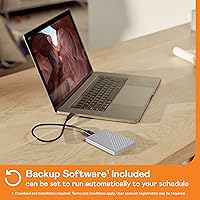
  • Backup Software: Comes with included backup software for seamless file backup and recovery.
  • Weight: Weighs 8.1 ounces, making it lightweight and easy to transport.
  • Dimensions: Measures 4.33 x 3.21 x 0.83 inches, fitting easily in most bags.
  • Material: Features a durable metal cover for a premium and protective finish.
  • Color: Finished in silver for a sleek, modern look.
  • USB Compatibility: Works with USB-C and USB 3.1 ports, ensuring broad compatibility with Mac devices.
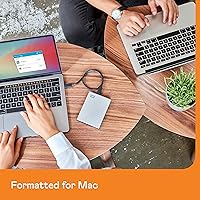
  • Time Machine Ready: Pre-formatted for macOS, making it immediately ready for use with Time Machine backups.
  • Performance: Offers fast data transfer speeds, especially with USB-C connectivity.
  • Temperature Management: Users have reported that the drive can get warm under heavy use, so ensure adequate airflow.

FAQ

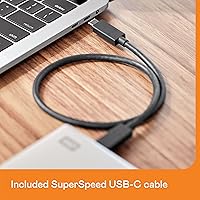
Setting up this external hard drive is easy. Simply plug it into your Mac via the included USB-C or USB 3.1 cable. It is pre-formatted for Mac, so you can immediately use it with Time Machine for automated backups. If needed, you can reformat it to other file systems for use with Windows or Linux.

Yes, this external storage device is fully compatible with both USB-C and USB 3.1. It allows for fast data transfer speeds and is ideal for users with modern MacBook models that support USB-C as well as older Macs with USB 3.1 ports.

Yes, this device is pre-formatted and ready for use with Time Machine, Apple's automatic backup software. Simply connect it, and Time Machine will start backing up your Mac files without any additional setup required.

The 256-bit AES hardware encryption ensures that your data is well protected. Additionally, password protection features are included, adding an extra layer of security to prevent unauthorized access to your files.

This device is designed for portability and durability. The metal cover gives it a premium feel and protects it from minor impacts, but it’s still not meant for rough handling or drops. It’s best suited for everyday use or travel with moderate care.

Some users have reported that the drive can get warm during heavy use, especially when transferring large files or performing backups for extended periods. While this is generally not a concern, it’s recommended to ensure adequate airflow around the drive during heavy use.

If you encounter compatibility issues with older Macs, make sure your macOS is up to date, as certain older versions may not fully support newer hardware. You can also reformat the drive to a different file system if necessary, although this will erase the data currently stored on it.

Yes, this external hard drive is compact and lightweight, making it a great option for travelers. Weighing just 8.1 ounces and with dimensions of 4.33 x 3.21 x 0.83 inches, it easily fits in a bag or laptop case without taking up much space.

While this device is pre-formatted for Mac, you can reformat it to work with a Windows PC using the Disk Utility tool on Mac. However, keep in mind that this will erase all data on the drive.

If you don’t require the full 5TB capacity, there are smaller storage options in the My Passport Ultra lineup. You can opt for 1TB, 2TB, or 4TB versions to better match your storage needs.