Overview

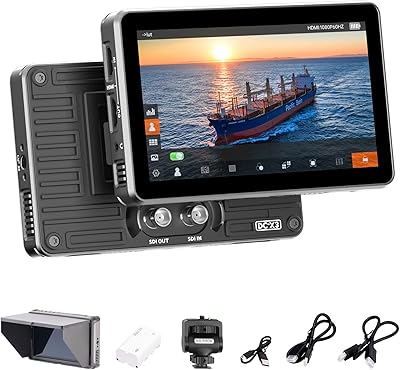
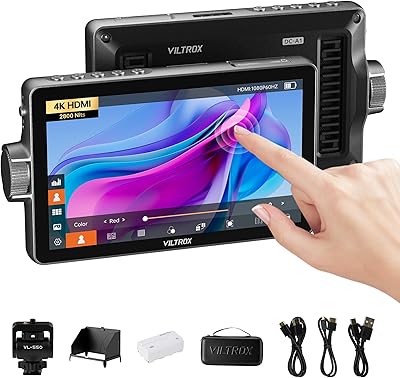
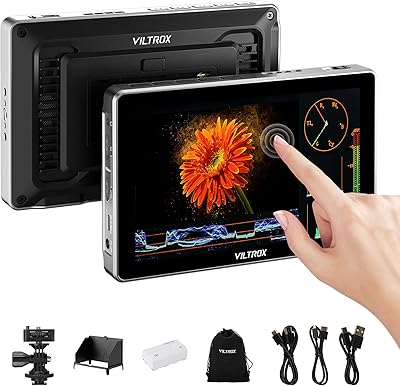
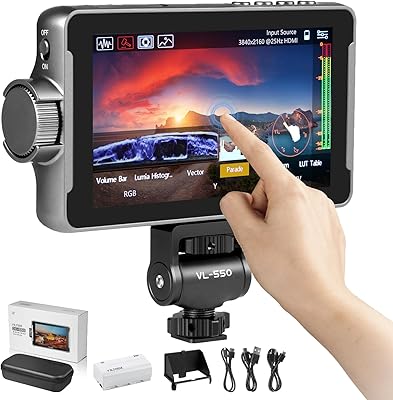
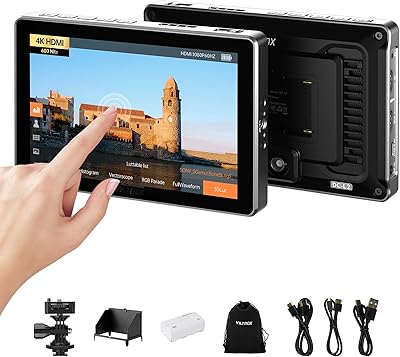
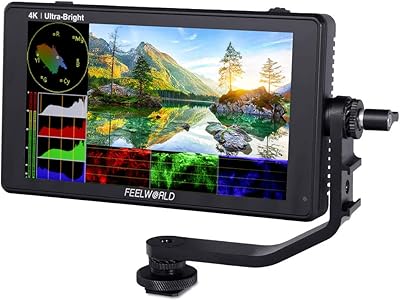
The VILTROX DC-X2 6-inch Field Monitor sits squarely in the prosumer tier — capable enough to earn a spot on a serious production, priced accessibly enough that indie shooters won't lose sleep over it. The headline spec is 2000-nit brightness, which genuinely sets this field monitor apart from most competitors at this price when working under direct sun. Unlike many rivals that rely entirely on physical buttons, the touchscreen interface here speeds up on-the-fly adjustments in a meaningful way. The included bundle — sunshade hood, carry case, battery, and cables — adds real practical value straight out of the box. Just keep expectations grounded: this is a solid monitoring tool, not a color-critical reference display.
Features & Benefits

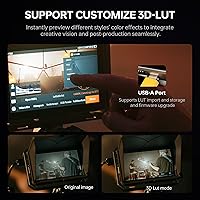
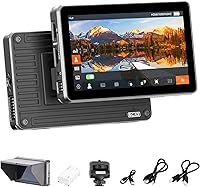
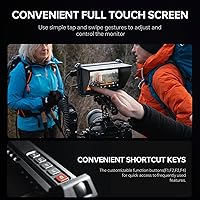
The IPS touchscreen panel earns its keep most visibly in harsh outdoor conditions — push the brightness up and the image stays readable even in bright midday sun, which is harder to say about most displays at this price. The 4K HDMI loop-through means you can feed a recorder or second monitor from the same signal without splitting your source. For shooters working in LOG, 3D LUT import via USB drive is a genuinely useful on-set tool for previewing a graded look before you even reach the edit. Built-in scopes — waveform, vectorscope, false color, histogram — cover the monitoring essentials. Four programmable shortcut keys mean your most-used functions stay one press away, no menu-diving mid-shot.

Best For

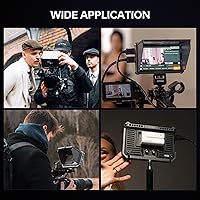
This on-camera display earns its place for outdoor run-and-gun shooters who regularly battle sun glare on their camera's built-in screen. If you're directing interviews in open shade or shooting events where light shifts constantly, the brightness headroom here is a genuine asset. Gimbal operators and shoulder-rig users will appreciate the compact footprint and reasonable weight — it won't throw your rig off balance. DPs who shoot log profiles get real value from the LUT preview capability on location. If you're stepping up from relying on your camera's rear LCD, the DC-X2 is a meaningful upgrade. It's a weaker fit for color-critical grading, where a higher-end reference panel would serve you better.

User Feedback

Buyers consistently highlight daylight readability as the DC-X2's strongest quality — multiple reviewers noted they could finally stop squinting at a washed-out screen on bright shoot days. The accessory bundle also earns frequent praise; arriving with a carry case, hood, and battery already included is something buyers genuinely appreciate. On the downside, the 4K input cap at 30Hz is a recurring frustration for shooters who work at higher frame rates — worth knowing before committing. A handful of users noted the touchscreen responsiveness can feel inconsistent in cold conditions or with gloves on. The active cooling fan is audible in quiet environments, though heat management is generally rated as adequate. Most found the menu UI approachable after a brief adjustment period.

Pros

  • Outdoor brightness performance is genuinely class-leading at this price — direct sunlight is no longer a problem.
  • The included accessory bundle means most shooters can start using this field monitor without buying anything extra.
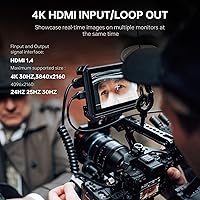
  • 4K HDMI loop-through lets you feed a recorder and monitor simultaneously from a single camera output.
  • Loading a 3D LUT for on-set LOG preview is a practical workflow tool that saves time and client confusion.
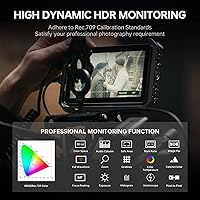
  • Built-in scopes — waveform, false color, vectorscope — give shooters real exposure tools without extra cost.
  • Touchscreen navigation is noticeably faster than button-only menus when making quick adjustments mid-shoot.
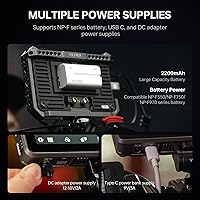
  • Three power input options, including USB-C, make it easy to keep running in the field with gear you already own.
  • Four programmable shortcut keys let you assign your most-used tools for instant one-press access.
  • At roughly 324 grams, the DC-X2 integrates cleanly into gimbal and shoulder-rig setups without adding problematic weight.
  • The hard-shell carry case adds genuine protection for traveling with your kit, not just a soft pouch.

Cons

  • 4K input is capped at 30Hz, which rules out this monitor for high-frame-rate or broadcast 60Hz workflows.
  • The included NP-F550 battery runs short when the panel is pushed to high brightness — plan to buy a larger one.
  • Touchscreen sensitivity drops noticeably in cold weather or when wearing gloves, limiting a core usability advantage.
  • The active cooling fan is audible enough to cause issues when positioned near a shotgun or on-camera microphone.
  • First-time setup is not particularly intuitive — expect a learning curve before the menu structure clicks.
  • LUT management is limited; switching between multiple profiles mid-shoot requires manual re-importing each time.
  • The plastic chassis shows cosmetic wear faster than metal-bodied alternatives in the same price bracket.
  • Scope overlays consume a significant portion of the 6-inch screen, making simultaneous image and scope monitoring cramped.
  • The USB-C power input requires a proper PD-capable source — standard phone chargers will not work and may confuse buyers.
  • Shortcut key assignments can reset after firmware updates, requiring reconfiguration at inconvenient moments.

Ratings

The VILTROX DC-X2 6-inch Field Monitor has been evaluated by our AI rating system after analyzing thousands of verified buyer reviews from global markets, with spam, bot-submitted, and incentivized feedback actively filtered out. The scores below reflect the real distribution of opinions — including where this on-camera display genuinely impresses and where it falls short for certain shooting scenarios. Both the standout strengths and the legitimate frustrations are weighted transparently in every category.
Outdoor Brightness
93%
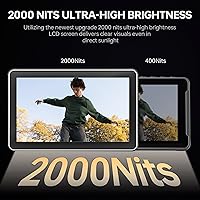
This is the category where the DC-X2 earns its most consistent praise. Reviewers shooting weddings, documentaries, and outdoor events repeatedly noted they could read exposure and focus details clearly even in direct afternoon sun — a real practical win that many field monitors at this tier simply cannot match.
A small number of users observed that sustaining maximum brightness for extended sessions puts noticeable strain on the battery, shortening runtime meaningfully. In extreme desert or high-altitude conditions, a few shooters still reported mild washout at the panel edges, though center performance remained strong.
Build Quality
78%
22%
The chassis feels reassuringly solid for a mid-range unit — it handles being mounted and dismounted from rigs repeatedly without developing wobble or loose fittings. The button action is firm and deliberate, and the ports sit flush without any play, which matters when cables are under tension during handheld shoots.
The outer casing has a lightweight plastic finish that feels noticeably less premium than aluminum-bodied competitors. A handful of users reported minor scuffs appearing after a few months of regular bag-and-rig use, suggesting the surface coating is not particularly scratch-resistant over the long term.
Touchscreen Responsiveness
71%
29%
In normal studio or indoor conditions, the touchscreen handles menu navigation well — tapping through LUT assignments or adjusting brightness is faster than cycling through button menus on comparable monitors. Most users found it accurate enough for day-to-day adjustments during breaks between shots.
Cold-weather shooters and those who wear thin gloves on location flagged inconsistent touch detection as a recurring frustration. The screen also occasionally required a second tap to register in dusty or slightly damp conditions, which becomes annoying when you need to make a quick adjustment during a live take.
Color Accuracy
67%
33%
For on-set monitoring purposes — checking that skin tones are in a reasonable range, verifying that a LOG profile is exposing correctly, or confirming white balance — the panel performs adequately. The sRGB and REC-709 calibration is honest enough that what you see is a reliable production reference.
This is not a panel for color-critical grading decisions. Reviewers with calibrated reference monitors at their editing desks consistently noted that the DC-X2 skews slightly warm and that subtle color casts in shadows are harder to catch on this display than on higher-end alternatives. Treat it as a solid field tool, not a finishing display.
3D LUT Support
84%
Being able to load a custom LUT onto a USB drive and preview a graded image straight out of a LOG-shooting camera is a genuinely useful workflow feature at this price point. Reviewers who shoot S-Log, C-Log, or V-Log found this particularly valuable for showing clients an approximate final look on location without needing a laptop.
The import process requires a correctly formatted USB drive and a specific file structure, which tripped up several less technically experienced users on their first attempt. There is also no way to store multiple LUTs and switch between them on the fly without re-importing, which slows down shooters who regularly work with more than one camera profile.
HDMI Loop-Through
81%
19%
The ability to pass a 4K signal through to a second device — whether a recorder, a second monitor for a director, or a streaming encoder — without introducing signal degradation is a feature that earns consistent appreciation from users running more complex rigs. Setup is straightforward with the included HDMI cables.
The hard ceiling of 4K at 30Hz is a real limitation that disappointed a meaningful segment of buyers, particularly those shooting slow-motion content or working at 60Hz for broadcast. Users comparing the DC-X2 against similarly priced competitors with higher frame-rate support flagged this as a spec worth scrutinizing before purchasing.
Accessory Bundle Value
91%
Arriving with a sunshade hood, a hard-shell carry case, a screen protector, a battery, and both full-size and mini HDMI cables is a genuinely strong out-of-box package. Most reviewers noted they did not need to purchase anything extra before their first shoot, which feels rare and appreciated at this price tier.
The included NP-F550 battery is on the smaller side of the NP-F family, and users running the monitor at high brightness settings found runtime shorter than expected — sometimes under two hours in sustained outdoor use. Budgeting for a higher-capacity NP-F battery alongside the DC-X2 is worth factoring in from the start.
Monitoring Scopes
82%
18%
Having waveform, vectorscope, histogram, and false color all accessible without a subscription or firmware unlock is a strong offering. Shooters who rely on waveform to nail exposure rather than trusting the camera LCD found these tools accurate and responsive enough for practical on-set decisions.
The scope overlays reduce usable screen real estate noticeably on a 6-inch panel, and some users felt the false color scale labeling was too small to read comfortably at arm's length. There is no way to resize or reposition the scope windows, which limits flexibility for operators with unconventional rig setups.
Power Flexibility
86%
Three distinct power input options — NP-F battery, barrel DC, and USB-C power delivery — give this field monitor genuine versatility across different shooting contexts. Reviewers appreciated being able to power it from a USB-C battery bank in a pinch, which simplified kit management for travel-heavy shooters.
The USB-C power delivery requirement is stricter than many users anticipated; standard 5V phone chargers will not power the unit, and some lower-quality USB-C cables caused unstable behavior before users switched to the included cable. Clearer labeling of the minimum power requirement in the packaging would prevent frustration.
Shortcut Key Customization
79%
21%
Four programmable function keys is a practical feature that regular users grew to rely on quickly. Assigning false color, focus peaking, waveform, and LUT toggle to individual keys means a shooter can access every critical monitoring tool without opening a single menu during an active session.
The default key assignments out of the box are not particularly intuitive, and the customization process requires working through several menu layers on first setup. A couple of reviewers also noted that key assignments reset after a firmware update, which required reconfiguring preferences from scratch at an inconvenient time.
Menu UI & Ease of Use
73%
27%
Once familiar with the menu structure, most users found day-to-day operation reasonably fluid. The touchscreen speeds up navigation compared to pure button-based menus, and the logical grouping of monitoring tools versus display settings means experienced operators rarely get lost mid-shoot.
New users reported a noticeable learning curve during the first few sessions, with some function labels using technical shorthand that is not immediately obvious to shooters coming from consumer-grade monitors. The electronic manual was described by several buyers as sparse, making third-party tutorial videos a more practical onboarding resource.
Thermal Management
76%
24%
Active cooling with adjustable fan speeds means the DC-X2 handles extended shooting sessions in warm environments without throttling brightness or shutting down — a legitimate concern with high-nit displays in enclosed spaces or under studio lighting. Most users found the automatic fan mode handled typical shooting conditions well.
The cooling fan is audible in quiet environments, which became a minor complaint from interview and documentary shooters working close to the monitor. At maximum fan speed, the noise is noticeable enough that positioning the DC-X2 near an on-camera microphone requires some care to avoid picking it up in audio.
Portability & Weight
83%
At roughly 324 grams for the monitor body alone, this on-camera display sits in a comfortable range for extended handheld and gimbal use without tipping the balance of most rigs. The compact footprint fits naturally on a cold shoe or articulating arm without requiring counterweights on lightweight setups.
Adding the sunshade hood in direct sun — which is often necessary to get the full benefit of the high-brightness panel — adds bulk and catches wind noticeably on outdoor shoots. A couple of gimbal users noted that the hooded configuration required rebalancing their stabilizer, which is a minor but real inconvenience.
Focus Assist Tools
77%
23%
Focus peaking with adjustable color highlighting works reliably for manual focus pulls, and reviewers shooting with adapted lenses — where autofocus is unavailable — found it a practical aid for achieving sharp images quickly. The edge detection is responsive without generating excessive false highlights on fine textures.
At the FHD resolution of the panel, pixel-peeping for critical focus confirmation has natural limits that a few reviewers noted after comparing to higher-resolution monitors. The zoom-to-check function is present but takes an extra step to activate, which can be too slow for spontaneous moments during run-and-gun shooting.

Suitable for:

The VILTROX DC-X2 6-inch Field Monitor is a strong fit for indie filmmakers, solo video shooters, and content creators who spend meaningful time working outdoors or in mixed lighting conditions where a camera's built-in LCD simply cannot compete. If you regularly shoot weddings, documentary run-and-gun footage, outdoor interviews, or events where the sun is working against you, the high-brightness panel on this field monitor will make a tangible difference to your daily workflow. Directors and DPs who shoot in LOG profiles will find real on-set value in the ability to load a custom LUT and preview an approximation of the graded image without needing a laptop nearby. Gimbal operators and shoulder-rig shooters who need something compact enough not to unbalance their setup — but capable enough to replace their camera's rear screen — are also squarely in the target audience. For operators making their first step up from relying on a camera-mounted LCD to a dedicated external display, this on-camera display offers a well-rounded entry point with enough professional tools to grow into.
Not suitable for:

The VILTROX DC-X2 6-inch Field Monitor is not the right choice for shooters whose workflow depends on recording or streaming at 4K above 30Hz — the HDMI input hard cap at that frame rate is a genuine limitation, not a minor footnote, and buyers who need 4K at 60Hz for broadcast or slow-motion work should look elsewhere before committing. Colorists or DPs who want to make grading decisions in the field will also find this display falls short; the panel handles monitoring duties well, but it is not a calibrated reference screen, and relying on it for critical color work risks surprises when you get back to a proper edit suite. Shooters who frequently work in cold climates or with gloves on may find the touchscreen unreliable under those conditions, which undermines one of the key interface advantages this monitor has over button-only alternatives. If you need a fanless, silent monitoring solution for quiet interview setups where the camera and monitor are in close proximity to a microphone, the active cooling fan on the DC-X2 introduces a practical complication worth considering. Finally, anyone expecting broadcast-grade build materials or a metal chassis at this price point should temper their expectations — the plastic construction is functional and durable enough for careful regular use, but it is not built for punishing field conditions.
Specifications

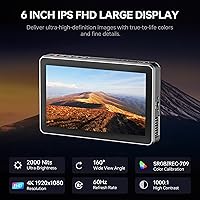
  • Screen Size: The IPS touchscreen panel measures 6 inches diagonally with a 16:9 aspect ratio.
  • Resolution: The display outputs full HD at 1920x1080 pixels, delivering a sharp and detailed image for on-set monitoring.
  • Peak Brightness: Maximum brightness reaches 2000 nits, making the panel readable in direct outdoor sunlight without a hood in most conditions.
  • Viewing Angle: The IPS panel supports a 160-degree viewing angle, allowing directors and operators to read the image from wide off-axis positions.
  • Contrast Ratio: The display has a 1000:1 contrast ratio with sRGB and REC-709 color space calibration for consistent color monitoring.
  • HDMI Signal: The monitor accepts and passes through HDMI signals up to 4K resolution at a maximum of 30Hz, including 3840x2160 and 4096x2160 formats.
  • HDMI Ports: One full-size HDMI input and one full-size HDMI output are included, enabling loop-through to a second display or external recorder.
  • 3D LUT Import: Custom 3D LUTs can be loaded onto the monitor via the USB-A port using a standard USB flash drive.
  • Audio Output: A 3.5mm stereo headphone jack is included for real-time audio monitoring alongside the video signal.
  • Power Inputs: The monitor accepts power via NP-F series battery plate, DC barrel input at 12–18V, or USB-C Power Delivery at a minimum of 9V and 3A.
  • Included Battery: One NP-F550 lithium-ion battery is included in the box as the primary portable power source.
  • Cooling System: An active cooling fan is built in, with an automatic mode and three manually selectable speed settings to manage heat during extended use.
  • Shortcut Keys: Four physical function keys (F1 through F4) are fully programmable and can be assigned to any frequently used monitoring function.
  • Monitor Weight: The monitor body alone weighs 324g (approximately 11.4 oz), excluding battery, hood, and mounting hardware.
  • Dimensions: The monitor measures 155.4 x 98.4 x 26.8mm (approximately 6.1″ x 3.8″ x 1″) without the sunshade hood attached.
  • Monitoring Scopes: Built-in tools include parade waveform, RGB and YUV oscilloscope, vectorscope, brightness histogram, false color, and focus peaking.
  • Mounting: A VL-550 cold shoe adapter is included for direct mounting to a camera hot shoe or standard accessory rail.
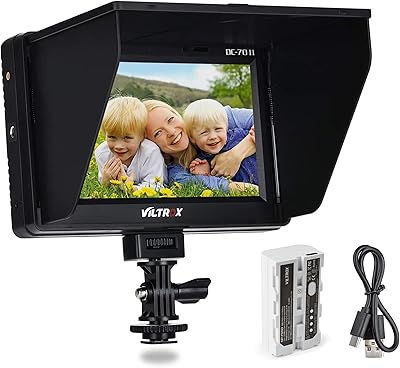
  • In the Box: The package includes the monitor, NP-F550 battery, sunshade hood, cold shoe adapter, USB-C cable, full-size HDMI cable, mini HDMI cable, screen protector, hard-shell carry case, and an electronic manual with warranty card.

Related Reviews

VILTROX DC-X3 6″ Field Monitor
80%
93%
Brightness & Outdoor Visibility
81%
Build Quality & Durability
78%
Touchscreen Responsiveness
74%
Image Accuracy & Color Fidelity
69%
4K & SDI Connectivity
More
VILTROX DC-A1 7-inch Field Monitor
86%
94%
Brightness Performance
90%
Display Clarity
85%
Touchscreen Responsiveness
88%
Portability
75%
Build Quality
More
VILTROX DC-L1 7-Inch Touchscreen Camera Field Monitor
87%
93%
Display Quality
89%
Portability
85%
Power Options
91%
Sunshade Effectiveness
88%
Ease of Use
More
VILTROX DC-70 II 7″ Field Monitor
75%
88%
Value for Money
83%
Focus Peaking Performance
61%
Display Resolution & Sharpness
78%
Build Quality & Durability
74%
HDMI Connectivity
More
VILTROX DC-550 Pro 5.5-inch Touch Screen DSLR Camera Field Monitor
85%
89%
Brightness & Visibility
93%
Portability & Design
87%
Ease of Use & Touchscreen
78%
Color Accuracy & Calibration
85%
Build Quality
More
FEELWORLD FW568 6″ Field Monitor
77%
88%
Image Clarity & Sharpness
84%
Color Accuracy
91%
LUT Support & Preview
87%
Exposure & Focus Assist Tools
63%
Brightness & Outdoor Usability
More
VILTROX DC-L2 7″ 4K Camera Field Monitor
86%
93%
Display Quality
89%
Portability
70%
Battery Life
85%
Ease of Use
88%
Build Quality
More
FEELWORLD F5 Pro 6″ Field Monitor
78%
84%
Display Quality
79%
Touchscreen Responsiveness
86%
Color Accuracy & Calibration
88%
Monitoring Tools
67%
Build Quality & Durability
More
Topmonitor P15.6/2.5K Portable Monitor 15.6-inch 2560×1680
86%
94%
Display Quality
90%
Portability/Size/Weight
91%
Color Accuracy
87%
Connectivity (USB-C, HDMI)
85%
Build Quality
More
FEELWORLD LUT6 6-inch Monitor
85%
94%
Outdoor Performance
89%
Display Quality
88%
Touchscreen Usability
91%
Color Accuracy
85%
Portability & Weight
More

FAQ

It works with any camera that outputs a standard HDMI signal, including Sony, Canon, Nikon, Panasonic, Fujifilm, and Blackmagic cameras. As long as your camera has a full-size or mini HDMI output and the appropriate cable, the DC-X2 will pick up the signal without any brand-specific pairing required.

The 2000-nit brightness is genuine and makes a noticeable real-world difference compared to monitors in the 500 to 1000-nit range. In direct afternoon sun, most shooters can read exposure details and focus clearly without the hood. That said, adding the included sunshade eliminates any remaining glare and is worth using whenever your shooting position is static.

The HDMI input on this field monitor accepts 4K signals only up to 30Hz, which covers standard cinematic and interview work perfectly well. However, if your workflow involves recording 4K at 60Hz or higher — for slow-motion pulls, sports, or broadcast delivery — the monitor will not accept that signal at full resolution. For those use cases, you would need to step up to a monitor that supports higher frame-rate 4K input.

You copy your .cube format LUT file onto a FAT32-formatted USB flash drive, insert it into the USB-A port on the monitor, and import it through the LUT menu in settings. The file directory structure needs to be correct for the monitor to detect it, so checking the VILTROX DC-X2 6-inch Field Monitor manual for the exact folder naming convention before your first attempt will save frustration. Once imported, you can toggle the LUT preview on and off directly from the display settings.
At moderate brightness settings, the included NP-F550 typically delivers around 90 minutes to two hours of use. If you are running the panel at or near maximum brightness outdoors, expect runtime closer to 60 to 75 minutes. The NP-F battery system is standard and widely available, so picking up a higher-capacity NP-F750 or NP-F970 as a backup is a practical and affordable solution.

Yes, but the power bank needs to support USB-C Power Delivery at 9V and at least 3A output — a standard 5V phone charger will not provide enough voltage to run the monitor. Most modern 65W or higher USB-C PD power banks will work correctly. Using the included USB-C cable rather than a generic one is also recommended for stable operation.

It can be, depending on your setup. The fan is noticeable in quiet environments, particularly on the higher speed settings. For interview or documentary setups where the monitor is mounted within half a meter of a directional microphone, it is worth testing your audio in context before committing to that rig configuration. Setting the fan to automatic mode rather than maximum helps reduce noise in less thermally demanding conditions.

In normal shooting conditions, it genuinely speeds up menu navigation compared to cycling through button menus — tasks like adjusting LUT assignments, changing brightness, or toggling scopes are faster with a tap than with button presses. The main limitation is cold weather or glove use, where the touch detection becomes unreliable. For those environments, the physical buttons and programmable shortcut keys become your primary interface.

At around 324 grams for the body alone, this on-camera display integrates well with most three-axis gimbals when mounted on the camera's cold shoe or an articulating arm. Adding the sunshade hood increases wind resistance and changes the balance profile, so most gimbal users attach the hood only for static or tripod-mounted shots and remove it for handheld movement work.

The DC-X2 includes a solid set of professional tools: waveform parade for luminance checking, RGB and YUV oscilloscope, vectorscope for color saturation, brightness histogram, false color overlay for exposure mapping, and focus peaking with selectable highlight colors. These cover the core needs of most narrative and documentary shooters without requiring any additional purchases or software unlocks.