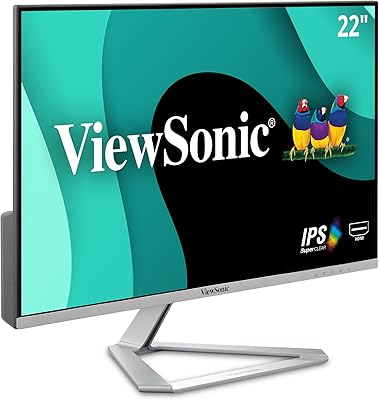
ViewSonic VX2267-MHD 22-Inch 1080p Gaming Monitor
Overview
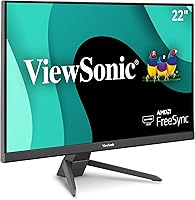
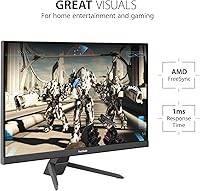
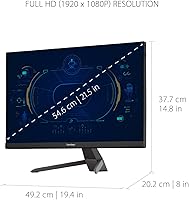
The ViewSonic VX2267-MHD 22-Inch 1080p Gaming Monitor offers an excellent balance of performance and affordability for gamers. With a 100Hz refresh rate and 1ms response time, this monitor ensures smooth, lag-free gameplay. Designed with AMD FreeSync technology, it minimizes screen tearing, providing a seamless visual experience. Whether you're gaming, working, or streaming, this display delivers sharp, crisp 1080p resolution on a compact 22-inch screen, making it ideal for tight spaces.
Features & Benefits
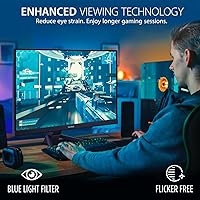
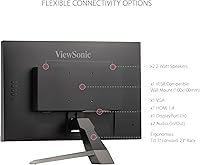
This 22-inch gaming monitor brings more than just high performance. The inclusion of FreeSync technology allows for tear-free visuals during fast-paced gaming sessions, improving the overall experience. It also features a Flicker-Free design and a Blue Light Filter to reduce eye strain, making it comfortable for extended use. With ultra-thin bezels, the monitor maintains a sleek appearance, while the multiple connectivity options—HDMI, DisplayPort, and VGA—provide versatility for various setups.
Best For
This ViewSonic monitor is a solid choice for several types of users. Gamers who require a fast and responsive monitor for competitive play will appreciate the 100Hz refresh rate and low input lag. Casual users looking for an affordable, sharp display for work or media consumption will also find it ideal. Additionally, it suits small office or home setups where space is limited, offering an effective solution without compromising on quality.
User Feedback
User feedback on this 22-inch display has been generally positive, with many praising its value and performance. The color accuracy and fast refresh rate stand out, especially for the price point. However, some users have pointed out that the stand could be more sturdy, with a few mentioning slight wobbling during use. Despite this, most agree that the monitor offers excellent performance for its price, making it a great option for budget-conscious buyers.
Pros
- This 22-inch monitor offers excellent value for the price, providing a solid balance between performance and affordability.
- The 100Hz refresh rate and 1ms response time make it ideal for smooth gaming experiences.
- FreeSync support ensures a tear-free experience during fast-paced gaming, enhancing visual quality.
- The ultra-thin bezels provide a sleek and modern design that works well in limited desk space setups.
- Multiple connectivity options, including HDMI, DisplayPort, and VGA, make it easy to connect to various devices.
- Eye care features like Flicker-Free technology and a Blue Light Filter help reduce eye strain during extended gaming sessions.
Cons
- Some users report that the stand is not very sturdy, making the monitor prone to wobbling.
- The 22-inch screen size may feel cramped for those looking for a larger, more immersive gaming setup.
- The color accuracy may not be sufficient for professional photo or video editing tasks.
- The monitor's build quality could feel somewhat lightweight compared to higher-end models.
- A few users mentioned that the sound quality from built-in speakers is subpar for a more immersive experience.
- The monitor lacks advanced features like a higher refresh rate (144Hz or more) for competitive esports enthusiasts.
Ratings
After analyzing verified user reviews from multiple platforms and languages, the ViewSonic VX2267-MHD 22-Inch 1080p Gaming Monitor has garnered strong praise for its solid performance at an affordable price. Reviews were carefully filtered to exclude spam, bots, and exaggerated claims, ensuring that only high-quality, authentic feedback informs the scores. Both the strengths and pain points shared by users have been reflected in these ratings, providing a well-rounded view of this display's performance and value for money.
Value for Money
Gaming Performance (Refresh Rate & Response Time)
Image Quality & Color Accuracy
Build Quality
Ease of Setup
Eye Comfort Features (Flicker-Free & Blue Light Filter)
Connectivity Options
Portability & Space Efficiency
Sturdiness of Stand
Screen Size & Design
Long-Term Durability
Customer Support & Warranty
Suitable for:
The ViewSonic VX2267-MHD 22-Inch 1080p Gaming Monitor is an excellent choice for gamers seeking budget-friendly performance without compromising on key features. Its 100Hz refresh rate and 1ms response time make it ideal for fast-paced gaming, particularly for casual and competitive gamers on a budget. This monitor is also well-suited for users with limited desk space, such as those in small offices or apartments. Additionally, the inclusion of AMD FreeSync technology makes it a solid option for those looking to reduce screen tearing and improve visual fluidity. Overall, it's a great fit for students, gamers, and casual users who prioritize affordability and performance in a compact package.
Not suitable for:
While this monitor performs well for most casual and competitive gamers, it may not meet the needs of those seeking the highest possible visual fidelity or durability. Enthusiasts or professional gamers who demand a 144Hz or 240Hz refresh rate might find the 100Hz refresh rate limiting, especially in fast-paced genres. The build quality, though decent, may not satisfy users who are looking for a more premium, sturdy feel. Additionally, users needing larger screen sizes for immersive gaming or work setups may find the 22-inch screen too small. Those requiring superior color accuracy for tasks like graphic design or video editing may also find the colors less vibrant compared to higher-end monitors.
Specifications
- Display Size: 22-inch screen offering a compact size suitable for smaller desks or tight spaces.
- Resolution: Full HD 1080p resolution provides sharp and clear visuals for gaming and general use.
- Refresh Rate: 100Hz refresh rate ensures smooth gameplay and reduces motion blur during fast-moving scenes.
- Response Time: 1ms response time minimizes ghosting and ensures fast, fluid visuals during gaming.
- Panel Type: MVA (Multi-domain Vertical Alignment) panel offers good color reproduction and wide viewing angles.
- FreeSync Support: AMD FreeSync technology synchronizes the monitor’s refresh rate with compatible GPUs, reducing screen tearing.
- Connectivity: Includes HDMI, DisplayPort, and VGA ports for flexible connectivity with various devices.
- Bezel Design: Ultra-thin bezels give the monitor a sleek appearance and help save desk space.
- Eye Care Technology: Flicker-Free and Blue Light Filter technologies reduce eye strain, making it suitable for extended use.
- Aspect Ratio: 16:9 aspect ratio is ideal for watching videos, gaming, and productivity tasks.
- Power Consumption: Low power consumption ensures energy efficiency, reducing electricity costs over time.
- VESA Compatibility: VESA mount compatibility allows for easy mounting on compatible stands or wall mounts.
- Weight: The monitor weighs approximately 3.3 kg (7.3 lbs), making it easy to move or reposition.
- Stand Adjustability: The stand offers tilt adjustment for finding the optimal viewing angle, though it lacks height adjustment.
- Brightness: 250 cd/m² brightness provides clear visibility in well-lit environments, though not ideal for very bright rooms.
- Color Accuracy: Offers decent color accuracy for casual use and gaming, but may not meet professional standards for photo or video editing.
- Input Lag: Low input lag improves responsiveness, which is important for competitive gaming.
- Warranty: Comes with a standard warranty for one year, covering defects in material and workmanship.
Related Reviews
ViewSonic VA2256-MHD 22-inch IPS 1080p Monitor
ViewSonic VX3258-PC-MHD 32-inch Curved 1080p Gaming Monitor
ViewSonic VX3218-PC-MHD 32-inch Curved Gaming Monitor
ViewSonic VS2247-MH 22-Inch Monitor
ViewSonic VX2767-MHD 27-inch Gaming Monitor
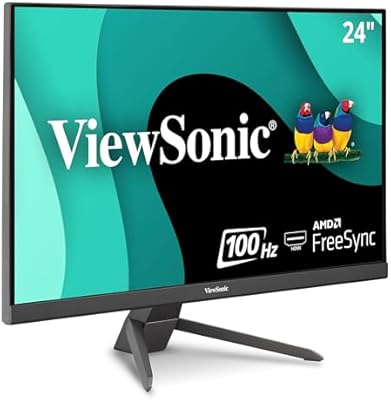
ViewSonic VX2467-MHD 24-inch Gaming Monitor
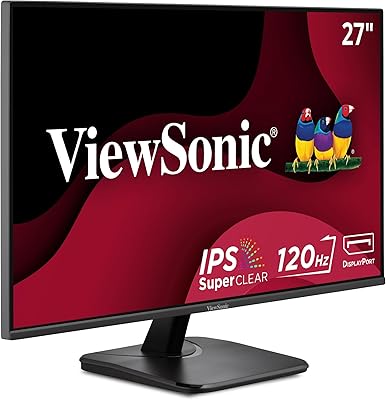
ViewSonic VA2756A-MHD 27-inch IPS Monitor
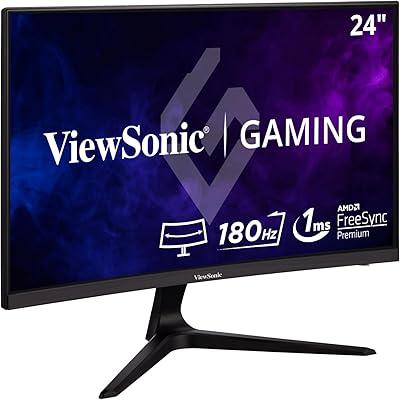
ViewSonic VX2418C 24-inch Curved Gaming Monitor
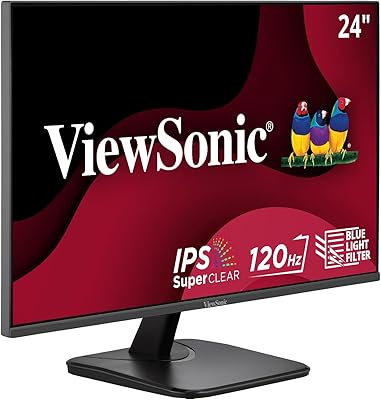
ViewSonic VA2456A-MHD 24-inch IPS Monitor