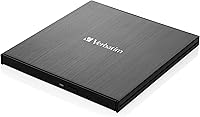
Verbatim 43888 External Slimline Blu-ray Writer
Verbatim 43888 External Slimline Blu-ray Writer — image 1
Verbatim 43888 External Slimline Blu-ray Writer — image 2
Verbatim 43888 External Slimline Blu-ray Writer — image 3
Verbatim 43888 External Slimline Blu-ray Writer — image 4

Verbatim 43888 External Slimline Blu-ray Writer — image 5
Verbatim 43888 External Slimline Blu-ray Writer — image 6
77%
23%

Overview

The Verbatim 43888 External Slimline Blu-ray Writer is a compact, bus-powered optical drive that handles CD, DVD, and 4K Ultra HD Blu-ray writing over a single USB-C connection. Launched in 2019, it targets laptop and ultrabook owners who need disc access without hauling extra hardware. The brushed metal shell feels noticeably solid for its size, and the bus-powered design means no wall adapter to carry. One thing worth flagging upfront: Mac users cannot play back commercial Blu-ray movies using this Blu-ray writer — and playback on Windows requires separately purchased software too. It ships with a 25GB Blu-ray disc and Nero burning software, though Nero is PC-only and does nothing for Mac users.

Features & Benefits

Write speeds top out at 6x for BD-R and BD-R DL media, which is functional for home and archival use — just don't expect it to race through large burns. Read speeds reach 4x. What genuinely stands out is M-DISC compatibility, which lets you press data onto highly durable archival discs rated for centuries of storage — a real draw for anyone preserving photos, legal documents, or irreplaceable video files. The drive also handles BDXL discs up to 100GB, plus standard and dual-layer DVDs. At 7.5 oz and barely half an inch thick, this external optical drive slips into a bag without issue, and USB-C bus power means no wall adapter to forget.

Best For

This Blu-ray writer makes the most sense for people who need to burn rather than watch. Mac users can absolutely use it for creating data or video discs — they just need to understand that playing back commercial Blu-ray titles is off the table entirely. Windows users get a more complete package, including Nero for burning, archiving, and basic organization. It is also a strong pick for long-term data archiving using M-DISC media, and for anyone working from a thin laptop that lacks a built-in drive. If your goal is to archive home video or consolidate a physical media library, this external optical drive covers the bases without requiring a desk setup.

User Feedback

Across more than 6,400 ratings, the Verbatim slimline drive holds a 4.0 out of 5 — respectable, though not without legitimate grievances. Build quality and portability earn consistent praise; buyers regularly note the drive feels more substantial than its price tier would suggest. Where things get rocky: Mac users expecting full Blu-ray playback have left frustrated reviews, which speaks more to unclear pre-purchase messaging than a product defect. Some owners of older laptops ran into trouble without a USB-A adapter handy, since the drive ships USB-C only. A handful of users also reported slower burn speeds on certain third-party disc brands. The Nero software divides opinion — useful for newcomers, but experienced users tend to reach for alternatives.

Pros

  • Genuinely slim and lightweight at 7.5 oz — easy to slip into any laptop bag without a second thought.
  • Bus-powered over USB-C means zero need for a wall adapter, keeping your setup clean and portable.
  • M-DISC support is a standout feature for anyone serious about archiving data that needs to last decades.
  • Supports BDXL discs up to 100GB, giving real flexibility for large video or backup projects.
  • Build quality feels premium for the price tier — the brushed metal enclosure holds up well to daily handling.
  • Covers all three disc formats (CD, DVD, Blu-ray) in a single compact unit, which simplifies a travel kit considerably.
  • Includes a 25GB Blu-ray disc out of the box, so you can get started immediately without an extra purchase.
  • Ranked among the top external Blu-ray drives on Amazon with over 6,400 ratings, signaling broad real-world adoption.
  • The 2-year limited warranty adds a meaningful layer of peace of mind at this price point.

Cons

  • Blu-ray movie playback is completely unsupported on Mac — a critical limitation that catches many buyers off guard.
  • Windows users must purchase separate playback software to watch Blu-ray movies; nothing included covers it.
  • Older laptops with USB-A-only ports require an adapter that does not come in the box.
  • Nero software is Windows-exclusive, leaving Mac buyers with no bundled burning utility at all.
  • Some users have reported real-world write speeds falling short of the advertised 6x ceiling on certain disc brands.
  • 6x maximum BD-R write speed is adequate but noticeably slower than higher-end competing drives.
  • No USB-A cable is included, which creates an immediate compatibility gap for users without a USB-C port.
  • Nero has a reputation for feeling bloated among experienced users, who typically replace it with leaner alternatives.

Ratings

The scores below for the Verbatim 43888 External Slimline Blu-ray Writer were generated by our AI engine after analyzing thousands of verified global user reviews, with spam, incentivized feedback, and bot-generated content actively filtered out. Both the genuine strengths and the recurring frustrations are reflected transparently — no score has been softened to protect a brand reputation. If real buyers noticed a pattern, you will see it here.

Build Quality
88%
The brushed metal enclosure consistently earns praise from buyers who expected a plasticky, lightweight-feeling device and were genuinely surprised. Reviewers regularly describe it as feeling closer to a premium notebook accessory than a budget peripheral, and the slim profile holds up well after months of regular transport in bags.
A small number of long-term users report that the hinge or tray mechanism shows wear after heavy use cycles, suggesting the internal components may not match the external build durability. The drive can also feel slightly warm during extended burns, which a few buyers found concerning even if no failures resulted.
Portability
93%
At 7.5 oz and just over 0.4 inches thick, this is the kind of drive you genuinely forget is in your bag. Users working from cafes or traveling between offices specifically call out the combination of slim form factor and bus-powered operation as a standout advantage over older external drives they previously owned.
The USB-C cable, while convenient for modern setups, introduces a frustrating gap for anyone with a USB-A-only laptop — and since no adapter is included, this can be a same-day problem right out of the box. A handful of reviewers also noted the cable is on the shorter side for certain desk configurations.
Disc Compatibility
82%
18%
Supporting CD, DVD, double-layer DVD, Blu-ray, BD-R DL, and BDXL up to 100GB in a single drive is a genuine convenience for users managing mixed media libraries. Buyers with older CD and DVD collections appreciate not needing a separate device to handle legacy formats alongside newer Blu-ray media.
Write speed performance varies noticeably depending on the disc brand used, with some reviewers reporting that off-brand or lesser-known BD-R media burns slower than the 6x ceiling or produces errors. Sticking to name-brand discs largely mitigates this, but it adds an ongoing cost consideration buyers should factor in.
Write Speed
67%
33%
For occasional home burns and archiving projects, the 6x BD-R write speed is sufficient — a standard 25GB disc completes in roughly 15 to 20 minutes, which most buyers working through a modest backlog find acceptable. Users burning single discs at a time rarely flag speed as a frustration.
Anyone planning to burn discs in volume will find the 6x cap noticeably limiting compared to higher-end desktop drives that reach 16x or beyond. Several reviewers who purchased with batch-burning in mind ended up disappointed, and real-world speeds on certain media fall short of the advertised ceiling.
Mac Compatibility
54%
46%
On the burning side, Mac compatibility is functional and largely plug-and-play — users on macOS can create data discs, burn video content, and archive files without needing any additional software or drivers. For Mac owners whose sole need is disc writing, the drive works as advertised.
The complete absence of Blu-ray movie playback support on macOS is the single most cited frustration in user reviews, and many buyers feel this limitation is not disclosed prominently enough before purchase. The Nero software bundle is Windows-only, so Mac users receive no software utility whatsoever — just the drive and a disc.
Windows Experience
84%
Windows users get a noticeably more complete package: the Nero Burn and Archive suite covers burning, disc spanning, and secure archiving in one install, and Blu-ray movie playback is at least achievable through separately purchased software. Plug-and-play recognition on Windows 10 and 11 is reliable according to the majority of reviewers.
The requirement to buy separate Blu-ray playback software is a friction point that catches some Windows buyers off guard, particularly those who assumed playback capability was included. Nero itself draws mixed reactions — newer users appreciate the guided interface, while more experienced buyers find it cluttered and prefer to uninstall it immediately.
M-DISC Archiving
89%
For photographers, videographers, and anyone preserving genuinely irreplaceable data, M-DISC support is a meaningful differentiator that most competing drives at this price tier do not offer. Users archiving family video footage or professional project masters specifically praise this capability as a primary reason they chose this drive over alternatives.
M-DISC media carries a higher per-disc cost than standard BD-R, which adds up quickly for large archiving projects. A small segment of buyers discovered the M-DISC use case only after purchase, suggesting the feature could be communicated more prominently in product listings to reach the buyers who would value it most.
Software Bundle
58%
42%
For Windows beginners tackling disc burning for the first time, the included Nero suite lowers the barrier to entry with a guided interface and useful features like DiscSpan for splitting large files across multiple discs. Having something functional pre-bundled is better than nothing for users who would otherwise not know where to start.
Experienced users almost universally describe Nero as bloated and outdated, with many replacing it within days of first use. The fact that the entire bundle is Windows-only leaves Mac buyers with no software value from the bundle at all, which is a notable gap given the price tier of the drive.
Setup & Ease of Use
86%
The vast majority of reviewers on both Windows and Mac report the drive is recognized automatically on connection with no driver installation required, which is exactly what buyers expect from a plug-and-play peripheral in this category. First-time Blu-ray drive users particularly appreciate how little friction is involved in getting started.
Users with USB-A-only machines face an immediate setup hurdle since no adapter is included, which can turn a simple unboxing into an unexpected trip to find compatible hardware. A small number of buyers also encountered tray recognition delays when connecting through certain USB hubs rather than directly to the laptop.
Value for Money
72%
28%
For Windows users who take advantage of the Nero software, M-DISC support, and bundled disc, the overall package feels reasonably priced for a mid-range portable Blu-ray writer with solid build quality. Buyers who need a reliable, slim drive for occasional archiving or disc burning tend to feel the purchase was justified.
Mac users effectively pay for software and bundle extras they cannot use, which chips away at the value proposition considerably. Buyers who also need a USB-A adapter and separate playback software on Windows quickly find that the total cost of ownership creeps higher than the base price suggests.
Reliability Over Time
77%
23%
The majority of buyers who have used the drive for a year or more report no functional failures, and the 2-year limited warranty provides a reasonable safety net for a mid-range peripheral. Users running regular but moderate archiving sessions — a few discs per week — tend to report consistent performance over time.
A subset of reviewers report tray mechanism or disc recognition issues appearing after 12 to 18 months of regular use, suggesting the drive is better suited to moderate rather than heavy-duty workloads. The warranty covers manufacturing defects but cannot fully compensate for the inconvenience of a failed drive mid-archiving project.
Burn Consistency
71%
29%
When paired with quality disc media from established brands, burn results are consistent and verification errors are rare according to most reviewers. Users burning family photos, document archives, or video projects on reputable BD-R media report clean, readable results without needing multiple attempts.
Disc brand sensitivity is a recurring theme — buyers using budget or generic BD-R discs report higher rates of incomplete burns and speed throttling than the product spec would suggest. This inconsistency is not unique to this drive, but it is worth noting for buyers who stock up on cheap bulk discs.
Noise & Heat
79%
21%
During standard read and light burn operations, the drive runs quietly enough that users in shared workspaces or quiet home offices rarely notice it. Most reviewers do not flag noise as any kind of concern for everyday usage scenarios.
At sustained 6x write speeds, some users note a moderate mechanical noise and a noticeable warmth on the drive surface — not alarming, but enough to prompt concern among a handful of reviewers who were not expecting it. Extended continuous burns amplify both effects slightly.

Suitable for:

The Verbatim 43888 External Slimline Blu-ray Writer is a strong match for laptop and ultrabook owners who need portable disc access without committing to a bulky, desk-bound setup. It works particularly well for Windows users who want a single device to burn, archive, and occasionally read Blu-ray, DVD, and CD media — especially when paired with the included Nero software. Mac users can also get solid value here, provided their goal is burning data or video discs rather than watching commercial Blu-ray movies. Photographers, videographers, and archivists who work with M-DISC media will appreciate the long-term preservation angle, since this drive supports that format natively. It also suits anyone digitizing or consolidating a physical media collection on a modern thin laptop that simply has no built-in optical drive.

Not suitable for:

The Verbatim 43888 External Slimline Blu-ray Writer is the wrong tool for Mac users who want to pop in a Blu-ray movie and watch it — that use case is not supported on macOS, full stop, regardless of what software you install. Windows users expecting plug-and-play Blu-ray movie playback will also need to budget for and install third-party playback software separately, since nothing in the box covers that. Anyone running an older laptop with only USB-A ports will need an adapter, which adds friction and cost that is easy to overlook at purchase. Power users who need fast burn cycles for large batches of discs may find the 6x BD-R write speed limiting over time. And buyers expecting the Nero bundle to be cross-platform will be disappointed — it is strictly a Windows package and adds no value whatsoever on a Mac.

Specifications

  • Brand: This drive is manufactured by Verbatim Americas LLC, a brand with a long history in optical and storage media.
  • Model Number: The official model number is 43888, part of Verbatim's External Slimline Blu-ray Writer series.
  • Drive Type: Supports reading and writing of CD, DVD, and Blu-ray discs including 4K Ultra HD Blu-ray formats.
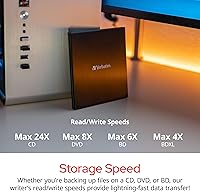
  • Write Speed: Maximum BD-R and BD-R DL write speed is 6x; DVD write speeds vary by disc type per standard drive specifications.
  • Read Speed: Maximum Blu-ray read speed is 4x, which is standard for slimline portable optical drives in this category.
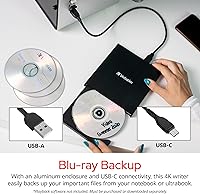
  • Interface: Connects via USB 3.2 Gen 1 with a USB-C port; a USB-C cable is included in the box.
  • Power Source: Fully bus-powered through the USB connection — no external power adapter or separate power cable is required.
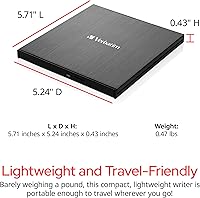
  • Dimensions: The drive measures 5.71 x 5.24 x 0.43 inches, making it one of the slimmer portable optical drives available.
  • Weight: At 7.5 oz, this external optical drive is light enough to carry daily in a laptop bag without noticeable bulk.
  • Max Disc Capacity: Supports BDXL discs up to 100GB, double-layer DVDs up to 8.5GB, and standard DVDs up to 4.7GB.
  • M-DISC Support: Fully compatible with M-DISC archival media, which is designed for extremely long-term data preservation.
  • Enclosure Material: The outer shell is constructed from brushed metal, giving the drive a solid feel and resistance to everyday wear.
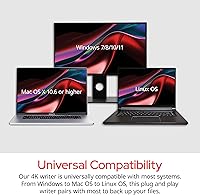
  • OS Compatibility: Works with both Windows and Mac operating systems, though Blu-ray movie playback is supported on Windows only.
  • Bundled Software: Includes Nero Burn and Archive for Windows (featuring DiscSpan, MediaHome, and SecureDisc); no software utility is provided for Mac users.
  • Box Contents: Package includes the drive unit, a USB-C cable, and one 25GB Verbatim Blu-ray disc.
  • Warranty: Covered by a 2-year limited warranty from Verbatim Americas LLC.
  • Availability Date: This product was first made available in January 2019.
  • Retail Category Rank: Holds the number 2 position in the External Blu-ray Drives category on Amazon based on Best Sellers Rank data.
  • User Rating: Carries a 4.0 out of 5 star average rating based on more than 6,400 customer reviews on Amazon.
  • Playback Note: Commercial Blu-ray movie playback requires separately purchased third-party software on Windows and is not supported at all on Mac.

Related Reviews
Verbatim 43886 Slimline External DVD Writer
79%
92%
Ease of Setup
81%
Build Quality
94%
Portability
78%
Read Performance
74%
Write Performance
More
Pioneer BDR-XU03 Slim External Blu-ray Writer
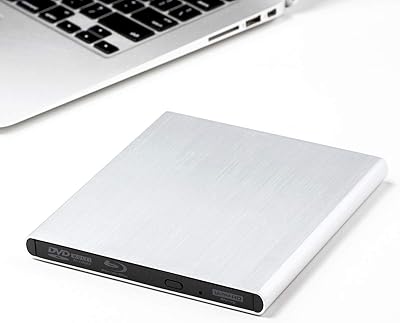
76%
92%
Build Quality
91%
Portability & Form Factor
83%
Read Performance
71%
Write Speed
89%
USB Connectivity & Bus Power
More
Archgon UHD 4K External Blu-Ray Writer

78%
93%
Build Quality
89%
PC Compatibility
61%
Mac Compatibility
88%
Ease of Setup
78%
UHD 4K Performance
More
Wintale Portable External Blu-ray Drive

72%
91%
Ease of Setup
72%
Read Performance
69%
Write & Burn Reliability
44%
Software & Out-of-Box Readiness
61%
Build Quality
More
Yaeonku 50GB External Blu-ray Drive

70%
86%
Plug-and-Play Setup
78%
Blu-ray Read & Burn Performance
89%
Dual-Interface Connectivity
41%
Software & Playback Experience
83%
Compatibility Across Operating Systems
More
NOLYTH Portable External Blu-ray Drive
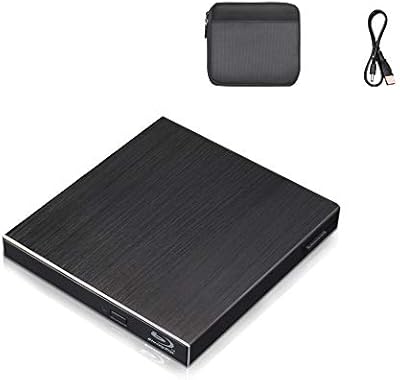
71%
91%
Portability & Form Factor
88%
Plug-and-Play Setup
44%
Blu-ray Playback Software Experience
71%
Disc Read & Write Performance
67%
Build Quality & Materials
More
NVOPERANG BD015 External Blu-ray Drive

72%
78%
Plug-and-Play Ease
61%
Blu-ray Playback Experience
84%
CD & DVD Performance
67%
Build Quality & Durability
81%
Connectivity & Compatibility
More
Cloudtale Portable Slim External Blu-ray Drive
71%
91%
Ease of Setup
61%
Mac Compatibility
78%
Build Quality
74%
Read Performance
88%
Portability
More
Alphami USB-C External Blu-ray Drive
65%
78%
Ease of Setup
67%
Blu-ray Playback Quality
59%
Compatibility
54%
Portability
56%
Build Quality
More
LG WP50NB40 External Blu-ray Writer
78%
93%
Portability & Form Factor
91%
Bus-Powered Convenience
89%
Plug-and-Play Setup
86%
Burn Quality & Reliability
78%
Blu-ray Playback Performance
More

FAQ

No, and this is the single most important thing to understand before buying. The Verbatim 43888 External Slimline Blu-ray Writer does not support Blu-ray movie playback on macOS — this is a system-level restriction Apple imposes, not a flaw in the drive itself. On a Mac, you can burn data and video discs without any issue, but playing back commercial Blu-ray titles simply is not possible regardless of what software you install.

Not out of the box. The drive can physically read Blu-ray discs on Windows, but you will need to purchase or download a compatible Blu-ray playback application separately. Popular options include PowerDVD and Leawo Blu-ray Player, but none of these are bundled with the drive.

You will need a USB-A to USB-C adapter, which is not included. The drive ships with only a USB-C cable, so if your laptop lacks a USB-C port, factor in the cost and convenience of picking up a quality adapter before you buy.

No. The Nero Burn and Archive bundle included in the box is strictly for Windows. Mac users will need to use a third-party burning application such as Burn (free) or Toast Titanium if they want a dedicated disc burning utility.

For most home and archival use cases, yes — it is adequate. Burning a standard 25GB Blu-ray disc at 6x takes roughly 15 to 20 minutes depending on disc quality and your system. If you are planning to burn large batches of discs regularly, the speed may feel limiting compared to higher-end desktop drives, but for occasional use it is perfectly workable.

M-DISC is an archival disc format designed to store data for an extraordinarily long time — manufacturers claim centuries under proper conditions, though independent tests confirm multi-decade durability far exceeding standard BD-R media. If you are preserving irreplaceable files like family photos, legal records, or master video files, M-DISC is worth considering. This Blu-ray writer supports writing to M-DISC media natively, which is a genuine advantage over drives that do not.

Yes. This external optical drive reads and writes CDs and DVDs in addition to Blu-ray discs, so it works with standard and dual-layer DVDs as well as audio and data CDs without any special setup.

For most modern systems running Windows 10 or macOS, no driver installation is needed — the drive is plug-and-play. Windows may prompt you to install the bundled Nero software, but the drive itself should be recognized automatically as soon as you connect it via USB.

It is genuinely slim at just over 0.43 inches thick and weighs only 7.5 oz, so it fits easily alongside a laptop in most sleeves or slim bags. The brushed metal build keeps it from feeling cheap in a bag, and since it draws power from USB there are no extra cables to manage beyond the included USB-C cord.

Based on the large volume of user feedback available, the drive holds up well for most buyers under normal use. The most commonly reported issues relate to compatibility gaps (USB-A laptops, Mac playback expectations) rather than hardware failures. A smaller number of users noted inconsistent write speeds with off-brand disc media, so sticking to reputable disc brands like Verbatim or Sony is a practical way to avoid that.

Where to Buy