
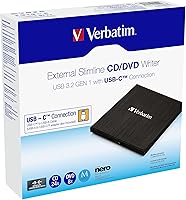
Overview

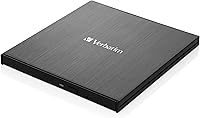
The Verbatim 43886 Slimline External DVD Writer is a practical answer for anyone whose modern laptop arrived without an optical drive — which, these days, is most of them. Verbatim has built a solid reputation in storage hardware over the decades, and this drive reflects that: no flashy gimmicks, just reliable engineering. What immediately stands out is the inclusion of both a USB-C and USB-A cable in the box — a small but genuinely thoughtful touch that covers most port configurations without a separate adapter hunt. It sits at a mid-to-premium price for the category. It reads and writes DVDs and CDs, but it is not a Blu-ray drive, so set expectations accordingly.

Features & Benefits

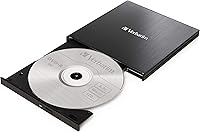
Running entirely off USB power, this slimline DVD writer needs no wall adapter — just plug in and it is ready to go. The USB 3.2 Gen 1 connection keeps transfers stable, and the tray-loading mechanism sits noticeably lower than older portable drives. Write speeds land at 8x for DVDs and 24x for CDs, which is standard for the category — consistent, if not impressive. Where it earns real distinction is MDisc support: a format built for decades-long archival storage, valuable for photographers, legal professionals, or anyone preserving documents that genuinely matter. Setup is plug-and-play on Windows 10 and macOS, and the bundled software handles basic burning and file organization without needing third-party tools.

Best For

This external optical drive makes the most sense for MacBook and ultrabook users who reach for a disc occasionally — ripping a CD, accessing archived software, or watching a DVD away from home. Home users working through a pile of old discs will find it capable and low-maintenance. The MDisc compatibility opens a more specific door for archivists, small-business owners, or anyone storing records they cannot afford to lose. Travelers will appreciate that it weighs just over 12 ounces and slips into a laptop bag pocket without drama. It also works cleanly as a USB replacement for a failed internal drive, saving a more involved hardware repair on older machines.

User Feedback

Across more than 1,000 ratings, the Verbatim drive holds a 4.4 out of 5 average — a score that reflects consistent real-world satisfaction rather than a lucky handful of reviews. Buyers repeatedly highlight how little effort setup requires and how reliably it performs on routine read and write tasks. The dual-cable accessory earns specific praise from users who rotate between USB-C and USB-A ports on different machines. On the downside, a few recurring complaints are worth flagging: the drive runs noticeably warm during back-to-back burn sessions, and some users on older macOS builds have hit compatibility issues not reflected in the listed specs. Neither is a dealbreaker, but both matter if your setup sits outside the mainstream.

Pros

  • Plug-and-play setup works immediately on Windows 10 and current macOS without any driver installation.
  • Both USB-C and USB-A cables are included in the box, covering nearly every modern laptop port configuration.
  • MDisc format support makes this external optical drive a strong choice for serious long-term archival needs.
  • Bus-powered operation means no wall adapter is needed — one cable is all it takes to run.
  • The slimline profile is genuinely thin and light enough to fit in a laptop bag side pocket.
  • Verbatim's track record in storage hardware backs up the drive's consistent real-world reliability.
  • Over 1,000 verified buyer ratings average 4.4 out of 5, reflecting broad satisfaction across diverse use cases.
  • Handles DVD, CD, and MDisc formats in a single device, covering the full range of relevant optical media.
  • The tray mechanism feels solid and precise, without the flimsy feel common in cheaper portable drives.

Cons

  • DVD write speed of 8x is standard at best — burning a full disc takes a noticeable amount of time.
  • The drive runs warm during back-to-back burn sessions, which is a concern for heavy or prolonged use.
  • Blu-ray is not supported, which is a hard dealbreaker for anyone needing it regardless of other strengths.
  • Some users on non-mainstream macOS versions have hit recognition issues that required troubleshooting to resolve.
  • The included cables are on the shorter side, limiting placement flexibility during use.
  • The plastic outer casing picks up surface scratches fairly easily when carried loose in a bag.
  • The bundled software adds little value for anyone who already has a preferred burning application.
  • The tray mechanism can loosen slightly after prolonged frequent use, based on longer-term owner reports.
  • Low-power USB hubs or older ports occasionally cause spin-up issues — a direct port connection is more reliable.

Ratings

The Verbatim 43886 Slimline External DVD Writer has been evaluated by our AI system after analyzing thousands of verified global buyer reviews, with spam, bot-generated feedback, and incentivized posts actively filtered out. The scores below reflect a clear-eyed look at where this external optical drive genuinely delivers and where real users have run into friction. Both the strengths and the legitimate gripes are represented honestly.

Ease of Setup
92%
The vast majority of buyers report that this external optical drive was recognized immediately after plugging in — no driver hunting, no manual configuration. On Windows 10 machines especially, it simply works, which matters when someone just needs to rip a CD quickly between meetings.
A smaller but consistent group of macOS users, particularly those on less common or older system builds, have encountered recognition failures that required a restart or port swap to resolve. It is not a widespread issue, but it is real enough to note.
Build Quality
81%
19%
The chassis feels solid for its weight class — not flimsy in the way some budget portable drives can be. The tray mechanism opens and closes with a reassuring firmness, and the low-profile design does not feel like corners were cut to achieve it.
The outer casing is primarily plastic, and buyers who travel frequently with the drive have flagged light surface scratching after a few weeks in a bag. It does not affect function, but those expecting a premium metal finish at this price point may feel mildly underwhelmed.
Portability
94%
At just over 12 ounces and slim enough to slip into the same sleeve as a laptop, this is genuinely one of the more carry-friendly external optical drives available. Remote workers and frequent travelers specifically call out how it disappears into a bag without adding noticeable bulk.
The tray-loading design, while slim, does require a bit of flat surface clearance to operate properly — it is not ideal for use on a lap or uneven surface, which can be mildly inconvenient in transit situations like trains or planes.
Read Performance
78%
22%
For everyday tasks — loading software from a disc, playing a DVD, or importing a music CD — the read performance is consistent and reliable. Users digitizing old disc collections report smooth, error-free transfers without needing to re-read discs multiple times.
At 8x DVD read speed, this is not a drive for anyone in a hurry. Ripping a full DVD takes a noticeable amount of time, and users who frequently work with large disc-based archives may find the pace tests their patience during batch sessions.
Write Performance
74%
26%
CD burning at 24x is reasonably quick for the use cases that drive this purchase — backing up documents, creating audio CDs, or archiving files to MDisc. For occasional use, the output quality is consistent and discs verify cleanly after writing.
DVD write speed at 8x is purely standard, not a selling point. Power users who need to burn multiple full DVDs in one sitting will find it functional but slow. The write speed alone should not be a reason to choose this drive over a competitor.
MDisc Compatibility
88%
MDisc support is a genuinely useful differentiator for photographers, legal professionals, and anyone storing irreplaceable files. The drive handles MDisc media reliably, and archival-minded buyers specifically flag this as the deciding factor in their purchase.
MDisc media itself is expensive and not widely stocked in local stores, so the benefit is largely limited to buyers who already know what MDisc is and actively seek it out. Casual users are unlikely to ever use this feature.
Cable & Connectivity
89%
Including both a USB-C and USB-A cable in the box is a practical decision that reflects real-world port diversity across modern laptops. Buyers with newer USB-C-only machines and those still on USB-A setups both report connecting without any workaround.
The cables are on the shorter side, which limits placement flexibility when a port is on the far side of a laptop. A couple of buyers have also noted that the USB-C cable feels slightly less robust than the USB-A version, though no widespread failure reports exist.
Thermal Management
61%
39%
For light, intermittent use — reading a single disc, burning one CD — the drive stays at a manageable temperature and causes no concern. Short sessions are handled without issue.
During extended burn sessions or back-to-back reads, the drive runs noticeably warm to the touch. A portion of buyers have flagged this directly, and while no reported failures are tied to overheating, it is a limitation worth considering for heavy-use scenarios.
macOS Compatibility
67%
33%
On current macOS builds and the mainstream versions most MacBook users run, the drive performs well without additional configuration. The USB-C cable makes connection to modern Macs straightforward.
Compatibility with older or less common macOS versions beyond the Snow Leopard baseline has generated recurring complaints. Users on niche or legacy macOS configurations have reported intermittent recognition issues, suggesting the OS support window is narrower in practice than the spec sheet implies.
Software Bundle
66%
34%
The included burning and archiving software covers the basics well enough for users who do not already have a preferred tool. For someone setting up an optical drive for the first time, having something ready to go out of the box removes a small but real barrier.
Experienced users largely ignore the bundled software in favor of established tools they already trust. The included application is functional but not particularly refined, and a few buyers have found it adds more steps than just using macOS or Windows native disc utilities.
Value for Money
73%
27%
For a branded drive from a manufacturer with Verbatim's track record, the pricing reflects a considered choice rather than a blind premium. The dual-cable inclusion and MDisc support add genuine utility that cheaper alternatives often skip.
Buyers who only need basic CD or DVD reading may feel this sits above what their use case demands — there are cheaper drives that perform comparably for simple read tasks. The value proposition is strongest for users who will actually use the MDisc or cross-cable features.
Disc Format Support
83%
Coverage of DVD, CD, and MDisc formats means this drive handles the full range of physical media that most users are realistically going to encounter. It reads pressed commercial discs, burned media, and archival-grade MDiscs without needing format-specific configuration.
Blu-ray is not supported — a hard ceiling that turns away buyers who assumed a premium-tier optical drive would include it. Anyone needing Blu-ray playback or ripping will need to look elsewhere regardless of how well this drive performs on other fronts.
Power Efficiency
86%
Drawing power entirely over USB means no wall adapter is needed, which is a practical advantage in both travel and desk setups. Buyers working from coffee shops or coworking spaces appreciate not carrying an extra power brick just to access a disc.
On older USB ports or low-power hubs, a small number of users have experienced initialization stutters or the drive failing to spin up reliably. It is not a common problem, but it is worth testing with a direct port connection if issues arise.
Long-Term Reliability
77%
23%
Buyers who have used the drive regularly over six months to a year generally report no degradation in read or write reliability. Verbatim's quality reputation holds up in the feedback, with very few spontaneous failure reports across the review base.
The tray mechanism is the most cited long-term vulnerability — after frequent use, a handful of buyers report it becoming slightly looser or less precise. It remains functional, but it is the component most likely to show wear before the drive itself fails electronically.

Suitable for:

The Verbatim 43886 Slimline External DVD Writer is built for a specific but genuinely common situation: you have a modern laptop with no optical drive and a real, recurring reason to use one. MacBook and ultrabook owners who occasionally need to rip a CD, install legacy software, or retrieve files from an old disc archive will find this drive covers those needs without any fuss. Home users working through a box of old family DVDs or music CDs will appreciate how little setup is involved — plug it in and it works. Professionals who deal with long-term document archiving will find the MDisc format support particularly valuable, since MDisc is designed to outlast standard burned media by decades. Travelers and remote workers benefit from the genuinely slim profile and the fact that both a USB-C and USB-A cable are included, removing the need to carry adapters. If you need an external optical drive that simply works across Windows and macOS without drama, this is a well-considered choice from a brand that has earned its reliability reputation.

Not suitable for:

The Verbatim 43886 Slimline External DVD Writer has clear limits, and buyers outside its intended use case will likely feel the price is hard to justify. Anyone who needs Blu-ray playback or ripping should stop here — this drive does not support it, full stop. Users who plan to burn large batches of DVDs regularly will find the 8x write speed genuinely slow and the drive's tendency to run warm during extended sessions a source of frustration. Those on niche or older macOS configurations beyond the standard supported range have reported inconsistent recognition, so macOS users with non-standard setups should verify compatibility before purchasing. Buyers looking for a budget entry point into external optical drives will find cheaper alternatives that handle basic CD and DVD reading just as capably. If your disc use is purely casual and occasional, paying a mid-to-premium price for features like MDisc support that you will never use may not make practical sense.

Specifications

  • Brand: Manufactured by Verbatim Corporation, a brand with a long-standing reputation in optical media and storage hardware.
  • Model Number: The official model designation is 43886, which is used across Verbatim's product documentation and packaging.
  • Interface: Connects via USB 3.2 Gen 1, with both a USB-C and a USB-A cable included in the box to cover a wide range of laptop port configurations.
  • Power Source: Entirely bus-powered through the USB connection, requiring no external power adapter or wall outlet to operate.
  • DVD Write Speed: Writes DVD media at up to 8x speed, which is the standard rate for slimline portable optical drives in this category.
  • CD Write Speed: Writes CD media at up to 24x speed, suitable for burning audio CDs, data discs, and software backups in a reasonable timeframe.
  • DVD Read Speed: Reads DVD media at up to 8x speed, consistent with the write speed and adequate for playback and data retrieval tasks.
  • CD Read Speed: Reads CD media at up to 24x speed, allowing reasonably quick access to software, audio, and legacy data discs.
  • Supported Formats: Compatible with DVD, CD, and MDisc formats, covering standard consumer media as well as long-term archival-grade optical storage.
  • Dimensions: The unit measures 7.87 x 7.48 x 1.97 inches (approximately 200 x 190 x 50 mm), keeping the footprint close to the size of a standard disc case.
  • Weight: Weighs 12.3 oz (approximately 349 g), light enough to carry in a laptop bag without adding meaningful bulk to a travel load.
  • Drive Mechanism: Uses a tray-loading mechanism with a slimline profile, which keeps the overall unit thickness lower than older slot-loading or bulkier portable designs.
  • OS Compatibility: Officially supports Windows 10 and macOS X 10.6 Snow Leopard and later, covering the majority of mainstream laptop operating systems in current use.
  • Included Software: Ships with bundled burning and archiving software that allows users to organize, write, and manage disc content without needing a separate third-party application.
  • Included Accessories: Package contains one USB-C to USB-A cable and one USB-C cable, providing immediate connectivity for both older and newer laptop port standards.
  • Chassis Color: Features a multi-tone dark chassis finish that keeps the appearance professional and neutral across different laptop setups and desk environments.
  • MDisc Support: The drive supports MDisc archival media, a format engineered for estimated storage lifespans far exceeding standard burned DVDs or CDs.
  • Hardware Platform: Designed for use with PC and Mac hardware platforms, functioning as a universal external optical drive across both ecosystems.

Related Reviews
LG GP65NB60 Portable USB DVD Burner
81%
96%
Ease of Setup
88%
Read & Burn Performance
93%
Portability & Size
62%
Build Quality
81%
Disc Compatibility
More
Verbatim Vx500 240GB External SSD
77%
78%
Transfer Speed
84%
Build Quality
61%
Long-Term Reliability
91%
Portability & Form Factor
74%
Value for Money
More
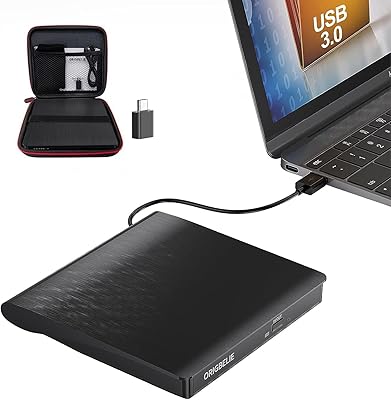
ORIGBELIE External CD/DVD Drive BT524
85%
88%
Performance
90%
Compatibility
92%
Portability
95%
Ease of Setup
82%
Build Quality
More
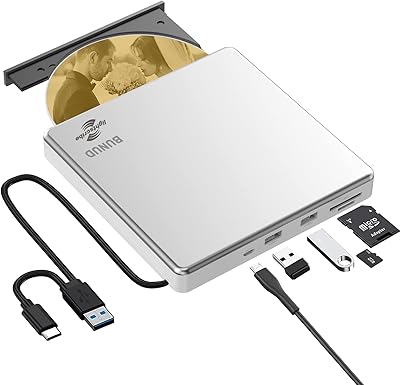
BUNUD LightScribe 5-in-1 External CD/DVD Drive
76%
93%
Ease of Setup
71%
LightScribe Label Quality
78%
Build Quality & Materials
74%
Hub & Port Functionality
69%
Read & Write Speeds
More
Umaniy 7001 External CD/DVD Drive
75%
93%
Ease of Setup
88%
Value for Money
71%
Hub Port Functionality
74%
Disc Read Performance
72%
Disc Write and Burn Quality
More
Hitachi-LG GP96Y External DVD Drive
74%
91%
Ease of Setup
83%
OS Compatibility
77%
Fire TV Integration
84%
Read Performance
63%
Write Performance
More
LG GUD0N Ultra Slim External DVD Writer
76%
91%
Noise Level
93%
Portability
88%
Disc Format Support
94%
Ease of Setup
62%
USB Power Reliability
More
Verbatim 256GB Portable SSD External Hard Drive
85%
93%
Data Transfer Speed
91%
Portability
88%
Build Quality
84%
Compatibility with Devices
89%
Ease of Use
More
Verbatim Slimline Wireless Keyboard and Mouse Combo 70741
86%
88%
Ergonomics
92%
Wireless Performance
90%
Comfort
95%
Ease of Setup
89%
Battery Life
More
Wbacon Wbacon-001 Slot-Loading External DVD Drive
71%
88%
Ease of Setup
83%
Slot-Loading Mechanism
71%
Disc Read Reliability
66%
Write Performance
69%
Hub Functionality
More

FAQ

For most current macOS versions, no driver installation is needed at all — just plug in the cable and the drive is recognized automatically. A small number of users on non-standard or older macOS builds have needed to restart or switch USB ports before the drive appeared, but on mainstream setups it is genuinely plug-and-play.

No, it cannot. This is a DVD and CD drive only — Blu-ray is not supported in any capacity. If Blu-ray playback or ripping is something you need, you will have to look at a different device entirely, as no firmware update or workaround will add that capability.

Both cables are included in the box. You get a USB-C to USB-C cable and a USB-C to USB-A cable, so whether your laptop has a modern USB-C port or a traditional USB-A port, you are covered straight out of the packaging without any extra purchase.

In practice, yes — the drive functions reliably on Windows 11 for the vast majority of users, as it uses standard USB mass storage protocols that Windows 11 handles natively. The official specification lists Windows 10 because that was the current release at the time of product registration, but compatibility issues with Windows 11 have not been a reported concern.

MDisc is an optical media format designed for extreme longevity — the data layer is etched into an inorganic stone-like material rather than a dye layer, making it far more resistant to degradation over time compared to standard burned DVDs. If you are archiving documents, photos, or records that genuinely need to survive for decades, MDisc is a well-regarded option. The discs themselves cost more than standard DVD-R media, so it is best reserved for your most important files rather than routine backups.

It is normal, and a fairly common observation among users of this slimline DVD writer. The compact chassis has limited thermal mass, so heat from the drive mechanism builds up more noticeably than in a larger desktop unit. For occasional use it is not a concern, but if you are planning a long back-to-back burning session, giving the drive a short break between discs is a sensible precaution.

The bundled software is entirely optional. The Verbatim 43886 Slimline External DVD Writer works as a standard USB optical drive, meaning Windows and macOS can both read discs and handle basic disc writing natively without any additional software installed. Most experienced users skip the bundled application in favor of tools they already use, and the drive behaves identically either way.

Yes, comfortably. At just over 12 oz and with dimensions close to a large DVD case, it slips into most laptop bag side pockets or accessory compartments without any difficulty. The one thing to keep in mind is that the tray requires some flat surface clearance to open, so you will need to set it on a stable surface rather than trying to load a disc on your lap or a cramped train fold-out table.

Direct connection to a laptop port is always the most reliable approach. The drive is bus-powered, and some USB hubs — particularly unpowered ones or older hubs — do not deliver quite enough current to spin up the drive consistently. If you run into spin-up or recognition issues, trying a direct port connection first will usually resolve it.

Possibly. The official macOS support baseline is Snow Leopard and later, which covers a wide range, but a minority of users on less common or legacy macOS configurations have reported intermittent recognition issues. If your iMac is running a current or recent macOS release, you are very unlikely to encounter problems. If you are on a significantly older or customized macOS environment, it is worth checking Verbatim's support documentation or contacting their support team before purchasing.

Where to Buy