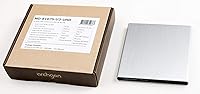
Overview

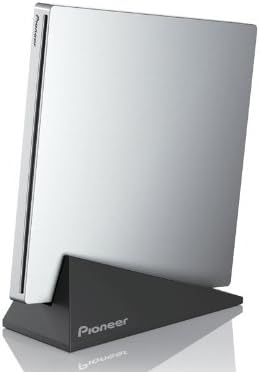
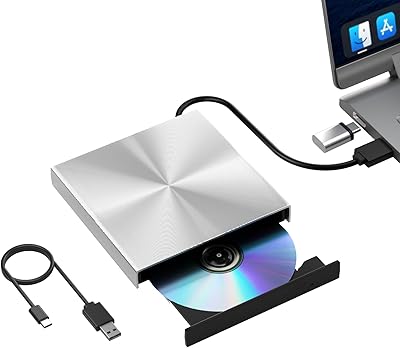
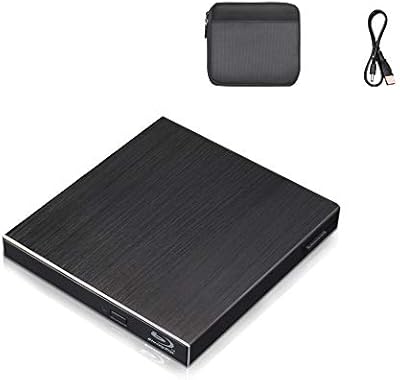
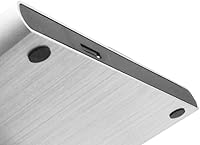
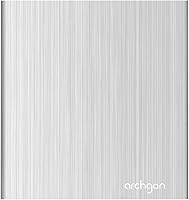
The Archgon UHD 4K External Blu-Ray Writer sits in a crowded market, but its CNC-machined aluminum body immediately signals that this isn't another throwaway plastic drive. Ranked #4 among External Blu-ray Drives, it has clearly earned a loyal following. For PC users, the headline feature is full UHD 4K Blu-ray playback — provided you pair it with compatible third-party software like PowerDVD. Mac users, though, should pump the brakes on that expectation: UHD 4K playback simply isn't supported on macOS due to the absence of qualifying software. Standard Blu-ray burning, DVD, and CD all work fine on Mac — just don't count on 4K movie nights.

Features & Benefits

Plug this aluminum Blu-ray burner into any USB 3.0 port and it's ready — no external power brick needed in most setups. That single-cable convenience matters when you're working at a cluttered desk or using it on the road. Speed-wise, a 12x write speed means burning a full disc doesn't require a coffee break, and the 6x read rate handles ripping at a respectable pace. The real sleeper feature is M-DISC BD-R support, which lets you archive files onto discs rated to last centuries — genuinely useful for photographers, legal records, or anyone serious about long-term backups. At under 1.5 lbs, it travels without complaint.

Best For

This external disc writer makes the most sense for a few distinct groups. PC users running Windows with a Blu-ray playback app get the full experience, including UHD 4K titles. Home theater enthusiasts digitizing a physical disc collection will appreciate the multi-format support across Blu-ray, DVD, and CD. Mac users can lean on it confidently for burning and reading standard Blu-ray discs — just not 4K. Archivists and content creators who need to store data reliably for decades will find M-DISC compatibility a genuine reason to pick this over cheaper alternatives. If you're retiring a flimsy older drive, the build quality alone justifies the step up.

User Feedback

Owners consistently highlight two things: how solid the Archgon optical drive feels in hand and how painlessly it sets up on Windows. Plug-and-play recognition on PC draws repeated praise, with most users reporting zero driver issues. On the flip side, the most common frustration comes from Mac buyers who expected UHD 4K playback and discovered the limitation only after purchase — a gap between marketing impressions and real-world use. Noise during disc spinning comes up occasionally; it's not silent, but most find it tolerable. Long-term durability feedback skews positive, with buyers reporting reliable operation after a year or more of regular use.

Pros

  • CNC-machined aluminum body feels genuinely premium and runs cooler than plastic alternatives.
  • Full UHD 4K Blu-ray playback works well on Windows with the right third-party software.
  • Bus-powered over USB 3.0 — no separate power adapter needed in most setups.
  • M-DISC BD-R support is a standout feature for anyone serious about long-term data archiving.
  • Handles Blu-ray, DVD, and CD read and write across the board — no format gaps.
  • At 12x write speed, burning a full disc is fast enough to not feel like a chore.
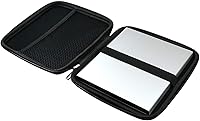
  • Compact and light enough to slip into a laptop bag for travel without second-guessing it.
  • Plug-and-play setup on Windows is consistently reliable, with minimal driver headaches reported.
  • Longevity feedback from long-term owners skews positive, suggesting the build holds up with regular use.
  • Ranked #4 in its Amazon category, which reflects a broad base of buyers who keep coming back to it.

Cons

  • UHD 4K Blu-ray playback on macOS is not supported — a frustrating gap for Mac buyers who miss the fine print.
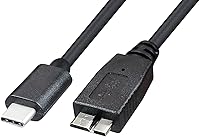
  • No USB-C connector natively; users with modern thin laptops will need an adapter.
  • Audible disc spin noise during reads and burns is noticeable in quiet environments.
  • Third-party playback software for UHD 4K on Windows is a separate, often paid purchase that adds to the total cost.
  • The 6x Blu-ray read speed is functional but not the fastest available at this price point.
  • Larger footprint than ultra-slim slot-loading drives, which may matter on a tight desk.
  • No bundled software included in the box — new users have to source playback or burning apps themselves.
  • Mac users get a meaningfully reduced feature set compared to PC users, which isn't always clear before purchase.

Ratings

The scores below for the Archgon UHD 4K External Blu-Ray Writer were generated by our AI system after analyzing thousands of verified buyer reviews from global markets, with spam, bot-submitted, and incentivized feedback actively filtered out before any scoring took place. The results reflect a balanced picture — where this aluminum Blu-ray burner genuinely excels and where real users have run into friction — so you can make a properly informed call before buying.

Build Quality
93%
The CNC-machined aluminum chassis is the most frequently praised aspect across buyer feedback. Users coming from plastic optical drives consistently describe the step-up in feel and rigidity as immediately noticeable — it sits firmly on a desk rather than sliding around, and the shell shows no flex under normal handling pressure.
A small number of users noted that the aluminum finish picks up fine scratches over time with regular travel use, and a few mentioned that the tray mechanism, while sturdy, feels slightly less refined than the outer shell suggests at this price point.
PC Compatibility
89%
Windows users report a largely trouble-free experience across modern versions of the OS. The drive is recognized automatically in the vast majority of cases, and UHD 4K playback works well when paired with a capable software player — making it a practical upgrade for home theater PC setups without complicated configuration.
A handful of users running older Windows builds or budget-tier PCs with limited USB bandwidth reported occasional recognition hiccups. UHD 4K playback also depends entirely on third-party software that must be sourced and often purchased separately, which adds friction for less experienced users.
Mac Compatibility
61%
39%
For Mac users whose needs center on standard Blu-ray burning, DVD ripping, or CD work, the Archgon optical drive performs reliably and connects without fuss. Creative professionals using it to archive project files or burn client deliverables on standard BD-R media have generally reported a clean, consistent experience.
The UHD 4K playback limitation on macOS is a recurring source of buyer frustration, and it genuinely affects the perceived value for Mac users who purchased expecting the full feature set. There is currently no software workaround on the platform, making this a hard ceiling rather than a temporary inconvenience.
Ease of Setup
88%
Plug-and-play functionality on both Windows and Mac is consistently highlighted in feedback, with most users up and running within minutes of unboxing. The single-cable USB setup removes the usual peripheral hassle, and no driver disc or manual installation is required in standard conditions.
Users who need third-party playback or burning software face an additional setup step that is not signposted in the box, which catches some buyers off guard. On certain USB-C-only laptops, sourcing a reliable adapter adds a small but real layer of friction before first use.
UHD 4K Performance
78%
22%
On a properly configured Windows PC with compatible playback software, UHD 4K disc playback is described as smooth and stable by experienced home theater users. Those who went in with accurate expectations — understanding the software requirement in advance — report satisfaction with the output quality.
The feature is entirely software-dependent and unavailable on macOS, which limits its audience considerably. Some users also found that getting the right software configuration for UHD 4K decryption required more research and troubleshooting than they expected for a drive at this price tier.
Read & Write Speed
74%
26%
The 12x write speed handles full disc burns at a practical pace that most users find acceptable for regular use, whether they are burning backup archives or duplicating media. For standard DVD and CD tasks, the speed feels entirely adequate and draws no complaints.
The 6x Blu-ray read speed is on the moderate side relative to some competing drives, and users ripping large Blu-ray collections have noted that it adds up over time. Those doing high-volume disc work may wish for a faster read rate, though casual users are unlikely to find it limiting.
Noise Level
66%
34%
In everyday home use environments — living rooms, home offices with ambient noise — the drive's operational sound during disc reads and burns tends to go unnoticed once users are focused on the task. The aluminum body appears to dampen some vibration compared to plastic-shelled alternatives.
In quiet environments, the spinning noise during active read and write operations is clearly audible and has drawn comment from a meaningful portion of reviewers. Users who record audio, work in shared quiet spaces, or simply prefer silence may find it more noticeable than expected.
Portability
84%
At just under 1.5 lbs and with a relatively compact footprint, this external disc writer slides into a laptop bag without demanding much real estate. Road warriors and remote workers who occasionally need to handle physical media have cited the portability as a genuine practical advantage over bulkier desktop units.
It is not the most compact external drive on the market — ultra-slim slot-loading alternatives exist that take up less bag space. The physical size is a reasonable trade-off for the build quality and format support, but strictly size-conscious buyers have smaller options available.
Value for Money
71%
29%
For PC users who unlock the full UHD 4K feature set and appreciate the premium aluminum construction, the price sits in a justifiable range relative to what is being delivered. The M-DISC support adds a layer of long-term utility that generic budget drives simply do not offer, making it easier to rationalize the cost for archival-focused buyers.
Mac users who discover the UHD 4K limitation after purchase often feel the value equation no longer holds up, since they are paying a premium price for a reduced feature set. Budget-conscious buyers with basic optical drive needs can find functional alternatives at considerably lower cost.
M-DISC Archival Support
91%
Among buyers who specifically sought out M-DISC capability, this is one of the highest-scoring aspects in feedback. Photographers, genealogists, and small business owners archiving critical records have highlighted the feature as the primary reason for choosing this drive over cheaper alternatives, and it works exactly as advertised.
M-DISC media itself carries a noticeable cost premium over standard recordable discs, which makes this feature mostly relevant for users with genuinely archival needs rather than routine burning tasks. Casual users unlikely to invest in M-DISC blanks get limited incremental benefit from this capability.
Long-Term Durability
82%
18%
Owners who have used the Archgon optical drive regularly for a year or more generally report that it maintains consistent read and write performance without noticeable degradation. The aluminum build is credited by several long-term users with outlasting previous plastic-bodied drives they had owned.
A smaller subset of users reported tray or motor issues appearing after extended heavy use, though these cases appear to be in the minority. As with most optical drives, longevity is partly contingent on usage patterns and how carefully the unit is handled during transport.
Software Bundling
47%
53%
The drive itself handles the hardware side reliably, which means any software the buyer chooses to install on top of it will have a solid foundation to work from. Users with existing Blu-ray software licenses found the drive integrated with their preferred apps without issue.
Nothing is bundled in the box — no playback software, no burning utility, no trial licenses. For buyers new to external optical drives, discovering this after purchase creates immediate friction, and the cost of a capable UHD 4K playback application adds meaningfully to the total spend.
Thermal Management
86%
The machined aluminum body serves a functional thermal purpose beyond aesthetics — users report that the drive stays noticeably cooler than plastic alternatives during extended burning or ripping sessions. This matters for reliability during long archival jobs where heat buildup in plastic drives is a known concern.
During prolonged intensive use, the aluminum shell does warm up to a degree that some users found slightly unexpected for a passive-cooled device. It stays within normal operating range, but users who leave it running for hours at a stretch should ensure adequate airflow around the unit.

Suitable for:

The Archgon UHD 4K External Blu-Ray Writer is a strong choice for Windows PC users who want to watch UHD 4K Blu-ray discs at home using third-party software like PowerDVD — that combination delivers a genuine 4K disc experience without needing a built-in optical drive. It also fits Mac users well, as long as their needs stay within standard Blu-ray burning, DVD ripping, or CD work; macOS compatibility is solid for those tasks. Photographers, legal professionals, and serious archivists will find real value in the M-DISC BD-R support, which allows burning to discs engineered for century-scale data retention. Anyone upgrading from a cheap plastic optical drive will immediately notice the difference in build quality — the machined aluminum chassis feels like it belongs on a desk, not in a junk drawer. If you travel with a laptop and occasionally need to handle physical media, the under-1.5-lb form factor and single-cable USB 3.0 setup make it a practical companion.

Not suitable for:

The Archgon UHD 4K External Blu-Ray Writer will disappoint Mac users who buy it specifically hoping to watch UHD 4K Blu-ray movies — that use case is simply not supported on macOS due to the absence of compatible playback software, and no hardware workaround fixes that. Budget-focused buyers may also find the price hard to justify if their needs are basic, like occasionally reading a DVD or burning a CD; cheaper drives handle those tasks without the premium build. Users who need a Thunderbolt or USB-C native connection without an adapter may find the USB-A 3.0 interface a minor friction point on newer MacBooks or ultra-thin laptops. Anyone expecting whisper-quiet operation during intensive disc reads or burns should be aware that this drive, like most optical drives in its class, produces audible noise under load. Finally, buyers who primarily rely on digital downloads or streaming and only rarely touch physical media may struggle to justify the cost for occasional use.

Specifications

  • Interface: Connects via USB 3.0, compatible with USB 2.0 ports at reduced speeds, and works with a single cable in most setups.
  • Supported Formats: Reads and writes UHD 4K Blu-ray, standard Blu-ray, DVD, and CD across both read and write operations.
  • Write Speed: Blu-ray write speed reaches up to 12x, allowing a full disc burn in a practical amount of time for most users.
  • Read Speed: Blu-ray read speed is rated at 6x, suitable for ripping or verifying disc content at a moderate pace.
  • M-DISC Support: Supports M-DISC BD-R media, which is engineered for archival-grade storage with a rated lifespan measured in centuries.
  • Body Material: The chassis is constructed from CNC-machined aluminum, which aids heat dissipation and provides greater structural durability than plastic-bodied alternatives.
  • Dimensions: The unit measures 5.91 x 5.83 x 5.46 inches, making it compact enough for desk use or packing in a laptop bag.
  • Weight: At 1.28 pounds, this external disc writer is light enough to carry regularly without it becoming an inconvenience.
  • Power Source: Draws power directly from the USB connection, eliminating the need for a separate power adapter in most standard setups.
  • PC Compatibility: On Windows PCs, full UHD 4K Blu-ray playback is supported when paired with compatible third-party software such as PowerDVD.
  • Mac Compatibility: On macOS, the drive supports reading and writing standard Blu-ray, DVD, and CD, but UHD 4K Blu-ray playback is not supported due to the absence of qualifying third-party software.
  • Brand: Sold under the Archgon brand and manufactured by SEA TECH, a company with an established presence in external optical drive products.
  • Sales Rank: Holds a #4 Best Sellers Rank in the External Blu-ray Drives category on Amazon, reflecting sustained buyer demand.
  • Availability: The product is currently active and has not been discontinued by the manufacturer as of the latest available data.
  • Model Number: The official item model number is 8541608851, which can be used to verify compatibility or locate firmware and support information.

Related Reviews

Verbatim Ultra HD 4K Blu-ray Writer 43888
87%
91%
Write Performance
88%
Read Speed
94%
Build Quality
96%
Portability
92%
Compatibility with Windows
More
Sony UBP-X800M2 4K UHD Blu-ray Player
77%
93%
Picture Quality
89%
Audio Performance
86%
Build Quality
61%
Streaming Experience
58%
Loading & Boot Speed
More
Pioneer BDR-XU03 Slim External Blu-ray Writer

76%
92%
Build Quality
91%
Portability & Form Factor
83%
Read Performance
71%
Write Speed
89%
USB Connectivity & Bus Power
More
Samsung UBD-M7500 4K UHD Blu-ray Player
73%
91%
Picture Quality
87%
HDR Performance
58%
Smart Hub & App Experience
74%
Build & Design
52%
Remote Control
More
HLDS BU40N Ultra Slim 9.5mm UHD 4K Blu-ray SATA Optical Drive

83%
88%
Performance
75%
Build Quality
80%
Ease of Use
85%
Compatibility
90%
Speed (Read/Write)
More
NOLYTH Portable External Blu-ray Drive
71%
91%
Portability & Form Factor
88%
Plug-and-Play Setup
44%
Blu-ray Playback Software Experience
71%
Disc Read & Write Performance
67%
Build Quality & Materials
More
Wintale Portable External Blu-ray Drive
72%
91%
Ease of Setup
72%
Read Performance
69%
Write & Burn Reliability
44%
Software & Out-of-Box Readiness
61%
Build Quality
More
Yaeonku 50GB External Blu-ray Drive

70%
86%
Plug-and-Play Setup
78%
Blu-ray Read & Burn Performance
89%
Dual-Interface Connectivity
41%
Software & Playback Experience
83%
Compatibility Across Operating Systems
More
Cloudtale Portable Slim External Blu-ray Drive
71%
91%
Ease of Setup
61%
Mac Compatibility
78%
Build Quality
74%
Read Performance
88%
Portability
More
LG UBK90 Region-Free 4K Blu-ray Player
75%
96%
Region-Free Playback
88%
4K Picture Quality
81%
Dolby Vision Performance
84%
Build Quality
93%
Multi-Voltage/World Use
More

FAQ

Unfortunately, no. While the Archgon UHD 4K External Blu-Ray Writer is fully capable of UHD 4K playback on Windows with the right software, macOS currently lacks compatible third-party applications to enable that feature. On a Mac, you can burn and read standard Blu-ray discs, DVDs, and CDs without any issues — just not 4K titles.

Most Windows users report that the drive is recognized automatically without any manual driver installation. You plug it in, the OS detects it, and you are ready to go. If you want UHD 4K playback, you will need to install a compatible Blu-ray player app like PowerDVD separately, since that software is not bundled in the box.

In the vast majority of setups, a single USB cable is all you need — the drive draws power directly from the port. On older machines or low-power USB hubs, you may occasionally run into power issues, but desktop and modern laptop ports handle it fine as a rule.

It is not silent. Like most optical drives, this aluminum Blu-ray burner produces a noticeable spinning sound during active reads and burns. It is not disruptive in a normal environment, but if you are recording audio or working in a very quiet space, you will hear it.

You will need a dedicated Blu-ray player application that supports UHD 4K decoding — PowerDVD by CyberLink is the most widely used option and is generally recommended for this purpose. Keep in mind this software is a separate purchase and is not included with the drive.

The drive itself is hardware and will read any disc you insert, but ripping requires third-party software that handles Blu-ray decryption. There are applications available for this purpose, though the legal situation around ripping commercially pressed discs varies by country. The drive's 6x read speed makes the process reasonably efficient once you have the software sorted.

M-DISC is a type of recordable disc medium designed for extreme long-term storage — manufacturers rate it to last over a thousand years under normal conditions, unlike standard BD-R media which degrades over decades. If you are archiving irreplaceable files like photos, legal documents, or master project files, burning to M-DISC media using this external disc writer is a genuinely smart approach. The discs themselves cost more than standard blanks, so it is mainly worth it for truly critical data.

The drive uses a USB Type-A 3.0 connector, so you would need a USB-C to USB-A adapter or a hub with full-size USB ports. Most adapters work fine, though it is worth making sure yours supports data transfer speeds and not just charging.

Long-term owner feedback is generally positive. Most users who have put the Archgon optical drive through regular use over extended periods report that it continues to read and write reliably without degradation in performance. The aluminum build appears to contribute meaningfully to its durability compared to cheaper plastic-bodied drives that tend to show wear faster.

Yes, and it is apparent the moment you pick it up. Budget drives in this category are almost universally built from lightweight plastic that flexes and feels hollow. This external disc writer uses a machined aluminum shell that feels solid, dissipates heat more effectively, and simply holds up better over time. Whether that difference justifies the price gap depends on how often and how seriously you use it.

Where to Buy