Trio 13.3″ Mobile Pixels Portable Laptop Monitor 2025 Version



Overview
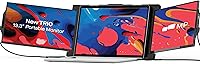
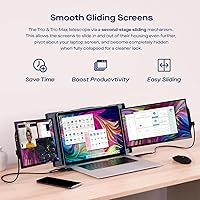
The Trio 13.3″ Mobile Pixels Portable Laptop Monitor 2025 Version is a compact and versatile external display designed to boost productivity. This portable monitor seamlessly extends your laptop screen, offering a 13.3-inch FHD 1080p IPS display that delivers crisp visuals and vibrant colors. Weighing only 3.48 lbs, it's an ideal choice for those who need a lightweight, travel-friendly solution. Compatible with a wide range of devices, including Windows, Mac, Android, and Switch, this external display is perfect for anyone seeking a flexible, easy-to-use screen extension for their laptop.
Features & Benefits
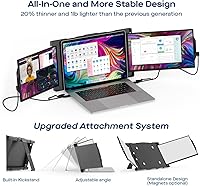
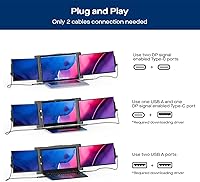
This portable monitor offers a simple plug-and-play setup via both USB-A and USB-C connections, making it accessible for non-tech-savvy users. Its built-in kickstand ensures easy positioning for optimal viewing angles, while optional magnets provide added security when attaching it to a laptop. Another standout feature is the eye care mode, which reduces eye strain during long working or gaming sessions. Whether you're working on a detailed project or playing a game, the Trio 13.3″ monitor offers enhanced visual comfort and convenience.
Best For
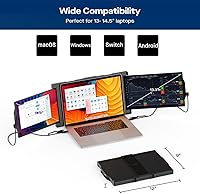
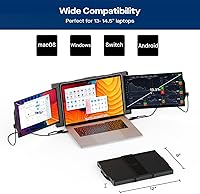
The Trio 13.3″ Mobile Pixels Portable Laptop Monitor is perfect for professionals who require a portable, multi-screen setup for increased productivity. It is especially useful for frequent travelers and remote workers who need a lightweight and reliable second screen. Users with 13″-14″ laptops will find this monitor particularly beneficial as it provides extra screen real estate without adding bulk. Additionally, gamers and content creators looking for a portable screen expansion will appreciate its versatile compatibility and ease of use in various environments.
User Feedback
Reviews of this portable monitor are generally positive, with users praising its portability and ease of setup. Many find it particularly useful for boosting productivity with its triple-screen setup, especially during multitasking. However, some users have reported occasional connection issues with certain devices, which may require troubleshooting. Despite this, the majority of feedback highlights its effectiveness in both professional and personal settings, with users appreciating its lightweight design and flexible compatibility across various devices.
Pros
- The lightweight design makes this monitor perfect for travelers and remote workers.
- Quick plug-and-play setup with both USB-A and USB-C connections, making it easy for non-tech-savvy users.
- The 13.3-inch screen provides excellent clarity with its FHD 1080p resolution and IPS panel.
- The built-in kickstand ensures convenient positioning on any flat surface without needing additional accessories.
- Highly praised for boosting productivity, especially in triple-screen setups for multitaskers.
- Compatible with a wide range of devices, including Windows, Mac, Android, and Switch, offering flexibility for various users.
Cons
- Some users report occasional connection issues, especially with certain devices or older laptops.
- The 250 cd/m² brightness may not be sufficient for bright environments or outdoor use.
- The size might feel too small for those who require a larger workspace for detailed tasks like video editing.
- There are occasional complaints about the magnet system not being strong enough for secure attachment to laptops.
- Not ideal for users with high-end design or color-critical tasks due to its limited color accuracy.
- A few users mention the screen can sometimes flicker or lose connection, requiring a restart or reconnection.
Ratings
After analyzing verified user reviews worldwide from multiple languages and platforms, the Trio 13.3″ Mobile Pixels Portable Laptop Monitor 2025 Version has earned high marks for its portability, ease of use, and compatibility with various devices. Authentic feedback, filtered for quality, highlights both the strengths and some minor pain points experienced by users. The reviews provide a balanced view, reflecting the monitor’s positive impact on productivity and its value for travelers and remote workers.
Portability
Ease of Use
Compatibility
Display Quality
Setup & Installation
Value for Money
Durability
Customer Support
Eye Care Features
Magnets & Kickstand
Weight & Size
Suitable for:
The Trio 13.3″ Mobile Pixels Portable Laptop Monitor 2025 Version is a solid choice for professionals, frequent travelers, and remote workers looking for a portable, multi-screen setup. Those who need to extend their laptop display for multitasking, such as designers, analysts, or programmers, will find this device particularly beneficial. The lightweight and slim design make it perfect for people who often work from cafes, airports, or co-working spaces. Gamers and content creators can also use it for portable screen expansion, offering a quick solution for dual-screen or triple-screen setups without the hassle of carrying heavy equipment. With plug-and-play compatibility for Windows, Mac, Android, and Switch, it's an ideal option for a wide variety of users in need of flexible display solutions on the go.
Not suitable for:
While the Trio 13.3″ Mobile Pixels Portable Laptop Monitor 2025 Version excels in portability and ease of use, it may not be the best option for users who require a larger or higher-quality display for professional-grade tasks. Those who work with high-definition graphics, video editing, or color-sensitive projects may find the display brightness and color accuracy lacking compared to more advanced models. Additionally, users with older devices or non-standard ports might face occasional compatibility issues, requiring additional adapters. If you're seeking a robust, large-screen replacement for a traditional desktop monitor, this external monitor may feel too limiting due to its smaller size and reduced brightness, especially in bright environments.
Specifications
- Screen Size: The monitor features a 13.3-inch display, providing ample screen real estate for multitasking and productivity.
- Resolution: The monitor offers a Full HD 1080p resolution, ensuring clear and sharp visuals for work or entertainment.
- Display Type: It uses an IPS panel, delivering vibrant colors and wide viewing angles for enhanced visual quality.
- Aspect Ratio: The aspect ratio is 16:9, offering a widescreen view suitable for most tasks, including video editing and gaming.
- Brightness: With a brightness of 250 cd/m², the monitor is suitable for typical indoor environments but may be less visible in direct sunlight.
- Connectivity: The monitor supports both USB-A and USB-C connections for easy plug-and-play setup with compatible devices.
- Ports: It includes USB-A and USB-C ports, allowing flexibility in connecting to laptops, tablets, and smartphones.
- Kickstand: A built-in kickstand is included for convenient, adjustable positioning of the monitor on any flat surface.
- Magnets: Optional magnets are available for secure attachment to laptops, providing additional stability during use.
- Eye Care Mode: The monitor features an eye care mode that reduces blue light emission to minimize eye strain during long usage sessions.
- Weight: The monitor weighs 3.48 lbs, making it portable and lightweight enough for easy transport in a laptop bag.
- Dimensions: The dimensions of the monitor are 13.3 x 9.08 x 0.94 inches, ensuring a compact form factor that’s easy to carry.
- Compatibility: The monitor is compatible with Windows, Mac, Android, and Nintendo Switch, providing broad device support.
- Power Source: It is powered through USB-A or USB-C connections, which also handle video and data transmission.
- Color Accuracy: The IPS panel offers good color accuracy, making the monitor suitable for tasks such as photo editing and video watching.
- Refresh Rate: The refresh rate is standard for an external monitor of this type, offering smooth visuals for everyday use and light gaming.
- Mounting Options: While it has optional magnets for laptop attachment, no additional mounting options are provided for wall or stand setups.
- Warranty: The monitor typically comes with a one-year warranty, offering support for any manufacturing defects.
Related Reviews
Mobile Pixels Duex Plus DS 13.3″ Portable Laptop Monitor
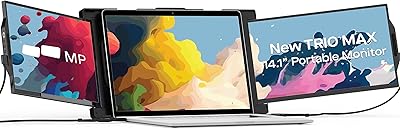
Mobile Pixels Trio Max 14.1″ Portable Monitor
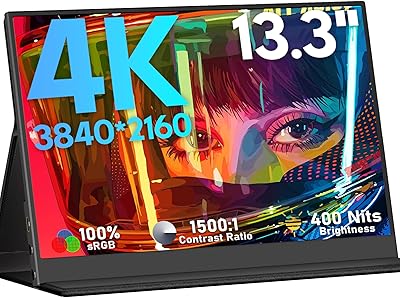
KEEPTIME M133 13.3″ 4K Portable Monitor
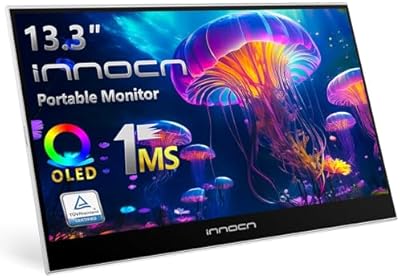
INNOCN 13K1F 13.3″ OLED Portable Monitor
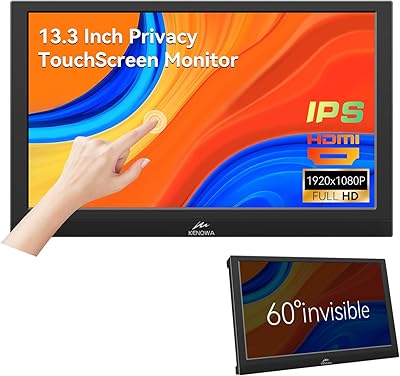
Kenowa 13.3-inch Touchscreen Portable Monitor
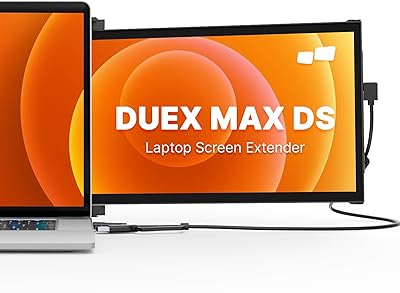
Mobile Pixels Duex Max DS 14.1″ Monitor
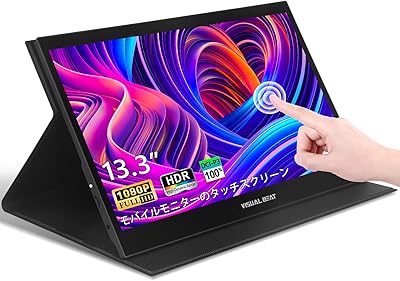
Visual Beat R13PMT101 13.3-inch Portable Touchscreen Monitor
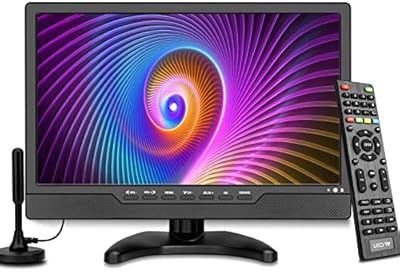
OAKCHA 13.3-Inch Portable Battery TV
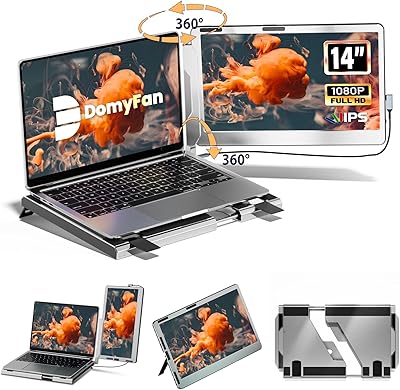
domyfan F1 14″ Portable Monitor