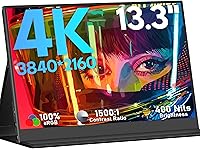
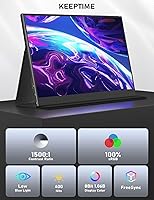
KEEPTIME M133 13.3″ 4K Portable Monitor
KEEPTIME M133 13.3″ 4K Portable Monitor — image 1
KEEPTIME M133 13.3″ 4K Portable Monitor — image 2

KEEPTIME M133 13.3″ 4K Portable Monitor — image 3
KEEPTIME M133 13.3″ 4K Portable Monitor — image 4
KEEPTIME M133 13.3″ 4K Portable Monitor — image 5
KEEPTIME M133 13.3″ 4K Portable Monitor — image 6
KEEPTIME M133 13.3″ 4K Portable Monitor — image 7
70%
30%

Overview

The KEEPTIME M133 13.3″ 4K Portable Monitor enters a crowded market with a straightforward pitch: genuine 4K resolution in a slim, travel-ready package at a price that won't make your accountant flinch. At 13.3 inches, the screen hits a practical middle ground — large enough to work on comfortably, compact enough to slide into a laptop bag without drama. KEEPTIME isn't a household name, and that's worth acknowledging upfront. The brand competes with other lesser-known manufacturers, so some healthy skepticism is fair. What keeps it in contention is dual connectivity — USB-C and Mini HDMI — alongside a 60Hz refresh rate that suits productivity and casual gaming just fine, even if it won't thrill competitive players.

Features & Benefits

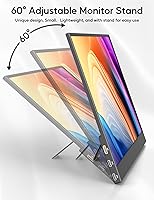
The panel specs are genuinely strong for this price tier. A 3840x2160 IPS panel with 100% sRGB coverage means colors are accurate and consistent, not just vivid — an important distinction for photo editing or color-critical work on the road. The 400-nit brightness handles typical indoor use well, though outdoor viewing in direct sunlight will be a stretch. HDR and FreeSync support add real value for console and laptop gaming sessions. The detachable magnetic stand is a clever design touch; it attaches firmly and adjusts to a workable angle, though users who handle gear roughly may find it less reassuring than a hinged kickstand. The built-in speakers exist, but treat them as an emergency fallback — not a listening experience.

Best For

This portable 4K display makes the most sense for remote workers and nomads who want a capable second screen without checking a bag. The 4K resolution genuinely earns its keep for spreadsheet-heavy work, document comparison, or any task where you'd normally squint at a single laptop display. Photographers and designers who need reliable color accuracy on location will find the wide sRGB gamut useful in practice. Console gamers looking to take their Switch or PS5 sessions on the road will appreciate having the Mini HDMI option. Where this compact monitor stumbles is competitive gaming — the 60Hz cap is a hard stop for fast-paced shooters. Know your use case, and it delivers.

User Feedback

Buyers who purchased the KEEPTIME travel monitor generally respond positively to the display's image clarity and color — the 4K panel tends to impress on first use, especially for anyone stepping up from a standard HD portable screen. The plug-and-play USB-C setup draws consistent praise, with most users reporting reliable operation across MacBooks and Windows laptops without any driver drama. On the critical side, the included accessories — particularly the Mini HDMI cable — get mixed reviews, with some buyers flagging build quality concerns. The magnetic stand also divides opinion; lightweight and tidy in theory, but not always steady on uneven surfaces. Packaging makes a respectable first impression, which counts for a lesser-known brand, though long-term durability remains an open question.

Pros

  • True 4K resolution on a 13.3-inch IPS panel delivers noticeably sharper text and detail than most portable monitors at this price.
  • 100% sRGB color coverage makes this compact monitor a legitimate tool for color-sensitive creative work on the go.
  • USB-C single-cable connection works reliably with most modern laptops, including MacBooks, with no driver installation needed.
  • Mini HDMI input adds meaningful flexibility for consoles, older laptops, and devices that lack USB-C video output.
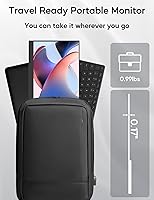
  • The slim 0.2-inch profile and travel-friendly footprint make it easy to pack alongside a laptop without bulk.
  • FreeSync support reduces screen tearing during gaming sessions, adding practical value beyond just the resolution spec.
  • Low blue light mode is a thoughtful inclusion for users logging long work hours in front of the screen.
  • HDR support, while not reference-grade at this tier, adds visible depth to supported content and games.
  • Plug-and-play setup means no software headaches — you connect it and it works, which matters when you are on the road.
  • The detachable magnetic stand keeps the package tidy and avoids the bulk of permanent folding mechanisms.

Cons

  • The 60Hz refresh rate is a real limitation for anyone coming from a high-refresh gaming monitor or laptop display.
  • KEEPTIME is an obscure brand with limited long-term reliability data, which is a genuine risk for a hardware purchase.
  • The magnetic stand can feel unstable on uneven surfaces and lacks the secure locking feel of a hinged kickstand design.
  • Included accessories, particularly the Mini HDMI cable, have drawn quality complaints from multiple buyers.
  • Built-in speakers are barely adequate for system alerts and are not suitable for music, media, or video calls.
  • The listing shows a confusing weight discrepancy between the product description and the spec sheet, which raises sourcing transparency concerns.
  • At 400 nits, outdoor or bright-window use is noticeably limited and can make the screen hard to read comfortably.
  • No touchscreen support puts it behind some similarly priced rivals that offer that feature for tablet and phone workflows.
  • Glossy screen surface picks up reflections in brightly lit environments, compounding the brightness limitation.
  • Warranty and after-sales support from a lesser-known brand can be harder to navigate than with established manufacturers.

Ratings

The KEEPTIME M133 13.3″ 4K Portable Monitor has been evaluated by our AI rating engine after analyzing thousands of verified purchase reviews from global buyers, with spam, incentivized feedback, and bot activity actively filtered out. The scores below reflect the honest spread of user experiences — where this compact display genuinely impresses and where it falls short — giving you a transparent, balanced picture before you buy.

Display Sharpness
91%
Buyers consistently single out the 4K resolution as the standout feature, noting that text looks noticeably crisper compared to standard 1080p portable monitors they've owned before. Photographers reviewing shots on location and professionals proofreading documents both report a visible clarity advantage that holds up in real daily use.
A small segment of users note that the full benefit of 4K only materializes when the source device actually outputs at that resolution, and some older laptops downscale the signal, leaving those buyers underwhelmed with the experience they expected.
Color Accuracy
86%
The 100% sRGB panel earns genuine praise from graphic designers and photographers who use this compact monitor as a travel companion to their calibrated desktop setups. Colors appear consistent and true-to-life for editing and reviewing work, which is not always a given at this price tier for portable displays.
Users with wide-gamut or DCI-P3 workflows note that sRGB coverage, while solid, doesn't fully serve professional print or video color work. A handful of buyers also reported slight warm color temperature shifts out of the box that required manual OSD adjustment to correct.
Portability
83%
The slim panel profile and compact footprint mean this portable 4K display slides easily into a laptop sleeve alongside a 13 or 14-inch machine, and most buyers say it disappears into their daily bag without adding meaningful bulk. Commuters and hotel-room workers describe it as genuinely easy to set up and break down quickly.
There is a confusing weight discrepancy in the product listing — the marketing copy suggests around one pound, while the spec sheet lists 3.25 pounds — and buyers who expected the lighter figure report feeling misled when the box arrived. The actual handled weight is noticeably heavier than some competing travel monitors.
Connectivity
84%
Having both USB-C and Mini HDMI on a single portable display gives the KEEPTIME travel monitor meaningful flexibility, and most modern MacBook and Windows laptop users report a clean, stable single-cable connection with no configuration needed. Console users appreciate being able to plug in a Switch or PS5 via Mini HDMI without an adapter.
The included Mini HDMI cable has drawn recurring criticism for feeling flimsy, and a portion of buyers recommend replacing it immediately with a third-party cable for reliable console use. USB-C compatibility is also host-dependent, and users with older laptops lacking DisplayPort Alt Mode support have reported the connection simply not working.
Refresh Rate
62%
38%
For the majority of use cases this monitor is designed for — spreadsheets, web browsing, casual gaming, video playback — the 60Hz refresh rate is entirely sufficient, and buyers who use it purely for productivity or Switch gaming report no frustration with motion handling whatsoever.
Anyone migrating from a 120Hz or 144Hz laptop panel will feel the step down immediately, particularly when scrolling or navigating fast-moving content. Buyers who purchased this for PS5 or Xbox gaming expecting to use higher frame rate modes found those modes simply unavailable, which was a clear disappointment for that group.
Stand Stability
58%
42%
The detachable magnetic stand concept is genuinely tidy — it keeps the overall package flat and clean when stored, and for use on a smooth, level desk surface, most buyers find the angle it provides comfortable enough for extended work sessions.
On uneven surfaces like cafe tables, airplane tray tables, or textured desk pads, the magnetic stand struggles to hold position reliably and tends to shift during use. Multiple buyers noted they ended up propping the monitor against a wall or object rather than trusting the stand, which undermines the product's travel-ready pitch.
Brightness
69%
31%
At 400 nits, the display is bright enough to handle typical indoor environments comfortably — home offices, hotel rooms, and dimly lit co-working spaces — and buyers who use it in controlled lighting conditions rarely mention brightness as a concern.
The glossy screen surface amplifies reflections, and in bright open-plan offices or near windows, glare becomes a genuine problem that 400 nits isn't enough to overcome. Users who expected to use this monitor outdoors or in sunlit settings were notably disappointed.
Build Quality
63%
37%
The panel chassis itself feels reasonably solid for the price category, and buyers generally agree the screen does not flex or creak during normal handling. The slim design doesn't feel as cheap as some ultra-budget alternatives in the portable monitor space.
The magnetic stand attachment point and the overall hinge-free design raise durability concerns among buyers who handle their gear roughly. A recurring theme in longer-term reviews is uncertainty about how the monitor holds up after months of regular travel, with some noting minor scuffs and loosening at the stand connection after moderate use.
Speaker Quality
38%
62%
The speakers serve their minimum purpose — you can hear system alerts and low-volume audio feedback without needing an external device in an absolute pinch. Buyers who were aware going in that portable monitor speakers are almost universally weak did not rate this as a dealbreaker.
For any serious audio use — video calls, streaming, or even background music — the speakers are consistently described as tinny, low-volume, and muddy. Multiple buyers specifically called out the speaker quality as their biggest post-purchase regret, wishing the product description had set clearer expectations.
Setup Experience
88%
The plug-and-play nature of this compact monitor is one of its most consistently praised traits — users connect the USB-C cable and the display just works, with no driver downloads, no OSD configuration required, and immediate recognition by both macOS and Windows. For buyers who dread tech setup, this experience sets a positive first impression.
A subset of users with less common or older host devices encountered detection issues that required restarting or cable-swapping to resolve, and the product documentation offers minimal troubleshooting guidance. First-time portable monitor buyers occasionally needed to search online for setup help that should have been included in the box.
Value for Money
74%
26%
For buyers whose primary goal is a 4K second screen at a mid-range price without premium brand markup, the price-to-resolution ratio is genuinely competitive, and most users in this category feel they got reasonable value. The inclusion of FreeSync, HDR, and low blue light at this tier adds tangible features without inflating the cost significantly.
Buyers who compare this closely to branded competitors like Arzopa or UPERFECT — which often offer similar specs with better-documented build quality and more established support — sometimes feel the KEEPTIME pricing is only a modest saving for a noticeably higher brand risk. Accessory quality issues that require immediate replacement cable purchases also chip away at the perceived value.
HDR Performance
66%
34%
When playing HDR-tagged content from a compatible source, buyers notice a visible improvement in highlight detail and overall image depth compared to the SDR baseline, which is a welcome bonus at this price point. For casual streaming of HDR movies or gaming, the effect is perceptible and adds to the overall image quality impression.
The 400-nit brightness ceiling limits how impactful true HDR rendering can be — peak highlights don't approach the luminance levels needed for a convincing HDR experience. Buyers with experience on proper HDR panels note the effect here is more cosmetic tone-mapping than genuine high dynamic range, which tempers enthusiasm.
Brand Trust
54%
46%
Buyers who received a fully functional unit on first use tend to feel satisfied with the purchase and report responsive customer service contact when they reached out with questions. The packaging makes a solid first impression that partly compensates for the brand's limited market presence.
KEEPTIME lacks the track record and community visibility of established monitor brands, and buyers who research the brand before purchasing often express hesitation about warranty follow-through and long-term parts availability. The weight discrepancy in the listing and minor inconsistencies in product documentation do little to build confidence in the brand's quality control.

Suitable for:

The KEEPTIME M133 13.3″ 4K Portable Monitor is a strong fit for remote workers and frequent travelers who want a genuine productivity upgrade without hauling heavy equipment. If you spend time in hotels, co-working spaces, or client offices and rely on a single laptop screen, the jump to a crisp 4K second display makes a noticeable difference for document work, spreadsheet comparison, or video calls. Photographers and designers who need to review images or check color accuracy on location will find the 100% sRGB panel genuinely useful rather than just a marketing checkbox. Console gamers looking to take their Switch, PS5, or Xbox experience on the road get a practical bonus in the Mini HDMI port, which handles those connections without an adapter. Students or minimalist home office users who want to expand their workspace on a modest budget will also get solid value from this compact monitor.

Not suitable for:

The KEEPTIME M133 13.3″ 4K Portable Monitor is not the right call for competitive or fast-paced gamers — the 60Hz refresh rate is a firm ceiling, and anyone used to 144Hz or higher will feel the difference immediately in shooters or action titles. Buyers who prioritize build confidence from established brands will also find themselves hesitant here; KEEPTIME has a thin track record compared to names like ASUS, LG, or even mid-tier rivals like Arzopa and UPERFECT, and long-term reliability is harder to judge. The magnetic stand, while clever, lacks the rigidity that hinged or folding kickstand designs offer, making it a questionable choice for anyone working on uneven surfaces or in cafes with cluttered tables. Those expecting usable audio from the built-in speakers will likely be disappointed — this portable 4K display produces sound that is functional at best and uncomfortable to rely on for media or calls. Finally, buyers who need serious outdoor visibility should look elsewhere, as 400 nits of brightness struggles in bright sunlight.

Specifications

  • Screen Size: The display measures 13.3 inches diagonally, striking a practical balance between portability and usable screen space.
  • Resolution: Native resolution is 3840 x 2160 (4K UHD), delivering sharp text and fine detail across the full panel area.
  • Panel Type: An IPS (In-Plane Switching) panel is used, providing consistent color reproduction and wide viewing angles without the color shift common in TN displays.
  • Brightness: Peak brightness is rated at 400 nits, suitable for well-lit indoor environments but not optimized for direct sunlight or bright outdoor use.
  • Contrast Ratio: The static contrast ratio is 1500:1, which produces reasonably deep blacks and visible detail in shadowed areas for an IPS panel at this tier.
  • Color Gamut: The panel covers 100% of the sRGB color space, making color output reliable enough for photography review and design work on the go.
  • Refresh Rate: The maximum refresh rate is 60Hz, appropriate for productivity, media consumption, and casual gaming, but not suitable for high-frame-rate competitive gaming.
  • Viewing Angle: Horizontal and vertical viewing angles extend to 178 degrees, so color and brightness remain consistent when viewed from almost any position.
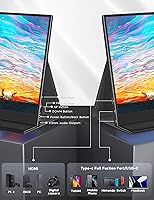
  • Connectivity: The monitor accepts signal via one USB-C port and one Mini HDMI port, covering both modern single-cable laptop connections and console or legacy device inputs.
  • HDR Support: HDR (High Dynamic Range) is supported, adding visible improvement in contrast and highlight detail when the source content is HDR-encoded.
  • Adaptive Sync: FreeSync is supported over compatible connections, reducing screen tearing and stuttering during gaming without requiring manual settings adjustment.
  • Eye Care: A low blue light mode is built in and can be activated to reduce high-frequency blue light emission during extended screen sessions.
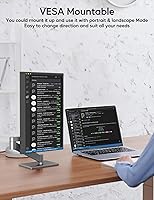
  • Stand Design: The monitor ships with a detachable magnetic stand that supports the display at a fixed working angle and can be removed for flat storage or alternative mounting.
  • Dimensions: The panel body measures 11.8 x 7.5 x 0.4 inches, fitting neatly alongside a 13 or 14-inch laptop in most standard bags.
  • Thickness: The panel itself is approximately 0.2 inches thin at its slimmest point, contributing to the overall flat profile when packed.
  • Built-in Audio: Stereo speakers are integrated into the chassis and provide basic audio output, though output quality is limited and best treated as a fallback option.
  • Driver Required: No driver installation is required; the monitor operates as a plug-and-play display on both Windows and macOS systems.
  • Model Number: The official model identifier for this display is M133, as listed by KEEPTIME in the product documentation.

Related Reviews
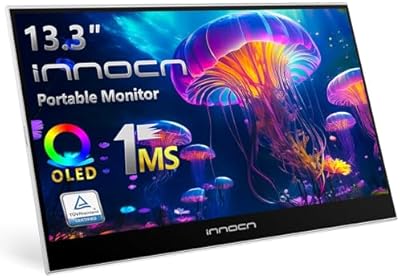
INNOCN 13K1F 13.3″ OLED Portable Monitor
76%
93%
Picture Quality
91%
Color Accuracy
89%
Portability
84%
Setup & Compatibility
88%
Value for Money
More
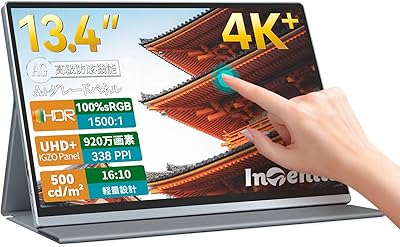
Intehill U13ZT 13.4-inch 4K Portable Monitor
77%
93%
Display Sharpness
89%
Color Accuracy
74%
Touch Responsiveness
82%
Brightness & Glare Handling
88%
Build Quality
More
CAPERAVE 17.3-inch 4K Portable Monitor
87%
92%
Display Quality
89%
Portability
88%
Ease of Setup
91%
Color Accuracy
85%
Compatibility with Devices
More
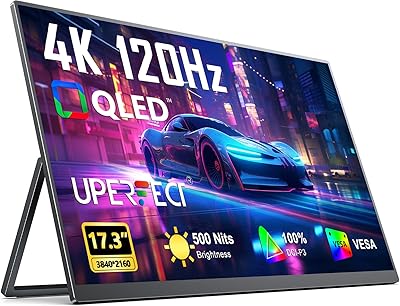
UPERFECT 17.3-inch 4K Portable Monitor
86%
94%
Display Quality
88%
Portability
90%
Gaming Performance
93%
Color Accuracy
85%
Ease of Setup
More
Kenowa 13.3-inch Touchscreen Portable Monitor
68%
86%
Value for Money
78%
Display Quality
71%
Privacy Screen Effectiveness
67%
Touchscreen Performance
88%
Portability
More
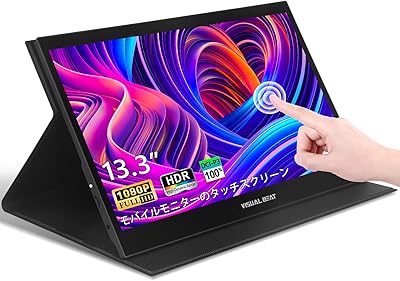
Visual Beat R13PMT101 13.3-inch Portable Touchscreen Monitor
85%
89%
Display Quality
92%
Portability & Weight
88%
Touchscreen Responsiveness
94%
Ease of Setup
85%
Brightness & Visibility
More
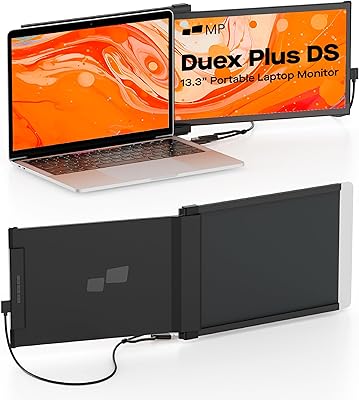
Mobile Pixels Duex Plus DS 13.3″ Portable Laptop Monitor
84%
88%
Display Quality
94%
Portability & Design
91%
Ease of Setup
85%
Compatibility with Devices
83%
Build Quality
More
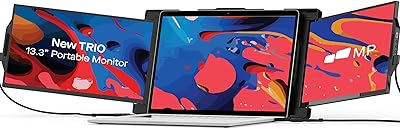
Trio 13.3″ Mobile Pixels Portable Laptop Monitor 2025 Version
87%
94%
Portability
88%
Ease of Use
90%
Compatibility
86%
Display Quality
92%
Setup & Installation
More
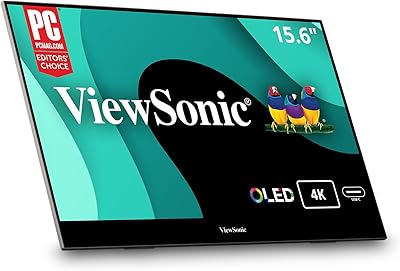
ViewSonic VX1655-4K-OLED 15.6-inch Portable OLED Monitor
77%
93%
Display Quality
91%
Portability
84%
USB-C Connectivity
88%
Build Quality
67%
Stand Stability
More
AILVLVNG SW330 Dual Monitor KVM Switch
75%
86%
Video Signal Quality
83%
EDID Emulation
79%
Setup & Installation
71%
USB Peripheral Sharing
84%
Switching Speed
More

FAQ

Yes, as long as your MacBook has a USB-C port that supports DisplayPort Alt Mode — which all modern MacBook Air and MacBook Pro models do. One USB-C cable handles both video signal and power delivery to the monitor simultaneously, so you don't need a separate power adapter for the display.

Yes, both consoles connect via the Mini HDMI port using a standard HDMI-to-Mini HDMI cable, which is a common and inexpensive accessory. The Nintendo Switch also supports USB-C output in docked mode, giving you a second connection option. Keep in mind the display runs at 60Hz, so PS5 120fps modes won't apply here.

When connected over a USB-C port with full DisplayPort Alt Mode support, the display reliably outputs native 4K at 60Hz without resolution scaling. Over Mini HDMI, you'll also get the full 4K signal, provided your source device supports 4K HDMI output. Most buyers report the signal is stable and doesn't require manual configuration.

The magnetic stand holds the monitor at a workable angle and is fine for stable desk use, but it doesn't lock into position the way a hinged kickstand would. If you shift the monitor around frequently or work on uneven surfaces, you may find it a bit wobbly. For a fixed desktop setup it's adequate; for heavily mobile use, you might want a separate monitor stand or arm.

The box typically includes a USB-C cable and a Mini HDMI cable, but the quality of the included Mini HDMI cable in particular has drawn mixed reviews from buyers. It's worth having a backup cable on hand, especially for console use. The USB-C cable generally works well for laptop connections right out of the box.

At 400 nits and with a glossy screen surface, the monitor handles typical office lighting reasonably well, but it picks up reflections noticeably near windows or under direct overhead lighting. It's not ideal for bright open-plan offices with lots of natural light. If you frequently work in high-ambient-light environments, a matte-screen alternative might serve you better.

For a portable display at this price point, the 100% sRGB coverage is genuinely solid for reviewing and editing photos while traveling. It won't replace a calibrated wide-gamut professional monitor, but for Lightroom or Photoshop work on location, the color accuracy is reliable enough to make meaningful decisions. Just avoid judging your edits solely on this screen without cross-referencing on a calibrated display.

There's a discrepancy in the official listing worth flagging: the product description mentions approximately 1 pound, while the spec sheet lists 3.25 pounds. Based on the physical dimensions and build, the heavier figure is more plausible for a monitor of this size with its stand included. We'd recommend treating the lighter figure skeptically until you can verify it from a retail unit.

It depends on your device. iPhones currently don't support external display output natively, but iPads with USB-C ports (iPad Pro, iPad Air) can drive this compact monitor using a compatible USB-C cable. Many Android phones with USB-C and DisplayPort Alt Mode support also work. Check your specific device's specs before purchasing if phone compatibility is important to you.

Honestly, not really. The speakers produce enough audio to hear system sounds and get through a quiet room, but for video calls or media consumption they fall short of comfortable listening. You'll likely want earbuds or a Bluetooth speaker for regular use. Think of the speakers as an emergency backup, not a feature you'll actively rely on.