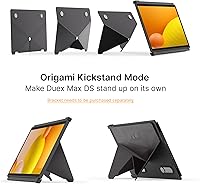

Overview

The Mobile Pixels Duex Max DS 14.1″ Monitor takes a fundamentally different approach to portable productivity — instead of adding bulk to your bag, it slides directly onto your laptop lid and extends out when you need it. At just 1.8 lbs and a quarter-inch thin, it barely registers as extra gear. The appeal is clear for anyone who travels regularly or bounces between workspaces and refuses to sacrifice a dual-screen setup. It works across Windows, Mac, Android, and even Nintendo Switch, which is broader than most competitors manage. That said, it lacks touchscreen input and won't support a tri-screen configuration, so go in with clear expectations.

Features & Benefits

The slide-and-extend mechanism is the standout design choice here — you clip the Duex Max DS onto your laptop lid, and when you need the extra screen, you just pull it out. No stand, no separate sleeve, no setup ritual. The IPS panel delivers FHD 1080p resolution with a matte anti-glare coating, which is genuinely useful in mixed-lighting environments. A single 2-in-1 cable handles both power and video, and there's also an HDMI port for older machines without USB-C. You can flip the display into portrait or presentation mode without touching a settings menu. One underrated bonus: when folded in, it doubles as a protective cover for your laptop screen during transit.

Best For

This laptop screen extender is purpose-built for people whose work doesn't happen at a fixed desk. If you're regularly working from coffee shops, airports, or client sites and need reference material visible while you write or present, the Duex Max DS solves that problem without the usual trade-offs. Students handling research-heavy coursework will appreciate having a browser and notes open side by side. Nintendo Switch owners also get a surprisingly practical bonus — a larger travel display without carrying separate hardware. If your setup demands a permanent dual-monitor arrangement, a traditional external monitor will serve you better. But for on-the-go flexibility, very little competes at this size and weight.

User Feedback

Buyers consistently highlight how fast and intuitive the setup is in practice — most report it takes under a minute to attach and extend. Build quality draws genuine praise too; it feels more solid than you'd expect for something this light. Outdoor brightness is the most cited complaint, and it's a fair one — the panel handles indoor use well but struggles near windows or in direct sunlight. A handful of users have run into compatibility snags when routing through certain USB-C hubs rather than connecting directly. Long-session workers appreciate the eye-care mode, while a few long-term owners mention hinge tension loosening after months of heavy daily use.

Pros

  • Attaches directly to your laptop lid, eliminating the need for a stand or a separate bag slot.
  • Setup takes under a minute — slide it out, plug in one cable, and you have a second screen.
  • At 1.8 lbs and a quarter-inch thin, it adds almost nothing to your travel load.
  • The matte anti-glare coating handles typical indoor and office lighting comfortably.
  • Works across Windows, macOS, Android, Nintendo Switch, and Samsung DeX without driver installs.
  • The HDMI port means older laptops without USB-C are not left out.
  • Multiple orientation modes, including portrait and presentation, adapt to different workflows without touching a settings menu.
  • When folded in, the Duex Max DS doubles as a protective cover for your laptop screen during transit.
  • The eye-care mode is a thoughtful addition for people logging long hours on screen.
  • Back-charging support means the extender can draw power without draining a separate battery.

Cons

  • Panel brightness struggles in direct sunlight or near bright windows, limiting outdoor usability.
  • Some users report compatibility issues when connecting through USB-C hubs rather than directly to the laptop port.
  • Hinge tension can loosen over months of heavy daily use, reducing the snug feel of the slide mechanism.
  • The 1080p IPS panel is solid for travel but does not match the color accuracy or sharpness of a quality desktop monitor.
  • No touchscreen support rules it out for annotation-heavy or tablet-style workflows.
  • Tri-screen mode is not supported, so users wanting a three-display setup will need a different solution.
  • At this price point, a few buyers may expect tighter build tolerances and longer-lasting mechanical feel.
  • The attachment system is optimized for standard laptop lids, and compatibility with unusually thin or tapered chassis may vary.

Ratings

Our AI rating system analyzed thousands of verified global purchases of the Mobile Pixels Duex Max DS 14.1″ Monitor, actively filtering out incentivized reviews, duplicate submissions, and bot-generated feedback to surface what real buyers actually experience. The scores below reflect both the genuine strengths that keep customers recommending this extender and the recurring pain points that temper enthusiasm in certain use cases. Nothing has been smoothed over — if a category underperforms, the score says so.

Portability
93%
Buyers consistently describe the Duex Max DS as the lightest, thinnest secondary screen they've ever traveled with. At 1.8 lbs and a quarter-inch thin, it disappears into a laptop bag without meaningfully changing how heavy the bag feels — a genuine daily benefit for commuters and frequent flyers.
A small group of users with ultralight travel setups note that even 1.8 lbs adds up across a full day of carrying. Those using slim sleeve-style laptop bags may also find the added thickness of the attached monitor pushes the fit uncomfortably tight.
Setup & Ease of Use
91%
The slide-out mechanism is one of the most praised aspects across all user feedback — most buyers report going from bag to dual-screen in under a minute with zero configuration. The plug-and-play experience on both Windows and macOS means there is no driver friction standing between you and a second screen.
A handful of users find the initial attachment process to a new laptop requires some fiddling to align properly. Those who connect via USB-C hubs rather than directly to the laptop port report a less consistent experience, occasionally needing to replug to get the display detected.
Display Quality
74%
26%
For travel use, the IPS panel holds up well — colors are reasonably accurate, viewing angles are wide enough to share a screen during presentations, and the matte coating keeps glare manageable in most cafe and office environments. Text is crisp at 1080p for the 14.1-inch size.
This is not a panel that competes with a quality desktop monitor or a high-refresh creative display. Color-critical work will expose its limitations, and the 1080p resolution, while adequate for productivity, feels dated to users upgrading from higher-density laptop screens.
Brightness
58%
42%
Indoors — in a standard office, a hotel room, or a dimly lit cafe — the 300 cd/m² rating is sufficient for a comfortable working experience. The matte coating helps by reducing surface reflections rather than relying purely on raw output.
Near windows or in any environment with significant ambient light, the panel struggles noticeably. Multiple users specifically flag this as a dealbreaker for outdoor terraces or airport gate seating with overhead sunlight — the image washes out and becomes genuinely difficult to read.
Build Quality
79%
21%
The combination of PC-ABS plastic and aluminum alloy gives the extender a more substantial feel than comparable products at this price tier. Buyers note it doesn't flex or creak under normal handling, and the overall construction inspires confidence for checked baggage and daily commutes.
The hinge mechanism is the weak point flagged most often over time — a portion of long-term owners report the tension loosening after several months of heavy use, causing the screen to hold its angle less reliably. The plastic components around the edges also show wear marks with sustained use.
Compatibility
82%
18%
Broad platform support is a real differentiator here — Windows, macOS, Android, Nintendo Switch, and Samsung DeX all work without driver installs, which matters when you're switching between a work MacBook and a personal Windows machine in the same day.
USB-C hub compatibility is inconsistently reported, with some popular multi-port adapters failing to pass the display signal reliably. Users with older docking stations or non-standard USB-C implementations may need to test before fully committing to this as their daily setup.
Connectivity Options
84%
Having USB-C, USB-A, and HDMI on a single portable extender covers nearly every laptop scenario without requiring dongles or adapters. The inclusion of HDMI is a genuine bonus for users on older business laptops that lack USB-C entirely.
The 2-in-1 cable, while clever, is a single point of failure — if it's lost or damaged during travel, replacement requires a specific compatible cable rather than a generic one. Some users also wish the cable were slightly longer for more flexible desk positioning.
Display Modes
81%
19%
The range of orientations — landscape, portrait, kickstand, presentation, and eye-care — gives this extender real versatility beyond just side-by-side extending. Portrait mode in particular gets strong praise from developers and writers who benefit from tall document views.
Switching between some modes requires going through display settings rather than a physical button, which adds friction during quick transitions. The presentation mode reversal is useful but not always intuitive for first-time users without reading the documentation.
Hinge & Mechanism Durability
63%
37%
When new, the slide mechanism feels satisfying and secure — the screen stays exactly where you position it without drifting, and the slide action is smooth enough to operate one-handed. Early-stage users are largely pleased with how the mechanism behaves.
Durability over time is the category's weak spot, with a meaningful portion of long-term reviewers noting loosening tension after sustained daily use. This is not a universal failure, but it's common enough to be a pattern rather than an isolated complaint.
Laptop Screen Protection
77%
23%
The passive protective cover function — where the extender shields the laptop screen when folded in — is a genuinely appreciated bonus that most buyers didn't expect to value as much as they do. Travelers in particular mention it gives them peace of mind when sliding the laptop into a tight bag.
The protection is passive and contact-based, meaning it relies on the extender sitting flush against the laptop screen. On laptops with slightly raised keyboard keys or non-standard lid profiles, the fit isn't always flush enough to fully protect the screen from pressure.
Value for Money
72%
28%
For the specific use case it's designed for — a lid-mounted dual screen for travel — the Duex Max DS is priced competitively within its niche. Buyers who actually need this form factor generally feel the price is justified by the convenience and the time saved on setup every day.
Users who compare it purely on panel specs against a standard external monitor at a similar price point will feel underserved. If you work primarily from a fixed desk, the value equation doesn't hold up — you'd get a much better display for the same money in a traditional form factor.
Eye-Care Mode
78%
22%
The dedicated eye-care mode reduces blue light output noticeably and earns genuine appreciation from users who log four to eight hours of focused screen time daily. Evening work sessions in particular benefit from the warmer tone without requiring third-party software.
The color shift in eye-care mode is pronounced enough that it's impractical for any work involving accurate color judgment. It's best treated as an end-of-day mode rather than an all-day setting, which limits its usefulness for users who need both comfort and color accuracy simultaneously.
Cable Management
66%
34%
The single 2-in-1 cable keeping the setup to one wire is a thoughtful reduction of desk clutter, and most users appreciate not having to carry a separate power brick or multiple cables for a functional dual-screen workspace.
The cable length is frequently cited as just slightly too short for comfortable positioning when the laptop is on a riser or pushed back from the edge of a desk. There is no cable storage solution built into the unit, so the cable ends up loose in a bag pocket during transit.
Long-Session Comfort
71%
29%
The matte screen surface and eye-care mode together make the Duex Max DS a reasonable choice for extended work sessions by portable monitor standards. Users doing multi-hour writing or spreadsheet work report less eye strain compared to glossy competing panels they've tried.
The brightness ceiling becomes a fatigue factor in longer sessions if the ambient environment changes — as room lighting shifts throughout the day, users find themselves unable to push the panel bright enough to compensate comfortably without external lighting adjustments.

Suitable for:

The Mobile Pixels Duex Max DS 14.1″ Monitor was clearly designed with a specific type of user in mind: someone who genuinely needs two screens but can't afford the bulk or setup time of a traditional external monitor. Business travelers who live out of carry-on bags will find the slide-out design solves the dual-screen problem without adding a meaningful footprint to their kit. Remote and hybrid workers who rotate between home, cafes, and coworking spaces will appreciate that it's always attached and ready in under a minute — no hunting for a spare outlet or a surface stable enough for a stand. Students juggling research tabs alongside writing or coding work also get real mileage out of the extra screen real estate. Even Nintendo Switch owners get a practical secondary use case, treating the Duex Max DS as a compact travel display that doesn't require a separate carry bag.

Not suitable for:

The Mobile Pixels Duex Max DS 14.1″ Monitor is a poor fit for anyone who works primarily at a fixed desk and wants a high-quality display for extended daily use. The panel brightness tops out at 300 cd/m², which is acceptable indoors but noticeably flat near bright windows or in sunlit environments — if outdoor or bright-environment work is a regular part of your routine, this will frustrate you. Users who rely heavily on USB-C docking stations or hub setups may also encounter occasional compatibility headaches, since the direct-connect experience is more reliable than routing through third-party hubs. Those hoping to run a tri-screen configuration will need to look elsewhere, as the hardware simply doesn't support it. And if touch input is part of your workflow — for annotation, design, or tablet-style use — this extender has no touchscreen capability at all.

Specifications

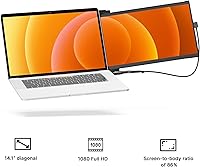
  • Screen Size: The display measures 14.1 inches diagonally, closely matching the screen size of most standard laptops it's designed to accompany.
  • Resolution: The panel renders at 1920×1080 pixels (FHD 1080p), delivering a sharp enough image for productivity, browsing, and media consumption while traveling.
  • Panel Type: An IPS panel is used, which provides wider viewing angles and more consistent color reproduction compared to TN alternatives in this size class.
  • Brightness: Maximum brightness is rated at 300 cd/m², which is adequate for indoor and office environments but can feel limiting in very bright or sunlit conditions.
  • Aspect Ratio: The screen uses a 16:9 aspect ratio, consistent with standard widescreen laptop displays for a natural side-by-side extended desktop experience.
  • Screen Surface: A matte anti-glare coating is applied to the panel surface, reducing reflections under typical mixed-lighting indoor conditions.
  • Dimensions: The unit measures 12.6″ wide by 8.9″ tall by 0.25″ thick at its slimmest point, designed to align closely with the footprint of a standard 14-inch laptop.
  • Weight: The extender weighs 1.8 lbs, adding minimal load to a laptop bag when attached directly to the laptop lid.
  • Connections: Connectivity includes a USB-C port, a USB-A port, and a full-size HDMI port, covering a wide range of modern and older laptop configurations.
  • Included Cable: A single 2-in-1 interchangeable USB cable is included, carrying both power and video signal so no separate power adapter is required during typical use.
  • Display Modes: Supported display orientations include landscape extend, portrait, presentation (reversed), kickstand, and eye-care mode for reduced blue light output.
  • Compatibility: The extender is compatible with Windows, macOS, Android devices, Nintendo Switch, and Samsung DeX without requiring dedicated driver installation.
  • Build Materials: The chassis is constructed from a combination of PC-ABS plastic and aluminum alloy, balancing lightweight construction with reasonable travel durability.
  • Back Charging: The unit supports back-charging functionality, allowing it to pass power through to the connected laptop while in use.
  • Touchscreen: The display does not support touch input; it functions purely as an extended visual screen without any touch or stylus interactivity.
  • Tri-Screen Mode: Tri-screen configuration is not supported; the extender is designed to function as a single secondary display attached to one laptop at a time.
  • Attachment Method: The extender mounts directly onto the back of a laptop lid using an integrated slide-and-extend mechanism that requires no adhesives, straps, or external stands.
  • Screen Protection: When folded inward against the laptop, the extender acts as a passive protective cover for the laptop's own display during storage and transit.

Related Reviews
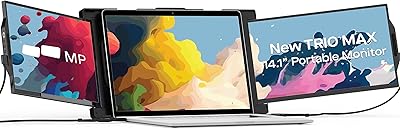
Mobile Pixels Trio Max 14.1″ Portable Monitor
73%
83%
Build Quality & Durability
81%
Screen Quality
57%
Brightness & Visibility
61%
Portability & Weight
87%
Setup & Ease of Use
More
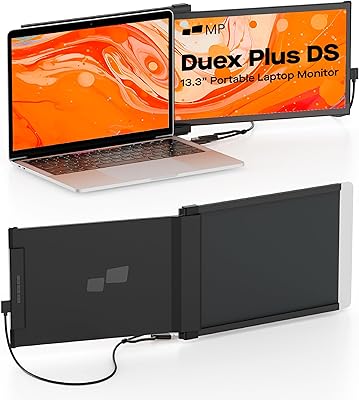
Mobile Pixels Duex Plus DS 13.3″ Portable Laptop Monitor
84%
88%
Display Quality
94%
Portability & Design
91%
Ease of Setup
85%
Compatibility with Devices
83%
Build Quality
More
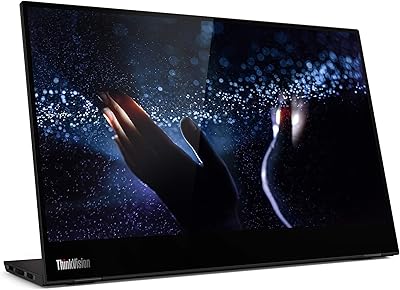
Lenovo ThinkVision M14t 14-inch Touchscreen Mobile Monitor
79%
93%
Portability
88%
Build Quality
76%
Display Quality
54%
Glare & Reflectivity
82%
Touch Responsiveness
More
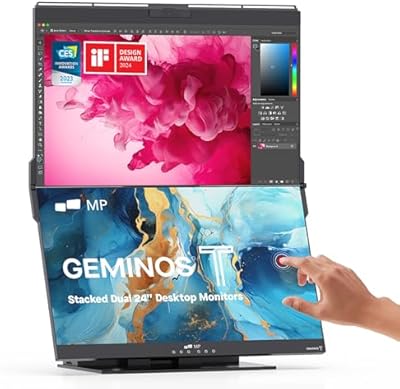
Mobile Pixels Geminos T 2×24″ Stacked Monitors
72%
93%
Space Efficiency
66%
Display Quality
46%
Brightness & Glare
88%
Connectivity & Hub
86%
USB-C Performance
More
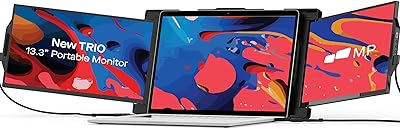
Trio 13.3″ Mobile Pixels Portable Laptop Monitor 2025 Version

87%
94%
Portability
88%
Ease of Use
90%
Compatibility
86%
Display Quality
92%
Setup & Installation
More
Dell P1424H 14-inch Portable Monitor
79%
93%
Portability
91%
Setup & Ease of Use
88%
Display Clarity
61%
Brightness & Visibility
58%
Stand & Adjustability
More
iVANKY FusionDock Pro 1+ 14-in-1 Docking Station

79%
83%
Multi-Monitor Performance
58%
Driver Setup Experience
88%
Charging Performance
86%
Data Transfer Speed
84%
Card Reader Speed
More
HP OmniBook X Flip 14″ 2K Touch-Screen 2-in-1 Laptop, AMD Ryzen AI 7 3500U, 24GB RAM, 1.5TB Storage
86%
92%
Performance
90%
Display Quality
88%
Multitasking & RAM
94%
Storage Capacity
84%
Portability & Weight
More
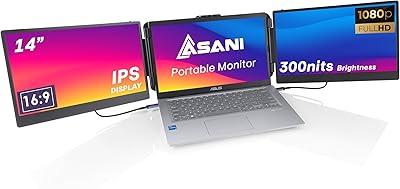
Asani 14″ Portable Monitor
83%
91%
Portability & Design
85%
Display Quality
88%
Ease of Setup
76%
Brightness & Visibility
90%
Connectivity Options
More
domyfan F1 14″ Portable Monitor
72%
83%
Display Clarity
71%
Portability
88%
Stand Design
79%
Setup & Compatibility
52%
Screen Glare
More

FAQ

No, the Duex Max DS is plug and play for most setups. On Windows and macOS, the system detects it as a standard extended display the moment you plug in the cable. Android and Samsung DeX also work without additional installs, though Nintendo Switch users should note it functions as a display output rather than a full desktop extension.

The extender is built to slide onto the back of a standard laptop lid and is designed to accommodate most 13-inch to 15-inch laptops. That said, laptops with unusually tapered lids, very rounded edges, or non-standard hinge placements may not get a perfectly flush fit. It's worth checking the Mobile Pixels compatibility list if you have a less common chassis.

Yes, the Duex Max DS works with macOS including Apple Silicon MacBooks via USB-C. Just plug in the cable and macOS will recognize it as a secondary display. Some users have noted that connecting through third-party hubs can occasionally cause issues, so a direct connection to the MacBook's USB-C port is the most reliable approach.

The panel is rated at 300 cd/m², which is fine for a dim office or a coffee shop with controlled lighting. Near a bright window or in direct sunlight, it will look noticeably washed out. If you regularly work outdoors or in very bright spaces, this is a genuine limitation worth factoring into your decision.

Yes, and it's one of the more practical secondary use cases for this extender. You can connect the Switch via HDMI or USB-C and use the Duex Max DS as a larger travel display. It won't replicate a full TV experience, but for hotel rooms or long trips it gives you a meaningful screen upgrade without extra luggage.

In practice, yes — the slide mechanism holds the monitor firmly against the laptop lid during typical desk use, and most users report no wobbling or slipping. The attachment relies on tension rather than any adhesive or locking clip, so a very jarring knock could theoretically dislodge it, but under normal working conditions it stays put.

It's genuinely quick. The Mobile Pixels Duex Max DS 14.1″ Monitor stays attached to your laptop lid even when you close your bag, so when you sit down you just pull out the second screen and plug in the cable. Most people report it's up and running in under a minute, which makes it practical even for short working sessions.

Out of the box the hinge tension feels solid, and most users are happy with it for the first several months. A portion of long-term owners have reported the hinge loosening slightly with very heavy daily use, which can cause the screen to sit at a slightly less stable angle. It's not a universal complaint, but worth noting if you're the type to open and close it many times a day.

The extender supports back-charging, meaning it can pass power through to your laptop from a USB-C power source while the monitor is running. This is useful if you're working at a desk with a single USB-C charger — you won't need a separate port dedicated solely to the monitor.

Direct connection is always the most reliable option. Some USB-C hubs, particularly cheaper or older ones, don't fully support the display output signal the extender expects, which can result in the screen not being detected or flickering. If you need to use a hub, look for one that explicitly supports DisplayPort Alt Mode or has been confirmed compatible with portable monitors.

Where to Buy