Overview

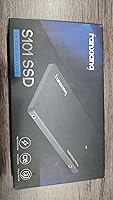
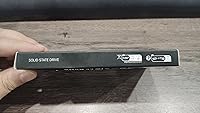
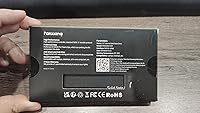
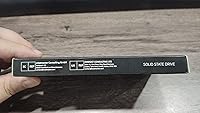
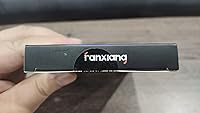
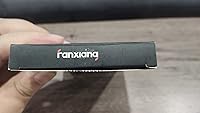
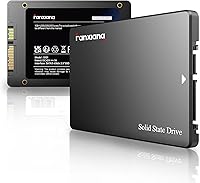
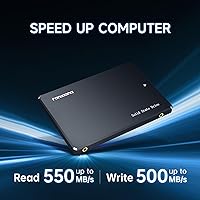
The fanxiang S101 2TB 2.5″ Internal SSD is a straightforward value-tier drive built for one specific job: pulling an aging laptop or desktop out of hard-drive purgatory. fanxiang is a Chinese brand that doesn't carry the name recognition of Samsung or Western Digital, but it has quietly built a presence in the budget storage space since the S101 2TB drive launched in early 2023. Be clear on one thing upfront: this is a SATA III drive, capped at around 550 MB/s — not a flaw, just the ceiling of the interface. If your machine has an M.2 slot, an NVMe drive will outrun it easily. But for older systems confined to 2.5-inch bays, 2TB of solid-state storage at this price makes real practical sense.
Features & Benefits

The S101 2TB drive uses 3D NAND TLC flash, which matters more than it might sound. TLC — three bits per cell — holds up better under repeated writes than QLC, making it a more sensible choice for a drive you'll actually use daily. There's also a dynamic SLC cache layer that speeds up burst transfers — think copying a folder of photos or downloading a large game. Where that cache runs out, under sustained writes of large files like raw video, speeds can drop noticeably. Hardware encryption is supported too, though activating it requires OS-level configuration rather than a simple toggle. fanxiang backs the drive with a 3-year warranty, though turnaround on support requests from smaller brands can be unpredictable. The form factor is a standard 2.5-inch at 0.28 inches thin, fitting most laptop bays without modification.

Best For

This SATA upgrade is a strong fit for anyone swapping out an old spinning hard drive in a laptop or desktop — someone who wants faster boot times and snappier app loads without worrying about NVMe slots or complex installation. Students, casual gamers, and home media users who store large libraries will appreciate the 2TB headroom. It's also a logical pick for older machines that simply don't have an M.2 slot — if your system is SATA-only, NVMe isn't even an option, so the S101 2TB drive competes on the terms that actually apply. That said, skip it if you're a video editor dealing with sustained 4K transfers, or if your machine has an available M.2 slot — there you'll get meaningfully more speed for comparable money.

User Feedback

With over 22,800 ratings and a 4.5-star average, this fanxiang SSD has more real-world validation than most budget drives at this capacity. That said, approaching those numbers with some skepticism is reasonable — budget brands on Amazon are not immune to inflated review counts. Among genuine feedback, the most common theme is how dramatic the difference feels coming from a hard drive, particularly on boot times. On the critical side, a handful of users report that long-term write consistency can slip after heavy use, which aligns with known SLC cache behavior under load. Customer support responsiveness gets mixed marks. The S101 2TB drive sits at #42 in Internal SSDs by sales rank — useful context on market traction, though rank reflects popularity, not reliability.

Pros

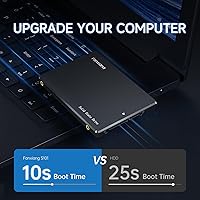
  • Swapping a hard drive for the S101 2TB drive cuts boot times dramatically — most users report Windows loading in under 20 seconds.
  • 2TB of capacity comfortably holds an OS, a full media library, and a large game collection without constant storage juggling.
  • 3D NAND TLC flash holds up better under daily write workloads than cheaper QLC alternatives found at similar price points.
  • The slim 2.5-inch form factor drops straight into most laptop bays and desktop drive cages with no adapters needed.
  • Hardware encryption support adds a meaningful layer of data security for users storing sensitive personal or professional files.
  • Compatible with Windows, Linux, and macOS out of the box — no extra drivers or setup headaches required.
  • At just 1.76 ounces, this SATA upgrade adds virtually no weight penalty to a laptop after installation.
  • Over 22,800 ratings at 4.5 stars gives it more real-world user data behind it than most competitors in this price tier.
  • Installation is genuinely straightforward — unscrew, swap, clone your existing drive with free software, and you are done in under an hour.

Cons

  • Once the SLC cache fills during heavy write sessions, sustained transfer speeds drop off sharply — a real frustration for anyone moving large files regularly.
  • Buyers with an available M.2 slot will get three to five times the read speed from an NVMe drive for roughly the same investment.
  • fanxiang is a relatively unknown brand in Western markets, making long-term reliability harder to predict than with Samsung or Western Digital.
  • Customer support responsiveness is inconsistent — RMA turnaround times and issue resolution vary widely based on user reports.
  • Some long-term users report performance inconsistencies after extended heavy use, suggesting endurance may not hold up as well as premium-tier alternatives.
  • Hardware encryption is supported but requires manual OS-level configuration — it is not automatically active straight out of the box.
  • The drive is not compatible with PS5 and includes no heatsink, limiting it strictly to internal PC and laptop storage use.
  • The 3-year warranty is standard on paper, but actual support quality from a smaller brand depends heavily on timing and circumstance.

Ratings

The fanxiang S101 2TB 2.5″ Internal SSD has been evaluated using an AI-driven analysis of verified global user reviews, with active filtering applied to remove bot-generated, incentivized, and spam feedback to ensure that every score reflects authentic buyer experiences. The ratings below cover the specific performance dimensions most relevant to real-world ownership, drawing on patterns identified across thousands of purchases from laptop upgraders, desktop users, students, and home media consumers. Both the genuine strengths and the documented limitations of this SATA upgrade are transparently reflected in every score.
Value for Money
88%
For anyone upgrading from a spinning hard drive without needing NVMe speeds, the S101 2TB drive delivers impressive capacity at a price that undercuts most name-brand alternatives. The cost-per-gigabyte ratio at 2TB is genuinely competitive, making it one of the more sensible budget buys in the SATA SSD category for everyday users.
The value equation depends entirely on the machine it goes into. If your laptop or desktop has an available M.2 slot, spending the same amount on an NVMe drive would deliver dramatically faster speeds. For SATA-only systems the price is fair; for newer machines with M.2 slots, this purchase can end up being a quiet misallocation.
Boot Time Improvement
91%
For users migrating from a spinning hard drive, the improvement in boot times is the single most noticeable change this SATA upgrade delivers. Cold boots that previously dragged through 60 to 90 seconds on a mechanical drive regularly drop to under 20 seconds, and overall system snappiness during startup and login is genuinely transformed.
For users already on an older SATA SSD rather than a hard drive, the boot time improvement will be far less dramatic and possibly imperceptible. The jump from SSD to SSD within the same interface tier rarely justifies the upgrade cost unless additional capacity is the primary motivation. The speed gains are almost entirely felt by hard drive refugees.
Sustained Write Speed
58%
42%
Under light and moderate write conditions — the kinds most everyday users actually encounter — the dynamic SLC cache masks the underlying TLC write speed effectively. Copying a folder of vacation photos, downloading a game patch, or moving a few gigabytes of work files all happen at a pace that feels entirely adequate for normal computing.
Push beyond the SLC cache threshold and write speeds fall off in a way that is hard to ignore. Users report watching large transfers slow to a crawl mid-process, with no warning beforehand. Backing up a full system image, transferring an entire game library, or ingesting a batch of raw video files in a single session can expose this limitation clearly.
Installation Ease
92%
The physical installation is as straightforward as a storage upgrade gets — unscrew the laptop panel, slide out the old drive, seat the new one, and reassemble. No adapters are required for most machines, and users with no prior hardware experience consistently report completing the full swap in under 20 minutes with nothing more than a Phillips-head screwdriver.
No cloning or data migration software is included in the packaging, so first-time upgraders need to source their own tools and a USB-to-SATA adapter to copy their existing system across. It is a solvable problem, but for less tech-savvy buyers who expected everything needed to be bundled in the box, it adds an unexpected step to an otherwise painless process.
Brand Reliability
62%
38%
The sheer volume of user feedback — over 22,000 ratings at a 4.5-star average — does provide a meaningful, if imperfect, signal that a large number of real buyers have had acceptable ownership experiences. For a brand still building its reputation, that review base is more substantive than most budget-tier competitors manage within their first two years on the market.
fanxiang does not carry the long-term reputation or independent testing track record of established storage brands, and that uncertainty is real for buyers making a decision. Budget brands on Amazon are also more susceptible to review inflation, so even the strong star rating warrants measured skepticism. There is no well-established escalation path or community support structure if something goes wrong.
Read Speed
83%
Coming from a mechanical hard drive, the difference in read speed is immediately noticeable. Applications that used to take 10 to 15 seconds to open snap to life in a couple of seconds, and loading a browser, office suite, or game launcher feels closer to a modern system than the aging machine it was installed in.
The 550 MB/s ceiling is a SATA III interface constraint, not a fanxiang-specific flaw, but it does mean this drive trails any NVMe alternative by a wide margin on benchmarks. Power users and content creators who transfer large files frequently will feel this constraint more acutely than everyday users running standard productivity or browsing workloads.
Write Speed Burst
71%
29%
For everyday writing tasks — saving documents, downloading software updates, copying moderate-sized folder archives — the SLC cache keeps things moving at a pace that feels responsive and capable. Home users and students who primarily use their machines for office work, media consumption, and casual browsing rarely push past the cache boundary under normal conditions.
When sustained writes exhaust the SLC cache — which happens faster than most buyers expect with large file batches — write speeds drop noticeably to the drive's native TLC rate. Transferring a full game installation folder or a large video project can turn into a slow, inconsistent process that reveals the performance gap between this drive and pricier alternatives.
Build Quality
77%
23%
The drive feels solid and well-assembled for a budget-tier product, with no flex or loose tolerances in the casing. At 1.76 ounces and just 0.28 inches thick, it sits neatly inside drive bays without rattling, and the lack of moving parts means it handles light vibration and movement far better than any mechanical hard drive it replaces.
No independent long-term endurance test data from established reviewers exists for this specific drive, making it difficult to validate fanxiang's durability claims objectively. Some users in the one- to two-year ownership window have flagged intermittent reliability issues, though separating genuine product-wide trends from isolated manufacturing variance is difficult without more rigorous third-party testing.
NAND Endurance
76%
24%
The use of 3D NAND TLC flash rather than the cheaper QLC alternative gives this drive a meaningful advantage in write endurance for daily workloads. TLC stores three bits per cell versus QLC's four, meaning the flash degrades more slowly under routine use — a genuinely useful spec distinction for anyone planning to run this as a primary system drive for several years.
TLC is a step up from QLC but still sits below MLC and SLC in raw endurance. fanxiang does not publish a TBW (terabytes written) rating for the S101 lineup, which makes it difficult to make an objective endurance comparison against competitors that do disclose that figure. That lack of published data is a real transparency gap for informed buyers.
Compatibility
89%
The drive's compatibility footprint is impressively broad for a budget product — Windows, Linux, and macOS all recognize it without driver installs, and the SATA III interface fits virtually any laptop or desktop built in the past 15 years with a 2.5-inch bay. Students and home users moving between different operating systems or machines will find the experience frictionless.
Compatibility ends sharply at gaming consoles, ultra-slim laptops with proprietary storage connectors, and any modern system built exclusively around M.2. It is not a flaw in the drive so much as a mismatch with where hardware is heading — but buyers who purchase without first verifying their machine's available bay type sometimes end up with a drive they simply cannot install.
Thermal Performance
84%
Like most 2.5-inch SATA SSDs, this fanxiang drive runs cool under typical workloads — far cooler than the mechanical drive it replaces and without the heat spikes that NVMe drives can produce under sustained load. Users who have installed it in cramped laptop enclosures consistently report no thermal throttling issues during everyday computing tasks.
No heatsink is included, which is standard for this drive class and rarely needed in SATA use cases. Under sustained heavy write loads that simultaneously push the SLC cache to saturation, some temperature rise is possible in poorly ventilated enclosures, though this scenario is unlikely to affect the everyday user this drive is designed for.
Capacity Efficiency
86%
At 2TB, this is a genuinely practical storage size for most everyday computing needs — large enough to hold a full Windows installation, a sizable game library, an extensive photo collection, and a year of downloaded media without constantly managing what to delete. Students and media consumers in particular will appreciate the breathing room compared to more modest 500GB or 1TB drives.
The formatted usable capacity reported by operating systems will fall slightly below the advertised 2TB — typically around 1.86TB as Windows displays it — due to the binary vs. decimal calculation difference standard across the storage industry. This is not unique to this drive, but buyers who expect precisely 2TB of ready-to-use space will encounter the discrepancy without prior warning.
Software & Ecosystem
43%
57%
The drive requires no proprietary software to function and is recognized natively by all three major operating systems, which is genuinely preferable for users who dislike bloatware. Standard disk management tools built into Windows, Linux, and macOS are all that is needed to partition, format, and begin using the drive immediately after installation.
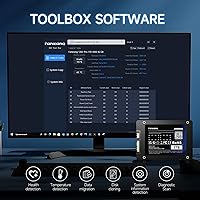
fanxiang provides no companion app, drive health monitoring utility, or firmware update tool — features that brands like Samsung deliver as standard through polished software. Buyers who want visibility into drive health metrics, wear indicators, or temperature readings will need to rely entirely on third-party tools, with no guarantee of ongoing firmware support from the manufacturer.
Warranty & After-Sales
55%
45%
A 3-year warranty is a reasonable coverage window for a budget SSD — longer than some competitors at this price point offer — and provides a nominal safety net for buyers who encounter genuine manufacturing defects within the first couple of years. The existence of formal warranty coverage is worth acknowledging for a brand at this price tier.
The warranty's practical value depends heavily on fanxiang's support responsiveness, and buyer feedback here is inconsistent. Several users report slow response times and difficulty navigating RMA resolutions, particularly in comparison to the experience they would expect from a Samsung or Western Digital claim. For a drive storing important or irreplaceable data, this support uncertainty is a real risk to factor in.
Power Efficiency
81%
19%
Replacing a spinning hard drive with this SATA upgrade reduces power draw at the storage level, translating into marginally better battery endurance on laptops — a detail that matters more on older machines where the original battery capacity has already degraded over years of use. SSDs consume significantly less power than mechanical drives under both idle and active conditions.
fanxiang does not publish specific idle or active power consumption figures for the S101, making direct comparisons to competitors who do disclose watt ratings difficult. While improvements in power efficiency over a hard drive are a given, buyers wanting to quantify the precise battery life benefit will find the available spec sheet unhelpfully incomplete on this point.

Suitable for:

The fanxiang S101 2TB 2.5″ Internal SSD is purpose-built for one of the most common upgrade scenarios in consumer tech: replacing a slow or failing spinning hard drive in a laptop or desktop that is limited to a SATA interface. If your machine is more than five years old and still boots off a mechanical drive, the speed difference after this swap will feel dramatic — faster startups, quicker application loads, and a noticeably more responsive system overall. Students juggling large course files, media downloads, and creative projects will find 2TB generous enough to avoid the constant juggling act of managing storage space. Casual gamers storing a library of titles on a secondary drive will also get solid mileage here, since SATA speeds are more than sufficient for loading most games. Home users wanting to breathe new life into an older all-in-one PC or budget laptop — where an M.2 slot was never part of the original design — are squarely in the target audience. Broad compatibility across Windows, Linux, and macOS means it slots into most household setups without driver headaches or compatibility research.
Not suitable for:

If your computer has an available M.2 slot, the fanxiang S101 2TB 2.5″ Internal SSD is simply not the right tool — an NVMe drive at a comparable price point will deliver read speeds three to five times higher, and leaving that performance on the table is hard to justify. Video editors, photographers batch-processing large RAW files, or anyone who regularly moves tens of gigabytes at a time will run into the drive's most frustrating real-world limitation: once the dynamic SLC cache saturates, sustained write speeds drop off sharply, turning large transfers into a noticeably slow, choppy experience. Power users and small business operators who depend on consistent long-term endurance and enterprise-grade reliability should look toward more established brands with deeper support infrastructure. The 3-year warranty exists, but fanxiang does not have the same RMA efficiency or customer service depth as Samsung or Western Digital, and getting a timely resolution if something goes wrong is not guaranteed. If you are building a new system or upgrading a machine that supports NVMe, simply start there.
Specifications

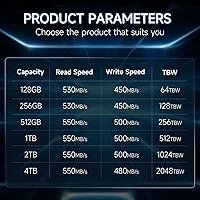
  • Storage Capacity: The drive provides 2TB of flash storage, sufficient for a full operating system installation alongside extensive media libraries and application collections.
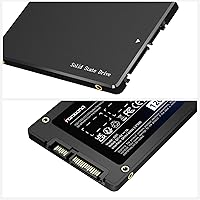
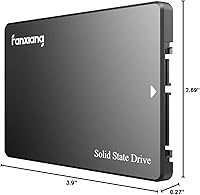
  • Form Factor: The drive follows the standard 2.5-inch form factor at 0.28 inches (7mm) thick, fitting the majority of laptop bays and desktop drive cages without modification.
  • Interface: The drive connects via SATA III (6 Gb/s), the standard storage interface found in most laptops and desktops produced over the past decade and a half.
  • NAND Type: Flash memory uses 3D NAND TLC (Triple-Level Cell) technology, which provides better write endurance and a longer usable lifespan than QLC-based alternatives at similar price points.
  • Cache Type: A dynamic SLC (Single-Level Cell) cache accelerates burst write performance during typical short-duration file operations such as downloads, document saves, and folder copies.
  • Sequential Read: The drive is rated for sequential read speeds of up to 550 MB/s, a substantial improvement over mechanical hard drives for system boot times and general file access.
  • Encryption: Hardware-level AES encryption is supported, though it requires manual configuration through the host operating system and is not active by default out of the box.
  • Dimensions: Physical dimensions measure 3.94 x 2.72 x 0.28 inches (L x W x H), matching the standard 2.5-inch drive footprint used across most consumer laptops and desktop PCs.
  • Weight: The drive weighs 1.76 ounces, adding negligible mass to a laptop or desktop system after installation.
  • OS Support: The drive works natively with Windows, Linux, and macOS without requiring additional drivers or proprietary setup software.
  • Compatible Devices: Designed for internal installation in laptops, desktop PCs, and all-in-one computers equipped with a standard 2.5-inch SATA drive bay.
  • Warranty: fanxiang provides a 3-year limited warranty covering manufacturing defects, with support handled directly through the brand's after-sales team.
  • Installation Type: The drive is installed internally as either a primary or secondary storage device and does not require an external enclosure or bay adapter for standard SATA-equipped machines.
  • Product Series: This drive belongs to fanxiang's S101 lineup, a range of 2.5-inch SATA SSDs aimed at users seeking affordable, high-capacity storage for everyday computing needs.
  • Brand: fanxiang is a Chinese storage brand that has built a growing presence in the budget and mid-range SSD market since the early 2020s.
  • Launch Date: The drive was first made available in February 2023, giving it an established track record supported by a large base of verified purchaser feedback.

Related Reviews

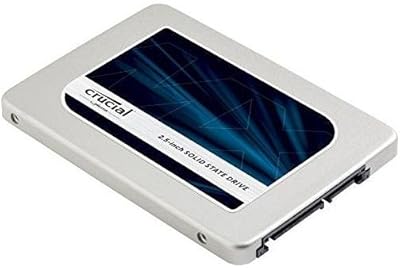
Crucial MX300 2TB Internal SSD
79%
78%
Read & Write Speed
91%
Storage Capacity
88%
Reliability & Longevity
63%
Value for Money
86%
Installation & Setup
More
fanxiang S770 2TB NVMe M.2 SSD
79%
88%
Sequential Read Speed
91%
PS5 Compatibility
86%
Value for Money
83%
Thermal Management
74%
Build Quality
More
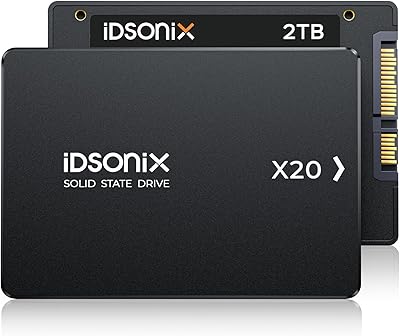
iDsonix X20 2TB 2.5-inch Internal SSD
74%
74%
Read/Write Performance
83%
Value for Money
86%
Storage Capacity
47%
Brand Reliability
57%
Warranty & Support
More
Kingston KC600 2TB SATA SSD
81%
83%
Value for Money
74%
Read/Write Performance
91%
Installation Ease
88%
Long-Term Reliability
77%
Hardware Encryption
More
KingSpec OneBoom 2TB Internal SSD
80%
91%
Value for Money
74%
Read & Write Performance
93%
Installation Ease
78%
Build & Physical Quality
67%
Reliability & Durability
More
fanxiang S630 2TB M.2 2230 NVMe SSD
79%
88%
Read Speed Performance
71%
Sustained Write Speed
93%
Form Factor Compatibility
79%
Thermal Management
86%
Installation Experience
More
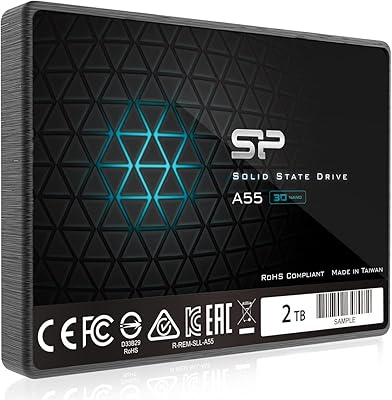
Silicon Power A55 2TB Internal SSD
75%
88%
Value for Money
82%
Read Performance
63%
Write Performance
71%
Long-Term Reliability
91%
Installation Experience
More
INLAND TD510 2TB PCIe 5.0 M.2 SSD
90%
94%
Performance
92%
Read Speed
90%
Write Speed
88%
Thermals
91%
Build Quality
More
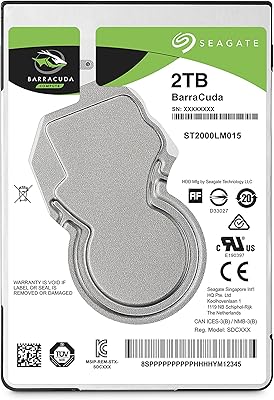
Seagate 2TB BarraCuda 2.5-Inch Internal Hard Drive
86%
89%
Performance
91%
Quiet Operation
88%
Energy Efficiency
93%
Installation Ease
90%
Reliability
More
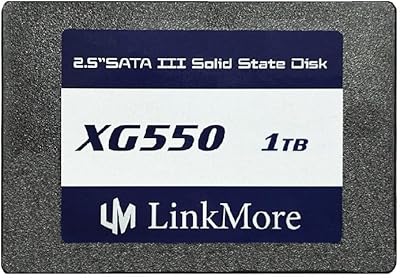
LinkMore XG550 1TB Internal SSD
78%
88%
Value for Money
93%
Installation Ease
87%
Boot Time Improvement
74%
Read/Write Performance
61%
Reliability & Longevity
More

FAQ

In most cases, yes. The fanxiang S101 2TB 2.5″ Internal SSD uses the standard 2.5-inch form factor at 7mm thin, which slots directly into the vast majority of laptop drive bays and desktop cages without adapters. The exception to watch for is ultra-thin or ultra-compact laptops that use proprietary or M.2-only storage — checking your laptop's service manual or a hardware compatibility tool before purchasing is a smart precaution.
Just a standard Phillips-head screwdriver. Most laptops require removing a back panel secured by a handful of small screws, swapping the drive, and reassembling. Desktop installations are typically even simpler. The physical swap itself takes under 15 minutes for most people, even those who have never opened a computer before.

It works perfectly as a primary boot drive. The most common approach is to clone your existing hard drive onto the S101 2TB drive using free software like Macrium Reflect on Windows or Clonezilla on any platform, then swap the drives and boot directly into your existing setup. If you prefer starting fresh, a clean operating system install works just as well.

The core difference is the interface and the peak speeds it allows. This SATA upgrade tops out around 550 MB/s, while NVMe drives typically deliver 3,000 to 7,000 MB/s depending on the generation. For general everyday tasks — web browsing, documents, casual gaming — most users genuinely won't feel that gap in practice. If your machine has an available M.2 slot and you move large video files or run demanding workloads regularly, NVMe is worth the extra spend. If your system is SATA-only, the comparison is moot anyway.

Think of it as a speed boost that kicks in for short, quick bursts of writing — saving a document, downloading an app, copying a folder of photos. Under normal everyday use, the cache handles those tasks quickly and most users never notice any limitation. Where it becomes relevant is during large sustained transfers, like moving 80 or 100GB in one shot — once the cache fills, write speeds fall back to the drive's native TLC rate, which is noticeably slower. For typical home or office use it is rarely an issue, but for frequent large-batch file transfers it is worth knowing about upfront.

Yes to all three. The drive is compatible with Windows 10 and 11, most major Linux distributions, and macOS without needing extra drivers. Whether macOS recognizes it as an internal drive depends on your specific Mac model — older Macs with accessible 2.5-inch drive bays will generally work fine, though modern MacBooks and Mac Minis have not included replaceable drives for years.

No software is included. fanxiang does not bundle migration tools with the S101 2TB drive, but free alternatives handle the job well: Macrium Reflect is reliable on Windows, and Carbon Copy Cloner works on macOS. You will also want an inexpensive USB-to-SATA enclosure to connect the new drive externally while cloning — these run a few dollars and are reusable for future upgrades.

fanxiang is not a household name alongside Samsung, Crucial, or Western Digital, and approaching any unfamiliar brand with some skepticism is entirely reasonable. The volume of user feedback — over 22,000 ratings at 4.5 stars — does provide a meaningful real-world signal, even accounting for the fact that budget brands can attract inflated reviews. For a secondary drive or an upgrade on an older machine, the risk is manageable. For a drive storing irreplaceable data, pairing it with a regular backup routine is non-negotiable regardless of which brand you choose.

The warranty covers manufacturing defects for three years from the date of purchase. To make a claim, you would contact fanxiang's support team through Amazon messaging or their official website with proof of purchase and a description of the issue. User experiences with the process are genuinely mixed — some report smooth replacements while others describe slower response times — so it is worth going in with realistic expectations rather than assuming the experience will match what you'd get from a larger brand.

No, this drive is strictly designed for PCs, laptops, and all-in-one desktops. The PS5 requires an M.2 NVMe SSD in a dedicated internal slot, and neither the interface nor the form factor of this SATA upgrade is compatible with any current gaming console. If PS5 storage expansion is your goal, you need an M.2 NVMe drive that meets Sony's speed and heatsink requirements.

Where to Buy