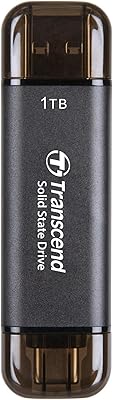
Overview

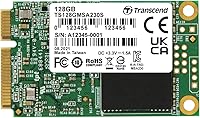
The Transcend MSA230S 128GB mSATA SSD occupies a specific but genuinely useful corner of the storage market — it targets compact and aging systems that rely on the mSATA form factor, a connector absent from modern hardware but still common in older ultrabooks, mini PCs, and embedded devices. Think of it as a budget-to-mid-range option for users with no other viable upgrade path who want meaningful speed gains without swapping the entire machine. The 128GB capacity is honest: it handles a lean OS install and a modest app load comfortably, but it won't double as a media archive. Verify your system has an mSATA slot before purchasing — it is not interchangeable with M.2.
Features & Benefits

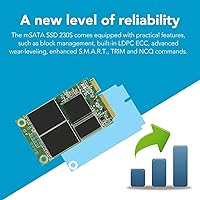
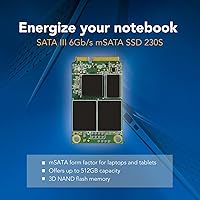
What sets this mSATA drive apart from the most stripped-down budget options is the inclusion of a DDR3 DRAM cache, which smooths out sustained read and write operations in ways that cacheless drives noticeably struggle with during heavy multitasking or large file moves. Sequential reads top out at 550 MB/s and writes at 400 MB/s over the SATA III interface — solid numbers for any SATA-class drive. The 3D TLC NAND architecture stacks memory cells vertically, improving write endurance over older planar designs, with a rated 70 TBW lifetime for this capacity. Background support for TRIM, Advanced Garbage Collection, and DevSleep mode keeps the drive healthy and power-efficient without any user intervention. The whole thing weighs 9 grams.

Best For

This compact SSD makes the most sense as an upgrade for older ultrabooks and mini PCs with an mSATA slot, particularly when a standard 2.5-inch drive won't physically fit and the machine is otherwise still serviceable. Embedded systems — GPS hardware, thin clients, compact servers — are another strong match, since the mSATA interface is common in those environments and the drive's low power draw suits always-on applications. Users who want a fast, reliable OS drive without prioritizing large local storage will find this a capable choice, backed by a three-year warranty. If your system supports M.2 or 2.5-inch SATA, there are better-value capacity options available. This is a purpose-built solution for a defined hardware need.

User Feedback

With a 4.5-star average from more than 2,300 buyers, the Transcend MSA230S has earned steady, credible praise — but the details matter more than the headline number. The most consistent feedback cites an immediate speed improvement in older machines: users report dramatically faster boot times and snappier application launches after replacing a spinning hard drive. Compatibility comes up frequently and positively, with successful installations reported across a range of legacy ultrabooks and compact desktops. The recurring criticism is predictable: 128GB fills fast once a current OS and a handful of programs are installed, leaving little room to breathe. A handful of reviewers also note that seating the mSATA connector takes some care on the first attempt.

Pros

  • Transforms sluggish older laptops into responsive machines — boot times drop dramatically after replacing a mechanical hard drive.
  • DRAM cache keeps sustained transfers smooth, avoiding the stutter that cheaper cacheless drives show under moderate load.
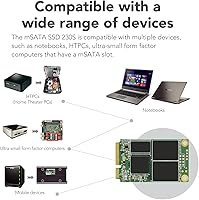
  • Broad compatibility across legacy ultrabooks, mini PCs, and embedded hardware from major manufacturers.
  • LDPC error correction actively protects data integrity, a feature rarely included at this price tier.
  • Weighs just 9 grams and fits in spaces where no 2.5-inch drive could go.
  • DevSleep mode reduces idle power draw, meaningfully extending battery life in portable devices.
  • Three-year warranty from an established storage brand adds genuine long-term purchase confidence.
  • S.M.A.R.T. support works out of the box with standard monitoring tools on Windows and Linux.
  • 3D NAND architecture improves write endurance and cell density compared to older planar NAND designs.
  • Strong real-world read speeds close to the 550 MB/s rated ceiling, confirmed across independent user benchmarks.

Cons

  • 128GB fills up faster than most buyers anticipate once a modern OS and everyday apps are installed.
  • No dedicated manufacturer toolbox app for firmware updates or secure erase — third-party utilities required.
  • Per-gigabyte cost is higher than equivalent-capacity M.2 SATA drives available on the same market.
  • The mSATA connector requires careful, precise seating; a slightly loose fit can cause intermittent recognition issues.
  • 70 TBW endurance rating limits suitability for write-intensive server or database workloads.
  • No metal enclosure means the bare PCB depends entirely on the host device for physical protection.
  • Warranty support response times have drawn criticism in certain regions, with limited live agent access.
  • Thermal throttling is theoretically possible in poorly ventilated enclosures during sustained heavy writes.
  • Buyers must verify their slot is genuinely mSATA — confusion with similarly shaped M.2 slots causes avoidable returns.

Ratings

The Transcend MSA230S 128GB mSATA SSD has been scored by our AI system after parsing thousands of verified global buyer reviews, with spam, bot submissions, and incentivized feedback actively filtered out. Ratings reflect both the genuine strengths that keep buyers satisfied and the real friction points that surface over time. The scores below are designed to give you an honest, balanced picture — not a sales pitch.
Read/Write Performance
88%
Users upgrading from mechanical hard drives consistently describe the difference as dramatic — boot times that once stretched past a minute now land under 15 seconds, and application launches feel immediate. The DRAM cache plays a visible role here, keeping sustained transfers smooth even when moving moderately large folders.
Against other SATA SSDs at similar price points, the write speed ceiling of 400 MB/s is competitive but not class-leading. A small number of users noted slight slowdowns during prolonged heavy write sessions, which is expected behavior for TLC NAND once the cache buffer fills.
Storage Capacity
61%
39%
For a dedicated OS drive running a lean Linux installation or a stripped-down Windows setup, 128GB is workable and gets the job done without constant storage management. Users repurposing older thin clients or embedded systems for single-purpose tasks find the capacity entirely adequate.
Windows 11 with standard updates and a browser plus a few productivity apps can consume 60 to 70GB quickly, leaving buyers feeling boxed in sooner than expected. Several reviewers wished they had opted for the 256GB variant after just a few months of regular use.
Compatibility & Fit
91%
Buyers report successful installations across a notably wide range of legacy ultrabooks, compact desktops, and embedded hardware from brands including Lenovo, Dell, HP, and various industrial systems. The standard mSATA pinout means it drops into compatible slots without adapters or firmware workarounds in the vast majority of cases.
The mSATA standard itself is the limiting factor — if your system has an M.2 slot instead, this drive simply will not fit regardless of size similarity. A handful of users discovered mid-purchase that their device used a proprietary or keyed variant, so confirming the exact slot type before buying is non-negotiable.
Installation Experience
79%
21%
Most buyers describe the physical installation as straightforward once the device is open — the mSATA connector seats at an angle and screws down cleanly, and users with no prior hardware experience report completing the swap in under 20 minutes with basic tools.
The connector requires firm, precise seating, and a few reviewers noted the drive appeared recognized but performed erratically until they reseated it more carefully. First-timers unfamiliar with the angled insertion style may need a couple of attempts before it locks in properly.
Build Quality & Durability
84%
The solid-state construction with no moving parts makes this compact SSD inherently resistant to vibration and minor physical shock — a real advantage in GPS units or portable devices that move around regularly. The 2,000,000-hour MTBF rating reflects a drive engineered for reliable continuous use, not just occasional access.
The PCB-exposed form factor without a metal enclosure means the drive relies on the host device for physical protection. In open-frame or industrial setups without a housing, the bare board could be vulnerable to dust accumulation or accidental contact over time.
Data Reliability & Error Correction
93%
LDPC error correction is a meaningful inclusion at this price tier — it actively detects and corrects bit errors before they compound, which matters most in always-on systems like thin servers or embedded hardware that run continuously for months. Long-term users report no data integrity issues after extended deployment periods.
Like all TLC NAND drives, the theoretical error correction overhead increases as the drive ages past its TBW rating of 70 terabytes written. For light personal use this is never a practical concern, but in write-intensive server environments the 70 TBW ceiling is modest compared to MLC or enterprise-grade alternatives.
Power Efficiency
86%
DevSleep mode support allows the drive to draw minimal power when idle, which adds up meaningfully in battery-powered ultrabooks or always-on embedded systems where energy consumption is a constant concern. Users in low-power NAS and thin-client builds specifically call out the drive's low heat output during extended operation.
In practice, the power savings are difficult to isolate and measure without dedicated monitoring tools, so most everyday users will never consciously notice the benefit. The operational voltage of 3.3V means it depends on the host system providing stable regulated power — a non-issue in standard laptops but worth confirming in custom embedded builds.
Value for Money
87%
For users with a device that specifically requires mSATA, the pricing represents strong value — DRAM cache and LDPC error correction are features often stripped from drives at this cost level, and the three-year warranty adds genuine peace of mind. Buyers routinely note that extending the life of a functional older machine costs far less than replacing it.
Compared to M.2 SATA SSDs of equal or greater capacity available at similar or lower prices, the per-gigabyte cost of this mSATA drive looks less competitive. The value is entirely tied to the necessity of the form factor — if you have a choice, other interfaces will get you more storage per dollar.
Thermal Management
77%
23%
Under typical workloads — OS operations, web browsing, document editing — the drive runs cool and never becomes a thermal concern inside a laptop chassis. The operating ceiling of 70°C gives adequate headroom for use in warm enclosed enclosures like compact server nodes.
During sustained sequential writes, such as cloning a drive or writing large disk images, the drive can warm noticeably in poorly ventilated enclosures. No active cooling is possible given the form factor, so thermal throttling is theoretically possible in extreme edge cases, though few buyers report encountering it in normal use.
Brand Reputation & Support
82%
18%
Transcend has a long-established track record in the memory and storage market, and buyers consistently cite this as a reason they chose this mSATA drive over lesser-known alternatives. The three-year warranty with accessible support documentation adds a layer of confidence that budget-only brands rarely provide.
Warranty service processes, while reportedly functional, have drawn some criticism for response times in certain regions. A small portion of reviewers noted that reaching a live support agent for pre-purchase technical questions required more effort than expected.
Sequential Read Speed
86%
Real-world read speeds hold close to the rated 550 MB/s ceiling in benchmarks, which translates into fast file access, quick OS startup, and responsive application loading that feels genuinely modern even on aging hardware platforms. Users cloning system images onto this drive before deployment report transfer times that stay consistently fast.
The SATA III interface is the architectural ceiling here — no matter the drive quality, reads cannot exceed what the interface physically supports, and at around 550 MB/s the Transcend MSA230S is already near that limit. Users coming from NVMe systems will notice the difference in peak throughput immediately.
Long-Term Endurance
74%
26%
For typical home or light professional use — booting an OS, running a browser, handling documents — the 70 TBW rating is genuinely sufficient and would take many years of normal workloads to approach. The combination of 3D NAND architecture and garbage collection keeps write amplification in check over time.
In write-heavy contexts like database logging, frequent virtual machine snapshots, or ongoing file server roles, 70 TBW is a real constraint that more endurance-focused drives handle better. Users deploying this compact SSD in any write-intensive embedded role should track drive health via S.M.A.R.T. from day one.
Form Factor & Physical Size
94%
At 9 grams and smaller than a business card, this is one of those components you barely notice once installed. Engineers and hobbyists working in ultra-compact builds — custom NUC-style machines, industrial control boards, vehicle-mounted computers — specifically praise how easily it fits into tight spaces without complicating cable routing or thermal planning.
The very compactness that makes it useful in embedded applications also means there is no room for a heat spreader or label surface, which makes post-installation identification slightly awkward when multiple drives are present in a multi-slot system.
Software & Firmware Support
71%
29%
S.M.A.R.T. monitoring is fully supported, meaning standard tools like CrystalDiskInfo on Windows or smartmontools on Linux can read drive health data without any proprietary software requirement. The drive is genuinely plug-and-play across Windows, Linux, and compatible embedded operating systems.
Transcend does not offer a dedicated SSD toolbox application for this drive series comparable to what Samsung or Western Digital provides, so features like secure erase or firmware updates require third-party utilities. A few technically inclined users noted this gap when trying to perform maintenance beyond basic S.M.A.R.T. checks.

Suitable for:

The Transcend MSA230S 128GB mSATA SSD is built for a specific and legitimate need: breathing new life into older hardware that uses the mSATA interface and has no practical path to a faster drive otherwise. If you have a legacy ultrabook, a compact mini PC, or an embedded system — think industrial controllers, vehicle-mounted GPS units, or thin clients — sitting on a slow spinning hard drive, this is a well-engineered, reliable upgrade that will make the machine feel genuinely responsive again. It also suits system builders who need a dedicated OS drive for a lean installation, where 128GB is enough to house the operating system, core software, and little else. Engineers deploying low-power always-on devices will appreciate the DevSleep support and low heat output during continuous operation. Budget-conscious users who want a recognizable brand, DRAM-assisted performance, and a three-year warranty without overspending will find this hits a reasonable balance for what the mSATA market offers.
Not suitable for:

The Transcend MSA230S 128GB mSATA SSD is a poor fit for anyone whose device supports M.2 or standard 2.5-inch SATA, since both of those form factors offer more storage capacity at comparable or lower prices per gigabyte. If you plan to run a modern full-featured Windows installation alongside creative software, games, or a large application suite, 128GB will feel genuinely cramped within months — possibly weeks. Write-heavy workloads like continuous database logging, frequent virtual machine snapshots, or serving files to multiple users simultaneously will stress the 70 TBW endurance rating faster than casual users might expect. Anyone expecting NVMe-class performance should also look elsewhere; the SATA III interface is a hard ceiling regardless of how good the drive itself is. And if your system's slot is M.2 with an mSATA-looking connector, verify the keying carefully — the two are not interchangeable despite visual similarity.
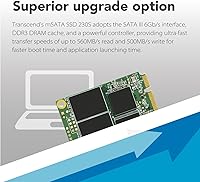
Specifications

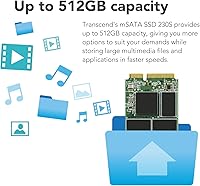
  • Capacity: The drive offers 128GB of usable storage, suited for lean OS installations and targeted application deployments.
  • Form Factor: Physical dimensions measure 50.8 mm x 29.85 mm x 4.85 mm (approximately 2.00″ x 1.18″ x 0.19″), following the standard mSATA footprint.
  • Interface: Connects via SATA III at 6Gb/s, backward compatible with SATA II slots at reduced throughput.
  • Sequential Read: Rated sequential read speed reaches up to 550 MB/s under optimal sustained workloads.
  • Sequential Write: Rated sequential write speed reaches up to 400 MB/s for this 128GB capacity variant.
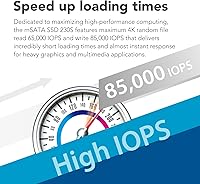
  • Random Read IOPS: 4K random read performance is rated at up to 40,000 IOPS, supporting responsive OS and application behavior.
  • Random Write IOPS: 4K random write performance is rated at up to 70,000 IOPS, benefiting multitasking and small-file operations.
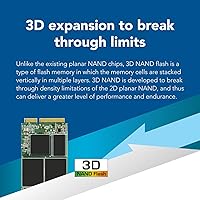
  • NAND Type: Uses 3D TLC NAND flash memory, which stacks cell layers vertically to improve density and write endurance over planar NAND designs.
  • DRAM Cache: Includes an onboard DDR3 DRAM cache that accelerates data access and smooths sustained read/write operations.
  • Error Correction: LDPC (Low-Density Parity Check) error correction actively detects and corrects bit-level errors to protect data integrity over the drive's lifespan.
  • Endurance (TBW): Rated at 70 terabytes written (TBW) for the 128GB variant, reflecting expected write longevity under normal usage conditions.
  • MTBF: Mean time between failures is rated at 2,000,000 hours, indicating high reliability for continuous or embedded deployments.
  • Operating Temp: Supports operating temperatures from 0°C to 70°C (32°F to 158°F), covering standard consumer and light industrial environments.
  • Operating Voltage: Runs at 3.3V with a ±5% tolerance, drawing power directly from the host device's mSATA slot.
  • Weight: The drive weighs approximately 9 grams (0.32 oz), making it effectively negligible in any host system's total weight budget.
  • Supported Features: Supports TRIM, NCQ, S.M.A.R.T. monitoring, DevSleep mode, Advanced Garbage Collection, RAID Engine, and LDPC coding for automated health and performance management.
  • Warranty: Covered by Transcend's three-year limited warranty with support available through the manufacturer's official channels.
  • Certifications: Holds CE, UKCA, FCC, BSMI, KC, and RCM certifications, confirming compliance with major international safety and emissions standards.

Related Reviews
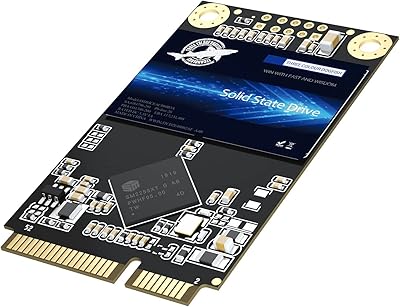
Dogfish mSATA 512GB Internal SSD
73%
83%
Value for Money
76%
Read/Write Speed
61%
Compatibility
88%
Installation Ease
69%
Reliability & Endurance
More
Dogfish mSATA SSD 1TB
86%
85%
Performance
92%
Value for Money
88%
Reliability
90%
Ease of Installation
89%
Compatibility with Devices
More
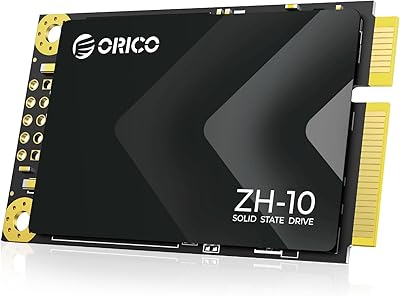
ORICO 256GB mSATA SSD
89%
89%
Performance
90%
Read Speed
85%
Write Speed
92%
Installation Ease
88%
Durability
More
Transcend ESD310 1TB
83%
96%
Portability & Form Factor
93%
Dual-Connector Design
81%
Read & Write Performance
88%
Compatibility & Plug-and-Play
62%
Thermal Management
More
Kingston KC600 512GB mSATA Internal SSD
82%
83%
Read/Write Performance
78%
Compatibility
91%
Ease of Installation
88%
Build Quality & Durability
86%
Hardware Encryption
More
Transcend ESD300 512GB Portable External SSD
78%
94%
Portability
83%
Transfer Speed
91%
Device Compatibility
68%
Build Quality
89%
Setup Ease
More
Transcend ESD310 256GB External SSD
82%
83%
Transfer Speed
94%
Dual Connector Design
97%
Portability
88%
Device Compatibility
76%
Build Quality
More
ORICO 1TB mSATA SSD ZH10
86%
89%
Performance
92%
Value for Money
81%
Installation Ease
74%
Compatibility
85%
Build Quality
More
Transcend ESD380C 2TB External SSD
86%
93%
Performance (Speed)
89%
Build Quality (Durability)
90%
Compatibility
87%
Portability & Size
91%
Ease of Use (Setup)
More
Transcend ESD310 2TB External SSD
88%
94%
Performance (Read/Write Speed)
90%
Portability & Size
88%
Compatibility with Devices
87%
Durability & Build Quality
91%
Ease of Use & Setup
More

FAQ

This is the most important check before purchasing. mSATA and M.2 slots can look similar but are electrically and physically different — an mSATA drive will not work in an M.2 slot and vice versa. Check your laptop's service manual or manufacturer spec page for the exact slot type. If the spec sheet lists mSATA or Mini-SATA, you are good to go. If it says M.2 (sometimes labeled NGFF), you need a different drive entirely.

Almost certainly yes, if the model was released between roughly 2011 and 2015 and has an mSATA slot. These Lenovo and Dell business lines were among the most common mSATA adopters during that era. That said, always confirm by checking the specific model's hardware maintenance manual, since even within a product family some configurations used mSATA and others did not.

It is tight but technically possible with careful management. Windows 11 itself consumes roughly 25 to 35GB after installation and initial updates, which leaves limited room once you add a browser, Office-style apps, and a few utilities. If you plan to use this as your only drive, 256GB would be a more comfortable choice. The 128GB variant works best as a boot drive paired with external or secondary storage for files.

No, the drive ships as a bare unit with no bundled software or screwdrivers. For cloning an existing drive, free tools like Macrium Reflect or Clonezilla work reliably with this drive. You will need a compatible mSATA-to-USB adapter to clone externally before swapping, or you can do a fresh OS install directly after fitting the drive in the slot.

SSD performance across all brands degrades when a drive is consistently near full, because the controller has less free space to work with for wear leveling and garbage collection. On this compact SSD, keeping at least 10 to 15% of the drive free is a reasonable practice to maintain consistent speeds. If you find yourself regularly above 85% capacity, it is a signal to either offload files or consider a higher-capacity variant.

You can, and several users do exactly that in compact or embedded server builds. The rated MTBF of 2,000,000 hours and DevSleep support make it a reasonable fit for low-to-moderate server roles. Just be mindful that the 70 TBW endurance rating is modest for write-intensive server workloads like frequent database writes or continuous logging — monitor drive health via S.M.A.R.T. if deploying it in that context.

If you are comfortable opening a laptop and have handled internal components before, this is a straightforward job. The mSATA connector inserts at an angle — typically 30 to 45 degrees — and then the drive is pressed flat and secured with a single small screw. The most common issue first-timers encounter is not seating the connector firmly enough on the first try, which can cause the system not to detect the drive. Take your time and apply even pressure when seating it.

Yes, fully. Linux treats this like any standard SATA block device and requires no proprietary drivers. S.M.A.R.T. monitoring works out of the box with smartmontools, and TRIM support is available via the fstrim command or by enabling it in the filesystem mount options. Users running Ubuntu, Debian, Arch, and various lightweight distributions have all reported clean, uneventful installations.

Think of the DRAM cache as a high-speed buffer that the drive uses to manage incoming and outgoing data more efficiently than the NAND alone could handle. In practice, you notice it most during tasks that mix reads and writes simultaneously — like extracting a large archive while a browser is loading pages, or copying files while an application is launching in the background. Cacheless drives at this price tier tend to stutter more under those mixed workloads.

First, reseat the drive — this is the cause of the problem in the majority of non-detection cases. Power down completely, remove the battery if possible, and firmly re-insert the mSATA card, making sure it clicks in before you screw it down. If the system still does not see it, check the BIOS or UEFI storage settings to confirm the mSATA slot is enabled; some systems have it disabled by default. If neither step resolves the issue, test the drive in a different system or with an mSATA-to-USB enclosure to rule out a hardware fault.

Where to Buy