Overview

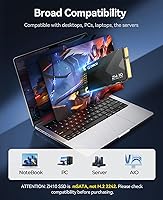
The ORICO ZH10 1TB mSATA Internal SSD is a practical storage upgrade aimed squarely at machines that predate the M.2 era. Before purchasing, one thing deserves immediate clarity: mSATA and M.2 are not interchangeable. They look similar to the untrained eye, but the connectors and slot types differ entirely, so checking your laptop or motherboard manual first is non-negotiable. Released in early 2024, ORICO has built a solid reputation making affordable storage accessories, and this mSATA drive fits that pattern well. With over 360 verified ratings averaging 4.5 stars, the buyer confidence here feels earned rather than manufactured.
Features & Benefits

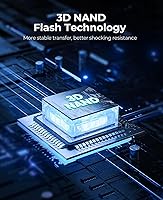
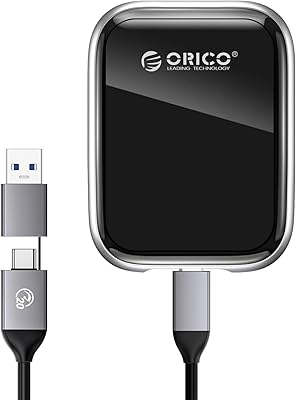
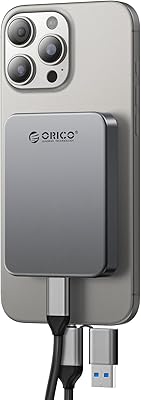
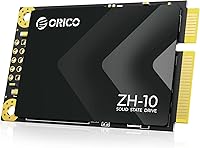
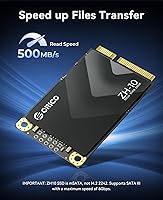
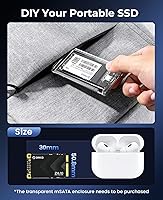
Running on a SATA III 6Gbps interface, this solid-state upgrade hits sequential reads up to 500MB/s and writes close to 490MB/s — though real-world throughput typically lands a touch below those peaks depending on workload and system age. The 3D NAND flash construction keeps heat low, power consumption modest, and the drive reasonably resilient to physical bumps. At 50mm x 30mm with two proper mounting holes, installation is clean and stable. Capacity options stretch from 128GB all the way to 2TB, making the 1TB tier a sensible sweet spot. One genuinely useful bonus: pair this mSATA drive with ORICO's TC10 enclosure and it becomes a pocket-sized portable SSD.

Best For

This solid-state upgrade is built for a specific crowd — people reviving hardware that pre-dates M.2. Think older ThinkPads and Latitudes, and similar business-class laptops that shipped with mSATA slots. Mini PC owners and those maintaining industrial or embedded devices will also find this a straightforward fit. For the DIY-inclined, the option to repurpose the ORICO ZH10 as a portable drive adds real flexibility. Anyone still running a slow mechanical hard disk — where boot times stretch past a minute — will notice a meaningful difference after swapping it out. Budget-focused buyers needing a full terabyte at this form factor have very few alternatives.

User Feedback

Most buyers highlight two things: how straightforward installation is, and how noticeably faster their machine feels afterward — particularly on cold boot times. The 4.5-star average across a meaningful sample reflects genuine satisfaction rather than a handful of outliers. That said, the most common frustration has nothing to do with performance — it is compatibility missteps. A number of purchasers ordered without confirming their device has an mSATA slot rather than an M.2 slot, leading to returns. On reliability, multi-month owners generally report no issues, and there are no widespread complaints about premature drive failure. Packaging is functional but minimal — do not expect mounting screws or an installation guide inside the box.

Pros

  • Replacing a mechanical hard disk with this mSATA drive dramatically cuts boot times on older laptops.
  • 3D NAND flash keeps the drive cool, quiet, and more resistant to bumps than any spinning disk.
  • At 1TB, storage capacity is genuinely useful — not a token upgrade like 128GB options often feel.
  • Sequential reads up to 500MB/s are as fast as the SATA III interface will physically allow.
  • Installation is clean and tool-friendly, with two proper mounting holes for a secure, rattle-free fit.
  • Five capacity tiers from 128GB to 2TB make it easy to match storage to actual needs and budget.
  • Compatible with a wide range of older ThinkPads, Dell Latitudes, HP EliteBooks, and mini PCs.
  • Pairs with ORICO's TC10 enclosure to double as a portable SSD — useful flexibility for the price.
  • Low power draw helps preserve battery life on ultrabooks and other thin, battery-sensitive devices.
  • A 4.5-star average across hundreds of verified buyers signals consistent real-world satisfaction.

Cons

  • SATA III throughput is a hard ceiling — this solid-state upgrade cannot compete with NVMe speeds under any conditions.
  • Real-world read and write speeds often fall measurably below the rated 500MB/s and 490MB/s figures.
  • No mounting screws or installation accessories are included, which can catch first-time builders off guard.
  • The mSATA form factor is a niche interface — double-checking slot compatibility before purchasing is essential, not optional.
  • No publicly listed endurance rating makes it harder to assess long-term reliability for write-heavy workloads.
  • The ORICO ZH10 carries no widely recognized independent reliability certification, unlike some established storage brands.
  • Limited to older or specialized hardware; buyers with modern machines simply have no use for this form factor.
  • Warranty terms and local service support are not prominently documented, which may concern risk-averse buyers.

Ratings

The ORICO ZH10 1TB mSATA Internal SSD has been scored by our AI after analyzing hundreds of verified global buyer reviews, with spam, incentivized feedback, and bot activity actively filtered out before any score was calculated. The results reflect a candid picture of this solid-state upgrade — where it genuinely delivers for the right buyer, and where it falls short of expectations. Both the strengths and the friction points are represented transparently in every category below.
Value for Money
88%
For a niche form factor with limited competition, buyers consistently feel the price-to-capacity ratio is fair. Getting a full terabyte of solid-state storage in mSATA format without significant cost premium is genuinely appreciated by users working with tight upgrade budgets on older hardware.
A small number of reviewers felt the drive was slightly overpriced compared to equivalent 2.5-inch SATA SSDs of the same capacity, even accounting for the rarer form factor. Those comparing on raw price-per-gigabyte alone sometimes felt underwhelmed.
Read Speed Performance
79%
21%
Buyers replacing mechanical hard disks report a dramatic improvement in day-to-day responsiveness — boot times, application launches, and large file copies all feel meaningfully faster. For systems bottlenecked by a slow spinning drive, this mSATA drive delivers a real, perceptible upgrade.
Real-world sequential read speeds tested by more technically inclined buyers typically land between 420MB/s and 470MB/s rather than the rated 500MB/s ceiling. On older SATA II systems the gap widens further, and a handful of buyers noted disappointment when benchmark results did not match marketing claims.
Write Speed Performance
76%
24%
For typical laptop usage — saving documents, downloading files, installing software — write performance feels snappy and consistent. Users doing light video editing or large software installs report no frustrating stalls or throttling during typical workloads.
Sustained write speeds under heavy continuous workloads tend to drop as the drive's cache fills, a known behavior in drives at this price tier. Buyers transferring very large file batches in one go occasionally noticed slowdowns mid-transfer that were absent with pricier NVMe alternatives.
Installation Ease
91%
This is one of the most consistently praised aspects across all reviews. The mSATA connector is a simple push-and-screw install in any compatible slot, and buyers with no prior SSD experience report completing the swap in under ten minutes using only a small Phillips screwdriver.
The lack of included mounting screws is a minor but recurring frustration — users who do not have the right hardware on hand must order screws separately before they can complete the installation. No printed installation guide is included, which can slow down true first-timers.
Compatibility Accuracy
62%
38%
When buyers do their homework and verify their device has a genuine mSATA slot before ordering, the drive fits and functions without issue across a wide range of ThinkPads, Dell Latitudes, HP EliteBooks, and various mini PCs and embedded systems.
The mSATA versus M.2 confusion is the single largest source of negative reviews for this solid-state upgrade. A meaningful portion of buyers ordered without checking slot type, received a drive that physically would not fit, and had to navigate returns — an avoidable but clearly recurring problem that reflects insufficient pre-purchase guidance.
Build Quality
83%
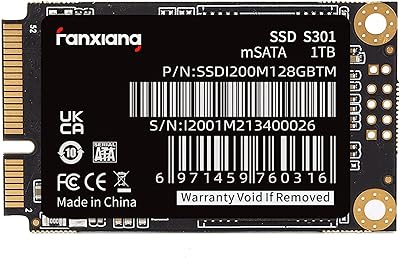
The transparent PCB is sturdy and well-constructed for the price point, with no reported incidents of boards cracking or connectors bending during normal installation. The 3D NAND chip layout feels solid, and the dual mounting holes align cleanly with standard mSATA slots.
The transparent PCB aesthetic, while visually distinctive, gives some buyers the impression of a budget or barebones product even when performance is adequate. A few buyers also noted there is no protective covering over the board during shipping, relying entirely on the outer packaging for protection.
Long-Term Reliability
77%
23%
Multi-month owners report consistent operation with no unexpected failures or data integrity issues in everyday laptop and mini PC use. The absence of moving parts and 3D NAND construction means the drive handles occasional bumps and vibration — common in portable setups — without complaint.
There is no publicly documented TBW endurance rating or MTBF figure for this drive, which makes it difficult for buyers to assess suitability for write-intensive workloads. Longer-term reliability data beyond six months remains limited given the March 2024 release date.
Thermal Management
81%
19%
Buyers who monitor drive temperatures consistently report that this mSATA drive runs cool during typical laptop use — well within safe operating ranges even during extended file transfers. Low heat output is a practical benefit in compact chassis with limited airflow.
Under sustained sequential write workloads in a cramped enclosure, a small number of users noted moderate temperature rises. No thermal pad or heatspreader is included, and in tightly packed mini PC builds, active airflow management may be worth considering.
Boot Speed Improvement
93%
For buyers upgrading from a mechanical hard disk, the improvement in boot time is the single most talked-about benefit. Systems that used to take 60 to 90 seconds to reach the Windows desktop routinely drop to under 20 seconds after the swap — a transformation that users describe as making an old machine feel new again.
Users already running an older SATA SSD in their system will notice a less dramatic improvement, since the gains are most pronounced over mechanical storage. On SATA II host systems the ceiling is lower, and the speed delta versus a quality 2.5-inch SATA SSD is minimal.
Packaging & Accessories
54%
46%
The outer retail box is functional and provides adequate protection for the drive during shipping. The compact packaging size keeps things simple and wastage low, which suits buyers who just want the drive with no fuss.
The box contents are bare-bones: no mounting screws, no installation instructions, no drive cloning software code, and no antistatic pouch that some buyers expect at this price point. For buyers building their first SSD upgrade kit, the lack of even a basic accessory sheet can create unnecessary friction.
Capacity Options
86%
Offering five capacity tiers from 128GB to 2TB in the same product line gives buyers genuine flexibility. The 1TB tier in particular hits a practical sweet spot — enough for a full Windows installation, a large application library, and substantial personal file storage without requiring external supplements.
The 2TB variant carries a noticeably higher price that some buyers feel crosses into harder-to-justify territory for a SATA-speed drive. At the lower end, the 128GB option feels too small for modern operating systems, making it a less compelling entry point in 2024.
Power Efficiency
84%
Buyers in ultrabooks and thin laptops consistently report a small but real improvement in battery endurance after replacing a spinning hard disk with this solid-state upgrade. The lower power draw is a meaningful bonus for users who work on battery throughout the day.
Power savings compared to other modern SSDs — including M.2 NVMe drives — are not dramatically different, so buyers specifically chasing battery life improvements will not find this drive uniquely efficient. The benefit is most noticeable only when upgrading from a mechanical hard disk.
Noise & Vibration
97%
As a solid-state drive with zero moving parts, this mSATA drive is completely silent under all operating conditions. Buyers who previously dealt with clicking, whirring, or vibration from aging mechanical drives find the silence alone a genuine quality-of-life improvement.
This is essentially a non-issue for any SSD and is expected rather than exceptional. Buyers should not weight this as a differentiator when comparing this drive against other solid-state options in the same category.
Dual-Use Portability
71%
29%
The ability to repurpose this mSATA drive as a portable SSD by pairing it with ORICO's TC10 enclosure is a genuinely useful feature for DIY builders. Buyers who already own or plan to buy the enclosure appreciate having a compact, pocketable storage option without buying a dedicated external drive.
The TC10 enclosure must be purchased separately, and the combined cost narrows the value proposition versus purpose-built portable SSDs. Transfer speeds over the enclosure's USB connection also introduce a new bottleneck that undercuts the drive's internal SATA III performance.

Suitable for:

The ORICO ZH10 1TB mSATA Internal SSD is the right call for anyone trying to squeeze more useful life out of older hardware that happens to have an mSATA slot. That group is more specific than you might think: we are talking about ThinkPad X230s, Dell Latitude E-series machines, older HP EliteBooks, and a range of compact mini PCs and industrial terminals from roughly 2010 to 2016. If your laptop is crawling through boot sequences because of a failing or aging mechanical hard disk, this solid-state upgrade will make the single biggest performance difference you can make to that machine at a reasonable cost. DIY builders who want some flexibility will also appreciate the dual-use angle — pair this mSATA drive with ORICO's own TC10 enclosure and you have a compact portable SSD without buying a second device. For budget-conscious users who simply need reliable, spacious storage in an increasingly rare form factor, the 1TB capacity tier hits a genuinely practical sweet spot.

Not suitable for:

The ORICO ZH10 1TB mSATA Internal SSD is a poor fit for anyone who has not first confirmed that their device actually has an mSATA slot — and that distinction matters more than most buyers realize going in. M.2 2242 drives look nearly identical in photographs and are far more common in modern systems, but the two connectors are physically incompatible, so ordering without checking your device manual is a gamble that ends in a return. Beyond compatibility, this solid-state upgrade also is not the right choice for buyers chasing high performance: the SATA III interface caps theoretical speeds around 500MB/s, which is significantly slower than what any NVMe M.2 drive delivers, so anyone building or upgrading a current-generation system should look elsewhere entirely. Users who need enterprise-grade endurance ratings, formal warranty documentation, or drives validated for heavy write workloads should also consider more specialized options. Finally, anyone expecting a well-accessorized retail package — mounting screws, an installation guide, or thermal pads — will likely be disappointed by the minimal contents inside the box.
Specifications

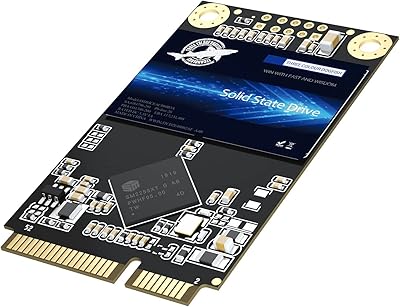
  • Form Factor: This drive uses the mSATA form factor, measuring 50mm x 30mm — a compact size designed primarily for older laptops, mini PCs, and industrial devices.
  • Interface: It connects via a SATA III 6Gbps interface, which is the standard for mSATA drives and is backward compatible with SATA II and SATA I slots at reduced speeds.
  • Sequential Read: Rated sequential read speed reaches up to 500MB/s under optimal conditions, though real-world performance may vary depending on the host system and workload.
  • Sequential Write: Rated sequential write speed is up to 490MB/s, placing it near the practical ceiling of what the SATA III interface can deliver.
  • Flash Technology: The drive uses 3D NAND flash memory, which stacks memory cells vertically to improve endurance, reduce heat output, and lower power consumption compared to planar NAND.
  • Storage Capacity: This specific variant offers 1TB of usable storage; the ZH10 series is also available in 128GB, 256GB, 512GB, and 2TB configurations.
  • Weight: The drive weighs just 1.44 oz, making it negligibly light and suitable for ultrabooks and thin portable systems where weight is a consideration.
  • Package Dimensions: The retail package measures 5 x 3.46 x 0.87 inches, compact enough to indicate minimal accessory contents inside the box.
  • Mounting: Two complete mounting holes are positioned at the end opposite the connector, enabling a secure and stable fit using standard mSATA screws.
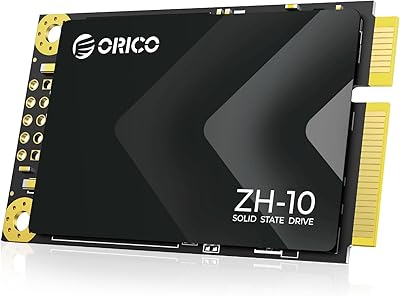
  • PCB Appearance: The printed circuit board is transparent in color, which has no functional impact but gives the drive a distinctive visual profile inside open systems.
  • Power Consumption: As a SATA-based solid-state drive built on 3D NAND, this mSATA drive draws significantly less power than mechanical alternatives, benefiting battery life in portable devices.
  • Shock Resistance: Semiconductor-based construction with no moving parts provides inherent resistance to vibration and physical shock compared to traditional spinning hard disks.
  • Manufacturer: The ZH10 is manufactured by Shenzhen ORICO Technologies Co., Ltd, a Chinese electronics company specializing in storage accessories and peripheral devices.
  • Availability Date: This drive was first made available in March 2024, making it a recent release within the mSATA product category.
  • Compatibility Note: This drive uses an mSATA connector and is not interchangeable with M.2 2242 SATA or NVMe drives; verifying slot type in the host device before purchase is essential.

Related Reviews
ORICO ZH10 2TB mSATA Internal SSD
78%
88%
Value for Money
91%
Installation Ease
74%
Read/Write Performance
63%
Compatibility Accuracy
82%
Build Quality
More
Dogfish mSATA 1TB Internal SSD
74%
83%
Read & Write Performance
88%
Value for Money
86%
Installation Experience
71%
Compatibility Range
74%
Build & Physical Quality
More
ORICO ZH10 128GB mSATA SSD
76%
88%
Value for Money
82%
Read Performance
67%
Write Performance
71%
Compatibility
86%
Installation Ease
More
fanxiang S301 1TB mSATA SSD
75%
78%
Read & Write Performance
83%
Value for Money
71%
Compatibility
88%
Installation Experience
74%
Build Quality
More
Patriot P210 1TB 2.5″ Internal SSD
83%
91%
Value for Money
83%
Real-World Performance
94%
Installation Ease
92%
Boot Time Improvement
67%
Long-Term Reliability
More
ORICO A20 512GB Portable External SSD
78%
78%
Transfer Speed Performance
83%
Build Quality & Durability
91%
Portability & Form Factor
86%
Apple Device Compatibility
84%
Time Machine Backup Reliability
More
ORICO S500PRO 1TB 2.5″ SATA SSD
81%
91%
Value for Money
78%
Read & Write Speed
88%
Build Quality
89%
Installation Experience
83%
Compatibility
More
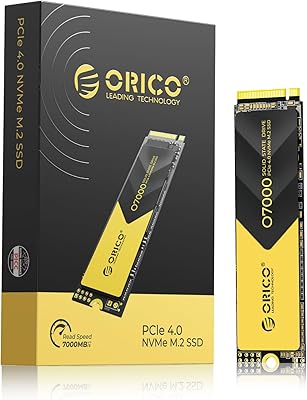
ORICO O7000 1TB NVMe SSD
85%
93%
Performance
89%
Thermal Management
70%
Ease of Installation
90%
Compatibility with PS5
88%
Build Quality
More
ORICO K5PLUS 1TB Magnetic Portable SSD
79%
88%
Transfer Speed
83%
Magnetic Attachment
79%
ProRes Recording Support
86%
Build Quality
67%
Heat Management
More
Seagate BarraCuda Q5 1TB NVMe SSD
81%
88%
Sequential Read Speed
74%
Sequential Write Speed
91%
Value for Money
93%
Ease of Installation
87%
Real-World Boot Performance
More

FAQ

The safest way is to look up your exact laptop model in its service manual or on the manufacturer's support page — search for the model number plus the word 'storage' or 'SSD slot.' mSATA and M.2 slots look similar in photos but are physically different connectors. If you open the bottom panel and see a slot labeled mSATA, you are good. If it says M.2 or NGFF, this drive will not fit.

Yes, both the ThinkPad X220 and X230 have genuine mSATA slots alongside the standard 2.5-inch bay, and this solid-state upgrade is a well-documented fit for those machines. Many buyers use it specifically for that purpose. Just make sure you are installing it in the mSATA mini-PCIe slot and not confusing it with the wireless card slot, which looks similar.

No, mounting screws are not included in the package. The box contents are minimal — just the drive itself. If your laptop's original hard disk came with screws or a caddy, you may be able to reuse those. Otherwise, mSATA mounting screws are a standard size and easy to find separately online for very little cost.

In practical terms, the difference is dramatic. A typical 5400rpm laptop hard disk delivers sequential reads in the range of 80–120MB/s, while this mSATA drive runs closer to 400–480MB/s under normal conditions. Boot times that used to take over a minute often drop to under 20 seconds. Application loading and file transfers feel noticeably faster in everyday use.

Yes, if you pair this mSATA drive with ORICO's TC10 mSATA enclosure, it becomes a fully functional portable SSD. The enclosure is sold separately, but the combination gives you a compact external drive you can carry around — a handy dual-use option for those who may later upgrade their laptop again.

Yes, Windows 11 works fine with SATA-based SSDs including mSATA drives, as long as the host machine itself supports Windows 11 — which most mSATA-era laptops do not, due to TPM 2.0 requirements. The drive will function perfectly with Windows 10, Windows 7, Linux distributions, and most other operating systems regardless.

3D NAND stacks memory cells in multiple vertical layers rather than spreading them flat across the chip surface. This generally results in better write endurance, lower operating temperatures, and improved data retention over time compared to older planar NAND designs. For a typical laptop upgrade use case — mostly reads, moderate writes — it should last several years without issue.

Solid-state drives consume significantly less power than mechanical hard disks, so switching to this mSATA drive typically improves battery runtime slightly. The difference varies by system, but it is a genuine benefit, especially in thinner ultrabooks where every milliwatt of draw matters.

It will not physically fit in a standard M.2 slot, so the risk of accidental installation is low. The connectors are shaped differently and the drive will not seat properly. The more common mistake is ordering without checking slot type and then needing to return the item — frustrating, but not damaging.

ORICO typically offers a limited warranty on their storage products, but the specific terms and duration are not prominently listed in the product documentation for this drive. If warranty coverage is important to your decision, it is worth contacting ORICO's support directly before purchasing to get written confirmation of what is covered and for how long.