Overview

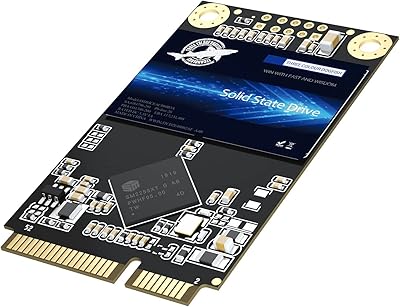
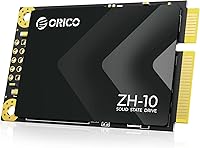
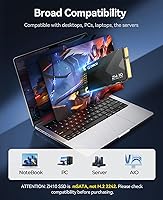
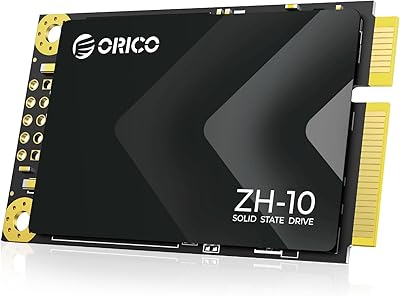
The ORICO ZH10 128GB mSATA SSD is a no-frills storage upgrade aimed squarely at users whose older hardware never got an M.2 slot. Before buying, one thing must be clear: mSATA is a distinct connector standard — it is not M.2 2242, and it is not NVMe. Confusing the two is the most common purchasing mistake in this category, so check your laptop or motherboard specs first. At 128GB, this budget SSD handles a Windows or Linux installation plus everyday applications without trouble, but it will feel tight if you plan to store large video files or a game library. ORICO has built its name around affordable, functional storage accessories, and the ZH10 fits that mold well.

Features & Benefits

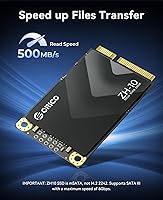
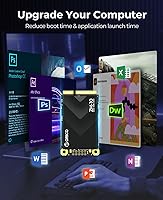
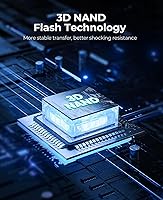
Running on a SATA III 6Gbps interface, this mSATA drive advertises sequential reads of around 500MB/s and writes of roughly 220MB/s — respectable figures for legacy SATA hardware, though nowhere near NVMe territory. In practice, the jump over a mechanical hard drive is dramatic: boot times drop noticeably and application launches feel far more responsive. The 3D NAND flash underneath supports better long-term endurance and data retention compared to older planar NAND, which matters if you are extending the life of a machine by several years. With no moving parts and low power draw, this budget SSD is also easier on battery life, and the standard 50mm x 30mm footprint with dual mounting holes installs securely without fuss.

Best For

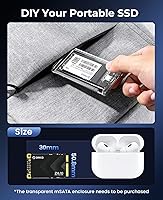
This mSATA drive is a practical pick for owners of older ThinkPads, Dell Latitudes, HP EliteBooks, or similar business-class machines with a vacant mSATA slot. It works equally well in compact mini PCs and industrial devices where the 50mm x 30mm form factor is a hard requirement. If the goal is a budget OS refresh — pulling out a slow, aging HDD and replacing it with something faster — the ORICO ZH10 handles that job cleanly and without complications. It also doubles as the foundation for a DIY portable drive when paired with ORICO's TC10 enclosure. That said, anyone with a modern laptop featuring M.2 or NVMe slots should look for a different drive entirely.

User Feedback

Holding a 4.5-star average across 365 ratings for a product that only arrived in early 2024, the overall reception is genuinely solid. Buyers consistently highlight how painless the installation process is and report clear, measurable boot speed improvements after replacing an old HDD — which is precisely the use case this drive was designed for. Two criticisms surface regularly, though. The 128GB capacity fills faster than many expect once the OS, drivers, and core apps are installed, so storage management becomes an ongoing consideration. Some users also note that write speeds dip under sustained heavy loads, falling short of the rated spec. A recurring thread of compatibility confusion — buyers mistakenly expecting M.2 support — reinforces why double-checking your slot type before ordering is non-negotiable.

Pros

  • Delivers a dramatic speed improvement over mechanical HDDs in older laptops and mini PCs.
  • Installation is genuinely straightforward — fits the standard mSATA slot and screws down securely.
  • 3D NAND flash offers better long-term endurance than older planar NAND at this price point.
  • Low power consumption helps extend battery life in laptops where every hour matters.
  • No moving parts means less vulnerability to bumps, drops, and everyday mobile use.
  • Available in multiple capacities up to 2TB, so buyers can right-size for their specific needs.
  • Backward compatible with SATA II slots, broadening the range of supported older hardware.
  • Pairs with the ORICO TC10 enclosure for a low-cost DIY portable storage solution.
  • Ranked among the top performers in its Amazon category, backed by hundreds of real buyer ratings.

Cons

  • 128GB fills up quickly once the OS, drivers, and core apps are installed — plan storage carefully.
  • Write speeds can dip noticeably below rated specs during sustained or back-to-back large file transfers.
  • mSATA compatibility must be verified before purchasing; it does not fit M.2 2242 or NVMe slots.
  • SATA III interface imposes a hard speed ceiling that no amount of optimization can overcome.
  • Buyers with SATA II slots will see further reduced throughput compared to advertised figures.
  • No included installation hardware or software — users must source their own cloning or migration tools.
  • 128GB capacity offers no headroom for media storage, making it a poor standalone drive for most users.
  • The form factor is becoming increasingly niche, which may limit long-term upgrade paths for some devices.

Ratings

The scores below reflect an AI-driven analysis of verified global buyer reviews for the ORICO ZH10 128GB mSATA SSD, with spam, bot activity, and incentivized feedback actively filtered out to ensure the results represent genuine user experience. Ratings cover the full picture — from where this budget mSATA drive genuinely delivers to where it falls short — so buyers can make a clear-eyed decision before purchasing.

Value for Money
88%
For users upgrading a legacy laptop on a tight budget, the price-to-performance ratio is hard to argue with. Buyers consistently report that the improvement over a failing or sluggish hard drive is immediate and tangible, making the cost feel well-justified for the result delivered.
The value equation weakens if you need more than 128GB, since stepping up to larger capacities costs noticeably more. A small number of buyers who expected NVMe-level performance felt let down, though that reflects a mismatch in expectations rather than a product shortcoming.
Read Performance
82%
18%
Sequential read speeds in real-world OS and application workloads track reasonably close to the 500MB/s advertised figure on capable SATA III hosts. Users upgrading from mechanical HDDs in older ThinkPads and Dell Latitudes report dramatically faster boot times and snappier app launches as a direct result.
On SATA II systems, the host controller caps throughput at around 300MB/s, which not all buyers anticipate before purchasing. Even on SATA III, peak speeds are benchmark figures — sustained reads during large file operations tend to settle somewhat lower in practice.
Write Performance
67%
33%
For typical OS and daily-use workloads — installing software, saving documents, light file transfers — write performance is more than adequate and goes largely unnoticed in a positive way. Users doing clean Windows installations report the process completes without any frustrating delays.
Under sustained sequential write loads, such as copying large video folders or running extended backups, speeds can drop noticeably below the 220MB/s rated spec. This is a recurring complaint among buyers who push the drive beyond light everyday tasks, and it is worth factoring in if your workload involves frequent large file writes.
Compatibility
71%
29%
On hardware that genuinely has an mSATA slot — older ThinkPad T430 or X230 models, certain Dell Latitude E-series machines, or compact mini PCs from the early 2010s — the drive fits cleanly and is recognized by the system immediately without driver installation.
Compatibility confusion is the single most common source of negative reviews for this drive. A meaningful number of buyers mistakenly assumed mSATA and M.2 2242 were interchangeable, resulting in returns. The burden of verifying slot type falls entirely on the buyer, and the product listing does not make this easy enough to catch at a glance.
Installation Ease
86%
Most buyers with even basic DIY confidence complete the physical installation in under ten minutes. The standard 50mm x 30mm footprint fits the slot cleanly, the dual mounting holes align without issue, and no special tools beyond a small Phillips screwdriver are typically required.
No installation guide, mounting screws, or cloning software is included in the package, which catches some first-time upgraders off guard. Users who need to migrate an existing OS rather than doing a fresh install must source their own tools, adding a step that less technical buyers may find frustrating.
Storage Capacity
61%
39%
For a dedicated OS and core applications drive — particularly on a secondary machine or a laptop used primarily for web browsing and office work — 128GB is sufficient to get the job done without constant management.
128GB is a meaningful constraint for anyone who treats this as a primary and only drive. Once Windows, drivers, a browser, and a handful of applications are installed, free space can drop below 60GB quickly, leaving little room for user files. Buyers who did not anticipate this have consistently flagged it as a frustration post-purchase.
Build Quality
79%
21%
The drive feels solid for its weight class, and the absence of moving parts means there is no mechanical wear to worry about over time. Several buyers noted it held up well through laptop reassembly and repeated handling during the installation process.
At this price tier, the drive uses a basic PCB construction with no thermal padding or protective casing, which is standard for the category but leaves it more vulnerable to static discharge during handling. Long-term durability data is limited given the product only launched in early 2024.
3D NAND Endurance
77%
23%
The use of 3D NAND flash is a meaningful quality step up from planar NAND alternatives at a comparable price, offering better write endurance and data retention over the drive's lifespan. For a low-intensity OS drive used in a repurposed laptop, the rated endurance should comfortably outlast the useful life of the host machine.
ORICO does not publish a specific TBW (terabytes written) endurance rating in publicly available product documentation, which makes direct endurance comparisons with competing drives difficult. Buyers who want hard numbers for long-term planning will have to work with industry estimates for this class of 3D NAND drive.
Power Efficiency
84%
As a NAND-based drive with no spinning platters or read/write heads, power draw is inherently low — a genuine practical benefit in older laptops where battery capacity has already degraded. Several buyers noted a modest but real improvement in battery runtime after replacing their mechanical hard drive.
Power consumption figures are not officially specified in ORICO's product documentation, making it impossible to quantify the benefit precisely. While the improvement over an HDD is real, buyers expecting dramatic battery life gains from the drive swap alone may find the difference more modest than anticipated.
Noise & Vibration
93%
Completely silent operation is one of the most consistently praised side effects of replacing a mechanical hard drive with this mSATA drive. Users working in quiet environments — home offices, libraries, late-night use — appreciate the total absence of drive noise and physical vibration during operation.
This is effectively a non-issue for the drive itself, as solid-state storage produces no operational noise by design. Any residual system noise after installation comes from other components such as fans or coil whine, not the storage drive.
Thermal Management
72%
28%
Under typical daily workloads, the drive operates at low temperatures and does not require active cooling, which suits the compact environments it is designed for. Buyers running the drive in mini PCs and embedded systems have not raised thermal issues as a concern.
During sustained read or write stress, the drive can warm up given the lack of any heatsink or thermal pad. While it is unlikely to thermal throttle under normal use, the absence of temperature monitoring data in ORICO's documentation means buyers cannot easily track drive health over time.
Portable SSD Versatility
74%
26%
The option to combine this mSATA drive with ORICO's TC10 enclosure and create a compact portable SSD is a practical bonus that several buyers took advantage of. It offers a low-cost path to mobile external storage for users who already own the enclosure or want a DIY solution.
The TC10 enclosure is sold separately, which adds to the total cost and is easy to overlook when evaluating the drive on its own. The resulting portable drive is limited by the SATA interface speed ceiling, making it slower than USB 3.2 Gen 2 or NVMe-based portable SSDs in the same price range.
Product Listing Clarity
58%
42%
The listing does include a direct warning that this is mSATA and not M.2 2242, and the comparison table between form factors is present for buyers who read carefully. For an informed buyer, the technical information needed to verify compatibility is technically available.
Despite the disclaimer, a notable share of buyers still purchased the wrong drive due to confusing product photography and the visual similarity between mSATA and M.2 modules. Clearer front-and-center compatibility warnings could prevent a significant portion of the negative reviews that stem from mistaken purchases rather than product defects.
Brand Reliability
76%
24%
ORICO has a broad product catalog and an established presence in the storage accessories space, which gives buyers more confidence than a no-name alternative would. The 4.5-star average across 365 ratings for a product less than two years old suggests the ZH10 meets expectations for its intended audience.
ORICO is not in the same tier as established SSD specialists such as Samsung, Crucial, or WD when it comes to published reliability data, warranty support documentation, or long-term track record on drive longevity. Buyers prioritizing brand assurance for mission-critical data should keep that in mind.

Suitable for:

The ORICO ZH10 128GB mSATA SSD is genuinely well-suited for anyone trying to squeeze more useful life out of older hardware that was built before M.2 slots became standard. Think business-class laptops from the early-to-mid 2010s — older ThinkPad T or X series, Dell Latitude E-series, HP EliteBook 8xx models — machines that are mechanically fine but painfully slow due to an aging spinning hard drive. For those users, dropping this mSATA drive in as an OS and applications drive produces a real, day-to-day improvement without a major financial commitment. It also suits DIY-minded users who want a compact secondary or cache drive in a mini PC or embedded industrial system where the mSATA slot is the only available interface. If you happen to own ORICO's TC10 enclosure, this budget SSD can even double as a portable external drive, giving it extra utility beyond a single fixed installation.

Not suitable for:

Anyone shopping for a primary drive on a modern laptop or desktop should steer clear — the ORICO ZH10 128GB mSATA SSD simply does not fit the M.2 or NVMe slots found in hardware built within the last several years, and no adapter will bridge that gap cleanly. The 128GB capacity is also a real constraint: once a current version of Windows is installed alongside drivers, a browser, and a handful of applications, available space tightens up fast, making this a poor fit for anyone who stores photos, video projects, or a local game library on their primary drive. Power users or content creators who push sustained sequential write workloads will also find that real-world write performance can fall short of the advertised 220MB/s figure under load. And if you are comparing this to modern NVMe options, the SATA III speed ceiling is a fundamental limitation of the interface, not something firmware updates can fix — so enthusiasts chasing top-tier throughput should look elsewhere entirely.

Specifications

  • Form Factor: This drive uses the mSATA form factor, measuring 50mm x 30mm, which is distinct from M.2 2242 and NVMe formats.
  • Dimensions: Physical dimensions are 2.36″ x 0.39″ x 0.39″, making it one of the more compact internal storage options available.
  • Weight: The drive weighs approximately 0.352 oz (roughly 10g), adding virtually no measurable burden to a laptop or mini PC.
  • Interface: It connects via a SATA III 6Gbps (Serial ATA-600) interface and is backward compatible with SATA II slots at reduced speeds.
  • Read Speed: Advertised sequential read speed reaches up to 500MB/s under optimal conditions on a SATA III host.
  • Write Speed: Advertised sequential write speed is up to 220MB/s, though sustained workloads may see some reduction from this rated figure.
  • Storage Capacity: This specific variant offers 128GB of usable storage; the ZH10 series is also available in 256GB, 512GB, 1TB, and 2TB capacities.
  • Flash Type: The drive uses 3D NAND flash memory, which provides improved data retention and endurance compared to planar NAND at this price tier.
  • Installation: Installation type is internal, secured via two complete mounting holes at the opposite end of the mSATA connector.
  • Compatibility: Compatible with laptops, ultrabooks, desktop computers, and mini PCs that feature a dedicated mSATA slot — not M.2 or NVMe slots.
  • Power Draw: As a NAND-based drive with no moving parts, it operates at low power consumption, which benefits battery life in portable devices.
  • Backward Compat.: The drive is backward compatible with older SATA II interfaces, though maximum throughput will be limited by the host controller in that case.
  • Brand: Manufactured by Shenzhen ORICO Technologies Co., Ltd., a China-based brand known for value-oriented storage and peripheral accessories.
  • Model Series: The ZH10 is ORICO's dedicated mSATA SSD line, specifically designed for legacy system upgrades rather than modern M.2 platforms.
  • Availability: The product first became available in March 2024 and has since accumulated over 365 customer ratings on Amazon.
  • BSR Ranking: As of available data, this drive holds a Best Sellers Rank of approximately #180 in the Internal Solid State Drives category on Amazon.
  • Customer Rating: It carries a 4.5-out-of-5-star average rating across 365 reviews, indicating consistent buyer satisfaction for its intended use case.

Related Reviews
ORICO ZH10 2TB mSATA Internal SSD
78%
88%
Value for Money
91%
Installation Ease
74%
Read/Write Performance
63%
Compatibility Accuracy
82%
Build Quality
More
ORICO ZH10 1TB mSATA Internal SSD
80%
88%
Value for Money
79%
Read Speed Performance
76%
Write Speed Performance
91%
Installation Ease
62%
Compatibility Accuracy
More
Transcend MSA230S 128GB mSATA SSD
82%
88%
Read/Write Performance
61%
Storage Capacity
91%
Compatibility & Fit
79%
Installation Experience
84%
Build Quality & Durability
More
Dogfish mSATA 512GB Internal SSD
73%
83%
Value for Money
76%
Read/Write Speed
61%
Compatibility
88%
Installation Ease
69%
Reliability & Endurance
More
ORICO C5 4TB Portable SSD
82%
93%
Storage Capacity
71%
Transfer Speed
91%
Portability & Size
84%
Build Quality
96%
Ease of Setup
More
Dogfish mSATA 1TB Internal SSD
74%
83%
Read & Write Performance
88%
Value for Money
86%
Installation Experience
71%
Compatibility Range
74%
Build & Physical Quality
More
ORICO S500PRO 4TB SATA SSD
86%
91%
Performance
88%
Build Quality
90%
Value for Money
89%
Installation Ease
75%
Reliability Under Load
More
ORICO M25PRO 512GB Portable External SSD
75%
74%
Transfer Speed
83%
Build Quality
91%
Portability
88%
Cable & Connectivity
86%
Device Compatibility
More
ORICO Y20 2TB SATA SSD
75%
91%
Value for Money
78%
Read & Write Speed
74%
Installation Ease
76%
Build Quality
63%
Long-Term Reliability
More
fanxiang S301 1TB mSATA SSD
75%
78%
Read & Write Performance
83%
Value for Money
71%
Compatibility
88%
Installation Experience
74%
Build Quality
More

FAQ

It depends on whether your specific model has an mSATA slot, not just any small internal slot. Many ThinkPad T-series, X-series, and Dell Latitude E-series laptops from roughly 2011 to 2016 do include an mSATA port, but you should check your laptop's service manual or hardware maintenance guide to confirm before buying. Searching your exact model number alongside the word mSATA is usually the fastest way to verify.

They look alike but are electrically and physically incompatible. mSATA uses an older connector standard primarily found in laptops and mini PCs manufactured before around 2015, while M.2 is the more modern format used in virtually all current hardware. An mSATA drive will not fit in an M.2 slot, and forcing it risks damaging both the drive and your motherboard. Always confirm which slot type your machine has before ordering.

It is workable, but tight. A clean Windows 11 install with drivers typically consumes 30 to 40GB, which leaves around 80 to 90GB for applications and user data. If you keep documents in the cloud and avoid storing large media files locally, it can absolutely serve as a functional OS drive. Just be aware that the free space will shrink faster than most people expect once updates, software, and browser caches accumulate.

Installation is straightforward for anyone comfortable opening a laptop. You typically need a small Phillips-head screwdriver and possibly a plastic pry tool to access the drive bay. The mSATA drive slides into the slot at a slight angle, lies flat, and is secured with one or two small screws. No special drivers are needed — the OS detects it automatically once installed.

No, it ships as a bare drive only — no cloning software, mounting screws, or cables are included in the package. If you want to migrate your existing OS rather than doing a fresh install, you will need to source a cloning tool separately. Free options like Macrium Reflect work well for this purpose.

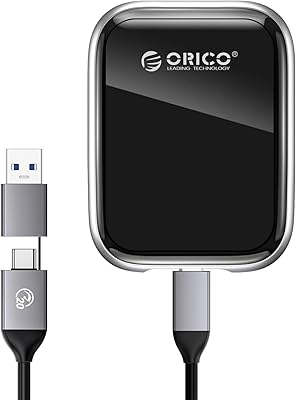
Yes, but only if you pair it with a compatible enclosure. ORICO makes the TC10 mSATA enclosure specifically for this purpose, which turns the bare drive into a compact portable SSD. The enclosure is sold separately, but the combination is a cost-effective way to build a custom portable storage device.

It will work, yes. The drive is backward compatible with SATA II interfaces. The practical trade-off is that your maximum throughput will be capped at around 300MB/s rather than the full 500MB/s the drive can theoretically deliver — but even at those speeds, the improvement over a mechanical hard drive is very noticeable in daily use.

Sequential read speeds tend to track reasonably close to the 500MB/s claim in benchmark conditions, but write performance under sustained loads — copying large batches of files, for instance — can dip below the rated 220MB/s. For everyday tasks like booting Windows, launching apps, and general file access, the real-world experience is still a clear upgrade over any spinning hard drive. Just do not expect NVMe-level consistency.

Generally, yes. 3D NAND stacks memory cells vertically rather than across a flat surface, which reduces wear on individual cells and tends to improve both endurance and data retention over time. It does not make the drive indestructible, but for a budget SSD used as an OS and applications drive with typical daily workloads, 3D NAND is a meaningful quality indicator compared to planar NAND alternatives at similar prices.

Yes, the ZH10 series comes in 256GB, 512GB, 1TB, and 2TB variants. If you plan to use this as your only internal drive and want more breathing room for apps and files, stepping up to 256GB or 512GB is worth considering. The 128GB version makes the most sense as a dedicated OS drive when a secondary storage option is also available.