Overview

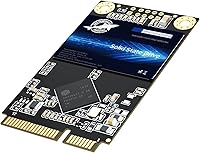
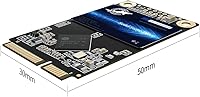
The Dogfish mSATA 1TB Internal SSD is a budget-conscious storage upgrade from a brand that lacks the name recognition of Samsung or Crucial but has been quietly building a following since 2021. This mSATA drive targets a specific and often overlooked market — older laptops, netbooks, and mini PCs that use the mSATA form factor rather than the now-standard M.2 slot. At 30x50.9mm, it fits snugly into compatible systems, and with 3D NAND TLC flash behind it, the capacity-to-cost ratio is genuinely reasonable. If you have a legacy machine collecting dust because its storage is painfully slow, this compact solid state drive offers a practical path forward without a large financial commitment.

Features & Benefits

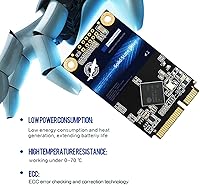
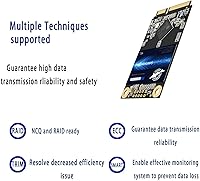
The SATA III interface pushes sequential reads up to 550 MB/s and writes up to 500 MB/s — numbers that translate to noticeably faster boot times and quicker application launches compared to any spinning hard drive. Beyond raw speed, the Dogfish 1TB mSATA includes ECC error correction, which quietly catches and fixes data errors during read and write operations, something you really want in a drive storing important files. It also supports TRIM and garbage collection to maintain performance over time, plus S.M.A.R.T. monitoring so you can keep tabs on drive health using standard tools. A 1.75 million hour MTTF rating and a 3-year warranty round out a feature set that punches above its price tier.

Best For

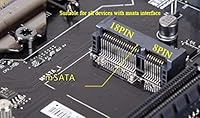
This mSATA drive is built for a narrow but real use case: upgrading older machines that still have an mSATA slot. Think ThinkPad X220s, Dell Latitude E-series laptops, certain older netbooks, or compact mini PCs where M.2 simply is not an option. If your aging machine is limping along on a worn-out hard drive or a small first-generation SSD, swapping in this compact solid state drive can restore genuine usability. That said, be sure to verify your slot type before ordering — mSATA and M.2 look similar but are not interchangeable. Anyone chasing a legacy system upgrade on a tight budget will find this drive makes a lot of practical sense.

User Feedback

Across its 90 ratings, the Dogfish 1TB mSATA holds a 4.6 out of 5 stars average, which is a strong signal for a brand without wide recognition yet. Buyers consistently highlight faster boot times and noticeably smoother day-to-day performance as the main wins after installation. Compatibility reports are largely positive, with users finding the drive fits expected mSATA slots without fuss. On the cautious side, the brand is still relatively young and long-term reliability data is limited simply because it has not been on the market long enough to tell a full story. No widespread failure patterns have surfaced, but pairing it with a regular backup routine remains smart practice regardless.

Pros

  • Delivers a dramatic real-world speed boost over any mechanical hard drive in compatible legacy systems.
  • 1TB of capacity is generous for an mSATA drive and removes the need to constantly manage storage space.
  • ECC error correction adds a meaningful layer of data protection that is not always present at this price tier.
  • TRIM support and garbage collection help maintain consistent performance over months of use, not just out of the box.
  • S.M.A.R.T. monitoring lets you keep an eye on drive health using free tools like CrystalDiskInfo.
  • A 3-year limited warranty and lifetime technical support are reassuring commitments for a lesser-known brand.
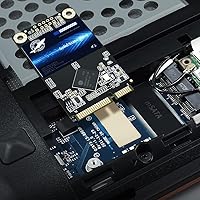
  • Installation is straightforward for anyone comfortable opening a laptop, with no special tools or adapters needed.
  • At under 0.7 ounces, this mSATA drive adds virtually no weight to a system being refurbished or repurposed.
  • Early buyer feedback is consistently positive, with a 4.6-star average suggesting the drive performs as advertised.

Cons

  • Dogfish lacks the long-term reliability track record of established SSD brands, making multi-year durability an open question.
  • The mSATA form factor is a legacy standard, so this drive is only compatible with a shrinking pool of older machines.
  • TLC NAND typically offers lower write endurance than MLC alternatives, which matters if you write data heavily and frequently.
  • With only around 90 ratings to date, the sample size is too small to draw firm conclusions about failure rates.
  • No published TBW (terabytes written) endurance rating is listed, making it harder to compare longevity against competing drives.
  • Brand support infrastructure is less established than major manufacturers, which could be a concern if warranty service is needed.
  • Sequential write speeds top out at 500 MB/s, trailing some competing mSATA drives that hit 520 to 530 MB/s.
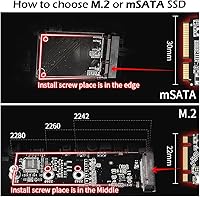
  • Buyers must carefully verify their slot type before purchasing, as confusing mSATA with M.2 SATA is an easy and costly mistake.

Ratings

The scores below reflect an AI-driven analysis of verified global user reviews for the Dogfish mSATA 1TB Internal SSD, with spam, bot-generated, and incentivized feedback actively filtered out before scoring. Each category captures what real buyers experienced in day-to-day use, from legacy laptop upgrades to compact mini PC builds, and both the strengths and the genuine shortcomings are transparently represented.

Read & Write Performance
83%
Users upgrading from mechanical hard drives consistently report that boot times drop from over a minute to under 20 seconds, and everyday applications launch noticeably faster. For the mSATA segment and its SATA III ceiling, the real-world throughput holds up well in typical office and light creative workloads.
Sequential write speeds, while adequate, trail the read figures and can feel limiting during large bulk file transfers or when writing multiple files simultaneously. Power users familiar with NVMe drives will find the performance gap hard to ignore once they have experienced faster storage.
Value for Money
88%
Buyers frequently highlight that getting 1TB of mSATA storage at this price tier is genuinely difficult to match, especially for a niche form factor that most major brands have stopped prioritizing. For legacy laptop owners, the cost-to-capacity ratio makes this one of the most practical upgrade decisions available.
The value calculation only holds if you actually have an mSATA slot — buyers who purchase this without confirming compatibility end up paying for a drive they cannot use. A few reviewers also noted that similarly priced 2.5-inch SATA SSDs from established brands offer more brand confidence for roughly the same outlay.
Installation Experience
86%
Most reviewers describe a clean, fuss-free installation process: the drive slots directly into the mSATA connector and is secured with a single screw, with no cables or adapters required. Users on ThinkPads and older Dell laptops in particular found the physical fit precise and snug.
A small number of buyers ran into BIOS recognition issues on certain older systems, requiring a firmware update before the drive appeared. The installation process also assumes some comfort with opening laptops, which can be a barrier for less experienced users.
Compatibility Range
71%
29%
The drive performs reliably across the most common mSATA-compatible machines — ThinkPad X and T series, older Dell Latitude models, and various mini PCs from the 2010 to 2016 era are all well-represented in positive buyer reports. Windows, Linux, and even some BSD-based systems recognize it without driver installation.
mSATA is a legacy standard, and the pool of compatible devices is shrinking with every hardware generation. Buyers occasionally confuse it with M.2 SATA, and the lack of a bundled compatibility checker or clear guidance on the product page has caused preventable returns.
Build & Physical Quality
74%
26%
The drive feels solid and well-constructed for its weight class, with no flex or loose components noted by buyers who handled it during installation. At just under 0.7 ounces, it is light enough to be a non-issue even in weight-sensitive builds like thin netbooks.
Dogfish does not publish detailed information about the controller chip used in this drive, which makes it harder for technically inclined buyers to evaluate build quality independently. The lack of a metal enclosure on some configurations also raises minor concerns about long-term heat dissipation in tight chassis.
Long-Term Reliability
63%
37%
No widespread failure patterns have appeared in the available review pool, and the manufacturer's claimed MTTF of 1.75 million hours is a reasonable baseline figure for everyday use. ECC error correction and bad block management add meaningful layers of data protection over time.
The drive has only been on the market since 2021, which means there is genuinely limited multi-year field data to draw on. TLC NAND also carries lower write endurance than MLC alternatives, and without a published TBW (terabytes written) rating, buyers have no straightforward way to estimate the drive's write lifespan.
Brand Trust & Support
67%
33%
The 3-year limited warranty and lifetime technical support are above-average commitments for a brand at this market tier, and buyers who have contacted support report satisfactory response times. The official website and support channel are functional and accessible, which is not always a given with budget storage brands.
Dogfish simply does not carry the institutional trust that comes with brands like Samsung, Crucial, or WD, and that matters to buyers who plan to store irreplaceable data. The relatively small review sample size means a few bad experiences would meaningfully shift the overall perception of the brand.
Thermal Management
69%
31%
Under typical light-to-moderate workloads — web browsing, document editing, media playback — the drive runs cool and does not throttle, which is what most users in its target demographic need. Reviewers using it in older ThinkPads report no heat-related issues after extended sessions.
The drive lacks a heatspreader, and in cramped or poorly ventilated chassis it can run warmer than ideal during sustained write operations. No thermal throttling data is publicly available from the manufacturer, leaving buyers to rely on S.M.A.R.T. temperature monitoring to stay informed.
Capacity Accuracy
81%
19%
Buyers report that the formatted usable capacity aligns with reasonable expectations for a 1TB drive, landing around 931GB as shown in the OS — consistent with standard binary formatting conventions. For most daily use cases, 1TB provides ample room without requiring active storage management.
A small number of buyers were surprised by the difference between advertised and formatted capacity, which is a general consumer education issue rather than a product defect, but the listing could do more to set expectations upfront.
Software & Ecosystem
54%
46%
The drive works with all standard third-party S.M.A.R.T. monitoring tools on Windows and Linux, meaning health tracking is available to anyone willing to use free utilities like CrystalDiskInfo. No drivers are required, and OS detection is plug-and-play across supported systems.
Dogfish provides no proprietary software for drive management, cloning, or health monitoring, which puts it at a disadvantage compared to brands like Samsung or Crucial that bundle dedicated tools. For less technical users, the absence of a guided setup utility adds friction to the upgrade experience.
Packaging & Unboxing
72%
28%
Buyers note that the drive arrives in adequate protective packaging with no reported damage on arrival, and the inclusion of a mounting screw is a small but appreciated practical touch that removes one potential obstacle from installation.
The packaging is minimal and does not include any installation guide, cloning software, or USB adapter — items that competing products sometimes bundle in to lower the barrier for first-time upgraders. For new users, the bare-bones unboxing experience can feel underwhelming.
OS & Platform Support
84%
The drive functions correctly across Windows 10, Windows 11, and major Linux distributions without requiring any additional configuration, which is exactly what legacy system users need when performing a straightforward upgrade. ChromeOS compatibility has also been reported positively in a subset of user cases.
MacOS compatibility is limited by the rarity of mSATA slots in Apple hardware, and no official Mac compatibility testing is referenced by the manufacturer. Edge-case operating systems or embedded OS builds may require manual TRIM configuration to maintain long-term performance.

Suitable for:

The Dogfish mSATA 1TB Internal SSD is a genuinely smart pick for anyone trying to squeeze more life out of an older machine that happens to have an mSATA slot. This includes owners of legacy ThinkPads like the X220 or T430, older Dell Latitude business laptops, certain netbooks, and compact mini PCs that predate the M.2 standard. If your current drive is a slow mechanical hard disk or a first-generation SSD with limited capacity, swapping in this mSATA drive will produce a real, day-to-day improvement in boot times, application responsiveness, and general system feel. It also makes sense for hobbyists and embedded system builders who need compact internal storage without overspending. Essentially, if your use case is everyday computing on a legacy platform and your budget is tight, this compact solid state drive delivers solid value without asking you to compromise on capacity.

Not suitable for:

The Dogfish mSATA 1TB Internal SSD is not the right choice for buyers who need modern performance levels or who are working with current-generation hardware. If your system uses an M.2 slot — even one running at SATA speeds — this drive simply will not fit, and the two form factors are not interchangeable despite looking superficially similar. Users who handle large video files, run virtual machines, or do any work where storage throughput is a bottleneck will find SATA III speeds limiting regardless of the brand. The Dogfish 1TB mSATA is also a harder sell for anyone who places a premium on brand pedigree and long-term reliability data, since Dogfish has only been on the market since 2021 and does not yet have the multi-year track record of established names like Samsung or Western Digital. Finally, if your machine has a standard 2.5-inch drive bay available, you will have far more competitive options to choose from at similar or lower price points.

Specifications

  • Form Factor: The drive uses the mSATA form factor, measuring 30x50.9mm, designed for systems with a dedicated mSATA slot rather than a standard 2.5-inch or M.2 bay.
  • Capacity: Total usable storage capacity is 1TB (1000GB), formatted capacity will appear slightly lower once the operating system accounts for reserved space.
  • Interface: Connects via SATA III at 6 Gb/s, which is the maximum bandwidth available on the mSATA standard and backward compatible with SATA II slots at reduced speeds.
  • Flash Type: Uses 3D NAND TLC (Triple-Level Cell) flash memory, which balances storage density and cost efficiency at the 1TB capacity level.
  • Read Speed: Sequential read speed reaches up to 550 MB/s under optimal conditions, which is sufficient to dramatically reduce boot times compared to a mechanical hard drive.
  • Write Speed: Sequential write speed is rated at up to 500 MB/s, suitable for everyday file transfers, application installs, and system updates.
  • Error Correction: ECC (Error Checking and Correction) technology is built in to detect and correct data errors during read and write operations, protecting file integrity over time.
  • Drive Monitoring: Supports S.M.A.R.T. (Self-Monitoring, Analysis and Reporting Technology), allowing users to check drive health status using standard third-party diagnostic tools.
  • Maintenance Features: Includes TRIM command support, automatic garbage collection, and bad block management to help sustain performance and extend usable drive life.
  • Reliability Rating: Manufacturer-rated MTTF (Mean Time To Failure) of 1.75 million hours reflects the statistical reliability expectation under normal everyday workloads.
  • Compatible Devices: Designed for internal installation in desktop PCs and laptops that include a physical mSATA slot, commonly found in machines manufactured between approximately 2010 and 2016.
  • Installation Type: Internal installation only; the drive is not housed in an enclosure and is not designed for external or portable use without a separate third-party adapter.
  • Weight: The drive weighs 0.634 ounces (approximately 18 grams), adding negligible mass to any system it is installed in.
  • Warranty: Covered by a 3-year limited warranty from Dogfish, with lifetime technical support available through the manufacturer's official support channel.
  • Brand: Manufactured by Three Colour Dogfish, a storage-focused brand that entered the consumer SSD market in 2021 and sells under the Dogfish name.
  • Market Entry: This product was first listed for sale in July 2021, making it a relatively recent entrant with a still-developing long-term reliability track record.

Related Reviews
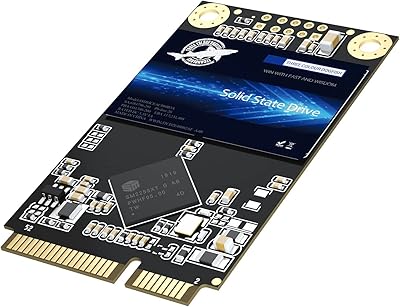
Dogfish mSATA 512GB Internal SSD
73%
83%
Value for Money
76%
Read/Write Speed
61%
Compatibility
88%
Installation Ease
69%
Reliability & Endurance
More
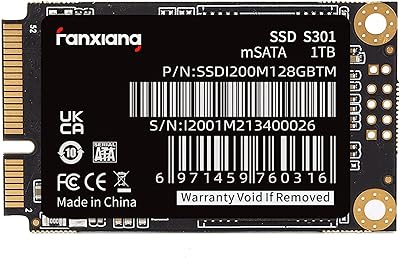
fanxiang S301 1TB mSATA SSD
75%
78%
Read & Write Performance
83%
Value for Money
71%
Compatibility
88%
Installation Experience
74%
Build Quality
More
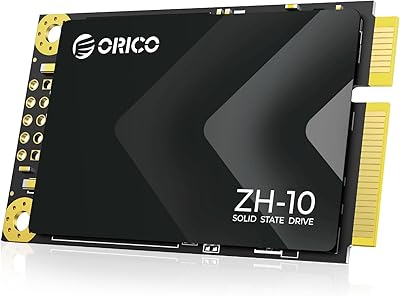
ORICO ZH10 1TB mSATA Internal SSD
80%
88%
Value for Money
79%
Read Speed Performance
76%
Write Speed Performance
91%
Installation Ease
62%
Compatibility Accuracy
More
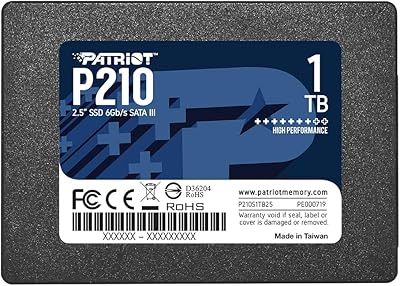
Patriot P210 1TB 2.5″ Internal SSD
83%
91%
Value for Money
83%
Real-World Performance
94%
Installation Ease
92%
Boot Time Improvement
67%
Long-Term Reliability
More
Seagate BarraCuda Q5 1TB NVMe SSD
81%
88%
Sequential Read Speed
74%
Sequential Write Speed
91%
Value for Money
93%
Ease of Installation
87%
Real-World Boot Performance
More
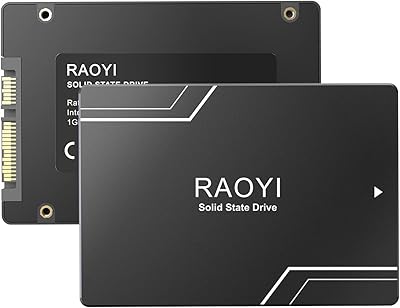
RAOYI 1TB 2.5″ SATA III Internal SSD
73%
88%
Value for Money
76%
Read/Write Performance
92%
Installation Ease
89%
Compatibility
61%
Brand Reliability
More
Patriot Memory P220 1TB Internal SATA SSD
78%
93%
Value for Money
74%
Read & Write Performance
94%
Installation Ease
71%
Build Quality
91%
Boot Time Improvement
More
SanDisk Ultra 3D 1TB Internal SSD
79%
91%
Real-World Speed Improvement
88%
Installation Ease
84%
Value for Money
79%
Reliability and Longevity
93%
Compatibility
More
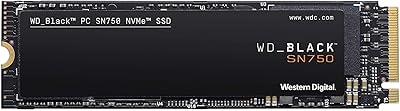
Western Digital SN750 1TB NVMe SSD
79%
88%
Read Speed Performance
79%
Write Speed & Sustained Throughput
63%
Thermal Management
91%
Reliability & Longevity
84%
Installation & Compatibility
More
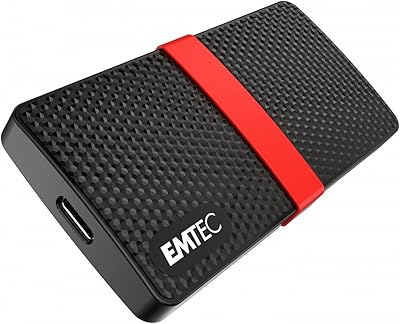
Emtec X200 Power Plus 1TB Portable SSD
76%
83%
Value for Money
61%
Transfer Speed
91%
Portability
72%
Build Quality
88%
Setup & Compatibility
More

FAQ

The easiest way is to look up your exact laptop model number and check the manufacturer's service manual or a trusted hardware database like Notebookcheck or CPU-Z. mSATA slots look similar to M.2 slots but are keyed differently and use an older connector standard. If you open your laptop and see a half-length or full-length mini PCIe-style slot labeled mSATA, you are good to go. Do not assume — installing the wrong drive type will result in it simply not fitting or not being recognized.

Yes, both the ThinkPad X220 and T430 include dedicated mSATA slots and are among the most commonly cited compatible machines for this type of drive. Many buyers specifically upgrade these models with mSATA SSDs to extend their working lives. Just make sure your BIOS recognizes the drive after installation, which it should on those models without any special configuration.

Absolutely, and that is the recommended approach if you want to avoid reinstalling your operating system. Free tools like Macrium Reflect or Clonezilla can copy your existing drive to the new mSATA drive using a USB-to-mSATA adapter. Once cloned, you swap the drives and boot up as normal. It saves a lot of setup time compared to a clean install.

Yes, provided your underlying hardware also supports Windows 11. The drive itself is just storage — it does not affect OS compatibility. Whether your older laptop can run Windows 11 depends on factors like the CPU generation and TPM 2.0 support, not the SSD.

Yes, this mSATA drive works fine with Linux distributions. SATA SSDs are universally supported across major Linux kernels, and TRIM is supported on most modern distros out of the box. No special drivers are needed.

If your machine has both a 2.5-inch bay and an mSATA slot, a 2.5-inch SSD will give you more brand options and potentially more competitive pricing. The mSATA slot is usually a secondary option in machines that have it, and using this compact solid state drive there lets you keep both storage slots occupied simultaneously, which is useful if you want to run your OS on one drive and store files on the other.

It is a fair concern, and the honest answer is that lesser-known brands carry more uncertainty than established names. That said, the Dogfish 1TB mSATA holds a strong average rating and has not shown any notable failure patterns in available reviews. The 3-year warranty provides a reasonable safety net. As with any drive from a newer brand, keeping regular backups is just smart practice regardless.

Typically just a small Phillips-head screwdriver to open your laptop and secure the drive. Most mSATA drives are held in place by a single screw. No cables are needed since the drive connects directly to the slot. An anti-static wrist strap is a good idea but not strictly required if you ground yourself beforehand.

You can, with a USB-to-mSATA enclosure or adapter, which you would need to purchase separately. It works fine for that purpose and is actually a handy way to clone data onto the drive before installing it. However, the drive itself is designed for internal use, and using it permanently as external storage is not its intended application.

No bundled software is included, but that is fairly standard for drives at this tier. You can use free tools like CrystalDiskInfo on Windows to read the S.M.A.R.T. data and monitor drive health. On Linux, gnome-disks or smartmontools work well. Checking in every few months is a good habit with any SSD.