Overview

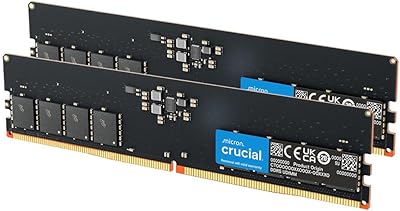
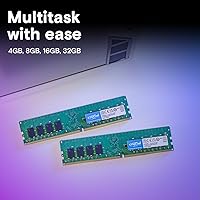
The Crucial 16GB DDR4-2400 Desktop RAM Kit is a straightforward dual-channel memory upgrade built on Micron's well-regarded manufacturing heritage. It ships as two 8GB sticks designed to run together in dual-channel mode, delivering meaningfully better bandwidth than a single 16GB module ever could. Operating at 2400MHz with a low 1.2-volt draw, it stays cool without any heatspreader. This is not a flashy kit chasing benchmark headlines — it's a no-frills, broadly compatible upgrade that fits most standard desktop motherboards and gets out of your way once installed.
Features & Benefits

Running two sticks in dual-channel mode rather than one is the single most important thing to understand about this DDR4 memory upgrade. That configuration opens up more memory bandwidth, which becomes noticeable when you're juggling multiple applications or doing anything mildly data-intensive. The 288-pin DIMM form factor covers standard ATX, Micro-ATX, and Mini-ITX boards, so compatibility headaches are rare. Crucial backs the kit with their Advisor compatibility tool, which removes the guesswork of matching memory to a specific board. At 2400MHz it's not tuned for extreme gaming rigs, but it handles everyday productivity, light content creation, and routine multitasking without complaint. No BIOS fiddling required for most users.

Best For

This Crucial kit makes the most sense for desktop users still running 8GB who want a straightforward, noticeable upgrade without a complicated installation process. It's particularly well-suited for home office builds where the priority is reliable multitasking — think dozens of browser tabs, spreadsheets, and background apps running simultaneously. First-time builders will appreciate that Crucial's documentation and compatibility resources are among the strongest in the memory segment, reducing anxiety around the purchase. If you're running virtual machines or light video editing on a budget system, this DDR4 memory upgrade has enough headroom to handle those workloads comfortably. Those chasing overclocking headroom or RGB aesthetics should look elsewhere.

User Feedback

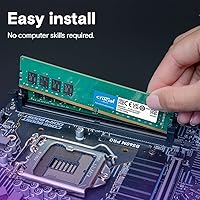
Across thousands of verified purchases, the 16GB dual-channel set earns consistently high marks — and the most common thread is how painless the installation is. Most systems recognize it immediately without any BIOS adjustments, and owners upgrading from 8GB frequently describe the difference in daily use as obvious rather than subtle. On the critical side, a handful of reviewers wish the kit ran at higher speeds, and a few note the bare green PCB looks plain inside a windowed case. Thermal complaints are essentially nonexistent. Long-term reliability appears strong, with very few reports of failure over extended ownership — a reassuring sign for anyone who wants memory they can install and simply forget about.

Pros

  • Dual-channel configuration delivers meaningfully better bandwidth than a single 16GB stick at the same capacity.
  • Installation is plug-and-play on most mainstream desktops — no BIOS adjustments needed out of the box.
  • Crucial's compatibility verification tool makes it easy to confirm fit before you ever open the box.
  • The 1.2V operating voltage keeps power draw and heat output low without any active cooling required.
  • Long-term owners consistently report rock-solid stability with no unexpected failures over extended use.
  • The 288-pin DIMM form factor covers a wide range of standard desktop motherboard sizes and chipsets.
  • Noticeable real-world improvement for users upgrading from 8GB, particularly in multitasking and tab-heavy browsing.
  • Backed by a reputable manufacturer with strong warranty support and responsive customer service.
  • The understated PCB design keeps the focus on function, which suits non-windowed or professional builds well.
  • Represents strong value for productivity-focused users who want reliable memory without paying for features they will never use.

Cons

  • 2400MHz speed is below what many current-generation CPUs and motherboards are optimized to run.
  • No heatspreader means the bare PCB look is a poor fit for enthusiast builds with visible components.
  • 16GB total capacity may feel limiting within a couple of years as software memory demands continue to climb.
  • No XMP profile support, so there is no easy one-click speed boost available through the BIOS.
  • The kit does not support any RGB lighting, which is a genuine gap for buyers building aesthetically themed systems.
  • Buyers with AMD Ryzen platforms may find competing kits at DDR4-3200 offer noticeably better performance for similar money.
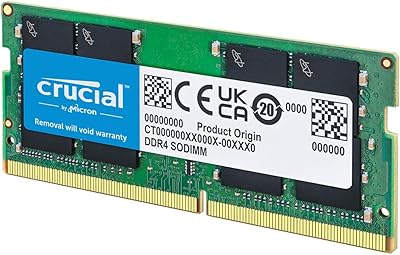
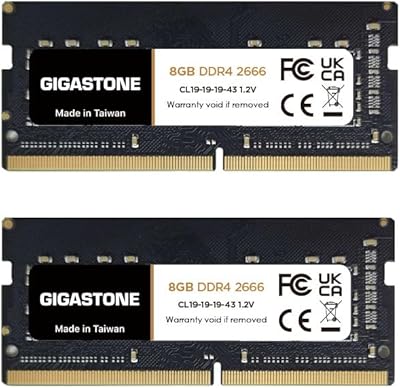
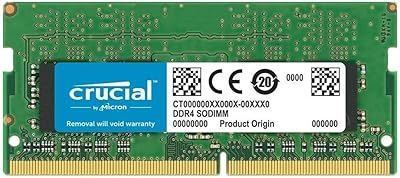
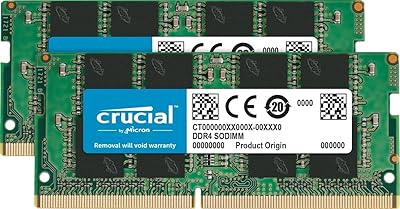
  • Not suitable for laptops, mini PCs, or workstations that require SO-DIMM or ECC memory configurations.
  • Some users report that the lack of bundled documentation makes it slightly harder for absolute beginners to confirm installation success.

Ratings

The Crucial 16GB DDR4-2400 Desktop RAM Kit has been scored by our AI rating engine after analyzing thousands of verified global purchases, actively filtering out incentivized reviews, bot submissions, and outlier feedback to surface what real everyday users actually experienced. The scores below reflect both the genuine strengths and the honest limitations of this DDR4 memory upgrade, giving you a transparent picture before you commit to buying.
Ease of Installation
96%
This is the category that earns the kit its most enthusiastic praise across user feedback worldwide. Buyers consistently report that both sticks are recognized immediately upon boot without touching BIOS settings, making the upgrade accessible even to first-timers who have never opened a PC case before.
A very small number of users encountered slot-seating issues on tighter budget motherboards where the DIMM latch requires extra force. This is rare and almost always a motherboard tolerance issue rather than a defect with the modules themselves.
Compatibility
93%
The 288-pin DDR4 form factor and 2400MHz JEDEC standard mean this DDR4 memory upgrade works across an exceptionally wide range of Intel and AMD desktop platforms. Crucial's online compatibility tool further reduces pre-purchase anxiety, which buyers frequently mention as a deciding factor.
Compatibility is desktop-only with no ECC or SO-DIMM variant in this kit, which excludes a meaningful segment of buyers running workstations or compact mini-PC builds. Users on older DDR3 platforms obviously cannot use it, and this occasionally catches less experienced buyers off guard.
Reliability & Stability
94%
Long-term owners are particularly vocal about the absence of problems — no random reboots, no memory errors, no blue screens after months or years of continuous use. For a home office machine or a family PC that needs to just work every day, this is arguably the most important thing the 16GB dual-channel set delivers.
A very thin slice of reviewers reported DOA modules, which is a reality with any electronics shipped at volume. Crucial's warranty process is generally considered responsive, but a dead-on-arrival stick still means downtime during the return window.
Value for Money
88%
The price-to-capacity ratio is consistently cited as a primary reason buyers chose this kit over competitors. Getting a matched dual-channel pair from a Micron-backed brand at a mid-range price point is genuinely hard to argue against for users who prioritize function over flash.
Savvy shoppers who compare closely will find that similarly priced DDR4-3200 kits from competing brands occasionally appear at nearly the same price point, which makes the speed-per-dollar calculus slightly less compelling than it initially looks.
Performance – Everyday Use
86%
The jump from 8GB to 16GB in dual-channel mode produces a tangible improvement in daily workflows — browsers with 20-plus tabs, background antivirus scans, and video calls running simultaneously no longer drag the system to a crawl. Users working from home find this the sweet spot for stable productivity.
The performance gains are most visible for users coming from 8GB; anyone already running 16GB in single-channel mode will notice a more modest real-world difference than the spec sheet upgrade might imply.
Performance – Gaming
71%
29%
For casual gaming titles and older releases, 16GB at 2400MHz provides a comfortable, stutter-free experience. Games that are not particularly memory-bandwidth-sensitive run without any noticeable penalty, and the dual-channel config helps keep frame times consistent during mid-intensity scenes.
Enthusiast gamers and those on AMD Ryzen platforms — where the CPU fabric clock is tightly tied to memory speed — will find that 2400MHz leaves performance on the table compared to DDR4-3200 or DDR4-3600 kits. Fast-paced competitive titles on high-refresh monitors can expose this ceiling.
Build Quality
89%
The modules are solidly constructed with consistent PCB quality across both sticks, which matters for a component that sits pressured inside a DIMM slot. Users who have handled multiple memory brands tend to note that Crucial modules feel consistent and well-finished for the category.
The bare green PCB without a heatspreader looks utilitarian inside a windowed case compared to kitted-out alternatives. While this is a deliberate design choice rather than a cost-cutting flaw, buyers building aesthetically themed rigs should factor it into their decision.
Thermal Performance
83%
Despite the absence of a heatspreader, this DDR4 memory upgrade runs cool under typical desktop workloads thanks to the 1.2V operating voltage. Users running productivity applications, light virtualization, and everyday tasks essentially never report heat as a concern.
Under sustained memory-intensive workloads in poorly ventilated cases, the lack of a heatspreader means there is no passive fin structure to help shed heat. This is an edge case for most buyers but worth noting for anyone building in a cramped small-form-factor enclosure with restricted airflow.
Packaging & Unboxing
78%
22%
The modules arrive in a sturdy clamshell blister pack that protects against static and physical damage during shipping. Most buyers receive the kit in perfect condition, and the packaging communicates the dual-channel pairing clearly so there is no confusion about slot placement.
The packaging is purely functional with no extras — no installation guide in the box, no quick-reference card, and no adapter or accessory of any kind. First-time builders who prefer physical documentation rather than hunting for a PDF will need to rely on Crucial's website.
Documentation & Support
81%
19%
Crucial's online support ecosystem is genuinely useful, with the System Scanner and Advisor tools helping buyers confirm compatibility before purchasing. The brand's reputation for responsive warranty handling is a recurring positive in long-term ownership feedback.
In-box documentation is essentially non-existent, and support response times during peak periods have drawn occasional complaints. Users who need rapid warranty resolution during a critical work period may find the turnaround slower than they would like.
Dual-Channel Efficiency
91%
Running the two matched sticks in dual-channel mode delivers a real and measurable bandwidth advantage over a single-stick setup at the same capacity. This translates to smoother multitasking and better memory throughput in applications that can actually saturate a single channel.
Realizing the dual-channel benefit requires installing the sticks in the correct motherboard slots, and a subset of users mistakenly seat them in adjacent slots rather than alternating ones. The kit itself provides no reminder or guide to prevent this common first-timer mistake.
Speed Rating
68%
32%
DDR4-2400 is a universally supported speed that virtually every DDR4-compatible desktop board handles without negotiation. For users whose workloads are not memory-bandwidth-constrained — and most everyday productivity use cases are not — the rated speed is entirely sufficient.
2400MHz is now the low end of the DDR4 speed spectrum, and the gap between this kit and modern DDR4-3200 or DDR4-3600 alternatives is wide enough to matter on Ryzen platforms and in memory-sensitive workloads. Buyers who do any research on memory speeds will quickly notice this kit sits behind the curve.
Upgrade Headroom
62%
38%
For users starting from a constrained 8GB single-stick configuration, this kit opens up genuine headroom in the short to medium term. The dual-channel configuration also means future expansion by adding a second kit is straightforward on boards with four DIMM slots.
16GB at 2400MHz has a shorter runway than a faster or higher-capacity alternative would provide. As software memory demands continue to climb and DDR5 platforms become mainstream, buyers in a position to invest slightly more upfront may find this kit feels dated sooner than expected.
Aesthetics
54%
46%
For users who build inside non-windowed cases or simply do not care about interior aesthetics, the plain green and black PCB is completely irrelevant — and that describes a large proportion of home office and workstation builders who just want components that work.
The absence of a heatspreader, RGB lighting, or any decorative element makes this one of the most visually plain memory options available. In a market where even budget kits now ship with low-profile heatspreaders, the bare PCB stands out as noticeably utilitarian for buyers who care about presentation.

Suitable for:

The Crucial 16GB DDR4-2400 Desktop RAM Kit is an excellent match for anyone running a mainstream desktop PC who finds 8GB increasingly frustrating during daily use. If you regularly have dozens of browser tabs open alongside a video call and a few productivity apps, this DDR4 memory upgrade is precisely the kind of targeted fix that makes a real difference without requiring a full system overhaul. Home office workers, students, and small business users who depend on stable, uninterrupted multitasking will find the dual-channel configuration provides noticeably smoother performance compared to a single-stick setup. First-time builders benefit especially from Crucial's straightforward compatibility ecosystem — you can verify your board's support before buying and install without touching BIOS settings on most platforms. It also suits anyone running light virtual machines or occasional video editing on a budget-conscious build where raw speed matters less than dependability.

Not suitable for:

The Crucial 16GB DDR4-2400 Desktop RAM Kit is not the right choice for enthusiasts who plan to push their system with overclocking, high-refresh-rate gaming, or demanding creative workloads like 4K video rendering. At 2400MHz, the kit runs at a baseline speed that most modern processors can easily outpace when paired with faster memory — if your CPU and board support DDR4-3200 or higher, leaving performance on the table here is a real trade-off worth considering. Builders assembling a showcase rig with a windowed case will also find the plain green PCB and passive cooling design underwhelming next to kitted-out RGB alternatives. This DDR4 memory upgrade is a desktop-only solution, so laptop or workstation users with SO-DIMM or ECC requirements need to look elsewhere entirely. If your workload involves heavy parallel computing, 3D rendering, or professional data science applications, the combination of speed and capacity here will likely become a bottleneck sooner than you'd like.
Specifications

  • Brand: Manufactured by Crucial, a memory brand owned by Micron Technology, one of the largest semiconductor companies in the world.
  • Model Number: The kit's official part number is CT2K8G4DFS824A, which identifies it as a matched dual-channel pair.
  • Total Capacity: The kit provides 16GB of total memory delivered as two individual 8GB DDR4 modules.
  • Memory Type: Both modules use DDR4 SDRAM technology, the standard for mainstream desktop platforms released after 2014.
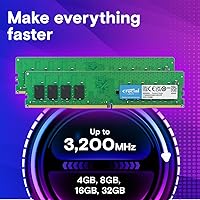
  • Speed: The modules operate at 2400MHz (PC4-19200), a widely supported DDR4 speed tier compatible with most modern desktop chipsets.
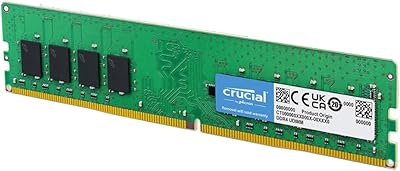
  • Form Factor: Each stick uses the 288-pin DIMM form factor, which is the standard for full-size desktop motherboards.
  • Voltage: The kit runs at 1.2V, which is the standard low-voltage specification for DDR4 and contributes to reduced heat output.
  • Configuration: The two sticks are sold and validated as a matched pair specifically intended to run in dual-channel mode.
  • Cooling: The modules use passive cooling with no heatspreader attached, relying on the bare PCB to dissipate heat during normal operation.
  • PCB Color: Both modules feature a green and black PCB with no RGB lighting or decorative elements.
  • Dimensions: Each individual stick measures 5.27 inches long by 1.23 inches tall, fitting standard full-height DIMM slots without clearance issues.
  • Weight: The combined kit weight is approximately 1.12 ounces, making it one of the lightest component upgrades available for a desktop build.
  • Compatible Devices: This kit is designed exclusively for desktop PCs and is not compatible with laptops, workstations requiring ECC memory, or gaming consoles.
  • XMP Support: These modules do not include an XMP profile, meaning they run at JEDEC-standard 2400MHz without any overclocking preset available in BIOS.
  • Warranty: Crucial provides a limited lifetime warranty on this memory kit, which is standard across their consumer DDR4 product lineup.
  • OS Compatibility: The kit is compatible with all major desktop operating systems including Windows 10, Windows 11, and mainstream Linux distributions.
  • Manufacturer: Crucial Technology, a division of Micron, designs and manufactures these modules using Micron-sourced DRAM dies.
  • Release Date: This kit was first made available for purchase in January 2020 and remains an active, non-discontinued product.

Related Reviews
Crucial 16GB DDR4 3200MHz Desktop RAM
78%
93%
Ease of Installation
88%
Compatibility Range
79%
Real-World Performance
91%
Long-Term Reliability
74%
Value for Money
More
Crucial 8GB DDR4-2400 SODIMM Laptop RAM
84%
91%
Value for Money
93%
Installation Ease
77%
Performance Impact
73%
Compatibility Range
94%
Long-term Reliability
More
Crucial 16GB DDR4-2666 SODIMM Laptop RAM Kit
86%
92%
Performance Gain
88%
Compatibility
91%
Value for Money
86%
Installation Ease
93%
Reliability & Longevity
More
Crucial 16GB DDR4-2400 SODIMM Memory
84%
88%
Performance Boost
75%
Installation Ease
90%
Energy Efficiency
84%
Compatibility with Laptops
87%
System Responsiveness
More
A-Tech 16GB DDR4 2400MHz SODIMM Laptop RAM
84%
74%
Compatibility
91%
Installation Ease
83%
Performance Improvement
88%
Value for Money
82%
Build & Component Quality
More
Timetec 16GB KIT DDR4 3200MHz Desktop RAM
81%
88%
Value for Money
93%
Installation Ease
82%
Compatibility
86%
Stability & Reliability
62%
Latency Performance
More
A-Tech 16GB DDR3 1600MHz Desktop RAM
79%
93%
Value for Money
88%
Compatibility
91%
Installation Ease
86%
System Stability
82%
Performance Uplift
More
D DUOMEIQI 16GB DDR4-2400 SODIMM Laptop RAM
76%
88%
Value for Money
76%
Compatibility
91%
Installation Ease
83%
Performance Gain
77%
Stability & Longevity
More
Gigastone 16GB Kit DDR4 2666MHz SODIMM RAM
75%
88%
Value for Money
91%
Installation Ease
74%
Compatibility
76%
Stability & Reliability
72%
Performance
More
A-Tech 16GB DDR4 2400MHz Desktop RAM
75%
88%
Value for Money
79%
Compatibility
93%
Ease of Installation
74%
Performance at Spec
86%
Reliability & Stability
More

FAQ

In most cases, yes. This DDR4 memory upgrade uses the standard 288-pin DIMM form factor and runs at 2400MHz, which is supported by virtually every Intel and AMD desktop platform from the last several years. Before buying, it is worth running your board through Crucial's online compatibility tool to confirm the specific pairing — it takes about two minutes and removes any guesswork.

For the vast majority of users, no. Most mainstream motherboards will automatically detect and run the modules at their rated 2400MHz speed without any manual configuration. The one step worth taking is to enter your BIOS after installation and confirm that both sticks are recognized and that dual-channel mode is active, which is usually shown on the memory status screen.

Dual-channel mode requires placing the sticks in matching-colored or alternating slots, not side by side in slots 1 and 2. Most motherboard manuals label the correct slot pairing clearly, and it is typically slots 2 and 4 (or A2 and B2) on a standard four-slot board. Installing them incorrectly will not damage anything, but you will miss out on the bandwidth advantage of dual-channel operation.

It depends on your expectations. For casual gaming and titles that are not particularly memory-sensitive, 16GB at 2400MHz is perfectly adequate. Where you might notice a ceiling is in fast-paced competitive games or on AMD Ryzen platforms, where the CPU's memory controller responds well to higher speeds like 3200MHz. If gaming performance is your primary goal, it is worth comparing this kit against similarly priced 3200MHz options before committing.

Technically you can, but it is generally not recommended. Mixing memory kits from different manufacturers, speeds, or timings can cause instability or force all modules to run at the lowest common speed. If you want to expand your existing setup, it is cleaner to sell or remove your old RAM and start fresh with a matched kit like this one.

Not at all. Running at 1.2V, these modules stay well within safe temperature ranges during normal and even moderately demanding use. The lack of a heatspreader is not a concern under typical desktop workloads — bare DDR4 modules have been running without heatspreaders in office and productivity machines for years without issue.

Yes, it should. DDR4 is backward compatible with lower speeds, so the modules will simply negotiate down to 2133MHz if that is the maximum your board supports. You lose a small amount of performance relative to the rated speed, but compatibility is maintained and the system will remain stable.

The easiest way is to check CPU-Z, a free utility that shows memory channel configuration on its Memory tab. You can also look in your BIOS memory settings or use Windows Task Manager under the Performance tab, which displays the number of memory slots used — though it does not explicitly label dual-channel mode. CPU-Z is the most reliable confirmation method.

Yes, a single stick will still function and your system will boot normally, just in single-channel mode at 8GB. Crucial's lifetime warranty covers defective modules, so if a stick fails under normal conditions, you can pursue a warranty replacement. It is worth keeping your purchase receipt or order confirmation handy in that scenario.

For most everyday users — web browsing, office work, video calls, light photo editing — 16GB remains more than adequate and you will not feel constrained. Where 32GB starts to make practical sense is if you regularly work with large video files, run multiple virtual machines simultaneously, or use professional creative tools that cache heavily into RAM. If your current use case fits the everyday description, this DDR4 memory upgrade will serve you well for several more years.