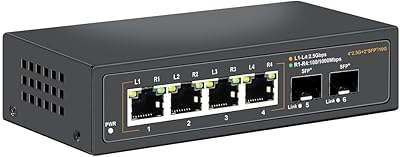
Overview

The Zyxel MG-105 5-Port 2.5G Unmanaged Switch sits at a genuine sweet spot for anyone whose home network has quietly fallen behind the hardware sitting on top of it. Standard gigabit links — fine for years — now struggle to keep pace with Wi-Fi 6 routers, modern NAS boxes, and 2.5G-capable adapters that have become genuinely affordable. This multi-gigabit switch closes that gap without demanding a rewire or a networking degree. It is compact, fanless, and built around a straightforward plug-and-play approach: connect it, and it works. At its price point, moving into multi-gigabit territory has rarely been this accessible for home users and small offices alike.
Features & Benefits

All five ports on the MG-105 negotiate speeds of 100M, 1G, or 2.5G automatically, so older devices slot right in while newer gear runs at full tilt. The 25 Gbps switching capacity means that even when multiple users are hammering the network simultaneously — streaming 4K content, pushing large files to a NAS, or gaming — nothing sits waiting. What stands out in everyday use is the silence: there is no fan, just passive cooling, which matters more than you might expect when this thing lives beside your desk or inside a media cabinet. Standard RJ45 ports mean your existing Cat5e or Cat6 cabling carries on without issue.

Best For

This 2.5G unmanaged switch earns its place most naturally for anyone running a Wi-Fi 6 router — because keeping a gigabit switch in that setup is essentially paying to preserve a bottleneck. NAS users will feel the difference almost immediately when moving large archives or running backup jobs across the local network. Remote workers dealing with bulky file transfers or uncompressed video editing over a shared drive will appreciate the headroom too. Gamers wanting a clean, low-latency wired connection between a gaming PC and the rest of the house are another obvious fit. And if you have recently added a 2.5G PCIe adapter to a desktop, the MG-105 is effectively the missing half of that upgrade.

User Feedback

Across a solid base of verified buyers, this multi-gigabit switch holds a strong average rating, with consistent praise centered on real-world speed gains, effortless setup, and how quietly it runs in the background. Most people describe plugging it in and never touching it again — exactly what you want from unmanaged hardware. The feedback is not entirely without caveats, though. The plastic enclosure comes up regularly: it feels light, and some buyers would prefer a metal shell at this price. The 220V power spec has also caused brief confusion for US-based buyers, though it has not translated into widespread functional problems. Against rivals like the TP-Link TL-SG105-M2, reviewers generally call it a close race, with the final call often coming down to brand loyalty or stock availability.

Pros

  • All five ports deliver up to 2.5 Gbps, giving every connected device room to actually perform.
  • Auto-negotiation across 100M, 1G, and 2.5G means older gear plugs right in without any reconfiguration.
  • Completely fanless design keeps things silent — a real advantage in living rooms, bedrooms, and quiet home offices.
  • Setup takes under a minute: no app, no login, no configuration steps to stumble through.
  • The compact footprint makes it easy to tuck behind a router or nest beside a NAS without cluttering your space.
  • Works with existing Cat5e and Cat6 cables, so there is no need to rewire anything to see a speed improvement.
  • Strong long-term reliability reports from verified buyers, with few complaints about units failing or overheating.
  • Competitive pricing makes this one of the most accessible entry points into multi-gigabit home networking available today.
  • A useful companion piece for anyone who has recently added a 2.5G PCIe card to a desktop build.

Cons

  • The plastic shell feels noticeably lightweight — it does not inspire much confidence if physical durability matters to you.
  • Five ports is a firm ceiling; even a modest home setup can fill them faster than expected.
  • No management features whatsoever: no VLANs, no QoS, no traffic monitoring, no port mirroring.
  • The 220V power specification has caused compatibility confusion for some buyers in North America — worth verifying before purchase.
  • No rack-mount options or mounting hardware included, limiting where it can be cleanly installed.
  • Buyers in the 10G ecosystem will find 2.5G a modest step; this switch will not future-proof against faster emerging standards.
  • Heat dissipation relies entirely on passive airflow, so placement in a sealed or poorly ventilated cabinet is not advisable.
  • No link aggregation support, which limits throughput options for users with high-demand servers or advanced NAS configurations.

Ratings

The scores below reflect an AI-driven analysis of verified global buyer reviews for the Zyxel MG-105 5-Port 2.5G Unmanaged Switch, with spam, incentivized, and bot-generated feedback actively filtered out before scoring. Each category captures the genuine consensus from real-world users — including the frustrations, not just the highlights. Where buyers were divided, that tension is reflected directly in the numbers.

Network Performance
93%
Buyers consistently report hitting true 2.5G throughput between compatible devices, with NAS transfer speeds and large file moves confirming the spec rather than falling short of it. Users pairing this switch with Wi-Fi 6 routers note the wired backhaul finally keeps up with the rest of their setup.
A small number of buyers report that certain older or budget NICs struggled to negotiate cleanly at 2.5G, occasionally settling at 1G instead. This is typically a device-side limitation, but it has disappointed a handful of users expecting automatic full-speed connections across every port.
Ease of Setup
97%
This is arguably the most universally praised aspect of the MG-105 — buyers with no networking background describe plugging it in and having everything work instantly, with zero configuration. Even users migrating from a managed switch appreciate not having to touch a browser interface or reset anything.
The complete absence of any setup process is a feature for most, but a handful of advanced users note that the lack of even a basic status page makes it impossible to confirm link speeds or diagnose port-level issues without external tools.
Value for Money
89%
At its price point, getting five full 2.5G ports with no additional licensing fees or subscription costs is considered genuinely good value by the majority of buyers. Users frequently note that comparable managed switches with the same port count cost significantly more, making this an easy decision for anyone who does not need advanced features.
A portion of buyers feel the plastic construction is mismatched with the price — they expected a more premium feel for what they paid. A few also note that rival options occasionally undercut this switch on price during promotional periods, making the value proposition slightly less consistent.
Build Quality
62%
38%
The unit is compact, light, and practically sized for shelf or desk placement. Buyers who care mainly about function rather than feel report no structural issues during extended use, and the enclosure holds up fine in typical home deployments.
The plastic shell is the single most criticized element across all reviews — multiple buyers describe it as feeling flimsy or hollow compared to rivals, and some note visible flex when pressed. For users placing this in a more demanding environment or alongside premium hardware, the build feel is a persistent minor frustration.
Noise Level
98%
Fanless passive cooling means this switch produces absolutely no sound under any load, which buyers in quiet home offices, bedrooms, and living room media setups call out specifically as a key reason they chose it over alternatives. Several reviewers mention that silence was a non-negotiable requirement and this switch delivered completely.
There is virtually nothing negative to report here from a noise perspective. The only marginal concern is that passive cooling requires adequate ventilation, and users who have enclosed this in a tight cabinet report the chassis running noticeably warm — though not at levels that have caused failures in reported reviews.
Port Count & Layout
71%
29%
Five ports is a practical count for most home setups — enough for a router, NAS, desktop, gaming console, and one additional device without needing a secondary switch. The physical port spacing is comfortable, and standard RJ45 connectors seat and release without any awkwardness.
Five ports fills up faster than buyers anticipate, particularly in small office environments or homes with multiple wired devices per room. Several reviewers returned or supplemented this switch specifically because they underestimated how quickly the port count became a ceiling.
Heat Management
74%
26%
In open-air placement on a desk or shelf, the switch maintains stable temperatures even under sustained heavy traffic. Long-term buyers who have run the unit continuously for over a year generally report no heat-related degradation or unexpected shutdowns.
Passive cooling has clear placement requirements that are not emphasized prominently enough in the packaging. Buyers who installed the switch inside enclosed media consoles or stacked tightly with other hardware have noted warm chassis temperatures that made them uneasy, even if no failures resulted.
Backward Compatibility
91%
Auto-negotiation across 100M, 1G, and 2.5G works reliably across a wide range of devices in practice — buyers mixing old and new hardware on the same switch report seamless coexistence with no manual intervention needed. This makes it genuinely useful during a gradual hardware upgrade cycle.
Occasionally, legacy devices with non-standard firmware or unusual NIC behavior have triggered negotiation hiccups, requiring a cable reseat or device restart to resolve. This is infrequent and not specific to this switch, but it does come up in a small number of reviews.
Long-Term Reliability
83%
The majority of buyers who have owned this switch for a year or more describe it as completely problem-free — a set-it-and-forget-it piece of kit that simply keeps working. Zyxel's general reputation for durable networking hardware supports this positive long-term picture.
A minor but non-trivial cluster of reviews mention units developing intermittent port issues or failing to negotiate full speed after extended use. It is not a dominant pattern, but it is present enough to suggest quality control is not perfectly consistent across all units.
Power & Voltage Compatibility
58%
42%
For buyers in 220V regions, the included power adapter works as expected with no reported issues. The power draw is low given the fanless design, and the unit does not introduce noticeable load on a shared power strip or UPS.
The 220V rating has caused real confusion and frustration among North American buyers, some of whom received units with adapters not suited for 110V outlets. This has led to returns and negative reviews that could have been avoided with clearer regional packaging — and it remains an unresolved pain point for US-based purchasers.
Physical Footprint
88%
At roughly the size of a paperback book, the MG-105 fits neatly in spots that a larger switch simply could not — behind a router, on a narrow shelf bracket, or tucked into the back of an entertainment unit. Buyers with space-constrained setups specifically call this out as a selling point.
The lightweight form factor means the switch can slide around on smooth surfaces when cables are inserted or pulled. Several buyers mention using adhesive pads or Velcro strips to keep it in place, which is a minor but recurring workaround that should not be necessary out of the box.
Indicator Lights & Diagnostics
66%
34%
Per-port LED indicators give basic link and activity confirmation at a glance, which is sufficient for straightforward home or small office use. Buyers who just want to confirm a device is connected and active find the LEDs adequate for that purpose.
The LEDs do not distinguish between 1G and 2.5G link speeds, which frustrates buyers who want quick visual confirmation of what speed each port has negotiated. Without a management interface or speed indicator, diagnosing a slow link requires external tools — an unnecessary friction point for a slightly more technical audience.
Cable Management
69%
31%
The RJ45 ports are evenly spaced and oriented in a single row, making it straightforward to route cables cleanly in either direction. Buyers with tidy desk or server closet setups appreciate the predictable layout.
There are no cable tie-down points, Velcro slots, or mounting holes on the chassis, so organizing cables neatly around the switch relies entirely on external accessories. In setups with five cables fully populated, the switch can look cluttered without some deliberate cable management effort from the user.
Brand & Support Reputation
77%
23%
Zyxel is a recognized name in networking with a track record in both consumer and SMB products, which gives buyers more confidence than purchasing from an unknown brand at a similar price point. Warranty support has been described as responsive in the relatively small number of cases where buyers needed it.
Zyxel does not carry the same consumer brand recognition as TP-Link or Netgear in many markets, which means some buyers approach it with hesitation. Documentation and regional support quality appear inconsistent based on location, with some buyers outside Europe reporting slower or less helpful warranty interactions.

Suitable for:

The Zyxel MG-105 5-Port 2.5G Unmanaged Switch is the right call for anyone whose network hardware has quietly outgrown its cabling infrastructure. If you have invested in a Wi-Fi 6 or Wi-Fi 6E router, a multi-bay NAS, or a desktop with a 2.5G PCIe adapter, running those devices through a standard gigabit switch is a real and measurable bottleneck — this is exactly the gap the MG-105 was built to close. NAS users who regularly move large media libraries or run local backups across multiple machines will feel the difference almost immediately. Remote workers and small creative teams dealing with 4K video files, large project archives, or frequent inter-device transfers will get genuine value from the extra headroom. Gamers who prioritize a clean, fast wired connection over wireless will find the setup as simple as it gets. And because every port auto-negotiates down to 1G or 100M, there is no pressure to upgrade every device at once — older hardware stays connected without any fuss.
Not suitable for:

The Zyxel MG-105 5-Port 2.5G Unmanaged Switch is a poor match for anyone who needs visibility or control over their network traffic. There is no management interface, no VLAN support, no QoS configuration, and no way to monitor port activity — if any of those things matter to you, you need a managed switch at a higher price point. Buyers running larger offices or multi-department environments will also hit the port limit quickly; five ports is a tight ceiling once you start counting servers, access points, and workstations. The plastic enclosure is functional but not confidence-inspiring if you are mounting this in a rack or expecting it to survive a demanding physical environment. US buyers should double-check the included power adapter for local voltage compatibility, as the listed spec is 220V and some units shipped to North American customers have caused brief compatibility concerns. Finally, if your entire network still runs on standard gigabit hardware with no near-term plans to upgrade routers, NAS devices, or endpoint adapters, the speed advantage of this switch simply will not show up in practice.

Specifications

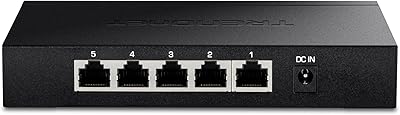
  • Ports: Five RJ45 ports each capable of operating at 100M, 1G, or 2.5G, with automatic speed negotiation per device.
  • Max Port Speed: Each individual port supports a maximum data transfer rate of 2.5 Gbps.
  • Switching Capacity: Total non-blocking switching capacity is 25 Gbps, sufficient to run all five ports at full speed simultaneously.
  • Management: Fully unmanaged — there is no web interface, app, or CLI; the switch operates entirely automatically with no user configuration required.
  • Auto-Negotiation: All ports auto-negotiate connection speed across three tiers: 100 Mbps, 1 Gbps, and 2.5 Gbps, based on the connected device.
  • Cooling System: Passive fanless cooling with no moving parts, relying on natural convection to maintain safe operating temperatures.
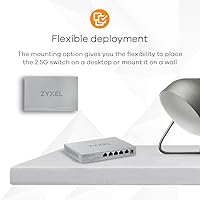
  • Dimensions: Physical dimensions are 6.3″ long, 4.33″ wide, and 1.02″ tall, making it suitable for desktop or shelf placement.
  • Weight: The unit weighs 460 g (approximately 1.01 lbs), reflecting its compact plastic construction.
  • Case Material: Outer enclosure is constructed from plastic, finished in black.
  • Interface Type: All ports use standard RJ45 connectors, compatible with Cat5e, Cat6, and Cat6a cabling.
  • Voltage: Rated input voltage is 220V; buyers in 110V regions such as the US should verify included adapter compatibility before use.
  • Compatible Devices: Designed to work with desktops, NAS units, Wi-Fi 6 access points, PCIe 2.5G adapters, and any standard Ethernet-connected device.
  • Model Number: Official model identifier is MG-105-ZZ0101F, manufactured by Zyxel.
  • Brand: Manufactured by Zyxel, a networking hardware company with a long track record in both consumer and SMB markets.
  • Color: Available in black only.
  • Availability: First made available for purchase in July 2021 and remains an active, non-discontinued product in Zyxel's lineup.
  • Included Items: Package includes the switch unit and a user guide; no management software or mounting hardware is included.
  • ASIN: Amazon product identifier is B097RD15N8 for reference when cross-checking listings or comparing variants.

Related Reviews

TRENDnet TEG-S350 5-Port 2.5G Network Switch
78%
88%
Value for Money
91%
Network Performance
94%
Ease of Setup
86%
Build Quality
97%
Noise Level
More
VIMIN 18-Port 2.5G Unmanaged Switch
87%
86%
Performance
92%
Ease of Setup
88%
Build Quality
94%
Fanless Design
85%
Compatibility with Devices
More
Tenda SE105 5-Port 2.5G Unmanaged Switch
83%
97%
Ease of Setup
91%
Port Speed Performance
93%
Value for Money
67%
Build Quality
78%
Thermal Management
More
VIMIN 6-Port 2.5G Unmanaged Network Switch
83%
88%
Throughput Performance
84%
Build Quality
93%
Setup & Ease of Use
67%
SFP+ Port Usability
96%
Fanless Noise Level
More
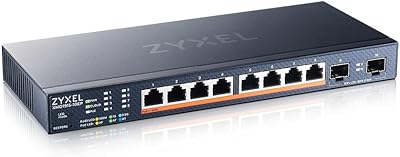
Zyxel XMG1915-10EP 8-Port 2.5G PoE Switch
81%
78%
PoE Performance
84%
Cloud Management
86%
Setup & Onboarding
81%
Build Quality
89%
2.5G Port Speed
More
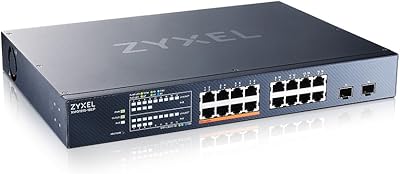
Zyxel XMG1915-18EP 16-Port 2.5G Multi-Gig Switch
87%
92%
Performance
94%
Ease of Setup
88%
Build Quality
90%
PoE Functionality
95%
Fanless Design (Noise)
More
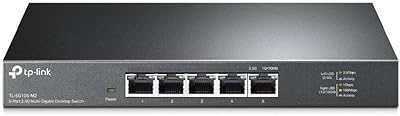
TP-Link TL-SG105-M2 5-Port 2.5G Unmanaged Switch
82%
91%
Throughput Performance
96%
Ease of Setup
88%
Build Quality
71%
Thermal Management
63%
Port Count & Expandability
More
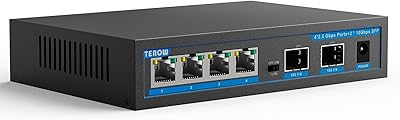
TEROW 4-Port 2.5G 2-Port SFP+ Network Switch
81%
93%
Value for Money
96%
Ease of Setup
88%
Port Performance & Link Stability
71%
SFP+ Port Compatibility
84%
Build Quality & Materials
More
Davuaz 2.5G Unmanaged Ethernet Switch
87%
88%
Performance
93%
Ease of Setup
90%
Energy Efficiency
85%
Build Quality
72%
Compatibility with Devices
More
ienRon 6-Port 2.5Gb PoE Switch with 2-Port 10Gb SFP+
85%
86%
Performance
91%
Ease of Setup
88%
PoE Power Delivery
84%
Build Quality
93%
Fanless Operation
More

FAQ

If your router has a 2.5G WAN or LAN port and your wired devices support 2.5G, then yes — running them through a standard gigabit switch is a real bottleneck that limits what your router and devices can actually do together. The MG-105 removes that ceiling without requiring any rewiring or reconfiguration.

Absolutely. Every port on this switch auto-negotiates, so a device that only supports 1G or even 100M will connect and function normally alongside 2.5G devices on other ports. You do not need to replace all your hardware at once to benefit from the upgrade.

Not at all. The Zyxel MG-105 5-Port 2.5G Unmanaged Switch has no configuration interface of any kind — you simply plug in your cables and power it on. Most buyers report being fully up and running in under a minute, with no drivers or software installation required.
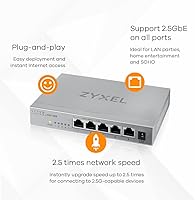
It runs completely silently. There is no fan inside — cooling is handled passively — so it produces zero noise during operation. That makes it a genuinely practical choice for bedrooms, living room media setups, or any space where a noisy switch would be annoying.

This is worth double-checking before you buy. The listed voltage spec is 220V, and some units shipped to North American buyers have required a separate adapter or power brick rated for 110V. Check what is included in your specific listing and verify the included adapter supports your local voltage range before assuming it will work out of the box.

The MG-105 does not include any rack-mount brackets or wall-mount hardware, and its form factor is not designed for rack installation. It is intended for flat surface use — a desk, shelf, or tucked behind a router. If rack mounting is a hard requirement, you would need to look at switches designed specifically with that option.

These two are the most frequently compared 5-port 2.5G unmanaged switches in this price range, and buyers consistently describe them as nearly equivalent in real-world performance. The differences tend to come down to minor build variations and personal brand preference rather than meaningful performance gaps. Either is a solid pick; availability and current pricing often end up being the deciding factor.

Cat5e is technically capable of carrying 2.5G over typical home run distances under 100 meters, so if your home is already wired with Cat5e you are likely fine. Cat6 or Cat6a gives you more headroom and is the safer bet for longer runs or future-proofing. You do not need to rewire with anything exotic to take advantage of this switch.

It runs warm to the touch under sustained load, which is normal for passive-cooled hardware. Most buyers have not reported heat as a problem in open-air placement. That said, you should avoid tucking it into a fully enclosed cabinet with no airflow, since it relies on natural convection to stay within safe operating temperatures.

Yes, and this is actually one of the strongest use cases for this switch. Each port has its own 2.5G connection, and the 25 Gbps internal switching capacity means simultaneous transfers between multiple devices and your NAS will not throttle each other. Keep in mind that your NAS itself also needs a 2.5G network port to see the full benefit — the switch cannot make a 1G NAS port faster than 1G.