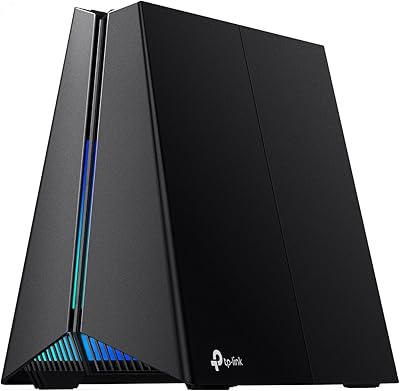
TP-Link RE653BE Wi-Fi 7 Range Extender
Overview
The TP-Link RE653BE Wi-Fi 7 Range Extender arrives at a moment when most homes are running more devices than their router was ever designed to handle, and dead zones in back bedrooms or garages have become genuinely frustrating. Unlike Wi-Fi 6 or 6E extenders, this range extender brings a proper 6 GHz band into the picture — a meaningful shift that opens up cleaner airspace away from the congested 2.4 and 5 GHz channels most neighbors are still fighting over. For security-minded buyers, TP-Link's participation in the CISA Secure-by-Design pledge adds a layer of accountability that's worth noting in a product category that often skips that conversation entirely.
Features & Benefits
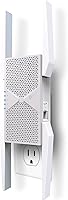
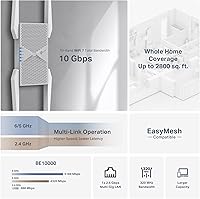
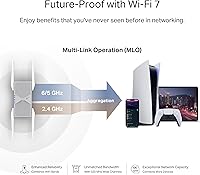
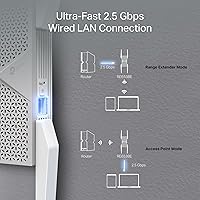
What separates this Wi-Fi 7 extender from its predecessors isn't just raw speed numbers — it's how the technology actually manages traffic. Multi-Link Operation lets compatible devices transmit across multiple bands simultaneously, which reduces dropped packets and latency spikes during video calls or cloud gaming sessions. The 6 GHz band helps by pulling newer devices away from the crowded lower frequencies, keeping legacy gadgets from slowing everyone else down. A 2.5 Gbps Ethernet port is a genuinely useful addition, letting you plug in a NAS drive, gaming console, or smart TV without that connection becoming a bottleneck. Four directional antennas with Beamforming focus the signal toward devices rather than broadcasting indiscriminately in every direction.
Best For
This range extender makes the most sense for homeowners who have already invested in a Wi-Fi 7 router and want to extend that investment into harder-to-reach areas — think multi-floor houses, homes with a detached garage, or open-plan layouts where the router sits in one corner. The wired 2.5 Gbps port makes it a strong fit for anyone with a stationary high-bandwidth device they don't want on Wi-Fi at all. It also suits TP-Link ecosystem users who want a native EasyMesh node rather than stitching together hardware from different brands. That said, buyers expecting full Wi-Fi 7 performance should know the advanced features like MLO only activate when paired with a Wi-Fi 7 router on the other end.
User Feedback
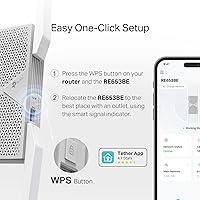
Buyers consistently highlight how straightforward the setup process is through TP-Link's Tether app, with most reporting a working connection within minutes. The 2.5 Gbps port draws frequent praise as a differentiator, especially from users who compared it to competing extenders still shipping with standard gigabit ports. On the critical side, some reviewers note that placement requires more thought than expected — positioning it too far from the main router, or behind thick walls, noticeably limits the 6 GHz band's effective range, which is physically shorter than 5 GHz regardless of the device. A few users also flagged the LED indicator as brighter than ideal for bedroom installations, though most found the build quality solid for the price tier.
Pros
- The 2.5 Gbps Ethernet port is rare at this price tier and makes a real difference for wired gaming consoles and NAS devices.
- Setup via the Tether app is fast and guided, with most users connected and running in under ten minutes.
- The 6 GHz band pulls newer devices away from crowded frequencies, reducing interference in dense neighborhoods.
- EasyMesh support means TP-Link router owners get true seamless roaming rather than juggling two separate network names.
- Directional antennas with Beamforming focus signal where it is needed instead of wasting power broadcasting in all directions.
- Handles 20-plus simultaneous devices without the slowdowns common in cheaper extenders, thanks to MU-MIMO and OFDMA.
- TP-Link's CISA Secure-by-Design participation is a meaningful security credential in a category that often ignores it.
- Build quality feels solid and the unit runs cool under sustained load, suggesting good long-term reliability.
- The RE653BE supports Access Point Mode, giving buyers flexibility to use it as a primary wireless access point if needed.
- Coverage improvements in fringe areas like back bedrooms, garages, and basements are consistently reported by real users.
Cons
- MLO and other Wi-Fi 7 advanced features are completely inactive unless your main router is also Wi-Fi 7.
- The 6 GHz band loses range quickly through thick walls, limiting its usefulness in older or larger homes.
- Only one Ethernet port is included, which frustrates users wanting to wire more than one device in the extended zone.
- The LED indicator is bright enough to be disruptive in bedrooms, and dimming it requires navigating app settings.
- Placement sensitivity is higher than average — a few feet of suboptimal positioning can noticeably reduce performance.
- Buyers without a Wi-Fi 7 router are effectively paying a premium for hardware features they cannot currently use.
- EasyMesh interoperability with non-TP-Link routers works inconsistently, making it feel like a TP-Link-only perk in practice.
- The physical footprint requires shelf or surface placement, which is not ideal for users with limited space in the optimal location.
- Firmware update prompts during initial setup caused confusion among a notable share of first-time users.
- For households still on older router hardware, the real-world performance gap over a cheaper Wi-Fi 6E extender is minimal.
Ratings
Our AI-generated scores for the TP-Link RE653BE Wi-Fi 7 Range Extender are derived from analyzing verified global buyer reviews, with spam, bot activity, and incentivized feedback actively filtered out. The result is an honest cross-section of real-world experiences — from home office setups to multi-floor households — that surfaces both where this range extender genuinely delivers and where it falls short of expectations.
Wireless Performance
Wi-Fi 7 Feature Depth
Coverage Range
Ethernet Port Utility
Setup & App Experience
EasyMesh Integration
Build Quality & Design
LED Indicator Behavior
Value for Money
6 GHz Band Effectiveness
Device Capacity Handling
Latency & Gaming Performance
Security & Firmware Updates
Suitable for:
The TP-Link RE653BE Wi-Fi 7 Range Extender is a strong fit for homeowners who have already upgraded to a Wi-Fi 7 router and want to push that investment into the far corners of a larger home without rebuilding their entire network. If you live in a two-story house, a home with a detached garage, or an open-plan layout where the router sits in one end and the home office or living room sits at the other, this range extender genuinely addresses those coverage gaps. Power users who rely on cloud gaming, 4K or 8K streaming, or video conferencing from rooms that previously had marginal signal will notice a real difference — especially once the 6 GHz band offloads their newer devices away from congested lower frequencies. The 2.5 Gbps Ethernet port is a particular draw for anyone with a wired gaming console, NAS drive, or smart TV sitting in the coverage extension zone, since it removes the speed ceiling that standard gigabit ports impose. Buyers already in the TP-Link ecosystem will also find the EasyMesh integration refreshingly straightforward, allowing devices to roam between router and extender without manually switching networks.
Not suitable for:
The TP-Link RE653BE Wi-Fi 7 Range Extender is not the right purchase for everyone, and being clear about that is more useful than overselling it. If your current router is Wi-Fi 6, Wi-Fi 6E, or older, you will not unlock the advanced features — like Multi-Link Operation — that justify much of the premium price; a well-placed Wi-Fi 6E extender would likely serve you just as well at a lower cost. Buyers in very large homes with thick concrete or brick walls should also be cautious: the 6 GHz band, while excellent for speed in open spaces, has a shorter effective range than the 5 GHz band, meaning it may not reach the rooms that need help most. If your primary goal is whole-home mesh coverage with truly consistent roaming across many nodes, a dedicated mesh system is architecturally better suited to that task than any single extender. Budget-conscious buyers or those in small apartments with a single dead zone will find the price hard to justify when simpler, cheaper options would cover the same ground. Finally, anyone expecting a plug-into-the-wall, set-and-forget appliance should know that placement strategy genuinely matters here — this device rewards a thoughtful setup rather than a casual one.
Specifications
- Wi-Fi Standard: This range extender operates on Wi-Fi 7 (802.11be), and is also backward compatible with 802.11a/b/g/n/ac/ax devices.
- Total Bandwidth: Tri-band aggregate bandwidth reaches up to 10 Gbps across all three frequency bands combined (BE10000 class).
- Frequency Bands: Operates simultaneously across three bands: 2.4 GHz, 5 GHz, and 6 GHz, each serving different device types and range needs.
- 6 GHz Speed: The 6 GHz band delivers up to 5,188 Mbps, providing the cleanest and fastest channel for compatible Wi-Fi 7 devices.
- 5 GHz Speed: The 5 GHz band supports up to 4,320 Mbps, suitable for mid-range devices and offering better wall penetration than 6 GHz.
- 2.4 GHz Speed: The 2.4 GHz band operates at up to 688 Mbps, maintaining broad compatibility with older and low-bandwidth smart home devices.
- Ethernet Port: One 2.5 Gbps LAN port is included, enabling wired connections for high-bandwidth devices such as gaming consoles and NAS drives.
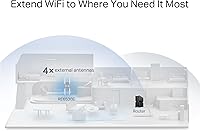
- Antennas: Four high-gain directional antennas with Beamforming technology focus wireless signal toward connected devices rather than broadcasting omnidirectionally.
- Coverage Area: Designed to extend reliable Wi-Fi coverage to areas up to 2,800 sq ft when placed appropriately relative to the primary router.
- Device Capacity: Supports up to 128 simultaneously connected devices, with MU-MIMO and OFDMA managing traffic distribution across the device pool.
- MLO Support: Multi-Link Operation (MLO) is supported, allowing compatible devices to transmit and receive across multiple bands at once to reduce latency.
- Mesh Compatibility: EasyMesh compatible, enabling seamless whole-home roaming integration with supported TP-Link and select third-party EasyMesh routers.
- Operating Modes: Supports both Range Extender mode and Access Point mode, offering installation flexibility depending on the existing network setup.
- Security Standard: TP-Link is a signatory of the CISA Secure-by-Design pledge, and the device ships with WPA3 encryption support enabled by default.
- Dimensions: The unit measures 7.95 x 5.63 x 4.69 inches and requires a flat surface or shelf for placement rather than a wall outlet.
- Weight: The device weighs 15.2 oz (approximately 431 g), making it a moderately sized desktop unit within the extender category.
- Stream Count: Supports 6 spatial streams distributed across the three bands, enabling efficient handling of multiple simultaneous high-bandwidth connections.
- App Management: Configured and managed via the TP-Link Tether app, available for both iOS and Android, supporting remote access and firmware updates.
Related Reviews
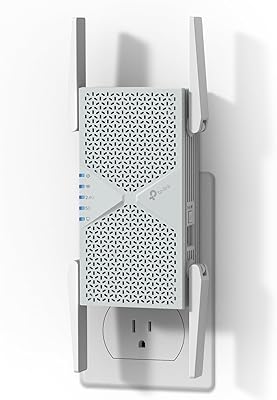
TP-Link RE403BE BE6300 Wi-Fi 7 Range Extender
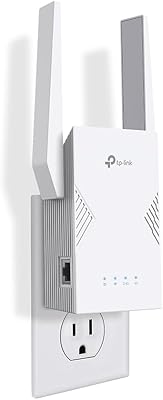
TP-Link RE223BE Wi-Fi 7 Range Extender
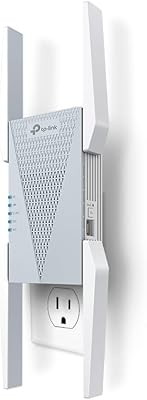
TP-Link RE813XE Wi-Fi 6E Range Extender
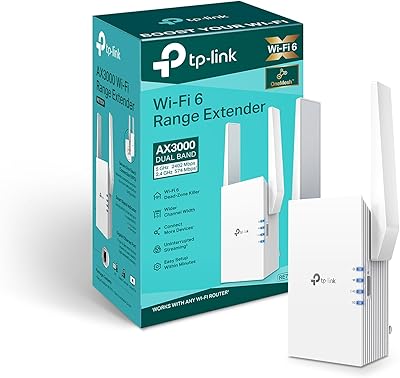
TP-Link RE705X AX3000 Wi-Fi 6 Range Extender
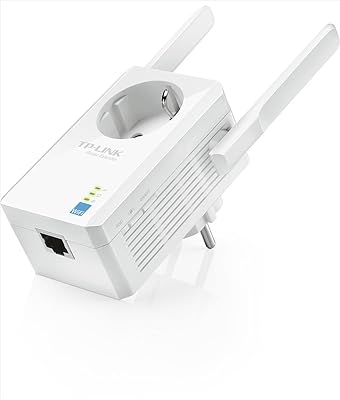
TP-Link TL-WA860RE N300 Wi-Fi Range Extender
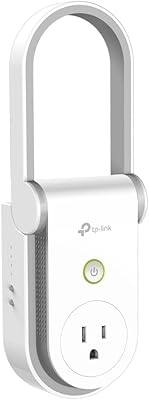
TP-Link RE370K Smart Plug & Wi-Fi Range Extender
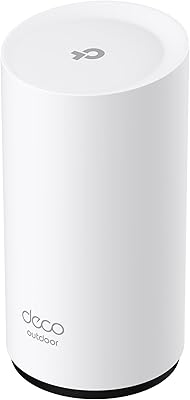
TP-Link Deco BE25-Outdoor Wi-Fi 7 Mesh Extender
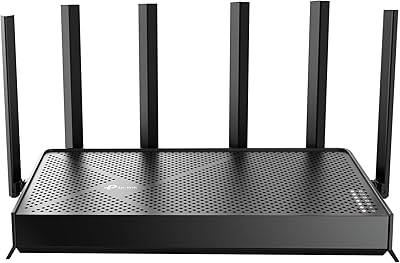
TP-Link Archer BE400
TP-Link Archer GE650 Wi-Fi 7 Gaming Router